iOS 27 AI Features: Every Apple Intelligence Upgrade
iOS 27 ships a rebuilt Siri on Google Gemini, Apple Intelligence Extensions for ChatGPT and Claude, and Visual Intelligence as a dedicated Camera mode.
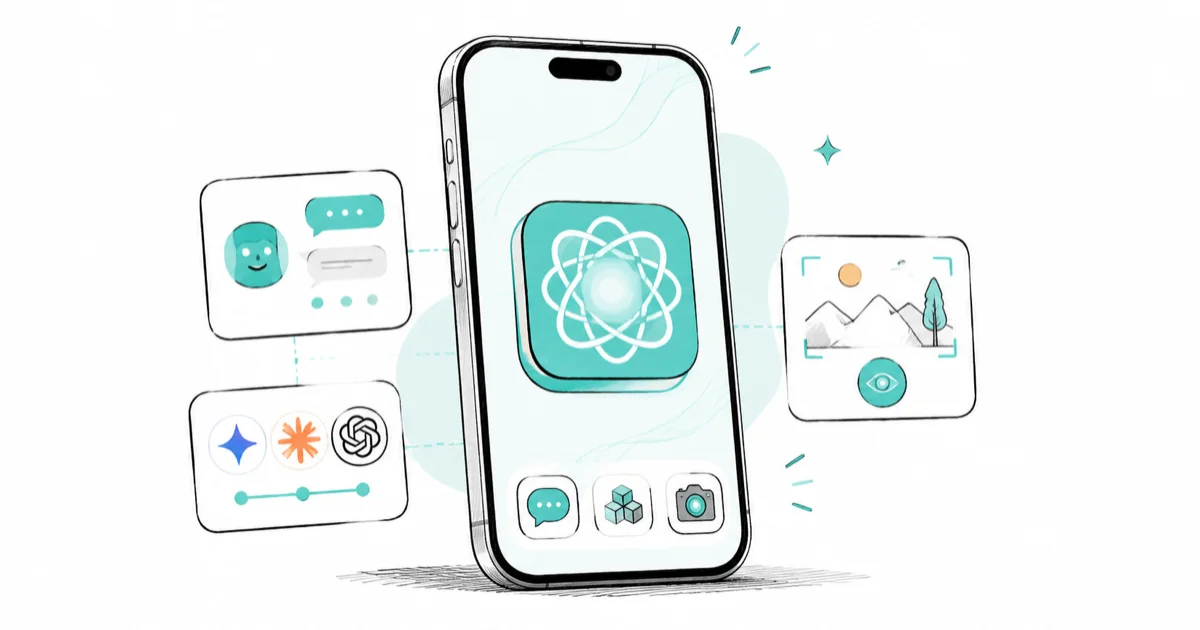
Quick AnsweriOS 27 rebuilds Siri on a custom Google Gemini model with a standalone app, opens Apple Intelligence to ChatGPT, Gemini, and Claude, and makes Visual Intelligence a Camera mode.
The iOS 27 AI features mark the biggest Apple Intelligence upgrade since iOS 18. Apple unveiled the release at WWDC 2026 on June 8, with a platform-level rethink touching Siri, the Camera, Writing Tools, and the AI provider underneath.
- Siri runs on a custom ~1.2-trillion-parameter Google Gemini model that Apple licenses for a reported $1 billion per year.
- A new Extensions framework lets you pick Gemini, Claude, or ChatGPT as the Apple Intelligence model behind Siri and Writing Tools.
- A standalone Siri app debuted across iOS, iPadOS, and macOS 27 with an iMessage-style thread and iCloud-synced conversation history.
- Visual Intelligence moved from the Camera Control button to a dedicated Camera mode alongside Photo, Video, and Portrait.
- iOS 27 runs on every iPhone that runs iOS 26, the A13 floor of iPhone 11 and the second-generation SE, with no new device drops.
#How Does Siri Change in iOS 27?
This is the change everything else builds around.
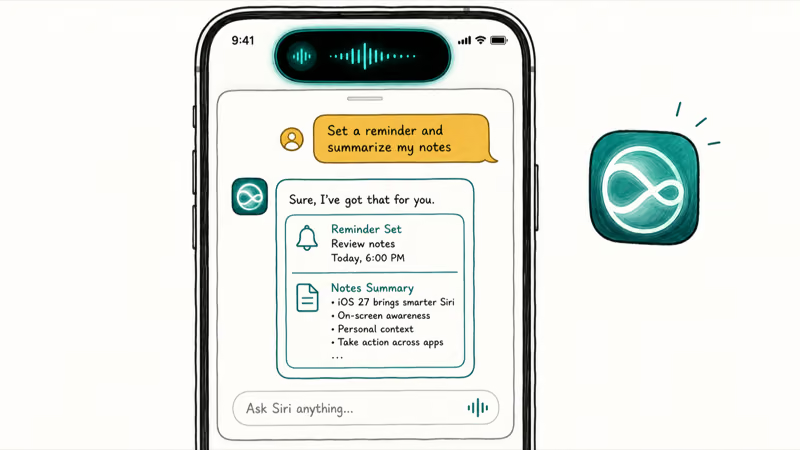
iOS 27 targets a familiar Siri gap: discrete commands are easier than open-ended follow-up. Set a timer, send a message, play a song: straightforward. Follow-up questions, complex explanations, or anything requiring memory of what you said two minutes ago: harder. iOS 27 rebuilt Siri at the foundation level to close that gap.
Apple replaced Siri’s previous architecture with a custom Google Gemini model. According to 9to5Mac’s report on the deal, Apple is using a 1.2 trillion parameter model from Google and paying roughly $1 billion annually for access to the technology. The new assistant ships as a standalone app for the first time across iOS, iPadOS, and macOS, with an iMessage-style chat thread, iCloud-synced conversation history, deep personal context, multi-step chained commands, on-screen awareness, and paperclip attachments for files and photos.
The thread persists across sessions and across devices. According to Engadget’s WWDC live blog, the new Siri app makes it easy to revisit an existing conversation, with histories synced privately through iCloud, so the same session you start on your iPhone in the morning is still there on your Mac at lunch.
That single shift is what turns Siri from a voice trigger into something closer to ChatGPT or Gemini, where the history of what you asked actually informs the next reply, and where you can scroll back to find what Siri told you last week instead of asking again.
Developer beta 3, seeded July 6, 2026, activated a Siri voice customization menu on compatible devices, giving you sliders for Pace and Expressivity so the assistant’s spoken replies match how you like to be talked to.
For a complete breakdown of the redesign, see the iOS 27 Siri redesign guide.
#The iOS 27 AI Extensions Framework
Apple’s iOS 18 shipped with a single third-party AI arrangement: a ChatGPT handoff carried through iOS 26. iOS 27 opens that up.
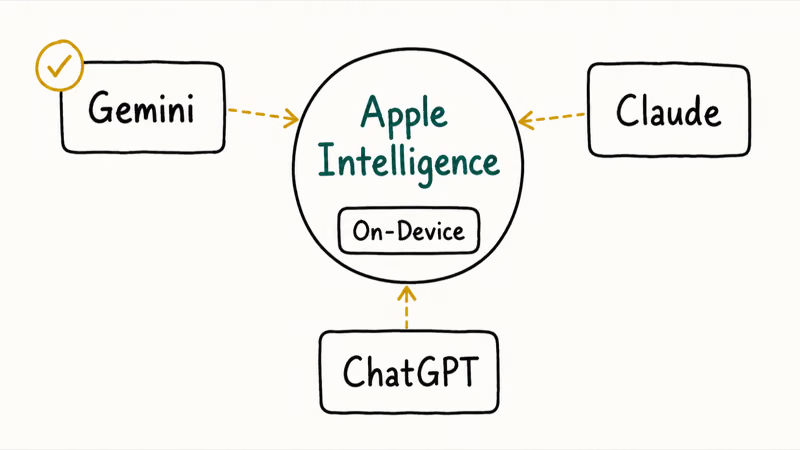
Apple opened Siri to multiple providers through an Extensions framework at WWDC 2026. The initial set includes Google Gemini and Anthropic’s Claude, joining the existing ChatGPT connection. You find the setting in Settings > Apple Intelligence and Siri, and the choice applies to both Siri queries and Writing Tools.
Apple’s own on-device models don’t go away. Notification summaries, basic Writing Tools, and Visual Intelligence still run locally on Apple’s own foundation models, which Apple describes as a system of generative models built into iOS, iPadOS, and macOS. The Extensions layer sits on top for queries that need more capability or a specific model’s strengths.
For step-by-step guidance on the Extensions setup, see the iOS 27 third-party AI guide. The same Apple Intelligence stack reaches the tablet too, and the iPadOS 27 features guide covers how it lands on iPad.
#Visual Intelligence Gets a Camera Mode
Visual Intelligence launched on iPhone 16 as a Camera Control shortcut. In iOS 27, it moved into the Camera app itself.
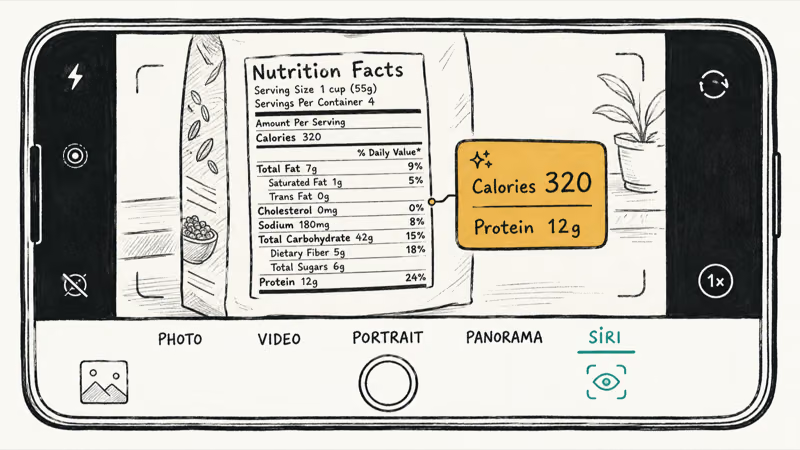
As Engadget’s WWDC live blog noted during the keynote, the Camera app gained a Siri mode with image understanding powered by Apple’s foundation models. The mode sits in the camera’s mode selector alongside Photo and Video, and Siri answers questions about whatever it sees in real time.
The new mode handles nutrition label scanning that logs to the Health app, business card scanning that writes directly to Contacts, physical ticket scanning for Wallet, and object web search. The same long-press on Camera Control still works on iPhone 16 and 17 models, but most users will find the mode through the picker now rather than the hidden gesture.
In iOS 26, Visual Intelligence was easy to miss because it lived behind an unlabeled Camera Control gesture. A named Camera mode makes it visible in the picker.
For the full feature breakdown, see the iOS 27 Visual Intelligence guide.
#New AI Tools in the Photos App
The Photos app gained two generative AI editing tools in iOS 27 that work alongside the existing Clean Up feature; see the iOS 27 Photos AI tools guide for detail.
Reframe uses AI to reconstruct a photo from a slightly different perspective, changing composition after the shot rather than just cropping or rotating.
Extend generates content beyond the edges of the photo. Point it at a shot that cut off part of a scene and it fills in the surrounding area with generated content matching the original.
Image Playground also gained the ability to generate realistic styles for the first time, alongside the original Animation, Illustration, and Sketch presets; see the iOS 27 Image Playground guide for the new styles and prompt examples.
#Writing Tools and Shortcuts Upgrades
Writing Tools picked up a grammar checker, an always-on proofreading layer that catches errors across any text field in any app.
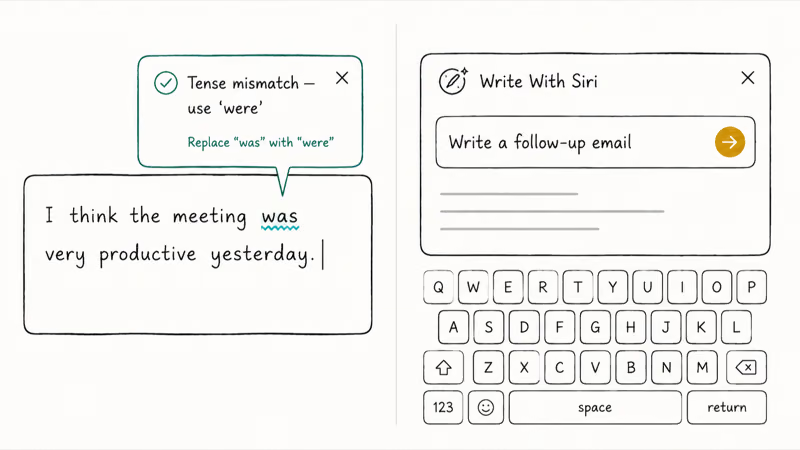
Write With Siri is a new keyboard shortcut that generates text from scratch rather than editing what you typed. Describe what you want, Siri drafts it. The Shortcuts app picked up a similar AI-native creation flow: describe an automation in plain language and iOS builds the multi-step Shortcut for you.
Safari also gained an AI layer in iOS 27. Tabs now group automatically by topic, sorting open windows into stacks like Shopping, Travel, and Work without the manual tab-group creation iOS 26 required. A new “Notify me” watcher tracks any webpage you flag and pings you when meaningful content changes, useful for price drops on a product page or restock alerts on a sold-out item.
Apple also added natural-language Safari extension creation, where you describe what you want an extension to do and Safari builds the JavaScript scaffolding. See the iOS 27 Safari AI features guide for the full Safari changes.
#Which iPhones Run iOS 27 AI Features?
iOS 27 runs on iPhone 11 and the second-generation SE and newer, the same A13 floor as iOS 26; see the iOS 27 compatible iPhones guide for the full list. Apple’s own iOS compatibility page lists every supported model. Apple Intelligence features have stricter requirements. They need an iPhone 15 Pro or any iPhone 16 or 17, so the chip matters more than the iOS version.
iOS 27 keeps Apple Intelligence on the same hardware tier as iOS 26: the advanced AI features need an iPhone 15 Pro or newer with the A17 Pro chip, while the core iOS 27 update runs on iPhone 11 and up. So the more demanding AI capabilities stay reserved for newer hardware. For the beta compatibility picture, see the iOS 27 beta supported iPhones guide and the iOS 26 Apple Intelligence requirements guide.
According to 9to5Mac’s keynote performance recap, iOS 27 also delivers up to 30% faster app launches, 70% faster loading of new captures in the Photos app, and 80% faster AirDrop transfers across the same supported devices. See the iOS 27 performance improvements guide for the full speed picture.
#Bottom Line
If you have an iPhone 15 Pro or newer, the standout reason to install iOS 27 is the rebuilt Siri. A 1.2-trillion-parameter Gemini model with a persistent chat thread, Extensions for ChatGPT and Claude, and a real standalone app makes it the first iOS Siri worth opening on purpose.
If you have an iPhone 11 through iPhone 14, the AI layer mostly stays out of reach. The 30% faster app launches and 80% faster AirDrop carry the upgrade for older hardware instead.
For the full iOS 27 picture beyond AI, see the iOS 27 new features guide and the iOS 27 release date guide.
iOS 27 Beta
#Frequently Asked Questions
Will iOS 27 AI features work on iPhone 14?
iPhone 14 runs iOS 27, but not the Apple Intelligence features, which need an iPhone 15 Pro or newer with the A17 Pro chip. The core iOS 27 update reaches iPhone 11 and up.
Can I use Google Gemini with Siri in iOS 27?
Yes. Apple confirmed at WWDC 2026 that iOS 27 includes Google Gemini as one of the selectable providers in the new Extensions framework. You can set Gemini as your default inside Siri and Writing Tools, alongside ChatGPT and Claude.
Does iOS 27 still use ChatGPT?
Yes. ChatGPT stays as one of the three Extensions providers alongside Gemini and Claude.
What is the new Siri app in iOS 27?
iOS 27 introduced a standalone Siri app for the first time. The app uses an iMessage-style chat thread, syncs your conversation history through iCloud across iPhone, iPad, and Mac, and lets you attach files and photos through a paperclip button.
Does iOS 27 AI work offline?
Most Apple Intelligence work happens on-device with no connection, including Writing Tools, notification summaries, and Visual Intelligence basics. Heavier requests route through Apple’s Private Cloud Compute, which doesn’t expose your data to Apple engineers but does require connectivity. Third-party Extensions always need internet because the model runs on the provider’s servers.
When did iOS 27 come out?
Apple announced iOS 27 at WWDC on June 8, 2026, and seeded the developer beta that day. According to Apple’s August 24 release entry, developer beta 7 is build 24A5424a. The public beta has been available since July 2026, with the public release in autumn 2026.
How is iOS 27 Siri different from today’s Siri?
The core difference is conversational context. Current Siri forgets your query the moment you close it. iOS 27 Siri keeps a persistent conversation thread, supports multi-step commands in a single request, and shows detailed reply cards with relevant information from across your apps.
Is Apple Intelligence private in iOS 27?
Yes, the on-device approach stays the same.
Most tasks run locally without sending anything to Apple’s servers. Heavier requests go through Private Cloud Compute on Apple silicon servers that don’t allow Apple staff to read request content. The Extensions you pick, like ChatGPT or Gemini, send data to those third parties under their own privacy policies, and Apple shows a one-time prompt the first time you route a query to each provider in a session.
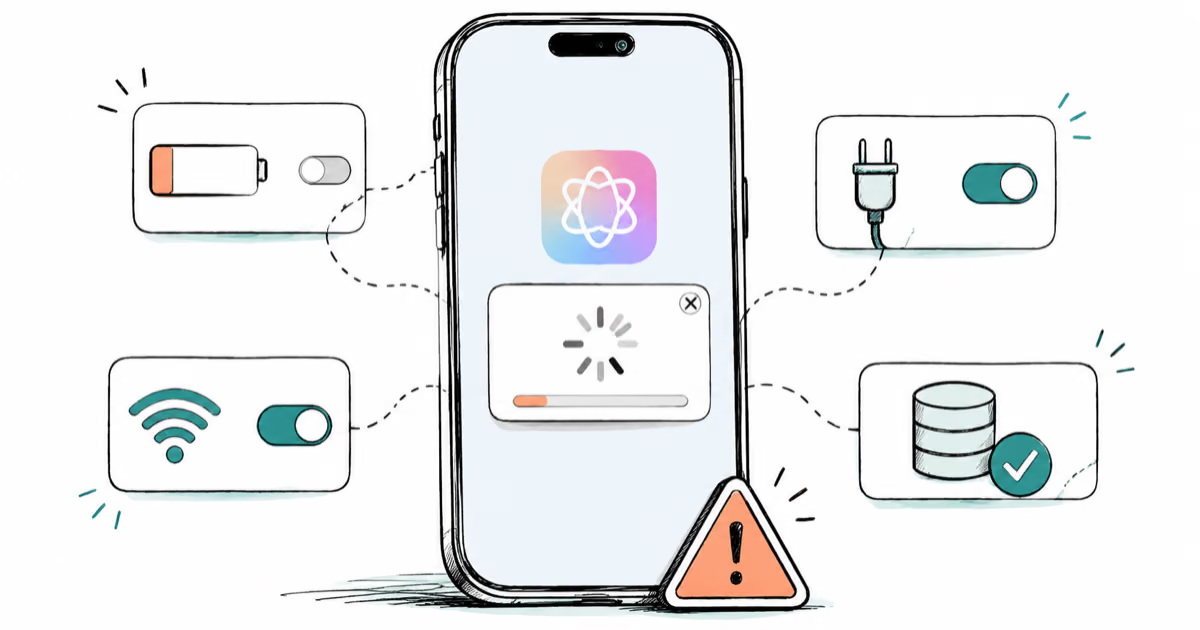
Apple Intelligence Not Working on iPhone? Fixes (2026)
Apple Intelligence not working on iPhone after iOS 27? Turn off Low Power Mode, stay on Wi-Fi while charging, and free up 7 GB. Step-by-step fixes.

Apps Crashing After iOS 27 Update? Fix Order (2026)
Apps crashing after the iOS 27 update? Update the app in the App Store first, then offload and reinstall to clear stale cache, then restart. The fix order.

Genmoji or Image Playground Not Working? iOS 27 Fix
Genmoji or Image Playground not working on iOS 27? Turn on Apple Intelligence, free up 7 GB, drop Low Power Mode, and let the image model finish.
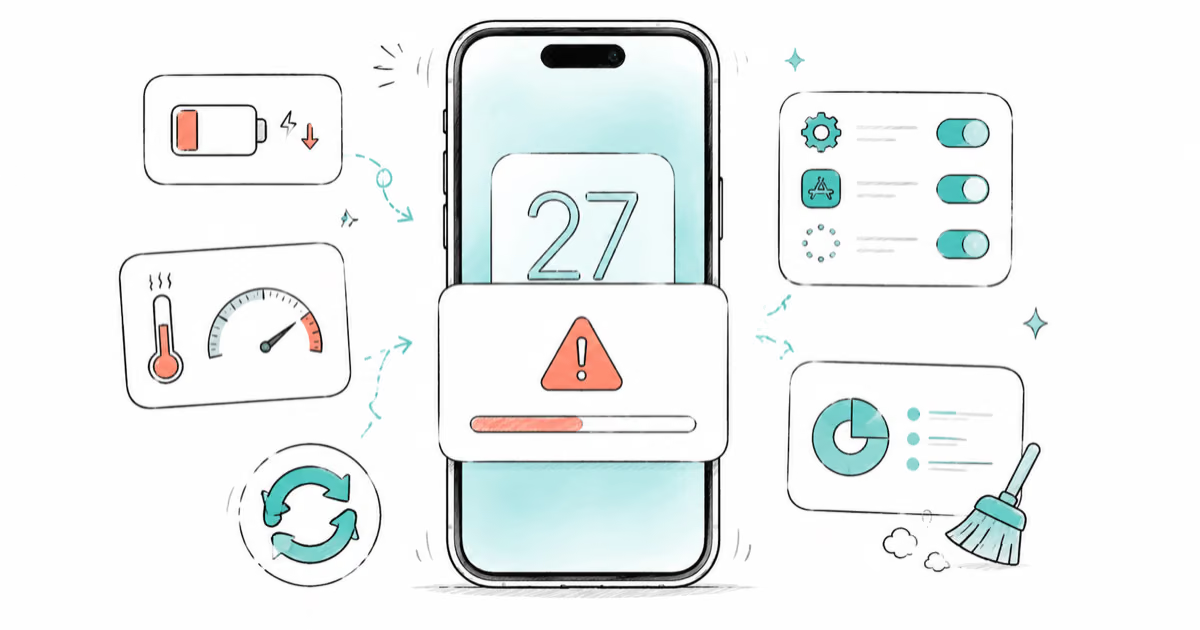
iOS 27 Problems and How to Fix Each of Them (2026)
iOS 27 problems? Battery drain, overheating, Wi-Fi drops, crashing apps, and Apple Intelligence stuck. Each problem with its top fix and full guide here.