Google Messages Error 3100: Why RCS Is Broken on Galaxy
Google Messages RCS error 3100 hits Galaxy owners after phone or carrier switches. Google told 9to5Google a fix is coming. Here's what actually helps.
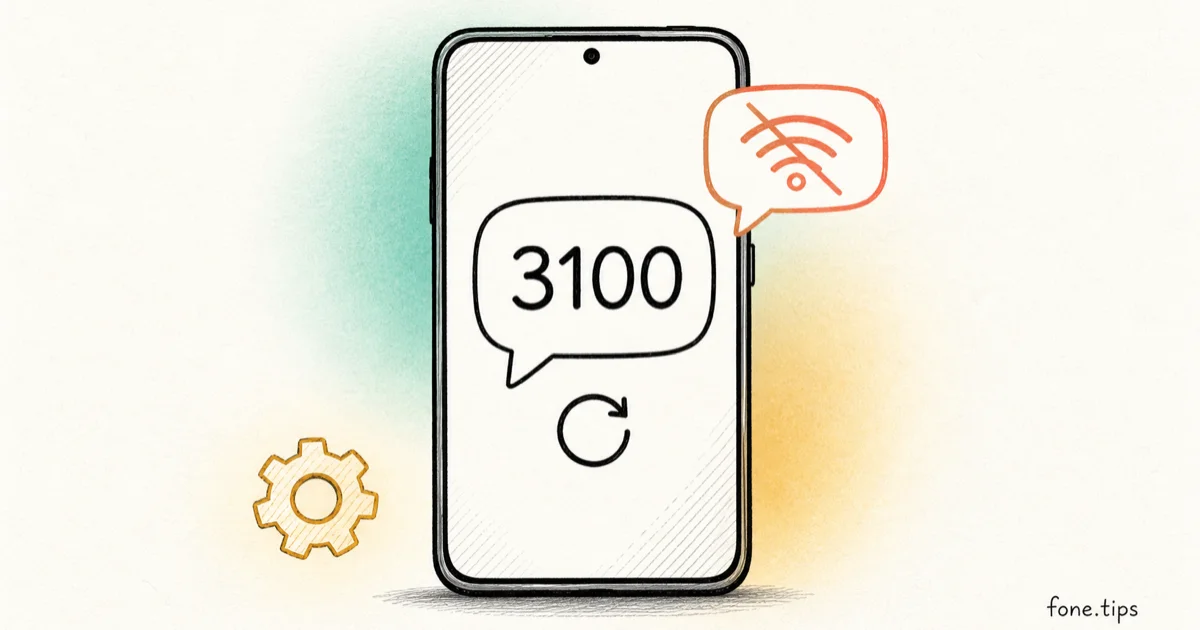
Quick AnswerError 3100 means Google Messages can't connect to RCS servers. Google told 9to5Google it's working with carriers on a fix. Try updating Messages, toggling RCS off, clearing Carrier Services data, and restarting.
Your new Galaxy arrives, Smart Switch moves everything over, and Google Messages won’t connect to RCS. The status screen shows error code 3100 and a promise to retry. You didn’t break anything. Google told reporters the problem sits on the carrier side, and a fix is in progress.
- Error 3100 appears under RCS chats as “Trouble connecting. Awaiting retry.” and it blocks your phone from registering with RCS servers
- Reports so far center on Samsung Galaxy phones, especially after moving to a new device like the Z Fold 8 or porting a number to a new carrier
- In a statement to 9to5Google and Android Authority, Google said it’s working with carrier partners on a fix, with no timeline announced
- The official advice: update Google Messages, turn RCS off, clear Carrier Services data, restart, then turn RCS back on
- Don’t install an older version of Google Messages to get RCS back; a Googler warns that legacy builds can permanently wipe your message history
#What Is Error 3100 in Google Messages?
Error 3100 is a registration failure. Your phone can’t complete its handshake with the RCS servers, so chat features never activate, and Google Messages parks itself in a retry loop. The number 3100 shows up in the RCS chats status screen, and a Google account responding on Reddit described the state it reports as “Trouble connecting. Awaiting retry.”, according to 9to5Google’s report on the error.
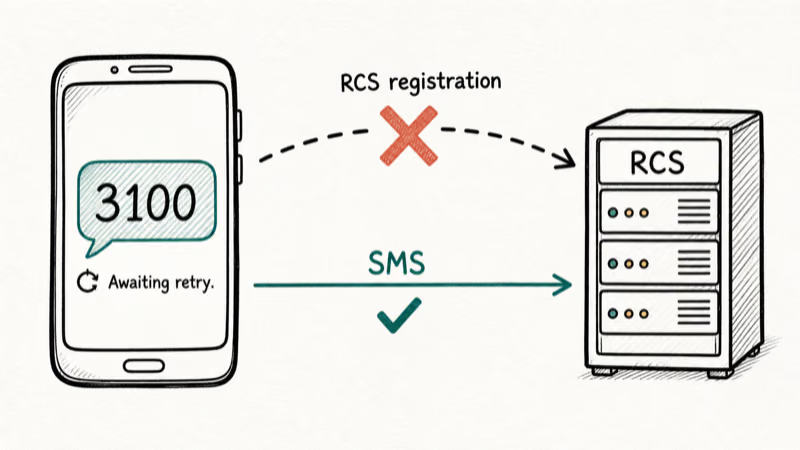
While your phone is stuck there, messages fall back to SMS and MMS. Texts still go out, but you lose typing indicators, read receipts, high-quality media, and encrypted chats. If your whole conversation list suddenly looks like green-bubble 2012, this is why.
The same report stresses that this isn’t a general outage. Most people’s RCS is fine. The failure hits a specific group, and the pattern of who’s in that group is the interesting part.
#Who’s Hitting the Error
Nearly every report so far comes from Samsung Galaxy owners who just changed something about their setup. Per 9to5Google, the Reddit threads describe two scenarios over and over: upgrading to a new phone, with the Galaxy Z Fold 8 named in two separate posts, or moving a number to a different carrier.
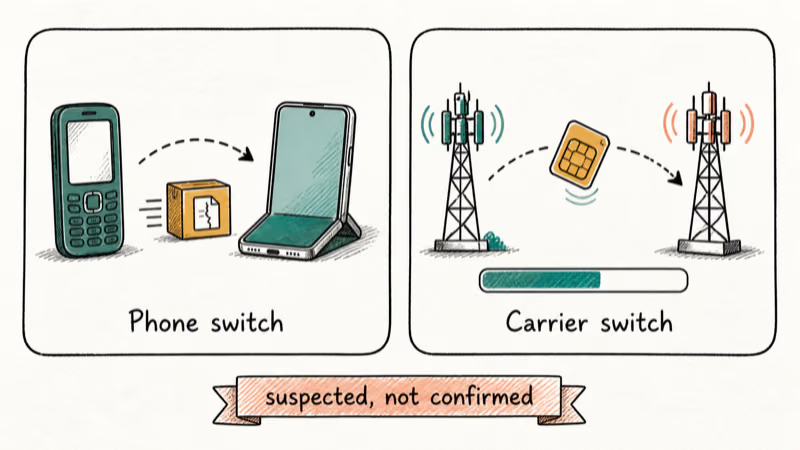
Android Authority’s coverage adds concrete examples. One user hit error 3100 after moving from a Galaxy Z Fold 6 to a Z Fold 8 with Smart Switch. Another got stuck after porting a number from AT&T to Verizon.
A Google account on Reddit floated two suspected causes that match those cases. For device switchers, Smart Switch may have transferred corrupted cache files onto the new phone. For carrier switchers, the number port may not have fully completed on the carrier’s end, which leaves RCS registration in limbo. Neither is confirmed as the root cause, and Google hasn’t published a formal diagnosis.
If your chat history also arrived incomplete after the move, that’s a separate known problem. Our guide to Google Messages chats missing after a switch covers that one.
#What Google Says About the Fix
Google gave the same statement to 9to5Google and to Android Authority:
We’re aware of this issue and are working with our carrier partners to get it fixed as soon as possible.
Two things in that sentence matter. First, “carrier partners” points at where the problem likely lives. RCS registration runs through carrier infrastructure, so a fix that involves carriers usually isn’t something Google can ship alone.
Second, “as soon as possible” is all the timing you get. No date has been announced, and any article claiming one is guessing.
That would also explain why the do-it-yourself fixes below work for some people and do nothing for others. If the blockage is on the carrier’s side of the handshake, clearing app data on your phone can only fix the cases where the phone’s half was the corrupted part.
#What Should You Try Right Now?
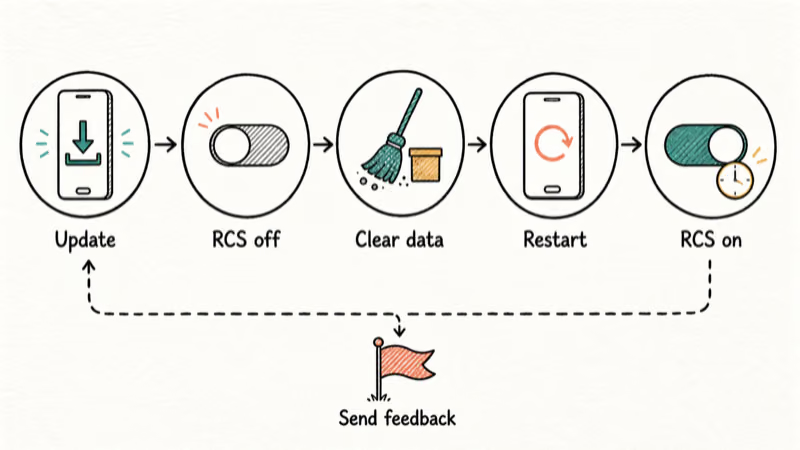
Google’s own recommended sequence, shared through its Reddit account and reported across the coverage, takes about five minutes:
- Update Google Messages to the latest version from the Play Store.
- Turn RCS off. Open Google Messages, tap your profile picture, then Messages settings, then RCS chats, and flip the toggle. Our guide to turning off RCS has the full path with screenshots.
- Clear Carrier Services data. Go to Settings, then Apps, show system apps, find Carrier Services, and clear its storage. Your texts stay; this app only handles carrier features.
- Restart the phone.
- Turn RCS back on and give it a few minutes to re-register.
Both outlets are honest about the success rate: hit or miss. It didn’t work for the original poster in the Reddit thread Android Authority covered. Run it anyway, because it’s free, it’s Google’s official advice, and it carries none of the risks the workarounds below do.
If the error keeps coming back after the loop, the same Googler suggests tapping the submit feedback option inside your RCS settings, which sends diagnostics straight to Google’s engineering team, per PhoneArena’s report.
If RCS re-registers but individual messages still won’t go through, that’s a different failure with different fixes. Start with our RCS messages not sending guide, which walks the status-first triage for both Android and iPhone.
#What Not to Do While You Wait
The most tempting bad idea is installing an older version of Google Messages, on the theory that the current build broke something. PhoneArena reports that a Googler warned directly against this: legacy versions of the app can wipe your message database and permanently erase data. RCS being down is annoying. Losing every text you’ve ever sent is worse.
Skip the panic factory reset too, at least as a first move. Some users did revive RCS that way, but others reset and stayed broken, and Google’s carrier-side framing explains why the results split. Exhaust the free steps first.
And don’t burn an afternoon in a carrier store. One affected user reportedly went through a long Verizon support session with nothing to show for it, and the fix Google describes runs through its carrier partnerships, not the service counter.
#The Community Workarounds, Ranked by Risk
Reddit has produced a few unofficial fixes. They’re worth knowing about, with eyes open:
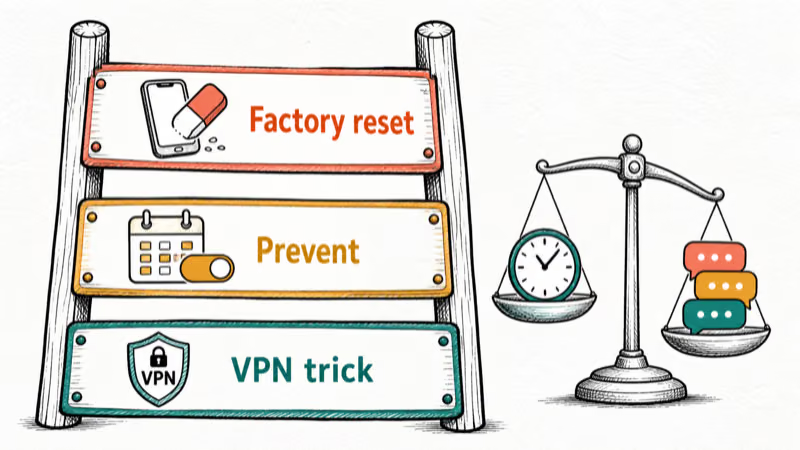
The VPN trick (low risk). TechRadar highlighted a Reddit workaround: turn RCS off, connect through a VPN, turn RCS back on, then disconnect once it registers.
Factory reset without Smart Switch (high effort). Android Authority notes one user fixed error 3100 by resetting the phone and restoring without letting Smart Switch carry the messages over, which fits the corrupted-cache theory. Others tried the same and stayed stuck. Treat this as a last resort.
Back up to Samsung Cloud or Google One first, and restore messages from Google’s backup during setup, not Smart Switch.
Prevention, if you haven’t switched yet. Android Authority passes along a tip worth stealing: if you’re about to port your number to a new carrier, turn RCS off before the port starts, then turn it back on after the carrier confirms the port completed. Thirty seconds of prep can keep registration from wedging in the first place.
One more thing: if Google Messages is misbehaving beyond RCS, syncing problems have their own playbook in our Android messages not syncing guide, and new-Fold owners wrestling with software quirks beyond messaging can lean on our One UI 8 problems guide.
#Bottom Line
Error 3100 is Google’s problem to fix, not yours, and Google has said as much in statements to the press. Run the official five-step sequence once, try the VPN trick if you’re feeling experimental, and then leave it alone. Your texts still work over SMS while you wait. Keep Google Messages updated so the fix reaches you as soon as it ships, and resist any workaround that puts your message history on the table.
#Frequently Asked Questions
What does error 3100 mean in Google Messages?
It means your phone failed to register with the RCS servers and is waiting to retry. The status screen under RCS chats reads “Trouble connecting. Awaiting retry.” Until registration completes, chat features stay off and messages fall back to SMS.
Is error 3100 my phone’s fault?
Probably not. Google told 9to5Google and Android Authority it’s working with carrier partners on the issue, which points at carrier-side provisioning. The trigger is usually a recent change, like a new phone set up with Smart Switch or a number port to a different carrier.
Do my texts still send while RCS is down?
Yes. Google Messages falls back to SMS and MMS automatically, so plain texts and photos keep going out while extras like read receipts, full-resolution media, and end-to-end encryption stay off until registration recovers.
Will a factory reset fix error 3100?
Sometimes. A few users recovered by resetting and restoring without Smart Switch transferring their messages, but others reset and stayed broken. Because Google says part of the problem is on the carrier side, a reset is a gamble. Try the official steps first and keep a full backup if you do reset.
Can I downgrade Google Messages to fix RCS?
No, and this one has teeth. A Googler warned, per PhoneArena’s report, that installing legacy versions of Google Messages can wipe your message database and permanently erase your texts. Whatever error 3100 costs you, it’s less than that.
How long will the fix take?
Google hasn’t said. Its statement to the press promises a fix “as soon as possible” through carrier partners, with no date attached. The most useful thing you can do is keep the app updated and re-check the RCS status screen every day or two.
Should I turn off RCS before switching phones or carriers?
For a carrier switch, yes. Turn RCS off before the number port starts. Re-enable it once the carrier confirms the port went through, so registration starts clean on the new network.
For a phone upgrade, make sure RCS shows Connected on the old phone before you wipe it. Consider letting Smart Switch skip messages if you’ve been bitten before.

Is This Bank App Real? Spot a Fake App on Your Home Screen
A bank app can land on your home screen from a web page with no install warning. Learn the checks that tell a real banking app from a phishing web app.

Apps Crashing After iOS 27 Update? Fix Order (2026)
Apps crashing after the iOS 27 update? Update the app in the App Store first, then offload and reinstall to clear stale cache, then restart. The fix order.

Do AI Translation Earbuds Work Offline? What to Know
Do AI translation earbuds work offline? A few do with downloaded language packs, but most need the cloud. Here's what works offline and what you give up.
How to Set Up Translation Earbuds (Pairing and Modes)
How to set up translation earbuds: charge, install the app, pair over Bluetooth, pick two languages, and choose a mode. A step-by-step first-use guide.