iOS 26 Apple Intelligence Requirements (Full 2026 List)
iOS 26 Apple Intelligence needs iPhone 15 Pro, the iPhone 16 series, or iPhone 16e. See every supported iPhone, iPad, Mac and the language list.
Quick AnsweriOS 26 Apple Intelligence runs on iPhone 15 Pro, iPhone 15 Pro Max, every iPhone 16, iPhone 16e, iPads with M-series chips or A17 Pro, and Macs with M1 or newer. iPhone 15 and earlier are not supported.
iOS 26 Apple Intelligence requirements come down to one number: 8 GB of RAM. That floor cuts every iPhone older than iPhone 15 Pro. It even cuts the base iPhone 15 and 15 Plus that shipped the same year. On iPad and Mac, the line moves up to M-series chips, with one A17 Pro exception on iPad mini.
- Apple Intelligence on iOS 26 needs an iPhone 15 Pro, iPhone 15 Pro Max, iPhone 16, iPhone 16 Plus, iPhone 16 Pro, iPhone 16 Pro Max, or iPhone 16e
- iPhone 15 (non-Pro) and iPhone 15 Plus are not supported because the A16 chip and 6 GB RAM are below Apple’s 8 GB Apple Intelligence floor
- Every supported iPad uses an M-series chip; the only A-series exception is the 2024 iPad mini with A17 Pro
- Every Apple Intelligence Mac runs M1 or newer, covering Air, Pro, mini, iMac, Mac Studio, and Mac Pro
- Apple Intelligence is free on supported devices, with the on-device model adding about 7 GB to your storage on first setup
#Which iPhones Support Apple Intelligence on iOS 26?
Seven iPhone models run Apple Intelligence on iOS 26. They’re the iPhone 15 Pro, iPhone 15 Pro Max, iPhone 16, iPhone 16 Plus, iPhone 16 Pro, iPhone 16 Pro Max, and iPhone 16e.
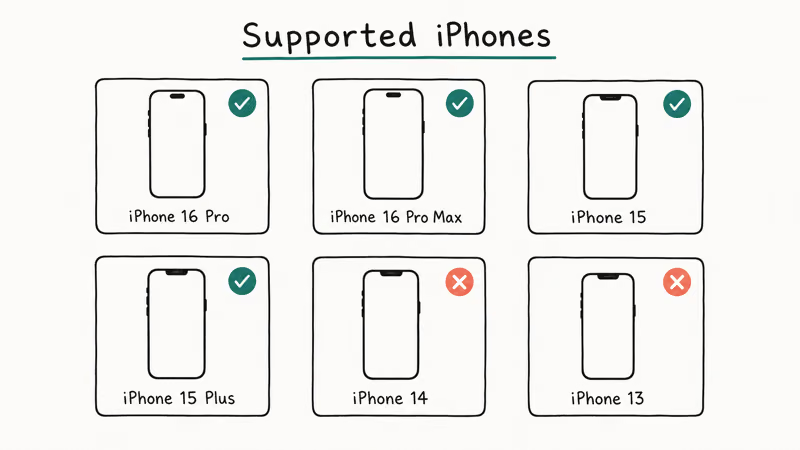
Anything older does not qualify. That includes the standard iPhone 15 and 15 Plus that shipped the same week as the iPhone 15 Pro.
According to Apple’s official Apple Intelligence support page, the iPhone gate is the A17 Pro chip paired with 8 GB of RAM. The iPhone 15 Pro and 15 Pro Max meet both. The iPhone 15 and 15 Plus use the A16 chip and 6 GB of RAM, so Apple closed the door on the cheaper 2023 iPhones even though they’re newer than some of the iPads on the supported list.
iPhone models that support Apple Intelligence on iOS 26
| iPhone model | Chip | RAM | Released | Apple Intelligence on iOS 26 |
|---|---|---|---|---|
| iPhone 16 Pro / 16 Pro Max | A18 Pro | 8 GB | 2024 | Supported |
| iPhone 16 / 16 Plus | A18 | 8 GB | 2024 | Supported |
| iPhone 16e | A18 | 8 GB | 2025 | Supported |
| iPhone 15 Pro / 15 Pro Max | A17 Pro | 8 GB | 2023 | Supported |
| iPhone 15 / 15 Plus | A16 Bionic | 6 GB | 2023 | Not supported |
| iPhone 14 Pro / 14 Pro Max | A16 Bionic | 6 GB | 2022 | Not supported |
| iPhone 14 / 14 Plus | A15 Bionic | 6 GB | 2022 | Not supported |
| iPhone SE (3rd gen) | A15 Bionic | 4 GB | 2022 | Not supported |
| iPhone 13 series and older | A15 Bionic or older | 4-6 GB | 2021 and earlier | Not supported |
The cheapest Apple Intelligence iPhone is the iPhone 16e at $599. It carries the same A18 chip and the same 8 GB RAM as the standard iPhone 16 (the 16 Pro steps up to A18 Pro). The chassis is single-camera with a lower-tier display, but the 16e clears the same Apple Intelligence bar, so the feature set runs here too.
If you’re stuck on iPhone 14 or older and don’t want to pay flagship money, the 16e is the path Apple built for you.
On unsupported iPhones such as iPhone 15 and iPhone 14, the Settings panel does not expose “Apple Intelligence & Siri.” Reinstalling iOS or restarting the phone does not change the documented chip-and-RAM threshold for the on-device model.
#Supported iPads and Macs for Apple Intelligence
Apple Intelligence on iPad and Mac uses the same chip-floor logic, shifted to M-series silicon. On iPad, every supported tablet has an M-series chip with one A17 Pro exception. On Mac, the floor is M1.
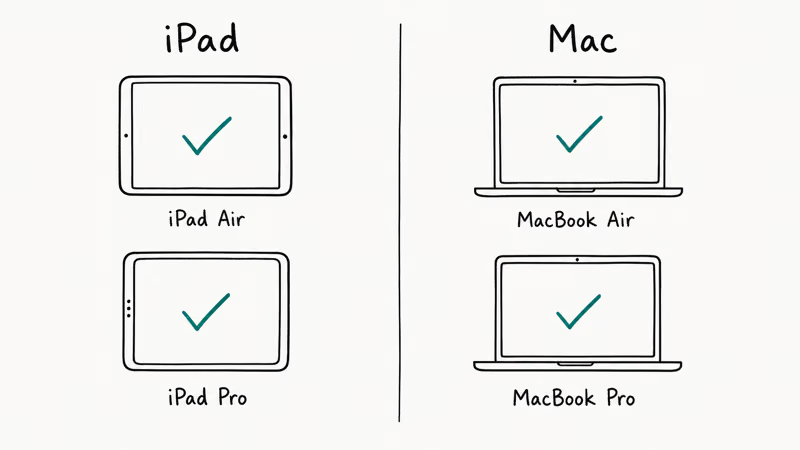
iPads and Macs that support Apple Intelligence on iOS 26 / iPadOS 26 / macOS 26
| Device | Chip | First supported model |
|---|---|---|
| iPad Pro | M1, M2, M4 | 2021 iPad Pro (11” + 12.9”) |
| iPad Air | M1, M2, M3 | 2022 iPad Air |
| iPad mini | A17 Pro | 2024 iPad mini |
| MacBook Air | M1, M2, M3, M4 | 2020 MacBook Air |
| MacBook Pro | M1, M1 Pro / Max, M2, M3, M4 | 2020 13” / 2021 14” + 16” |
| iMac | M1, M3, M4 | 2021 iMac |
| Mac mini | M1, M2, M2 Pro, M4 | 2020 Mac mini |
| Mac Studio | M1 Max / Ultra, M2 Max / Ultra, M4 Max | 2022 Mac Studio |
| Mac Pro | M2 Ultra | 2023 Mac Pro |
The iPad Air case trips people up. Older iPad Air models (the 2020 4th-gen and 2022 5th-gen) used the A14 and M1 respectively. The M1 iPad Air from 2022 is supported, while the earlier A14 iPad Air isn’t. Open Settings > General > About and look at the chip line if you’re unsure; the same check works on iPad Pro and any Mac.
Apple’s product page for Apple Intelligence confirms the supported Mac line starts at M1. Every Apple Silicon Mac that’s ever shipped therefore qualifies. Every Intel Mac is excluded, with no exceptions.
macOS 26 itself still runs fine on older Apple Silicon. But the Apple Intelligence pane simply does not appear without M-series.
#Why Is iPhone 15 (Non-Pro) Excluded From Apple Intelligence?
Two hardware specs shut out the base iPhone 15. It has 6 GB of RAM. The A16 chip also misses the dedicated Neural Engine upgrades Apple shipped with the A17 Pro.
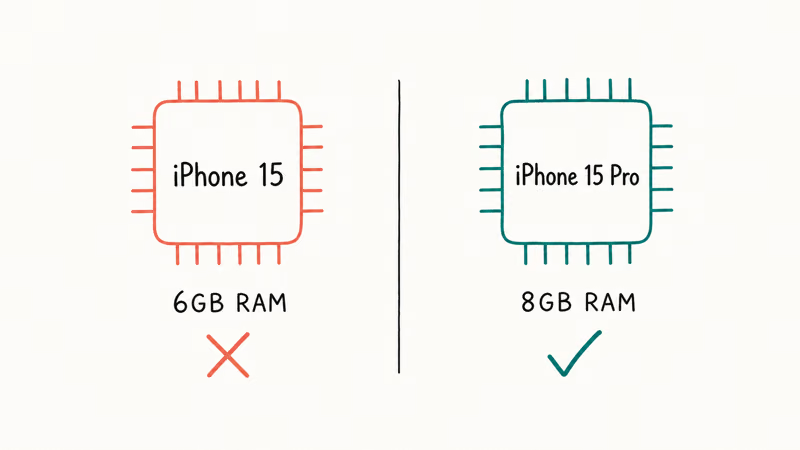
Apple Intelligence runs a roughly 3-billion-parameter on-device model that needs at least 8 GB of system RAM to load alongside iOS itself, which is why the math doesn’t work on a 6 GB device no matter how much storage or battery is available, and no matter which iOS 26 point release is installed.
This is a hardware floor, not a software toggle. Apple can’t ship an iOS 26.x point release that retroactively enables Apple Intelligence on iPhone 15 or 14, because the model would crash on load and trigger memory pressure that kills other apps. MacRumors’ Apple Intelligence guide confirms that Apple’s engineering team set the 8 GB floor specifically to keep the on-device model resident without paging, and that the iPhone 15 and 15 Plus exclusion is permanent for this hardware generation.
The 2024 iPad mini surprises people. It ships with A17 Pro and 8 GB of RAM, close enough to iPhone 15 Pro spec to qualify even without M-series silicon. 9to5Mac’s Apple Intelligence coverage reports that Apple confirmed the A17 Pro plus 8 GB combo is the actual gate, not the M-series brand specifically.
The rule is simpler than it looks. Apple Intelligence needs A17 Pro, A18, or M-series silicon, plus 8 GB of RAM. Both specs, every time.
Every device that hits both qualifies. Every device that misses either spec does not, and no firmware update will fix iPhone 15 or older hardware.
#Apple Intelligence Language and Region Coverage
Apple Intelligence on iOS 26 ships in U.S. English first. Additional languages roll out across iOS 26 point releases. The current language list covers English (U.S., U.K., Australia, Canada, Ireland, New Zealand, South Africa, India, Singapore), French, German, Italian, Japanese, Korean, Portuguese (Brazil), Spanish, and Chinese (Simplified).
Apple’s language support page for Apple Intelligence lists the exact rollout dates per language. Apple states that more languages are queued for upcoming iOS 26 point releases, and the support page is the canonical source.
To change your Apple Intelligence language, go to Settings > Apple Intelligence & Siri > Language and pick a supported option.
Region matters separately from language. Apple Intelligence works in most regions worldwide on iOS 26. The European Union opened up later than the U.S. launch window because of Digital Markets Act compliance work, and mainland China runs on its own schedule because Apple announced a localized Apple Intelligence partner stack there with separate timing.
If your Apple ID region is set to a country where Apple Intelligence isn’t active yet, the Settings entry will hide even on a supported iPhone 16 or iPhone 15 Pro. Switching your Apple ID region works, but it disrupts App Store purchases.
Only do this if you understand the trade-off.
#Apple Intelligence Features Shipping With iOS 26
Apple Intelligence on iOS 26 ships with Writing Tools, Genmoji, Image Playground, Notification Summaries, a redesigned Siri interface, and an optional ChatGPT integration. Writing Tools rewrites or proofreads any text field across iOS, Genmoji generates a custom emoji from a short prompt, and Image Playground turns a description into a stylized illustration.
Notification Summaries condenses long Messages or Mail threads into a one-line preview on the lock screen. The new Siri redesign brings a rainbow glowing edge, on-screen context awareness, and the option to hand a query off to ChatGPT when Siri can’t answer locally. The deeper personalized Siri that Apple first advertised in 2024 shipped late enough to trigger the Apple Siri settlement, which pays eligible iPhone 15 Pro and iPhone 16 buyers.
Most features run entirely on-device using the model that downloads during setup. A subset routes harder queries through Apple’s Private Cloud Compute servers, which Apple says verify their own code before processing requests.
ChatGPT routing is opt-in per query and never automatic without your tap.
#How to Turn On Apple Intelligence on a Supported Device
Open Settings > Apple Intelligence & Siri > Get Started on a supported iPhone, iPad, or Mac running iOS 26 / iPadOS 26 / macOS 26.
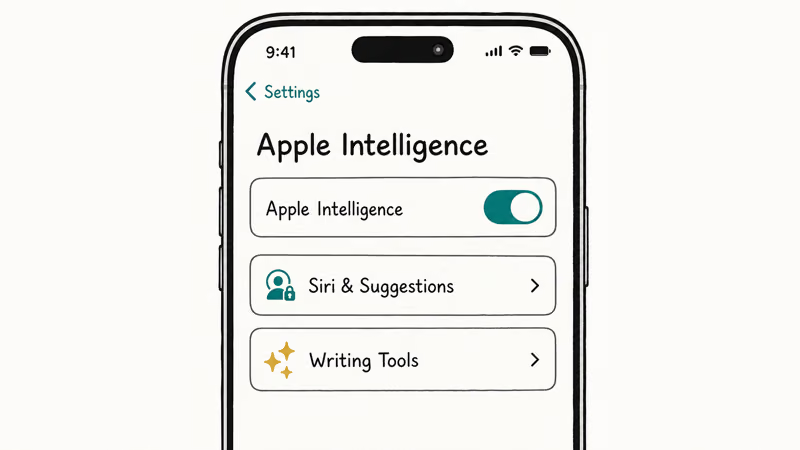
Tap “Join Apple Intelligence Waitlist” if prompted. Then wait for the on-device model to download in the background.
Apple’s setup adds roughly 7 GB to your storage footprint on iPhone. Confirm you have headroom or use the iPhone storage not loading guide first to free space before tapping Get Started.
Once the model finishes downloading, the menu turns on Writing Tools, Genmoji, Image Playground, Notification Summaries, and the redesigned Siri experience with optional ChatGPT integration. The download usually finishes within an hour on Wi-Fi. It can sit in a queue for 12 to 48 hours if Apple’s servers are busy during a rollout window.
Not worth the 7 GB? See how to turn off Apple Intelligence for the one toggle.
Apple Intelligence features may not activate all at once after the first model download. Writing Tools and Genmoji can appear before Image Playground, which may stay on “Available Soon” during rollout queues. Staggered availability is normal, not a bug.
Back up your iPhone before the iOS 26 install with an encrypted local Finder or iCloud backup. If the backup fails, see iPhone backup failed for fixes.
If you’d rather skip iOS 26 entirely, you can cancel an iPhone update prompt before it starts. After Apple Intelligence is on, if Siri stops responding to the new prompts, check the hey Siri not working walkthrough.
#Bottom Line
If you own an iPhone 15 Pro, iPhone 15 Pro Max, any iPhone 16, or iPhone 16e, install iOS 26 and turn on Apple Intelligence today.
Settings > Apple Intelligence & Siri > Get Started is the whole opt-in path.
If you own an iPhone 15, iPhone 15 Plus, iPhone 14, or anything older, you’re locked out on this hardware. The 8 GB RAM floor is silicon, not software, so no iOS 26 point release will change it. The cheapest path in is the $599 iPhone 16e, which carries the same A18 chip as the standard iPhone 16. Owners holding out for a bigger leap should watch the iOS 27 supported iPhones forecast.
iOS 26
#Frequently Asked Questions
Does iPhone 15 support Apple Intelligence?
No. The standard iPhone 15 and 15 Plus use the A16 chip with 6 GB of RAM, which falls below Apple’s 8 GB on-device model floor. Only the iPhone 15 Pro and 15 Pro Max qualify on the 2023 iPhone line.
What is the cheapest iPhone that supports Apple Intelligence?
The iPhone 16e at $599 is the cheapest supported iPhone. It ships with the same A18 chip and 8 GB RAM as the iPhone 16 and 16 Plus, but inside a single-camera chassis with a lower-tier display. The display is 6.1-inch OLED at 60 Hz, not the 120 Hz ProMotion panel on the 16 Pro, but every Apple Intelligence feature still runs identically. Apple positioned the 16e as the affordable Apple Intelligence entry point.
Does iPad Air M1 work with Apple Intelligence?
Yes. The 5th-generation iPad Air with M1 chip from 2022 supports Apple Intelligence on iPadOS 26, while the earlier 4th-generation iPad Air with A14 chip doesn’t. To check which model you own, open Settings > General > About and look at the chip line.
Why does Apple Intelligence need 8 GB of RAM?
Apple Intelligence loads a roughly 3-billion-parameter on-device language model that runs alongside iOS in memory. Apple set the 8 GB floor to keep the model resident so it responds quickly without dropping other apps. On 6 GB the model would constantly page in and out, which is why iPhone 14 and base iPhone 15 are excluded permanently.
How much storage does the Apple Intelligence model download take?
Roughly 7 GB on iPhone after the first install. The download happens in the background after you tap Get Started in Settings, and updates land incrementally with each iOS 26 point release. iPad and Mac downloads land in a similar range.
What languages does Apple Intelligence support on iOS 26?
The current rollout includes English (U.S., U.K., Australia, Canada, Ireland, New Zealand, South Africa, India, Singapore), French, German, Italian, Japanese, Korean, Portuguese (Brazil), Spanish, and Chinese (Simplified). Apple’s official language support page lists the active dates per language and queues upcoming additions. Apple Intelligence shipped first in U.S. English, with the rest rolling out across iOS 26 point releases.
Is Apple Intelligence free?
Yes. Apple Intelligence costs nothing on supported devices.
No subscription, no in-app purchase, no Apple One tier required. The optional ChatGPT integration inside Siri is also free at OpenAI’s standard tier.
Can I use Apple Intelligence with a different Apple ID region?
You can, but it disrupts your App Store purchases, subscriptions, and payment methods tied to the original region. Apple supports the change but doesn’t recommend it as a workaround. The cleaner path is waiting for the next iOS 26 point release that activates your home region — usually three to six months between releases.

iOS 26.6.1 Security Update: What Apple Fixed and Who Gets It
Apple released iOS 26.6.1 on August 17 with 29 security fixes, including an IPSec interception bug. See what it patches, who gets it, and how to update.
iPhone 17 Cellular Data Not Working on iOS 26? 9 Fixes
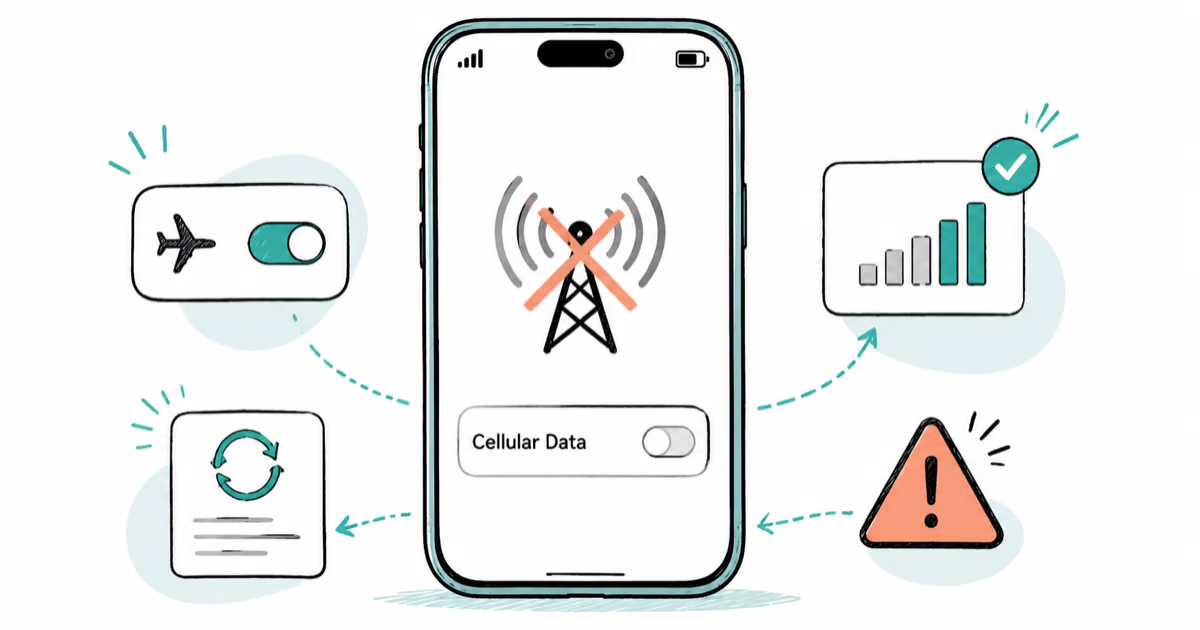
iPhone 17 cellular data still dropping on iOS 26? Apple fixed the launch bug in iOS 26.0.1, but recovery failures persist. Here's the fix ladder.

iOS 26 System Data Storage Full: How to Fix It Now
iOS 26 made System Data storage balloon past 50GB for some iPhones. Here is what is safe to clear, what is normal, and the iOS 26.1 storage fix.
How to Disable Liquid Glass in iOS 26: 2026 Settings
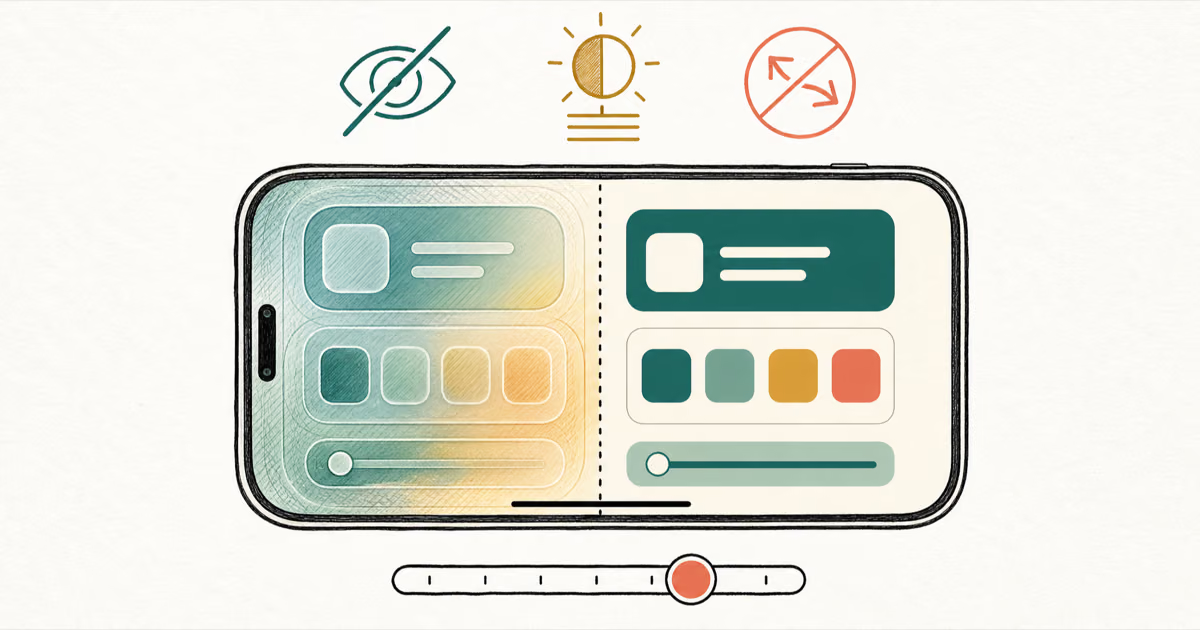
iOS 26 will not let you fully turn off Liquid Glass, but five settings reduce the transparency, motion, and brightness so the iPhone feels flat again.