iOS 27 Problems and How to Fix Each of Them (2026)
iOS 27 problems? Battery drain, overheating, Wi-Fi drops, crashing apps, and Apple Intelligence stuck. Each problem with its top fix and full guide here.
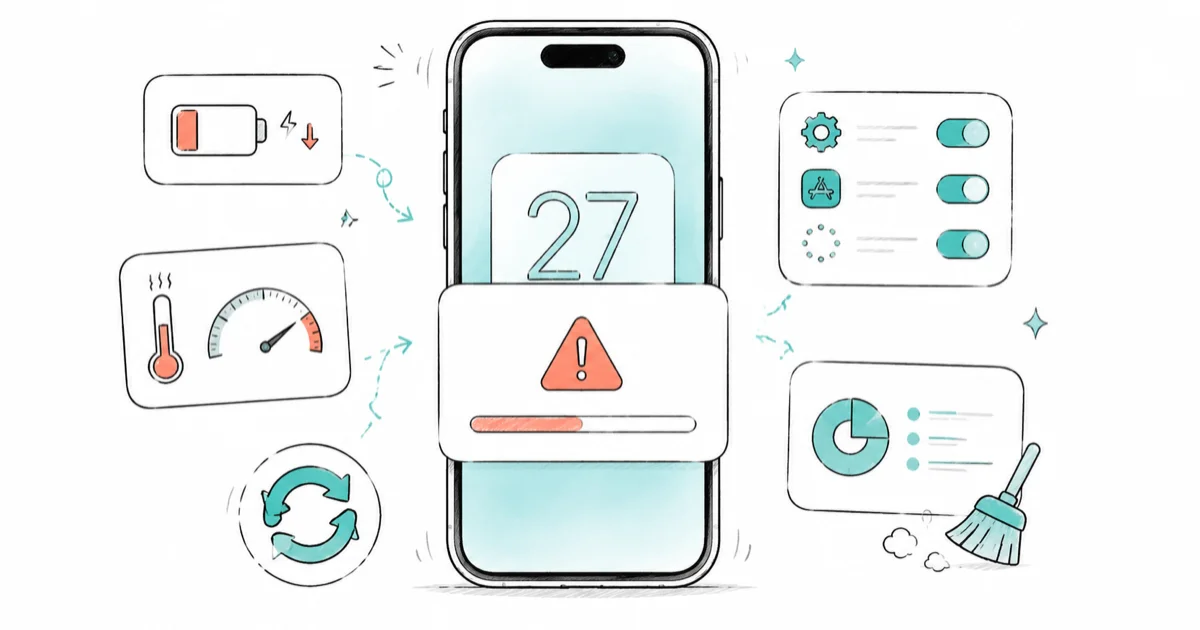
Quick AnswerMost iOS 27 problems are temporary, with battery drain, overheating, and slow performance fading in 3 to 5 days as the iPhone reindexes. For everything else, update your apps, free up storage, and restart while charging.
Almost every list of iOS 27 problems comes down to the same few complaints: battery drain, an iPhone running warm, Wi-Fi that drops, apps that crash, and Apple Intelligence that won’t turn on. Many early post-update problems are temporary side effects of indexing, app updates, or background downloads, not permanent faults. This page is the map: every problem, its top fix, and the full walkthrough.
- The first 3 to 5 days after an iOS 27 update are the worst for battery, heat, and speed while the iPhone reindexes in the background.
- Update your apps before troubleshooting, since developers ship iOS 27 compatibility fixes during a major release.
- Apple Intelligence needs an iPhone 15 Pro or any iPhone 16, plus 7 GB of free storage, so most “not working” reports are hardware or storage limits.
- A restart while charging clears the stale state behind a large share of post-update glitches.
- If a problem persists past a week of normal use, it’s a real fault worth a deeper fix, not just settling-in.
#First Steps After Updating to iOS 27
Before you chase any single problem, run the four universal first steps. They clear most of the noise that makes a fresh iOS 27 install feel broken.
This advice holds through developer beta 3 (seeded July 6, 2026) and the first public beta, which opened on July 13, 2026.
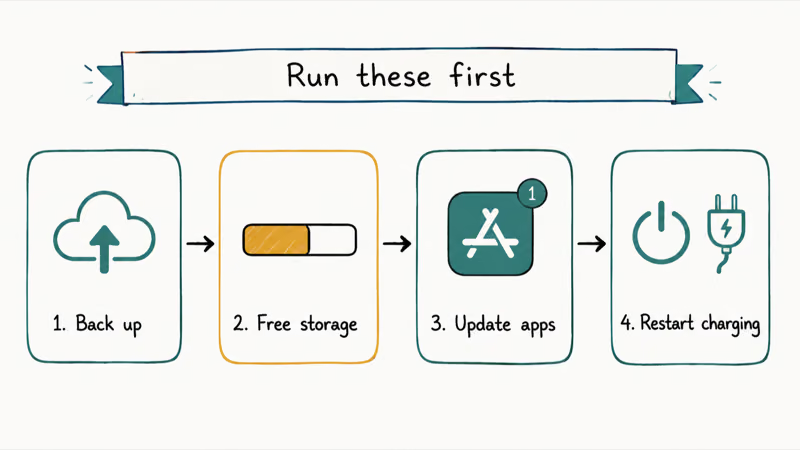
Back up first, then give the update room to settle. According to Apple’s “Update your iPhone or iPad” guide, you should back up the device before you update, and the installer will temporarily remove apps if it needs more space. So the two things to check on day one are a recent backup and free storage.
Apple’s iCloud backup guide recommends keeping an iCloud or computer backup so you have a copy of your data if anything goes wrong. It takes only a few minutes to set up.
Start with this short checklist right after a major update:
- Back up the iPhone to iCloud or a computer before doing anything else.
- Free up storage. A nearly full iPhone makes downloads and reindexing fail quietly.
- Update every app in the App Store. This alone fixes most crashing and freezing.
- Restart while charging. Power off, wait 30 seconds, then power on plugged in.
If those four don’t settle things within a few days, the rest of this page covers each specific problem in turn.
#Why Is My iPhone Battery Draining So Fast on iOS 27?
Fast battery drain is the single most reported iOS 27 problem, and for the first few days it’s expected. Spotlight, Photos, and Mail all reindex in the background after a major release, which burns through a charge faster than usual. The work is invisible, so it just looks like the update wrecked your battery when it’s really the system catching up.
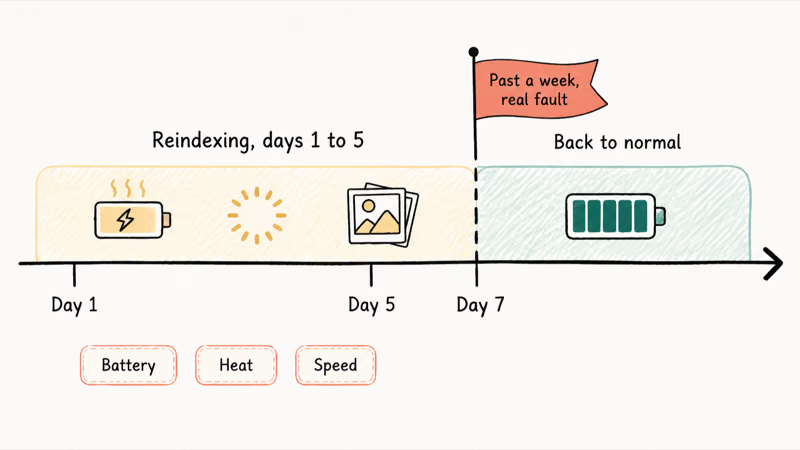
Wait it out for 3 to 5 days, then open Settings > Battery to see which app is the real culprit. If the drain hasn’t eased after a week, that’s no longer settling-in. Our iOS 27 beta battery drain guide has the full 7-step fix.
#iPhone Overheating After the iOS 27 Update
An iPhone running warm for a day or two after updating is almost always normal. It’s the same background reindexing, and the heat fades on its own.
The chip is rebuilding your search and photo libraries, so it warms up under light use. Take the case off, keep it out of direct sun, and avoid heavy gaming until the indexing finishes. If your iPhone is hot to the touch days later or while idle, something is stuck. The full breakdown of normal versus abnormal heat is in our iPhone overheating after iOS 27 guide.
#Wi-Fi Keeps Dropping on iOS 27
Wi-Fi that seems to drop after the update is often Wi-Fi Assist doing its job, not a real disconnect. The feature switches you to cellular the moment Wi-Fi dips, which looks exactly like a dropout.
Turn Wi-Fi Assist off first in Settings > Cellular, then forget the network and rejoin it to clear a stale connection profile the update may have left behind. If the connection is still unstable, our Wi-Fi keeps dropping after iOS 27 guide has the network-reset sequence and router-side checks.
#Apps Keep Crashing After Updating to iOS 27
Apps crashing or freezing usually means the app hasn’t caught up to the new iOS yet. The fix is often just an App Store update.
Open the App Store and update the crashing app first. If that doesn’t help, offload and reinstall it to clear corrupted cached data from the old iOS version. The complete fix order, including what to do when every app crashes at once, is in our apps crashing after iOS 27 guide.
#Why Won’t Apple Intelligence Turn On After iOS 27?
Apple Intelligence not working is mostly a hardware and storage story, not a bug. The features need an iPhone 15 Pro or any iPhone 16, plus 7 GB of free storage, and they download on-device models the first time you switch them on.
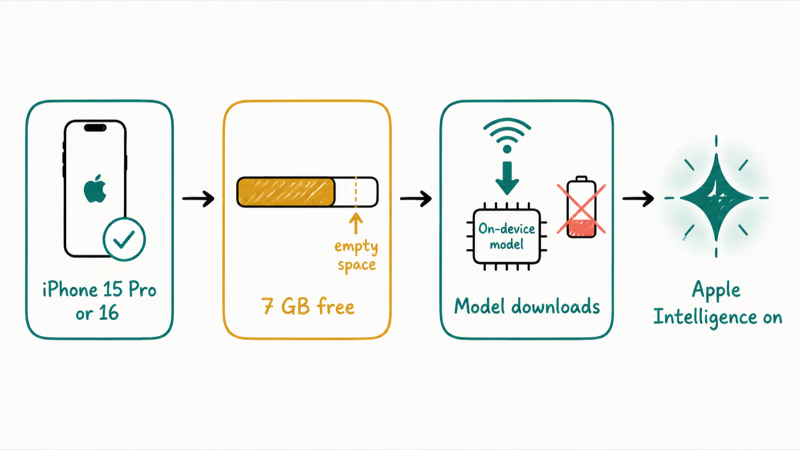
That download is throttled, which is why the toggle so often looks frozen. According to Apple’s Low Power Mode support page, Low Power Mode turns off automatic downloads and background app refresh, and the model download is exactly that kind of background task. So even on fast Wi-Fi, the install can sit at “Preparing” while the battery icon is yellow. Turn Low Power Mode off, plug in, free up 7 GB, and leave it on Wi-Fi.
A “Preparing” spinner can clear once the phone is charging, Low Power Mode is off, storage is available, and Wi-Fi stays connected. If the toggle is stuck or missing entirely, our Apple Intelligence not working guide covers every cause in order.
Two specific Apple Intelligence features trip people up most:
- Writing Tools greyed out. The menu is dimmed because Apple Intelligence is off, still downloading, or unsupported on your iPhone. Our Writing Tools greyed out guide has the exact sequence.
- Genmoji or Image Playground missing. Same root cause, plus these two need the models fully installed. See our Genmoji and Image Playground guide for the fix.
#iOS 27 Problem and Quick Fix Table
This is the fast lookup. Find your symptom in the left column, apply the one-line fix, then open the full guide if it needs more than that.
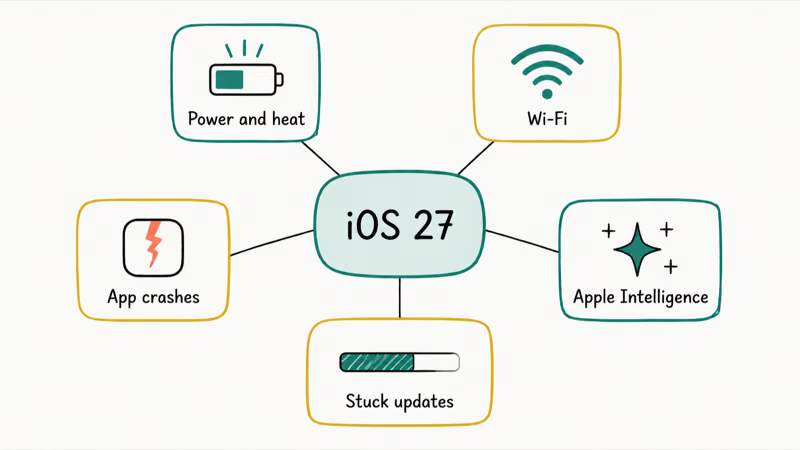
| Problem | Quick fix | Full guide |
|---|---|---|
| Battery drains fast | Wait 3 to 5 days for reindexing, then check Settings > Battery | Battery drain guide |
| iPhone overheating | Remove the case, skip heavy gaming until indexing ends | Overheating guide |
| Wi-Fi keeps dropping | Turn off Wi-Fi Assist, then forget and rejoin the network | Wi-Fi drops guide |
| Apps crashing or freezing | Update the app in the App Store, then offload and reinstall | Crashing apps guide |
| Apple Intelligence stuck or off | Turn off Low Power Mode, plug in, free 7 GB, stay on Wi-Fi | Apple Intelligence guide |
| Writing Tools greyed out | Enable Apple Intelligence and let the models finish downloading | Writing Tools guide |
| No service or cellular | Toggle Airplane Mode 15 seconds, install carrier settings update | No service guide |
| Stuck on "Preparing Update" | Free storage, restart, then resume the download on Wi-Fi | Preparing Update guide |
| Stuck on "Verifying Update" | Force restart, then retry on a stable Wi-Fi connection | Verifying Update guide |
#iPhone Showing No Service After iOS 27
A “No Service” or “Searching” bar after the update is usually a carrier-settings hiccup, not a dead radio. The fix is quick.
Turn on Airplane Mode for at least 15 seconds, turn it back off, then install any waiting carrier settings update under Settings > General > About. If the bars still won’t come back, our iPhone no service after iOS 27 guide runs through all 9 fixes, including the network-settings reset and eSIM checks.
#When the Update Itself Gets Stuck
Sometimes the problem isn’t after the update, it’s the install hanging on “Preparing” or “Verifying.” Both have the same root causes: a weak connection, low storage, or Apple’s servers being slammed on launch day.
For a hang on the progress bar, free up space and restart, then resume the download on stable Wi-Fi. Our iPhone stuck on Preparing Update guide and iPhone stuck on Verifying Update guide cover the force-restart and recovery-mode steps for each. If iOS 27 itself is the problem and you want off the beta, that’s a separate path entirely.
#Bottom Line
For most iOS 27 problems, the answer is patience plus the basics: update your apps, free up storage, and restart while charging. Give it 3 to 5 days before deciding anything is broken.
If a specific issue survives a week of normal use, jump to its full guide above. And if your iPhone is older than the 15 Pro, Apple Intelligence simply won’t appear, so stop troubleshooting that one. New to the release? Our iOS 27 new features guide and iOS 27 compatible iPhones list cover what changed and which models made the cut.
iOS 27 Beta
#Frequently Asked Questions
Are iOS 27 problems normal after updating?
Most are. Battery drain, overheating, and slow performance in the first 3 to 5 days come from background reindexing, not bugs, and they fade on their own. The ones worth fixing are anything that persists past a week of normal use, like an app that keeps crashing or Wi-Fi that won’t hold.
How long do iOS 27 battery and performance problems last?
Plan on 3 to 5 days. That’s how long Spotlight, Photos, and Mail take to rebuild their indexes after a major update, and that work is what drains the battery and slows things down. If your iPhone is still sluggish or hot after a full week, check Settings > Battery for a specific heavy app rather than blaming the update.
What’s the single most useful fix for iOS 27 issues?
Restart while charging. Power the iPhone off, wait about 30 seconds, then power it back on plugged in. This clears the stale state that an update can leave behind and resolves a surprising share of post-update glitches before you try anything more involved.
Why won’t Apple Intelligence work on my iPhone after iOS 27?
It’s almost always hardware or storage. Apple Intelligence needs an iPhone 15 Pro, iPhone 15 Pro Max, or any iPhone 16, plus 7 GB of free storage, and it downloads on-device models the first time. Low Power Mode pauses that download, so turn it off, plug in, and stay on Wi-Fi while it finishes.
Should I roll back if iOS 27 is causing too many problems?
Usually no. Give the universal fixes and the 3-to-5-day settling window a chance first, since most problems clear on their own. If you’re on the beta and really want off, downgrading is possible but it wipes the device and requires a backup made on the older iOS, so treat it as a last resort.
Why is my iPhone overheating only after the update?
The chip is busy rebuilding your search and photo libraries in the background, which generates heat under even light use. Take the case off and avoid heavy gaming for a day or two. Heat that lingers while the iPhone is idle, days after the update, points to a stuck process rather than normal reindexing.
Do app crashes after iOS 27 fix themselves?
Often, yes, once the developer ships an iOS 27 compatibility update. Open the App Store and update the app first. If it still crashes, offloading and reinstalling clears cached data from the old iOS version, which handles most of the stubborn cases.
Does iOS 27 run on older iPhones?
iOS 27 installs on a wide range of models, but the AI features have a higher bar. The system update reaches back several generations, while Apple Intelligence requires an iPhone 15 Pro or newer. Check your model against our compatible iPhones list before assuming a missing feature is a bug.
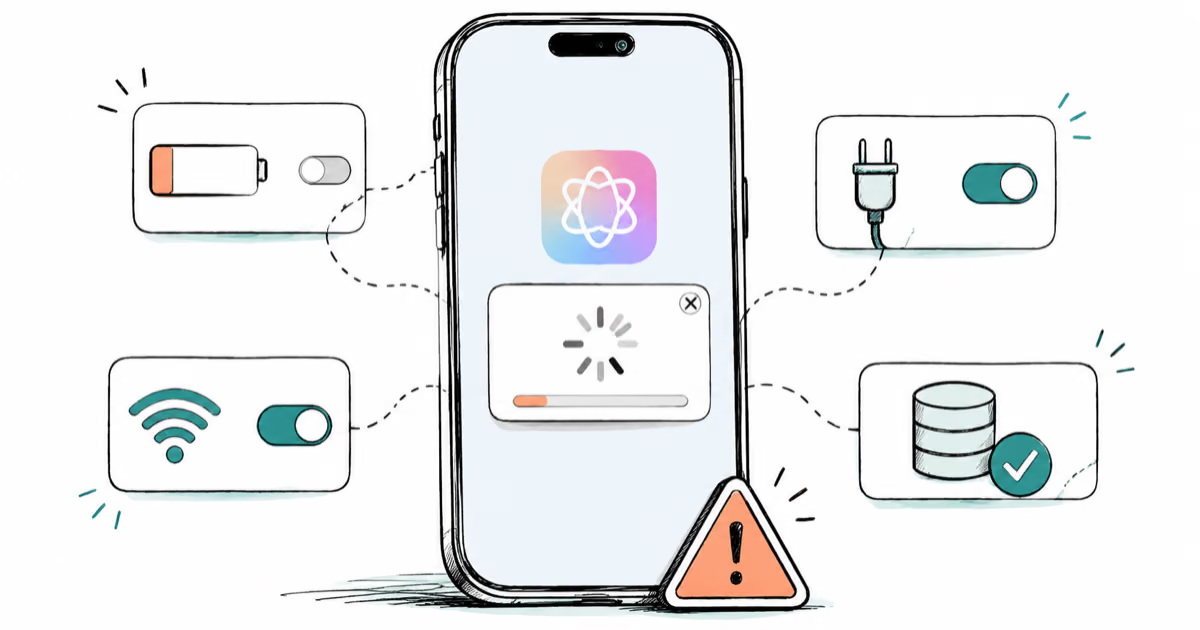
Apple Intelligence Not Working on iPhone? Fixes (2026)
Apple Intelligence not working on iPhone after iOS 27? Turn off Low Power Mode, stay on Wi-Fi while charging, and free up 7 GB. Step-by-step fixes.

Apps Crashing After iOS 27 Update? Fix Order (2026)
Apps crashing after the iOS 27 update? Update the app in the App Store first, then offload and reinstall to clear stale cache, then restart. The fix order.

Genmoji or Image Playground Not Working? iOS 27 Fix
Genmoji or Image Playground not working on iOS 27? Turn on Apple Intelligence, free up 7 GB, drop Low Power Mode, and let the image model finish.
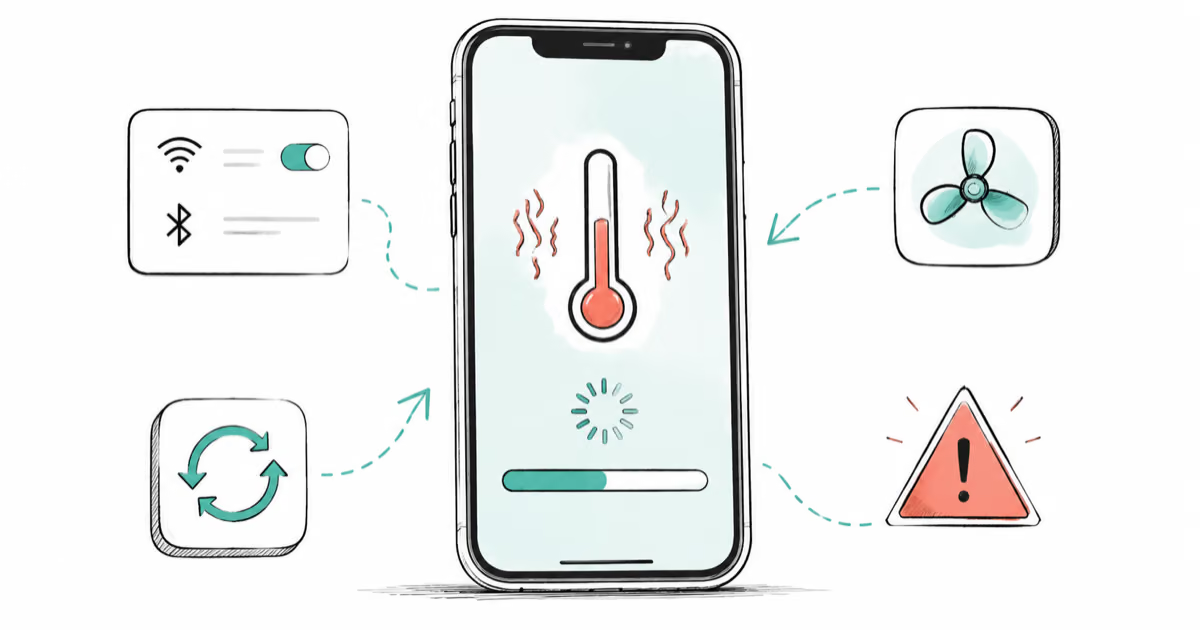
iPhone Overheating After iOS 27 Update? Why and Fixes
iPhone overheating after the iOS 27 update is usually normal background indexing for the first day or two. How to tell normal heat from a real problem.