iOS 27 Visual Intelligence: What Can Your iPhone Camera See?
iOS 27 adds a dedicated Siri camera mode for Visual Intelligence, with nutrition label scanning, business card reading, and Wallet ticket import.
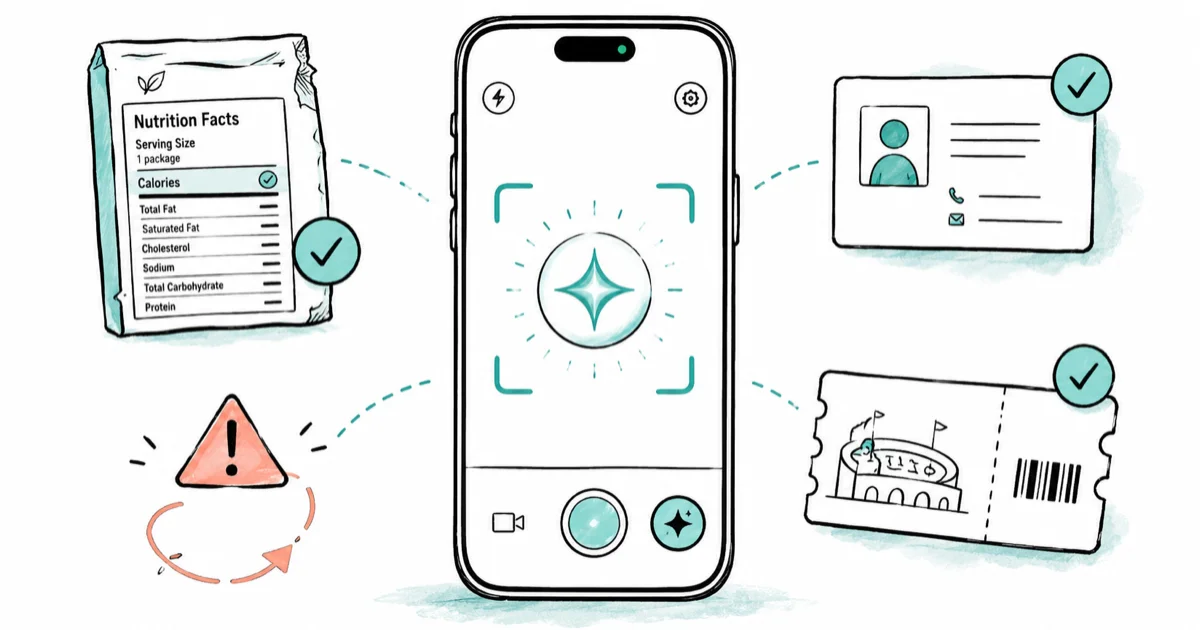
Quick AnsweriOS 27 adds a dedicated Siri mode to the Camera app, moving Visual Intelligence from the Camera Control button into a permanent camera mode. The new mode can read nutrition labels for the Health app, scan business cards into Contacts, and add physical tickets to Wallet.
Visual Intelligence in iOS 27 stops being a Camera Control shortcut and becomes a first-class camera mode. Apple confirmed at WWDC 2026 that the new Siri-powered mode sits alongside Photo, Video, and Portrait in the Camera app switcher, making AI a permanent part of how your iPhone sees the world.
Updated August 25, 2026: Apple confirmed iOS 27 and macOS 27 at its WWDC 2026 keynote on June 8. According to Apple’s August 24 release entry, iOS 27.0 developer beta 7 is build 24A5424a. Feature claims below remain tied to their cited Apple announcements and earlier beta sources.
- Visual Intelligence moves from the Camera Control button into a dedicated Siri mode in the Camera app, accessible from the mode switcher.
- The new mode can read nutrition labels and log the data directly to the Health app.
- Scanning a business card or printed contact information adds the details to Contacts without any manual typing.
- Physical tickets and boarding passes can be scanned and added to Wallet on the spot.
- The Photos app is getting two new generative AI editing tools, Reframe and Extend, that use AI to reshape and expand photos.
#What Is Visual Intelligence and How Does It Work Today?
Visual Intelligence launched with iPhone 16 in 2024, accessed via the Camera Control button to identify objects, landmarks, plants, or products in real time.
Current Visual Intelligence is built for clear object, landmark, plant, product, and sign identification.
A restaurant sign pulls up the business listing with hours and reviews. The quality of identification is consistently high across these use cases, and the response time is fast enough that it doesn’t feel like a separate processing step.
The limitation is access: Camera Control is exclusive to iPhone 16 models, and the gesture isn’t obvious.
#How Does the iOS 27 Siri Camera Mode Work?
AppleInsider reported in April 2026 that the Camera app will gain a Siri mode in iOS 27. Bloomberg’s WWDC 2026 preview confirms that this mode will sit in the Camera app alongside Photo, Video, and Portrait, making AI analysis a permanent camera mode rather than a hidden shortcut.
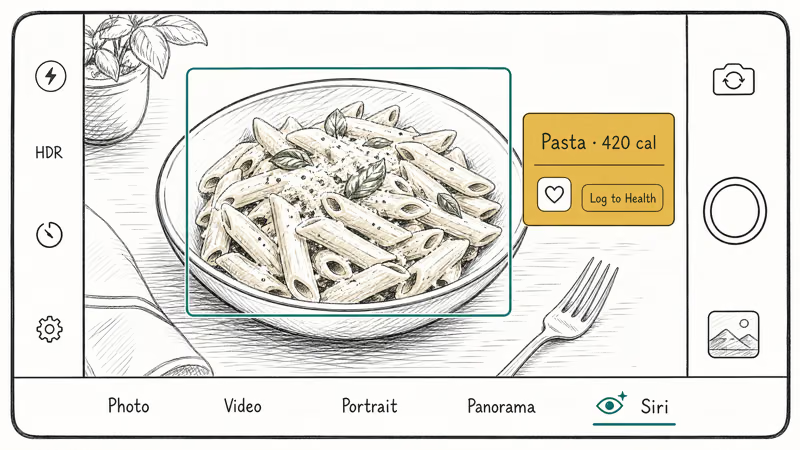
The mode sits in the Camera app’s horizontal mode selector, the same row where you swipe between Photo, Video, Slow-Mo, and Portrait. Tap Siri and the camera enters a continuous analysis state where the on-device AI processes the frame in real time. You can ask Siri questions about what the camera sees and get answers without pressing any button.
For example: point the camera at a dish at a restaurant and ask “How many calories is this?” The AI identifies the dish, estimates a calorie count, and can add it to the Health app with a tap.
Or point at a sign with a phone number and say to add it to contacts, and iOS 27 extracts the details and creates the entry automatically. The camera continues to function normally while in Siri mode; the AI layer sits on top of the viewfinder rather than replacing it.
#New Visual Intelligence Reading Capabilities
According to Bloomberg’s April 2026 report on iOS 27, 4 specific Visual Intelligence reading capabilities are expected in the new release:
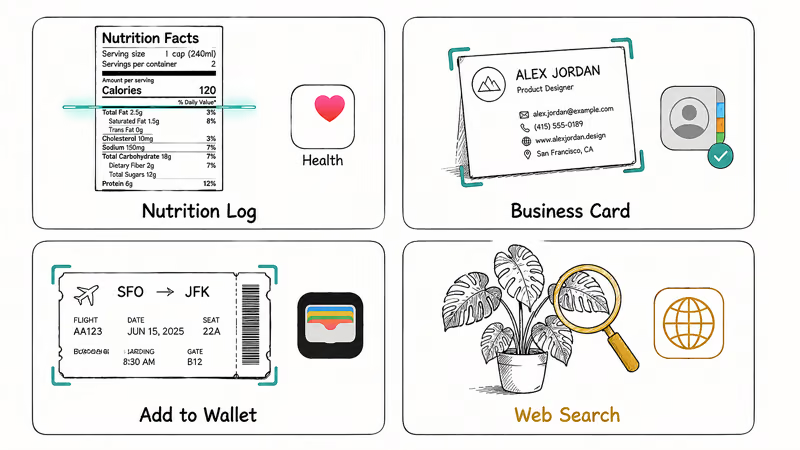
Nutrition labels: point the camera at a food package and iOS 27 reads the nutrition panel, identifying calories, macronutrients, and serving size. The data flows directly to the Health app. This answers a task that currently requires manual entry or a separate barcode scanner app.
Business cards and printed contact information: scan a business card, a letterhead, or any printed contact details. Visual Intelligence extracts the phone number, email, address, and name and creates a Contacts entry with no manual typing. On iPhone today, adding a contact from a card means opening Contacts, tapping New Contact, and entering each field by hand. The new feature eliminates that entirely, moving the card from table to phone in a single camera frame.
Physical tickets and passes: scan a printed event ticket or boarding pass and iOS 27 adds it to Wallet. This is particularly useful for tickets printed at home or received by mail that don’t have a QR code linked to a digital version.
Real-time object web search: tap any identified object in the Siri mode viewfinder to run a Google Images search directly, without leaving the camera.
9to5Mac reported in May 2026 that Visual Intelligence in iOS 27 can also analyze open Safari tab groups and suggest names based on their content, a smaller but useful addition for browser organization. On the tablet, Visual Intelligence goes further and reads whatever is already onscreen, a difference our iPadOS 27 features guide breaks down.
#Reframe and Extend: New Photos AI Tools
Beyond the Camera mode, the Photos app is expected to gain two generative AI editing tools in iOS 27, according to MacRumors’ May 2026 report:
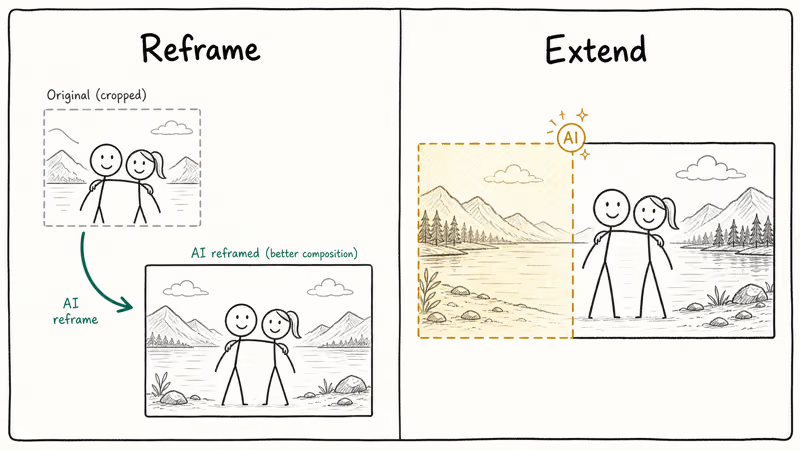
Reframe adjusts the perspective of a photo after it was taken. It’s different from cropping or rotating, Reframe uses AI to reconstruct the image as if the camera had been positioned slightly differently when the shot was taken. The output changes the composition rather than just the framing.
Extend generates image content beyond the edges of the photo. If the original shot cut off part of a scene on the left, Extend uses AI to fill in that area with generated content matching the style and content of the original image. It’s similar to Generative Expand in Photoshop, applied on-device on iPhone.
Both tools join the existing Clean Up feature. Clean Up removes objects from within the photo; Reframe and Extend change the geometry and boundaries of the photo itself.
Clean Up handles object removal inside an existing frame. Reframe and Extend are a harder problem because they change the geometry and boundaries of a photo. Apple will demo results at WWDC.
#iPhone Support for Visual Intelligence
Apple hasn’t confirmed the exact device requirements for the new Visual Intelligence features. For beta timing, see our iOS 27 beta release date guide. Based on current Apple Intelligence hardware tiers, advanced on-device AI features typically require the A17 Pro chip or newer, meaning iPhone 15 Pro and later, or any iPhone 16 series model.
The new Camera mode may require Camera Control hardware for some interactions, which would limit those specific features to iPhone 16 and newer. The broader Visual Intelligence features, object identification, text recognition, and business card scanning, may reach a wider device range since they rely on the Neural Engine rather than the Camera Control sensor specifically. Apple will clarify device requirements at WWDC.
For the full iOS 27 device compatibility picture, see our iOS 27 compatible iPhones guide. For the broader set of iOS 27 AI changes, see our iOS 27 AI features overview.
#Visual Intelligence vs Google Lens
Google Lens on Android does many of these same things, object identification, text extraction, translation, product search. The difference in iOS 27 is integration depth.
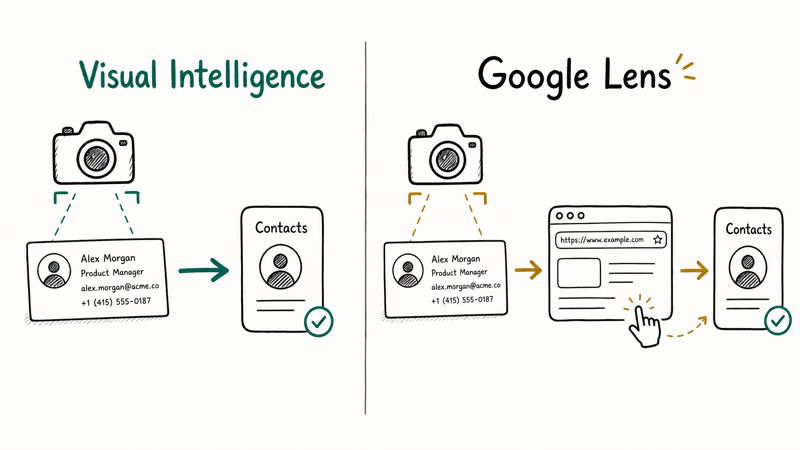
Google Lens on iPhone runs as a button inside the Google app or Google Search. Results appear in a web interface and stay there. iOS 27 Visual Intelligence runs in the native Camera app and writes directly to Health, Contacts, and Wallet. The identified data flows into Apple’s system apps without a copy-paste step.
For users who want to compare how Apple’s AI approach stacks up against Google’s on other platforms, see our Apple Intelligence vs Windows Copilot guide.
#Bottom Line
Visual Intelligence as a Camera mode turns a feature that was one button press into something as natural as taking a photo. The practical additions, nutrition logging, contact creation, ticket scanning, address real daily-use cases where the camera can save time over manual data entry.
The Reframe and Extend tools in Photos push iOS closer to Photoshop-level generative editing available at the tap of a button. These are more experimental features, and real-world quality will become clear when Apple demos them at WWDC.
This article updates on June 8. For the rest of iOS 27, see our iOS 27 new features guide.
iOS 27 Beta
#Frequently Asked Questions
Do I need a Camera Control button for iOS 27 Visual Intelligence?
The current Visual Intelligence feature requires Camera Control, which is exclusive to iPhone 16 models. iOS 27 moves it into a Camera mode in the app, which may make it available on more devices. Apple hasn’t confirmed whether any features still require Camera Control specifically.
Can iOS 27 read nutrition labels accurately?
Based on reporting, the nutrition label scanning uses AI to identify standard nutrition panel formats. Real-world accuracy will depend on label clarity, distance, and lighting. Apple will likely demo the feature at WWDC, giving a clearer picture of how it works in practice.
Does the Siri Camera mode replace standard camera modes?
No. Siri mode is an added option alongside Photo, Video, and Portrait. The AI layer runs on top of the viewfinder without replacing normal camera functions.
How does the ticket scanning work for passes already in Wallet?
The scanning is specifically for physical printed tickets or passes that don’t have a digital counterpart. If a ticket is already linked to your Apple Account digitally, it would already be in Wallet. The feature targets paper tickets and passes.
Will Reframe and Extend work on older photos in my library?
Based on how iOS photo AI tools work, they’re applied from the Photos edit interface and can work on any photo in your library that meets the AI requirements. Device compatibility for these features hasn’t been confirmed.
Does Visual Intelligence work without an internet connection?
Basic identification and text recognition work offline. Web search and results that pull external data require a connection.
Is Visual Intelligence available on iPad in iOS 27?
Apple has historically extended iPhone AI features to compatible iPad models. iPadOS 27 is expected to launch alongside iOS 27 at WWDC and is likely to include the same Visual Intelligence capabilities.
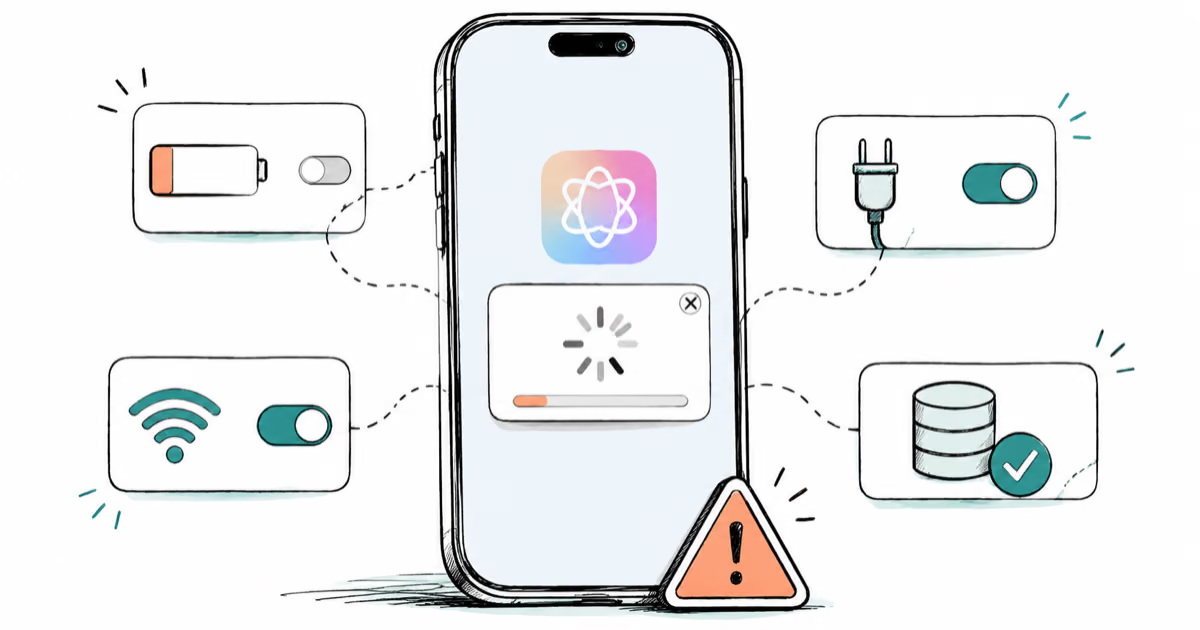
Apple Intelligence Not Working on iPhone? Fixes (2026)
Apple Intelligence not working on iPhone after iOS 27? Turn off Low Power Mode, stay on Wi-Fi while charging, and free up 7 GB. Step-by-step fixes.

Apps Crashing After iOS 27 Update? Fix Order (2026)
Apps crashing after the iOS 27 update? Update the app in the App Store first, then offload and reinstall to clear stale cache, then restart. The fix order.

Genmoji or Image Playground Not Working? iOS 27 Fix
Genmoji or Image Playground not working on iOS 27? Turn on Apple Intelligence, free up 7 GB, drop Low Power Mode, and let the image model finish.
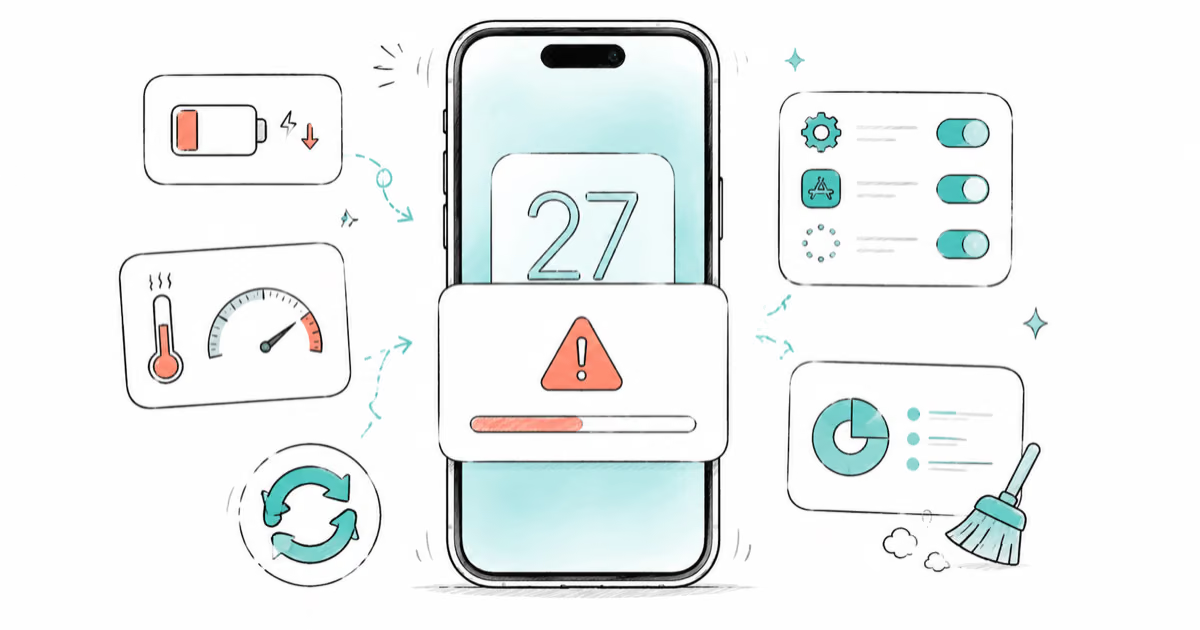
iOS 27 Problems and How to Fix Each of Them (2026)
iOS 27 problems? Battery drain, overheating, Wi-Fi drops, crashing apps, and Apple Intelligence stuck. Each problem with its top fix and full guide here.