iOS 27 Siri Redesign: Chat Interface and the New Siri App
iOS 27 redesigns Siri with a chat interface, Dynamic Island home, a standalone Siri app, multi-step command support, and persistent conversation history.
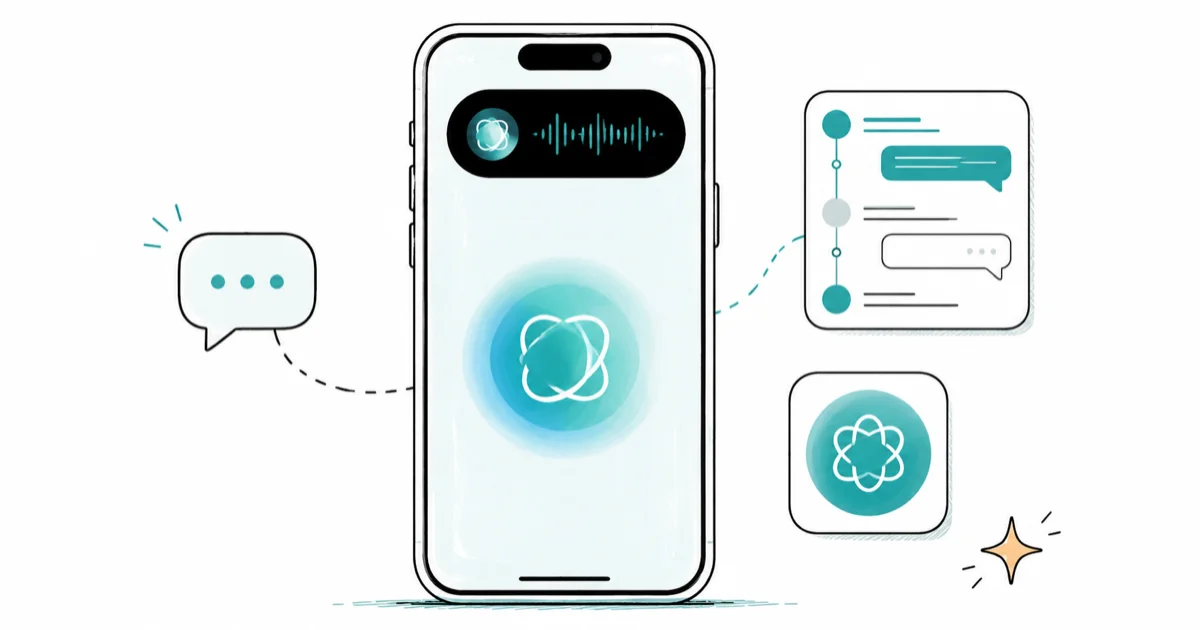
Quick AnsweriOS 27 redesigns Siri with a chat-style interface in the Dynamic Island, a dedicated standalone Siri app, and persistent conversation history. Multi-step commands and transparent reply cards replace the current single-query model. Apple confirmed the details at its WWDC 2026 keynote.
Siri has been the same voice assistant since 2011: you ask, it answers, it forgets. iOS 27 changes all three of those. At its WWDC 2026 keynote, Apple confirmed a version of Siri rebuilt from the ground up as a conversational AI, not a command router, running on a custom version of Google’s Gemini model.
Updated July 6, 2026 (developer beta 3): Apple confirmed the Siri redesign at its WWDC 2026 keynote on June 8, and the third developer beta arrived on July 6. Beta 3 activated the Siri voice customization menu on compatible devices, letting you adjust the voice’s Pace and Expressivity. This was previewed as “coming soon” in the June 22 beta 2 and is now live for testers.
- Siri in iOS 27 runs on a custom version of Google’s Gemini model and answers through a chat-style conversational interface.
- A standalone Siri app arrives for the first time, with searchable conversation history like a message thread.
- Multi-step commands let you chain requests together in a single query instead of asking one thing at a time.
- Siri can pull information from the web for open-ended questions and display results as formatted cards with images and bullet points.
- The new Siri still hands off to ChatGPT, Gemini, or Claude for third-party model requests via the new Extensions framework.
#Why Siri Needed a Redesign
Siri has lost ground to ChatGPT, Gemini, and Claude since those services launched, and the gap has been visible to every iPhone user who tried asking Siri a substantive question.
Across multiple iOS versions, Siri’s strengths have always been native actions: setting timers, calling contacts, controlling music, reading notifications. Its weaknesses map exactly to what users now take to competing apps, follow-up questions, complex explanations, research, and anything requiring the assistant to remember what was said thirty seconds ago.
iOS 27 addresses those weaknesses directly. According to Bloomberg’s Mark Gurman, Apple has been working on a Siri that functions more like a chatbot and less like a command-line interface. That isn’t a minor update, it’s a rewrite of what Siri fundamentally does.
#What Does the New Siri Interface Look Like?
The current Siri interface is a glowing ring that disappears when you close it. iOS 27 changes this structure at every level.
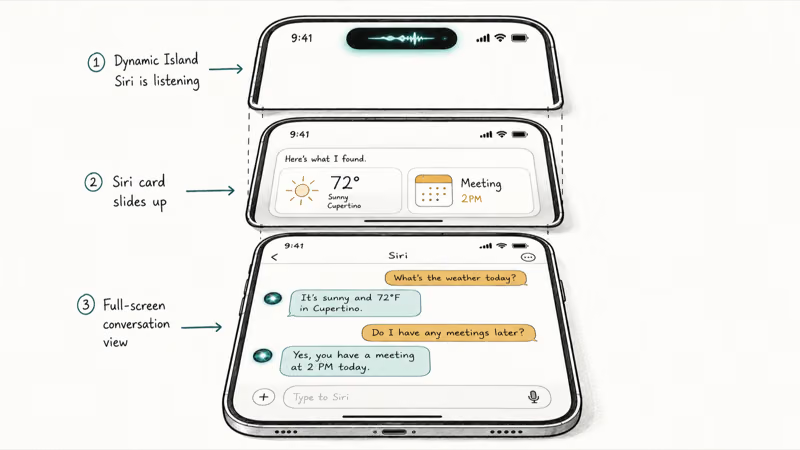
Dynamic Island as home base. Siri’s visual presence moves to the Dynamic Island, where it pulses when listening and displays a compact response summary when processing. This keeps Siri present without taking over the full screen.
Transparent reply cards. When Siri responds, a translucent card slides up from the bottom. The card shows the response text alongside context-relevant tiles: a weather card if you asked about weather, a calendar tile for schedule questions, a notes card if Siri pulled from your library. These tiles are interactive; tapping one expands the relevant detail. Swiping the card upward opens the full conversation view, including your query history.
Conversation view. The expanded view looks like an iMessage thread. Your queries appear as chat bubbles, Siri’s responses on the other side. You can scroll back through the entire conversation and pick up any previous thread. This is a fundamental shift from today’s stateless model.
Standalone Siri app. A dedicated app icon means you can open Siri without a button press or voice command, just tap and type. MacRumors reported in May 2026 that the app shows your full query history in a searchable format. That history persists across the session, letting you find and continue past conversations.
#How Do Multi-Step Commands Work in iOS 27?
Today’s Siri handles one request at a time. Ask two things and you get an answer to the first, or Siri misinterprets the second.
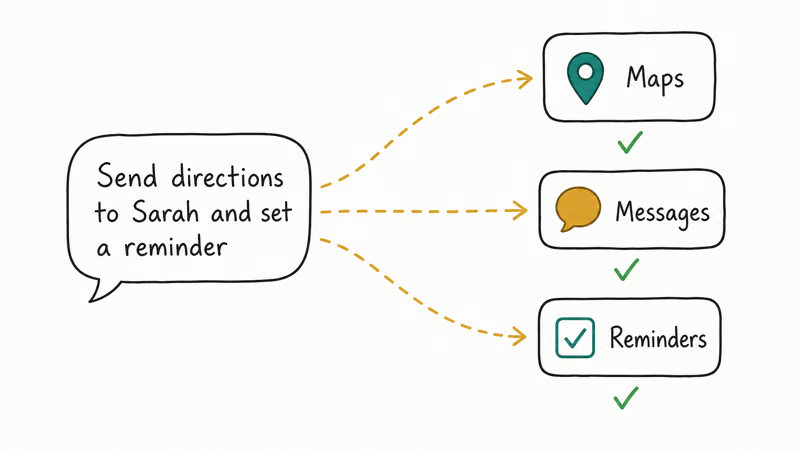
iOS 27 Siri handles chained requests in a single query. According to MacRumors’ reporting, multi-step commands can chain at least 2 actions in a single request: getting directions and sending them to a contact simultaneously, setting a timer and adding a linked reminder, or finding the last email from a specific sender and summarizing it. Each step executes in sequence, with Siri confirming its progress in the reply card before moving to the next action.
Multi-step commands work across apps. Siri in iOS 27 can coordinate between Messages, Maps, Calendar, Mail, and Reminders in a single request.
#Siri’s Answers to Open-Ended Questions
The biggest limitation of current Siri is open-ended questions, the kind users now take to ChatGPT or Gemini instead.

iOS 27 Siri can draw from the web to answer these. Bloomberg confirms that the new Siri pulls information from online sources and formats responses as structured cards. A web-search answer includes a summary paragraph, bullet points with key facts, relevant images, and a source citation at the bottom.
When a query is better handled by a third-party model, Siri routes to whichever provider you’ve selected in Settings, ChatGPT, Gemini, or Claude via the Extensions framework. For more on that choice, see our iOS 27 third-party AI Extensions guide.
#Voice Input and the New Siri
Voice remains the primary Siri input. The new Siri responds by voice, the same way it always has.
What changes is that voice is no longer the only option. The conversation view in the standalone app accepts typed queries directly. If you’re in a meeting or a quiet space, you type to Siri and get the same responses you’d get by voice. This mirrors how Gemini and ChatGPT work on iPhone today, both input modes, persistent context.
The voice itself is now adjustable. As 9to5Mac reported, developer beta 3 on July 6 activated a Siri voice menu on compatible devices, with Pace and Expressivity controls that were previewed as “coming soon” one beta earlier.
The current Siri-to-ChatGPT handoff in iOS 26 is still a visible handoff: the response style changes tone and the conversation context doesn’t carry over. Whether iOS 27 unifies the visual experience across Extensions providers is something Apple will clarify at WWDC.
If Hey Siri isn’t triggering consistently for you today, our Hey Siri not working guide covers the most common causes.
#iPhone Support for iOS 27 Siri
Apple hasn’t confirmed the hardware requirements for the new Siri yet. Apple’s official Apple Intelligence page describes the current on-device AI model and hardware requirements as a reference point. For iOS 27 compatibility broadly, see our iOS 27 compatible iPhones guide.
Apple confirmed the new conversational Siri runs across iPhone, iPad, and Mac on iOS 27, iPadOS 27, and macOS 27. It reaches the wrist too: our watchOS 27 features guide covers the Apple Watch version. The most advanced chat features need newer hardware with a capable Neural Engine, while basic voice improvements reach a broader device range. For beta rollout timing, see our iOS 27 beta release date guide.
#Bottom Line
The iOS 27 Siri redesign isn’t a feature update, it’s a rethink of what Siri is. Persistent conversations, multi-step commands, web-sourced answers, a dedicated app, and a Dynamic Island home address the exact reasons iPhone users switched to ChatGPT and Gemini for serious queries. That’s not incremental improvement — it’s a repositioning of what Siri is capable of, from voice shortcut to an AI you’d actually rely on for complex daily tasks.
Whether Apple ships this all at launch or stages it across betas the way iOS 18 rolled out Apple Intelligence features is unclear. WWDC on June 8 will answer that. For the full iOS 27 AI picture, see our iOS 27 AI features guide.
iOS 27 Beta
#Frequently Asked Questions
Will the new Siri app replace the current Siri interface?
Reports describe the standalone Siri app as an addition, not a replacement. You’ll still invoke Siri with a button press or Hey Siri. The app gives Siri a dedicated space with conversation history for users who want a chat-style experience.
Can Siri remember conversations between sessions in iOS 27?
Reporting describes a searchable conversation history within a session. Whether context persists across app restarts or device reboots hasn’t been confirmed. Apple will clarify that at WWDC.
Does iOS 27 Siri work without an internet connection?
On-device tasks, timers, alarms, music controls, contacts, calendar entries, work offline. Web-sourced answers and complex reasoning require a connection. Private Cloud Compute requests also require connectivity.
What is the Dynamic Island Siri experience?
Siri’s active state lives in the Dynamic Island as a pulsing animation when listening. Responses appear as a translucent card below the island rather than taking over the full screen. Swiping up on the card opens the full conversation view.
Does the new Siri cost extra?
Apple Intelligence features including Siri are free with iOS. Third-party providers like ChatGPT, Gemini, and Claude use their own account requirements.
How is iOS 27 Siri different from asking ChatGPT on iPhone?
The difference is integration. ChatGPT on iPhone is a separate app without access to your messages, calendar, contacts, or device state. iOS 27 Siri has all of that context and can take actions across apps. For queries that specifically need ChatGPT’s knowledge, Siri can hand off via Extensions while remaining the interface.
Does voice still work with the new Siri?
Yes. Voice remains the primary way to invoke Siri. The chat interface adds text input as an alternative, useful when you can’t speak, prefer typing, or want to review your query before sending. The spoken response continues to work when voice is used.
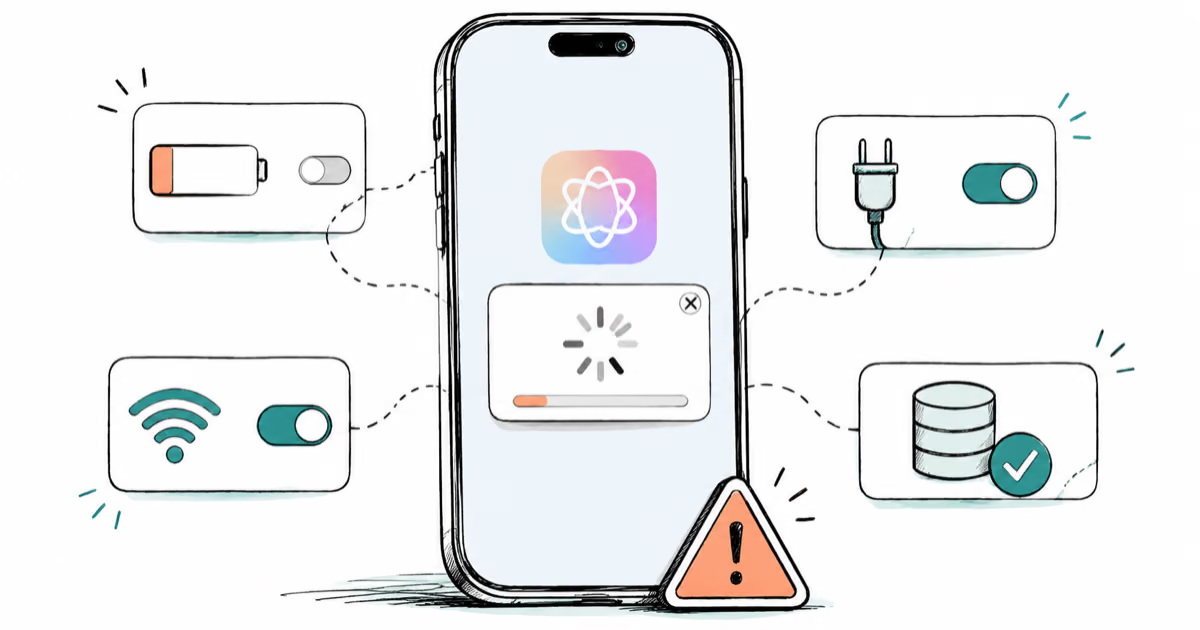
Apple Intelligence Not Working on iPhone? Fixes (2026)
Apple Intelligence not working on iPhone after iOS 27? Turn off Low Power Mode, stay on Wi-Fi while charging, and free up 7 GB. Step-by-step fixes.

Apps Crashing After iOS 27 Update? Fix Order (2026)
Apps crashing after the iOS 27 update? Update the app in the App Store first, then offload and reinstall to clear stale cache, then restart. The fix order.

Genmoji or Image Playground Not Working? iOS 27 Fix
Genmoji or Image Playground not working on iOS 27? Turn on Apple Intelligence, free up 7 GB, drop Low Power Mode, and let the image model finish.
iOS 27 Problems and How to Fix Each of Them (2026)
iOS 27 problems? Battery drain, overheating, Wi-Fi drops, crashing apps, and Apple Intelligence stuck. Each problem with its top fix and full guide here.