AI PC Buying Guide 2026: The Spec Checklist That Matters
An AI PC buying guide for 2026: the 40-TOPS NPU floor, 16GB RAM minimum, ARM vs x86, and the marketing specs to ignore. A clear checklist for shoppers.

Quick AnswerInsist on a 40-TOPS NPU for the Copilot+ badge, 16GB of RAM as a hard floor, and a 512GB SSD. Choose ARM (Snapdragon) for the best battery and x86 (Intel or AMD) for the widest app compatibility. Ignore inflated marketing TOPS and prioritize RAM, since memory shapes real-world feel far more than a high TOPS number ever will.
This AI PC buying guide cuts the spec sheet down to the four things that actually decide whether a laptop is worth your money: the NPU, the RAM, the architecture, and the marketing you should ignore. Get those right and the rest of the sticker sorts itself out, so let’s walk the checklist a smart shopper runs before buying in 2026.
- Demand a 40-TOPS NPU for the Copilot+ badge; below that line, the Windows AI features stay locked off.
- Treat 16GB of RAM as a hard floor and a 512GB SSD as the practical minimum for app and model files.
- Choose ARM (Snapdragon) for the longest battery or x86 (Intel and AMD) for the widest app compatibility.
- Ignore inflated marketing TOPS; within a tier, more RAM beats a higher NPU rating for real-world feel.
- Sort your must-have apps before the silicon, because a chip that can’t run your software is the wrong chip.
#What NPU Rating Do You Actually Need?
Start with the one number that gates everything. According to Microsoft’s AI PC features guide, a Copilot+ PC requires “specialized chips capable of at least 40 TOPS,” paired with “16GB RAM” and a “256GB SSD.” Machines below that line don’t qualify, so Copilot+ features like Recall and Studio Effects stay locked off.
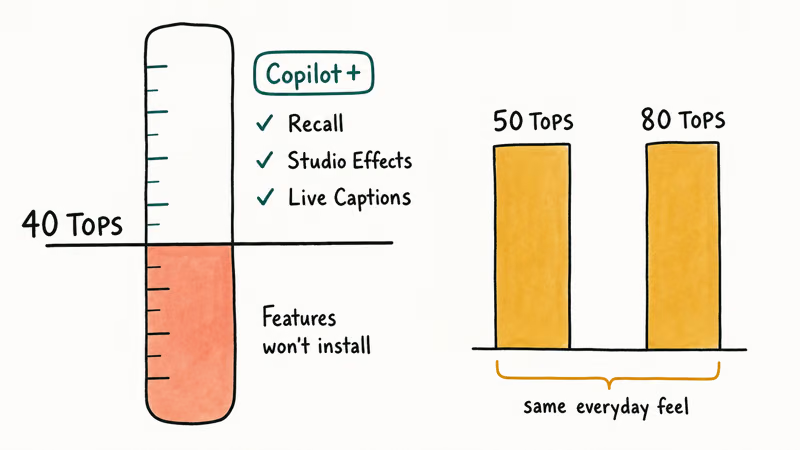
That same guide states that Live Captions can “translate live or recorded audio from over 40 languages into English captions,” one of the on-device features the 40-TOPS NPU unlocks.
So 40 TOPS is the floor, not a target to chase. More TOPS above that line buys future headroom, not a speed boost you’ll feel today. The current AI features run fine at the minimum, so a 50-TOPS chip and an 80-TOPS chip deliver the same everyday experience right now.
For current Copilot+ features, the badge confirms a baseline; beyond it, the NPU number matters less than RAM and architecture. Treat 40 TOPS as a checkbox, then spend your attention on RAM and architecture instead.
#RAM and Storage Matter More Than You Think
This is where most buyers should focus, because memory shapes feel more than any NPU rating. In its AI PC buying guide, Newegg likewise treats 16GB as the floor — and recommends 32GB if you plan to run local AI models of any real capability. On storage, treat 512GB as the practical minimum: anything less starts to choke once Windows, a browser, and AI model files compete for the same pool.
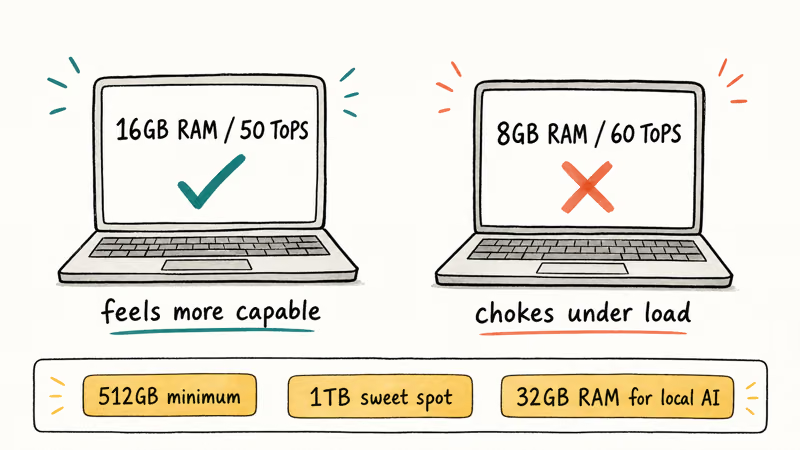
A useful rule cuts through the spec sheet. Within any price tier, a 16GB machine at 50 TOPS feels more capable than an 8GB machine at 60 TOPS, because the extra memory does more real work than the extra TOPS.
Storage follows the same practical logic. A 512GB SSD is the sensible minimum once you account for app sizes and AI model files, and 1TB is the comfortable sweet spot for most people. AI features, image generators, and local model files can consume storage quickly, so erring up on storage pays off. Our AI PC vs regular laptop guide shows how these same specs apply whether or not you want the NPU.
#ARM or x86: Which Architecture Fits You?
This is the branch that trips up the most shoppers, so decide it deliberately. ARM chips, like Qualcomm’s Snapdragon X series, bring smartphone-level efficiency to laptops and deliver the best battery life in the category. The trade is compatibility: ARM runs some legacy x86 apps through emulation, which can stumble on kernel-level tools like certain anti-cheat games, VPN clients, and specialized drivers.
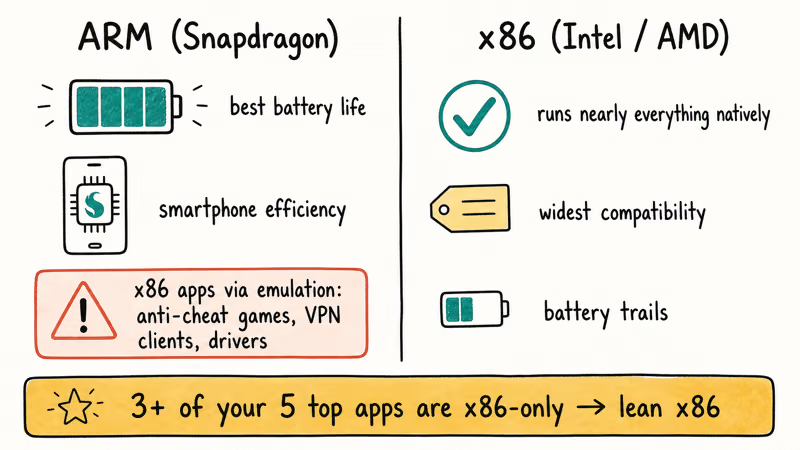
x86 chips from Intel and AMD run nearly everything natively, the widest compatibility of any AI PC platform, though battery tends to trail the best ARM machines. As ASUS notes, that efficiency edge is only worth it if your software runs cleanly.
A simple test settles it. If three or more of your five most-used apps are x86-dependent, ARM introduces friction you’ll feel daily, so lean x86. If your software is mainstream and your priority is all-day battery, ARM shines. Our Windows on ARM app compatibility breakdown covers the emulation edge cases in detail, and our Snapdragon vs Intel vs AMD AI chips comparison maps the platforms head to head.
#The Marketing Specs to Ignore
Marketing has gotten loud, so name the noise. The biggest distraction is inflated TOPS. A headline “AI TOPS” figure sometimes sums NPU, GPU, and CPU together, which is not the same as the NPU TOPS that Microsoft certifies, so confirm the NPU rating specifically, not a blended marketing total.
Ignore “AI-ready” stickers that don’t name a real NPU figure too. The badge that matters is Copilot+, which requires the certified 40-TOPS NPU; vaguer labels mean nothing.
Finally, don’t pay a premium for an NPU rating you’ll never use. As NPUs become standard, you increasingly get the chip baked into a normal laptop without a surcharge, so let it come along for free rather than chasing the highest number. To understand the chip alphabet behind these claims, our explainers on what TOPS means and NPU vs GPU vs CPU translate the jargon.
#Don’t Forget Battery, Ports, and Display
The AI specs grab the headlines, but the basics still decide how a laptop feels. Battery life is the quiet win of the AI PC era, and ARM models post the longest runtimes.
Ports and wireless deserve a glance too. Aim for at least two USB-C or Thunderbolt connections plus a USB-A for legacy devices, and prefer Wi-Fi 6E at minimum, with Wi-Fi 7 on newer models. A bright display in the 14-inch range hits the sweet spot for a thin-and-light AI laptop. None of these are AI features, yet they shape your daily experience far more than the gap between one NPU and another.
#The Five-Minute Buying Checklist
Run any candidate laptop through these five checks before you buy. Does it have a certified 40-TOPS NPU and the Copilot+ badge? Does it have at least 16GB of RAM, ideally 32GB if you run local AI? Does it have a 512GB or larger SSD?
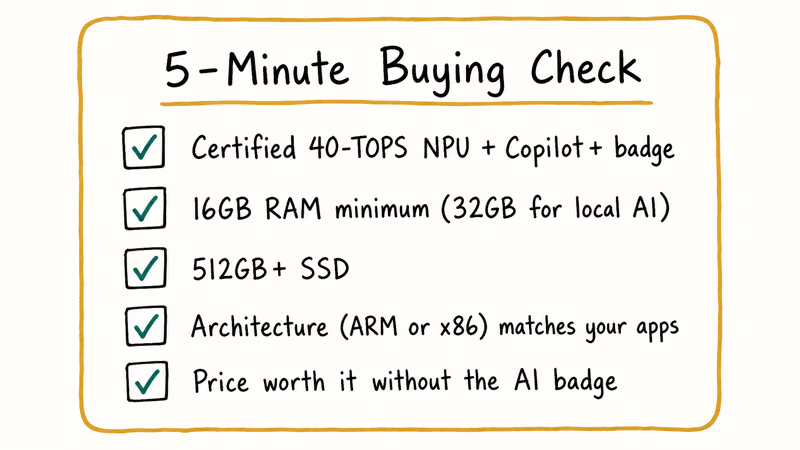
Then the two decisions that depend on you. Does the architecture, ARM or x86, match your must-have apps? And does the price reflect a laptop you’d want anyway, rather than a premium for an AI badge alone?
If a machine clears all five, it’s a sound buy. If it stumbles on RAM or app compatibility, keep looking, because those two trip people up far more often than the NPU ever does. For broader context, our checklist on whether you need an AI PC and our verdict on whether an AI PC is worth it frame the decision before you shop.
#Four Laptops We’d Shortlist Right Now
You’ve got the criteria. Here are four laptops we’d shortlist right now, one for each priority shoppers usually lead with: battery, value, app compatibility, and integrated graphics. Three carry the Copilot+ badge outright; the Dell XPS 14 Premium trades the badge for the widest x86 app compatibility. Every model below ships with 16GB of RAM at minimum.
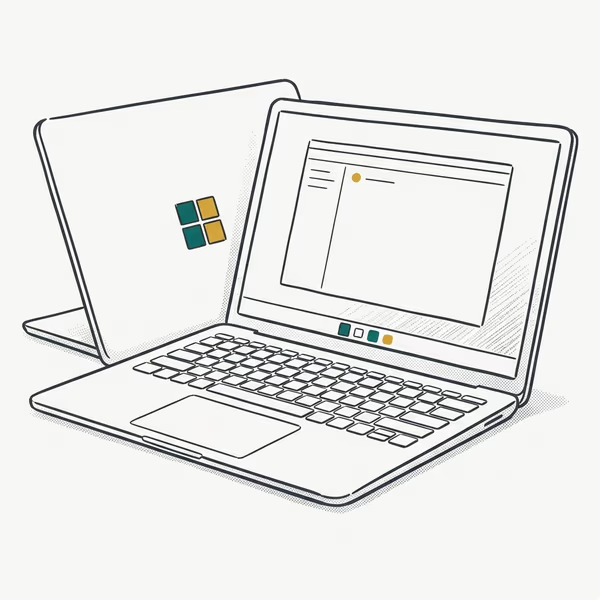
- Rated up to 20 hours of battery life on the efficient Snapdragon X Plus
- Clears every line of the checklist: 45-TOPS NPU, 16GB floor, 1TB SSD
- Tall 3:2 120Hz touchscreen shows more of a document or web page than 16:9 panels
Last updated on Jul 3, 2026
As an Amazon Associate fone.tips earns from qualifying purchases. Prices and availability on Amazon are accurate as of the date above and subject to change.
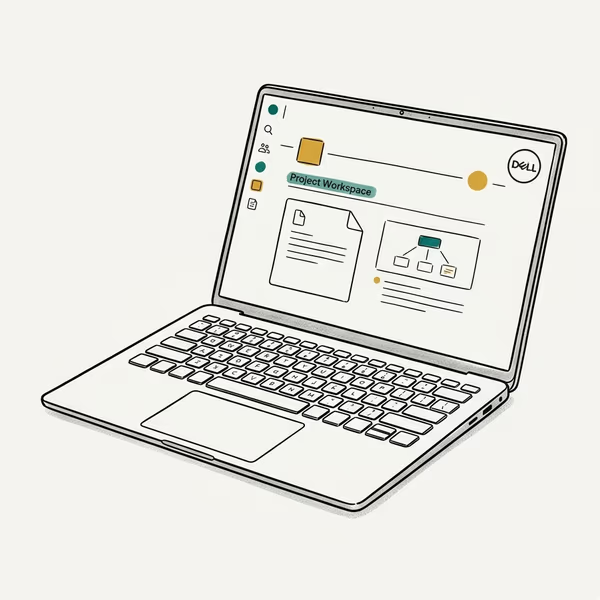
- x86 silicon runs legacy Windows apps natively, with no ARM emulation guesswork
- 14.5" 3.2K OLED touchscreen at 120Hz comes standard on this configuration
- Machined build with 16GB of RAM and a roomy 2TB SSD in this configuration
Last updated on Jul 3, 2026
As an Amazon Associate fone.tips earns from qualifying purchases. Prices and availability on Amazon are accurate as of the date above and subject to change.
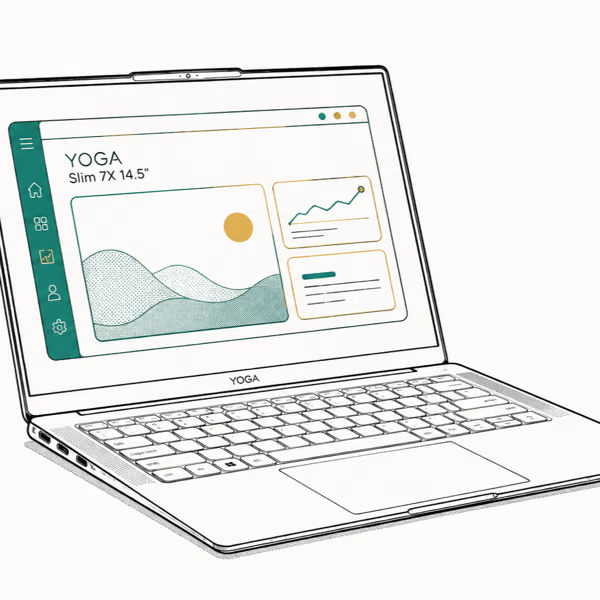
- Lightest of the group at 2.82 lb, yet packs the same 45-TOPS Snapdragon X Elite
- 14.5" 3K OLED touch panel at 90Hz and 1000 nits of peak brightness
- Wi-Fi 7 and USB4 ports, typically priced below the Surface and XPS
Last updated on Jul 3, 2026
As an Amazon Associate fone.tips earns from qualifying purchases. Prices and availability on Amazon are accurate as of the date above and subject to change.

- Highest raw NPU rating here at 50 TOPS, ahead of the 40 to 45-TOPS rivals
- Strong Radeon 880M graphics for light gaming and creative work
- x86 silicon runs Windows apps natively, with no ARM emulation guesswork
Last updated on Jul 3, 2026
As an Amazon Associate fone.tips earns from qualifying purchases. Prices and availability on Amazon are accurate as of the date above and subject to change.
Together these four cover every chip line: Snapdragon ARM for battery, Intel and AMD x86 for native app compatibility, and the Ryzen AI machine for strong integrated graphics. Sort your must-have apps first, then match the platform to them.
#Bottom Line
It comes down to a short, firm checklist: a 40-TOPS NPU, 16GB of RAM as a hard floor, a 512GB SSD, and an architecture that matches your apps.
The single best piece of advice is to prioritize RAM over a flashy TOPS number and to sort your must-have software before the silicon. A 16GB Ryzen AI or Snapdragon laptop that runs your apps will serve you better than an 80-TOPS machine that chokes on memory or emulation.
When you’re ready to match models to this checklist, our roundup of the best laptops to buy in 2026 does the legwork, and our guide on whether to wait for the 2026 AI PCs helps with timing.
AI PCs and Copilot+ Laptops
#Frequently Asked Questions
What is the minimum NPU rating for an AI PC?
Microsoft requires at least 40 TOPS from the NPU to earn the Copilot+ badge. Below that line, Windows AI features like Recall and Studio Effects don’t install.
How much RAM should an AI PC have?
Treat 16GB as a hard floor in 2026, since 8GB struggles once Windows, a browser, and AI features share the same memory. If you plan to run local AI models, step up to 32GB. Within any price tier, more RAM does more real work than a higher NPU rating, so it’s the spec to prioritize.
Should I choose ARM or x86 for an AI PC?
It depends on your software. ARM chips like Snapdragon offer the best battery but run some x86 apps through emulation, which can trip up anti-cheat games, VPN clients, and specialized drivers. Intel and AMD x86 chips run nearly everything natively at the cost of some battery. Check your must-have apps first, then pick.
What does TOPS mean on an AI PC?
TOPS means trillions of operations per second, a measure of the NPU’s AI throughput. Be wary of blended “AI TOPS” marketing, since only the NPU figure counts for certification.
How much storage do I need on an AI PC?
A 512GB SSD is the practical minimum once you account for app sizes and AI model files, and 1TB is the comfortable sweet spot for most users. AI features and local models eat disk faster than older software, so erring toward more storage saves headaches later.
Is a higher TOPS number always better?
No. Above the 40-TOPS floor, a higher NPU rating mainly buys future headroom, not a faster everyday machine. A 16GB laptop at 50 TOPS feels more capable than an 8GB laptop at 60 TOPS, because RAM shapes real-world performance more than the NPU rating does. Prioritize memory and app compatibility over chasing the highest TOPS figure.

Best Laptop for Running LLMs in 2026: Memory Comes First
The best laptop for running LLMs is a memory purchase first. Compare MacBook unified memory against NVIDIA laptop VRAM, and see what each tier really runs.

How to Run a Local LLM on Windows: A 2026 Setup Guide
Run a local LLM on Windows with LM Studio or Ollama. Pick a model that fits your GPU memory, keep every prompt offline, and skip the monthly bill.

Bluetooth Not Working on Snapdragon X? Fixes for 2026
Bluetooth not working on your Snapdragon X Copilot+ PC? Generic audio, mice, and keyboards work, but vendor apps often lack an ARM build. Fixes inside.

Docker Desktop and WSL2 Not Working on Snapdragon X? Fix It
WSL2 runs fine on Snapdragon X, but Docker Desktop ARM is Early Access and throws WSL errors. Use WSL2 plus native ARM64 Ubuntu and Docker Engine.