What Does TOPS Mean on an AI PC? The 40-TOPS Bar Explained
TOPS means trillions of operations per second, an NPU peak at INT8. Microsoft sets 40 as the Copilot+ bar. Why a bigger number does not mean a better PC.
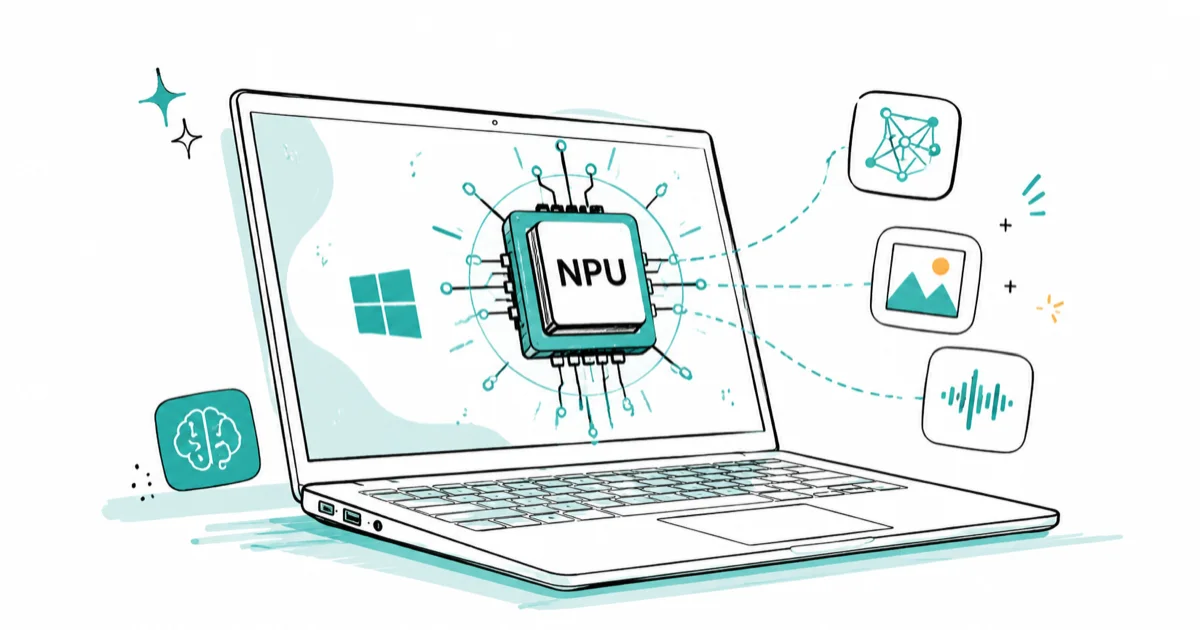
Quick AnswerTOPS means trillions of operations per second, a measure of an NPU peak AI throughput, almost always quoted at INT8 precision. Microsoft sets 40 TOPS as the Copilot+ bar, but a higher TOPS number does not deliver a proportionally better experience.
TOPS stands for trillions of operations per second, and on an AI PC it’s the headline number stamped on the NPU. A 45-TOPS NPU can perform 45 trillion operations every second, at peak, on a specific kind of math. This guide explains what the number really measures, why 40 is the line that matters, and why a bigger number doesn’t buy you a proportionally better PC.
The short version: TOPS is a peak spec, not a real-world score. Treat it like a car’s top speed, useful as a floor check, useless as a promise.
- TOPS means trillions of operations per second, measuring an NPU peak AI throughput
- That peak is almost always quoted at INT8 precision, the low-precision math NPUs run fastest
- Microsoft sets 40 TOPS as the floor for the Copilot+ certification, which is why 40 is the number to clear
- A higher TOPS rating does not scale into a proportionally better experience
- Memory bandwidth, software support, and precision matter as much as the raw TOPS figure
#What TOPS Actually Measures
TOPS counts operations, not features. One “operation” is a single low-level math step, usually a multiply or an add, and an NPU does trillions of them per second when it’s running flat out.
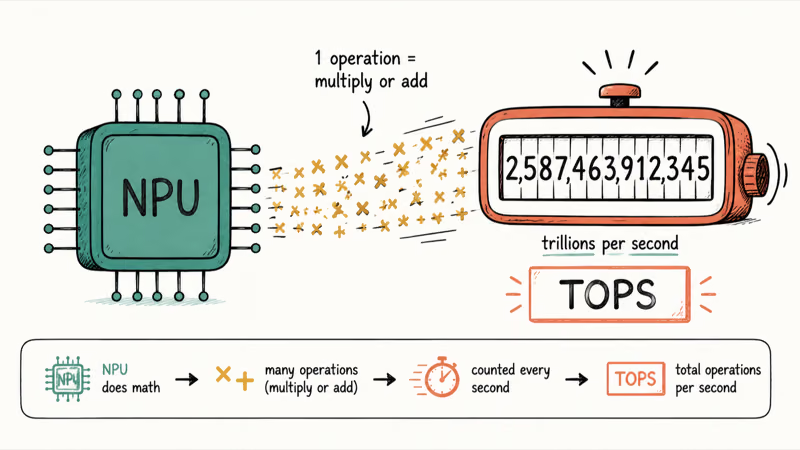
According to Lenovo’s glossary entry on TOPS, the metric describes how many trillions of operations a processor can perform each second, which makes it a measure of raw AI throughput. It tells you how much math the chip can grind, not how good any single AI feature will feel.
That distinction matters. A high TOPS number means the NPU has headroom, but headroom only helps if the software and the rest of the system can keep it fed.
#Why TOPS Is Always About INT8
Here’s the part the marketing skips. The TOPS figure on a spec sheet is almost always measured at INT8, an 8-bit integer format, because that’s the low-precision math NPUs are built to run fastest.
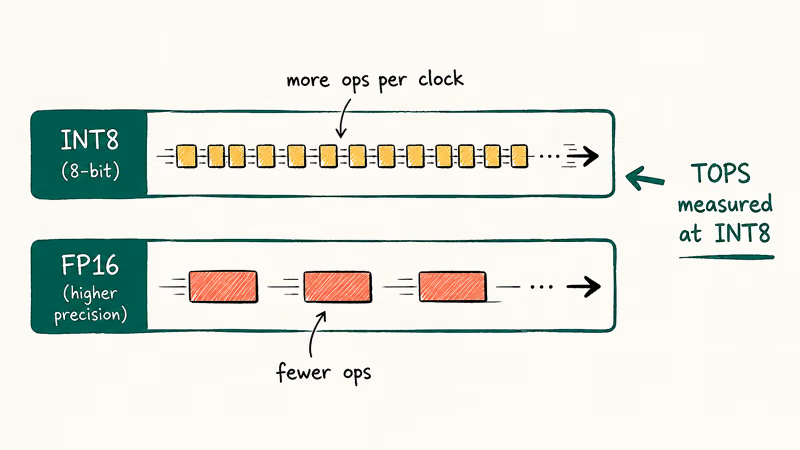
Microsoft’s Copilot+ PCs developer guide confirms that many NPU devices “only support integer math in lower bit format, such as INT8, for increased performance and power efficiency.” Lower precision lets the chip do more operations per clock, so the TOPS number goes up. Run the same model at higher precision and the effective throughput drops.
So read “45 TOPS” as “45 trillion INT8 operations per second, at peak.” It’s honest, but it’s a best case.
#Why Is 40 the Magic Number?
Forty isn’t a law of physics. It’s the bar Microsoft chose. Microsoft’s Copilot+ PCs and Windows PCs differences guide states that a Copilot+ PC needs an NPU “capable of at least 40 TOPS.”
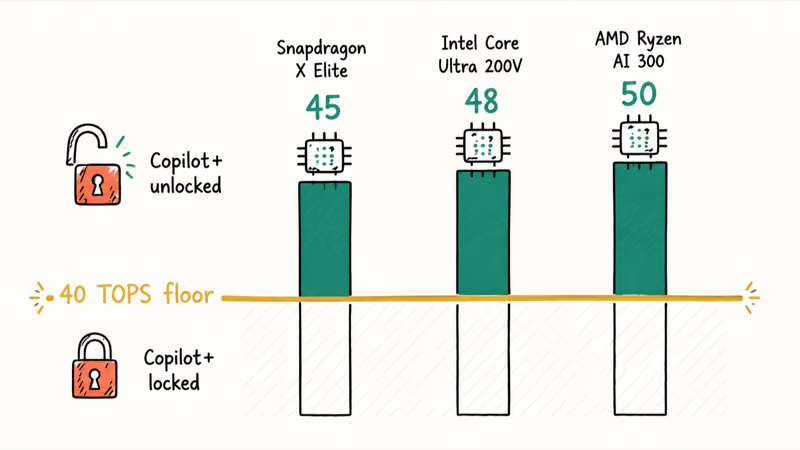
That single threshold is why 40 dominates every AI PC conversation. Clear it, and the on-device features turn on. Fall short, and they stay locked, no matter how high your CPU or GPU benchmarks run.
The current Copilot+ chips clear it comfortably. The Qualcomm Snapdragon X Elite NPU is rated at 45 TOPS, Intel Core Ultra 200V lands around 48, and AMD Ryzen AI 300 around 50. Apple’s M-series Neural Engine sits outside this number entirely, which our MacBook vs Copilot+ PC comparison covers.
If you want the feature gate those numbers unlock, our Copilot+ PC explainer lays out exactly what 40 TOPS buys you.
#Does a Higher TOPS Number Mean a Better PC?
Not proportionally, and that’s the trap. Going from 40 to 50 TOPS does not make AI features 25 percent better. The Copilot+ experiences are designed to run on the 40-TOPS floor, so extra headroom mostly sits unused for those tasks.
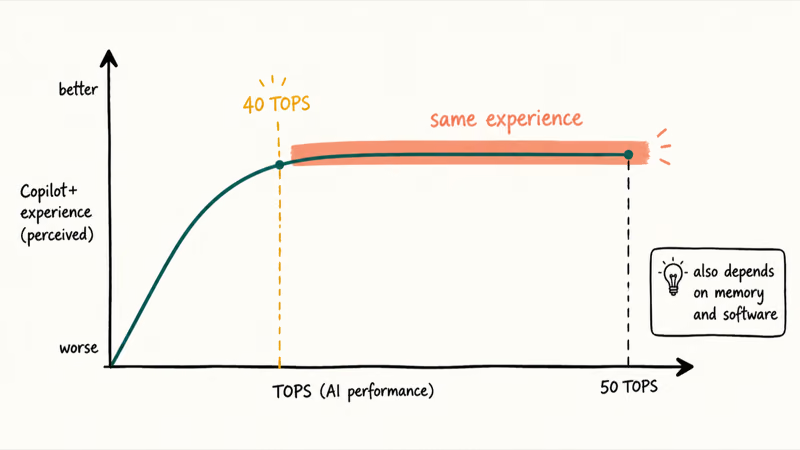
Real-world AI performance also depends on more than the NPU’s peak. Memory bandwidth, the precision the model actually uses, driver maturity, and software optimization all shape how fast a workload runs. Because Copilot+ features are tuned for the 40-TOPS floor rather than the ceiling, a higher TOPS rating doesn’t necessarily change the everyday experience. A chip with slightly lower TOPS but better software support can match a higher-rated one.
#Watch What the Number Includes
The other thing to watch is scope. The cleanest spec sheets list the NPU’s TOPS rating entirely on its own, with no other chips folded in to pad it.
Some marketing instead bundles a combined CPU-plus-GPU-plus-NPU total to make the number look bigger. Make sure the figure you compare is the NPU alone, because that’s the part the Copilot+ certification actually measures.
#How to Read TOPS When Shopping
Use TOPS as a pass/fail check, not a ranking. Confirm the NPU is rated 40 TOPS or higher if you want Copilot+ features. Then stop optimizing for that number entirely, because past the floor it tells you very little about how the machine will feel in daily use or how well its software taps the chip.
Beyond the floor, weigh the things that actually shape daily use: RAM, storage, screen quality, battery, and whether the software you rely on uses the NPU at all. Our what is an AI PC explainer and do you need an AI PC guide both put TOPS in that wider context.
And remember that heavy local AI leans on the GPU, not the NPU, as our NPU vs GPU vs CPU breakdown explains in detail.
#Bottom Line
Treat TOPS as a floor, not a score: clear 40 if you want Copilot+ features, then ignore the number. A laptop rated at 50 TOPS isn’t meaningfully better at on-device AI than one at 42, and the real differences live in memory, software, and the GPU. Don’t pay extra for a bigger TOPS sticker.
AI PCs and Copilot+ Laptops
#Frequently Asked Questions
What does TOPS stand for?
TOPS stands for trillions of operations per second.
It measures how many low-level math operations a chip, usually an NPU, can perform each second at its peak. One operation is a single multiply or add, so the figure reflects raw throughput on AI math, not how good any single feature actually feels when you use it day to day on a real machine.
Is 40 TOPS good enough for an AI PC?
Yes, for the on-device features. Forty TOPS is the exact floor Microsoft set for Copilot+ certification, so any NPU at or above it unlocks Recall, Studio Effects, and the rest. More TOPS won’t make those features noticeably better.
Why do different sources list different TOPS for the same chip?
Because TOPS depends on precision. The same NPU posts a higher number at INT8 than at higher-precision formats like FP16, so a figure quoted with a different precision, or one that bundles CPU and GPU totals, won’t match the NPU INT8 rating.
Does a 60-TOPS NPU run AI twice as fast as a 30-TOPS one?
No. TOPS is a peak figure, and real speed depends on memory, software, and the workload itself.
Should I buy the laptop with the highest TOPS?
Not on that basis alone. Once an NPU clears 40 TOPS, extra TOPS adds little for Copilot+ features, so it’s better to compare RAM, storage, battery, and screen quality. The TOPS race is mostly a marketing contest above the 40 floor.
Does TOPS measure the GPU too?
Not usually. The TOPS rating on an AI PC almost always refers to the NPU. GPU AI power is measured differently, and for heavy local models the GPU and its memory matter far more than the NPU’s TOPS number.

Best Laptop for Running LLMs in 2026: Memory Comes First
The best laptop for running LLMs is a memory purchase first. Compare MacBook unified memory against NVIDIA laptop VRAM, and see what each tier really runs.

How to Run a Local LLM on Windows: A 2026 Setup Guide
Run a local LLM on Windows with LM Studio or Ollama. Pick a model that fits your GPU memory, keep every prompt offline, and skip the monthly bill.

Bluetooth Not Working on Snapdragon X? Fixes for 2026
Bluetooth not working on your Snapdragon X Copilot+ PC? Generic audio, mice, and keyboards work, but vendor apps often lack an ARM build. Fixes inside.

Docker Desktop and WSL2 Not Working on Snapdragon X? Fix It
WSL2 runs fine on Snapdragon X, but Docker Desktop ARM is Early Access and throws WSL errors. Use WSL2 plus native ARM64 Ubuntu and Docker Engine.