NPU vs GPU vs CPU: What Each One Actually Does for AI
NPU vs GPU vs CPU for AI: the CPU runs everything, the GPU runs heavy local models, the NPU runs light AI efficiently. Which chip does what, and why.
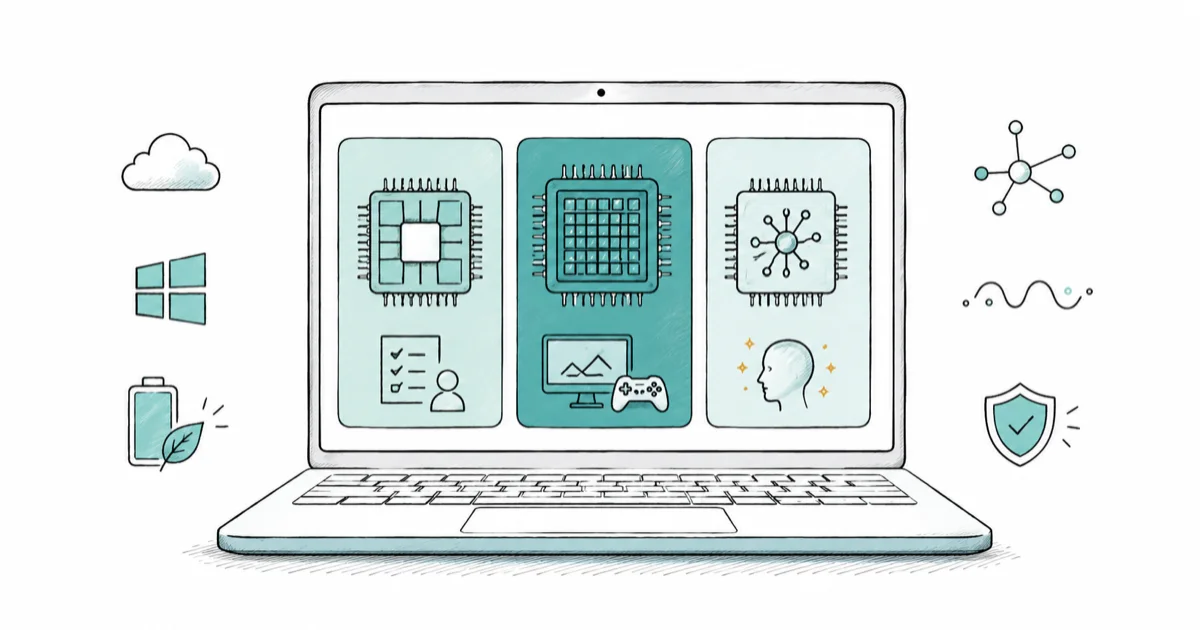
Quick AnswerThe CPU runs general tasks, the GPU handles heavy parallel math like graphics and large local AI models, and the NPU runs light AI tasks efficiently in the background. The common myth is that the NPU runs your local large language model. It usually does not. That heavy lifting falls to the GPU.
The CPU, GPU, and NPU all live on a modern PC and all touch AI work, but they do different jobs. The CPU is the generalist, the GPU is the heavy-parallel workhorse, and the NPU is the efficient AI specialist. This guide explains what each chip is actually for and kills the most common misconception: that the NPU runs your local AI model.
It usually doesn’t. When you run a chatbot or image model on your own machine, the GPU does most of that work, not the NPU.
- The CPU is the generalist that runs your operating system, apps, and the logic glue between everything
- The GPU handles massive parallel math, which makes it the best chip for heavy local AI like large language models
- The NPU is built for low-precision math (often INT8) and runs light AI tasks with big power savings
- The NPU is about efficiency per watt, not peak speed, so it shines on always-on background AI
- A 40-TOPS NPU does not turn a laptop into a local-LLM machine; that still needs a strong GPU and lots of memory
#What the CPU Does for AI
The CPU is the generalist that runs everything else. It executes your operating system, launches apps, and handles the sequential logic that ties tasks together. It’s flexible and quick at one-thing-at-a-time work.
For AI, the CPU can run small models if you have fast RAM and a quantized model, using tools like Ollama or LM Studio. It’s the slowest of the three for heavy AI math, but it’s always present and never the bottleneck for the light stuff. Think of it as the coordinator that hands off the demanding parts to the GPU or NPU when those chips are a better fit for the work.
#What the GPU Does for AI
The GPU is the parallel powerhouse. Built originally to render graphics, it does thousands of math operations at once, which happens to be exactly what neural networks need at scale. That parallelism is its superpower.
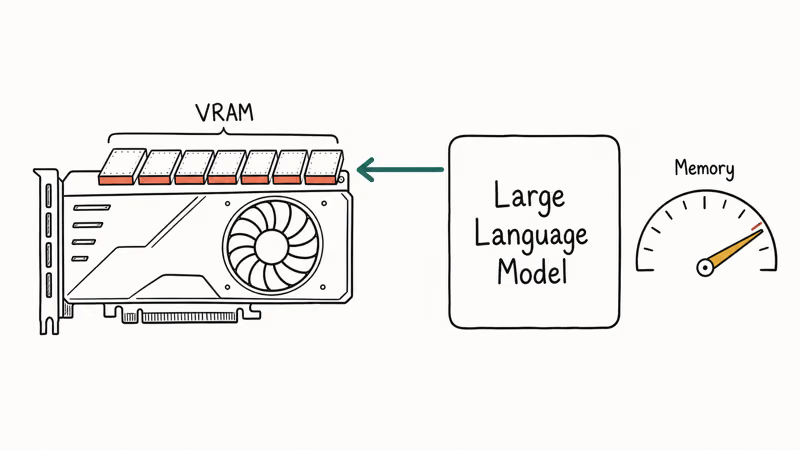
This is why the GPU is the chip that actually runs heavy local AI. Running a large language model on your own PC leans on GPU memory (VRAM) and GPU compute, not the NPU. The bigger the model, the more VRAM you need, and that’s the real limit most people hit. AMD’s own developer documentation shows local LLM workloads splitting across the NPU and the integrated GPU on Ryzen AI chips, with the GPU carrying the heavier load.
So if your goal is to run a sizeable model offline, you’re shopping for a GPU with plenty of memory, full stop. The NPU helps, but it’s not the engine. For the discrete-GPU side of that story, see our NVIDIA RTX AI PC explained guide.
#What the NPU Does for AI
The NPU is the efficiency specialist. According to Microsoft’s Copilot+ PCs developer guide, NPUs are designed to run the deep-learning math that AI models use, and many of them “only support integer math in lower bit format, such as INT8, for increased performance and power efficiency.”
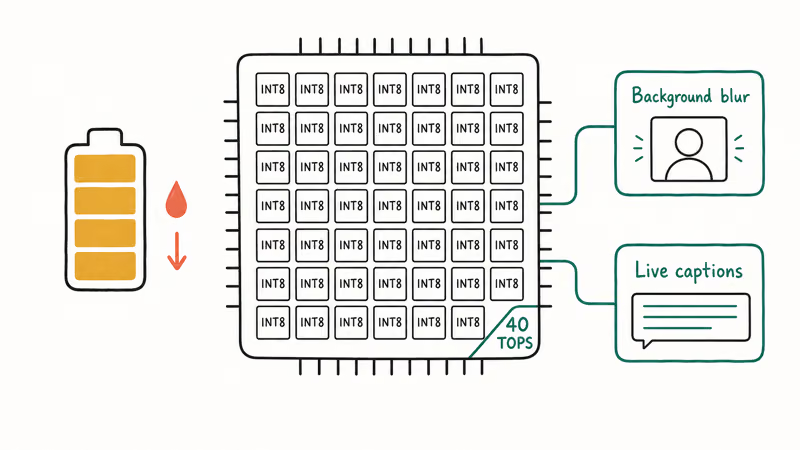
That last part is the whole point. By trading numeric precision for efficiency, the NPU packs huge numbers of tiny multiply-accumulate units into a small space and runs AI tasks while sipping power. Microsoft’s guide states that the NPU “can perform more than 40 trillion operations per second” on Copilot+ hardware. Microsoft’s overview of neural processing units confirms that an NPU “uses less power and is far more efficient at AI tasks than a CPU or GPU.”
The result is AI that can run constantly, like background blur on a video call, without draining your battery. What the NPU is not good at is large, flexible, high-precision workloads. That’s the GPU’s territory, and it’s why a strong NPU and a strong GPU answer two completely different questions about a laptop.
#Why Do People Think the NPU Runs Their LLM?
The confusion comes from marketing. “AI PC” branding implies the NPU is the all-purpose AI engine, so people assume a chatbot running locally must be using it.
Visible NPU-bound features are the small, constant ones: live captions, camera effects, and quick on-device tasks like those in Microsoft Copilot. Larger local models usually land on the GPU and CPU, exactly as the hardware design intends. The NPU may stay mostly idle for that job, because that’s not what it’s built for.
#The Mental Model That Keeps It Straight
The clean mental model is short: NPU for light and constant, GPU for heavy and occasional, CPU for everything else.
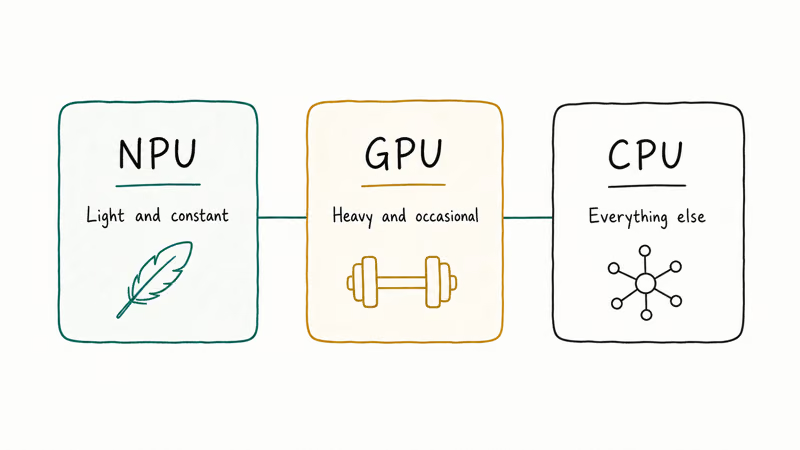
A 40-TOPS NPU clears Microsoft’s Copilot+ PC bar, but it doesn’t replace a real GPU for serious AI. Keep that split in mind and the marketing stops confusing you, because when a laptop brags about its NPU, that’s about efficient on-device features, while a GPU-and-memory pitch is about how much real AI muscle it has under load.
#Which Chip Should You Care About?
It depends on what you do. Want all-day battery with Copilot+ features like Recall and Studio Effects? The NPU is what matters, so check that it’s rated 40 TOPS or higher.
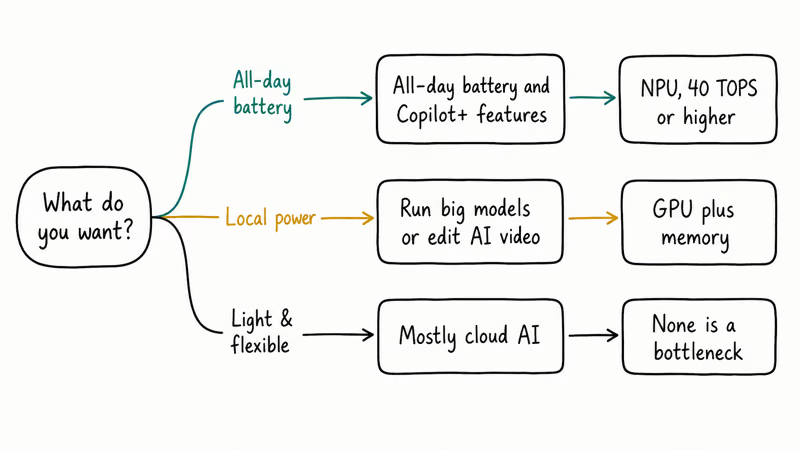
Want to run big models locally, edit AI-heavy video, or train anything? Then the GPU and its memory are what matter, and the NPU is a nice bonus on top. For most people who mainly use cloud AI, none of the three is a bottleneck at all. The what is an AI PC explainer and the do you need an AI PC guide both help you weigh that.
#Bottom Line
Match the chip to the job: NPU for efficient, always-on AI features, GPU for heavy local models and creative work, CPU for everything else. If a laptop’s pitch is “great for local LLMs,” look at the GPU and memory, not the TOPS number on the NPU. The NPU is real and useful, but it was never the part doing your big AI lifting.
AI PCs and Copilot+ Laptops
#Frequently Asked Questions
Does the NPU run local large language models?
Usually not.
The NPU handles light, efficient AI tasks, while a sizeable local language model relies on the GPU and its memory. Some small, heavily quantized models can run on the NPU, but anything heavy falls to the GPU, which is why people who run serious local models shop for GPU memory rather than a high TOPS rating.
What is TOPS, and does a high number mean a better GPU?
TOPS measures an NPU’s peak operations per second, not a GPU’s. It’s a useful gauge for NPU-bound features, but it tells you nothing about GPU power or how fast a large model will run. See the what does TOPS mean explainer for the details.
Can a PC use the NPU and GPU at the same time?
Yes. Windows assigns AI work to whichever chip fits best, and some workloads, like local LLMs on certain platforms, split across the GPU and NPU together. The two complement each other rather than compete.
Is the NPU faster than the GPU for AI?
No, not in raw throughput. The NPU wins on efficiency per watt, while the GPU wins on power.
Do I need an NPU to use AI on my PC?
No. Cloud AI like Copilot works on any modern PC with no NPU at all, and a GPU can run many local models on its own. The NPU mainly adds efficient on-device features on Copilot+ hardware.
Why does my laptop have all three chips?
Because each is good at something different. The CPU coordinates and runs general code, the GPU handles parallel and graphics-heavy work, and the NPU runs efficient AI in the background. Windows routes each task to the best fit.

Best Laptop for Running LLMs in 2026: Memory Comes First
The best laptop for running LLMs is a memory purchase first. Compare MacBook unified memory against NVIDIA laptop VRAM, and see what each tier really runs.

How to Run a Local LLM on Windows: A 2026 Setup Guide
Run a local LLM on Windows with LM Studio or Ollama. Pick a model that fits your GPU memory, keep every prompt offline, and skip the monthly bill.

Bluetooth Not Working on Snapdragon X? Fixes for 2026
Bluetooth not working on your Snapdragon X Copilot+ PC? Generic audio, mice, and keyboards work, but vendor apps often lack an ARM build. Fixes inside.

Docker Desktop and WSL2 Not Working on Snapdragon X? Fix It
WSL2 runs fine on Snapdragon X, but Docker Desktop ARM is Early Access and throws WSL errors. Use WSL2 plus native ARM64 Ubuntu and Docker Engine.