AI PC vs Regular Laptop: Is the Premium Worth It in 2026?
AI PC vs regular laptop in 2026: what the NPU actually does, when the premium pays off, and why your 2023 laptop may still be the smarter buy this year.
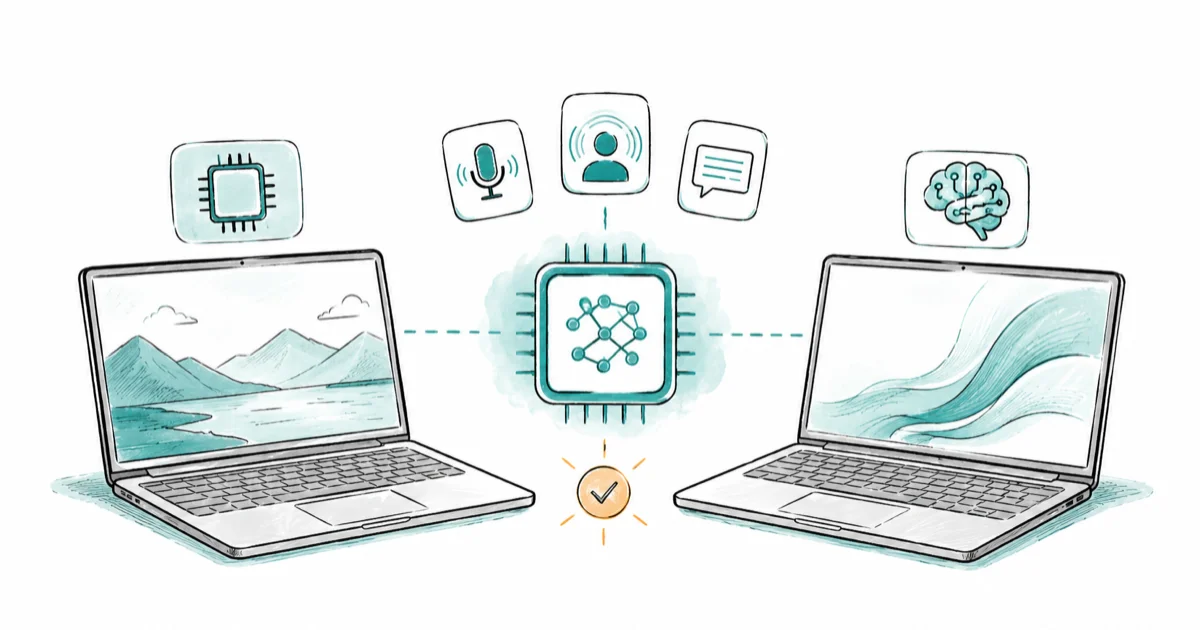
Quick AnswerAn AI PC adds a 40+ TOPS NPU that runs background AI features like noise removal and Live Captions efficiently, while a regular laptop handles everyday work just as fast. Pay the premium only if video calls, dictation, or local AI features are part of your daily routine.
The AI PC vs regular laptop question comes down to one chip: a neural processing unit, or NPU. An AI PC pairs the usual CPU and GPU with that third unit so Windows can run AI features locally without draining the battery. A regular laptop skips the NPU and still does almost everything you ask of it today. The honest answer to whether you should pay more isn’t about raw speed, it’s about which AI features you’ll actually touch.
- An AI PC needs a 40+ TOPS NPU to earn Microsoft’s Copilot+ badge, which also requires 16GB RAM and a 256GB SSD.
- The NPU mostly powers invisible background work: webcam effects, noise suppression, Live Captions, and Windows Hello sign-in.
- A 2023-era laptop without an NPU still runs Office, browsers, and most apps at the same everyday speed.
- Local large language models and image generation lean on the GPU, not the NPU, so an AI PC won’t make ChatGPT-style tools faster on its own.
- The premium buys battery-efficient AI features and longer runtime, not a snappier feel for typing and tabs.
#What Makes a Laptop an “AI PC” Anyway?
“AI PC” is loose marketing. One hard line sits underneath it, though.
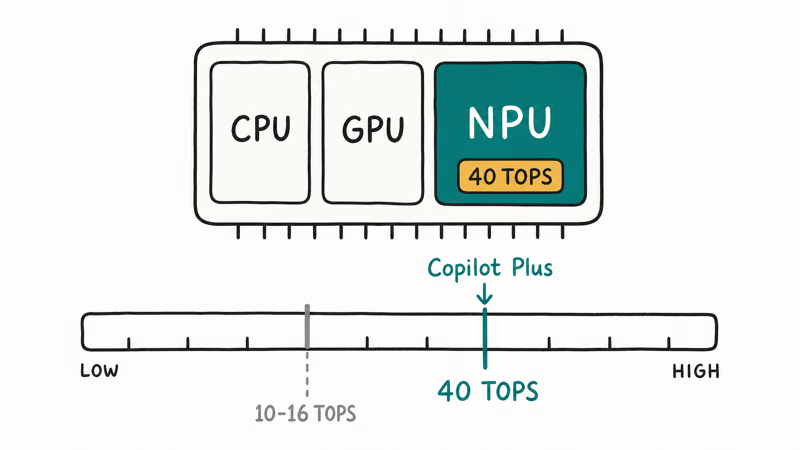
The Microsoft Copilot+ PC requirements page states that a machine only earns the badge with an NPU rated at 40 TOPS, plus 16GB of RAM and a 256GB SSD on Windows 11 version 24H2 or newer. TOPS stands for trillions of operations per second, a rough measure of how much AI math the chip can crunch.
That single 40-TOPS number is what separates a true AI PC from a laptop wearing the sticker for the marketing bump it gives on the shelf. Plenty of recent laptops have a small NPU rated at 10 to 16 TOPS, which is enough for a couple of effects but well below the Copilot+ bar.
Read the silicon, not the lid.
A regular laptop is simply anything without that qualifying NPU, which covers nearly every machine sold before mid-2024 and many budget models still on shelves today, and none of them are broken or obsolete. They just offload AI work to the CPU or GPU, which draws more power and runs the fans harder during a long call.
That extra heat and fan noise on a long video call can be the clearest day-to-day tell between a regular laptop and an AI PC.
#What Does the NPU Actually Do for You?
The NPU’s real job is mostly invisible. That’s exactly why buyers get confused. The AI PC’s edge usually shows up in battery life and quiet operation, not in anything that feels faster.
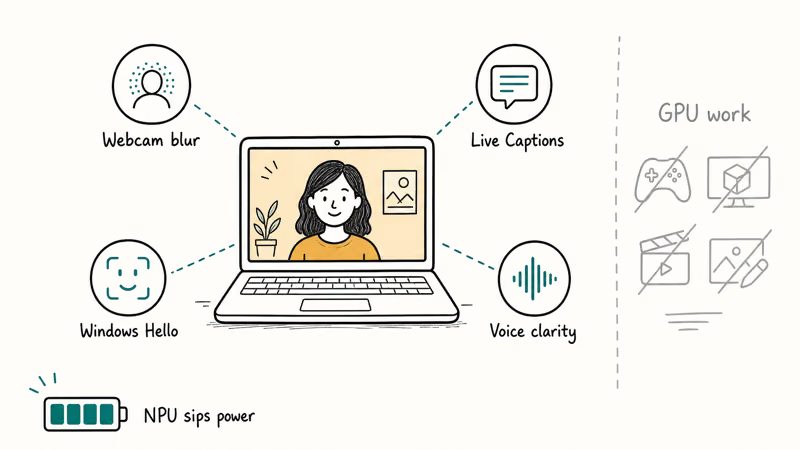
Copilot+ features are built to run on the device NPU so the main processor stays free and the battery lasts longer, and in practice that means a short list of quiet, always-on jobs rather than one dramatic feature you can point at. Windows Studio Effects handles the webcam: background blur, auto-framing, and eye-contact correction during calls.
The same Microsoft feature list confirms that Live Captions translates audio from 40 languages into English captions in real time, while Windows Hello facial recognition, microphone voice clarity, and the much-discussed Recall timeline all quietly tap the same chip in the background.
Here’s the part marketing leaves out. The NPU does not speed up the AI tasks most people picture, because running a local large language model, generating images in Stable Diffusion, or encoding video all lean on the GPU instead. The NPU is tuned for steady, low-power inference, not heavy bursts, so a faster local chatbot calls for a strong GPU rather than a high-TOPS rating on the box.
#AI PC vs Regular Laptop: The Real Trade-Offs
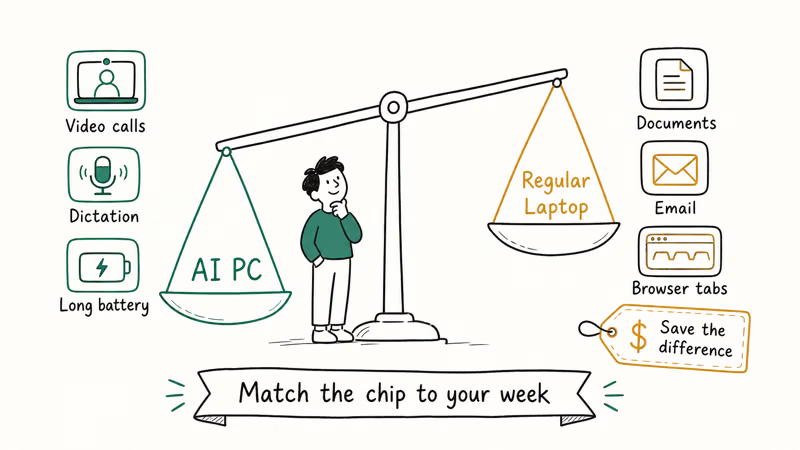
Here’s the short version. An AI PC wins for video calls, dictation, and the new Windows AI features. A regular laptop wins for writing, browsing, and standard apps.
Choose this if…
- You're on video calls or dictating text most days
- You want the longest battery from a thin-and-light
- You plan to keep the laptop three or more years
Choose this if…
- You mostly write, browse, and run Office
- Your current machine already feels fast enough
- You'd rather spend the difference on RAM or storage
On everyday speed, the two feel nearly identical. Opening apps, switching tabs, and editing documents never touch the NPU at all, so a well-specced 2023 laptop with matching RAM keeps right up with the shiny new model, and from the keyboard you’d struggle to tell which machine you were typing on during an ordinary work afternoon.
The real gap is battery. Because the NPU sips power, a Copilot+ machine can hold a long video call with webcam effects running without spinning up the fans or draining the charge the way an older laptop does when its CPU is forced to fake the same work.
There’s a software gap too. Copilot+ features only install on certified hardware, so a regular laptop simply won’t get Recall, Cocreator, or on-device caption translation regardless of CPU speed.
Before assuming your current PC misses out, confirm its specs. Our guide on how to check if your PC can run Windows 11 walks through reading the chip and RAM in a couple of minutes.
#A 2023 Laptop Still Holds Up for Most People
For most people, yes, it does. According to Consumer Reports’ guidance on AI PCs, many buyers already own a capable laptop and don’t need to upgrade purely for AI. A recent machine with a modern Intel Core or AMD Ryzen chip and an SSD still runs the same browsers, office suites, and creative apps the new AI PC does.
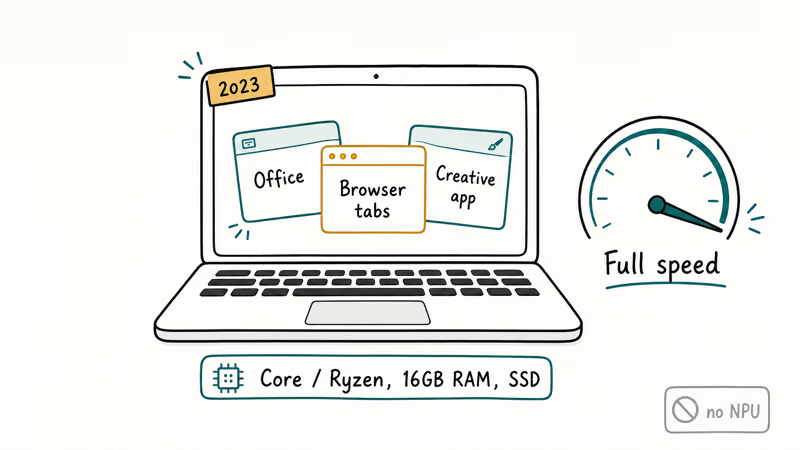
So what do you actually lose? The Copilot+ feature set, and a little battery during AI tasks. That’s it.
If your laptop handles your workload and you don’t crave on-device AI, replacing it just for the NPU is hard to justify, and you can still use every cloud AI tool freely. Our walkthrough on how to use Microsoft Copilot works fine on regular laptops because it runs in the browser, not on a local chip.
#The NPU Premium in Plain Money
Pricing moves week to week, so treat any figure as a snapshot. The pattern in the spec sheets stays steady, though. The AI PC premium buys efficiency and future features, not a faster everyday experience, which is the single most common misread among shoppers standing in a store comparing two laptops that benchmark the same on paper but carry very different price tags for reasons that won’t show up in casual use.
So spend where you’ll feel it. A regular laptop with strong specs stays a sensible buy this year, and stretching the budget toward more memory and storage pays back every minute, while the NPU only earns its keep during specific AI moments.
#How to Decide Without Overpaying
Start with your actual week. If you spend hours on calls, dictate notes, or want to try Windows’ AI features, a Copilot+ machine earns its keep. If your days are documents, email, and a dozen browser tabs, a regular laptop covers it and saves you the difference. For picks across both camps, our roundup of the best laptops to buy in 2026 compares current models at different prices.
Then weigh timing. New chips ship throughout 2026, so a current AI PC may be eclipsed soon, and if your laptop still works, waiting one cycle often gets a bigger NPU and better battery for similar money. If you’re torn between platforms entirely, our comparison of a MacBook Air M4 against a Windows laptop covers how Apple’s silicon stacks up.
#If You’re Going AI PC, Start Here
Leaning toward the AI PC side? The Surface clears the Copilot+ floor, the Dell favors x86 compatibility, and our AI PC buying guide adds the value pick.
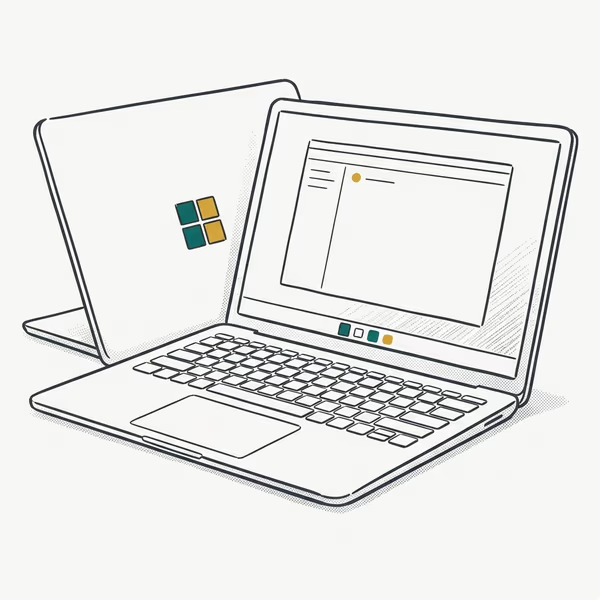
- Rated up to 20 hours of battery life on the efficient Snapdragon X Plus
- Clears every line of the checklist: 45-TOPS NPU, 16GB floor, 1TB SSD
- Tall 3:2 120Hz touchscreen shows more of a document or web page than 16:9 panels
Last updated on Jul 3, 2026
As an Amazon Associate fone.tips earns from qualifying purchases. Prices and availability on Amazon are accurate as of the date above and subject to change.
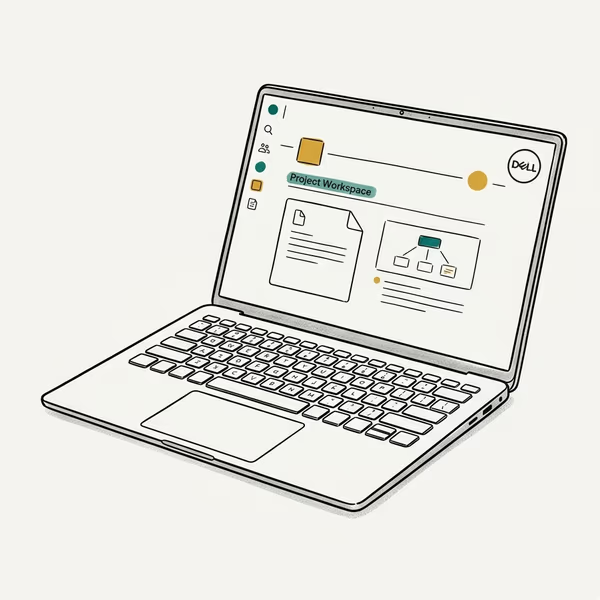
- x86 silicon runs legacy Windows apps natively, with no ARM emulation guesswork
- 14.5" 3.2K OLED touchscreen at 120Hz comes standard on this configuration
- Machined build with 16GB of RAM and a roomy 2TB SSD in this configuration
Last updated on Jul 3, 2026
As an Amazon Associate fone.tips earns from qualifying purchases. Prices and availability on Amazon are accurate as of the date above and subject to change.
#Bottom Line
Don’t buy an AI PC for the badge. Buy it if your real workflow leans on video calls, dictation, or Windows’ on-device AI features, because that’s exactly where the NPU’s battery-efficient design pays off.
For everyone else, a regular laptop with 16GB of RAM and a fast SSD still runs the day’s work at full speed, and the money saved buys more memory or storage you’ll feel every minute. Match the chip to your habits, not the box.
If your work involves heavy editing, our take on Mac vs PC for video editing is the better starting point, since that workload leans on the GPU rather than the NPU.
AI PCs and Copilot+ Laptops
#Frequently Asked Questions
Is an AI PC faster than a regular laptop?
Not for everyday tasks. Typing, browsing, and Office feel the same on both. An AI PC only pulls ahead on battery efficiency during AI features.
Do I need an AI PC to use ChatGPT or Copilot?
No. Cloud AI tools like ChatGPT and the web version of Copilot run in your browser on any laptop, since the work happens on remote servers. An AI PC matters only for AI features that run locally on the device, such as Recall and on-device Live Captions translation.
What is a TOPS rating and why does 40 matter?
TOPS means trillions of operations per second, a rough measure of NPU power. Microsoft set 40 TOPS as the minimum for a Copilot+ PC, so machines below that line don’t qualify for the exclusive AI features even if the rest of the laptop is fast.
Can I add an NPU to my current laptop?
No. The NPU is soldered into the processor package, so there’s no upgrade path on an existing machine the way you might add RAM or swap an SSD. Getting AI features means buying a new laptop built around a qualifying chip, which today means a Snapdragon X series, an Intel Core Ultra 200V series, or an AMD Ryzen AI 300 series processor, all of which clear the 40-TOPS bar that older silicon misses.
Will a regular laptop become obsolete because it lacks an NPU?
Not in any practical sense. A regular laptop keeps running every mainstream app and only misses the Copilot+ feature set.
Should I wait for newer AI PCs in 2026?
If your current laptop works, waiting is reasonable. New chips arrive through 2026 with larger NPUs and better battery, so an early purchase can be eclipsed quickly. Buy now only if you need the AI features today.

Best Laptop for Running LLMs in 2026: Memory Comes First
The best laptop for running LLMs is a memory purchase first. Compare MacBook unified memory against NVIDIA laptop VRAM, and see what each tier really runs.

How to Run a Local LLM on Windows: A 2026 Setup Guide
Run a local LLM on Windows with LM Studio or Ollama. Pick a model that fits your GPU memory, keep every prompt offline, and skip the monthly bill.

Bluetooth Not Working on Snapdragon X? Fixes for 2026
Bluetooth not working on your Snapdragon X Copilot+ PC? Generic audio, mice, and keyboards work, but vendor apps often lack an ARM build. Fixes inside.

Docker Desktop and WSL2 Not Working on Snapdragon X? Fix It
WSL2 runs fine on Snapdragon X, but Docker Desktop ARM is Early Access and throws WSL errors. Use WSL2 plus native ARM64 Ubuntu and Docker Engine.