Is an AI PC Worth It in 2026? An Honest Skeptic Verdict
Is an AI PC worth it in 2026? A skeptic's honest verdict on when the NPU premium pays off, when your current laptop is really fine, and how to decide.

Quick AnswerAn AI PC is worth it if you spend real time on video calls, dictation, or want Windows features like Recall, because the 40-TOPS NPU runs those efficiently. For most people whose laptop is two or three years old and still feels fine, it's a nice-to-have, not a must-buy.
Is an AI PC worth it in 2026? Honestly, only if you use the handful of things the NPU actually accelerates. It isn’t faster for typing or browsing. The real question is whether video calls, dictation, and Windows AI features are a true part of your week, because that is the one place the premium pays off and the only reason this whole category exists.
- An AI PC is worth the premium only if you regularly use video calls, dictation, or Windows AI features like Recall.
- The Copilot+ badge requires a 40-TOPS NPU, 16GB of RAM, and a 256GB SSD, per Microsoft’s published baseline.
- For most people, a two-to-three-year-old laptop is fine, so the AI PC is a nice-to-have, not a must.
- NPUs increasingly come bundled into mid-range laptops, so you often get the chip without paying a separate AI surcharge.
- The NPU does not speed up local large language models or gaming, which rely on the GPU instead.
#What Are You Actually Paying For?
Start with what the NPU does, because it reframes the whole purchase. According to the Microsoft Copilot+ PCs developer guide, the NPU is “a specialized computer chip for AI-intensive processes” that runs “more than 40 trillion operations per second (TOPS)” while drawing less power than the CPU or GPU for the same AI work. That efficiency, not raw horsepower, is the reason it exists.
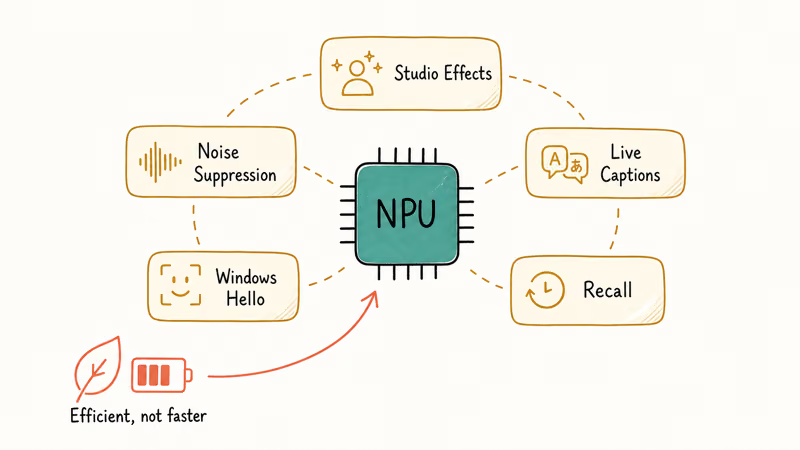
The NPU mainly handles a short, steady list: Studio Effects, noise suppression, Live Captions, Windows Hello, and Recall. Those features are built for efficient on-device AI work, not general laptop speed.
That’s the whole pitch. None of those features makes your typing or browsing any faster.
So the premium buys efficient, on-device AI features, not a quicker everyday machine. If those features aren’t part of your routine, you’re paying for capability you won’t touch. That one distinction settles the question for many shoppers before they ever look at a price tag, because most people simply don’t run those on-device features often enough to feel the difference, no matter how high the TOPS number on the sticker climbs.
#When the AI PC Premium Pays Off
There is a real buyer for whom an AI PC makes sense. You’re on video calls most days and want the background blur, eye contact, and noise removal that Studio Effects handle on the NPU. You dictate often and want responsive transcription, you want Recall or Live Captions with translation, or you simply want the longest battery a thin laptop can deliver.
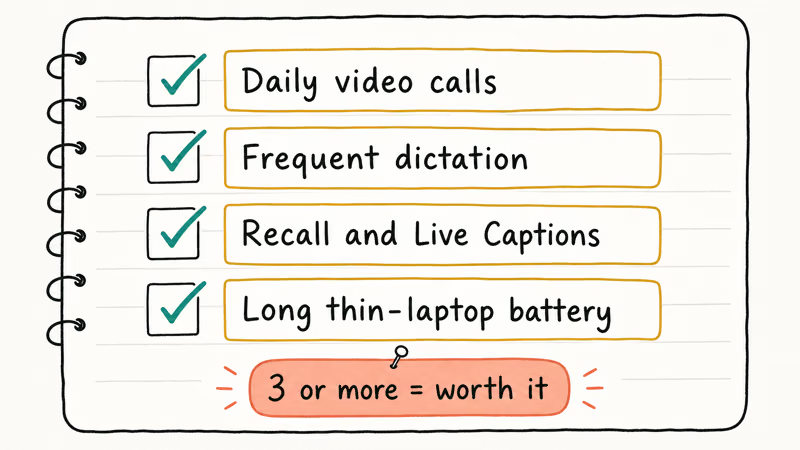
If three or more of those describe you, the premium earns its keep. The NPU’s efficiency is a real upgrade for that workflow, not a marketing line.
On a regular laptop, the same video-call effects fall back to the CPU instead, which is the trade the NPU is built to fix.
There’s a quieter win worth naming too. Copilot+ machines tend to ship with newer silicon and a longer Windows support runway, which matters if you plan to keep the laptop three years or more. Microsoft also states that “top-performing Copilot+ PCs are faster than MacBook Air with the M4 chip” on the Cinebench 24 Multi-Core benchmark, in its Copilot+ explainer, so the better models are not slow machines by any measure.
Our checklist on whether you need an AI PC walks the same logic question by question, and our AI PC vs regular laptop breakdown shows where the two actually diverge.
#What the NPU Will Never Do for You
It helps to draw a hard line around the chip’s limits, because that line is where most overspending happens. The NPU is tuned for low-power, always-on inference, so it shines on the small models behind Studio Effects, Live Captions, and Windows Hello.
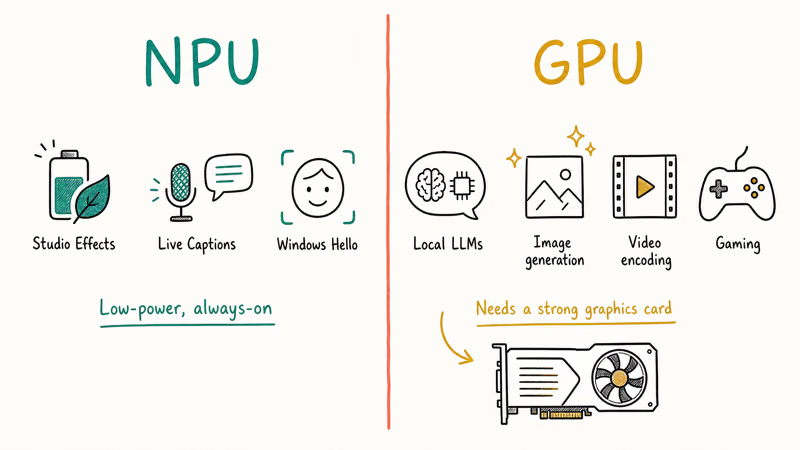
What it does not do is run the heavy AI most enthusiasts dream about. A high-TOPS NPU does not speed up local large language models, image generation, or video encoding, all of which lean on the GPU. So if your goal is a faster local chatbot or Stable Diffusion at home, a strong graphics card matters far more than the NPU rating on the box.
That mismatch is the single most expensive misunderstanding in this category. Buyers chase a 50-TOPS chip expecting a desktop-class AI rig and get an efficiency processor instead. Knowing the difference saves real money.
#Your Current Laptop Is Probably Fine
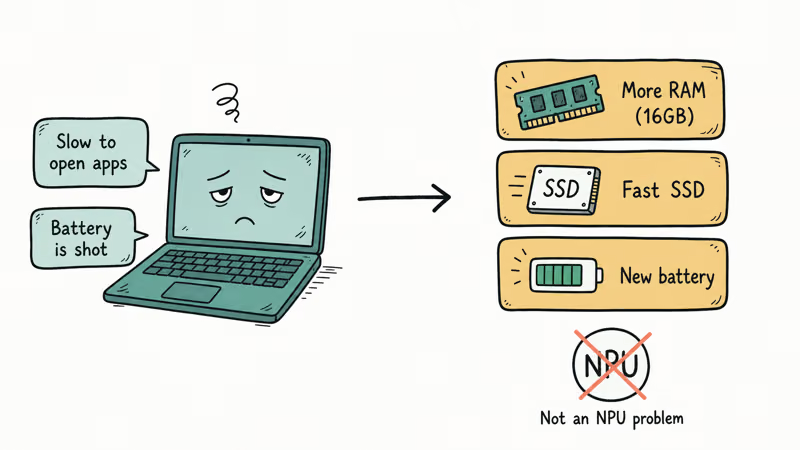
Here’s the skeptic’s core point. For most people, a laptop bought in the last two or three years still does everything they need at full speed. Writing, browsing, spreadsheets, and video calls all run on the CPU, GPU, RAM, and SSD, none of which the NPU touches. If your machine feels fast today, the AI PC won’t make those tasks feel faster tomorrow.
A capable laptop you already own beats a new one you don’t need.
The honest test is simple. List the things that frustrate you about your current laptop. If the list is “it’s slow to open apps” or “the battery is shot,” those are RAM, SSD, and battery problems, not NPU problems.
A regular replacement with 16GB of RAM and a fast SSD fixes those for less money. To confirm where your machine stands, our guide on how to check if your PC can run Windows 11 helps you read your own specs first.
#Do Your AI Tools Even Need the Hardware?
This is the trap that catches the most buyers. The AI assistants most people use, like ChatGPT and the web version of Copilot, run in the cloud through a browser, so they work on any laptop with no NPU at all. Our walkthrough on how to use Microsoft Copilot and our guide to Copilot in Windows 11 both run on a regular machine.
The NPU only matters for AI that runs on the device itself, such as Recall and Studio Effects. If your AI life lives in a browser, the AI PC premium buys you nothing for those tools.
Independent reviewers landed in the same place. In its analysis of the category, Consumer Reports recommends weighing whether you already own a capable laptop before paying for AI features at all.
#The Badge Premium Trap
Pricing has shifted in the buyer’s favor. As NPUs become standard in mid-range and premium laptops, you increasingly get the chip baked into a machine you’d have bought anyway, without a separate AI surcharge. In that case the math flips. If a laptop you like happens to be Copilot+ certified at a normal price, there’s no reason to avoid it.
The thing to resist is paying a large, specific premium for the AI badge as a casual user. Pay for the laptop you need; let the NPU come along for free if it does.
When you’re ready to shop with that mindset, our roundup of the best laptops to buy in 2026 maps real models to real budgets.
#If It’s Worth It for You, Start Here
The Surface Laptop 7 clears that Copilot+ checklist without overpaying, and the Dell XPS 14 Premium is the x86 route when app compatibility leads. For the value pick (Lenovo Yoga Slim 7X) and a full comparison, see our AI PC buying guide.
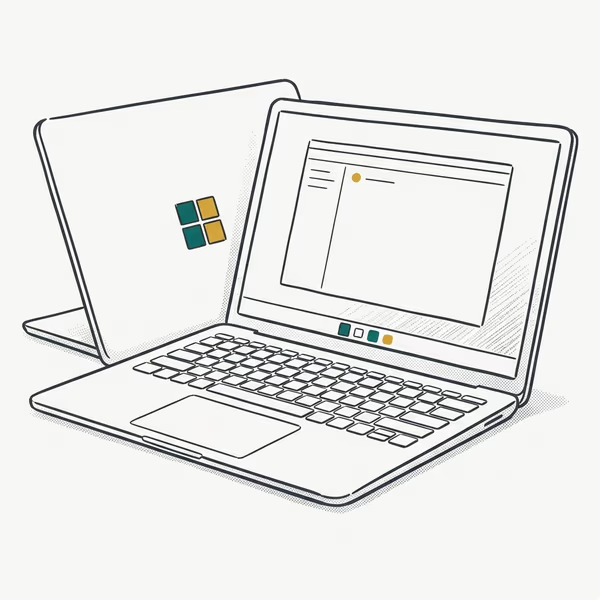
- Rated up to 20 hours of battery life on the efficient Snapdragon X Plus
- Clears every line of the checklist: 45-TOPS NPU, 16GB floor, 1TB SSD
- Tall 3:2 120Hz touchscreen shows more of a document or web page than 16:9 panels
Last updated on Jul 3, 2026
As an Amazon Associate fone.tips earns from qualifying purchases. Prices and availability on Amazon are accurate as of the date above and subject to change.
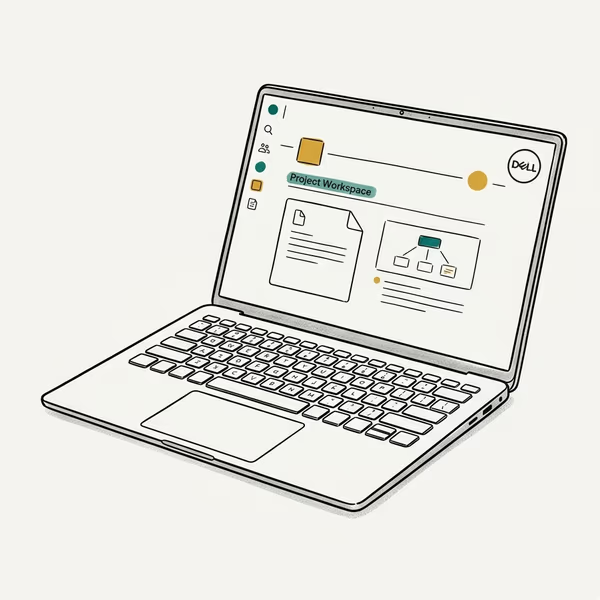
- x86 silicon runs legacy Windows apps natively, with no ARM emulation guesswork
- 14.5" 3.2K OLED touchscreen at 120Hz comes standard on this configuration
- Machined build with 16GB of RAM and a roomy 2TB SSD in this configuration
Last updated on Jul 3, 2026
As an Amazon Associate fone.tips earns from qualifying purchases. Prices and availability on Amazon are accurate as of the date above and subject to change.
#Bottom Line
An AI PC is worth it in 2026 if your week truly includes frequent video calls, regular dictation, or Windows AI features like Recall, because that’s exactly where the NPU’s efficient, on-device design earns its premium. For that buyer, a Copilot+ machine with a 40-TOPS NPU, 16GB of RAM, and a fast SSD is a real, defensible upgrade.
For everyone else, the skeptic’s verdict stands: it’s a nice-to-have, not a must-buy. If your two-or-three-year-old laptop still feels fast, keep it, or replace it with a solid regular machine and spend the difference on memory and storage. And if a Copilot+ laptop you like sits at a normal price, take it. Just don’t pay a premium for a badge you won’t use.
AI PCs and Copilot+ Laptops
#Frequently Asked Questions
Is an AI PC worth it for the average user in 2026?
For most average users, it’s a nice-to-have, not a must-buy. A regular laptop runs writing, browsing, and email at the same speed. The premium pays off mainly for heavy video-call, dictation, or Recall users.
Does an AI PC make everyday tasks faster?
No. Typing, browsing, and Office run on the CPU and feel identical to a regular laptop. The NPU only accelerates specific AI features, and it does so while using far less battery than the same work on a CPU would, which is the real reason the chip exists rather than to boost general speed.
Should I pay extra just for the NPU?
Usually not, as a casual user. NPUs increasingly come bundled into mid-range laptops at no surcharge, so you often get the chip anyway. Pay the badge premium only if you’ll actually use on-device AI.
Will an AI PC speed up local AI models or gaming?
No. Local large language models and image generation lean on the GPU, not the NPU, so a high-TOPS chip won’t speed them up, and gaming frame rates see little to no benefit because current titles don’t route rendering through the NPU at all, which is why a strong graphics card still matters far more than the TOPS number for those workloads.
How do I know if a laptop is a real AI PC?
Check the chip, not the sticker. A genuine Copilot+ PC needs a 40-TOPS NPU paired with 16GB of RAM and a 256GB SSD.
Is the AI PC premium worth it for students?
It can be, but it depends on the work. A student who dictates a lot, joins frequent video calls, or wants long battery from a thin laptop will benefit, especially with certified models now starting under $800. One who mainly writes papers and browses gains little, so a regular laptop is the better value.

Best Laptop for Running LLMs in 2026: Memory Comes First
The best laptop for running LLMs is a memory purchase first. Compare MacBook unified memory against NVIDIA laptop VRAM, and see what each tier really runs.

How to Run a Local LLM on Windows: A 2026 Setup Guide
Run a local LLM on Windows with LM Studio or Ollama. Pick a model that fits your GPU memory, keep every prompt offline, and skip the monthly bill.

Bluetooth Not Working on Snapdragon X? Fixes for 2026
Bluetooth not working on your Snapdragon X Copilot+ PC? Generic audio, mice, and keyboards work, but vendor apps often lack an ARM build. Fixes inside.

Docker Desktop and WSL2 Not Working on Snapdragon X? Fix It
WSL2 runs fine on Snapdragon X, but Docker Desktop ARM is Early Access and throws WSL errors. Use WSL2 plus native ARM64 Ubuntu and Docker Engine.