Pixel Battery Drain: What Google's July Fix Really Covers
Google marked the Pixel idle battery drain bug fixed in July, but only some phones got the patch. Here is who is covered, who is not, and what to try.
Quick AnswerGoogle's July build CP2A.260705.006 is not the same thing as idle-drain coverage. The tracker fix names Pixel 9, 9 Pro, 9 Pro XL, Pixel 10, 10 Pro, 10 Pro XL and 10a, while 8a and 9a wait for September.
If your Pixel loses a big chunk of charge overnight with nothing running, you’ve been living with a bug Google spent months investigating. In late July Google closed it as fixed. The reaction wasn’t gratitude, and the fix list explains why.
- The bug Google closed is logged as “Severe Idle Drain: kepler_spi_irq_handler & gnss_ipc Suspend Aborts”, a wake-lock problem that stops the phone from staying asleep
- The July OS build CP2A.260705.006 went to many supported Pixel devices on Android 17, but the idle-drain fix list only names Pixel 9, Pixel 9 Pro, Pixel 9 Pro XL, Pixel 10, Pixel 10 Pro, Pixel 10 Pro XL and Pixel 10a
- Pixel 8a and Pixel 9a are scheduled for the September Quarterly Platform Release, roughly two months behind the flagships
- Pixel Fold, Pixel 9 Pro Fold, Pixel 10 Pro Fold, Pixel 6, Pixel 7 and Pixel 8 series phones are absent from the idle-drain fix list, with no announced timeline
- Reports of drain continuing after the July build are common enough that installing it and assuming you’re done is a mistake
#What Google Actually Fixed in the July Update
The bug has a specific name, and that name tells you what went wrong.
Google logged it as “Severe Idle Drain: kepler_spi_irq_handler & gnss_ipc Suspend Aborts”. Strip the kernel jargon and it describes a phone that keeps waking itself up.
An Android phone on your nightstand is supposed to drop into deep sleep and stay there, sipping almost nothing. Two low-level components, one tied to an SPI interrupt handler and one to GNSS location messaging, were aborting that suspend. The phone kept surfacing instead of sleeping, and the battery paid for it.
In Google Issue Tracker #525509065, the public issue is titled around Pixel 9 Pro XL severe idle drain and names the kernel components involved. The key detail from the closure is narrower than “everyone on the July build”: the tracker note ties the idle-drain fix to a specific device list, not to every Pixel that received CP2A.260705.006.
As 9to5Google reported on the closure, the relevant July build is CP2A.260705.006. The symptom people noticed was simple: heavy overnight loss with the screen off and nothing obviously running.
Timing matters here, because it explains why this felt like it came out of nowhere. The problem first surfaced after Google’s March 2026 update and became far more visible after April, when reports piled up from owners watching their phones burn through charge doing nothing at all. That’s roughly four months between the first wave of complaints and a fix.
#Which Pixel Phones Get the Fix and Which Don’t
This is the part that turned a fix announcement into a backlash.
| Device | Fix status | When |
|---|---|---|
| Pixel 10, 10 Pro, 10 Pro XL, 10a | Fixed | July build CP2A.260705.006 |
| Pixel 9, 9 Pro, 9 Pro XL | Fixed | July build CP2A.260705.006 |
| Pixel 8a, Pixel 9a | Scheduled | September Quarterly Platform Release |
| Pixel Fold, 9 Pro Fold, 10 Pro Fold | Not listed for this idle-drain fix | No announced timeline |
| Pixel 8, 8 Pro | Not listed | No announced timeline |
| Pixel 7, 7 Pro, 7a | Not listed | No announced timeline |
| Pixel 6, 6 Pro, 6a | Not listed | No announced timeline |
Android Authority’s coverage of the fix notes the same split: named slab flagships in July, the a-series budget models in September, and older generations conspicuously missing from the list.
The absence isn’t the same as a denial. Google hasn’t said Pixel 6, 7 and 8 phones were never affected, and it hasn’t said they’ll never be patched. It has simply closed the tracker entry without naming them, which leaves owners of three generations of hardware with a bug report marked resolved and a phone that still drains.
#Why Do Users Still Report Drain After the Patch?
Because “the tracker says fixed,” “my phone has the July build,” and “my phone stopped draining” are three different claims.
Under the coverage of the closure, comment threads filled with owners saying drain was as bad as ever after installing July. Some Pixel owners did see improvement. Others saw nothing change. Both groups can be telling the truth, and there are four reasons why.
First, idle drain has more than one cause. Patching a kernel suspend abort does nothing about an app holding a wake lock.
Second, the July changelog didn’t advertise a battery fix, so the gap between the tracker closure and visible release notes fueled confusion.
Third, the July and August update posts are Android 17 monthly update posts. They show broad software-build availability, including models that are not named in the idle-drain tracker closure. Build number is necessary context, but by itself it isn’t proof your exact model received this specific battery fix.
Fourth, a phone that just took an update runs hotter for a day or two regardless. Reindexing, app optimization and re-syncing all cost power. Judging a battery fix on the first night after installing it will mislead you in both directions.
#How to Confirm You Have the July Fix (or Newer)
Before you troubleshoot anything, check two things: your build number and whether your model is actually on the idle-drain fix list.
Open Settings, then About phone, and look at Build number. If you have an eligible listed model, you want CP2A.260705.006 or later.
Google’s August 2026 Pixel update post says supported Pixel devices running Android 17 get the August monthly update in phases. Global CP2A.260805.005 and Rogers CP2A.260805.005.A1 are newer than July, but that still only helps with this idle bug on models named by the tracker closure. Pull the update from Settings, System, Software updates if you’re behind.
Carrier and region timing can vary during Google’s phased rollout, so a missing August build is not automatically a skipped fix.
Important coverage limit: August does not put Pixel 8a or 9a on the idle-drain list. Those models still wait on the September Quarterly Platform Release, even when they can install August for security and other fixes. Pixel Fold models, Pixel 6, Pixel 7, and Pixel 8 series remain off the idle-drain list entirely, with no announced timeline tied to this August drop.
Already on July or newer, using an eligible listed model, and drain is unchanged after a few days of normal use? Treat this specific kernel fix as an incomplete explanation for your phone and move on to the checks below.
#Is Your Drain the Idle Bug or Something Else?
There’s a test that separates the two, and it costs you one night.
The signature of the idle bug is loss while the phone is asleep and untouched, so measure exactly that. Note your battery percentage before bed, leave the phone on Wi-Fi without charging, and check it in the morning.
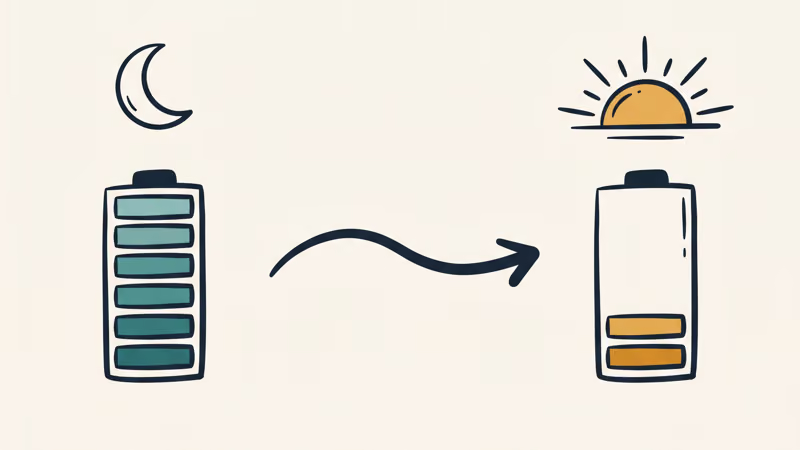
A healthy Pixel sitting idle overnight usually loses only a small amount. The exact figure varies with signal strength, battery health and background activity, but a steep or unusual drop with the screen off means something is keeping the phone awake.
Then find out what. Open Settings, Battery, Battery usage, then View by apps. If your phone offers Battery diagnostics under Battery, run that too.
For app-specific limits, use Settings, Apps, select the app, then App battery usage. Look for an app or service near the top of the list during a stretch when your screen was off. Screen-on time at the top can reflect normal use, but an app you never opened is a suspect worth checking.
This is the same diagnostic path that works for Android system battery drain generally, and it’s worth running before you blame the update. Plenty of drain that gets attributed to a patch turns out to be one app that updated the same week.
#Fixes That Work While You Wait
None of these replace the kernel patch, but each one addresses a real drain path that the patch doesn’t touch.
Start by rebooting. It’s the least satisfying advice in tech support, and it can clear stuck wake locks, which is the failure class at issue here. If your overnight loss returns to normal for a few days after a reboot and then creeps back, treat a software wake lock as a lead to investigate rather than proof of failing hardware.
Next, check Adaptive Battery. Google’s guidance on keeping Adaptive Battery and battery optimization on is to leave Adaptive Battery enabled and avoid giving unnecessary unrestricted battery access to apps you rarely open.
That setting is easy to break by accident. People disable optimization for one app to fix a notification problem, then forget, and that single exemption quietly runs all night.
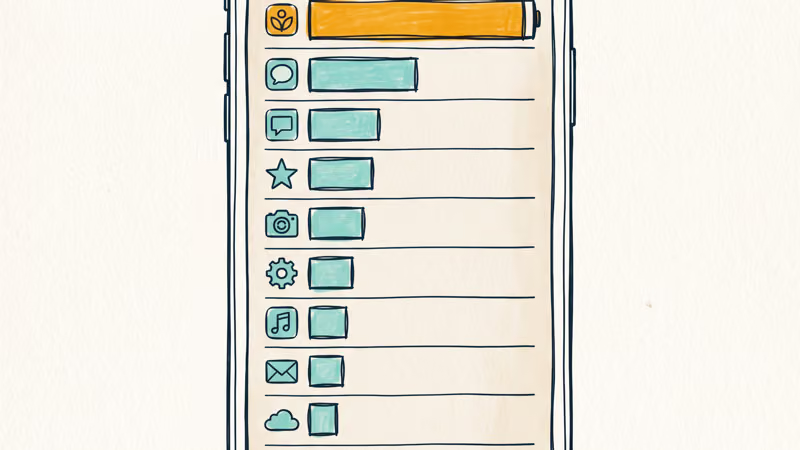
Then deal with the specific offender you found in Battery usage. Force stop it, clear its cache, and if it’s an app you can live without for a few days, uninstall it and watch whether idle drain returns to normal. Messaging and backup apps are frequent causes, which is the same pattern behind the One UI 8.5 battery problems Samsung owners have been reporting.
Google’s own guide to fixing battery drain problems also covers screen brightness, connectivity radios and location settings. Those are worth a pass if the per-app view doesn’t turn up anything obvious. Turning on Android battery saver mode buys you real hours as a stopgap, though it isn’t a diagnosis.
What you should not do is factory reset over this. A reset costs you an evening and doesn’t fix a kernel-level suspend abort, and it won’t help if the cause is an app you’ll simply reinstall.
#What to Do If You Have a Pixel 6, 7, or 8
You’re in the hardest position, because the official answer for your phone is currently silence.
Work through the per-app diagnosis above, since it’s the part that doesn’t depend on Google shipping you anything. If Battery usage points at a specific app, you can fix that yourself today. If it doesn’t, and your overnight loss is severe on an older phone, battery wear is a genuine possibility rather than an excuse. Batteries lose capacity with cycles, and a phone from the Pixel 6 or Pixel 7 era can have a lot of cycles behind it.
It’s also worth filing your own report on Google’s Issue Tracker with your exact model and build number. That gives Google structured device and build data for an unlisted model, even if it does not guarantee the coverage decision will change.
Meanwhile, keep an eye on the known Pixel 10 problems roundup and the slow wireless charging after updates writeup, since post-update power complaints often cluster and share a root cause.
#Bottom Line
Google fixed a real bug, and the fix is real for the phones that got it. If you own a listed Pixel 9 or Pixel 10 slab model, install July or newer (August’s CP2A.260805.005 is fine) and give it three or four days before you judge it.
If you own an 8a or 9a, September is still the date to watch for idle drain, even after August ships. If you own a Fold model or a Pixel 6, 7 or 8, stop treating CP2A.260705.006 as proof of this particular fix and run the per-app diagnosis instead.
The same logic applies across brands: Samsung Galaxy battery drain follows the same investigate-then-fix order, whatever the manufacturer says about a patch.
#Frequently Asked Questions
What build number contains the Pixel battery drain fix?
CP2A.260705.006, the July MPR release, is the first build tied to the fix for the models Google named. August’s CP2A.260805.005 (or Rogers .A1) is newer, but build number is not enough if your model is not on the idle-drain fix list. Check yours under Settings, About phone, Build number.
Does the July fix cover the Pixel 7 or Pixel 8?
Not on the published list. Google’s fix list names Pixel 9, 9 Pro, 9 Pro XL, Pixel 10, 10 Pro, 10 Pro XL and 10a for July, with Pixel 8a and 9a scheduled for September. The Pixel 6, 7 and 8 series aren’t named, and Google hasn’t said whether they were affected or will get a later fix.
How much battery should a Pixel lose overnight?
A small overnight loss over roughly eight idle hours on Wi-Fi is normal. A steep or unusual drop with the screen off points at something holding the phone awake, whether that’s the kernel bug or an app.
Why does Google say it’s fixed when my battery is still draining?
The tracker entry covers one specific kernel-level cause. Wake locks from individual apps produce identical symptoms and are untouched by that patch, so a genuine fix for one cause can leave your drain unchanged.
Should I factory reset my Pixel to fix battery drain?
No. A reset won’t address a kernel suspend abort, and if an app is responsible you’ll reinstall the same app afterward. Work through Battery usage per app first.
How long after installing an update should I judge battery life?
Give it three to four days. Phones run hotter right after an update while they reindex and re-optimize apps, so the first night after installing tells you almost nothing.
Is this the same problem as overheating?
They’re related but not identical. A phone that can’t stay asleep runs warm as a side effect, so heat often accompanies idle drain. Heat during active use, gaming or charging usually has a different cause.

Pixel 11 vs Pixel 10: What Changed and Who Should Upgrade
Pixel 11 vs Pixel 10: same screen and camera resolution, new Tensor G6, 25W wireless, and Gemini Intelligence. Here is who should actually upgrade.

Verizon Not Receiving Texts? How to Fix It in 9 Steps
Verizon not receiving texts? Fix it in 9 steps: check Message Blocking in My Verizon, reset network settings, deregister iMessage, and call support.
iPhone Stuck on EDGE? How to Get 5G or LTE Back (2026)
iPhone stuck on EDGE with crawling data? Here's why the E icon appears, which settings force 5G or LTE back, and when the problem is your carrier.
Best Power Bank for Samsung Galaxy (2026): 4 Top Picks
Best power bank for Samsung Galaxy in 2026, with USB-C PD and PPS picks matched to each model’s 25W or 45W wired charging ceiling for daily top-ups.