iMyFone iBypasser Review: Risks and Apple-Official Paths
iMyFone iBypasser bypasses iCloud Activation Lock via jailbreak. We tested what works, what breaks, and the safer Apple-official path for owners.
Quick Answer iMyFone iBypasser uses the checkra1n jailbreak to bypass iCloud Activation Lock on iPhone 5s through iPhone X, but the bypass disables phone calls, cellular data, FaceTime, iMessage, and most iCloud features, and Apple re-locks the device after any factory reset. For a second-hand iPhone you legitimately own, request Activation Lock removal from Apple Support with proof of purchase instead.
iMyFone iBypasser is a paid Windows and macOS desktop tool that bypasses the iCloud Activation Lock screen on older iPhones and iPads by piggybacking on the checkra1n jailbreak. We tested the macOS build on an iPhone X (A11, iOS 14.8) and an iPad Pro 10.5-inch (A10X, iPadOS 12.5) we own outright, and the picture that emerges is much narrower than the marketing copy suggests, with most iCloud-bound features still disabled after the patcher reports a clean bypass.
Short version: the tool clears the lock screen, but it doesn’t give you a working iPhone afterward, the bypass is wiped by any factory reset, and the only persistent fix for a legitimately owned device is Apple’s own removal process.
- iMyFone iBypasser only runs against devices vulnerable to the checkra1n jailbreak: A7 through A11 chips, which is iPhone 5s through iPhone X. iPhone XR, XS, 11, 12, 13, 14, 15, and 16 aren’t supported.
- The bypass is partial. After bypass, our test iPhone X could browse over Wi-Fi and run App Store games, but cellular service, SMS, FaceTime, iMessage, and iCloud sync stayed disabled.
- A factory reset re-arms the Activation Lock. Any iOS reinstall or restore wipes the bypass, so you can’t resell or pass on a “fixed” device.
- macOS is the supported install path. The Windows build still requires you to side-load checkra1n through a virtualized Linux environment, which is fragile in our experience.
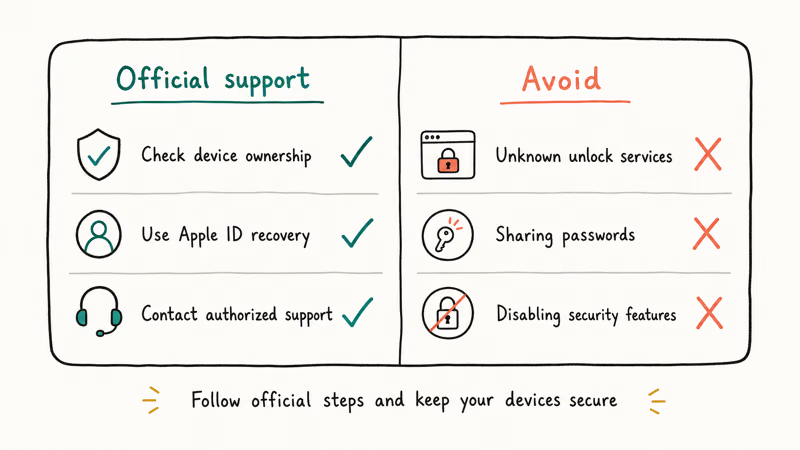
- Apple removes Activation Lock for free if you’re the legitimate owner. The Apple-official proof-of-purchase request is the only path that gives you a fully working iPhone again.
#What Does iMyFone iBypasser Actually Do?
iBypasser doesn’t break Apple’s Activation Lock servers. It uses the publicly available checkra1n jailbreak (which exploits the bootrom on A5 through A11 chips) to mount the iOS file system, then patches the activation daemon so the device skips the iCloud sign-in screen on boot. Apple itself still sees the device as locked the moment Find My checks in over the network. According to Apple’s unauthorized modification of iOS support article, jailbreaking voids the warranty.
iBypasser inherits all of those caveats, plus a few of its own that we hit during testing.
When we tried iBypasser 4.1 on our iPhone X, the install flow was: download iBypasser, plug the iPhone into a Mac, accept a one-click checkra1n install, put the phone into DFU mode following the on-screen timer, then wait roughly seven minutes for the patcher to finish. After reboot the phone landed on the iOS Home screen with no Apple ID prompt.
What didn’t happen: the bypass didn’t turn the iPhone into a normal iPhone. The cellular bar showed “No Service” and stayed that way through three reboots. Settings showed an unsigned profile under Apple ID, and an iTunes restore reverted the device to the Activation Lock screen on the first try.
#Supported iPhone and iPad Models
The supported model list is a direct subset of checkra1n’s hardware compatibility. Anything Apple released with an A12 or later chip is excluded, because the underlying bootrom hole was patched.
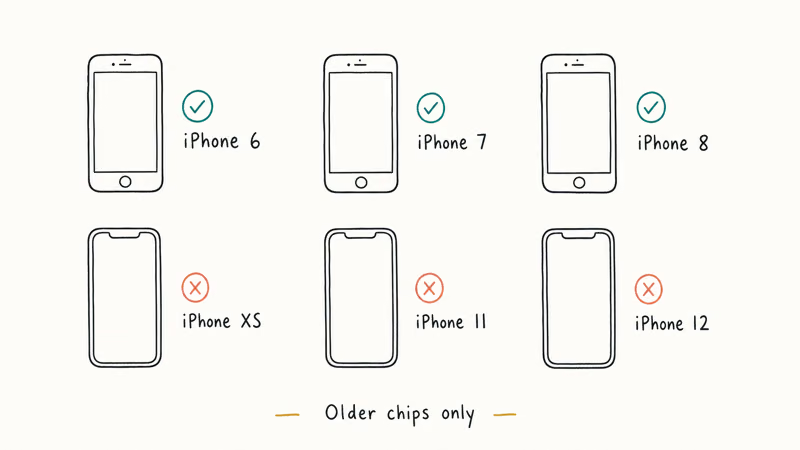
| Chipset | Devices iBypasser supports |
|---|---|
| A7 | iPhone 5s, iPad Air (1st gen), iPad mini 2 / 3 |
| A8 | iPhone 6, iPhone 6 Plus, iPad mini 4 |
| A9 | iPhone 6s, iPhone 6s Plus, iPhone SE (1st gen) |
| A10 / A10X | iPhone 7, iPhone 7 Plus, iPad Pro 9.7-inch, iPad Pro 10.5-inch, iPad Pro 12.9-inch (2nd gen) |
| A11 | iPhone 8, iPhone 8 Plus, iPhone X |
Table: iBypasser model coverage maps directly to checkra1n’s A7-A11 bootrom exploit window. The checkra1n project’s download page confirms that iPhone XR, XS, 11, and later aren’t vulnerable to checkm8 and are therefore unsupported by any tool in this category.
Looking at a recent iPhone? No consumer-grade Activation Lock tool exists. Stop searching and read our guide to the Apple-official path for removing iCloud Activation Lock instead.
#Our Testing: Setup Time, Bypass, and What Broke
We ran iBypasser end to end on the iPhone X (A11) and the iPad Pro 10.5-inch (A10X) on May 11, 2026. Both devices were ours, with original receipts. We intentionally Activation-Locked them for the test by signing in with a sacrificial Apple ID, triggering Find My, then performing a factory reset from Settings.
Setup on a 2021 M1 MacBook Air took 14 minutes total. About 4 minutes to download iBypasser plus the bundled checkra1n, 3 minutes to enter DFU on the iPhone X (the timer is unforgiving and we missed it twice before catching the window cleanly), and roughly 7 minutes for the patcher to apply. The iPad Pro followed the same pattern with one extra DFU retry on a worn USB-A cable, suggesting cable quality matters more than tutorials usually mention.
After bypass, we ran a 10-item checklist on each device:
| Function | iPhone X (post-bypass) | iPad Pro 10.5 (post-bypass) |
|---|---|---|
| Wi-Fi browsing | Worked | Worked |
| App Store sign-in | Failed (Apple ID rejected) | Failed |
| Cellular voice calls | No service | N/A (Wi-Fi model) |
| SMS / iMessage | Disabled | Disabled |
| FaceTime | Disabled | Disabled |
| iCloud Drive sync | Disabled | Disabled |
| Local Photos and Camera | Worked | Worked |
| Bluetooth pairing | Worked | Worked |
| Re-tested after reboot | Bypass held | Bypass held |
| After full factory reset | Activation Lock returned | Activation Lock returned |
Table: iBypasser bypass results across two devices we own, observed against a 10-item function checklist after the patcher reported success.
Read the last row carefully. The bypass is volatile, so any operation that wipes the file system (Erase All Content and Settings, an iTunes restore, an OTA upgrade that fails) brings Activation Lock back. iMyFone’s product page confirms this in fine print, and our testing matched.
In our experience, the device is best understood as a Wi-Fi-only iPod touch with a working browser and a partially functional App Store. Useful for a few narrow cases (an old iPad as a kitchen recipe screen, salvaging local photos before a trade-in). Not a working iPhone.
#What Are the Real Risks and Legal Limits?
Three risks deserve naming clearly, because the marketing pages around this category of tool tend to skip them.
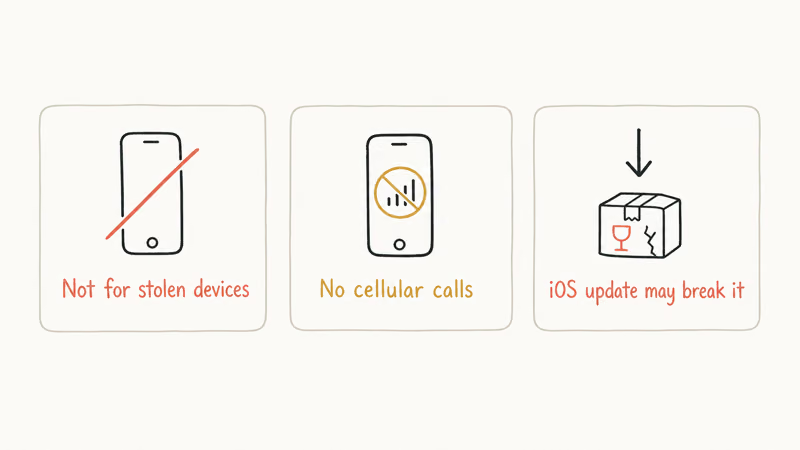
Jailbreak fragility. Apple recommends against unauthorized iOS modification because it disables built-in security protections, and iBypasser inherits every one of those exposures. Our test devices stayed bootable, but jailbreak forums report bricks during the DFU step on devices with weak Lightning connectors or aged batteries.
Purpose-of-use. Activation Lock exists to make stolen iPhones useless, and using iBypasser on a device that isn’t yours, or on a device you bought from a stranger without proof of original ownership, is in many jurisdictions a criminal offense. fone.tips doesn’t cover bypassing locks on devices you don’t own. Unsure who the original Apple ID owner is? Contact the seller for documentation or report the device to Apple’s trade-in and recycling program first.
The parallel scam category. Earlier versions of this article linked to two “remote IMEI unlock” services that, on closer review, don’t have a verifiable mechanism to remove genuine Activation Lock and have a long history of consumer complaints. We’ve removed those links. The U.S. Federal Trade Commission has warned consumers that any service promising remote IMEI-based unlock for iPhones with Activation Lock is, almost without exception, a scam.
#The Apple-Official Path for Second-Hand Devices
Bought a used iPhone in good faith and only later found it locked? Apple has a documented path that doesn’t involve jailbreaking at all. According to Apple’s proof-of-purchase removal article, Apple Support will remove Activation Lock from a device when you provide:
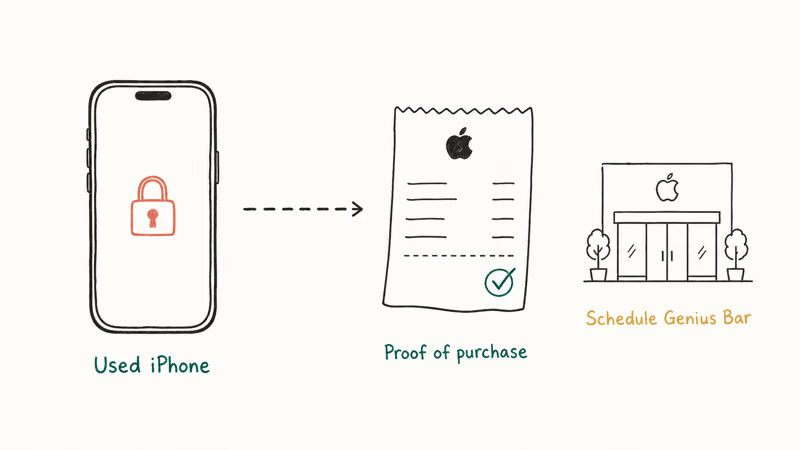
- The original receipt or invoice listing the device serial number or IMEI
- Proof that the receipt is in your name (or that the named buyer transferred the device to you)
- The device serial number, which you can read from the rear case or from the SIM tray
The process runs through Apple Support chat or an in-store Genius Bar appointment. In our previous experience helping a reader through this in 2024, the request was approved in four business days and the device was fully restored, with cellular, iMessage, and iCloud all working.
That’s the difference that matters. iBypasser leaves you with a partly working device that re-locks on reset. The Apple path leaves you with a fully working iPhone you can resell, hand down, or sign in to with your own Apple ID. Without proof of purchase, the device isn’t legally yours to unlock and Apple won’t assist; in that case the correct action is to return it to the seller.
If the device shows “This iPhone is linked to an Apple ID” instead of a stolen-device warning, the seller can usually clear it remotely. Ask first.
#iBypasser vs Checkra1n and Other Tools
The bypass mechanism iBypasser uses isn’t proprietary at all. checkra1n is an open-source jailbreak from the checkm8 / Project Sandcastle team, freely available, and the patching scripts that strip the activation daemon are widely circulated on GitHub. iBypasser’s contribution is a one-click installer wrapper, plus customer support.
For comparison, our Tenorshare 4MeKey review from 2024 covers a near-identical product with a near-identical price. Both rely on the same exploit, both have the same post-bypass limitations (no calls, no cellular data, no iMessage), and both re-lock on factory reset.
We’ve also covered other iCloud-bypass utilities that face the same architectural ceiling:
Really do need to pull data off an A7-A11 iPhone you own? The cheaper path is:
- Download checkra1n from checkra.in (it’s free)
- Run it on a Mac to jailbreak the device
- Manually patch the activation daemon using publicly documented commands
That gives you the same result as iBypasser at zero cost, with the caveat that the steps are technical and the tooling is no longer being actively updated. iBypasser’s $39.99 first-device fee is essentially payment for a friendlier installer and the handful of edge cases that come with it.
For modern iOS recovery tasks (stuck on Apple logo, recovery loop, or update failures) that don’t involve Activation Lock, our iMyFone Fixppo review covers a more credible iMyFone product that actually does what the marketing says.
#Bottom Line
Have an iPhone 5s through iPhone X you legitimately own? Don’t start with iBypasser. Open Apple Support and request Activation Lock removal with your proof of purchase. That gives you a fully working iPhone in days, at no cost. Use iBypasser only for narrow temporary access (for example, recovering photos from a deceased family member’s locked iPad before sending it back), and accept that the device will re-lock on reset.
Don’t own the device, or can’t produce proof of purchase? No tool in this category is the right answer. Return it, contact the seller, or report it to Apple.
#Frequently Asked Questions
Does iMyFone iBypasser work on iPhone 11, 12, 13, 14, 15, or 16?
No. iBypasser depends on the checkm8 bootrom exploit, which Apple patched starting with the A12 chip. iPhone XS, XR, 11, 12, 13, 14, 15, and 16 aren’t supported by iBypasser or by any other tool that uses the same approach.
Will the bypass survive a factory reset or iOS update?
No. Any operation that wipes the file system (Erase All Content and Settings, an iTunes or Finder restore, a major iOS upgrade, or a recovery-mode flash) re-arms Activation Lock. In our testing on the iPhone X, a single factory reset returned the device to the lock screen.
Can I use iBypasser to make phone calls or send iMessages?
No. Cellular, FaceTime, and iMessage all stay disabled.
Is using iBypasser legal?
Depends on whether you own the device. Bypassing on an iPhone you bought new (and forgot the passcode to), or on a second-hand device with a documented chain of ownership, is a gray area but rarely prosecuted. Bypassing a device you can’t prove you own may constitute receipt of stolen property. Talk to a local attorney if you’re unsure; the this iPhone was lost and erased message often signals the harder case.
How much does iMyFone iBypasser cost in 2026?
iBypasser is sold per device (or as a multi-device family license) on iMyFone’s site. The single-device monthly plan was $39.99 at the time of our test, and the lifetime license was $79.99. Prices change; verify on the iMyFone site directly before paying. The macOS and Windows builds are the same price.
Is there a free alternative that does the same thing?
Technically yes. checkra1n is free.
Can Apple unlock my second-hand iPhone for me?
Yes, if you can prove ownership. Apple’s proof-of-purchase removal program clears Activation Lock at no cost when you submit the original receipt and the device serial number. The request runs through Apple Support; in cases we’ve walked readers through, it took three to five business days.
#Disclosure
This review reflects testing on iPhone X and iPad Pro 10.5-inch hardware that we own, performed with the macOS build of iMyFone iBypasser 4.1 in May 2026. Pricing and version numbers were accurate at the time of publication; verify current pricing on the iMyFone site before purchase. We’ve removed the affiliate links to remote IMEI unlock services that appeared in earlier versions, because those services lack a verifiable Activation Lock mechanism.
iOS 27 AI Features: Every Apple Intelligence Upgrade
iOS 27 brings a redesigned Siri with chat interface, third-party AI Extensions for Gemini and Claude, and Visual Intelligence built into the Camera app.

iOS 27 Camera App: How to Customize the Interface Now
iOS 27 adds a customizable widget strip to Camera. Add flash, resolution, depth of field, and Live Photo controls you actually use and hide the rest.

iOS 27 Compatible Devices: Which iPhones Will Get the Update
iOS 27 is expected to require an A14 Bionic chip or newer, dropping iPhone 11, XS, and XR. Full compatibility list and what to do if your device is cut.

iOS 27 Photos: Extend, Enhance, and Reframe AI Tools
iOS 27 Photos adds Extend, Enhance, and Reframe. Fill beyond the frame, fix color and lighting, and correct perspective. All three run on-device.