Fix iPhone Stuck on "This iPhone Was Lost and Erased"
iPhone shows "This iPhone Was Lost and Erased"? Recover Apple ID access, lift Activation Lock from your account, then update carrier and insurer.
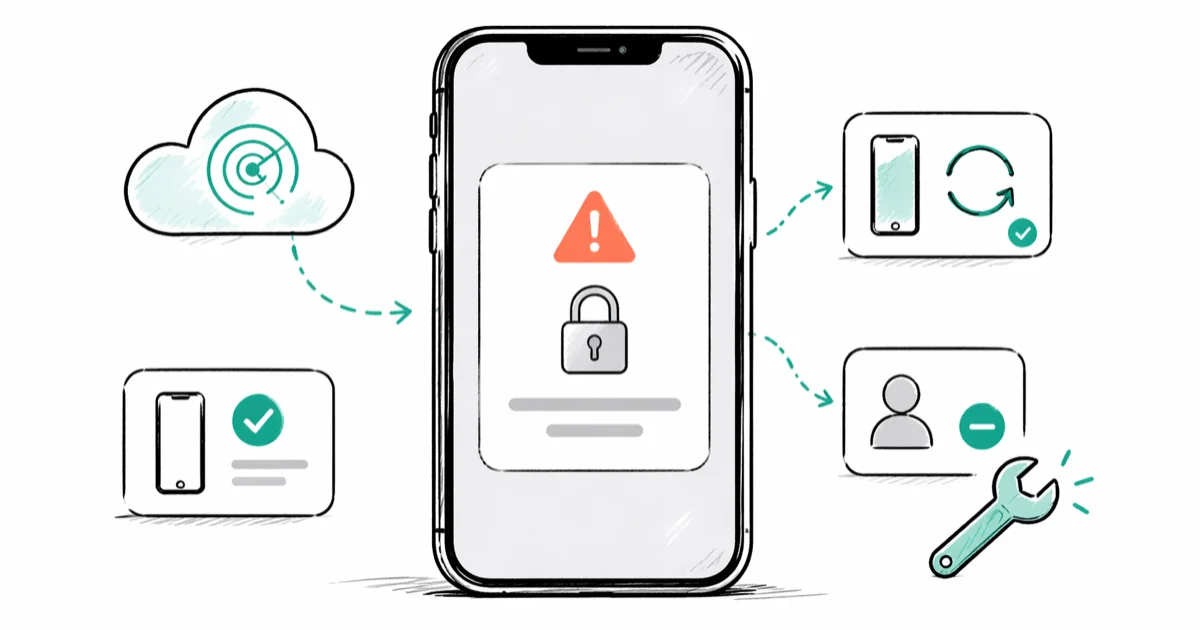
Quick AnswerOn a separate device, sign in at iCloud.com/find with your Apple ID, select your iPhone under All Devices, and click Remove from Account. The next boot shows the Hello setup screen instead of the lost-and-erased lock. If you can't recall the password, run Apple ID account recovery first.
Seeing “This iPhone Was Lost and Erased” on your own iPhone means a remote wipe ran through Find My and Activation Lock is now blocking setup until your Apple ID signs the device free. The screen looks scary, but if the device is yours and you still have Apple ID access, the fix is a five-minute task in iCloud.com.
- The screen is an Activation Lock notice triggered by a remote erase from Find My
- Sign in at iCloud.com/find on another device, select the iPhone, and choose Remove from Account
- If you forgot the Apple ID password, run account recovery at iforgot.apple.com first
- After recovering the device, contact your carrier to lift any IMEI block and reset eSIM
- Keep proof of purchase, the IMEI, and a police report handy for AppleCare+ or insurance claims
#Why Does Your iPhone Show This Screen?
The “Lost and Erased” message appears after someone signed into Find My with your Apple ID, marked the iPhone as lost, and triggered the Erase iPhone command. The local data was wiped, but Activation Lock survived because it lives on Apple’s servers, not the device storage.
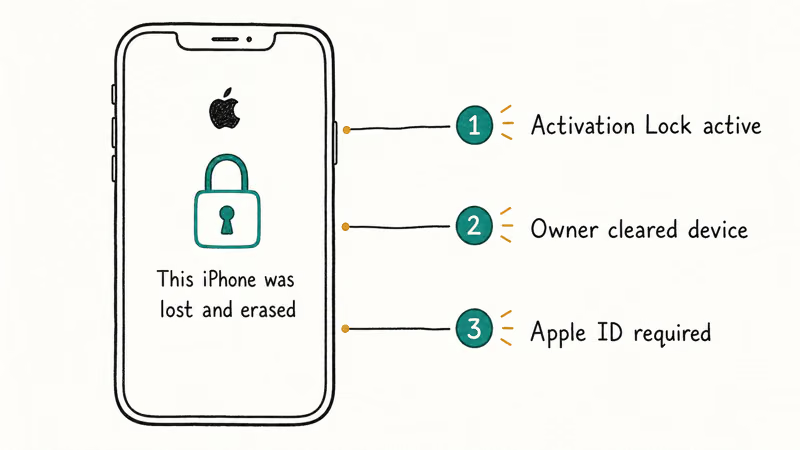
Two situations put your own iPhone here. The first is the one you wanted: you reported the phone lost, Find My pushed the erase, and now the device is back in your hands and refuses to start. The second is uglier: someone reached into your iCloud account, saw the device, and erased it without your knowledge. Either way, recovering the phone starts with proving Apple ID ownership, not with the device itself.
According to Apple Support’s lost or stolen device guide, the Activation Lock layer is the deliberate barrier that stops a wiped iPhone from being set up by anyone except the original Apple ID holder. The device isn’t damaged. It’s waiting for the right account to sign it free.
#Use Find My to Locate or Erase Your Own iPhone
If your iPhone is currently missing and you want to walk through the lost-device protocol on your own device, the entry point is the same iCloud page you’ll use later to remove the lock.
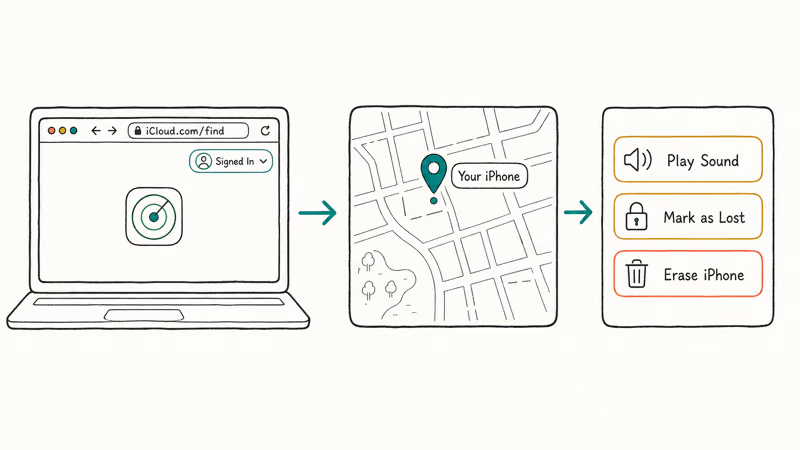
- On a phone, tablet, or computer you trust, open iCloud.com/find or the Find My app on another Apple device.
- Sign in with the Apple ID tied to the missing iPhone. Two-factor authentication will challenge you.
- Select the iPhone under All Devices. The map shows its last known location.
- Tap Play Sound if you think the phone is nearby and muted.
- Tap Mark As Lost to lock the phone with a passcode and put a callback number on the screen.
- Tap Erase iPhone only when you’re sure you can’t retrieve it physically.
In this sequence, Mark As Lost activates and pushes a custom message to the lock screen the moment the device next reaches cellular signal. The Erase command queues and runs when the device comes online again, leaving Activation Lock intact for the recovery flow described below. That intact lock is exactly what blocks a thief from reactivating the wiped phone.
Marking the iPhone as lost first is the safer order. It buys time to file a police report and check whether the phone resurfaces before you wipe it. According to Apple’s Find My documentation, Lost Mode also disables Apple Pay on the device until you sign in again, so card data stays protected even if the screen is unlocked by force.
#How Do You Remove the Activation Lock on Your Recovered iPhone?
Once the iPhone is in your hands again, removing the lock is an account action, not a phone action. You do it from another device with internet access.
#Step 1: Recover Apple ID Access If Needed
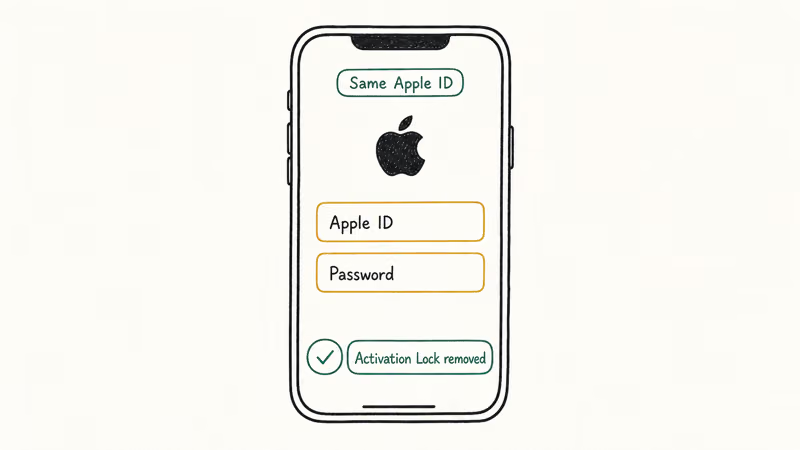
If you remember the Apple ID password and the two-factor codes still arrive on a trusted device, skip ahead. If not, go to iforgot.apple.com and start account recovery, where Apple asks for the email address, a trusted phone number, and a recovery contact if you set one. Reset the password before continuing. Without a fresh, working password, no Find My or iCloud step below succeeds, because every action sits behind a sign-in challenge.
Apple-side account recovery can drag on for many days when there’s no trusted phone number on file, so set up recovery contacts and trusted numbers now.
#Step 2: Sign Into iCloud.com on a Trusted Device
Open any browser, go to iCloud.com/find, sign in, approve the two-factor prompt, click All Devices, and pick the iPhone showing the lock screen.
#Step 3: Remove the Device From Your Account
Click Erase iPhone if the option appears (this clears any pending Lost Mode passcode). After the erase confirmation, click Remove from Account. This is the step that lifts Activation Lock. Apple’s servers stop checking that Apple ID the next time the iPhone boots.
Restart the iPhone. The Hello setup screen replaces the Lost and Erased message, ready for a fresh sign-in or an iCloud backup restore.
#Step 4: Re-enable Find My Before You Walk Away
After setup, go to Settings > [your name] > Find My > Find My iPhone and turn it back on. Without this, your next loss event has no remote-wipe option. According to Apple’s Activation Lock support article, enabling Find My is what arms Activation Lock in the first place, and it stays armed even when the phone is offline.
If the Find My toggle is missing or grayed out, see our walkthrough of iPhone linked to an Apple ID, which covers the most common signed-out states.
#Carrier and Insurance Steps After a Remote Erase
Recovering the device is only half the cleanup. The IMEI may still sit on a stolen-phone block list, your eSIM is gone, and your insurance window is short.
Call your carrier within 24 hours. Tell them the iPhone was reported lost and is now recovered. They’ll lift any blocklist flag, push a fresh eSIM provisioning profile, and verify your line is active. AT&T, Verizon, T-Mobile, and most prepaid carriers accept the IMEI by phone, no Apple Store visit required. The FCC’s stolen phone contacts page lists the carrier blacklist hotlines if your provider isn’t on speed dial.
File a police report if a theft was involved. AppleCare+ Theft and Loss and most insurance policies need a report number, and many cap the filing window at 48 hours from discovery.
Check your AppleCare+ or insurance status. AppleCare+ with Theft and Loss covers up to two incidents per 12 months with a fixed deductible. According to Apple’s AppleCare+ terms, a claim requires the original IMEI, proof of loss, and the police report number. Filing within 60 days of the loss is the practical cutoff. If you only carry the standard one-year warranty, theft and loss aren’t covered, and your homeowner or renter policy is the next stop.
#Verify Activation Lock Status With the IMEI
Before, during, and after recovery, you can confirm the lock state without touching the device. The IMEI lookup tells you whether Apple’s servers still consider the phone locked.
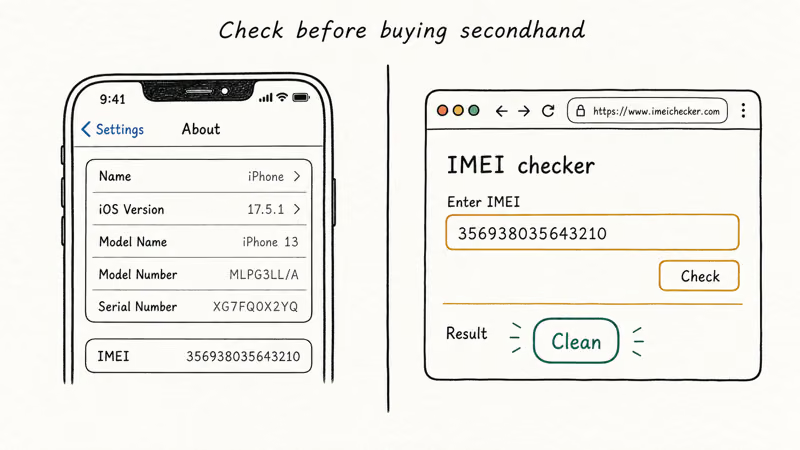
The legacy iCloud Activation Lock checker page was retired by Apple in 2017, so the current path is through Apple Support or your carrier’s IMEI tools. Our iPhone IMEI check walkthrough shows how to pull the number from Settings, the SIM tray, or the *#06# dial code, and which third-party trackers carriers actually recognize.
If you still can’t get past Activation Lock after Remove from Account, the Find My iPhone checker reference covers the propagation delay (usually under 30 minutes) and what to send Apple Support if it stretches past 24 hours.
#Why Activation Lock Protects Your Resale Value
Activation Lock is also why a recovered iPhone keeps its market value. A wiped device with no working Activation Lock would sell on any marketplace within days. According to a 2023 Consumer Reports analysis, Apple’s lock measurably reduced the stolen-iPhone resale market after it shipped in 2013, with theft reports dropping in major US cities the following year.
The lock is the reason a thief can’t factory-reset your iPhone and resell it as new. It’s also why you can’t skip Apple’s official path. Anyone selling an “iCloud bypass” tool for a flat fee is selling a scam: the only real removal runs through the original Apple ID or Apple Support with documented proof of purchase.
For the legitimate Apple Support route when an Apple ID owner can’t be reached, see removing Find My iPhone Activation Lock without the previous owner.
#Bottom Line
For a Lost and Erased screen on your own iPhone, don’t factory reset, don’t call third-party “unlock” services, and don’t type random passwords into the lock screen. Open iCloud.com/find on a separate device, sign in with the Apple ID, choose the iPhone, and click Remove from Account. That single click is what Apple designed for this exact recovery.
After the lock lifts, finish the cleanup with your carrier the same day so your eSIM and IMEI block clear together, and file the AppleCare+ or insurance claim within 60 days if a theft was involved.
If your phone also won’t power on once the lock is gone, see my iPhone won’t turn on for the hardware checks. If you signed out before the wipe and now hit a “sign out is not available” message during setup, that walkthrough handles the Screen Time restriction that blocks it.
#Frequently Asked Questions
Can I use the iPhone normally while the lost-and-erased screen is showing?
No. The screen is a hard lock at the activation layer. You can’t make calls, open apps, or read data on the device until your Apple ID signs it free through iCloud.com.
Does Apple charge to remove Activation Lock from my own device?
No, the entire path is free. Removing the lock through your own Apple ID at iCloud.com/find is instant and Apple Support will lift the lock at no charge if you can show proof of purchase from Apple or an authorized reseller and the device is registered to you. The “service fee” charged by third-party sites is the scam tell.
Will a DFU restore through Finder or iTunes clear the lock?
No. A DFU or Recovery Mode restore reinstalls iOS but doesn’t touch Activation Lock, which lives on Apple’s servers tied to the Apple ID. You’ll end up at the same lost-and-erased screen after the restore finishes.
How long does Remove from Account take to propagate?
Usually under five minutes when the iPhone is online. On a device with weak cellular signal it can take much longer, so give it up to an hour before opening an Apple Support case. Reboot the iPhone after the wait and try setup again. If the lock screen still appears past the one-hour mark, file a Support case with the IMEI and the timestamp of your Remove from Account click.
Do I need a police report to file an AppleCare+ Theft and Loss claim?
Yes for theft, and a sworn loss statement otherwise. Apple’s claim portal asks for the report number and case-handling agency, so file with local police within 48 hours of the theft and keep the case number with your IMEI and original receipt.
What happens to my data after a remote erase ran?
Local data is gone. If you had iCloud Backup enabled before the erase, your photos, contacts, messages, and app data restore the moment you sign back into the recovered iPhone. Without an iCloud or computer backup, the device starts completely fresh.
My carrier still shows the IMEI as blocked after I cleared Activation Lock. What now?
Activation Lock and the carrier IMEI block are two separate systems, and the iCloud removal doesn’t touch carrier records. Call the carrier with the IMEI, your account PIN, and the date you reported the loss, then ask the agent to clear the blocklist entry. The change takes effect within one to two billing days on most US networks. If the frontline rep insists the block is permanent, escalate to the carrier’s fraud or device-services team.

Mac mini M6 vs M5 Pro: Which Model Should You Buy?
Mac mini M6 vs M5 Pro compared on price, memory, ports, displays, and real workloads. Find the better 2026 Mac mini for your desk and budget.

Apple Siri Settlement: Who Qualifies and How to Claim
Apple's $250 million Siri settlement covers iPhone 15 Pro and iPhone 16 models bought June 2024 to March 2025. See who qualifies and how claims work.

iOS 26.6.1 Security Update: What Apple Fixed and Who Gets It
Apple released iOS 26.6.1 on August 17 with 29 security fixes, including an IPSec interception bug. See what it patches, who gets it, and how to update.

iPhone Adaptive Power: How It Works and When to Use It
Learn how iPhone Adaptive Power works, which models support it, what it changes, and when Low Power Mode is still the better battery-saving choice.