How to Fix 'This iPhone Is Linked to an Apple ID' Error
Locked out of a used iPhone with the 'linked to an Apple ID' message? Four methods, ranked by safety and legality, with Apple official paths first.
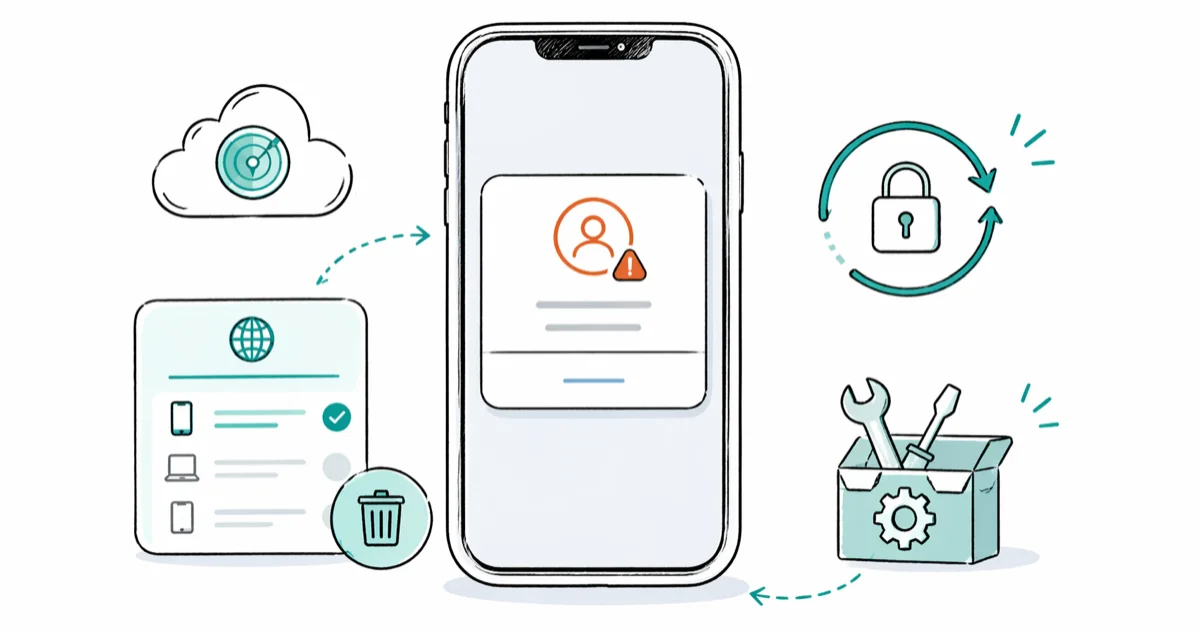
Quick AnswerStart by asking the previous owner to sign in to iCloud.com, open Find My, select the device, and tap Remove from Account. If that path is blocked, submit an Activation Lock Removal Request to Apple Support with original proof of purchase before considering any third-party bypass tool.
You bought a used iPhone, completed the factory reset, and the setup screen now reads “This iPhone is linked to an Apple ID.” The lock blocks every step beyond the activation prompt, including SIM activation and Wi-Fi setup. There are four working paths, and they’re worth trying in a specific order, starting with the cheapest and safest.
- Activation Lock stays on after a factory reset because the check runs against Apple’s servers, not the device storage
- Method 1 is contacting the previous owner so they can clear the lock through iCloud.com, which costs nothing and finishes in about two minutes
- Method 3 is submitting Apple’s Activation Lock Removal Request with original proof of purchase, the only Apple-sanctioned path when the seller is unreachable
- Tenorshare 4MeKey is a last-resort tool that fits A11 and earlier iPhones you legally own with documentation, and it leaves the device semi-tethered with no cellular service
- Bypassing Activation Lock on a phone you don’t own is illegal in most jurisdictions and can rise to a federal offense in the United States when stolen property crosses state lines
#Why Does This Message Appear on a Used iPhone?
Activation Lock is the security layer Apple introduced with iOS 7. The moment Find My iPhone is enabled, the serial number binds to that Apple ID on Apple’s servers, and wiping the phone does nothing to that binding.
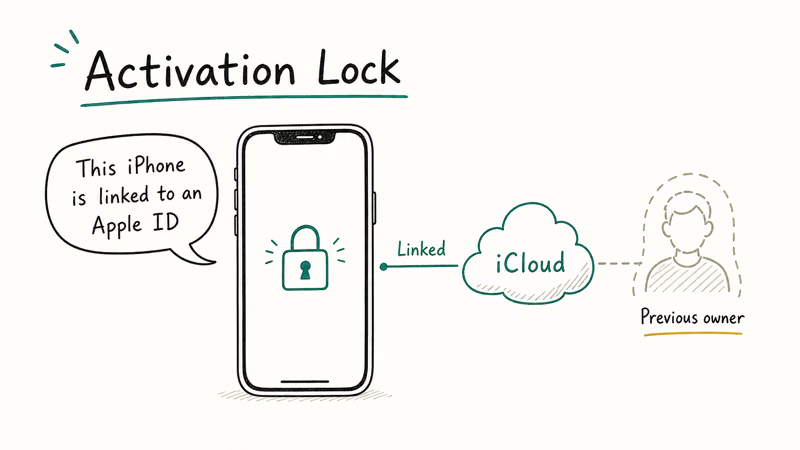
The Apple support page on Activation Lock states that the feature has been on by default since iOS 7. Only the original Apple ID can clear it. The design intent is to make a stolen or lost iPhone useless to anyone except its rightful owner, even after a complete reset, even with a brand-new SIM, even after the device gets sold three states away.
Most “linked to an Apple ID” cases come down to one missed step. The previous owner sold the phone without going to Settings > [Name] > Sign Out first.
#Method 1: Contact the Previous Owner
This is the right starting point. It’s free, fast, and it keeps you on Apple’s good side.
Reach out through whatever channel you used to buy the device, whether that’s marketplace messaging, eBay, Facebook Marketplace, or the original retailer. Tell them you got the “linked to an Apple ID” screen and you need them to remove the device from their iCloud. Wording the message politely and including the IMEI helps the seller confirm it really is the device they shipped you, and that small detail tends to improve the response rate.
Get them the IMEI right away.
You can pull it up by dialing *#06# on the locked device or reading the original box. They’ll need it to identify the right phone in their iCloud account, especially if they’ve sold multiple devices recently and the panel shows several names that could be yours.
If they don’t respond within a couple of days, follow up once, then move to Method 3.
#Method 2: Use iCloud.com for Remote Removal
Once the previous owner agrees to help, walk them through the iCloud.com flow. They can do this from any browser on any device, including a phone, and the whole process averages about two minutes from sign-in to lock removed.
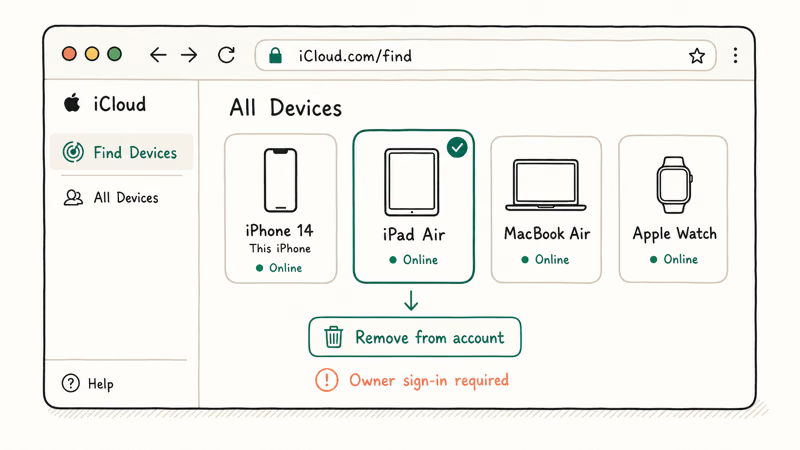
#Step 1: Sign In at iCloud.com
Have them open icloud.com in any browser and sign in with the Apple ID linked to your phone. If they have two-factor authentication on, they’ll need a trusted device or trusted phone number to complete the verification, which is the standard Apple ID verification step every account uses now.
#Step 2: Open Find My and Select the Device
After sign-in, they tap the grid icon in the top-right corner and choose Find My. Under All Devices, your iPhone will appear by name (often something like “Sarah’s iPhone”). They tap it.
#Step 3: Tap Remove from Account
The right-side panel shows a Remove from Account button. They tap it and confirm. The Activation Lock clears from Apple’s servers immediately. Power your iPhone off and back on, and the setup flow continues without the lock screen.
That’s the whole bypass.
If they still have physical access, ask them to also go to Settings > [Name] > Sign Out before powering down. That’s belt-and-suspenders, and it prevents any reactivation issue later if they ever forget the password.
#Method 3: Submit Apple’s Activation Lock Removal Request
If the previous owner is unreachable, Apple’s Activation Lock Removal Request is your next step.
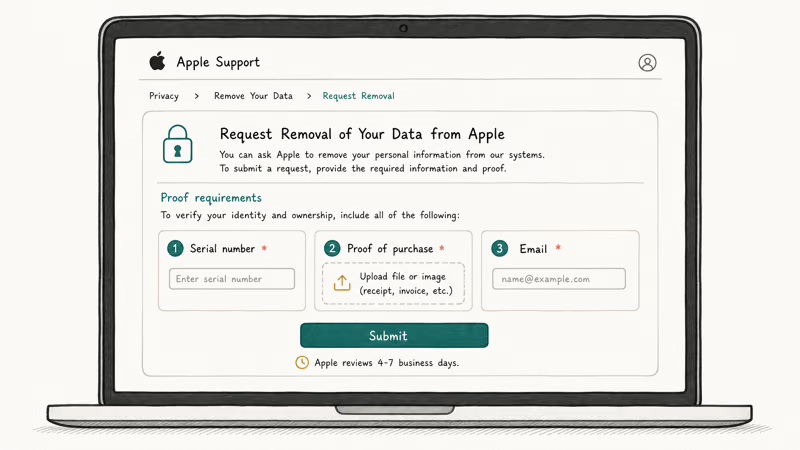
According to Apple’s locked device guidance, Apple Support can review removal requests on a case-by-case basis when you submit original proof of purchase that includes the device serial number or IMEI. Receipts from authorized retailers, original Apple invoices, and refurbished-device certifications all count. Handwritten Craigslist receipts generally don’t.
Bring the following into the request:
- Original receipt or invoice with the device serial number or IMEI clearly listed
- Government-issued photo ID matching the receipt holder
- The locked device’s IMEI from the box or via
*#06# - A short written explanation of how you came to own the device
Submit through Apple Support directly: open support.apple.com/contact, choose Apple ID, and explain that you need an Activation Lock Removal Request. Apple Support recommends starting at this page rather than emailing because the agent will route you to the right specialist team faster than a generic ticket.
Patience helps.
Apple’s review can take a few business days at minimum and sometimes longer when documentation needs follow-up. Be patient, respond quickly to any email Apple sends, and don’t open multiple tickets, since duplicate requests slow the queue.
If Apple denies the request, return the device for a refund or move to Method 4 if you can establish ownership through other means like a prior Activation Lock removal record.
#Method 4: Last Resort, Use Tenorshare 4MeKey
We’re putting this fourth for a reason. Tenorshare 4MeKey is a desktop bypass tool that uses a checkra1n-based jailbreak to remove the activation server check on iPhones with A7 through A11 chips, which means iPhone 5s through iPhone X. It does not work on iPhone XS or newer because Apple closed the underlying checkm8 hardware exploit at the A12 chip generation.
Use this only if all of the following are true:
- The device is one you bought or own with original proof of purchase that you can produce on request
- The device runs an A11 chip or older (iPhone 8 and iPhone X are the newest supported models)
- You’ve already tried Methods 1 through 3 and exhausted them
On a supported device, the process generally takes 10 to 15 minutes from launch to a usable home screen.
Important compliance note: using 4MeKey, or any bypass tool, on a stolen or found device is illegal in the United States and most other jurisdictions. U.S. federal law treats interstate transportation of stolen goods as an offense under 18 U.S.C. § 2314.
Bypassing Activation Lock on a phone you don’t lawfully own can establish the intent element prosecutors look for, on top of state-level theft and tampering charges. Apple has stated repeatedly that this is precisely why Activation Lock exists: to make stolen iPhones worthless to resellers.
If you legitimately own a supported device and have exhausted Apple’s official channels:
Some links on this page are affiliate links, which means fone.tips may earn a commission at no extra cost to you.
Once installed, plug your iPhone in via USB, follow the DFU walkthrough, and let the tool apply the jailbreak. The bypass is semi-tethered, which means a reboot or iOS restore will relock the device.
Cellular service, iMessage, FaceTime, and iCloud sync don’t work after the bypass either, since those services authenticate against the original Apple ID. The phone is good for Wi-Fi, App Store downloads with a new Apple ID, photography, and most third-party apps that don’t enforce jailbreak detection.
If you ever can’t sign out of your new Apple ID after the bypass, that’s typically a leftover Screen Time setting from the previous owner, not the lock itself.
#Is It Legal to Bypass an Activation Lock?
The short answer: only on a device you own with documentation. Anything else is legally risky.
Apple’s Activation Lock exists specifically to discourage the resale market for stolen iPhones. Activation Lock Removal Requests work on the principle that you must prove ownership before Apple removes a security feature.
Knowingly possessing a stolen device, even one you bought without realizing it was stolen, can become a criminal charge once you take steps to bypass anti-theft protections. The bypass action itself is what tips many cases from innocent buyer into knowing receiver of stolen property.
Two practical takeaways follow from that.
If the seller can’t produce a receipt and the IMEI shows the phone reported lost or stolen on checkcoverage.apple.com, return the device or initiate a chargeback through your payment platform. Don’t bypass it.
If you legitimately own the device, keep your proof of purchase organized in one place. A receipt photo in your email, a screenshot of the order confirmation, the original box label, and a credit-card statement showing the Apple Store charge are all examples of documents Apple Support can verify, and any one of them is enough to make Method 3 succeed and give you a defensible legal position if questions ever come up later.
#Check Activation Lock Status Before You Buy
Prevention is far easier than any of the four methods above. Apple offers a free Activation Lock check at checkcoverage.apple.com. Enter the IMEI, and Apple’s servers will tell you whether Find My is still enabled.
It takes about 30 seconds.
Always ask the seller for the IMEI before paying. The IMEI is printed on the original box and visible at Settings > General > About on the device itself. Dialing *#06# on any iPhone displays it instantly. If the seller refuses to share the IMEI, that’s your answer: walk away from the listing and refund whatever deposit you may have already sent.
If the Activation Lock checker shows the device is still locked and the seller promises to fix it after the sale, don’t proceed. Ask them to demonstrate a full factory reset on screen with no Apple ID prompt at the end. That’s the only way to confirm the lock is actually clear before money changes hands.
For Apple Watch buyers, the same logic applies, so see our Apple Watch Activation Lock guide for the watch-specific procedure.
#Bottom Line
Start with Method 1 every single time. Two minutes of polite messaging and a click in iCloud.com solves the problem on most legitimate sales without any tool, expense, or risk.
If the previous owner is unreachable, submit Apple’s Activation Lock Removal Request with original proof of purchase. That’s Method 3, and it’s the only Apple-sanctioned bypass. Reserve Tenorshare 4MeKey for the narrow case where you legally own a pre-A12 device and have exhausted Apple’s official channels with documentation in hand.
Before your next used-iPhone purchase, run the IMEI through checkcoverage.apple.com first. The 30 seconds it takes will save you from this exact situation.
#Frequently Asked Questions
Can Apple unlock an iPhone linked to someone else’s Apple ID?
Apple Support reviews an Activation Lock Removal Request only when you submit original proof of purchase showing the device serial number or IMEI. Without verifiable documentation, the policy is to redirect you to the previous owner. This approach is what keeps stolen iPhones from being unlocked through third-party channels, so try Method 1 first because it’s faster, free, and more likely to succeed.
Does a factory reset remove iCloud Activation Lock?
No. The lock is stored on Apple’s servers and tied to the original Apple ID, not to the device itself. A factory reset wipes user data and apps, but the activation server check still runs at next boot, which is why the lock screen reappears.
How long does it take to remove a device from iCloud remotely?
About two minutes start to finish.
Is it safe to buy an iPhone with an active Activation Lock?
Don’t, unless the seller removes the lock in front of you before any payment changes hands. A locked device has very limited functionality, the resale value is essentially zero, and many “good deals” on locked phones turn out to be stolen units. Always check the IMEI on checkcoverage.apple.com before committing to any used iPhone purchase.
Can my carrier remove the iCloud Activation Lock?
No, they can’t. Activation Lock lives on Apple’s servers, and carriers have no API access to it.
What iOS versions does Tenorshare 4MeKey support?
As of early 2026, 4MeKey supports A7-A11 chip iPhones (iPhone 5s through iPhone X). iPhone XS and newer are unsupported because Apple patched the checkm8 hardware exploit at A12.
Will an iPhone work normally after bypassing Activation Lock with 4MeKey?
Most local features work, but cellular calling, iMessage, FaceTime, and iCloud sync don’t function correctly because those services authenticate against the original Apple ID. You can sign in with a new Apple ID for App Store downloads. The bypass is semi-tethered, so a reboot or iOS restore will relock the device, and banking apps with jailbreak detection will refuse to launch.
What if the previous owner can’t access their Apple ID anymore?
Have them start an account recovery request at iforgot.apple.com. Apple verifies their identity over a 24- to 72-hour window, then restores account access. Once they’re back in, they sign in to iCloud.com and remove the device. If their account is permanently Apple ID locked and recovery fails, and you can’t produce original proof of purchase yourself, return the device for a refund rather than bypassing it.

Mac mini M6 vs M5 Pro: Which Model Should You Buy?
Mac mini M6 vs M5 Pro compared on price, memory, ports, displays, and real workloads. Find the better 2026 Mac mini for your desk and budget.

Apple Siri Settlement: Who Qualifies and How to Claim
Apple's $250 million Siri settlement covers iPhone 15 Pro and iPhone 16 models bought June 2024 to March 2025. See who qualifies and how claims work.

iOS 26.6.1 Security Update: What Apple Fixed and Who Gets It
Apple released iOS 26.6.1 on August 17 with 29 security fixes, including an IPSec interception bug. See what it patches, who gets it, and how to update.

iPhone Adaptive Power: How It Works and When to Use It
Learn how iPhone Adaptive Power works, which models support it, what it changes, and when Low Power Mode is still the better battery-saving choice.