macOS 27 AI Features: Apple Intelligence, Siri, and Gemini
macOS 27 Golden Gate ships the rebuilt Siri on Google Gemini, Apple Intelligence Extensions for ChatGPT and Claude, and runs only on M-series Macs.

Quick AnswerApple announced macOS 27 Golden Gate at WWDC 2026. The release rebuilt Siri on a custom Gemini model, added ChatGPT and Claude as AI providers, and runs only on M-series Macs.
macOS 27 Golden Gate landed alongside iOS 27 on June 8 and shares the same AI engine. The rebuilt Siri, the Extensions framework, and the new Spotlight all came to the Mac with one catch: Golden Gate is the first Apple Silicon-only macOS.
- Apple announced macOS 27 Golden Gate at WWDC 2026 on June 8 and seeded the developer beta the same day.
- The release requires an M-series Mac, dropping four 2019-2020 Intel models that still ran macOS 26 Tahoe.
- Siri runs on a custom ~1.2-trillion-parameter Google Gemini model, with chat history that syncs across iPhone, iPad, and Mac through iCloud.
- A new Extensions framework lets you set Gemini, Claude, or ChatGPT as the Apple Intelligence provider behind Siri and Writing Tools.
- Spotlight gained a new index and answers Siri questions directly, while Mac app launches and AirDrop transfers are up to 30% and 80% faster.
#Siri Rebuilt as a Sidebar App
This is the change everything else builds around.
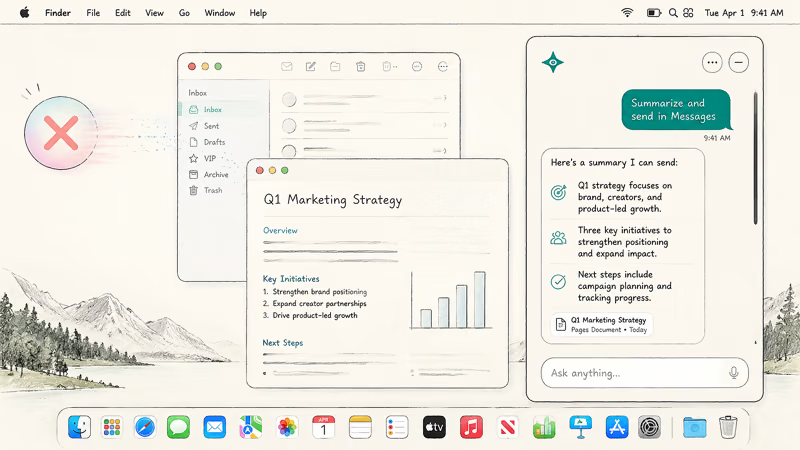
According to AppleInsider’s keynote roundup, Golden Gate ships an updated Siri running on a custom Google Gemini model reported at roughly 1.2 trillion parameters under a multi-year licensing arrangement. On the Mac, the new assistant arrives as a standalone app for the first time, with an iMessage-style chat thread and iCloud-synced conversation history that follows you across iPhone, iPad, and Mac.
Deep personal context, on-screen awareness, and a paperclip for file attachments round out the feature set, putting the Mac version at parity with iOS 27 from day one.
The desktop layout is the bigger shift. Instead of the floating orb, Siri now appears as a sidebar panel that keeps the thread visible, lets you scroll back through past sessions, and chains multi-step commands across Mail, Finder, Notes, Calendar, and Messages.
Across the last several versions of macOS, the Mac Siri build has matched iOS in capability but felt less polished as a desktop citizen. A sidebar that respects the window manager is the change Mac Siri has needed for years. For the complete redesign spec including Dynamic Island integration on iPhone, see our iOS 27 Siri redesign guide.
#The Extensions Framework on Mac
The same Extensions framework Apple announced for iOS 27 reached macOS 27 the same day, and on the desktop it sits right where you’d expect a system preference to live. Inside System Settings under Apple Intelligence and Siri, a new section lets you pick ChatGPT, Google Gemini, Anthropic’s Claude, or Apple’s own model as the provider. The choice is account-wide, so it follows you between your work session and a personal login on the same Mac.
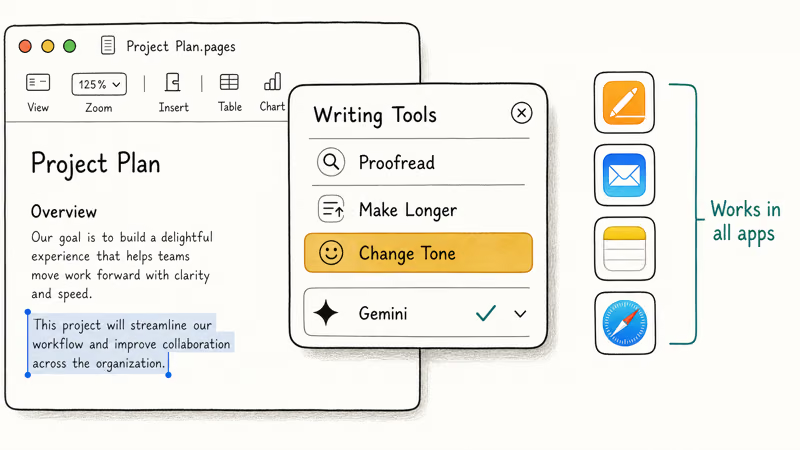
On Mac, the Extensions choice also drives Writing Tools. Whether you’re rewriting in Pages, summarizing a thread in Mail, polishing a Note, drafting in Safari, or working in any third-party app that hooks into the system text layer, the model you’ve selected handles the rewrite.
AppleInsider’s keynote summary notes that Apple keeps its in-house foundation models for many everyday features, so notification summaries, basic Writing Tools, and Visual Intelligence still run locally. The Extensions layer sits on top for heavier requests where you want a specific model’s voice or capability.
The Gemini integration has a real edge on Mac.
If you keep Google Docs, Gmail, or Drive open during the day, picking Gemini as your provider keeps the same model in your Writing Tools that you’re already using in the browser. For step-by-step guidance, see our iOS 27 third-party AI guide.
In macOS 26, Writing Tools worked reliably across Pages, Mail, and third-party editors like Ulysses and BBEdit, but the Apple model’s voice leaned generic and didn’t suit every context, from terse engineering notes to long-form drafts. Being able to swap in Gemini or Claude through the exact same Writing Tools interface, without copying text out to a browser tab, changes what Mac writers can do inside the document they already have open.
#Writing Tools Upgrades on Mac
Writing Tools on Mac gained the same additions as iOS 27.
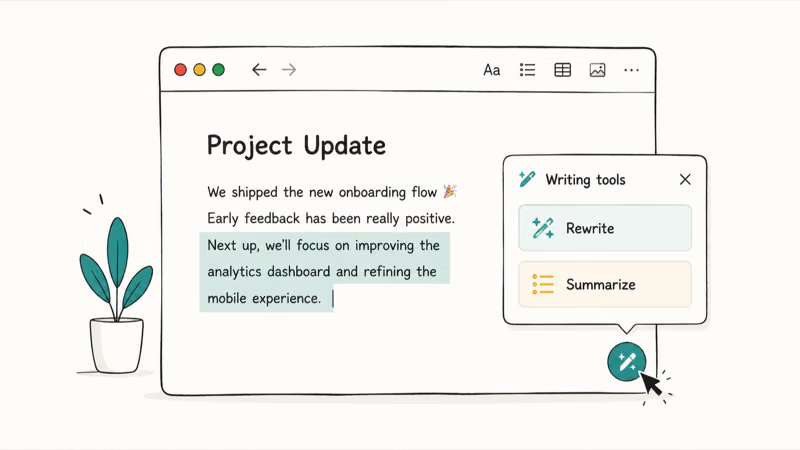
Grammar checker: an always-on proofreading layer available in any text field. On Mac, it integrates with the system text layer and works across all apps, including third-party ones. It catches grammatical errors, tense mismatches, run-on sentences, and punctuation gaps as you type.
Write With Siri: a keyboard shortcut that opens a generation prompt anywhere you can type. You describe what you want written and Siri drafts it, placing the output directly in the field you invoked it from. On Mac, this works inside Pages, Mail, Notes, and compatible third-party apps, so Siri’s generation capability is one keystroke away from wherever you’re writing.
Plain-language Shortcuts: the Shortcuts app on Mac gained an AI-native creation flow. Describe an automation in plain English and macOS builds the multi-step Shortcut. On Mac, where Shortcuts can interact with more system-level behaviors than on iPhone, this is the version power users have been waiting for.
#Spotlight Becomes a Siri Surface
Apple rebuilt Spotlight for Golden Gate, and the result is the most significant change to Mac search since 2005.
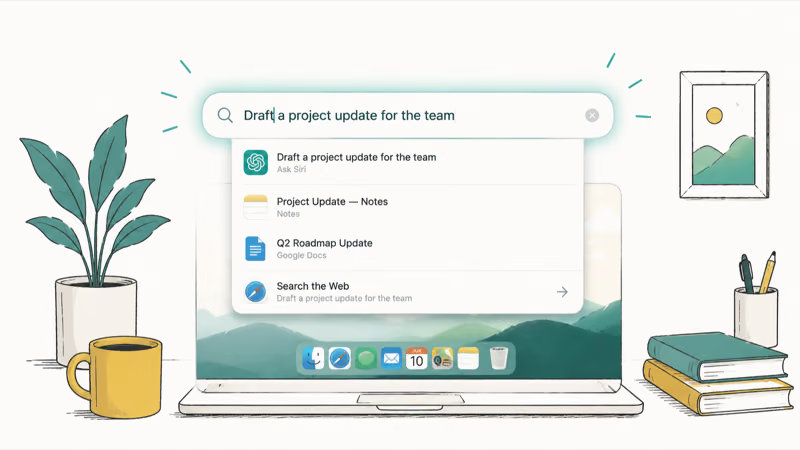
9to5Mac’s Golden Gate keynote recap reports that the new indexing infrastructure surfaces newly created or saved items almost instantly, fixing the long lag macOS 26 Tahoe had between hitting save and actually finding the file in Spotlight. The change matters in daily use because the gap between writing something and recalling it’s now imperceptible.
There’s more under the hood than faster indexing. Type Siri AI questions directly into the Spotlight bar without opening the Siri app, select multiple files and ask Siri about them together, and run sharper searches inside Photos and Mail without leaving the keyboard.
For a focused walkthrough of the new search interactions, see our macOS 27 Spotlight and search guide.
#Why Did Apple Drop Intel Macs for macOS 27?
The Apple Silicon requirement is what makes the rest of the AI story consistent across every Mac that runs Golden Gate.
9to5Mac’s keynote announcement confirms that macOS 27 requires an M1 chip or newer. Four Macs that ran macOS 26 Tahoe lose support: the 16-inch MacBook Pro from 2019, the 13-inch MacBook Pro from 2020 with four Thunderbolt 3 ports, the 27-inch iMac from 2020, and the 2019 Mac Pro. Every Mac shipped with Apple Silicon since November 2020 is eligible, from the original M1 MacBook Air through the M5 MacBook Pro and the A18 Pro MacBook Neo.
The clean break also means every Mac running macOS 27 has the Neural Engine and unified memory needed for on-device Apple Intelligence. There is no lower tier of Macs running a degraded Siri or a stripped-down Writing Tools layer. For the supported list with model identifiers, see our macOS 27 compatible Macs guide, and for the story behind the Intel cut, see our macOS 27 Intel Mac dropped guide.
One point still gets misread. macOS 27 dropping Intel Macs is not the same as macOS 27 dropping Intel apps. Intel-compiled apps still run on Apple Silicon through Rosetta 2, and Golden Gate keeps full Rosetta 2 support. The next section has the full timeline.
#Does macOS 27 Still Run Intel-Compiled Apps?
Yes. macOS 27 is the last macOS release with the full Rosetta 2 translation layer, and Intel-compiled apps run normally on Apple Silicon throughout the Golden Gate cycle.
The timeline is easy to misread. Golden Gate keeps Rosetta 2 fully active, so an Intel app you depend on today keeps working on macOS 27 exactly the way it did on macOS 26 Tahoe.
macOS 28, which arrives in autumn 2027, is the release where Apple largely retires Rosetta 2. Apple has signaled a narrow exception that keeps translation alive for older, unmaintained gaming titles that rely on Intel frameworks. Tahoe and Golden Gate also show a warning the first time you open an Intel app per session, a heads-up that the translation layer is on its way out.
That gives you roughly a year and a half of macOS 27 runway to find Apple Silicon-native replacements or keep an older Mac around for the legacy software. For the full migration picture, see our macOS 27 Rosetta 2 guide.
#Performance and Liquid Glass Refinements
Apple paired the AI work with platform-level speed gains. According to Apple’s macOS preview page, Golden Gate brings faster AirDrop transfers, faster network file browsing, and quicker Safari start page loads, so the Mac “feels more responsive than ever.” The keynote put numbers on a couple of those: Mac apps load up to 30% faster thanks to a new pre-loading scheme, and AirDrop is up to 80% faster on the same hardware.
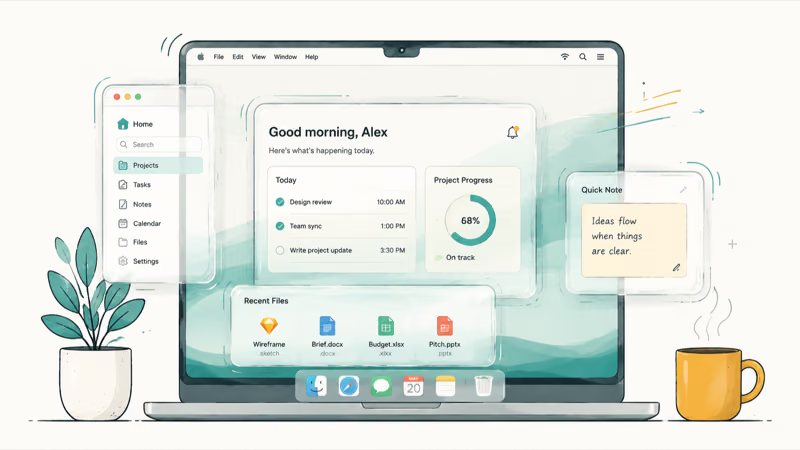
Liquid Glass, the interface language Apple introduced in 2025, also picked up the refinements Tahoe users have been asking for. The Siri panel, reply cards, and Extensions interface use the refined style that Golden Gate brings system-wide.
That includes a user-adjustable intensity control that fixes the readability complaints, a tighter window-corner radius, and sidebar icons that get their color back. For the visual changes in detail, see our macOS 27 Liquid Glass redesign guide, and for the full performance recap, see our macOS 27 performance guide.
#Bottom Line
If you already run an Apple Silicon Mac, macOS 27 is the most worthwhile macOS update since Big Sur. The rebuilt Siri finally fits the Mac as a sidebar app with persistent history, the Extensions framework means your preferred AI model works inside every text field, and Spotlight stops being the slow legacy search it had become in Tahoe. The 30% faster app launches and 80% faster AirDrop carry the upgrade even before you touch the AI layer.
If you bought a 16-inch MacBook Pro in 2019, a 27-inch iMac or 13-inch MacBook Pro in 2020, or a 2019 Mac Pro, this is where the road ends for new macOS releases. macOS 26 Tahoe is your final version, and Apple typically supports the previous release with security updates for two more years.
According to Apple’s August 24 release entry, developer beta 7 is build 26A5421a. The generative Siri AI rebuild dates to the July 6 beta 3 seed. The public beta is available through the Apple Beta Software Program, and the public release follows in autumn 2026.
For the full timeline and a broader look at every Golden Gate change, see our macOS 27 release date guide and our macOS 27 Golden Gate features overview.
macOS 27
#Frequently Asked Questions
Which Macs run macOS 27?
macOS 27 requires an Apple Silicon Mac. Every M1, M2, M3, M4, and M5 Mac is supported, along with the A18 Pro MacBook Neo. Four 2019-2020 Intel Macs that ran macOS 26 Tahoe lose support with Golden Gate.
Will my Intel apps still work on macOS 27?
Yes. Golden Gate keeps the full Rosetta 2 translation layer, so Intel-compiled apps still run on Apple Silicon throughout macOS 27. Rosetta 2 is the layer Apple has signaled will largely retire with macOS 28 in 2027, except for a narrow set of older gaming titles. macOS 26 Tahoe and macOS 27 both show a warning the first time you open an Intel app per session.
Can I pick Gemini or Claude as the Siri model on Mac?
Yes. Apple confirmed at WWDC 2026 that the Extensions framework on macOS 27 lets you set Google Gemini, Anthropic’s Claude, or ChatGPT as the Apple Intelligence provider. You set the choice once in System Settings under Apple Intelligence and Siri, and it applies to both Siri queries and Writing Tools across the system.
Does macOS 27 work on Intel Macs?
No. macOS 27 is the first macOS release that requires Apple Silicon. Intel Macs are capped at macOS 26 Tahoe as their final major version.
How fast is macOS 27 compared to Tahoe?
Apple’s keynote showed Mac apps launching up to 30% faster thanks to a pre-loading scheme, and AirDrop transfers up to 80% faster on the same hardware. The new Spotlight index also surfaces newly saved items almost instantly, where Tahoe often took a beat. We’ll publish first-party benchmarks once the beta stabilizes.
When does macOS 27 come out?
Apple announced macOS 27 Golden Gate at WWDC on June 8, 2026, and seeded the developer beta the same day. The public beta is now available, with the full release expected in autumn 2026.
Is macOS 27 better than Windows 11 for AI?
The macOS 27 advantage is consistency. Every supported Mac has the Neural Engine and unified memory needed for the full Apple Intelligence stack. Windows Copilot’s strongest on-device features require a Copilot+ PC with a 40-TOPS NPU, which a lot of Windows machines don’t have. For the full breakdown, see our Apple Intelligence vs Windows Copilot guide.

macOS 27 Compatible Macs: Every Supported Model (2026)
macOS 27 Golden Gate runs only on Apple Silicon Macs. Here is the full list of supported M-series models and the four Intel Macs that lose support.

macOS 27 Golden Gate: Every Major New Feature Confirmed
macOS 27 Golden Gate goes Apple Silicon only, adds a Gemini-powered Siri, refines Liquid Glass, and rebuilds Spotlight. Here is every confirmed change.

macOS 27 Liquid Glass: Every Readability Fix Explained
macOS 27 Golden Gate refines Liquid Glass with an intensity slider, better contrast, cleaner window corners, and edge-to-edge sidebars to fix readability.

macOS 27 Performance: What Golden Gate Makes Faster
macOS 27 Golden Gate speeds up AirDrop, network file browsing, Safari, and Spotlight, with core system improvements on the Apple Silicon-only release.