Tenorshare 4MeKey Review: Activation Lock Bypass Proven
2026 Tenorshare 4MeKey review: Activation Lock bypass limits, pricing tiers, A11 chip ceiling, owner-only caveats, and Apple-first alternatives.
Quick AnswerTenorshare 4MeKey is a desktop tool that uses a checkra1n-based jailbreak to bypass iCloud Activation Lock on older iPhones, iPads, and iPod touch models you already own. The bypass is semi-tethered, drops cellular and iCloud features, and only works up to A11 chips, so use it as a last resort after Apple official channels.
If you bought a used iPhone that locked you out at the “Activate iPhone” screen, or you forgot the Apple ID on a device you own, Tenorshare 4MeKey is one of the desktop tools that promises a way around it. This review explains what the software can and can’t do in 2026, how it relies on checkra1n, and why Apple’s official paths come first.
This review only covers Activation Lock removal on devices you legally own with proof of purchase or explicit authorization from the previous owner. No third-party bypass tool is the right answer for a device you can’t prove you own, and we say more about that below.
- 4MeKey is a desktop bypass tool for iCloud Activation Lock on iPhone, iPad, and iPod touch up to the A11 chip, with no support for iPhone XS or newer
- The bypass relies on the checkra1n jailbreak and is semi-tethered, so cellular service, iMessage, FaceTime, and iCloud sync stop working after the unlock
- A reboot or iOS restore relocks the device, so 4MeKey is a temporary workaround rather than a permanent fix
- Tenorshare advertises monthly, yearly, and lifetime tiers, with each license capped at five activation attempts before you have to top up
- Always start with Apple’s Activation Lock support request, the previous owner, or the original retailer before paying for any third-party unlocker
#Tenorshare 4MeKey at a Glance
Tenorshare 4MeKey is a Windows and macOS desktop tool with one job: removing the iCloud Activation Lock screen from iPhones, iPads, and iPod touch units you own. It sits in the same Tenorshare lineup as 4uKey, ReiBoot, and UltData.
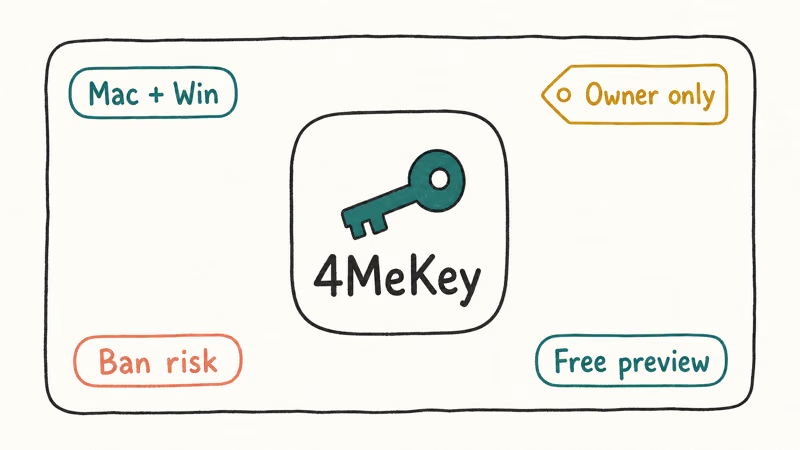
Under the hood, 4MeKey wraps the checkra1n jailbreak. The app puts the device into DFU, applies the jailbreak, and writes new files to the iOS partition so the activation server check stops blocking setup. The exploit itself isn’t Tenorshare’s original code, which matters when you weigh the price against running the open-source tool yourself. What you pay for is the polish: a DFU walkthrough, a status indicator, model auto-detection, and a support team that actually answers ticket emails.
#Who Should Use Tenorshare 4MeKey?
Short answer: a small group in a specific situation. Tenorshare’s marketing pushes a wider audience, but only three scenarios make sense.
The first is recovering a personal device after losing access to your own Apple ID, where Apple’s iForgot recovery has stalled and you can produce purchase records. The second is reactivating a hand-me-down iPhone from a family member who has confirmed in writing they want you to use it. The third is troubleshooting a device flagged as linked to another Apple ID you bought from an authorized reseller who can supply receipts.
Outside those situations, 4MeKey is the wrong tool. If you found a phone, picked one up at a flea market, or got it from a stranger online, treat the lock as a feature.
According to Apple’s Activation Lock support page, the lock keeps stolen devices from being reset and resold, and bypassing it on a device you can’t prove you own is the kind of behavior that page is designed to flag. Run a Find My iPhone activation status check before you buy any used iPhone so you never end up in this position to begin with.
#How Tenorshare 4MeKey Works
4MeKey ships as a single installer for Windows 10/11 or macOS 10.11 and newer. After install, the workflow looks like this:
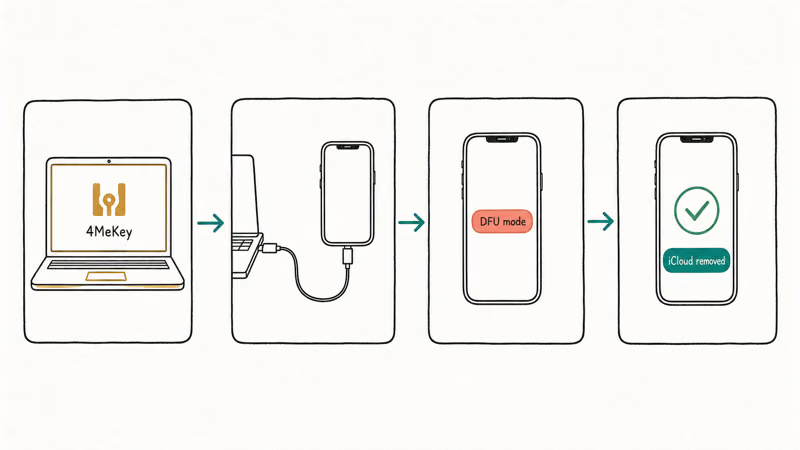
- Connect the locked iPhone or iPad to the computer with a Lightning cable.
- Confirm the model on the 4MeKey detection screen.
- Let 4MeKey download the matching jailbreak payload.
- Follow the on-screen DFU instructions, which mirror the standard checkra1n steps.
- Wait while the bypass writes new boot files, which can take several minutes.
- Set up the device with a new Apple ID at the welcome screen.
The wrapper is cleaner than running checkra1n by hand. The DFU helper is the most useful thing 4MeKey adds, and it walks you through the volume + side button timing the open-source tool expects you to know already. The app also handles edge cases like an iPhone stuck in a lost-and-erased loop by re-trying the DFU sequence automatically, and it flags Mac models where checkra1n is known to behave badly with USB-C dongles.
What it doesn’t do: change the underlying jailbreak. The same hardware ceiling applies. Devices with the A12 chip or newer (iPhone XS, XR, 11, 12, 13, 14, 15, 16, and matching iPads) aren’t supported, and Tenorshare’s own compatibility page confirms that limit.
#Tenorshare 4MeKey Pricing in 2026
Tenorshare lists three paid tiers, plus a free trial that scans but stops before the unlock:
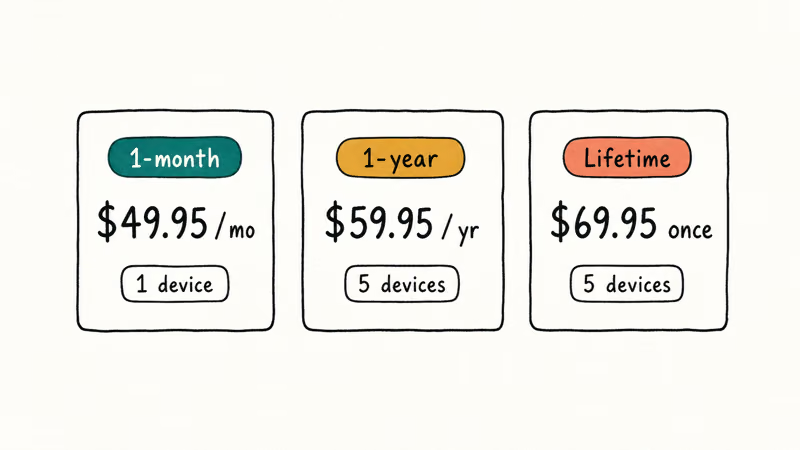
- 1 Month License: about $39.95 for a single user, with up to 5 activation attempts.
- 1 Year License: about $49.95, also capped at 5 attempts on one user account.
- Lifetime License: about $69.95, with the same 5-attempt cap and free version updates.
If you need to bypass more than 5 devices on a single license, Tenorshare charges a top-up fee per extra attempt. Pricing fluctuates with seasonal sales, so check the current rate before you commit. To grab the latest figure direct from the vendor, hit the store page:
Some links on this page are affiliate links, which means fone.tips may earn a commission at no extra cost to you.
For comparison, our iMyFone LockWiper review walked through a similar tier structure on a competing product, and most of the iCloud bypass category clusters in the $40 to $80 range. Be wary of any vendor selling “lifetime unlock” for under $20. That is the price band where the iCloud bypass tool guide shows the highest concentration of fake software and credit card scams.
#Real-World Performance and Limits
In normal use, a checkra1n-based bypass is semi-tethered: a hard restart or iOS restore can bring Activation Lock back, and the bypass may need to be reapplied.
Here is where 4MeKey breaks down in normal use, and what Tenorshare’s support docs confirm:
- Cellular service doesn’t work. The baseband is still tied to the original SIM provisioning and Apple ID, so calls, SMS, and 5G/LTE data all fail.
- iCloud sync stays disabled. Photos, iMessage, FaceTime, contacts sync, and Find My all error out because the device can’t register with Apple’s identity servers.
- App Store sign-ins are unreliable. Some free apps install fine, but anything that requires a fresh Apple ID validation tends to hang.
- Software updates kill the bypass. Restoring or updating iOS reverts the patch and brings the lock back.
- Hardware diagnostics still work. Battery health and Touch ID/Face ID checks run normally, which is useful if you’re buying parts for repair.
That semi-tethered behavior tracks with reports from the r/jailbreak community, where checkra1n-based unlocks have been treated as semi-permanent at best since 2020.
#Is 4MeKey Safe and Legal to Use?
This is the part you shouldn’t skim. The legality of using 4MeKey depends entirely on whether you actually own the device.
If you can produce a receipt, an Apple invoice, or a written authorization from the previous owner, removing Activation Lock from your device is a legal personal repair. According to Apple’s device removal support article, the official path is to ask the previous owner to remove the device from their Apple ID, or to start an Activation Lock support request with proof of purchase.
Tenorshare’s end-user license confirms that 4MeKey is sold for use on devices the buyer owns or has authorization to service, and the U.S. Digital Millennium Copyright Act has carve-outs that permit jailbreaking for unlocking on devices you own.
If you can’t prove ownership, using 4MeKey on the device is almost certainly illegal. American federal law treats unauthorized access to a locked device as a Computer Fraud and Abuse Act issue, and most states have separate statutes covering possession of stolen electronics. Tenorshare’s terms also explicitly bar use on devices that aren’t yours. The bypassed device can’t be insured, can’t be sold legitimately, and stays useless for cellular service anyway.
The jailbreak itself adds privacy considerations. Once 4MeKey applies checkra1n, the device runs in an unsigned state, so your usual sandbox protections are weaker. Don’t sign into your real Apple ID, banking apps, or password managers on a bypassed unit. Treat it like a kiosk device.
#Better Alternatives Before You Buy 4MeKey
For safety and permanence, start with Apple’s official channels before you spend a dollar on 4MeKey or any competitor.
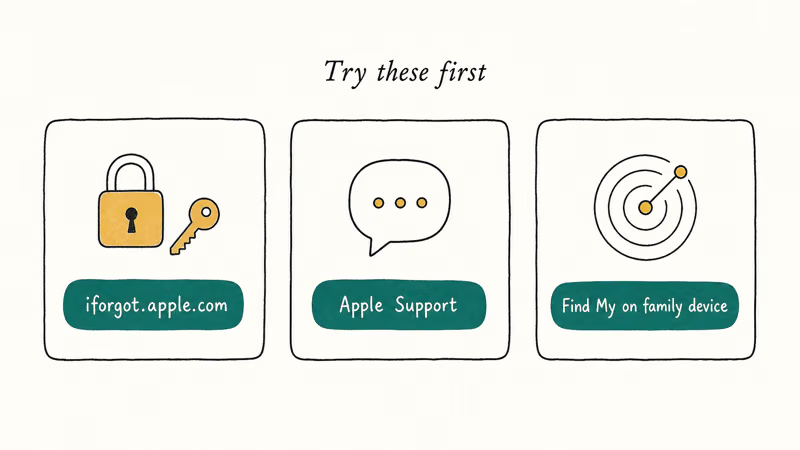
- Ask the previous owner to remove the device from their Apple ID. This is the only path that produces a fully unlocked iPhone with cellular service and iCloud intact. The iCloud login finder guide walks through how to identify the owner from the locked screen.
- Submit an Activation Lock support request to Apple with your proof of purchase. Apple states that valid receipts unlock most devices within 2 to 5 business days at no cost.
- Return the device to the seller. eBay, Swappa, and Back Market all reported that bona-fide listings of locked devices are eligible for refund under their buyer protection policies, usually within a 30-day window.
- For watches, follow the Apple Watch Activation Lock removal flow Apple maintains separately from iPhone unlocks.
- As a last resort, evaluate competing tools. The iCloud bypass tool guide compares 4MeKey against AnyUnlock, dr.fone Screen Unlock, and Passixer to help you pick the cheapest tier-matched option. Many readers also test Tenorshare 4MeKey directly against the same chip range to compare success rates.
If you must use a bypass tool because your situation matches one of the legitimate scenarios above, buy the shortest license tier first, run it on one device, and only upgrade to the lifetime tier after the bypass actually holds for your use case.
#Bottom Line
Tenorshare 4MeKey delivers what its product page promises: an iCloud Activation Lock bypass on iPhones up to the A11 chip, packaged as a wrapper around the checkra1n jailbreak. The semi-tethered design, the loss of cellular and iCloud, and the A11 hardware ceiling mean it solves a narrower problem than the marketing implies.
Buy 4MeKey only if you have proof of ownership, your device is on the supported list, and you’ve already exhausted Apple’s Activation Lock support channel. Skip it if your iPhone is XS or newer, you can’t produce a receipt, or you need full cellular use. For the legitimate-owner edge case, the lifetime license is reasonable insurance against future re-locks, but go in expecting a kiosk device, not a real iPhone.
#Frequently Asked Questions
Does Tenorshare 4MeKey work on iPhone XS or newer?
No. 4MeKey relies on the checkra1n exploit, which only targets A5 through A11 chips. Support cuts off at iPhone X and 8 Plus. iPhone XS, 11, 12, 13, 14, 15, and 16 are all unsupported, and no Tenorshare update changes that.
Will 4MeKey delete my iPhone data?
The bypass itself doesn’t wipe user data, but the Activation Lock screen blocks every device until you set it up with a new Apple ID. Most users treat that as a fresh start. If you can boot into a working state before applying 4MeKey, back up to a Mac or iTunes-equipped PC first.
Is using 4MeKey on a device I bought used legal?
It’s legal only if you can produce proof of ownership and the device is yours. Apple confirms that the official path for transferred devices is to ask the previous owner to remove the device from their Apple ID, or to file an Activation Lock support request with a receipt. Without that paperwork, third-party bypass on someone else’s device falls outside the law in most U.S. states.
How many devices can one 4MeKey license unlock?
Each license tier ships with 5 activation attempts on a single user account. Tenorshare reported that additional attempts can be purchased per device, and the lifetime license also caps at 5 before you top up.
Does 4MeKey restore cellular service after the bypass?
No. The bypass tricks the activation server, but the baseband is still locked to the original Apple ID and SIM provisioning, so calls, SMS, and mobile data stay disabled. iMessage, FaceTime, and iCloud sync also fail.
What happens if I update iOS after using 4MeKey?
Updating or restoring iOS wipes the patched boot files and brings the Activation Lock back. Leave automatic iOS updates off.
Are there free alternatives to Tenorshare 4MeKey?
Checkra1n itself is free and open-source, and it’s the engine 4MeKey uses. Running checkra1n manually plus the community-maintained iCloud bypass payloads gives you the same result for $0, but you lose the DFU helper and customer support. For most non-technical readers, that trade isn’t worth it.

Mac mini M6 vs M5 Pro: Which Model Should You Buy?
Mac mini M6 vs M5 Pro compared on price, memory, ports, displays, and real workloads. Find the better 2026 Mac mini for your desk and budget.

Apple Siri Settlement: Who Qualifies and How to Claim
Apple's $250 million Siri settlement covers iPhone 15 Pro and iPhone 16 models bought June 2024 to March 2025. See who qualifies and how claims work.

iOS 26.6.1 Security Update: What Apple Fixed and Who Gets It
Apple released iOS 26.6.1 on August 17 with 29 security fixes, including an IPSec interception bug. See what it patches, who gets it, and how to update.

iPhone Adaptive Power: How It Works and When to Use It
Learn how iPhone Adaptive Power works, which models support it, what it changes, and when Low Power Mode is still the better battery-saving choice.