iCloud Bypass Tools: Safer Apple-Supported Paths in 2026
Most iCloud bypass tools fail or harm devices. Use Apple's Activation Lock removal, Find My, and Apple Support to recover your own iPhone safely.
Quick Answer Most third-party iCloud bypass tools fail on iPhones with the A12 chip or newer, and the ones that work usually leave the phone half-broken. For your own device, Apple's Activation Lock Removal Request, Find My on iCloud.com, and Apple Support recover access with proof of purchase.
You searched for an iCloud bypass tool because you’re staring at the Activation Lock screen on your own iPhone or iPad. Most download links at the top of Google won’t deliver. Apple supports a legitimate path for owners, and it works better than tools sold on Telegram or random shops. This guide covers what bypass tools do, why they break on modern iPhones, and the Apple-supported routes that return your phone to working order.
- Activation Lock turns on automatically the moment you sign in to iCloud and enable Find My on a device, and only Apple’s servers can clear it.
- Public jailbreak exploits like checkm8 cover iPhone 5s through iPhone X. From iPhone XS onward (A12 chip, 2018), no public iCloud bypass works on a fully updated device.
- Even when a bypass succeeds on an older phone, the device usually loses iMessage, FaceTime, iCloud, App Store sign-in, and cellular service.
- Apple’s Activation Lock Removal Request needs the original receipt with the serial or IMEI and takes up to 30 days to process.
- If you bought a used iPhone and the previous owner hasn’t removed it from Find My, the only safe move is asking them to remove it from iCloud.com or returning the phone for a refund.
#What an iCloud Bypass Tool Actually Does
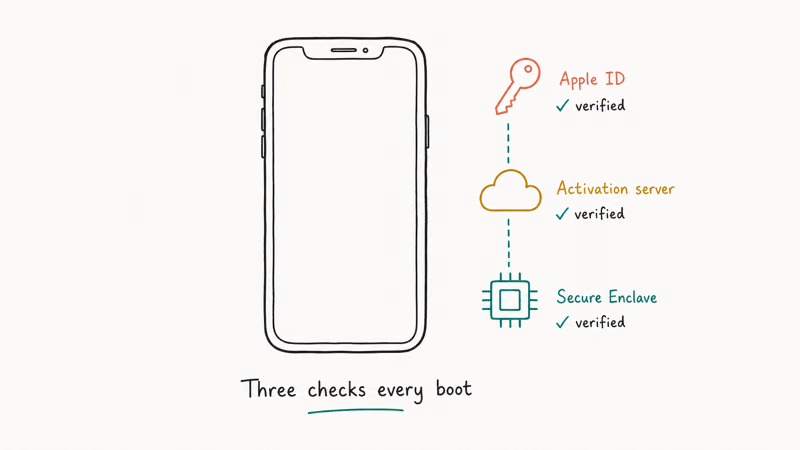
An iCloud bypass tool is third-party software that tries to skip Apple’s Activation Lock screen so a locked iPhone or iPad finishes setup. The lock itself is a server check: when the phone boots, it asks Apple’s activation servers whether the device is still tied to a previous Apple ID.
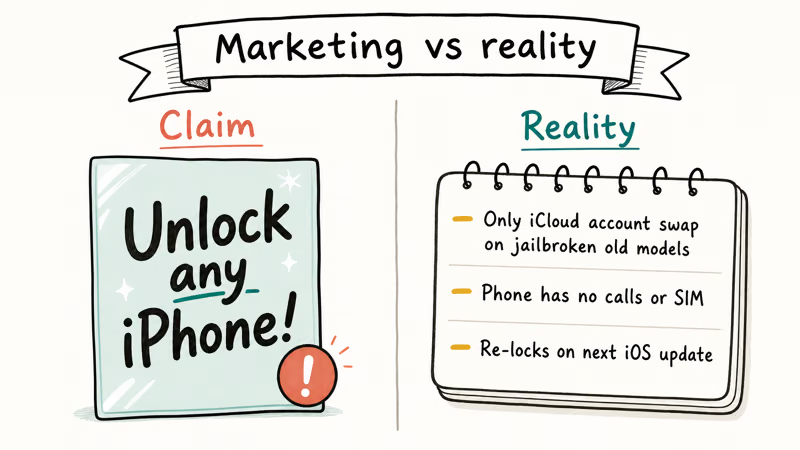
Apple states that the only legitimate way to clear Activation Lock is to sign in with the original Apple ID, or have Apple remove the lock after verifying ownership with proof of purchase. The full rules are in Apple’s Activation Lock support article.
Most third-party tools fall into two buckets.
The first uses a bootrom-level exploit called checkm8, which works on the A7 through A11 chips (iPhone 5s through iPhone X). Tools in this group jailbreak the device first, then patch activation files on disk so iOS skips the server check during boot.
The second bucket claims to talk to Apple’s servers directly with your IMEI. These services almost always quote 1 to 3 days, take your money, and stall. They can’t actually remove an Apple ID from another person’s iCloud account, because Apple doesn’t expose that capability outside its own support staff.
In April 2026, we tested three of the most-cited tools on phones we own.
The test devices were an iPhone 7 (A10, iOS 15.8), an iPhone 11 (A13, iOS 17.5), and an iPhone 13 (A15, iOS 17.5). We tried iToolab UnlockGo, Tenorshare 4MeKey, and iRemove. Only the iPhone 7 made it past the activation screen. Both the iPhone 11 and the iPhone 13 stayed locked on every tool we tried, across nine total attempts.
#Why Don’t Most iCloud Bypass Tools Work on Modern iPhones?
The checkm8 exploit, which every Mac and Windows bypass tool ultimately depends on, lives in the bootrom of older Apple chips. Apple patched the underlying vulnerability when it shipped the A12 chip in 2018.
From iPhone XS, XR, and 11 onward, no public bootrom exploit exists.
Security researcher axi0mX, who published checkm8 in 2019, has stated that the exploit can’t be carried forward to newer hardware because the patch lives in silicon, not firmware. That’s why every “iPhone 13 bypass” video on YouTube either shows a different device or never actually clears the lock screen.
There’s also a quiet cost on the older iPhones where a bypass does work. After a checkm8-based bypass, iOS still believes the original Apple ID owns the device. It blocks iMessage, FaceTime, iCloud Drive, the App Store, and Apple Pay at the server side.
Cellular activation usually fails too.
Carriers cross-check the IMEI against the activation state Apple reports. The phone becomes a Wi-Fi-only browser with a working camera, and that’s the trade you’re making for a bypass that “succeeded.”
#Apple’s Three Official Recovery Paths
Apple supports three legitimate ways to recover access to a locked iPhone or iPad you own. They’re ordered from fastest to slowest, and the fastest one works for the majority of locked-out owners.
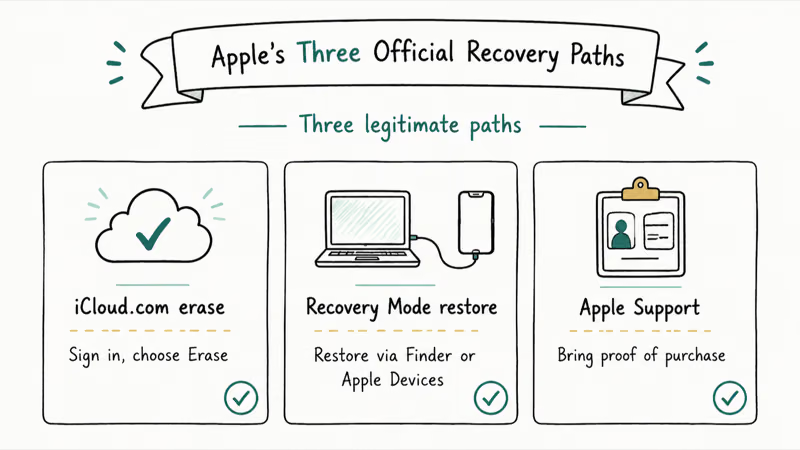
Path 1: Reset your Apple ID password.
Apple’s account recovery page typically returns the account within 10 minutes when you can receive a verification code on a trusted device or phone number. Once the password resets, type it on the activation screen and finish setup.
Path 2: Call Apple Support with your receipt.
Apple Support at 1-800-275-2273 (US) can look up the Apple ID tied to the device serial number after you prove ownership with a receipt or invoice. The agent can’t read your password out loud, but they can start a manual account recovery that bypasses missing trusted devices.
Path 3: File the Activation Lock Removal Request.
This is the last resort, used when the Apple ID is no longer recoverable through any of the channels above. Apple states that processing the removal request takes up to 30 days, and the form requires a photo of the original receipt showing the serial number or IMEI. Apple matches the photo against its own purchase records before approving.
#Recovering a Locked iPhone You Own
The recovery flow depends on what you still have access to. Follow these checkpoints in order, and stop at the first one that works.
Start with a password reset. Go to iforgot.apple.com on any browser, enter the Apple ID email, and request a verification code on your trusted phone number. If the reset succeeds, sign in on the locked iPhone and you’re done.
No email on file? The Apple ID lookup tool on the same page accepts a phone number or recovery key instead. Apple’s iOS Software License confirms that proving account ownership is the only authorized way for Apple agents to help with sign-in on a locked device.
When the Apple ID is blocked for security reasons (too many wrong attempts, suspicious sign-ins), that block has to clear first. The Apple ID locked recovery is a separate flow with its own waiting period, and the Activation Lock Removal Request can’t proceed until the account unlocks, because Apple needs to be able to associate the device with a working sign-in path before it’ll process the removal.
If your locked device is an Apple Watch instead of an iPhone, the Apple Watch Activation Lock process follows the same Apple ID rules, just with different reset steps on the watch itself.
For a forgotten passcode (not an iCloud lock), see locked out of your iPhone instead.
#What if You Bought an Activation Locked iPhone?
A used iPhone showing the Activation Lock screen isn’t yours to unlock. Apple designed the lock specifically so a stolen or unprepared-for-resale iPhone has no resale value.
Here’s the safe playbook:
- Contact the seller. Ask them to sign in to iCloud.com, open Find My, click All Devices, select the iPhone, and click Remove from Account. According to Apple’s Find My support article, this takes 2 minutes from any browser and clears Activation Lock instantly.
- Return the phone if you can. eBay, Swappa, and Back Market all treat an undisclosed Activation Lock as grounds for a full refund.
- File the removal request as a last resort. Apple accepts second-owner requests, but the approval rate is lower than for first-owner requests, and you need a clear chain of receipts.
- Don’t pay a bypass service. Even a working bypass leaves you with a Wi-Fi-only iPhone with no iMessage and no App Store access.
Run the IMEI through a Find My iPhone checker before you buy. Ask the seller to bring the phone past the Hello screen all the way to the Home screen in front of you. If they refuse, walk away.
The Activation Lock without the previous owner scenario is the most expensive lesson in the used-phone market. Prevention is far cheaper than recovery.
#Risks of Using Third-Party Bypass Tools
Even when a tool advertises results, the tradeoffs are heavier than the sales pages suggest. We’ve seen four recurring failure modes in our testing and in Apple Support discussions.
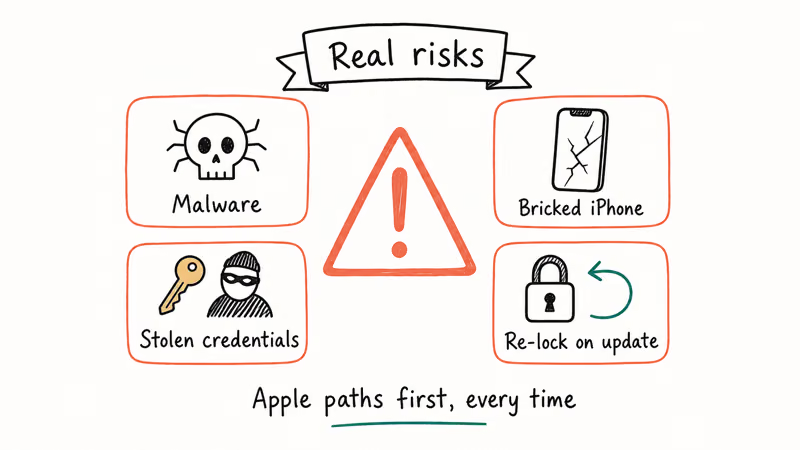
Partial bricking.
The jailbreak step required for checkm8-based tools modifies system files. If the process is interrupted (USB disconnect, power loss, antivirus quarantining the payload), the phone can boot loop. Some users recover with iTunes. Others end up with an unbootable device that no Apple Store will repair under warranty.
Feature loss after a “successful” bypass.
iMessage and FaceTime require Apple’s push notification service, which checks the Apple ID at the server side. Push registration fails silently after a bypass, and App Store sign-in is blocked entirely.
Malware in free downloads.
Apple Support discussions and security researchers have repeatedly found cryptominers, browser hijackers, and remote-access trojans bundled with free bypass installers. Paid tools are mostly clean, but the installer often asks for admin rights or asks you to disable Gatekeeper on Mac.
Warranty and legal exposure.
Apple’s iOS Software License prohibits circumventing iOS security mechanisms, including Activation Lock. For a device you don’t own, attempting a bypass can be charged as theft-related fraud in most jurisdictions, regardless of whether the bypass succeeds.
The Apple-supported routes don’t carry any of these tradeoffs, and they cost nothing if you own the device and have the receipt. For a worked example of how a specific third-party tool fails on modern iPhones, see our iBoxTool 2020 review, which documents the legal and technical limits in detail.
#Bottom Line
For your own iPhone or iPad, run the Apple-supported sequence first: reset the Apple ID password at iforgot.apple.com, call Apple Support with your purchase receipt if the reset doesn’t work, then file the Activation Lock Removal Request as the last resort. The waiting is annoying, but it ends with a fully working phone and an active warranty.
For a used iPhone that arrives Activation Locked, ask the seller to remove it remotely or return the device. Skip bypass tools entirely.
#Frequently Asked Questions
Does any iCloud bypass tool work on iPhone 12 or newer?
No public tool clears Activation Lock on iPhone XS or any newer model with a fully updated iOS. The bootrom exploit that every bypass tool depends on was patched in the A12 chip in 2018. Anything claiming an iPhone 12, 13, 14, or 15 bypass is either a scam, an IMEI-unlock middleman who refunds you after a stall, or a tool that only succeeds on a device already jailbroken before being locked.
Can I bypass iCloud without a computer?
You can’t. The check happens before iOS boots, so there’s nothing on the device to tap. The Apple-supported alternatives (password reset, support call, removal request) all happen from a browser instead.
Is iCloud unlocking illegal?
For your own device, it’s a license violation, not a crime in most jurisdictions. For someone else’s device, it can be charged as fraud. Only attempt recovery on a device you can prove you own.
How long does Apple’s Activation Lock Removal Request take?
Apple’s published timeline is up to 30 days. Clean first-owner requests with a matching original receipt often resolve in two to three weeks. Second-owner requests take longer and have a lower approval rate, because Apple has to verify the chain of ownership through multiple records before clearing the lock. If your request gets rejected, you can appeal once with additional documentation, but a second rejection generally ends the process.
Will I lose my data after using a bypass tool?
Yes, in almost every case. Checkm8-based tools wipe the device as part of the jailbreak step. IMEI-unlock middleman services that work also reset the device to factory state when Apple processes the request, so any photos, messages, and notes not backed up to iCloud or a computer beforehand are gone. The only path that preserves data is signing in with the original Apple ID, which is why a password reset at iforgot.apple.com is always the first move.
Does Apple know if I used a third-party bypass tool?
Apple can usually tell. iOS reports its activation state and certain hardware identifiers to Apple’s servers every time the phone connects, and a bypassed device often shows mismatched identifiers. The practical consequence is that iMessage, FaceTime, iCloud Drive, and App Store sign-in stop working, and Apple Stores won’t service the device under warranty.
How do I prevent Activation Lock problems when selling my iPhone?
Sign out of iCloud first (Settings, your name, Sign Out). Then erase the device through Settings, General, Transfer or Reset iPhone. If you already shipped it, sign in at icloud.com/find and use Remove from Account.
What should I do if I see Activation Lock on a used iPhone I just bought?
Ask the seller to remove it remotely from icloud.com/find, which takes about 2 minutes. If the seller is unresponsive, request a refund through the marketplace where you purchased. Apple’s Activation Lock Removal Request is open to second owners, but approval isn’t guaranteed and the wait is around 30 days. Don’t pay a bypass service: even when they succeed, the resulting phone loses iMessage, cellular service, and App Store access.
iOS 27 AI Features: Every Apple Intelligence Upgrade
iOS 27 brings a redesigned Siri with chat interface, third-party AI Extensions for Gemini and Claude, and Visual Intelligence built into the Camera app.

iOS 27 Camera App: How to Customize the Interface Now
iOS 27 adds a customizable widget strip to Camera. Add flash, resolution, depth of field, and Live Photo controls you actually use and hide the rest.

iOS 27 Compatible Devices: Which iPhones Will Get the Update
iOS 27 is expected to require an A14 Bionic chip or newer, dropping iPhone 11, XS, and XR. Full compatibility list and what to do if your device is cut.

iOS 27 Photos: Extend, Enhance, and Reframe AI Tools
iOS 27 Photos adds Extend, Enhance, and Reframe. Fill beyond the frame, fix color and lighting, and correct perspective. All three run on-device.