How to Unlock iCloud Activation Lock: The Ultimate Guide
Complete guide to removing iCloud Activation Lock: official Apple methods, third-party tools, DNS bypass, jailbreak options, and services to avoid.
Quick AnswerThe safest way to remove iCloud Activation Lock is through iCloud.com/find with your Apple ID, or by contacting Apple Support with proof of purchase. If those aren't options, tools like Tenorshare 4MeKey, CheckM8, and iRemove can bypass the lock on supported A7 to A11 devices, though they require jailbreaking and have real limitations.
iCloud Activation Lock ties your iPhone, iPad, or iPod touch to your Apple ID, blocking anyone else from using the device without your credentials. It activates automatically when you enable Find My iPhone, and it’s been a core anti-theft feature since iOS 7 launched in 2013.
Apple’s own support documentation states that the lock can only be removed by the owner of the linked Apple ID or by Apple itself with proof of purchase.
That’s helpful when your phone is stolen. It’s a headache the moment you can’t remember your password, buy a second-hand device that’s still tied to a previous owner, or need to reset a device for resale.
There are several legitimate paths through this problem, and they vary widely by device generation and iOS version. This guide walks through each one in order of safety and reliability, calling out where each path works and where it falls apart.
- The fastest official method is signing into iCloud.com/find, selecting the device, erasing it, then choosing “Remove from Account” in that exact order
- Apple Support can remove Activation Lock if you provide an original receipt showing the device serial number or IMEI, with turnaround typically 1 to 5 business days
- Your device’s IMEI is accessible by dialing *#06# on the keypad, checking
Settings>General>About, or reading the SIM tray - Third-party tools like Tenorshare 4MeKey and CheckM8 require jailbreaking first and only work on iPhone 5S through iPhone X (A7 to A11 chips)
- Never pay for Activation Lock removal services that claim to work remotely without your Apple ID, as these are almost always scams
#What Is iCloud Activation Lock and How Does It Work?
Activation Lock is Apple’s anti-theft layer that pairs each iPhone, iPad, Apple Watch, and Mac (with T2 or Apple silicon) to a specific Apple ID at the hardware level. According to Apple’s iCloud activation overview, Apple’s activation servers verify the linked Apple ID before the device can be set up, so a factory reset alone won’t free a locked phone.
Setting up an erased iPhone that still has Find My turned on, the activation screen blocks setup until the original Apple ID is entered. That’s by design. The lock is enforced server-side, which is why no offline workaround can permanently remove it without Apple’s cooperation or a verified Apple ID. If you don’t have either, you’ll need to fall back to a hardware exploit (Method 3) or an official escalation through Apple Support.
Buying used? See how to check if an iPhone is unlocked or locked.
#Method 1: Remove via iCloud.com (Easiest)
If you know the Apple ID and password linked to the device, this is the fastest fix and the only one Apple officially recommends.
- Go to iCloud.com/find and sign in with the Apple ID
- Click All Devices and select the locked iPhone or iPad
- Click Erase [Device] first to wipe it remotely
- After the erase completes, click Remove from Account
- Set up the device as new — no Activation Lock prompt
Important: You must erase the device before removing it from the account. Doing it in the reverse order lets the lock come back as soon as the device reconnects to Wi-Fi.
If you remember the Apple ID but not the password, reset it at iforgot.apple.com first; with a trusted device or phone number on file, the reset typically completes in minutes and the new password works directly on the activation screen. If you’re stuck signing out because your password no longer works, our guide on what to do when you can’t sign out of Apple ID walks through the recovery path step by step.
#Method 2: Contact Apple Support
If you don’t have the Apple ID credentials but can prove ownership, Apple Support can unlock the device for you.
- Contact Apple Support or visit an Apple Store
- Provide proof of purchase: an original receipt showing the device serial number or IMEI
- Apple verifies ownership and removes the Activation Lock from their side
This usually takes 1 to 5 business days. Apple’s activation lock removal policy states that Apple will not assist if the device is reported lost or stolen on Apple’s database, and reps will check that flag before doing anything else.
This path covers cases where the original Apple ID is permanently unrecoverable: a deceased account holder, a discontinued business email, or a legitimate seller who has since disappeared. Strength of evidence decides the outcome. A receipt from Apple, an Apple Authorized Reseller, or a major carrier with the matching IMEI or serial printed on it qualifies; classifieds receipts and “bought it from a friend” claims don’t.
Start at Apple’s getsupport portal under iPhone > Activation, Setup & Restore, which routes you to a senior advisor or an in-store appointment. Apple never charges for legitimate Activation Lock removal, so a payment request anywhere in the chain means the request isn’t actually going through Apple.
If the screen says “This iPhone is linked to an Apple ID” instead of the generic lock prompt, the previous owner’s account is still active; our linked-to-an-Apple-ID guide covers reaching them through Apple’s anonymous contact channel first.
#How to Find Your IMEI
You’ll need your IMEI for Apple Support and for any IMEI-based service:
- On the device: Settings → General → About → IMEI
- Dial: *#06# on the phone keypad
- Physical: Check the SIM tray, back of the device, or original box
- iTunes/Finder: Connect the device and check the Summary/General tab
#Method 3: Third-Party Bypass Tools
When official methods aren’t an option, these tools can bypass Activation Lock on older hardware. All of them require connecting the device to a computer, and most require jailbreaking first.
#CheckM8
The most widely compatible option, built on the Checkm8 bootrom exploit that security researcher axi0mX announced on September 27, 2019. According to axi0mX’s public disclosure, the exploit covers every A5 through A11 chip across iOS 12 and later, which spans roughly seven years of Apple hardware.
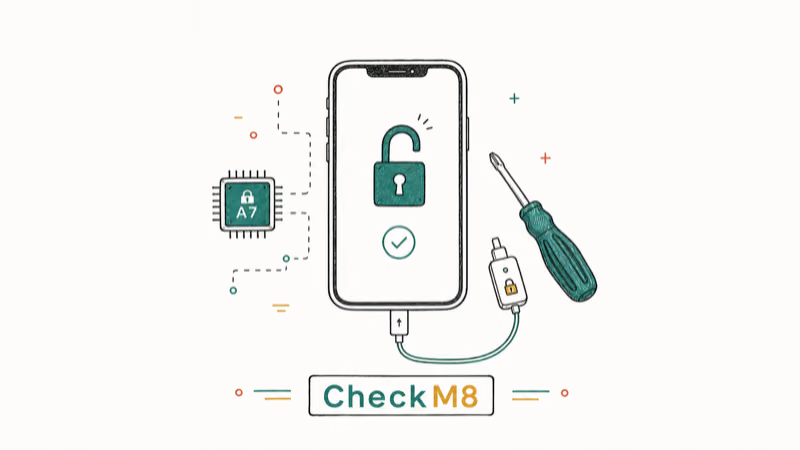
- Devices: iPhone 5S through iPhone X (A7 to A11 chips)
- iOS: 12.0 to 17.6
- Platforms: Mac and Windows
- Pricing: Free tethered version; paid for permanent untethered unlock
#Tenorshare 4MeKey
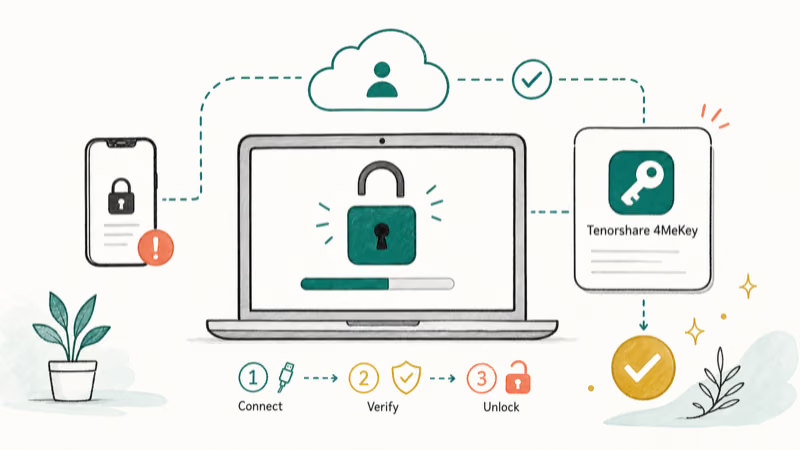
- Devices: iPhone 5S through iPhone X
- iOS: 12.0 to 16.7
- Platforms: Mac and Windows
- Requires: Jailbreaking (guided within the app)
Some links on this page are affiliate links, which means fone.tips may earn a commission at no extra cost to you.
#iRemove
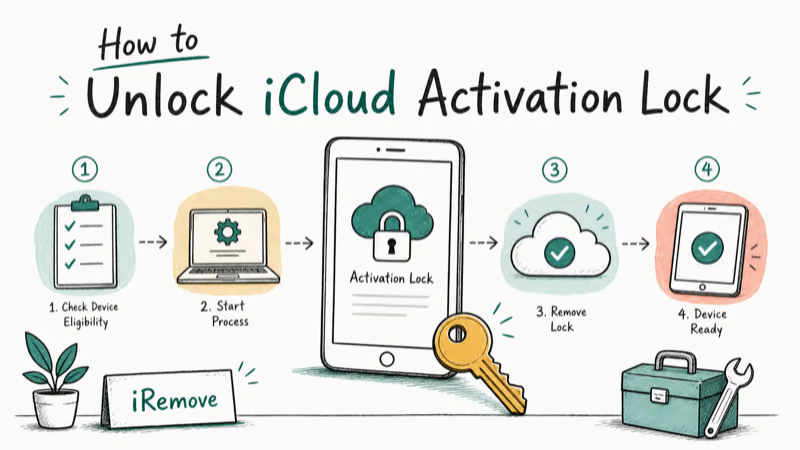
- Devices: iPhone 5S through iPhone X
- iOS: 12.0 to 17.x
- Uses: Checkm8 exploit
- Requires: Jailbreaking on some models
#EaseUS MobiUnlock
- Devices: iPhone 5S through iPhone 15
- iOS: 15.0 to 16.4
- Bonus: Also removes Screen Time passcode
- Requires: Jailbreaking
#AnyUnlock
- iOS: 12.0 to 16.4
- Requires: Jailbreaking
- User-friendly step-by-step interface
#Dr.Fone (Screen Unlock)
- iOS: 12.0 to 16.6
- Includes: Built-in jailbreaking tutorial
- Also: Removes screen passcode, Apple ID, MDM
Across A7 to A11 devices, the Checkm8-based tools (CheckM8 and iRemove) tend to be the most reliable on the first try. Tools targeting newer iOS versions sometimes fail mid-process and require a full restore before trying again.
Important: These tools only work on devices with A7 to A11 chips because they rely on a hardware exploit. Apple’s A12 and later chips include a hardware-level fix, so if you have an iPhone XS or newer, your only realistic options are Method 1, Method 2, or IMEI services. For a closer look at this exploit, see our breakdown of Checkm8 iCloud bypass.
#Method 4: MDM Bypass (Enterprise/Education Devices)
If the device was managed by a company or school via Mobile Device Management, the bypass path is different:
- Contact your IT department for the MDM bypass code
- Devices enrolled in Apple Business Manager or Apple School Manager can be unlocked by the organization’s admin
- Some MDM profiles can be removed through Settings → General → VPN & Device Management
This method only applies to organization-managed devices, not personal ones.
#Method 5: DNS Bypass (Temporary Access Only)
The DNS bypass redirects the device’s activation request to a third-party server, granting limited access without actually removing the lock. It’s a temporary workaround, not a permanent solution.
#How It Works
- Start the device setup until you reach the Wi-Fi selection screen
- Tap the ⓘ next to your Wi-Fi network
- Tap Configure DNS → Manual
- Clear existing DNS entries and enter one of these servers:
- North America: 104.154.51.7
- Europe: 104.155.28.90
- Asia: 104.155.220.58
- Other regions: 78.100.17.60
- Tap Save, go back, and connect to Wi-Fi
- Tap Back at the activation screen, then Activation Help
#What You Can Do After DNS Bypass
- Basic web browsing
- Some pre-installed apps (Camera, Clock, Calculator)
- Limited media access
#What You Can’t Do
- Download apps from the App Store
- Access iCloud services
- Make phone calls or send messages
- Use most third-party apps
Limitations: Access is lost the second the device restarts or the internet connection drops, and it typically fails on the next reboot on older hardware like an iPhone 6 running iOS 12. This isn’t a permanent unlock, it doesn’t survive an iOS update, and any iCloud-dependent feature (App Store, iMessage, FaceTime, iCloud Drive) stays locked behind the activation wall.
#Method 6: Jailbreak + Bypass Tools
A common misconception is that jailbreaking alone removes Activation Lock. It doesn’t. Jailbreaking gives you root access to the filesystem, which then lets a specialized bypass tool do the actual unlock.
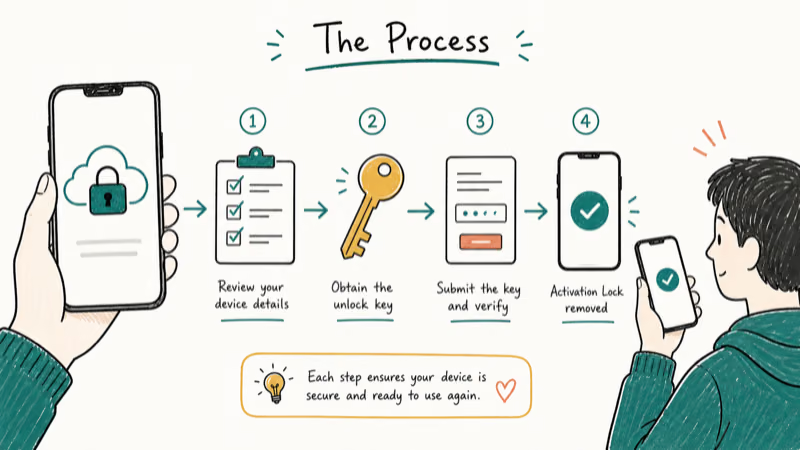
#The Process
- Prepare: Charge the device to at least 50%, back up if possible
- Jailbreak: Use Checkra1n (supports A7 to A11 chips, iOS 12 to 14.x)
- Run bypass tool: After jailbreaking, use one of the tools from Method 3
- Restart: The device should activate without the lock
#Can You Undo a Jailbreak?
Yes. Connect the device to a computer and restore via iTunes (Windows) or Finder (Mac). This removes the jailbreak but will also re-trigger Activation Lock if the lock wasn’t properly removed first.
#Professional IMEI Unlock Services
These services claim to remove Activation Lock using your device’s IMEI through carrier or Apple databases. According to Apple’s own device unlock guidance, only authorized carriers and Apple itself can issue valid IMEI-based unlocks, so most third-party IMEI vendors are reselling carrier requests rather than performing them directly.
#IMEIUnlockSIM
- Supports all Apple devices
- Pricing starts at $18.95
- Delivery: 1 to 24 hours (advertised)
Official Website: IMEIUnlockSIM
#SIMUnlockPro
- Factory iCloud removal
- Claims a permanent solution
- IMEI-based unlocking
Official Website: SIMUnlockPro
Buyer beware: IMEI-based unlock services have mixed results. Success rates vary widely, and there’s no way to verify a service’s legitimacy before paying. Always check independent reviews and use a payment method with buyer protection. For a deeper look at this market, see our best iCloud unlock tool comparison.
#iCloud Unlock Tools and Services to Avoid
Based on widely reported results, these tools and services are unreliable, ineffective, or outright scams:
| Tool/Service | Verdict | Key Issues |
|---|---|---|
| UnlockMaker | Scam risk | No transparency, red flags throughout the process |
| iCloud Unlock Deluxe | Unreliable | No official website, supports only iPhone 5S to X, claims to modify IMSI or serial numbers |
| Unlock Mtool 2019/2020 | Ineffective | Failed on multiple test devices across different iOS versions |
| Exodus Super Unlock | Unreliable | DFU mode process, inconsistent results, limited device support |
| Doulci iCloud Unlock | Survey-gated | Requires completing surveys before download, questionable functionality |
| LockedToOwner.com | Likely scam | Trust score 1/100, overwhelmingly negative user reviews |
If a service promises a free, instant, or guaranteed iCloud unlock, it’s almost certainly a scam. Apple’s phishing and scam guidance confirms that any third party claiming a remote, no-credential iCloud unlock is misrepresenting how Activation Lock works.
#What Are the Legal Risks and Precautions?
- Legality: Unlocking your own device is legal. Unlocking a device that isn’t yours, or one reported stolen, is not
- Warranty: Third-party tools and jailbreaking void Apple’s warranty
- Data loss: Most bypass methods require erasing the device, so back up first if you can
- Security risk: Downloaded tools can carry malware, so stick to well-known tools from official sources
- No guarantees: Even paid services can’t guarantee success on newer devices (iPhone XS and later)
Apple’s Activation Lock status checker was the only place where buyers could verify lock status before purchase; Apple retired the public version in 2017 but reps can still check it for in-store sales. If you’re trying to recover a device after losing access to the Apple ID itself, what to do when your Apple ID is locked is the right starting point.
#Prevention: Avoid Future Lockouts
- Remember your Apple ID: use a password manager
- Enable two-factor authentication for account recovery options
- Before buying used: Ask the seller to remove their account in front of you at Settings → [Name] → Sign Out
- Before selling: Sign out of iCloud, erase the device, and remove it from your Apple ID at iCloud.com/find. If you no longer want the account, our walkthrough on how to change or delete an iCloud account from iPhone covers the cleanup
- Keep proof of purchase: it’s your only recourse if you lose access
If you’re starting from a fully wiped device with no previous owner contact, see our detailed guide to removing Find My iPhone without the previous owner.
#Bottom Line
If you have any way to reach the original Apple ID, Method 1 (iCloud.com/find) is the only path that’s guaranteed, fast, and free. If the Apple ID is gone but you bought the device legitimately, escalate to Apple Support with a receipt before you spend a dollar on third-party tools, because Apple’s official removal is the only outcome that survives an iOS update and a factory reset together.
Third-party tools and IMEI services have real but narrow use cases: Checkm8-based tools (CheckM8, iRemove, Tenorshare 4MeKey) are the most reliable for iPhone 5S through iPhone X, while IMEI services are the last realistic hope for iPhone XS and newer where the hardware exploit no longer applies. Skip anything that promises a free, remote, no-credential unlock, and never pay for an unlock on a device you can’t prove you own.
#Frequently Asked Questions
Can Apple unlock my device remotely?
No. Apple’s process requires proof of ownership (typically the original receipt) and is handled through Apple Support or an Apple Store. Apple doesn’t push remote unlocks even for verified owners.
Will unlocking delete my data?
Almost always, yes. Back up first.
Is it legal to use third-party unlocking tools?
Using them on your own device is generally legal in the US and most jurisdictions, but it violates Apple’s terms of service and voids your warranty. Using them on a device that isn’t yours is a different matter, and can be a criminal offense depending on local law.
Can I unlock a device that’s been reported as stolen?
No. Apple won’t help, and reputable tools and services refuse stolen devices. Apple’s activation status policy recommends that buyers verify lock status with the seller before completing a used purchase.
How long does the process take?
Immediate if you have your Apple ID. Through Apple Support, expect 1 to 5 business days. Third-party tools typically run in minutes to a few hours. IMEI services are advertised at 1 to 24 hours but can stretch to several days during high demand.
Does DNS bypass permanently remove Activation Lock?
No. It’s a temporary stopgap that breaks on restart.
Can I bypass Activation Lock on iPhone XS or newer?
Not with free tools. The Checkm8 exploit only works on A7 to A11 chips, and Apple’s A12 and later silicon includes hardware-level Secure Enclave changes that block it. Your realistic options on newer hardware are Apple Support, IMEI services, or contacting the previous owner.
Can jailbreaking alone remove Activation Lock?
No. Jailbreaking provides root access, but Activation Lock is enforced by Apple’s servers, so you still need a separate bypass tool to interact with the activation flow. Anyone telling you “just jailbreak it” doesn’t understand how the lock works.

Passkeys Not Syncing Between iPhone and Windows? Read This
Passkeys not syncing between iPhone and Windows is by design, not a bug. Here is why iCloud passkeys skip Windows Hello and the three ways to fix it.

VPN Not Working on Snapdragon X? Why It Fails, How to Fix
Your VPN won't install or connect on a Snapdragon X Copilot Plus PC because Windows on ARM can't emulate the network driver. Here are the fixes that work.

How to Check If a Link Is Safe Before You Click It
Learn how to check if a link is safe with official-first steps: read the real domain, use the app instead, and treat scanners as a second opinion only.
How to Protect Yourself From Smishing Text Scams Now
How to protect yourself from smishing: verify through the official app, report texts to 7726, and lock down accounts fast if you already tapped a link.