How to Check If Your iPhone Is Unlocked Without a SIM Card
4 easy ways to check if your iPhone is unlocked without a SIM card. Use Settings, IMEI lookup, Apple Support, or iTunes to verify carrier lock status.
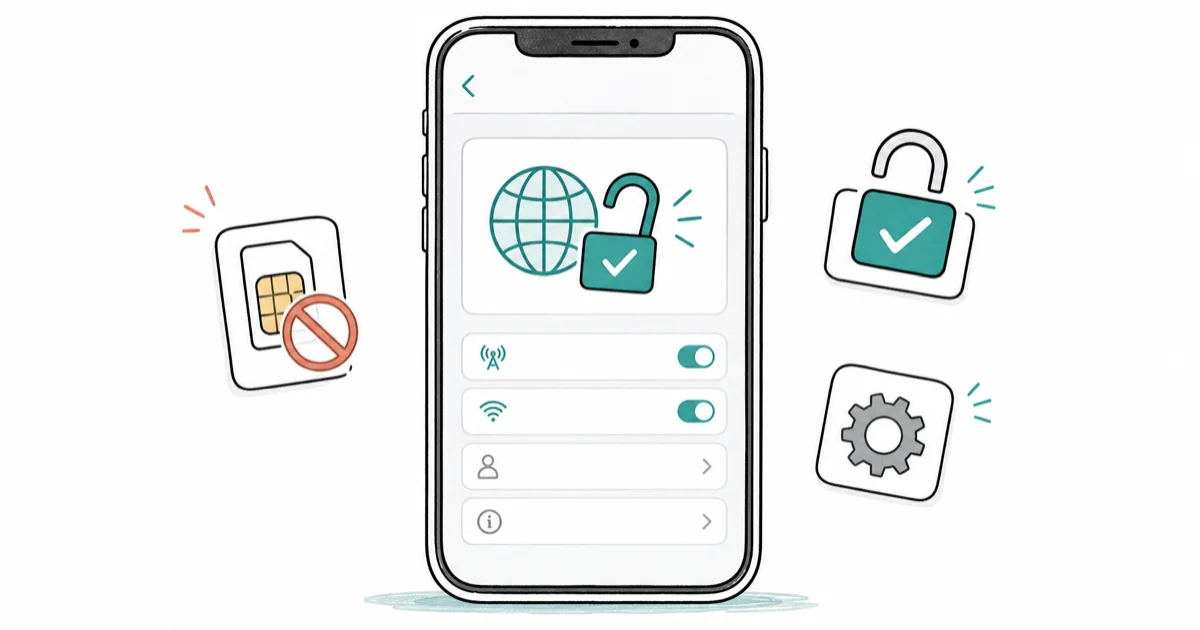
Quick AnswerGo to Settings > General > About and look for 'Carrier Lock.' If it says 'No SIM restrictions,' your iPhone is unlocked. This method works on iOS 14 and later without needing a SIM card.
These checks are for an iPhone you own, or a used device you’re evaluating before purchase with the seller’s proof of ownership and a receipt in hand. Knowing carrier-lock status matters when switching networks, preparing to sell, or traveling abroad with a local SIM. All four methods below read status from your own device or Apple’s own records without altering anything on the phone.
- On iOS 14 and later, go to
Settings>General>About andlook for “Carrier Lock” — “No SIM restrictions” confirms the phone is unlocked. - The IMEI method works without physical access to the phone and provides detailed device information beyond just lock status.
- Checking for the “Cellular Data Network” option under
Settings>Cellularis a secondary indicator — locked iPhones typically hide this setting. - Unlocked iPhones command higher resale values and can use local SIM cards when traveling internationally, making verification important before buying secondhand.
- Carrier locks are typically removed automatically once a contract or device payment plan is fulfilled — contact your carrier with the IMEI to confirm eligibility.
#Understanding iPhone Locks and Why They Matter
An unlocked iPhone works with any compatible carrier. A locked iPhone is tied to one network and rejects competing SIMs until the carrier releases it. According to Apple’s iPhone unlocking guide, only your wireless carrier can authorize an unlock. Third-party “unlock services” have no authority to remove a carrier lock, and Apple can’t do it on the carrier’s behalf.
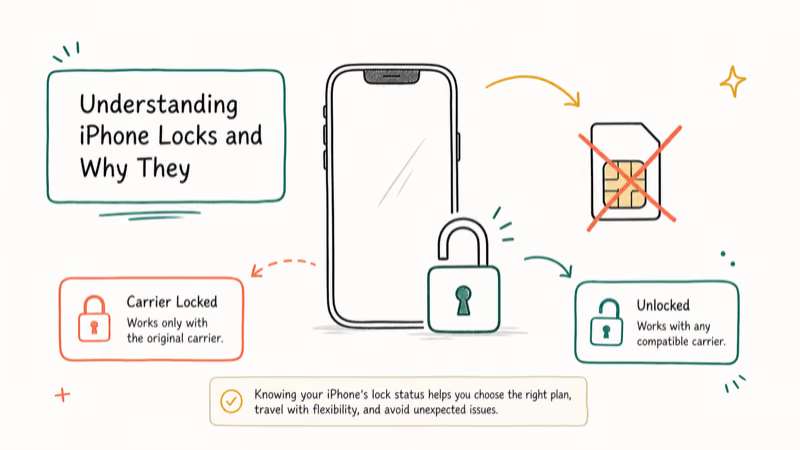
Knowing your iPhone’s lock status matters for several reasons:
- It controls whether you can switch carriers without a workaround
- It changes resale value: an unlocked iPhone typically sells for more on the secondhand market
- It determines whether you can drop in a local SIM when traveling internationally
Carrier locks are legal contractual obligations attached to subsidized or installment-plan devices. Bypassing them on a device you don’t own is illegal in most US states and triggers carrier blacklisting; this is especially true for a phone in Lost Mode or one reported stolen. The four methods below only inspect status; none of them modify the lock.
#How Do You Check Carrier Lock via iPhone Settings?
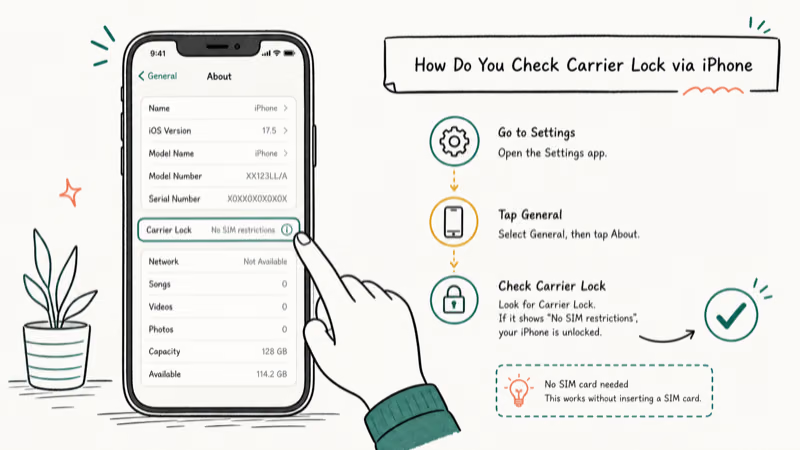
This is the fastest path, working without any SIM in the tray. Apple’s documentation states that iOS 14 introduced the dedicated Carrier Lock field in 2020.
#Steps to check via Settings
- Open the Settings app on your iPhone
- Tap on “General”
- Select “About”
- Scroll down to find “Carrier Lock” or “Network Provider Lock”
If you see “No SIM restrictions” next to this entry, your iPhone is unlocked. If it reads “SIM locked” or names a specific carrier, the device is still tied to that network. The field usually sits in the About screen near the carrier details, and a recently approved unlock may need a reboot before the status refreshes.
Pros:
- Quick read straight off the device, no third-party site required
- Works without any SIM card in the tray, useful for resale or international checks
Cons:
- Only available on iOS 14 and later; older iOS versions hide the field
- Reflects what your carrier has reported to Apple, so a recently approved unlock may take a reboot to refresh
If you hit a “SIM failure” error before reaching the About screen, see our guide on SIM failure in iPhones.
#Method 2: Use the IMEI Number
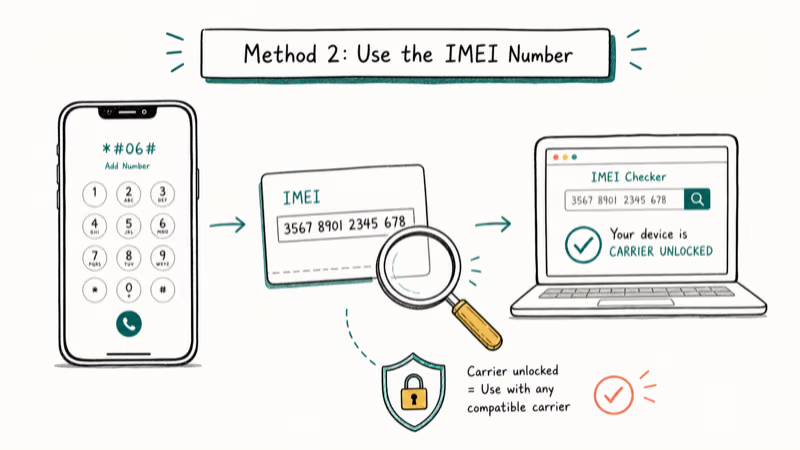
Every iPhone has a unique 15-digit International Mobile Equipment Identity (IMEI) number. The IMEI lets you check lock status through Apple’s own coverage page or a third-party IMEI service, even when you don’t have the phone in front of you.
#Steps to check using the IMEI
- Find your iPhone’s IMEI number by dialing *#06# on the keypad, or open
Settings>General>Aboutand scroll down. - Visit a reputable IMEI checker. Apple’s own Check Coverage page confirms warranty, AppleCare, and activation status using the same IMEI.
- Cross-reference with a carrier lookup; only carriers can confirm carrier-lock status definitively.
- Save the result for the buyer or your records.
Apple’s coverage page can confirm warranty, AppleCare, and activation details from the IMEI, but carrier-lock status still has to come from the carrier or a reputable carrier-lock lookup. Avoid any IMEI site that asks for unnecessary personal information or promises to remove the lock.
Pros:
- Works without physical possession of the iPhone, useful for buying a used device remotely
- Apple’s own coverage page is free and authoritative for activation and warranty status
Cons:
- Some third-party IMEI sites charge a fee for the carrier-lock lookup specifically
- Treat your IMEI like a serial number; share it only with sources you trust
For more on what your IMEI reveals, see our iPhone IMEI check guide. If you suspect a phone is lost or stolen, our IMEI number tracking guide covers what carriers and Apple can and can’t do legally.
#Method 3: Check Cellular Data Settings
A locked iPhone typically hides the editable Cellular Data Network screen, so the presence or absence of that menu acts as a quick secondary signal.
#Steps to check cellular data settings
- Open the Settings app
- Tap on “Cellular” or “Mobile Data”
- Select “Cellular Data Options” or “Mobile Data Options”
- Look for “Cellular Data Network” or “Mobile Data Network”
If the editable APN screen appears, your iPhone is likely unlocked. Locked iPhones generally suppress that screen so you can’t point the device at a competing carrier’s APN.
Pros:
- A 15-second sanity check that needs no SIM and no internet
- Pairs nicely with Method 1 to confirm the Carrier Lock field reading
Cons:
- Not authoritative; a few carriers hide the menu even on unlocked devices
- Some iOS releases on enterprise-managed iPhones (MDM) suppress this screen regardless of carrier lock
If you hit cellular activation problems while checking, our “SIM not provisioned for voice” guide covers the most common causes and fixes.
#When Should You Contact Your Carrier About Unlock Status?
Call the carrier last. It’s the authoritative tiebreaker when the on-device and IMEI readings disagree, or when a used-iPhone seller’s story doesn’t line up with what the phone shows. According to T-Mobile’s policy for unlocking a mobile wireless device, the device must be paid off and active on the account before they’ll release the lock, and AT&T and Verizon publish similar terms.
According to the FCC’s guidance on cell phone unlocking, participating US carriers must unlock eligible devices upon request. Only the carrier that originally locked the device can issue the unlock.
#Steps to contact your carrier
- Find the customer-service number on your carrier’s official website (not a third-party “unlock” site).
- Call from a separate phone, or use chat from the carrier app.
- Provide the 15-digit IMEI and verify you are the account holder.
- Ask the representative to read back the current lock state and any unlock eligibility window.
Pros:
- The single most reliable answer; the carrier’s billing system is the source of truth
- Catches edge cases like “unlocked in their system, still locked on the device” that need a manual push
Cons:
- Verification time can stretch beyond 30 minutes during peak hours
- You must be the account holder of record, or have written authorization to discuss the line
#Authorization, Legal Boundaries, and Additional Tips
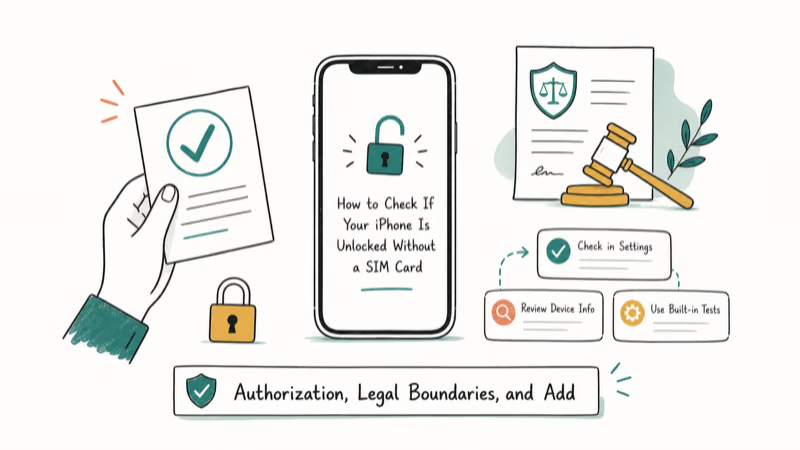
Take the boundaries seriously. The methods above are intended for a phone you own, or a used iPhone you’re evaluating for purchase with the seller present and a receipt to back it up. Inspecting carrier-lock status on someone else’s phone without permission is a legal gray area, and altering that lock on a device you don’t own is illegal under most US state computer-fraud statutes. Carrier locks remain legitimate contractual obligations until the device is paid off.
- Understanding carrier locks: Carrier locks attach to subsidized devices and installment-plan iPhones. According to Apple’s official guidance, the carrier (not Apple) is the only party who can release the lock once their terms are satisfied. A factory reset never removes it; the lock is tied to the IMEI in the carrier’s systems, not to anything stored on the phone.
- Implications of lock status: An unlocked iPhone usually commands a higher resale price and accepts local SIMs abroad, but band compatibility still matters; an unlocked Verizon iPhone may not pick up every European carrier, for example.
- When to ask for an unlock: If you plan to switch carriers, travel internationally for an extended trip, or sell the device, request the unlock once your contract or payment plan is closed. Most US carriers process the request for free.
- Red flags when buying used: If a seller refuses to power on the iPhone, won’t let you open Settings, or insists you “unlock it yourself after sale,” walk away. Those are common indicators of a phone in Lost Mode or one tied to an outstanding contract. Services like Swappa and CheckMEND can also confirm whether a device has been reported lost or stolen before money changes hands.
If you confirm your iPhone is locked and you’ve met your carrier’s terms, our guide on how to remove a SIM lock on iPhone walks through the formal request.
#Bottom Line
Start with Method 1. The Carrier Lock field in Settings > General > About answers the question in under thirty seconds on iOS 14 or later. Cross-check with Apple’s Check Coverage page using the IMEI; if those two readings agree, you have a reliable answer. Call the carrier only when the on-device and IMEI readings conflict, or when you’re inspecting a used device whose history you can’t independently verify.
Carrier locks are different from the iCloud Activation Lock that Apple ties to a personal Apple ID. If a used iPhone is stuck on an unfamiliar Apple ID at first boot, that’s Activation Lock, not a carrier lock, and only the original Apple ID owner can clear it legally. Never trust a “remove iCloud lock” service that promises to bypass that screen; those services are unreliable and frequently illegal.
iPhone tips & tricks
#Frequently Asked Questions
Does *#06# show the carrier lock status?
No. The dialer code only displays the IMEI and serial number.
What if there is no “Carrier Lock” entry in Settings?
If the line is missing, the iPhone is running iOS 13 or earlier, or an enterprise MDM profile has hidden the field.
Can Apple unlock a carrier-locked iPhone?
Apple can’t unlock a carrier-locked iPhone. Only the wireless carrier that locked the device can authorize the unlock, typically after the contract is fulfilled or the installment plan is paid off. Apple’s documentation directs you back to the carrier for any unlock request, and Apple Stores can’t accept walk-in unlock requests on behalf of carriers. The same rule applies even if you bought the device outright at Apple.
Is it legal to check a used iPhone’s lock status before buying?
Yes, when you have the seller’s permission and the phone is in front of you. The methods above only read status; none of them alter the device. Inspecting Settings, About, and IMEI data is part of normal due diligence, and most sellers expect this kind of pre-purchase check. If a seller refuses to let you run through them, walk away.
How long does an official carrier unlock take after I qualify?
Most US carriers process eligible unlocks within two business days, and a reboot can refresh the Carrier Lock field.
What is the difference between a carrier lock and iCloud Activation Lock?
A carrier lock restricts which network’s SIM the iPhone will accept and is controlled by your wireless carrier. iCloud Activation Lock ties the device to a specific Apple ID through Find My and prevents anyone else from setting it up. They’re independent systems; an iPhone can be carrier-unlocked but still locked to a previous Apple ID.
Can I use these methods without turning on the iPhone?
Partly. The IMEI on the SIM tray or original box still lets you run Apple’s coverage and carrier lookups offline.
Will inserting a different carrier’s SIM tell me if the iPhone is unlocked?
It’s the classic test, but it’s not always conclusive. Some locked iPhones briefly show bars on a competing network before failing to register. US-model iPhones from the iPhone 14 onward are eSIM-only with no physical tray, so the swap test isn’t even an option there; the Settings and IMEI methods above are more reliable.

How to Transfer Data to a New iPhone Without iCloud
Move everything to your new iPhone without iCloud: Quick Start device-to-device transfer, wired migration, and encrypted Finder or iTunes backups.
Best Wireless Earbuds for iPhone in 2026: USB-C Era Picks
Best wireless earbuds for iPhone in 2026, comparing AirPods Pro 3, Sony WF-1000XM6, Bose QC Ultra, and Anker Liberty 4 NC on the USB-C iPhone lineup.
iPhone Keyboard Lag? 7 Proven Fixes for iOS 26 (2026)
Fix iPhone keyboard lag with 7 proven fixes for iOS 26. Covers restart, storage, predictive text, third-party keyboards, and dictionary reset.
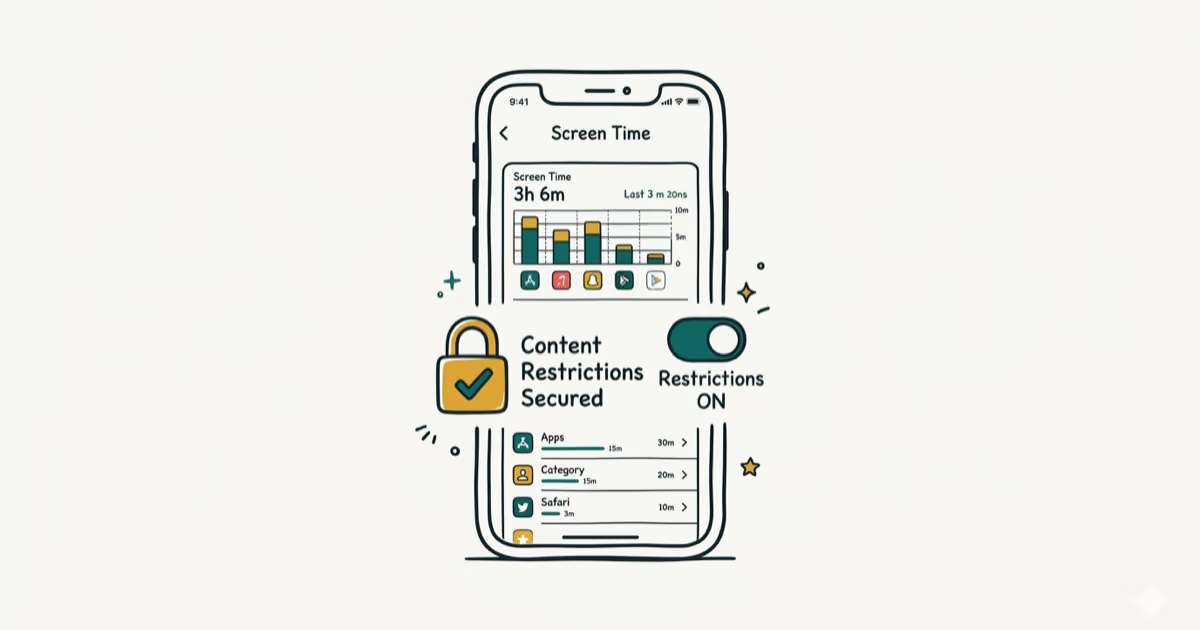
How to Block Porn on an iPhone: A Guide for Parents
Learn how to block porn on iPhone using Screen Time, DNS filtering, and safe browsers. Step-by-step guide for parents to protect kids' devices.