What to Do If Your Email Is Hacked: A Recovery Guide
What to do if your email is hacked: official-first recovery, the hidden forwarding rules attackers leave behind, and a safe linked-account checklist.
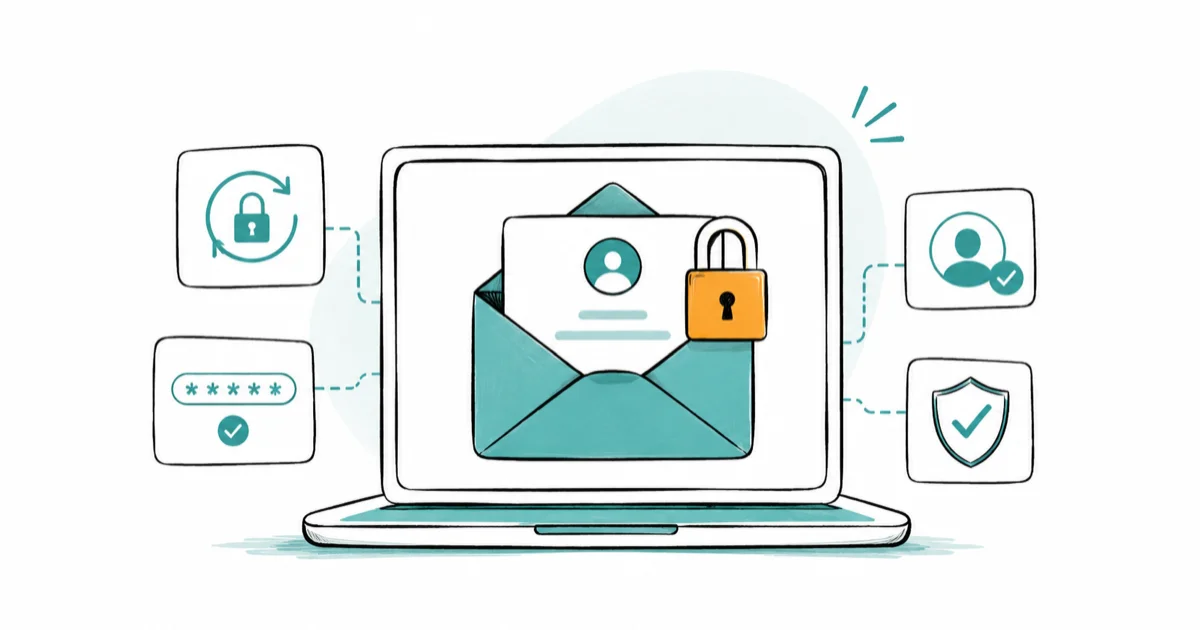
Quick AnswerIf your own email account is hacked, regain access through the official provider recovery page, change your password from a device you trust, then immediately sign out all other sessions and check for forwarding rules and changed recovery info. A password change alone is not enough.
If your email is hacked, the clock matters, and the order of your steps matters even more. This guide is for securing your own email account, the one you legally control, and it uses official provider recovery first. Changing the password is only step one. Attackers often leave hidden forwarding rules and altered recovery info behind, so a quick password reset alone can leave the door wide open.
Use this checklist in order. A forwarding-rule check can catch a silent mail-copy redirect that a password change alone would miss. Work top to bottom, and don’t skip the session and recovery-info steps even if access feels restored.
- Use only the official provider recovery page for your own account, never a third-party “recovery hacker”
- Change your password from a clean device you trust, not the one that may be compromised
- Sign out all other sessions so the attacker’s logged-in devices lose access instantly
- Check recovery email, phone, and hidden forwarding or filter rules the attacker may have added
- Secure bank, social, and cloud accounts that use this email, then warn your contacts
#What Should You Do First If Your Email Is Hacked?
Confirm it’s your own account, then use the provider’s official recovery path. Accessing anyone else’s account without permission is illegal, so this guide stays strictly within your own, legitimately controlled email.
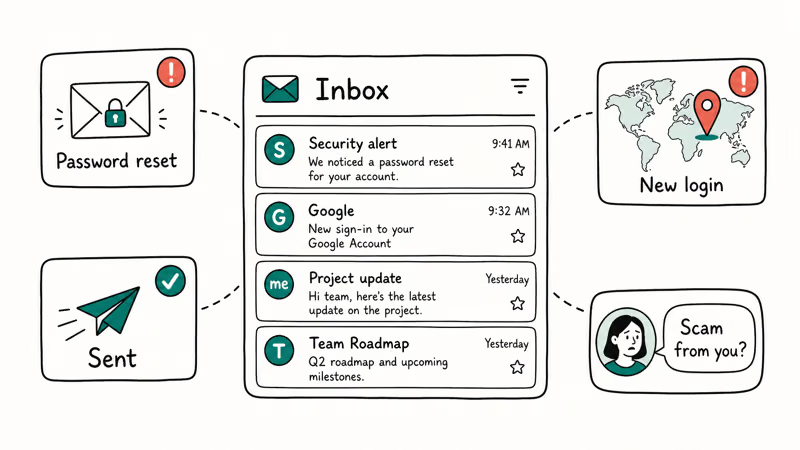
Watch for the signs that confirm a hack: password-reset emails you didn’t request, login alerts from places you’ve never been, sent messages you didn’t write, or contacts reporting scam emails from you.
According to the FTC’s recover your hacked email or social media account guidance, the first actions are to update your security software, change your password, and check your account recovery information, in that order. The FTC also tells you to check your sent and deleted folders for mail the attacker sent or read, so you grasp the full scope before moving on. Start there, not with random tools.
Once you’ve confirmed it’s your account, regain control from a safe device.
#Regain Access and Change the Password From a Clean Device
Use a device you trust, not the one that might be infected. If malware captured your last password, typing a new one on the same machine just hands it straight over to the attacker, which is why a clean phone or computer matters before you reset anything at all.
Go straight to your provider’s official sign-in or account recovery page. Google’s Secure a hacked or compromised Google Account page walks you through signing in via recovery, then changing your password right away.
Microsoft’s recover a compromised Microsoft account page states that you should clear your PC of viruses or malware before you change the password, then reset it from the official sign-in screen. Pick a strong, unique replacement using the how to create a strong password guide, never a tweak of the old one.
If you can’t sign in at all because the attacker changed everything, the provider’s recovery form is still your route. Use it patiently.
#Sign Out Other Sessions and Check Recovery Info
A new password doesn’t kick out a device that’s already logged in. You have to end those sessions yourself.
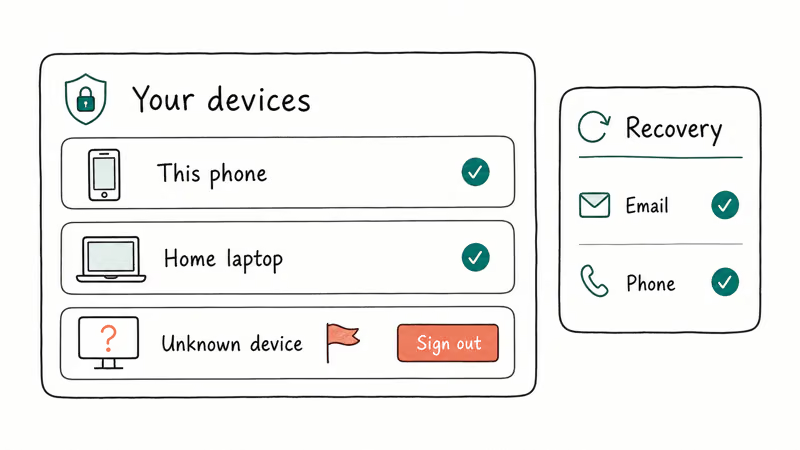
In your account security settings, find the active-sessions or “your devices” list and sign out everything you don’t recognize. This instantly revokes the attacker’s logged-in access. Then verify your recovery email and recovery phone number are still yours, since attackers often swap these to reset your password later.
Google’s official method lists reviewing recovery phone, recovery email, and recent security events as core steps. According to Google’s account-security guidance, enabling 2-Step Verification requires both your password and a second device to sign in, which blocks an attacker who only has the password. The best 2fa authenticator app guide helps you pick one.
Even with sessions cleared and recovery info fixed, one quiet danger remains.
#What Hidden Rules Do Hackers Add to Email Accounts?
This is the step almost everyone misses, and it’s the reason a password change alone isn’t enough. Attackers plant rules that keep working long after you’ve locked them out.
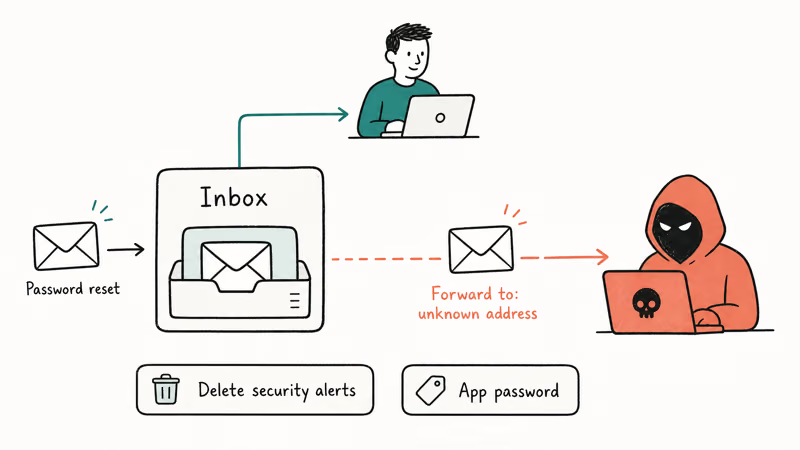
The most common is an auto-forwarding rule that silently copies your incoming mail to the attacker’s address, so they keep reading password resets without ever logging back in. The FTC guidance specifically tells you to check your email settings for forwarding rules and delete any you didn’t set up.
Beyond forwarding, look for filters that auto-delete security alerts, an altered auto-reply, new “app passwords” granting standing access, and connected third-party apps you don’t recognize. Revoke each one. A single leftover forwarding rule can undo an otherwise solid recovery, which is exactly why this check is non-negotiable for your own account’s privacy.
With the account itself clean, protect everything it unlocks.
#Secure Important Accounts Tied to That Email
Your email is the master key to your other accounts, because almost every service resets passwords through it. If the attacker had email access, treat your linked accounts as exposed too.
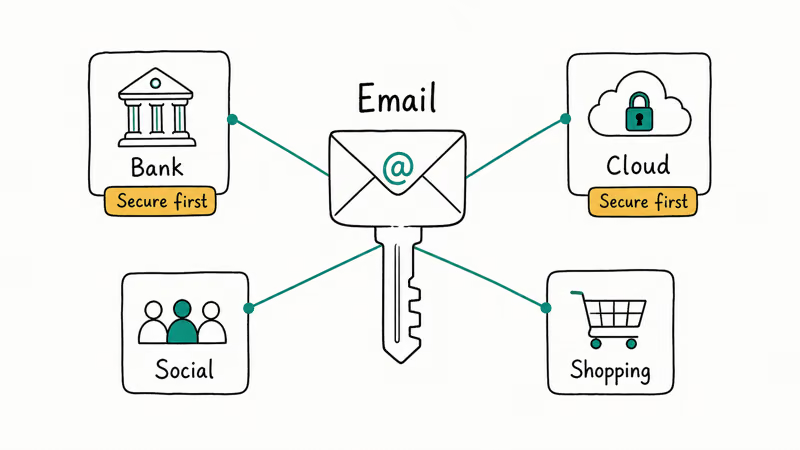
Prioritize by damage. Change passwords and enable two-step verification on your bank, payment apps, primary cloud storage, and main social accounts first, since those carry money or identity. Then work through shopping, streaming, and the rest, checking each for unfamiliar logins.
If you reused the hacked email’s password anywhere, change it there immediately. The how to secure your Google account guide covers a full lockdown if Google is your hub, and the check if your email was in a data breach guide tells you whether your address is already circulating.
Finally, close the loop with the people in your contacts.
#Warn Contacts and Monitor for New Login Alerts
The hack may already be spreading through your name. Attackers use a stolen account to send convincing scams to your contacts, because messages from you look trustworthy.
Tell your contacts directly, by a separate channel like text or a phone call, that your email was compromised and to ignore any odd requests for money or links sent from you recently. Then keep watching. Leave login alerts and two-step verification on, and check the recent-activity log over the next few weeks.
Learning to recognize the bait helps too. The how to spot a phishing email guide explains the lures behind most account takeovers, and if you still can’t regain control, the gmail account recovery guide covers Google’s deeper recovery form. Persistent failure means escalating through official support, not a paid hacker.
#Bottom Line
Use official recovery, change your password from a device you trust, then immediately sign out other sessions and inspect recovery info, forwarding rules, filters, app passwords, and connected apps. A password change alone is not enough if the attacker left forwarding or recovery hooks behind. Secure the bank, social, and cloud accounts tied to that email next, warn your contacts, and report identity theft to IdentityTheft.gov if your personal information was exposed.
#Frequently Asked Questions
What is the first thing to do if my email is hacked?
Confirm it’s your own account, then change the password from a device you trust through the provider’s official recovery page. Skip any third-party “recovery” service.
Should I change my password before checking recovery info?
Change the password first to lock the attacker out, then immediately check recovery info and sessions. A password reset alone won’t help if your recovery email or phone was swapped, so both steps matter and the order is password first, cleanup second.
Forwarding rules that copy your mail elsewhere, filters that auto-delete security alerts, altered auto-replies, app passwords, and connected third-party apps. The FTC recommends deleting any forwarding rule you didn’t create, because that one silent rule lets an attacker keep reading your mail even after you change the password.
What should I do if I cannot sign in anymore?
Use your provider’s official account recovery form. Be patient and accurate, and never pay a “recovery service.”
Which other accounts should I secure after an email hack?
Start with anything tied to money or identity: bank, payment apps, cloud storage, and primary social accounts. Because email resets passwords for most services, an attacker with email access could quietly reach any of those next, and the risk is worst anywhere you reused the same password. Work down from highest-stakes to lowest, changing the password and turning on two-step verification on each one as you go.
Which official source should I trust first?
Trust your email provider’s official recovery page and government consumer guidance like the FTC. For broader fraud or identity theft, the FTC’s IdentityTheft.gov gives a personalized recovery plan. Official provider and government channels come before any third-party tool, and that order protects both your access and your legal standing.

Is This Bank App Real? Spot a Fake App on Your Home Screen
A bank app can land on your home screen from a web page with no install warning. Learn the checks that tell a real banking app from a phishing web app.

Passkeys Not Syncing Between iPhone and Windows? Read This
Passkeys not syncing between iPhone and Windows is by design, not a bug. Here is why iCloud passkeys skip Windows Hello and the three ways to fix it.

VPN Not Working on Snapdragon X? Why It Fails, How to Fix
Your VPN won't install or connect on a Snapdragon X Copilot Plus PC because Windows on ARM can't emulate the network driver. Here are the fixes that work.

How to Check If a Link Is Safe Before You Click It
Learn how to check if a link is safe with official-first steps: read the real domain, use the app instead, and treat scanners as a second opinion only.