What Is an AI PC? The Plain-English Definition for 2026
An AI PC is a computer with an NPU that runs AI on-device. The real bar is the 40-TOPS Copilot+ tier. Here is what counts, what does not, and why.
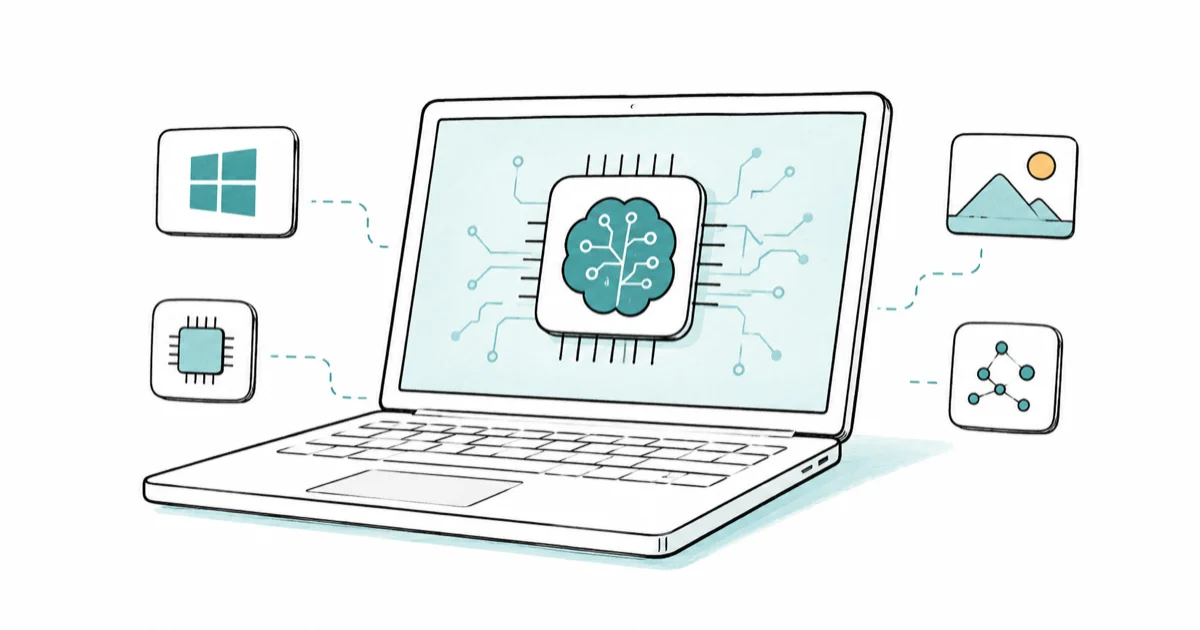
Quick AnswerAn AI PC is a computer with a neural processing unit (NPU) that runs AI tasks on the device. The line that matters is the Copilot+ tier, set by Microsoft at an NPU rated 40 TOPS or more.
An AI PC is a computer with a neural processing unit (NPU), a chip built to run AI work on the machine rather than in the cloud. Marketing stretches the term, so this guide draws the one line that matters and explains why most “AI PC” stickers say less than they look like they do.
There’s a soft definition and a hard one. The soft version is any PC with an NPU at all, which covers a huge and growing range of machines. The hard version is Microsoft’s Copilot+ tier, and that one has a published spec floor you can actually check on the box before you spend a cent.
- An AI PC has a dedicated NPU, a chip designed for the matrix math that neural networks run
- The meaningful bar is Microsoft’s Copilot+ tier: an NPU rated 40 TOPS or higher, plus 16GB RAM and 256GB storage
- Many laptops labeled “AI PC” have a sub-40-TOPS NPU and unlock none of the Copilot+ features
- The NPU is about efficiency, not raw speed; it runs light AI tasks while sipping battery
- Heavy local AI, like a large language model, still leans on the GPU, not the NPU
#The NPU Is the Defining Part
The defining hardware is the NPU. It sits on the same chip package as the CPU and GPU and handles the specific math, mostly matrix multiplication, that powers neural networks.
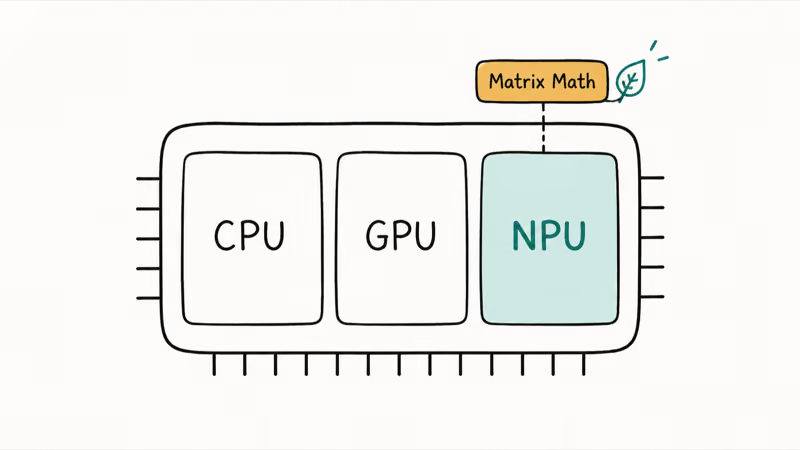
According to Microsoft’s Copilot+ PCs developer guide, an NPU “can perform more than 40 trillion operations per second (TOPS)” and uses energy on AI tasks more efficiently than a CPU or GPU. That efficiency is the real point, not headline speed.
The NPU lets small AI features run in the background without draining your battery. That’s why a laptop can blur your video-call background all day without the fan spinning up. So at the loosest level, an AI PC is simply any PC with an NPU. The catch is that a 10- or 13-TOPS NPU technically earns that label while unlocking almost nothing a regular laptop can’t already do through the cloud.
#The Real Line: Microsoft’s Copilot+ Certification
The line worth knowing is the Copilot+ certification. Microsoft states that a Copilot+ PC needs an NPU “capable of at least 40 TOPS,” plus 16GB of RAM and 256GB of storage, running Windows 11 version 24H2 or newer, per its Copilot+ PCs and Windows PCs differences page.
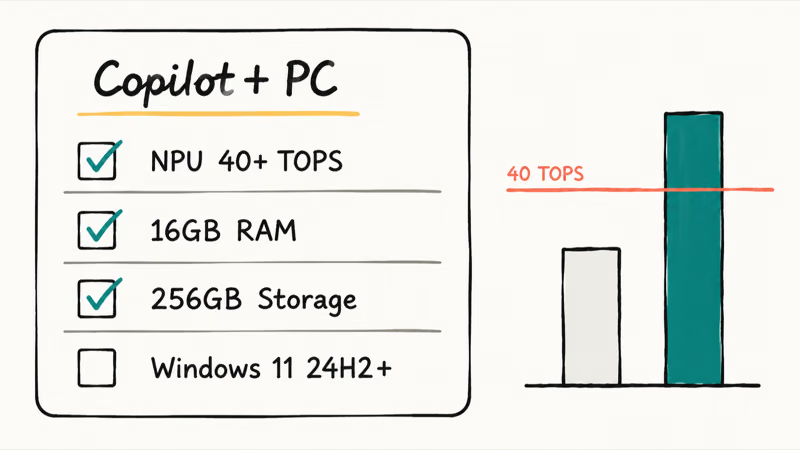
That 40-TOPS figure is the gate for on-device features like Recall, Windows Studio Effects, Cocreator, and Live Captions with translation. If a laptop’s NPU falls short, it can still run Copilot in the cloud, but the exclusive on-device experiences stay locked. Comparing the published spec sheets as Microsoft expanded the program from Snapdragon to Intel and AMD silicon, the 40-TOPS floor held steady the whole way.
This is why the Copilot+ PC badge means something specific while “AI PC” on a box often does not. One is a checkable certification. The other is just a category.
#The chips that clear the bar
Three platforms currently meet or beat the Copilot+ NPU floor:
- Qualcomm Snapdragon X / X Elite (Arm-based, the first wave of Copilot+ PCs)
- Intel Core Ultra 200V series (often called Lunar Lake)
- AMD Ryzen AI 300 series
Apple’s M-series Macs also have a strong Neural Engine, but they sit outside the Copilot+ program because that program is a Windows certification. Qualcomm describes its Snapdragon X Elite NPU as the chip that drives those first-wave Copilot+ machines. If you’re weighing platforms, our MacBook vs Copilot+ PC breakdown covers that split.
#Does an AI PC Actually Do Anything Different?
Yes, but less than the ads suggest. On a Copilot+ machine, the NPU quietly powers local features: background blur in video calls, on-device captioning, and image generation in Paint.
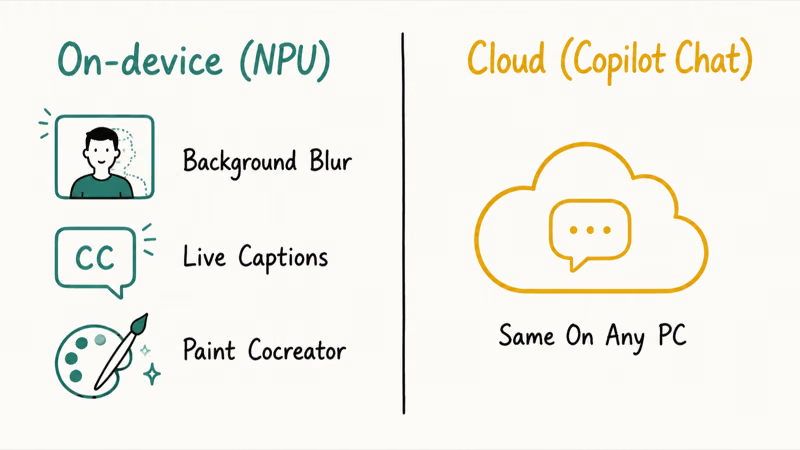
What an NPU does not do is run a big local large language model on its own. Copilot chat still runs through the cloud on standard Windows 11 PCs and Copilot+ machines, so the NPU doesn’t change chat responses by itself. The hardware difference is in the handful of NPU-bound features, not in chat.
#What an AI PC Feels Like Day to Day
For everyday tasks like browsing, spreadsheets, and cloud Copilot chat, an AI PC behaves like any other modern laptop.
The NPU is a bonus capability, not a speed upgrade for the work you already do, so don’t expect your spreadsheets to open faster or your browser tabs to feel snappier just because there’s a neural chip on the package. The gains are narrow and specific to AI features. If you want to know which workloads land on which chip, our NPU vs GPU vs CPU explainer maps it out.
#Is Buying an AI PC Worth It in 2026?
It depends on one thing: whether you want the Copilot+ features. Want Recall and Studio Effects? Buy a certified Copilot+ PC. If not, a regular laptop often serves you better for the money.
#The One Number to Check Before You Buy
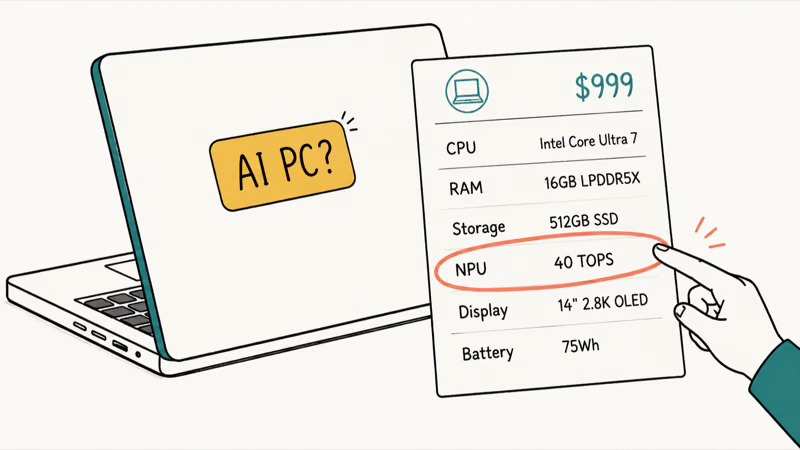
The bigger trap is paying an “AI” premium for an NPU that never clears 40 TOPS. Some laptops carry generic “AI PC” branding even when their NPUs fall below the Copilot+ threshold. Check the TOPS number before you trust the sticker. Our guide on whether you actually need an AI PC walks through that decision in detail.
#Bottom Line
Treat “AI PC” as a loose umbrella and the 40-TOPS Copilot+ certification as the line that matters. If you want on-device AI features, buy a verified Copilot+ PC; if you don’t, skip the premium and put the money toward more RAM or a better screen. The NPU is real and useful, but it’s a quiet efficiency chip, not the magic engine the marketing implies.
AI PCs and Copilot+ Laptops
#Frequently Asked Questions
What is an AI PC in simple terms?
It’s a computer with an NPU, a chip dedicated to AI tasks.
The NPU runs certain AI features directly on the device instead of in the cloud, which mostly saves power and keeps the CPU free for everything else you’re doing. Think of it as a small, efficient co-processor that only wakes up for AI work.
Is every new laptop an AI PC now?
No. Many new laptops still ship without an NPU at all, and several that include one fall well below the 40-TOPS Copilot+ threshold, so the “AI PC” tag on the box tells you a chip exists but nothing about which features it can run.
What is the difference between an AI PC and a Copilot+ PC?
“AI PC” is a broad category for any PC with an NPU. “Copilot+ PC” is a specific Microsoft certification.
That certification requires an NPU rated 40 TOPS or higher, 16GB of RAM, and 256GB of storage, all running Windows 11 24H2 or newer. Every Copilot+ PC is an AI PC, but not every AI PC is a Copilot+ PC.
Do I need an AI PC to use Copilot?
No. Copilot runs in the cloud and works on standard Windows 11 PCs through the taskbar, the Copilot key, or Win+C. You only need a Copilot+ PC for the on-device features like Recall and Studio Effects. See our guide on how to use Copilot in Windows 11 for the basics.
Can an AI PC run a local AI model offline?
Some smaller models can. The NPU is tuned for light, efficient AI tasks rather than large language models, so heavy local AI generally relies on a strong GPU and plenty of memory instead.
How can I tell if my PC has an NPU?
On Windows 11, open Task Manager and check the Performance tab. Microsoft’s documentation confirms that devices with an NPU now show NPU usage there alongside CPU, GPU, and memory. No NPU row means no NPU.

Best Laptop for Running LLMs in 2026: Memory Comes First
The best laptop for running LLMs is a memory purchase first. Compare MacBook unified memory against NVIDIA laptop VRAM, and see what each tier really runs.

How to Run a Local LLM on Windows: A 2026 Setup Guide
Run a local LLM on Windows with LM Studio or Ollama. Pick a model that fits your GPU memory, keep every prompt offline, and skip the monthly bill.

Bluetooth Not Working on Snapdragon X? Fixes for 2026
Bluetooth not working on your Snapdragon X Copilot+ PC? Generic audio, mice, and keyboards work, but vendor apps often lack an ARM build. Fixes inside.

Docker Desktop and WSL2 Not Working on Snapdragon X? Fix It
WSL2 runs fine on Snapdragon X, but Docker Desktop ARM is Early Access and throws WSL errors. Use WSL2 plus native ARM64 Ubuntu and Docker Engine.