MacBook vs Copilot+ PC: Which AI Laptop Wins in 2026?
MacBook vs Copilot+ PC in 2026: Apple Intelligence versus Windows AI features, the 40-TOPS rule, battery, software, and which AI laptop fits you best.
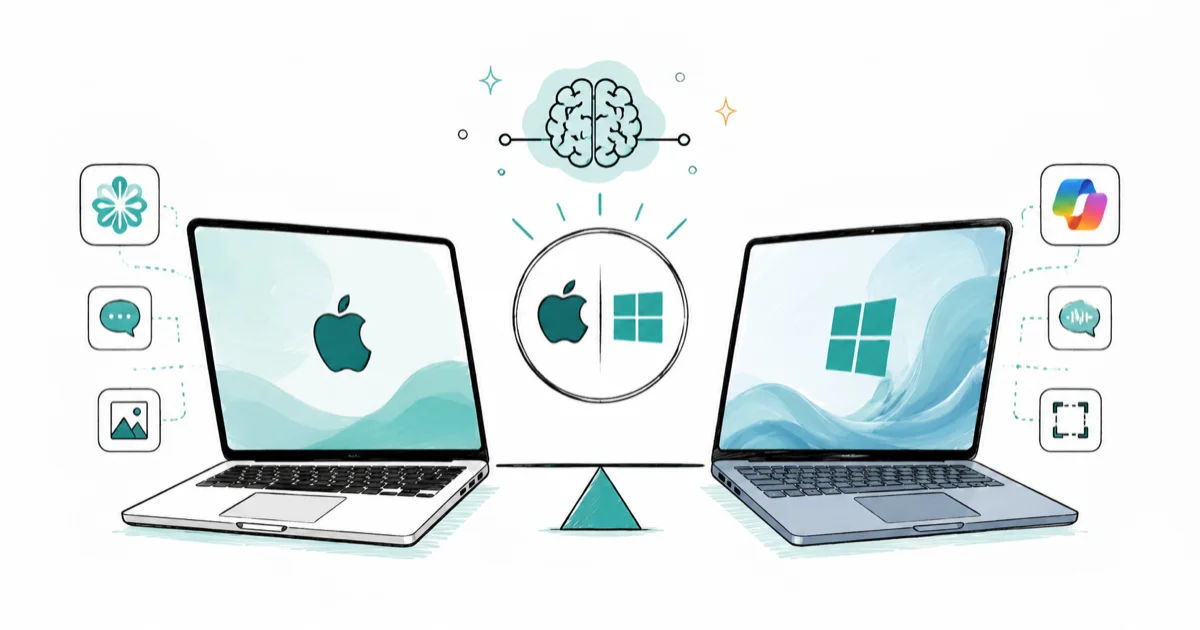
Quick AnswerA MacBook runs Apple Intelligence on any M1 or newer chip with no separate AI spec to clear, while a Copilot+ PC needs a 40-TOPS NPU to unlock Windows AI features like Recall and Live Captions. Pick the MacBook for a polished, mature experience or the Copilot+ PC for wider hardware choice and Windows software.
MacBook vs Copilot+ PC is really a contest between two AI philosophies. Apple bakes Apple Intelligence into every recent MacBook with no special “AI laptop” label, while Microsoft draws a hard hardware line and reserves its best AI features for certified Copilot+ machines. Both deliver useful on-device AI in 2026, so the winner comes down to which ecosystem fits your software, your budget, and how much polish you expect on day one.
- Apple Intelligence runs on any Mac with an M1 chip or newer, with no separate TOPS requirement to meet.
- A Copilot+ PC must have a 40-TOPS NPU plus 16GB of RAM and a 256GB SSD to unlock Windows AI features.
- MacBooks offer fewer models but a tightly integrated, mature AI experience across the system.
- Copilot+ PCs span dozens of brands and price points, with exclusive features like Recall and on-device Live Captions translation.
- Your required software still decides the platform more than the AI features do.
#How Do the Two AI Approaches Differ?
The split starts with hardware gating. Apple’s support documentation states that Apple Intelligence needs about 7 GB of free storage and a Mac with M1 silicon or newer, per its system requirements, running macOS Sequoia 15.1 or later. There’s no TOPS number to chase.
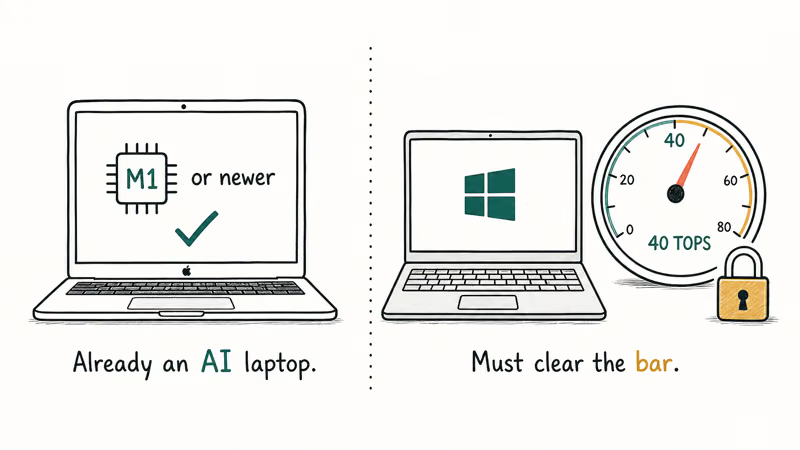
If your MacBook has Apple silicon, it’s already an AI laptop. No badge, no certification, no spec sheet to decode.
Microsoft takes the opposite tack. The Copilot+ PC requirements page states that a machine needs an NPU rated at 40 TOPS, plus 16GB of RAM and a 256GB SSD, before it can install features like Recall, Cocreator, and Live Captions translation. A regular Windows laptop without that NPU simply doesn’t get them, no matter how fast its CPU runs.
That difference shapes everything else. Apple gives you a small, consistent menu on hardware you may already own. Windows hands you a sprawling market where you check the chip first but win far more choice.
#Apple Intelligence: Mature and Tightly Integrated
Apple’s strength is integration. Writing Tools sit inside any text field to rewrite, proofread, and summarize, Image Playground and Genmoji generate visuals, notification summaries trim your lock screen, and the whole set lives inside macOS rather than bolted on as a separate app you have to remember to open.
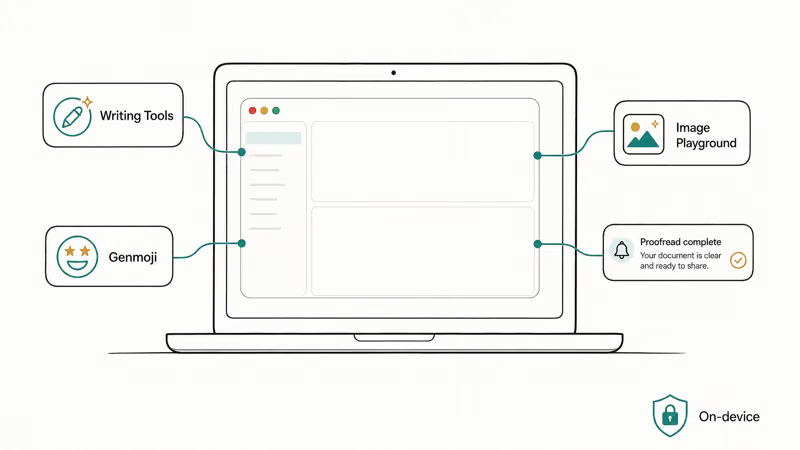
Apple’s developer documentation confirms that these features run on-device where possible, with Private Cloud Compute handling heavier requests without storing your data. Privacy is Apple’s loudest selling point here, and the architecture backs the claim: requests that leave the device go to servers that never retain what you send, which is a sharper privacy posture than most cloud AI offers and a genuine differentiator against the Windows approach.
The trade-off is reach and timing. Apple Intelligence covers fewer headline tricks than Microsoft’s list, and the fully revamped, context-aware Siri slipped from its original window into 2026, so the experience feels polished and quiet rather than broad.
For most MacBook owners that’s the point. The AI shows up where you already work, on a laptop known for long battery and silent operation, and you don’t think about TOPS, certification, or whether your model qualifies. If you’re cross-shopping the hardware itself, our MacBook Air M4 vs Windows laptop comparison covers the battery and build differences in detail.
#Copilot+ PC: More Features, More Choice, More Homework
Windows swings the other way, toward breadth. A Copilot+ PC gives you Recall to search your past activity, Cocreator for image generation in Paint, and Windows Studio Effects for video calls. Microsoft states that Live Captions translates audio from 40 languages into English captions in real time, which is a longer feature list than Apple’s today.
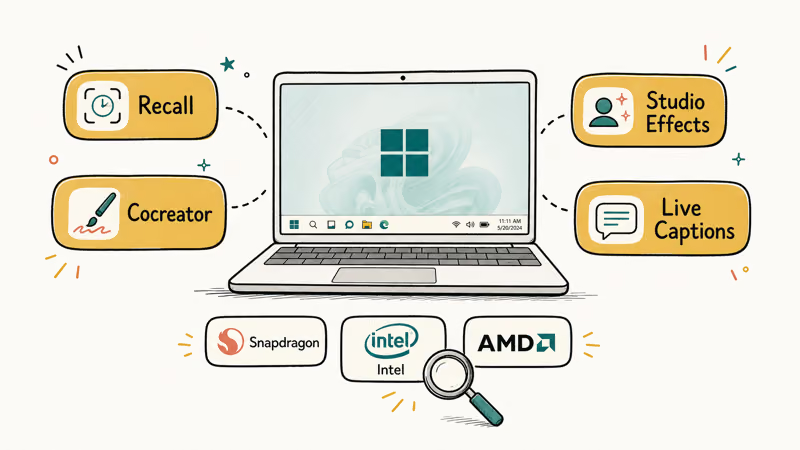
You also get choice Apple can’t match. Copilot+ laptops come from many brands across ARM and x86, in sizes and prices from budget to premium, so there’s a machine for almost any need or wallet.
The cost of that breadth is homework. You have to confirm a laptop actually has a qualifying 40-TOPS chip, because the “AI PC” sticker alone doesn’t guarantee it, and you have to pick between Snapdragon, Intel, and AMD silicon. Our guide on the three-way AI chip decision breaks down that choice, and our AI PC vs regular laptop explainer covers whether the NPU is worth paying for at all.
#The Software Question Still Comes First
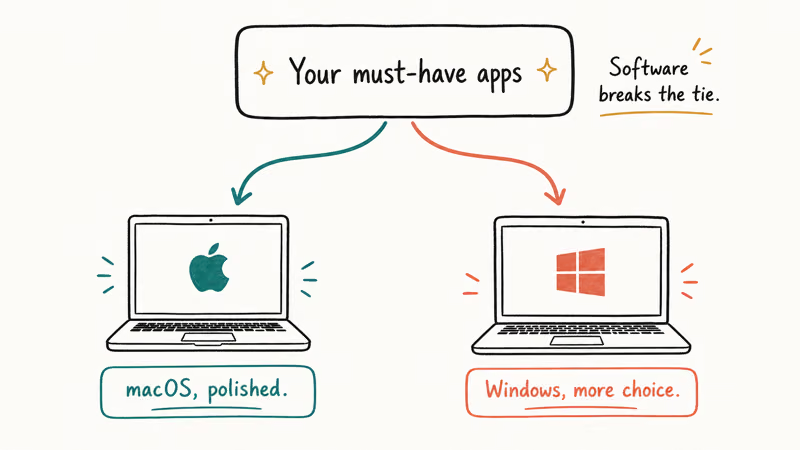
Before any AI feature enters the math, ask which apps you must run. A single Windows-only tool can decide the whole purchase.
This is also where cloud AI levels the field. Browser tools like the web version of Copilot run on either platform, so our walkthrough on how to use Microsoft Copilot works on a MacBook too. On-device AI is the only piece the hardware truly gates.
#Which AI Laptop Should You Choose?
Start with your software, because that still trumps AI features. If you live in macOS apps, Final Cut, or the Apple ecosystem, a MacBook is the natural pick and its AI comes free with the chip. If you need Windows-only software, the widest hardware choice, or a specific budget, a Copilot+ PC wins.
Then weigh maturity against breadth. Apple does fewer features smoothly; Windows does more features across more models. Neither is objectively better.
One honest caveat applies to both. The AI layer is still young on each platform, and the features people use most, like dictation and call effects, matter more than the long marketing lists.
#A Note on Maturity Versus Breadth
It’s worth naming the real pattern under all the feature talk. Apple ships fewer AI features but tunes them tightly into a curated lineup, while Microsoft ships more features across a vast hardware market and asks you to do the vetting. For creative work specifically, our Mac vs PC for video editing breakdown is a better starting point than any AI checklist, since that workload leans on the GPU.
#Bottom Line
If you already own or want a Mac, a MacBook is the simpler AI laptop. Apple Intelligence runs on any M1-or-newer chip, the features are polished, and you skip the entire TOPS-and-certification hunt that Windows shoppers face.
If you want maximum choice, Windows-native software, or specific AI features like Recall and on-device caption translation, a Copilot+ PC is the stronger answer, as long as you confirm the 40-TOPS NPU before buying. Let your required apps break the tie first, then pick the platform whose AI style fits how you actually work.
AI PCs and Copilot+ Laptops
#Frequently Asked Questions
Does a MacBook count as an AI PC?
In practice, yes. Any Mac with an M1 chip or newer runs Apple Intelligence with no separate certification, even without the “AI PC” label.
Do I need a Copilot+ PC to get Windows AI features?
For the exclusive ones, yes. Recall, Cocreator, and on-device Live Captions translation only install on a certified Copilot+ PC with a 40-TOPS NPU. Regular cloud AI like the web version of Copilot still works on any Windows laptop.
Which has better AI features, MacBook or Copilot+ PC?
Copilot+ PCs currently offer a longer list of on-device AI features, including Recall and caption translation. MacBooks offer fewer features but a more integrated, consistent experience. The better choice depends on whether you value breadth or polish.
Is Apple Intelligence available on Intel Macs?
No, and this is the closest Apple comes to Microsoft’s hardware gate. Apple Intelligence requires Apple silicon, meaning an M1 chip or newer, so older Intel-based MacBooks can’t run it even after updating to the latest macOS. The reasoning is the same on both sides: the AI features need a dedicated neural engine or NPU that older chips lack, which is why the cutoff lands where it does rather than being a simple software toggle.
Does battery life differ much between the two?
Both modern MacBooks and the best Snapdragon Copilot+ PCs deliver long battery life, since both lean on efficient chip designs. Individual results vary by model and workload, so compare specific laptops rather than assuming one platform always wins on runtime.
Will my software run on both platforms?
Not always, and that’s the deciding factor for many buyers. macOS and Windows run different app libraries, and some professional or Windows-only tools have no Mac version. Check that your essential software exists on a platform before choosing it for the AI features.

Best Laptop for Running LLMs in 2026: Memory Comes First
The best laptop for running LLMs is a memory purchase first. Compare MacBook unified memory against NVIDIA laptop VRAM, and see what each tier really runs.

How to Run a Local LLM on Windows: A 2026 Setup Guide
Run a local LLM on Windows with LM Studio or Ollama. Pick a model that fits your GPU memory, keep every prompt offline, and skip the monthly bill.

Bluetooth Not Working on Snapdragon X? Fixes for 2026
Bluetooth not working on your Snapdragon X Copilot+ PC? Generic audio, mice, and keyboards work, but vendor apps often lack an ARM build. Fixes inside.

Docker Desktop and WSL2 Not Working on Snapdragon X? Fix It
WSL2 runs fine on Snapdragon X, but Docker Desktop ARM is Early Access and throws WSL errors. Use WSL2 plus native ARM64 Ubuntu and Docker Engine.