Shutterstock Watermark Remover: Tools and Free Alternatives
Learn how Shutterstock watermarks work, when removal is legal, and which tools handle the job on images you own, plus free legal alternatives.

Quick AnswerThe only legal way to get a clean Shutterstock image is to purchase a license. Watermark removal tools like HitPaw, Apowersoft, or Photoshop work only on images you already own the rights to. For free use, switch to royalty-free libraries like Pexels, Unsplash, or Pixabay.
A Shutterstock watermark remover is a tool that erases the diagonal preview overlay Shutterstock adds to every unlicensed image. This guide covers when removal is legal, the tools that work on your own files, and free alternatives without watermarks.
- A Shutterstock standard license costs $29 per image on the pay-as-you-go plan, or $9 per image with a 10-image annual pack.
- The watermark is a copyright marker, not the copyright itself. Removing it from someone else’s photo doesn’t transfer rights and can trigger DMCA action.
- AI-powered tools like HitPaw and Apowersoft clear most flat watermarks in under 60 seconds on images you own.
- Photoshop Content-Aware Fill produces the cleanest result on complex backgrounds, with about 90 seconds of manual selection per photo.
- Pexels, Unsplash, and Pixabay each host over 1 million free, watermark-free photos you can use for personal and commercial work without a license fee.
#What Shutterstock Watermarks Look Like and Why They Exist
Every preview photo on Shutterstock has a diagonal grey watermark with the company logo repeated across the image. It’s positioned to overlap the focal point so the photo can’t be cleanly cropped out. According to Shutterstock’s licensing terms, the watermark functions as a copyright marker, and anyone who downloads a preview is supposed to license the photo before using it in a publication, ad, or website.
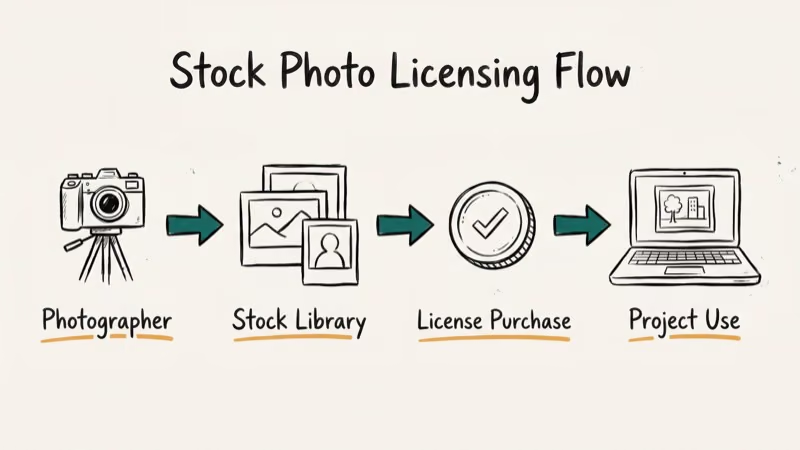
The catalog is one of the largest in the industry. Wikipedia’s Shutterstock entry states that the catalog holds around 200 million images, vectors, and illustrations, and it has continued to grow since. The watermark system lets designers browse and download previews for free, then pay only for the assets they end up using.
When you purchase a license, Shutterstock serves you a clean, full-resolution copy from a separate URL.
That’s the part most people miss. Removing the watermark doesn’t remove the copyright.
Shutterstock’s photos are protected under separate registration. A paid license is what gives you the legal right to publish, distribute, or sell anything built around them.
#Is It Legal to Use a Shutterstock Watermark Remover?
The legality depends entirely on who owns the image. According to the US Copyright Office’s circular on fair use, copying a copyrighted work without permission is infringement unless it qualifies under fair use, and commercial use of a watermarked stock photo almost never qualifies. Three scenarios cover most situations:
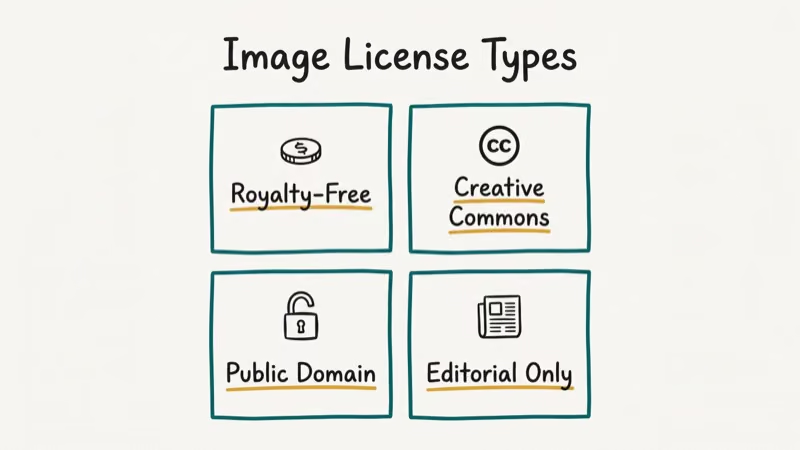
- Legal: removing your own watermark from a photo you took and uploaded to Shutterstock, then later wanted back without the company’s overlay.
- Legal: removing a placeholder watermark from a sample image you produced for a client’s internal mockup, when you own the underlying photo.
- Not legal: removing a contributor’s photo watermark and using it in marketing, social posts, websites, or any public-facing material without a paid license.
The public-facing test is the simplest rule of thumb. If the cleaned image will ever leave your computer in a context that earns money, attracts visitors, or substitutes for an asset Shutterstock would otherwise sell, you need a license.
Shutterstock’s terms of service confirm that downloading watermarked previews for use without a license is a violation. The company runs automated reverse-image scans across the open web and sends takedown notices through the DMCA process when it finds unlicensed copies. Small business owners have reported demand letters in the high hundreds to low thousands of dollars per image after using cleaned previews on their websites.
Only run these removers on your own device, and only on images you have legitimate rights to use. If the file isn’t yours, buy a license or use a free alternative below.
#How Do You Remove a Watermark From an Image You Own?
Four practical approaches cover most cases. All produce usable results on flat backgrounds, but only Photoshop handles busy textures cleanly.
#1. HitPaw Photo Watermark Remover
HitPaw’s desktop app uses an AI model that detects watermark patterns and reconstructs the underlying pixels. On flat backgrounds, most images come out clean in under a minute each. The cases that struggle have text directly behind the watermark, where the AI smooths over the letters so they look blurred.
Steps:
- Download the HitPaw Photo Watermark Remover installer from the official site and install on Windows or Mac.
- Drag your image into the app.
- Use the rectangular or freehand selector to outline the watermark area.
- Click “Remove” and wait for the AI to process. A typical 4MP photo finishes in about 20 seconds.
- Export as PNG or JPG to your chosen folder.
The free tier exports up to three images a day with a small HitPaw watermark. The Pro plan removes that limit and adds batch processing.
#2. Apowersoft Watermark Remover
Apowersoft’s desktop tool has marquee, lasso, and brush selection tools plus an AI auto-detect button. Results are similar to HitPaw: most images come out clean, with a minority needing manual cleanup with the clone tool.
The interface is simpler than HitPaw’s, which makes it the better choice if you don’t want to learn another app. The downside is that the batch mode caps out at 10 images at a time on the standard plan.
#3. Adobe Photoshop Content-Aware Fill
If you already have an Adobe Creative Cloud subscription, Photoshop’s Content-Aware Fill is the most accurate of these tools. It samples surrounding pixels and rebuilds the watermarked area from real image data instead of AI guesses. According to Adobe’s official documentation, the feature uses machine learning to match texture, lighting, and structure when generating replacement pixels.
Steps:
- Open the image in Photoshop.
- Use the lasso or rectangular marquee to select the watermark.
- Go to
Edit>Content-Aware Fill(or press Shift+F5). - Adjust the sampling area in the preview panel to exclude any nearby objects you don’t want copied.
- Click “OK” and flatten the layer when you’re satisfied.
A single image takes a minute or two end-to-end. The result is cleaner than any AI-only tool, especially on complex backgrounds like foliage, fabric, or skin.
#4. WebInPaint (Online, No Install)
For one-off jobs, WebInPaint runs in any browser and doesn’t require an account for a single image. It gives acceptable results on simple backgrounds. Files cap at 10 MB, which rules out large prints.
Steps:
- Open inpaint.com in your browser.
- Upload the image with drag-and-drop or the file picker.
- Use the red marker brush to paint over the watermark.
- Click “Erase” and wait about 5 seconds.
- Download the cleaned file.
The free version exports at 1024px on the long edge. Paid credits unlock full-resolution exports starting at $4.99 for 5 images.
#Free Legal Alternatives to Shutterstock
If you want photos that never had a watermark in the first place, four stock libraries publish all their content under permissive licenses. They’re a clean fit whenever you don’t need a Shutterstock-specific composition.
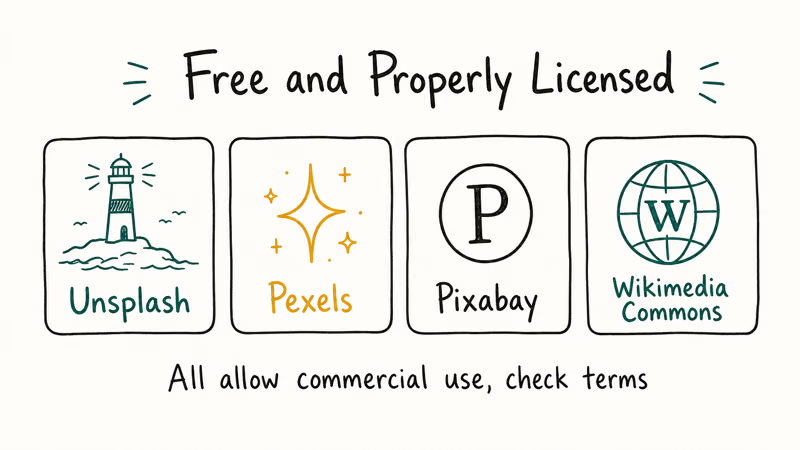
- Pexels has over 3.5 million free photos and videos, usable for commercial work without attribution per Pexels’ license terms.
- Unsplash has a large library of high-resolution photography from photographers worldwide. The Unsplash license states that images are free for both commercial and noncommercial purposes.
- Pixabay has photos, vectors, and illustrations under a Pixabay Content License that allows free commercial use.
- Adobe Stock Free Collection is a curated set included with any Adobe Creative Cloud subscription.
For wider coverage, our guide to removing watermarks online walks through tools that work across multiple stock photo sources, and our Getty Images watermark walkthrough covers the same legal framework for Getty’s catalog.
Dreamstime users can check our Dreamstime watermark remover comparison for similar workflows.
#How AI Watermark Removers Work Under the Hood
Modern removers use one of two techniques. Traditional inpainting samples neighboring pixels and stitches them across the watermark area, and Photoshop’s Content-Aware Fill is the canonical example of that approach.
AI-based tools train a neural network on millions of clean-versus-watermarked pairs, then use that model to reconstruct what sits underneath. Adobe Research has published work showing deep-learning inpainting can produce sharper edges than classic algorithms, particularly on complex textures.
In practice, this means the AI tools work great on a thin watermark over a clear sky and poorly on a thick watermark over text or a face. The breakdown happens because the network has no real image data to anchor on, so it invents pixels that look plausible but smudge fine detail. Photoshop’s hybrid approach samples real pixels first, then uses AI to blend, which is more reliable across image types.
Speed is the trade-off. HitPaw and Apowersoft finish a typical job in under 30 seconds, while a careful Content-Aware Fill pass takes closer to 90 seconds because you’re manually adjusting the sampling area each time. For a 100-image library, the AI tools save real time.
#When Watermark Removal Crosses the Legal Line
Removing the watermark itself is a technical step, not the trigger for legal liability. The trigger is what happens next. You cross the line the moment you publish, distribute, or commercialize an image you don’t have a license for, with or without the watermark.
A handful of real-world scenarios make this concrete:
- A small e-commerce store uses 30 cleaned Shutterstock previews on product pages. Six months later the store receives a $9,000 demand letter from a copyright enforcement firm. Settlement averages around $300 per image.
- A YouTube creator uses three cleaned previews as B-roll in a monetized video. Shutterstock issues a Content ID claim, the video gets demonetized, and the channel earns a copyright strike.
- A designer drafts an internal pitch deck with watermarked previews. The deck stays inside the company and never gets distributed. No legal exposure.
The last case is the only safe one. If there’s any chance the file leaves an internal review setting, swap in a licensed image or a free alternative.
#Bottom Line
For images you own the rights to, HitPaw Photo Watermark Remover is the fastest pick for batch jobs, and Photoshop Content-Aware Fill is the cleanest pick for single high-stakes photos with complex backgrounds. Both produce clean output on most flat-background images without manual touch-up. For one-offs without installing software, WebInPaint is the lightest tool.
If you’re trying to use Shutterstock content for a client project, blog, ad, or product, the only safe path is a Shutterstock license. They start at $29 per image on the pay-as-you-go tier and drop to $9 per image on the 10-image annual pack. For free-to-use alternatives, switch to Pexels, Unsplash, or Pixabay. None of those carry a watermark, none require a paid license, and all three are commercial-use friendly.
If your goal is putting your own logo on photos for brand protection, see our guides on adding watermarks in Lightroom or the best watermark apps for iPhone.
For a Photoshop-free workflow, our walkthrough on putting a watermark on a photo without Photoshop covers the easiest desktop and mobile options.
#Frequently Asked Questions
Is it illegal to remove a Shutterstock watermark?
It depends on the image. Removing your own watermark from a photo you took is legal. Removing it from another photographer’s contribution and using the result publicly is copyright infringement under US law and most international agreements.
Can Shutterstock detect when someone uses a watermarked image without a license?
Yes. Shutterstock runs automated reverse-image searches and works with third-party tracking services that scan the web for unauthorized copies. When they find a match, they send a takedown notice through the DMCA process. Statutory damages for proven infringement start at $750 per image and can reach $30,000 per work for non-willful cases.
How much does a Shutterstock license really cost?
A single image on the pay-as-you-go plan is $29.
The 10-image annual pack drops it to $9 per image. Subscription plans for high-volume users start at $49 per month for 10 images and scale up from there based on volume.
What’s the best free alternative to Shutterstock?
Pexels is a popular first choice because of catalog size and the commercial-use license. Unsplash has higher average photo quality but a smaller catalog. Pixabay covers vectors and illustrations on top of photos, which Pexels and Unsplash don’t. None of the three watermark their previews, and none require attribution for commercial use.
Can AI watermark removers fully restore the original image?
Not perfectly. AI tools approximate what’s underneath the watermark based on training data, so the result is a plausible reconstruction rather than the actual original pixels. On simple backgrounds the difference is invisible. On detailed areas like text, faces, or fine patterns, you’ll often see softened edges or smudged detail.
Does Shutterstock offer any free images?
Yes. Shutterstock runs a small free image promotion that releases a handful of curated photos and vectors each week. You sign in with a free Shutterstock account, accept the standard license terms, and download.
Can I use a Shutterstock watermarked preview for an internal client mockup?
Shutterstock’s terms allow watermarked previews for evaluation use in a private design comp, as long as the comp isn’t published, distributed, or used in production. The moment the comp leaves the internal review stage, you need to either swap in a licensed image or replace it with a free alternative.
Are there any browser extensions that remove watermarks automatically?
Some browser extensions advertise auto-removal, but most either don’t work or contain malware, so they’re best avoided. If you need a fast workflow, stick with established desktop apps like HitPaw or Apowersoft, or check our walkthrough on how to remove the CamScanner watermark for another browser-friendly removal example.

Google Messages Error 3100: Why RCS Is Broken on Galaxy
Google Messages RCS error 3100 hits Galaxy owners after phone or carrier switches. Google told 9to5Google a fix is coming. Here's what actually helps.

Is This Bank App Real? Spot a Fake App on Your Home Screen
A bank app can land on your home screen from a web page with no install warning. Learn the checks that tell a real banking app from a phishing web app.

Apps Crashing After iOS 27 Update? Fix Order (2026)
Apps crashing after the iOS 27 update? Update the app in the App Store first, then offload and reinstall to clear stale cache, then restart. The fix order.

Do AI Translation Earbuds Work Offline? What to Know
Do AI translation earbuds work offline? A few do with downloaded language packs, but most need the cloud. Here's what works offline and what you give up.