Translation Earbuds Not Translating? How to Fix Them
Translation earbuds not translating? Usually it's the app, the internet, or the language settings. Here's how to fix pairing, sound, and lag fast.
Quick AnswerTranslation earbuds usually stop translating because the companion app crashed, the internet dropped, or the languages aren't set. Restart the app, re-pair the buds, confirm both languages and the mode, and check your connection.
Translation earbuds that pair fine but won’t translate are frustrating in the moment you actually need them. The good news is the cause is almost always software or settings, not a dead device. Start with the checks most likely to restore translation quickly.
- The translation runs inside the companion app, so a crashed or backgrounded app is the most common reason audio goes silent
- Live translation needs a steady internet connection, and a weak signal shows up as long pauses or no output at all
- A few seconds of delay after each sentence is normal, not a fault, because the audio makes a round trip to the cloud
- If only one earbud responds, both buds have fallen out of sync and need a reseat in the case
- Wrong or unset languages make the earbuds play nothing, since they don’t know what to translate to
#Why Aren’t Your Translation Earbuds Translating?
Pairing and translating are two different jobs. The earbuds connect over plain Bluetooth, but the actual translation happens in the maker’s app talking to a cloud service. So when the buds work as headphones but produce no translation, the break is upstream of the hardware.
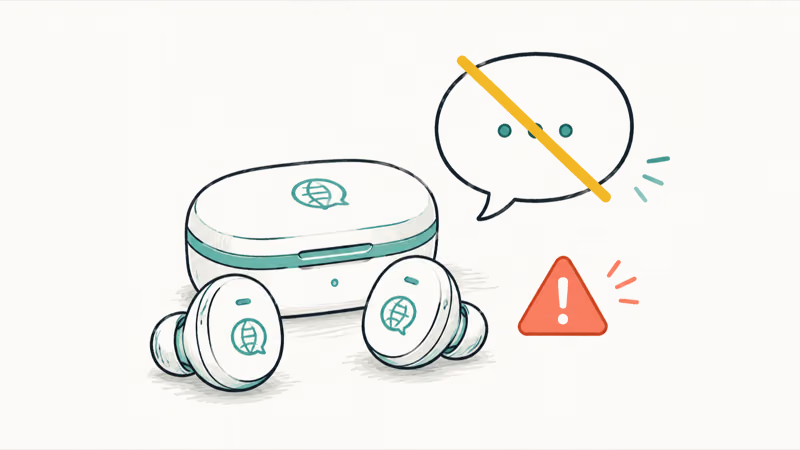
The usual causes are a stalled app, a dropped connection, wrong language settings, the wrong mode, or buds that lost sync. Walk them in order.
New to the device and not sure the basics are right? The guide to setting up translation earbuds covers the correct pairing and language order, which rules out half of these problems before you start.
#Fix 1: Restart the App and Re-Pair
Start here, because it clears the most common fault in one move.
Force-close the companion app completely, then reopen it. A backgrounded or crashed app stops feeding audio to the cloud, and Timekettle’s own products FAQ recommends checking the app first when sound or translation drops out. If a relaunch doesn’t help, forget the earbuds in your phone’s Bluetooth settings, then pair again from inside the app.
A clean re-pair can restore translation when the earbuds go silent after pairing. If pairing itself fails, the same steps that fix a stubborn AirPods connection failure apply, and according to Apple’s guide on a Bluetooth accessory that won’t connect, removing the device and adding it again clears a stuck link.
#Fix 2: Check Your Internet Connection
No connection, no translation. It’s that direct.
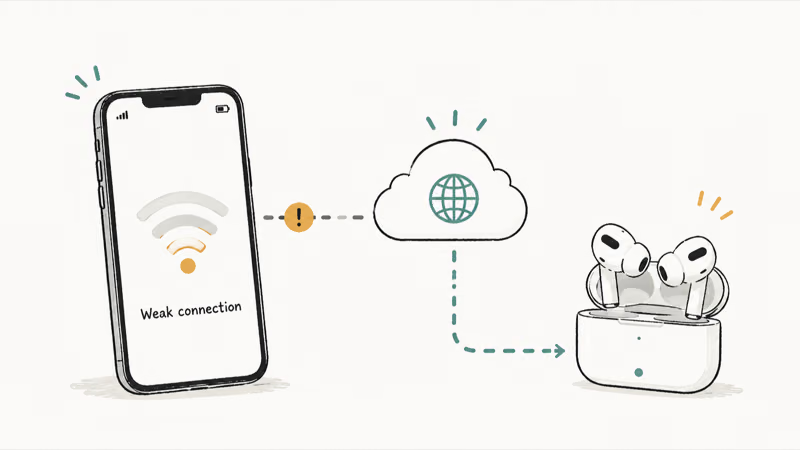
Most translation earbuds send your speech to the cloud and stream the result back, so a weak internet connection looks exactly like a broken device. Switch between Wi-Fi and mobile data to see which is stronger. On a train or in a basement, a single bar can stall the round trip into silence. If you travel off-grid, the roundup of the best AI translation earbuds and best AI earbuds for 2026 mark the few that work offline.
#Fix 3: Confirm Languages and the Right Mode
A surprising number of “not translating” reports are really a settings slip.
Open the app and check that both languages are set: your own, and the one you’re translating to or from. If they’re blank or wrong, the earbuds have nothing to do. Then confirm the mode matches the situation, since a one-way listening mode won’t translate your own voice back to the other person. Pick the face-to-face mode for a real conversation.
#Fix 4: Only One Earbud Works? Re-Sync the Pair
When one bud translates and the other stays quiet, the two have drifted out of sync.
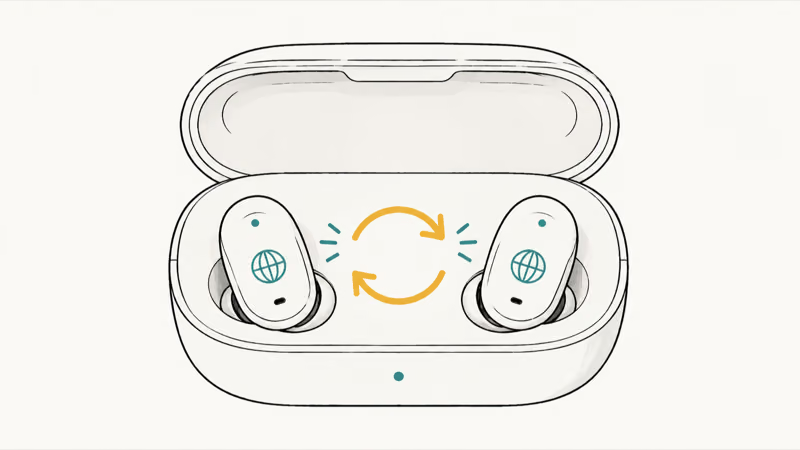
Put both earbuds back in the charging case, wait a few seconds, then take them out together so they re-pair as a set. This is the same desync that makes AirPods play in only one ear, and the fix is identical. Apple’s Bluetooth pairing guide recommends the same reseat when an accessory won’t sync. A bud that still won’t wake may just be flat, so charge it alone for a few minutes.
#Is the Translation Lag Normal?
Some delay is built in, and it trips people into thinking the device is broken.
Because your words travel to a cloud service and back, expect a few seconds between the end of a sentence and the translation in your ear. That’s normal. What isn’t normal is a delay that keeps growing or never resolves, which points back to a weak connection or an overloaded app.
Slowing down and pausing clearly at each sentence’s end can help the app tell where one thought stopped. If lag stays severe on a strong connection, restart the app and reconnect.
#Bottom Line
Translation earbuds that won’t translate are rarely broken hardware. Usually it’s the app, the internet, the language settings, or a desynced pair. Restart the app and re-pair first, confirm a steady connection, then check both languages and the mode, reseating both buds if only one responds. Remember that a few seconds of delay is the cloud doing its job, not a fault to chase.
#Frequently Asked Questions
Why do my translation earbuds pair but not translate?
Because pairing and translating are separate. The buds connect as Bluetooth headphones, but translation runs in the companion app and a cloud service. If audio goes silent, restart the app first, then confirm your internet connection and language settings.
Do translation earbuds work without internet?
Most need a connection, since live translation happens in the cloud. A weak signal shows up as long pauses or no output. A few models download offline language packs, so check your model’s specs if you’ll be somewhere without service.
How much delay is normal on translation earbuds?
A few seconds after each sentence is expected, because your speech makes a round trip to a translation server and back. A delay that keeps growing or never clears is the real warning sign, and it usually traces to a weak connection or a stalled app.
Why is only one of my translation earbuds working?
The two buds have fallen out of sync. Put both back in the case, wait a moment, then remove them together so they re-pair as a set. If one still won’t respond, charge it alone for a few minutes in case it’s simply flat.
My translation earbuds were working and suddenly stopped. What happened?
Usually the app crashed in the background or the connection dropped. Force-close and reopen the app, confirm Wi-Fi or data is steady, and the translation typically returns. A re-pair clears anything the relaunch misses.
Do I need to update firmware to fix translation problems?
Sometimes. Makers ship compatibility and bug fixes through the companion app, so an update can resolve odd dropouts. Run it with the earbuds charged and connected so the update doesn’t fail partway.
When should I contact support instead of troubleshooting?
If the buds pass every check here, work in the system camera or audio test, yet still won’t translate on a strong connection, the issue may be hardware or your account. At that point the maker’s support team can check your device and subscription directly.

Is This Bank App Real? Spot a Fake App on Your Home Screen
A bank app can land on your home screen from a web page with no install warning. Learn the checks that tell a real banking app from a phishing web app.

Apps Crashing After iOS 27 Update? Fix Order (2026)
Apps crashing after the iOS 27 update? Update the app in the App Store first, then offload and reinstall to clear stale cache, then restart. The fix order.

Do AI Translation Earbuds Work Offline? What to Know
Do AI translation earbuds work offline? A few do with downloaded language packs, but most need the cloud. Here's what works offline and what you give up.
How to Set Up Translation Earbuds (Pairing and Modes)
How to set up translation earbuds: charge, install the app, pair over Bluetooth, pick two languages, and choose a mode. A step-by-step first-use guide.