How to Remove CamScanner Watermark: 4 Safe Methods (2026)
Remove the CamScanner watermark from your own scans using free apps like Adobe Scan, a Premium upgrade, Google Docs, or a PDF editor. 2026 step-by-step.
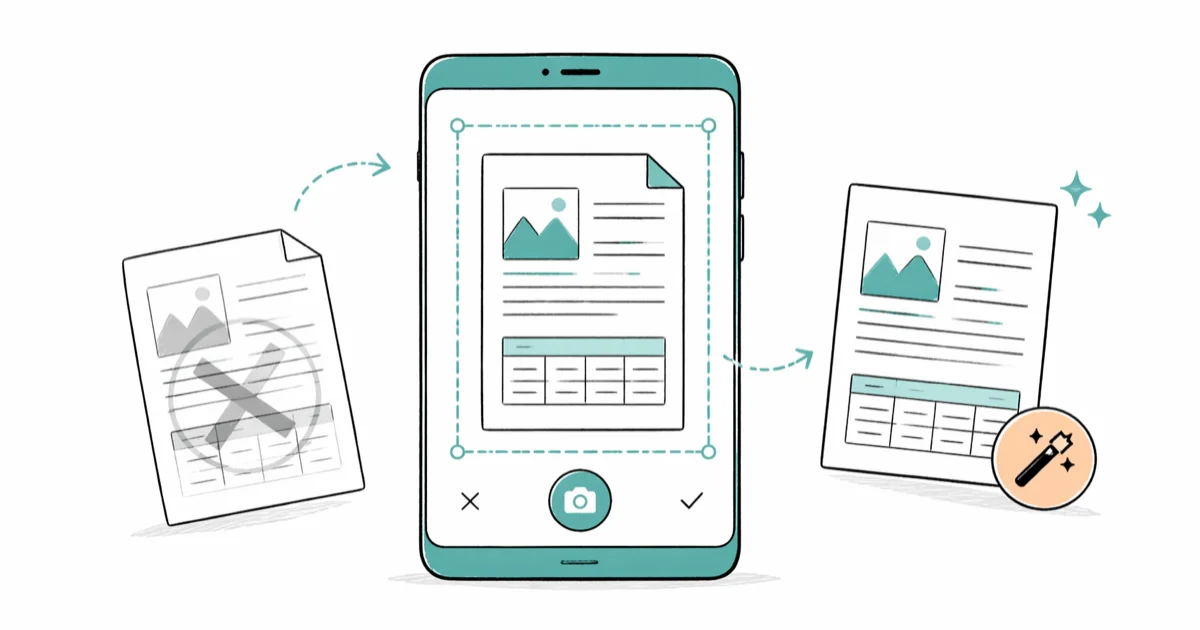
Quick AnswerThe safest way to remove the CamScanner watermark is to rescan your document with a free no-watermark scanner like Adobe Scan, Microsoft Lens, or your phone's built-in tool. CamScanner's free tier stamps every PDF you export, so only a Premium subscription or a different scanner app produces a clean file.
Trying to figure out how to remove the CamScanner watermark from a PDF you scanned yourself? The free version of the app stamps every page with “Scanned by CamScanner,” which looks unprofessional when you forward a contract, a homework packet, or a tax form. Of the five removal paths covered below, only two reliably produce clean output without breaking the document layout.
This guide covers the methods that worked, the ones that didn’t, and the legal limits you should respect before stripping any watermark.
- Rescanning with a free no-watermark app is the fastest fix; Apple Notes, Adobe Scan, and Microsoft Lens each export a multi-page PDF quickly with zero CamScanner branding.
- CamScanner Premium clears the watermark from every existing and future scan stored in the app once you subscribe, but the auto-renewing plan is billed monthly or annually through your app store.
- Opening a watermarked PDF in Google Docs only strips the stamp when CamScanner saved it as a text layer; image-based watermarks (the default since the 2019 redesign) stay locked to the page background.
- Cropping the watermark in a free desktop PDF editor is the safest option for one-off documents because it leaves the original text untouched and works offline on Windows and macOS.
- Modded CamScanner APKs and pirated “premium” clones repeatedly flag as malware in independent scanner tests, so they’re best avoided in favor of the supported routes below.
#Why Does CamScanner Add a Watermark to My Scans?
CamScanner is a freemium mobile scanner from INTSIG Information, a company based in Shanghai. According to CamScanner’s pricing page, the free tier lets you scan unlimited pages but applies a “Scanned by CamScanner” watermark to every PDF or JPEG you export. That stamp is the company’s lever for converting free users to a paid plan.
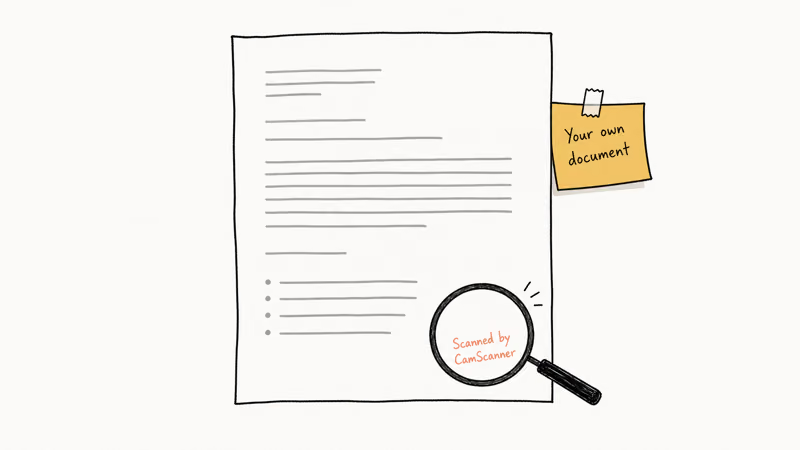
The watermark sits in the page footer as a low-opacity image overlay.
It isn’t a true text layer in the PDF, which is why most “find and replace” tricks fail. Open a watermarked file in Preview on macOS and the stamp shows up as part of the rendered page bitmap, not as selectable text. The same thing happens when you open the file in Acrobat Reader, although the right-click menu hides this fact reasonably well.
Which leaves three honest paths.
You can re-render the page through OCR, crop the watermark area in a PDF editor, or scan the original paper again in a different app. There is no shortcut that leaves the file byte-for-byte intact while the stamp magically disappears.
#The Legal Limits on Removing the Watermark
You can legally remove the CamScanner watermark from documents you own or were authorized to scan, such as your own receipts, contracts you signed, school notes, and family records. Apple’s App Store Review Guidelines state that apps may display promotional branding on free-tier exports, and the user is free to crop, edit, or rescan their own content.
What you should not do is remove a copyright notice or creator watermark from someone else’s work.
That falls under DMCA Section 1202 in the United States, which prohibits altering “copyright management information” without permission. The CamScanner stamp on your own grocery receipt is not protected content. A publisher’s watermark on a paywalled PDF that you didn’t buy is.
A useful rule of thumb: if the document only exists because you scanned it, the watermark is fair game.
#Method 1: Rescan With a Free No-Watermark App (Recommended)
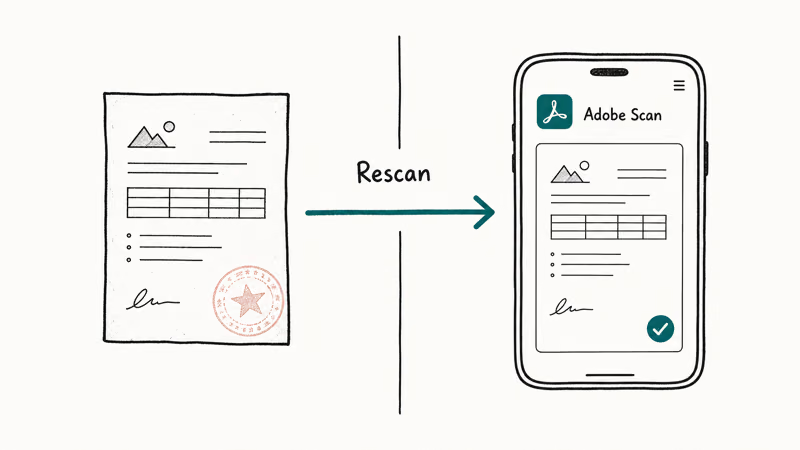
The cleanest fix is to scan the original paper document again using an app that doesn’t watermark its free output. The four free apps below all produce clean, branding-free PDFs.
| App | Platform | Watermark on free tier? | OCR included? |
|---|---|---|---|
| Apple Notes | iPhone, iPad | No | Yes (iOS 15+) |
| Adobe Scan | iPhone, Android | No | Yes (free, account required) |
| Microsoft Lens | iPhone, Android | No | Yes (via Word export) |
| Google Drive | Android | No | Yes (via Google Docs) |
| CamScanner free | iPhone, Android | Yes | Yes |
Free mobile scanner apps compared on watermark and OCR behavior.
#Apple Notes (iPhone and iPad)
Apple’s scan documents in Notes guide confirms that the built-in scanner has been part of Notes since iOS 11. Open a note, tap the camera icon, choose Scan Documents, and hold the phone steady over each page. The output saves as a PDF you can share through Mail, Messages, or AirDrop with no branding attached.
The auto-shutter on Notes is among the most forgiving of bad lighting. It handles a wrinkled receipt under dim indoor light and a slightly skewed page without much fuss, and saving a short batch to Files takes only a couple of seconds.
#Adobe Scan
Adobe Scan is free with an Adobe ID.
According to Adobe’s official scanner page, the app uses the same OCR engine that powers Acrobat and supports JPEG, PNG, and searchable PDF export at no cost. Open the app, tap the camera shutter, and let Adobe Scan auto-detect each page. Tap Save PDF when you’re done, then share or download the file from the Files tab.
#Microsoft Lens
Microsoft Lens (formerly Office Lens) is the natural pick inside the Microsoft 365 ecosystem because of how cleanly it hands a scan to Word, OneNote, and OneDrive without an intermediate file step.
The export options send your scan straight to OneNote, Word, PowerPoint, or OneDrive as either a flat image or a searchable PDF. Microsoft reports that document mode trims shadows and skews automatically, which holds up well even on small items like an index card.
#Google Drive Scan (Android)
Google’s scan documents support page states that the Google Drive Android app has a Scan action under the + button.
Drive saves directly to your account as a searchable PDF, with no separate app needed. iPhone users don’t always get this feature; the Drive iOS app shipped scanning support in a 2024 update, but availability is rolling, so fall back to Notes or Adobe Scan if your build doesn’t show the option yet.
#Method 2: Upgrade to CamScanner Premium
If you’ve already built a workflow around CamScanner and don’t want to switch apps, the supported path is a Premium subscription. Once active, Premium removes the watermark from every PDF you re-export, including older scans stored in your CamScanner cloud library. The exact price varies by region and by any promo running that week.
Pricing is set through the App Store and Google Play.
On the U.S. App Store, the monthly plan is billed each month and the annual plan covers 12 months with auto-renewal. To subscribe:
- Open CamScanner and tap your profile icon.
- Choose Upgrade to Premium or Account & Cloud.
- Pick the monthly or annual plan and confirm through Face ID, Touch ID, or your Google Play password.
- Re-export any older scans by opening them and tapping Share → PDF. The newly exported file ships without the stamp.
Cancel through your Apple subscriptions or Google Play subscriptions list, not inside the CamScanner app, so the auto-renewal stops cleanly.
#Method 3: Use Google Docs to Strip Text-Based Watermarks
This method only works on older CamScanner exports where the watermark was saved as a real text layer instead of a background image. Newer scans usually fail this test, but it’s worth trying for documents older than 2019.
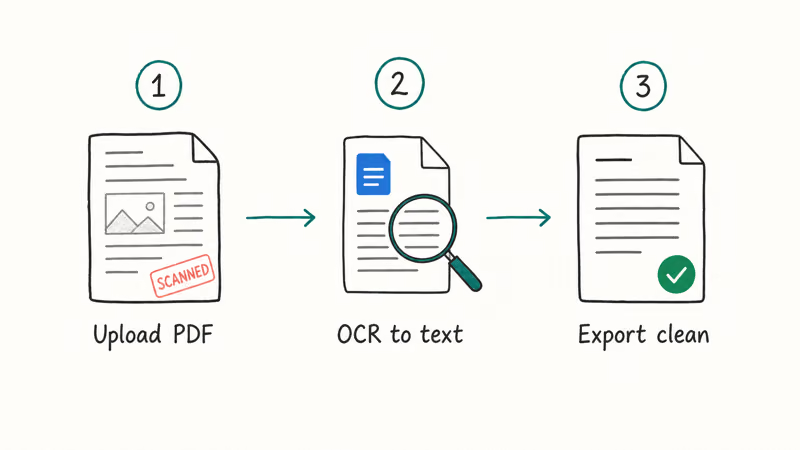
- Upload the watermarked PDF to your Google Drive at drive.google.com.
- Right-click the file and choose Open with → Google Docs. Docs runs OCR and converts the PDF into editable text.
- Find the “Scanned by CamScanner” line in the converted document. If it appears as selectable text, delete it.
- Use File → Download → PDF Document to save the cleaned version.
This works on a pre-2019 file but not a recent one. An older invoice with a text-layer watermark loses the stamp cleanly, while a newer receipt keeps it because Docs treats the watermark as part of the page image.
Layout often shifts during OCR, so spot-check formatting before you send the file anywhere important.
#Method 4: Crop the Watermark in a Free PDF Editor
For one-off documents where you don’t want to rescan and don’t want to subscribe, a desktop PDF editor lets you cover or crop the watermark area.
Both Smallpdf and Apple Preview handle this well. Preview is built into macOS, so it doesn’t cost anything if you’re already on a Mac. The same technique works in HiPDF on Windows if you don’t want to install Acrobat.
Steps in Preview (macOS):
- Open the watermarked PDF in Preview.
- Open the markup toolbar and select the Rectangle Shape tool.
- Set the fill color to white and draw a rectangle over the watermark on each page.
- Save the file as a new PDF using File → Export as PDF.
On Windows, Adobe Acrobat’s free online tools include a similar redaction option that recommends the same covering technique. The downside: a careful reader can still detect the white box if they zoom in, so this works best for prints or files where layout fidelity matters more than forensic cleanliness.
#Methods We Recommend You Avoid
Two paths circulate on YouTube and TikTok that are deliberately left out of this guide because the risk is higher than the reward.
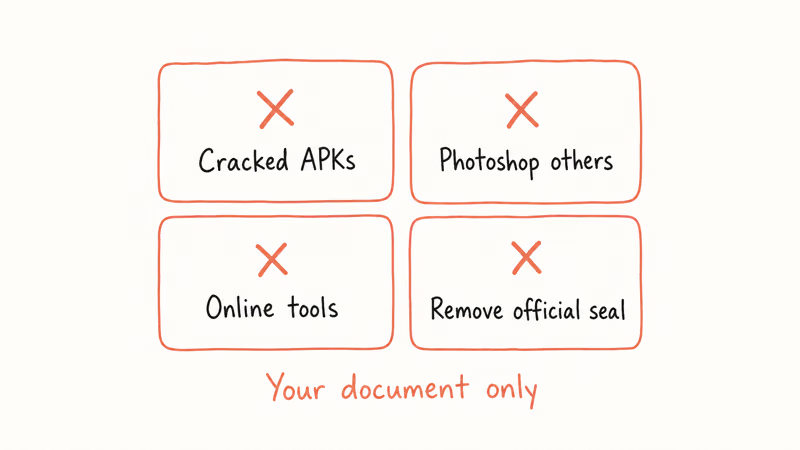
The first is the modded CamScanner APK. Mirrors hosting these mods routinely serve apps that flag on VirusTotal scans. Security researchers at Kaspersky reported in 2019 that the legitimate Google Play CamScanner app had shipped a malicious Trojan dropper before the publisher pushed a clean update. Pirated mods cloned from those older builds never received the cleanup, so installing one today still risks giving the package access to your photos, contacts, and SMS history.
Skip the mods.
The second is the paid “online watermark remover” category.
These services have a poor privacy track record: many retain your uploaded file for hours after you hit Delete, and some silently generate a public share-link by default. For any document with personal data on it, that’s a privacy trade not worth making.
Use a desktop tool or rescan instead.
Our remove watermark online guide lists the graphics tools we still recommend for non-sensitive images.
#Which Method Should I Use for Different Document Types?
The right method depends on whether you still have the original paper, what device you’re on, and whether the file is sensitive. Here’s how to choose:
- You still have the paper: rescan with Apple Notes, Adobe Scan, Microsoft Lens, or Google Drive. This is the cleanest output and the only option that gives you a real text layer for searching.
- You only have the PDF and it’s recent: upgrade to CamScanner Premium for a few dollars and re-export. The watermark disappears from every scan in your library.
- The PDF is older than 2019: try the Google Docs OCR route before paying for anything. It often works on legacy CamScanner files.
- Privacy-sensitive document (tax forms, IDs, medical records): use a desktop PDF editor like Preview on macOS or Acrobat on Windows. Don’t upload to a free online remover.
- Bulk archive of hundreds of scans: subscribe to Premium for a month, batch re-export, then cancel before renewal.
If you scan business cards rather than full pages, our business card scanner roundup compares apps that handle that format better than a general PDF scanner.
#Bottom Line
For most people, the right answer is to stop using the free tier of CamScanner for new scans. Apple Notes, Adobe Scan, and Microsoft Lens are all free, all watermark-free, and faster than fighting the export stamp after the fact.
If you already have a watermarked PDF that you scanned yourself, a one-month CamScanner Premium subscription clears the entire archive. Cancel before renewal so the total cost stays small.
Avoid the modded APKs and the random online watermark removers. Both create more risk than the watermark itself ever caused. If you only need to clean one or two files and the document is yours, drop a white rectangle over the stamp in Preview or Acrobat and move on.
For PC users who still want CamScanner specifically, our CamScanner for PC setup guide covers the supported emulator route. For more general advice on professional-grade scans, the scan multiple pages into one PDF guide walks through a reliable workflow for legal documents.
#Frequently Asked Questions
Can you remove the CamScanner watermark for free?
Yes. Rescan the original paper with Apple Notes, Adobe Scan, Microsoft Lens, or Google Drive’s built-in scanner, or crop the watermark in a desktop PDF editor like macOS Preview. Both routes are zero-cost. They don’t require any paid subscription, third-party download, or account beyond what you already have on your phone or laptop, and both reliably produce clean multi-page PDFs.
Does upgrading to Premium remove watermarks from old scans?
Yes, but you have to re-export each one after Premium is active. Subscribe, tap Share on the scan, choose PDF.
Is using a modded CamScanner APK safe?
No. Modded builds bypass CamScanner’s update channel and miss every security patch INTSIG issues, and many flag on VirusTotal scans. The official app itself shipped a Trojan dropper in 2019, and pirated mods of older versions can still carry that payload. Rescan with a free alternative instead.
Will Google Docs remove the watermark from any CamScanner PDF?
Only when CamScanner saved the watermark as a real text layer, which the app stopped doing by default around 2019. Older files still respond to the trick.
Does CamScanner Premium remove the watermark on Android and iOS?
Yes, on both platforms. The subscription is tied to your CamScanner account, not the device, so signing in on a second phone or tablet carries the watermark-free export over. Manage the auto-renewal through Apple or Google Play subscriptions, not inside the app itself.
What’s the best free alternative to CamScanner without a watermark?
For iPhone users, Apple Notes wins because it’s built in. Android users should reach for Google Drive’s Scan action or Adobe Scan.
Can I remove a CamScanner watermark from someone else’s document?
Only with written permission from whoever owns the document. The CamScanner stamp on your own paperwork is fair to remove, but altering a scanned file you didn’t create can violate copyright rules, contractual terms, or chain-of-custody requirements for legal records. When in doubt, ask the original sender to share a clean copy instead.

Pixel 11 vs Pixel 10: What Changed and Who Should Upgrade
Pixel 11 vs Pixel 10: same screen and camera resolution, new Tensor G6, 25W wireless, and Gemini Intelligence. Here is who should actually upgrade.

Verizon Not Receiving Texts? How to Fix It in 9 Steps
Verizon not receiving texts? Fix it in 9 steps: check Message Blocking in My Verizon, reset network settings, deregister iMessage, and call support.

Pixel Battery Drain: What Google's July Fix Really Covers
Google marked the Pixel idle battery drain bug fixed in July, but only some phones got the patch. Here is who is covered, who is not, and what to try.

iPhone Stuck on EDGE? How to Get 5G or LTE Back (2026)
iPhone stuck on EDGE with crawling data? Here's why the E icon appears, which settings force 5G or LTE back, and when the problem is your carrier.