How to Set Up Translation Earbuds (Pairing and Modes)
How to set up translation earbuds: charge, install the app, pair over Bluetooth, pick two languages, and choose a mode. A step-by-step first-use guide.
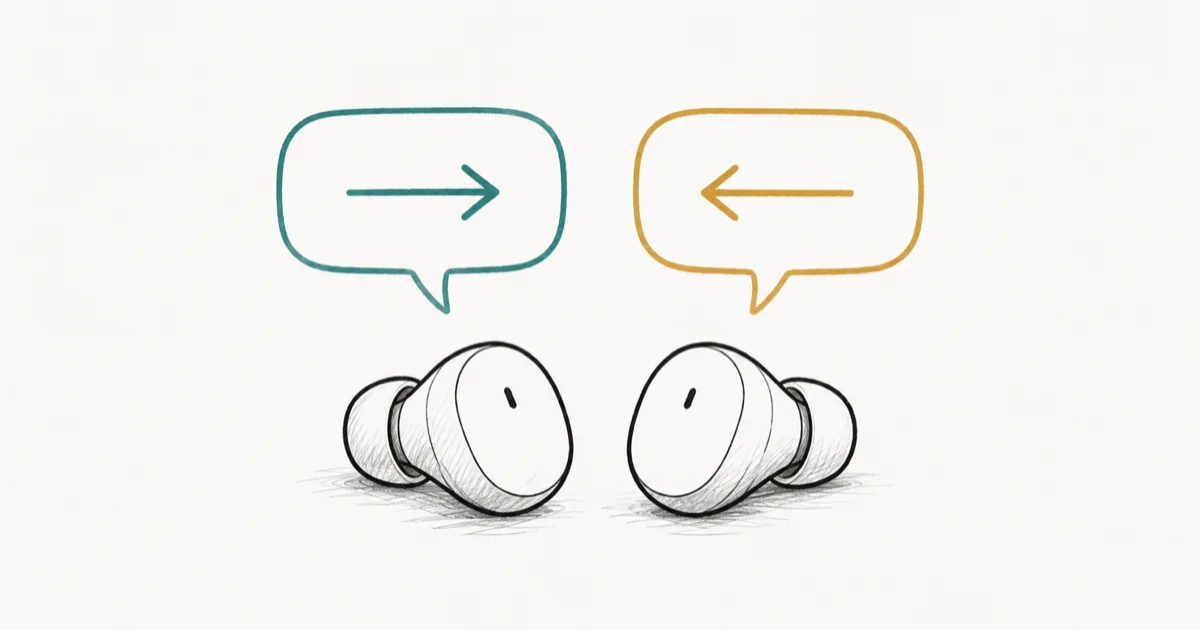
Quick AnswerTo set up translation earbuds, charge them, install the maker's app, and pair from the case over Bluetooth. Pick your two languages, choose a mode like Touch or Listen, and stay on an internet connection for live translation.
Translation earbuds can carry a real two-way conversation across languages, but only after a setup that trips up plenty of first-time owners. The steps are nearly the same across brands like Timekettle and Anfier, and getting the order right is what saves the headache.
- Install the maker’s app before you pair, so it can register the earbuds and push the latest firmware
- The earbuds pair over standard Bluetooth from the case, but the translation features live inside the companion app, not your phone’s settings
- You pick two languages and a mode, with Touch mode for face-to-face talk and Listen mode for one-way speeches
- Most translation earbuds need an internet connection for live translation, though a few download offline language packs
- For a real conversation, each person wears one earbud, and the app handles both directions at once
#What Do You Need Before You Start?
Four things, and most are quick.
A charged set of earbuds, the maker’s app, and a stable internet connection. Charge the case and buds fully on the first run, since a low battery can drop the Bluetooth link mid-pairing. Then install the companion app from the App Store or Google Play, because that’s where every language and mode actually lives.
One note on connectivity. Most translation earbuds send audio to the cloud to translate it, so you want Wi-Fi or mobile data on. If you’ll travel somewhere with no signal, check whether your model supports offline packs before you rely on it. The best AI translation earbuds roundup flags which ones translate offline, and best AI earbuds for 2026 covers everyday buds that translate on the side.
#How to Pair Translation Earbuds with Your Phone
Pairing is ordinary Bluetooth, with one twist: do it through the app, not just the phone’s Bluetooth screen.
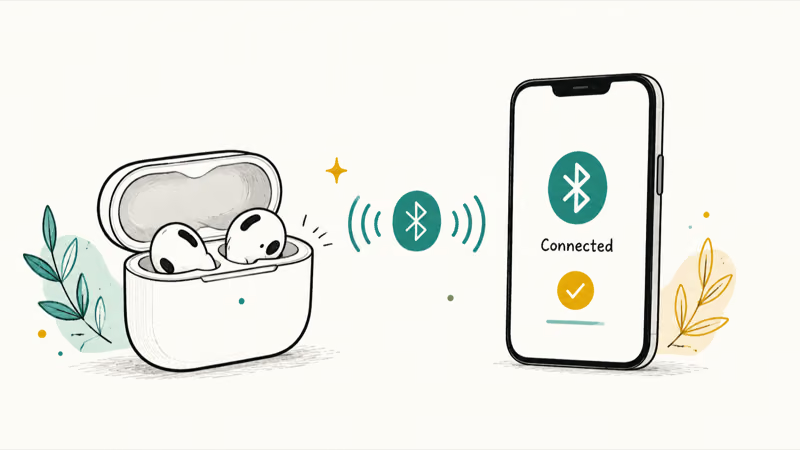
- Open the companion app and grant it Bluetooth and location permissions when asked
- Take both earbuds out of the charging case so they enter pairing mode
- In the app, tap the add or [+] button to search for the earbuds
- Pick your model from the list, such as Timekettle M3, and confirm
- Wait for the app to finish setup and apply any firmware update
Open the app before removing the buds, because app-led pairing is what unlocks the translation modes; pairing from the phone’s Bluetooth menu alone can leave those modes greyed out. If the earbuds never appear, the same fixes that solve a stubborn AirPods connection failure apply here: toggle Bluetooth, reseat the buds in the case, and forget any half-paired entry.
#Picking Your Languages and Translation Mode
With the buds paired, the app walks you through two choices.
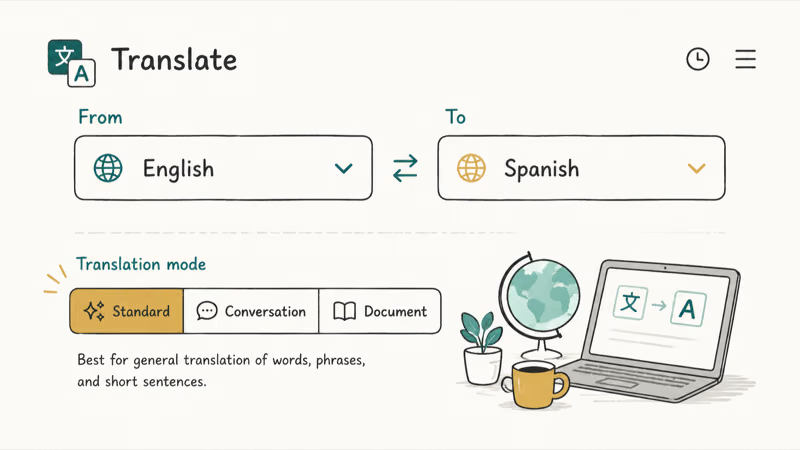
First, set your native language and the language you want to talk with. According to Timekettle’s guide to using translator earbuds, you select both languages in the app before a conversation, and you can switch them anytime. Second, pick a mode that matches the situation, which is the part most people get wrong on the first try.
You can also tune the extras here. Translation speed, voice, volume, and pause sensitivity all live in the settings, and the defaults are fine to start.
#Touch, Listen, and Speaker Modes Explained
Translation earbuds use a few named modes, and choosing the right one matters more than any setting.
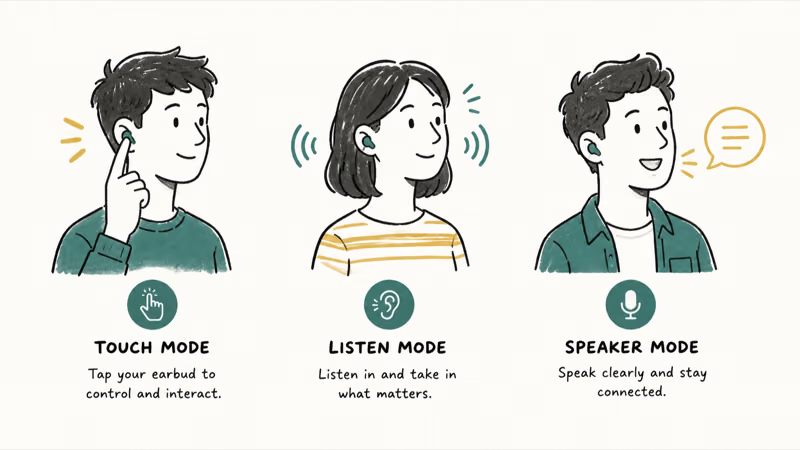
Touch mode is for face-to-face conversation. Each person wears one earbud, and the device picks up each speaker and translates both directions at once. Timekettle’s M3 overview states that this is its mode for fluent, simultaneous talk.
Listen mode is one-way. It translates a lecture, a tour guide, or a video into your ear, continuously, without handing anyone an earbud. Speaker mode routes translation through your phone’s speaker, which suits a quick exchange with a stranger who isn’t wearing a bud. Start with Touch for a real chat and Listen for anything you’re only receiving.
#How Do You Use Them in a Real Conversation?
The setup pays off here. Hand one earbud to the person you’re talking with, keep one yourself, and both of you talk normally.
The app listens on both sides and plays each translation in the matching ear, so neither person taps a button between sentences. Speak in complete, unhurried sentences with a pause at the end, because the translation fires once it detects a complete thought. If you’re somewhere loud, move closer or switch to a phone-speaker mode so background noise doesn’t get mistranslated.
#Setup Problems and Quick Fixes
Most first-run trouble comes down to three things.
If the earbuds won’t pair, confirm Bluetooth is on and unpaired elsewhere. Apple’s guide to connecting a Bluetooth accessory recommends turning Bluetooth off and back on when one won’t appear. On Android, a flaky link often traces back to the Android Bluetooth keeps disconnecting guide.
Pairing to a Mac instead? The AirPods won’t connect to Mac steps apply the same way. If translation is slow or silent, check your internet, since the cloud step needs a steady connection. And if only one bud works, reseat both in the case to re-sync them.
#Bottom Line
Setting up translation earbuds is mostly about the order: charge, install the app, pair through the app, then pick two languages and a mode. Touch mode shares one bud each for face-to-face talk, Listen mode handles one-way speech, and most models need internet to translate. Get those right and the earbuds do the hard part. If yours keep failing to pair or translate, the quick fixes above clear nearly every first-run snag.
#Frequently Asked Questions
Do translation earbuds work without the app?
Not for translation. The earbuds pair as plain Bluetooth headphones, but the languages, modes, and live translation all run inside the companion app. Install it first, then pair, so the app can register the buds and update their firmware.
Do translation earbuds need an internet connection?
Most do. Live translation usually sends audio to the cloud, so Wi-Fi or mobile data keeps it fast and accurate. A few models download offline language packs for travel, so check your model’s specs if you expect to be off-grid.
How do two people use one set of translation earbuds?
In Touch mode, each person wears a single earbud. The device picks up both speakers and plays each translation in the matching ear, so you talk in your language and hear theirs without passing a phone back and forth.
Why won’t my translation earbuds pair?
Usually because the app isn’t open or Bluetooth is tied up elsewhere. Open the companion app first, grant it permissions, then take both buds out of the case. If they still don’t show, forget any partial pairing and reseat the buds, the same way you’d fix other stubborn Bluetooth gear.
Which languages do translation earbuds support?
It varies by brand, and the count is higher online than offline. Dedicated translators like Timekettle handle dozens of languages with a connection and a smaller set offline. Pick the two you need in the app before each conversation.
Can I use translation earbuds for phone calls or video meetings?
Many can translate a call or meeting through a dedicated mode in the app, routing the other side’s speech into your ear. Setup is the same: pair, pick languages, then choose the call or meeting mode rather than the face-to-face one.
Are translation earbuds accurate enough for real conversations?
For everyday travel and casual work talk, modern translation earbuds handle the back-and-forth well when you speak clearly and pause between sentences. Technical jargon, slang, and noisy rooms are where they slip, so keep sentences simple and the environment quiet for the best result.

Is This Bank App Real? Spot a Fake App on Your Home Screen
A bank app can land on your home screen from a web page with no install warning. Learn the checks that tell a real banking app from a phishing web app.

Apps Crashing After iOS 27 Update? Fix Order (2026)
Apps crashing after the iOS 27 update? Update the app in the App Store first, then offload and reinstall to clear stale cache, then restart. The fix order.

Do AI Translation Earbuds Work Offline? What to Know
Do AI translation earbuds work offline? A few do with downloaded language packs, but most need the cloud. Here's what works offline and what you give up.
Translation Earbuds Not Translating? How to Fix Them
Translation earbuds not translating? Usually it's the app, the internet, or the language settings. Here's how to fix pairing, sound, and lag fast.