Do AI Translation Earbuds Work Offline? What to Know
Do AI translation earbuds work offline? A few do with downloaded language packs, but most need the cloud. Here's what works offline and what you give up.
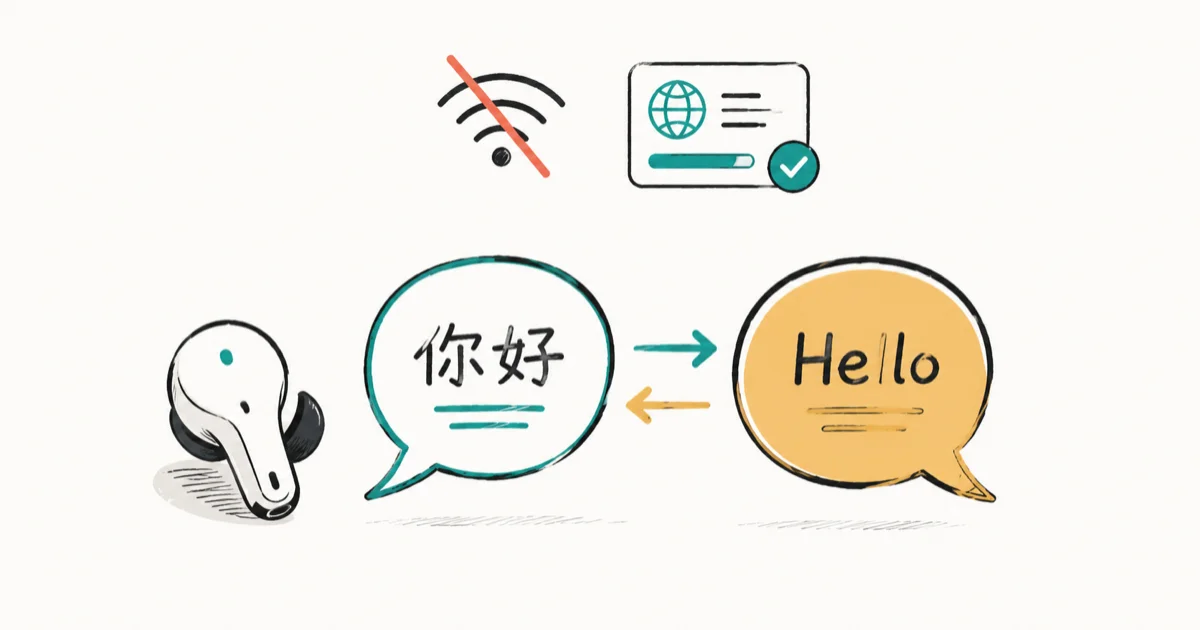
Quick AnswerSome AI translation earbuds work offline, but only after you download language packs in advance, and usually for fewer languages. Most rely on a cloud connection, so without internet or an offline pack they go quiet.
Whether AI translation earbuds work offline matters most when you’re heading somewhere with no signal. The short answer: a few do, but most lean on a cloud connection to translate. Here’s how offline mode works and where it falls short.
- Most translation earbuds send your speech to the cloud, so they stop translating the moment the internet drops
- A handful of models, mainly dedicated translators like Timekettle, download offline language packs that work with no connection
- Offline mode covers far fewer languages than online, and the packs often have to be downloaded ahead of time
- Phone-paired earbuds like Pixel Buds lean on the Google Translate app, which can translate offline if you download the languages first
- Offline translation trades some accuracy for working anywhere, so expect simple phrases to fare better than slang
New to these devices? The guide to setting up translation earbuds covers pairing and modes, and if yours suddenly quit, the translation earbuds not translating fixes cover the usual culprits.
#So, Do They Work Without Internet?
It depends entirely on the model, and the split is wider than most buyers expect.

Most translation earbuds are online-first. They capture your speech, send it to a cloud translation engine, and stream the result back, which means no connection equals no translation. A smaller group, led by dedicated travel translators, can also run from offline language packs stored on the device or phone. So the honest answer is yes for some, no for most, and it hinges on whether your model supports offline packs at all.
#Why Most Translation Earbuds Need the Cloud
The heavy lifting in live translation happens on servers, not inside the earbuds.
Translating speech in real time takes large models that won’t fit on a tiny earbud chip. So the buds act as a microphone and speaker while a cloud engine does the actual work. According to Google’s Translate support, the Translate app can download languages to work offline, though the default still assumes a connection for the freshest results. That dependency is why a weak signal shows up as long pauses, and an airplane or remote trail can silence translation completely.
#How Offline Language Packs Work
Offline translation isn’t magic. It’s a smaller model and dictionary you download in advance.
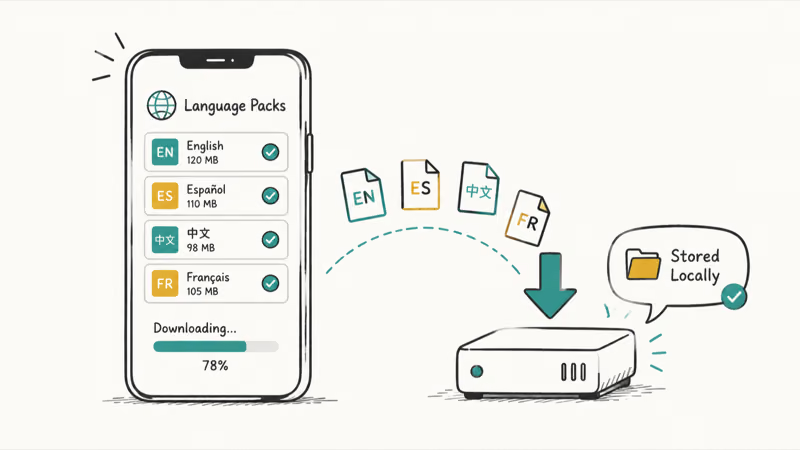
When you install an offline pack, the earbuds or the paired app store a compact translation model for that specific language pair. After that, the buds can translate those languages with the internet off. Timekettle’s W4 Pro interpreter earbuds page states that the lineup includes downloadable offline packs for travel without Wi-Fi or data. The catch is you have to grab the packs while you still have a connection, since you can’t download them mid-flight.
#The Earbuds That Translate Offline
A few names come up repeatedly when offline is the priority.
Dedicated translators are the safest bet. Timekettle’s interpreter earbuds build offline packs right into their app, so they’re made for travelers who cross signal dead zones. For everyday earbuds, Google Pixel Buds lean on the phone’s Google Translate app, which can run offline if you download the languages there first.
The best AI translation earbuds roundup flags which models include offline modes, and the best AI earbuds for 2026 guide covers dual-purpose buds that translate on the side.
#What You Give Up Offline
Offline mode is a real convenience, but it carries trade-offs worth knowing before you rely on it.
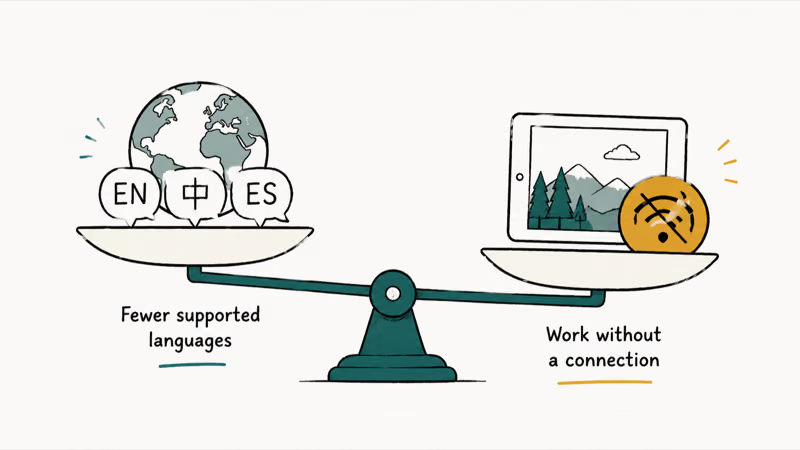
The biggest is language coverage. Online, a good translator handles dozens of languages, while its offline packs usually cover a much shorter list. Accuracy can dip too, since the compact offline model lacks the cloud engine’s full nuance.
Offline packs are best suited to simple travel phrases and can struggle with slang or long, winding sentences. Timekettle’s guide to using translator earbuds recommends downloading the packs you need before you leave, while you still have a connection.
#When Does Offline Mode Actually Matter?
For a lot of travelers, offline is the difference between a working device and a paperweight.
Think international flights, cruise ships, subway tunnels, rural hikes, and any country where you’d rather skip pricey data roaming. Offline packs matter most when the connection is weak or unavailable, because they keep basic translation available without cloud access. If you mostly translate in cafes and hotels with Wi-Fi, online-only earbuds are fine and often more accurate.
Planning a trip? The explainer on data roaming on your iPhone helps you decide whether to lean on a connection or go offline.
#Bottom Line
AI translation earbuds can work offline, but only the ones built for it, and only after you download the language packs first. Most models still need the cloud, so without a connection or a pack they simply stop. If you travel through dead zones, pick a dedicated translator like Timekettle with offline packs, and download them before you leave. For Wi-Fi-heavy trips, online-only earbuds stay simpler and a touch more accurate.
#Frequently Asked Questions
Do all AI translation earbuds work offline?
No, and most don’t. The majority send your speech to a cloud engine, so they go silent without internet. Only models built with downloadable offline packs, mainly dedicated translators, keep working with no connection.
How do I download offline language packs?
You download them in the companion app, one language pair at a time, while you still have Wi-Fi or data. The pack saves a compact model to the device or phone. After that, those languages translate with the internet off.
Are offline translations as accurate as online?
Usually a little less. The offline model is smaller than the cloud engine, so it can miss nuance, slang, and complex sentences. For simple travel phrases the gap is small, but for tricky conversations an online connection still wins.
Do Google Pixel Buds translate offline?
They can, by leaning on the phone’s Google Translate app. If you download the languages inside Translate first, the buds can translate without a connection. The experience is more speak-and-wait than a dedicated interpreter, but it works.
How many languages work offline?
Fewer than online, almost always. A translator that supports dozens of languages with a connection often covers a much smaller set offline. Check your model’s offline list before a trip so you’re not surprised at the gate.
Can I download offline packs while traveling?
Only if you have a connection at that moment. Packs can be large, so the smart move is downloading everything you need at home or in the airport lounge. You can’t fetch a new pack once you’re already offline.
Do I still need offline earbuds if I have a roaming plan?
Not necessarily. A reliable roaming or local data plan lets online earbuds work normally, and they tend to be more accurate. Offline support is the backup for flights, dead zones, and places where you’d rather not pay for data.

Is This Bank App Real? Spot a Fake App on Your Home Screen
A bank app can land on your home screen from a web page with no install warning. Learn the checks that tell a real banking app from a phishing web app.

Apps Crashing After iOS 27 Update? Fix Order (2026)
Apps crashing after the iOS 27 update? Update the app in the App Store first, then offload and reinstall to clear stale cache, then restart. The fix order.
How to Set Up Translation Earbuds (Pairing and Modes)
How to set up translation earbuds: charge, install the app, pair over Bluetooth, pick two languages, and choose a mode. A step-by-step first-use guide.

Translation Earbuds Not Translating? How to Fix Them
Translation earbuds not translating? Usually it's the app, the internet, or the language settings. Here's how to fix pairing, sound, and lag fast.