Best Watermark Apps for iPhone: 6 Proven Picks (2026)
Compare 6 of the best watermark apps for iPhone to protect your photos. Covers free and paid options with batch processing, logos, and social sharing.
Quick AnswerEzyWatermark Lite is the best free watermark app for iPhone with 3 million+ downloads, 150+ fonts, batch processing for up to 5 photos, and signature, QR code, and logo watermark options.
Your photos get stolen the moment you post them without a watermark. This guide compares 6 watermark apps for iPhone to find the ones that add professional-looking protection without making the process painful.
- EzyWatermark Lite is free and supports text, logo, QR code, and signature watermarks
- iWatermark creates QR watermarks holding up to 4,000 characters of business info
- Most free apps handle basic text watermarks while paid apps ($1.99-$4.99) add logo support
- Batch processing lets you watermark up to 5 photos at once on EzyWatermark Lite
- All 6 apps export directly to social media platforms including Instagram and Facebook
#Why Should You Watermark Your Photos?
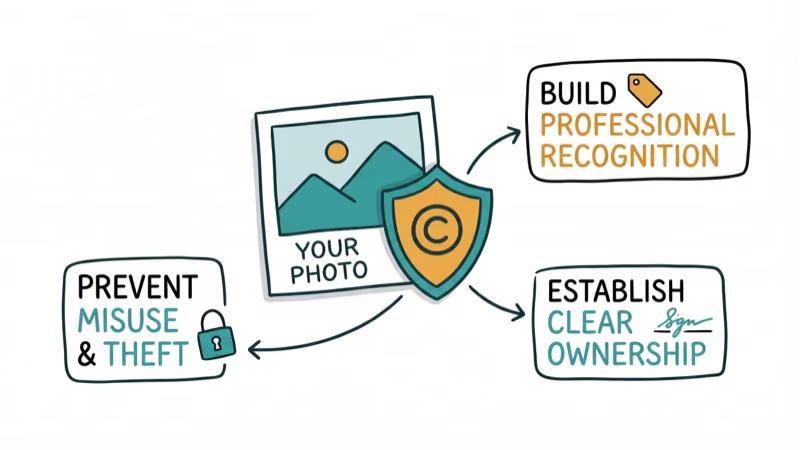
Social media platforms strip EXIF data from your uploads. CNET’s digital privacy coverage found that images shared on social media routinely lose all metadata during upload. That means anyone can download your photo and repost it with zero attribution. A visible watermark doesn’t guarantee protection, but it establishes ownership at a glance.
According to Apple’s App Store editorial guidelines, photography apps are among the most popular categories on iOS. The demand for watermarking tools has grown alongside the rise of content creation on Instagram, TikTok, and Pinterest.
Each app here is judged on three criteria: watermark quality (does it look professional or cheap?), speed (how many taps to watermark a single photo?), and batch capability (can it handle multiple photos at once?).
If you’re looking for Android watermark apps instead, those are covered in a separate guide.
#Best Free Watermark Apps for iPhone
#EzyWatermark Lite (Best Overall)
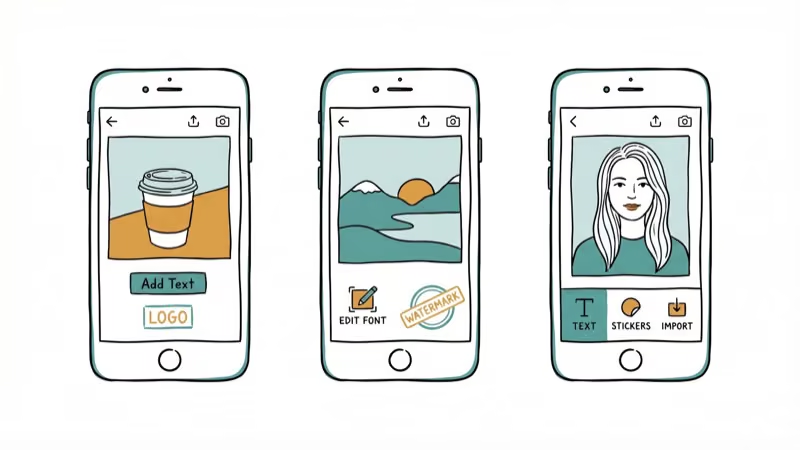
EzyWatermark Lite has over 3 million downloads, and it’s easy to see why. Adding a watermark takes 3 taps: select photo, choose watermark type, and export. The app supports text, signatures, QR codes, logos, and trademark symbols.
The 150+ font options and color choices let you create watermarks that match your brand. You can adjust opacity, rotation, and thickness to get the exact look you want. Templates save your design for reuse across future photos.
Batch processing handles a set of photos quickly. The only limitation on the free tier is occasional ads between exports.
#Watermark X (Best for Templates)
Watermark X ships with a built-in library of professional templates that update periodically. If you don’t want to design your own watermark from scratch, picking a template and customizing the text takes under a minute.
The app covers everything from traditional copyright marks to modern location stamps and hashtag overlays. Font, size, color, and opacity are all adjustable. The template quality is noticeably higher than what competing free apps offer.
#Watermark Photo (Best for Social Sharing)
Watermark Photo focuses on creating watermarks that look good on social media. The free logos come with transparent backgrounds that blend naturally into any photo.
You can draw custom typography art that highlights your brand name, and the app exports directly to Instagram, Facebook, and other platforms. Its sharing flow is among the simplest here. Two taps from finished watermark to posted photo.
#Best Paid Watermark Apps for iPhone
#iWatermark ($1.99)
iWatermark stands out for its QR code watermarks that hold up to 4,000 characters of business information. Scanning the QR code reveals your company name, email, website, and copyright notice. That’s useful for photographers who distribute portfolios to potential clients.
iWatermark is one of the longest-running watermark apps on iOS. The font library has 160+ fonts in 34 high-resolution varieties. Batch processing works across multiple photos simultaneously.
#A+ Signature ($1.99)
A+ Signature goes beyond basic watermarking. You can annotate photos freehand, add signatures with finger drawing, and experiment with shadow effects on text overlays.
The app shines for users who want creative control over their watermarks. You can paste drawings and text onto photos in other apps on the same device, which saves time when you’re editing across multiple tools. If you also use photo editing apps for touch-ups before watermarking, A+ Signature fits naturally into that workflow.
#My Watermarks by Camera360 (Free with Premium)
Camera360’s watermark tool lets you add a handwritten logo by photographing your actual signature and applying it as a transparent overlay. The app stores all your previous watermarks for reuse, which speeds up the process if you watermark content daily.
The free tier covers basic functionality. Premium unlocks additional fonts and removes the subtle Camera360 branding from exports. For photo squaring apps that resize images before watermarking, a separate guide covers the best options.
#Choosing the Right Watermark App
Pick based on your output volume and branding needs:
Low volume (1-5 photos/week): EzyWatermark Lite or Watermark Photo. Free, fast, and good enough for casual social media posting.
Business use (daily watermarking): iWatermark or A+ Signature. The $1.99 price buys QR codes, batch processing, and professional font libraries that justify the cost after your first week of use.
Brand consistency: My Watermarks by Camera360 stores and reuses your custom designs, keeping your family photos and business images consistently branded.
#Where Should You Place Your Watermark?
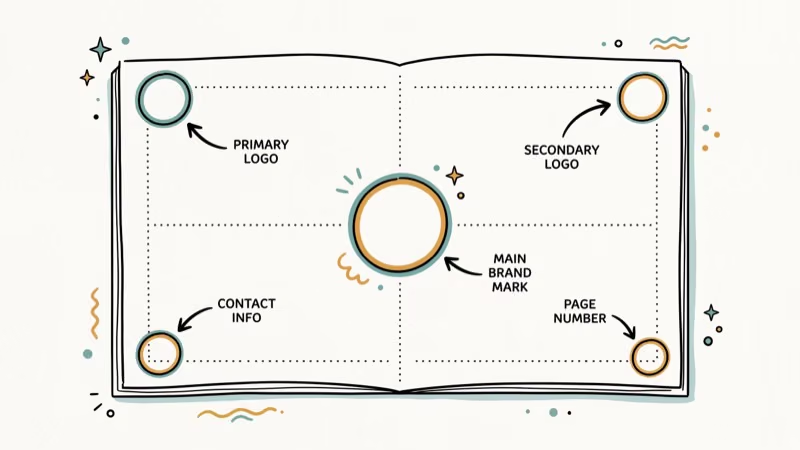
Lower right corner works best for most photos. It’s visible enough to establish ownership but doesn’t distract from the main subject.
Opacity between 30-50% keeps the watermark noticeable without dominating the image. The middle of that range tends to hit the sweet spot for most backgrounds.
Tiled watermarks (repeated across the entire image) are harder to remove with automated tools. EzyWatermark Lite and iWatermark both support this pattern.
Never place your watermark where it can be cropped out. Social media platforms crop thumbnails and previews differently, so keep it away from the extreme edges. If you’re uploading to a meme maker app, add the watermark before importing to prevent the meme template from covering it.
#Free vs. Paid: Quick Comparison
| Feature | Free (EzyWatermark, Watermark X) | Paid ($1.99+) |
|---|---|---|
| Text watermarks | Yes | Yes |
| Logo watermarks | Basic | Advanced with transparency |
| QR code watermarks | No | Yes (iWatermark) |
| Batch processing | Up to 5 | Unlimited |
| Ads | Occasional | None |
| Font library | 20-50 | 150-160+ |
For most casual users, free apps do everything you need. The paid tier makes sense once you’re watermarking more than 10 photos a week.
#Bottom Line
Start with EzyWatermark Lite for a free, full-featured option. Move to iWatermark if you need QR codes or heavier batch processing for business use. A+ Signature works best for creative professionals who want freehand annotation alongside standard watermarks.
Watermarking takes 30 seconds per photo. That’s a small investment compared to losing credit for your work.
#Frequently Asked Questions
Can watermarks be removed from photos?
Yes, with effort. A single corner watermark can be cropped or cloned out in Photoshop, but tiled watermarks that repeat across the entire image are extremely difficult to remove cleanly. For maximum protection, iWatermark’s diagonal tiling option covers the most surface area while keeping the underlying photo visible at 30-40% opacity.
Do watermark apps reduce photo quality?
No. All 6 apps export at original resolution by default.
Can I add my business logo as a watermark?
Yes. EzyWatermark Lite, iWatermark, A+ Signature, and My Watermarks all support custom PNG logos with transparent backgrounds. Upload your logo once, save it as a template, and apply it to every photo in 2 taps.
Which watermark app works best for Instagram?
Watermark Photo has the smoothest Instagram export flow. Two taps from finished watermark to posted photo, and the app’s transparent logo backgrounds look clean against Instagram’s white borders and dark mode feeds.
Do I need a paid app for professional watermarking?
Not necessarily. EzyWatermark Lite handles 90% of what most users need for free. Paid apps add QR code watermarks, larger batch sizes, and premium font libraries that matter primarily for high-volume business use.
Can I watermark videos on iPhone?
These apps focus on photos. For video watermarking, iMovie and CapCut both support overlay text that functions as a watermark, though the process takes more steps than dedicated photo watermark apps.
How many photos can I batch watermark at once?
EzyWatermark Lite handles up to 5 photos per batch. iWatermark supports larger batches with no stated limit. The speed depends on your iPhone model and the original photo resolution, but a small batch of 5 photos finishes in a few seconds on a recent iPhone.
Do watermarks protect against AI image theft?
Partially. AI image generators can be trained to ignore watermarks, but visible watermarks still discourage casual theft and establish clear ownership in copyright disputes. For business-critical images, watermarking combined with DMCA registration provides the strongest protection available.

Google Messages Error 3100: Why RCS Is Broken on Galaxy
Google Messages RCS error 3100 hits Galaxy owners after phone or carrier switches. Google told 9to5Google a fix is coming. Here's what actually helps.

Is This Bank App Real? Spot a Fake App on Your Home Screen
A bank app can land on your home screen from a web page with no install warning. Learn the checks that tell a real banking app from a phishing web app.

Apps Crashing After iOS 27 Update? Fix Order (2026)
Apps crashing after the iOS 27 update? Update the app in the App Store first, then offload and reinstall to clear stale cache, then restart. The fix order.

Do AI Translation Earbuds Work Offline? What to Know
Do AI translation earbuds work offline? A few do with downloaded language packs, but most need the cloud. Here's what works offline and what you give up.