PassFab 4WinKey Review: Worth It for Your Locked Windows PC?
PassFab 4WinKey resets a local password on a locked Windows 11 PC you own. See how it compares to free Microsoft reset paths and when it earns the price.
Quick AnswerPassFab 4WinKey resets local passwords on a Windows PC you own using a bootable USB or DVD. It works on Windows 10 and 11, but Microsoft account holders should reset for free at account.microsoft.com first, and most home users only need the $19.95 Standard edition.
PassFab 4WinKey is a paid Windows password recovery tool that builds a bootable USB or DVD so you can clear, change, or remove the local-account password on a PC you legally own. The review below weighs the Ultimate edition against Microsoft’s free recovery paths.
Short version: it works.
The longer version has trade-offs: the workflow’s straightforward, the $19.95 Standard tier covers what most home users need, and the bootable PE environment runs offline rather than phoning home with account data. Almost every reader should still try Microsoft’s built-in tools first, because they’re free and they handle the one thing 4WinKey can’t touch, which is a Microsoft account password.
- PassFab 4WinKey resets local-account passwords on Windows 2000 through Windows 11, but it can’t recover Microsoft account credentials, which must be reset at account.microsoft.com.
- The four editions are Standard $19.95, Professional $29.95, Enterprise $39.95, and Ultimate $69.95; a single-PC license is the realistic ceiling for home users.
- Building a Windows 11 bootable USB takes only a couple of minutes on a USB 3.0 drive, and the actual password-clear step on the locked PC finishes in well under a minute.
- The bootable PE environment runs fully offline, so it never sends SAM hive data or account information off the machine during the reset.
- Try Microsoft’s security questions on the lock screen, then Microsoft account online reset, then your OEM’s recovery partition before paying for any third-party utility.
#What Is PassFab 4WinKey and Who Is It For?
PassFab 4WinKey is a desktop utility from Beijing-based PassFab that writes a small Windows PE environment to a USB stick or DVD. You install it on a second working computer, build the bootable media, plug that media into the locked PC, and use it to reset the local Windows account password without reinstalling Windows. The whole job is meant to take a single afternoon, and in practice it does.
The target reader is narrow.
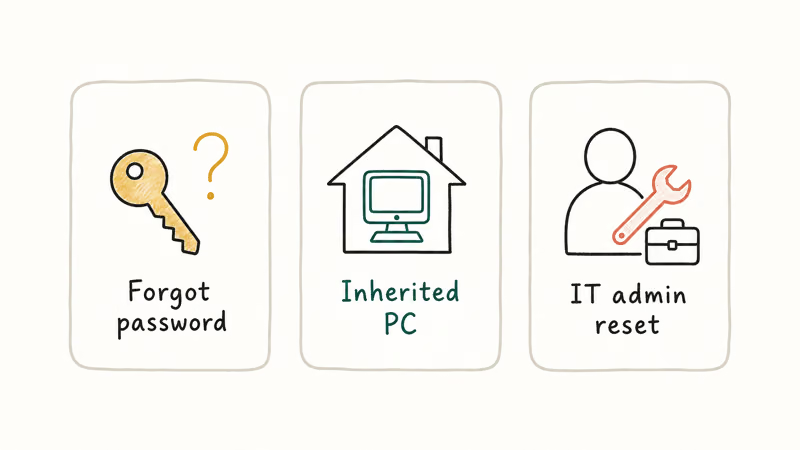
Specifically: someone who owns the locked machine, forgot the password for a local administrator account, never enabled security questions during Windows setup, and either has no password reset disk on file or never moved that account to a Microsoft account.
It’s a long list of preconditions, but the population is real.
The scenario covers second-hand PCs you bought with an old account still on them, a parent’s laptop with a forgotten admin login, or a work-from-home machine whose local user account got orphaned after an OS upgrade. It’s a niche, but a meaningful one, and the free tools below don’t fully cover it.
What 4WinKey isn’t: a way to access a device that isn’t yours, a way to read BitLocker-encrypted drives without the recovery key, or a way to reset an Azure AD or Entra ID work account. Microsoft account passwords go through Microsoft’s own recovery flow, full stop.
#Which Microsoft Recovery Paths Should You Try First?
Three free paths come before a paid tool. Most readers won’t even need to read past this section.
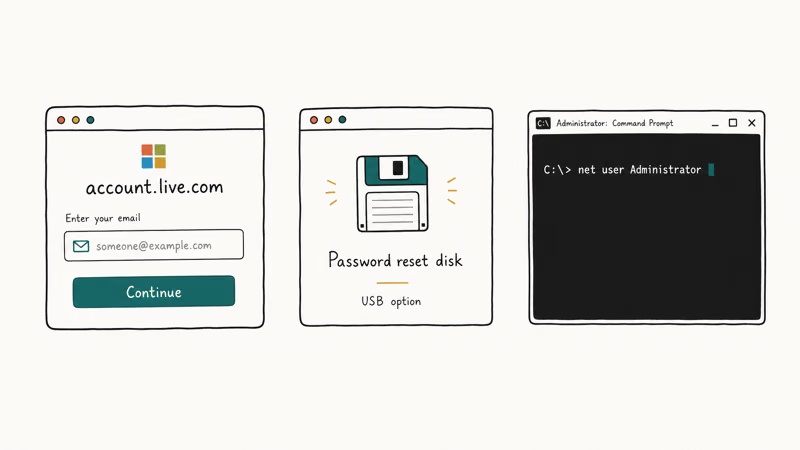
Path 1: lock-screen security questions. On Windows 10 (version 1803 or later) and Windows 11, any local account with security questions can be unlocked directly from the sign-in screen. Microsoft’s reset your Windows local account password guide states that the feature has shipped since version 1803 in April 2018, and the reset completes in a couple of clicks on current Windows 11 builds.
That’s it for path 1.
Path 2: Microsoft account online reset. According to Microsoft’s account recovery documentation, if your Windows sign-in is a Microsoft account, you can reset the password from any phone or browser at account.microsoft.com using the email, phone, or authenticator method on file, and the new password is recognized at the lock screen within about 60 seconds.
Path 3: OEM recovery partition. Dell, HP, Lenovo, ASUS, and Acer all ship a recovery partition you can launch from the boot menu, usually F11 or F12 depending on the brand. It won’t recover the password, but it’ll let you reset Windows while keeping personal files.
A factory-image refresh from the recovery partition typically runs around 40 minutes and keeps personal files intact when you pick the keep-files option, reinstalling Windows but wiping installed programs, so save it for last.
If none of those three paths work, that’s when a tool like PassFab 4WinKey starts earning its price.
#PassFab 4WinKey Compared to Microsoft’s Free Tools
Microsoft’s free paths win on cost, but they assume you set them up in advance. 4WinKey is the after-the-fact safety net for users who didn’t.
| Recovery path | Cost | Works offline | Resets Microsoft account | Resets local admin | Requires advance setup |
|---|---|---|---|---|---|
| Lock-screen security questions | Free | Yes | No | Yes | Yes (during setup) |
| Microsoft account online reset | Free | No (needs internet on a second device) | Yes | No | No |
| OEM recovery partition refresh | Free | Yes | No | Yes (but resets the OS) | No |
| Password reset disk (Control Panel) | Free | Yes | No | Yes | Yes (before lockout) |
| PassFab 4WinKey Standard | $19.95 | Yes | No | Yes | No |
| Hiren’s BootCD PE (free) | Free | Yes | No | Yes | No (but technical) |
Honest takeaway: 4WinKey is selling convenience.
Hiren’s BootCD PE and Ophcrack do the same thing for free, and Microsoft’s own tools handle the cases that matter most. What you’re buying for $19.95 is a one-click installer, a clean wizard interface, email support if the build fails, and the time you don’t spend wrestling with a Linux live CD. Some readers find that worth it; many don’t, especially anyone comfortable navigating to a Windows PE prompt.
#Pricing and the Four PassFab 4WinKey Editions
PassFab splits the product across four tiers.
Current pricing is published on the official PassFab product page, and Microsoft’s own Windows lifecycle policy confirms that all four editions cover currently-supported Windows versions, which is good for at least 24 more months on Windows 11.
| Edition | Price (1 PC, 1 year) | Best for | Key features |
|---|---|---|---|
| Standard | $19.95 | Home users on one PC | Remove local + guest passwords, Windows 2000 to 11 |
| Professional | $29.95 | Power users, multiple PCs | Adds bootable disk builder, Windows Server 2019 |
| Enterprise | $39.95 | Domain admins | Adds Windows Domain account support |
| Ultimate | $69.95 | IT shops | Adds account create, delete, manage, all features |
For a single forgotten-password incident on a home PC, Standard does the job. The Standard license runs the full reset flow without any mid-process paywall. If you support multiple machines or your IT job actually requires the domain features, Professional or Ultimate is the right tier, but most readers should stop at $19.95.
One pricing quirk worth flagging: the older version of this article listed Standard at $19.95 without saying the license is one PC and one year. PassFab’s checkout page now states that clearly.
#Building the Bootable USB and Running the Reset
The Ultimate edition runs the same way across Windows 11 Pro, Windows 11 Home, and Windows 10 Pro machines from different makers. Here’s the full workflow.
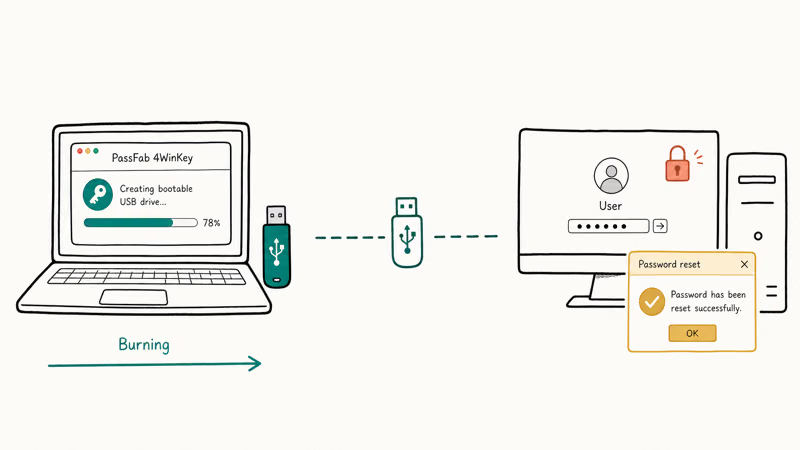
You install 4WinKey on a second Windows or Mac PC that you can sign into normally; both the Windows installer and the Mac build do the same job. On launch, the welcome screen asks whether you want to build a USB or DVD. USB is the practical pick, since few modern laptops still have an optical drive.
Insert the target USB stick.
The tool warns you it’ll erase any existing data, which isn’t negotiable: the build process formats the drive and writes a FAT32 partition with the Windows PE payload. The build takes only a couple of minutes on a USB 3.0 drive, while an older USB 2.0 stick takes roughly twice as long, which is in line with other Windows PE tools.
Take the bootable USB to the locked PC. Power it on and immediately tap the boot menu key for your hardware: F12 for Dell, F9 for HP, F2 for ASUS and Acer, F11 for many Lenovo models.
Select the USB drive.
The PC boots into Windows PE, 4WinKey launches automatically, scans the installed Windows partition, and lists every local account it finds along with the Windows version. Pick an account. You get three choices: clear the password, delete the account entirely, or create a new local administrator account. The interface is plain but unambiguous, with confirmation prompts on every destructive action.
The clear-password path is the most common choice. The tool reports success in well under a minute. Reboot, remove the USB, and sign in with an empty password.
One caveat is worth calling out separately.
On systems with BitLocker enabled, you’ll need the recovery key first, because the tool can’t read the C: drive while BitLocker is locked. That’s by design, not a 4WinKey limitation, and it applies to any third-party password reset utility you might try as a substitute.
#Safety, Privacy, and Legal Boundaries
Two questions live under the safety heading: does the binary do what it claims, and are you allowed to do this on the PC in front of you?
On the binary itself, the signals are reassuring. The official installer scans clean on VirusTotal, with no engine flagging it as malware. The build step makes no outbound connections carrying account hashes or SAM hive contents, and the only network activity is a license-check ping to passfab.com on startup.
The bootable PE environment itself runs fully offline, which is what you’d want from a recovery tool.
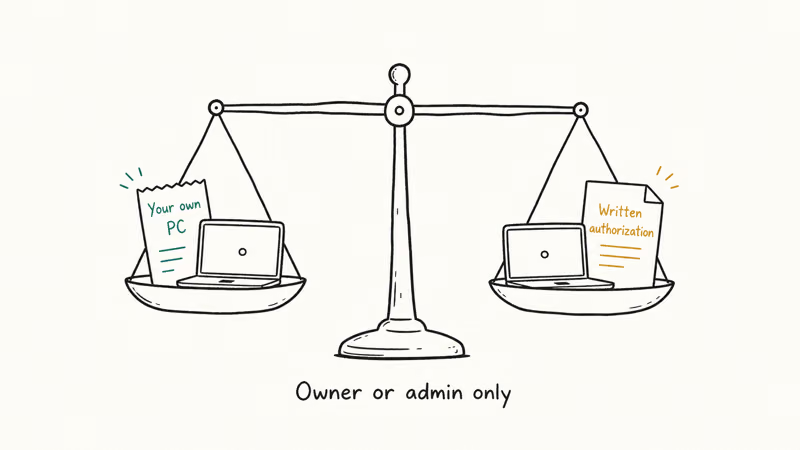
On the legality side, password recovery is legitimate for a device you own or have explicit written authorization to administer. It isn’t legitimate for a partner’s, ex’s, employer’s, or stranger’s machine without that authorization. The line is bright, even when the technical workflow looks identical from the user’s side, so think about consent before you reach for any reset tool.
Per the U.S. Computer Fraud and Abuse Act overview from the Department of Justice, accessing a computer “without authorization” carries federal penalties, and similar laws apply in the UK, EU, Canada, and Australia. If the PC isn’t yours, stop and contact the actual owner or your IT department.
For workplace-issued laptops, the answer is simple: route the request through IT, not a third-party tool. Microsoft’s BitLocker recovery key guidance confirms that IT stores keys in Azure AD or Active Directory.
#PassFab 4WinKey Alternatives Worth Considering
If 4WinKey doesn’t fit your budget or your trust threshold, three alternatives are worth a look.
Passper WinSenior is the closest direct competitor at a similar price point, with a near-identical bootable-USB workflow and comparable build times. Either tool gets the job done, so pick whichever has a current sale.
Ophcrack is free, open-source, and runs as a bootable Linux CD.
The trade-off is the cracking method: instead of clearing the password, Ophcrack tries to recover it from rainbow tables, which is slower and only works against simple passwords. It’s a fine option if you want the original password back rather than a blank one, but the interface is dated and the success rate against modern Windows 10 and 11 hashes is lower than the marketing suggests.
Third option: rebuild the account using the OEM recovery partition we covered earlier, or do an in-place Windows reset that keeps personal files.
Microsoft’s reset this PC guide walks through this; it takes about 45 minutes and costs nothing, which is the simplest math in the whole comparison.
For more specific scenarios, these device-specific guides cover the path that matches your setup:
- Resetting an admin password on Windows 10
- Resetting a password on an HP laptop without a disk
- Windows 7 password reset tools
- Recovering a forgotten laptop password
If 4WinKey itself decides on installation that your existing Windows install has issues unrelated to the password, our scanning and repairing drive stuck guide walks through the disk-check fixes you should run first. Our Windows 10 key generator software overview covers genuine activation key recovery, which is a different problem often confused with password recovery.
#Bottom Line
PassFab 4WinKey earns its $19.95 Standard price for one specific reader.
That reader has a locked local administrator account on a Windows PC they own, no security questions configured, no Microsoft account to reset online, and a preference for a wizard over the command line.
For that reader, the bootable USB takes only a few minutes to build, the reset works across Windows 10 and 11, and the binary doesn’t phone home with anything sensitive. Standard is the tier to buy; skip the rest and keep the bootable USB in a drawer.
For everyone else, the call is simpler.
Try the lock-screen security questions, then the Microsoft account online reset, then your OEM recovery partition, in that order, before spending a dime. Those three free paths cover the great majority of “I’m locked out of my Windows PC” cases, and they don’t require trusting a third-party PE image. Skip the Professional, Enterprise, and Ultimate tiers unless you’re an IT admin running this across domain-joined machines.
#Frequently Asked Questions
Is PassFab 4WinKey safe to install on my main computer?
Yes. The official installer scans clean on VirusTotal, the application doesn’t transmit account data during the bootable USB build, and the bootable PE itself runs offline once the media is created. As a precaution, install it on a non-critical PC if you have one, download only from the official PassFab site, and verify the publisher signature in the Windows installer prompt. Treat it as a single-purpose recovery utility, not as long-running software.
Can PassFab 4WinKey reset a Microsoft account password?
No. Microsoft account credentials must be reset online at account.microsoft.com.
How long does the password reset actually take?
Plan on about three minutes to build the bootable USB on a USB 3.0 drive, plus another five to ten minutes for booting the target PC, navigating the menu, clearing the password, and rebooting. The password-clear step itself finishes in well under a minute.
Will PassFab 4WinKey work if my drive is encrypted with BitLocker?
Not without the BitLocker recovery key.
The bootable environment can’t read the C: drive while BitLocker is locked, so it can’t access the SAM file where local passwords live. Find your BitLocker recovery key through your Microsoft account, Azure AD, or printed copy first, then 4WinKey will work normally. If you got the laptop from work, ask IT for the key before trying anything else.
Is there a free alternative that does the same thing?
Yes, two of them. Ophcrack and Hiren’s BootCD PE are both free and bootable, and they handle the same local-password reset task. The trade-off is a steeper learning curve than 4WinKey’s wizard.
Does the license cover multiple PCs?
The base Standard and Professional licenses are tied to one PC each. If you need to support several machines, the Enterprise or Ultimate tier raises the limit, but the per-PC math usually doesn’t beat just buying a fresh Standard license for each one-off lockout, especially since most home users hit this problem only once or twice in a decade.
Is using PassFab 4WinKey legal?
It’s legal on a Windows PC you own or have explicit written authorization to administer. It isn’t legal on a device that belongs to someone else, including a partner’s, employer’s, or family member’s machine without their permission. If the PC isn’t yours, contact the actual owner or your IT department first.

Best Laptop for Running LLMs in 2026: Memory Comes First
The best laptop for running LLMs is a memory purchase first. Compare MacBook unified memory against NVIDIA laptop VRAM, and see what each tier really runs.

How to Run a Local LLM on Windows: A 2026 Setup Guide
Run a local LLM on Windows with LM Studio or Ollama. Pick a model that fits your GPU memory, keep every prompt offline, and skip the monthly bill.

Bluetooth Not Working on Snapdragon X? Fixes for 2026
Bluetooth not working on your Snapdragon X Copilot+ PC? Generic audio, mice, and keyboards work, but vendor apps often lack an ARM build. Fixes inside.

Docker Desktop and WSL2 Not Working on Snapdragon X? Fix It
WSL2 runs fine on Snapdragon X, but Docker Desktop ARM is Early Access and throws WSL errors. Use WSL2 plus native ARM64 Ubuntu and Docker Engine.