MacBook Air M4 vs Windows Laptop: Which Wins in 2026?
MacBook Air M4 vs Windows laptop in 2026. Compare battery, performance, software, value, and price against the Surface Laptop 7 and Dell XPS 14.
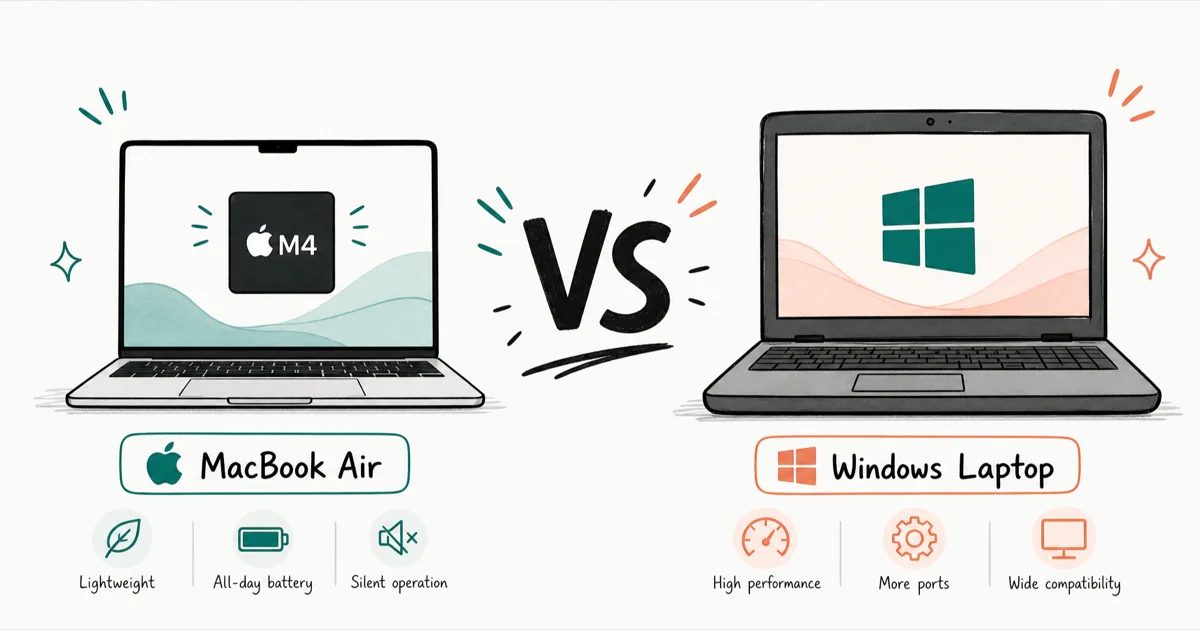
Quick AnswerThe MacBook Air M4 wins on battery and quiet performance, while a Windows laptop like the Surface Laptop 7 wins on software range and price. Your required software decides it.
The MacBook Air M4 vs a Windows laptop comes down to one question: what software must you run? The Air wins on battery, silence, and resale value, while Windows machines win on software range and price. The answer depends on your workflow, not brand loyalty.
- The MacBook Air M4 weighs 2.7 pounds, runs fanless, and Apple rates it at up to 18 hours of battery, which beats most thin-and-light Windows laptops.
- The Surface Laptop 7 is the closest Windows match, starting near $1,000 with a Snapdragon X chip and up to 22 hours of rated video playback.
- The Dell XPS 14 runs Intel Core Ultra, supports the widest software range, and uses a 1Hz display trick for very long browsing battery.
- macOS runs Windows-only software only through workarounds, so engineering and gaming users often need a PC.
- The Air now sits below the newer M5 as Apple’s value model, which means you can frequently find it discounted in 2026.
#MacBook Air M4 vs Surface Laptop 7: Our Picks and Where to Buy
Here is the short version on each pick and where to get it before the full comparison.
#MacBook Air 13” M4
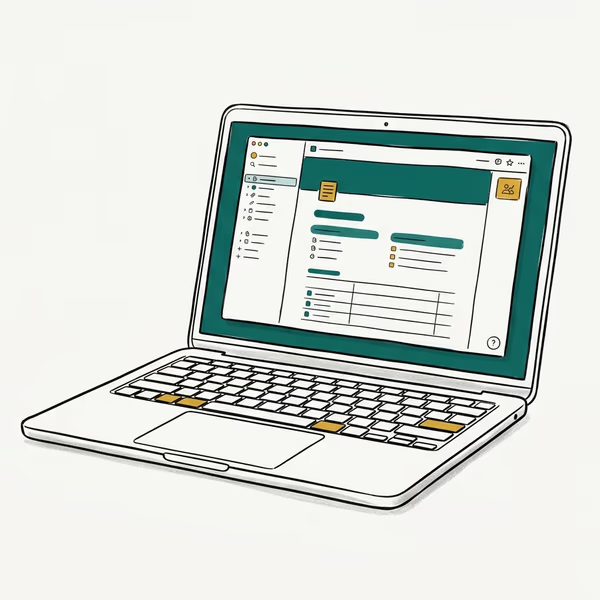
- Silent fanless M4 with all-day 18-hour battery
- Best-in-class trackpad, display, and macOS app polish
- Very light 2.7 lb aluminum body
Last updated on Jun 30, 2026
As an Amazon Associate fone.tips earns from qualifying purchases. Prices and availability on Amazon are accurate as of the date above and subject to change.
#Surface Laptop 7 (13.8”)
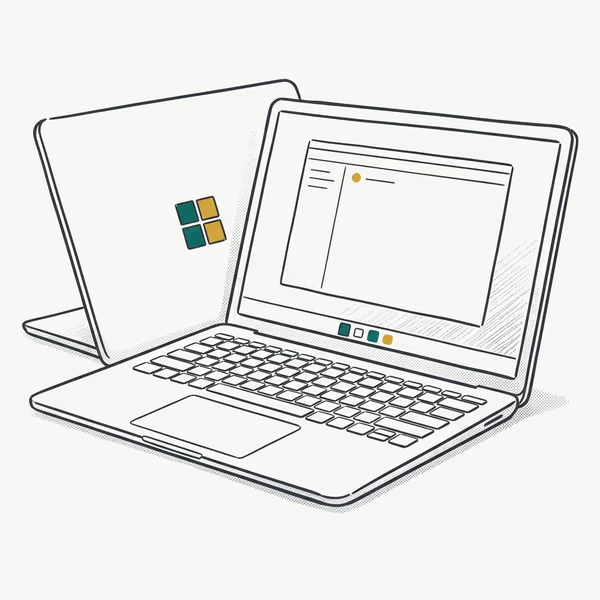
- Snapdragon X Elite with strong battery efficiency
- 120Hz 3:2 PixelSense touchscreen, great for documents
- Copilot+ NPU features and Wi-Fi 7
Last updated on Jun 30, 2026
As an Amazon Associate fone.tips earns from qualifying purchases. Prices and availability on Amazon are accurate as of the date above and subject to change.
#MacBook Air M4 vs Windows Laptop at a Glance
Here’s the short version before we dig into each category. The Air is the pick for battery, build, and a calm, fanless experience. A Windows laptop is the pick when you need specific software, a touchscreen, or more configuration choices at different prices.
Choose this if…
- You want all-day battery and a silent, fanless laptop
- Your software runs on macOS
- You value build quality and resale value
Choose this if…
- You need Windows-only software or games
- You want a touchscreen or 2-in-1 form factor
- You want more price and spec choices
As an Amazon Associate, fone.tips earns from qualifying purchases. Some links on this page are affiliate links.
#Which Has Better Battery Life?
The MacBook Air M4 is the battery champion among everyday laptops. According to Apple, the M4 model lasts up to 18 hours, as listed on its MacBook Air page. That is enough for a full day of writing, browsing, and video calls with charge to spare, and the fanless design means it never gets loud.
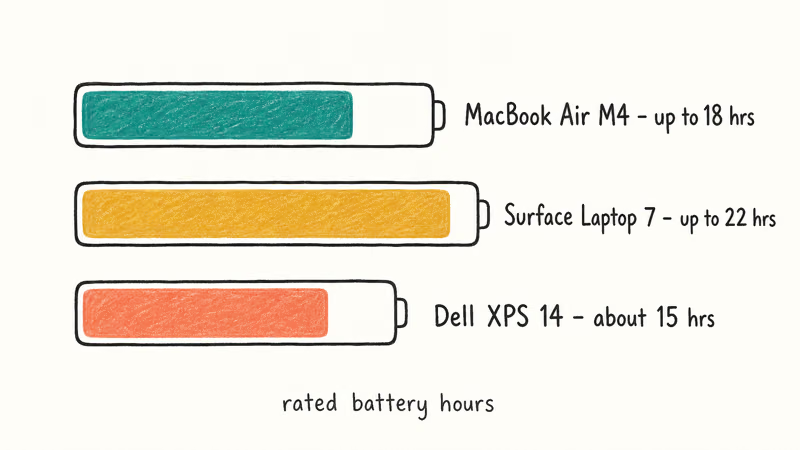
Windows has closed the gap, though, and the Surface Laptop 7 is the standout. According to Microsoft’s Surface Laptop specs, the 15-inch Snapdragon model is rated for up to 22 hours of video playback. The Dell XPS 14 takes a different route, using a 1Hz display refresh trick to stretch browsing battery well beyond what its size suggests.
So the honest answer has shifted. The Air still wins on mixed real-world use, but a well-chosen Arm Windows laptop now trades blows with it.
#Performance for Real Work
For everyday tasks, the difference is invisible. Browsing, office work, and streaming feel instant on all three. The M4 chip is overkill for email and Google Docs, and so is the Core Ultra in the XPS.
The split shows up under heavy or specialized load. The M4’s unified memory and fast SSD make it excellent for coding, music production, and Final Cut video editing. Its fast SSD and high memory bandwidth help it compile code and handle media work noticeably faster than similarly priced Intel laptops. If your work is Mac-native, the Air punches above its price.
Windows takes the lead on raw flexibility. CAD software, many engineering tools, and most PC games run only on Windows or run far better there. For a deeper look at coding machines, our best laptops for computer science guide compares both platforms.
#Software and Compatibility
This is the category that usually decides the whole purchase. macOS is polished, secure, and pairs seamlessly with an iPhone. The catch is that Windows-only software, including many enterprise tools, engineering apps, and the bulk of PC games, simply doesn’t run natively on a Mac, which forces you into virtualization workarounds that range from clunky to outright impossible depending on the program you actually need.
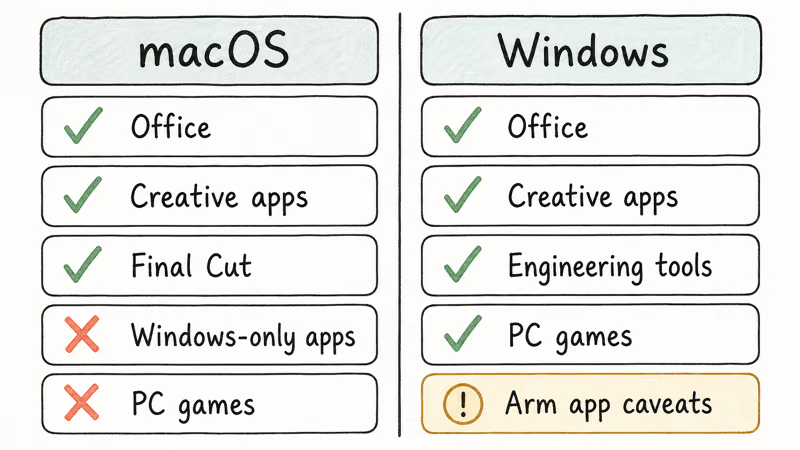
Windows runs almost everything, and that’s its core advantage. The Surface Laptop 7’s Arm version is the one wrinkle: most apps run great, but check that your niche tools are Arm-compatible before buying, since the older x86 Dell XPS 14 has zero compatibility caveats and runs every legacy Windows program you can throw at it.
#Ecosystem, Form Factor, and Extras
There’s a tiebreaker worth naming. If you already live in Apple’s ecosystem with an iPhone and AirPods, the Air’s integration is a real daily convenience for AirDrop and Handoff.
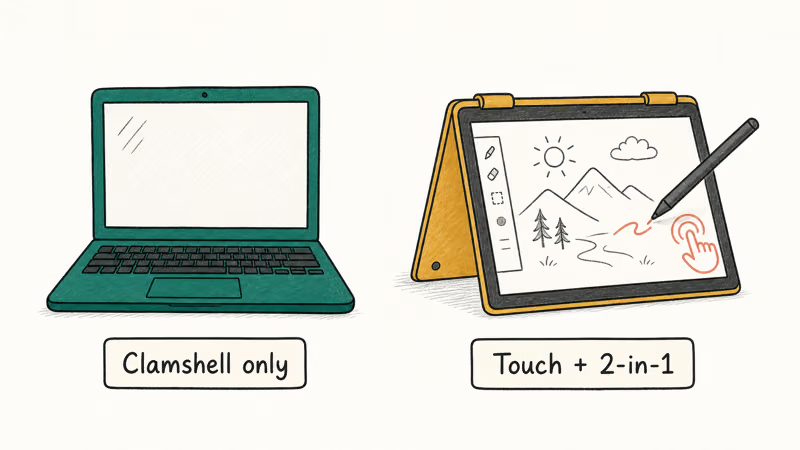
Form factor is where Windows pulls ahead. The Air is a clamshell only, while Windows offers touchscreens and 2-in-1 convertibles. If you want a laptop that folds into a tablet for reading or sketching, our best detachable laptop picks cover that lane entirely, and the Air simply doesn’t compete there.
#Which Is the Better Value?
Price tells a more interesting story in 2026. The MacBook Air M4 now sits below the newer M5 as Apple’s value model, so you can often find it discounted. Macs also hold resale value well.
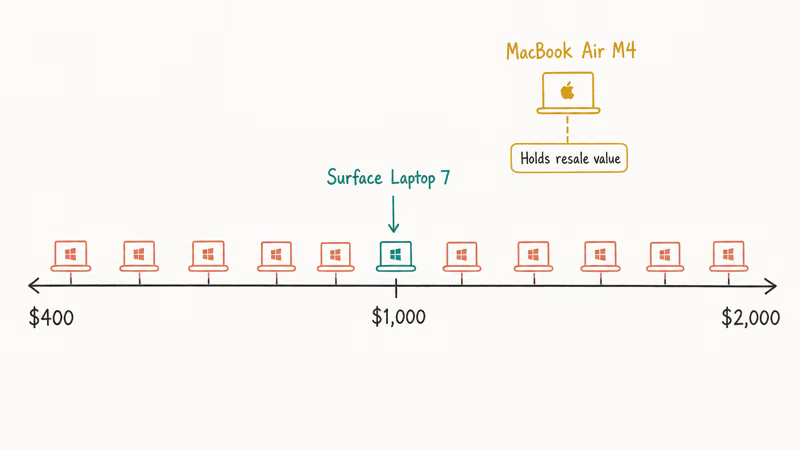
The Surface Laptop 7 starts around $1,000 for a Snapdragon X Plus model with 16GB of RAM, putting it right in the Air’s territory. The Dell XPS 14 climbs higher with its OLED screen and Intel Core Ultra chips. According to Tom’s Hardware’s battery testing, Snapdragon X laptops cleared 15 hours in its battery loop, with Intel systems trailing only slightly behind.
Windows wins on price range, plain and simple. You can spend $400 or $2,000 and stay on Windows. For premium Windows options, see our laptops under $2,000 guide and our Lenovo vs HP comparison.
#Who Should Buy Each One
The fastest way to decide is to match the laptop to the person, not the spec sheet. Here is how the three machines sort out by buyer type.
| Buyer | Best pick | Why |
|---|---|---|
| Battery-first user | MacBook Air M4 | Fanless, all-day mixed-use battery, silent |
| Apple ecosystem owner | MacBook Air M4 | AirDrop, iMessage, and Handoff with your iPhone |
| Windows-software user | Surface Laptop 7 | Thin and light with all-day battery on Windows |
| Engineer or PC gamer | Dell XPS 14 | Full x86 compatibility, no app caveats |
| Touchscreen fan | Surface Laptop 7 | Touch display the Air can't match |
If you straddle two rows, let the must-have software break the tie.
#Bottom Line
Buy the MacBook Air M4 if your software runs on macOS and you want the best battery, the quietest experience, and the strongest resale value in a thin laptop. Pick the Surface Laptop 7 if you want that same featherweight, all-day-battery feel on Windows, or the Dell XPS 14 if you need full x86 compatibility, a gorgeous OLED screen, and zero app caveats.
Writers leaning Mac should check our best laptop for writers picks first. The platform you already know, paired with the software your work demands, beats whichever spec sheet looks shinier.
#Frequently Asked Questions
Is the MacBook Air M4 better than a Windows laptop?
It depends on your software. The Air wins on battery, silence, build, and resale value, and it’s an easy pick if your apps run on macOS. A Windows laptop wins if you need Windows-only programs, PC games, or a touchscreen, so the right choice tracks your workflow more than any single spec.
Can a MacBook Air M4 run Windows programs?
Not natively. macOS doesn’t run Windows .exe files. Virtualization can run Windows on Apple silicon, but if you depend on Windows-only software, buy a PC instead of fighting workarounds.
Is the Surface Laptop 7 a good MacBook Air alternative?
Yes, it’s the closest Windows match. The Snapdragon X version is thin, light, fanless on lower configs, and rated for very long battery life. It starts near $1,000 with 16GB of RAM. The one caveat is Arm app compatibility, so confirm your niche software runs before you commit.
MacBook Air M4 or M5: which should I buy?
Buy whichever is cheaper. The M5 is a modest upgrade, but the M4 handles nearly every daily workload identically.
Does the MacBook Air M4 have better battery than the Dell XPS 14?
It depends on the task. The Air leads on mixed real-world use thanks to macOS efficiency. The Dell XPS 14 can pull ahead in pure web browsing because of its 1Hz display trick, but it tends to drain faster under heavier mixed loads. Both are genuine all-day laptops.
Which is better for college, a MacBook Air or a Windows laptop?
Your major decides. General, writing, and creative majors do great on the Air, while engineering and PC gaming often require Windows. Check your department’s required-software list first.
Is a Windows laptop cheaper than a MacBook Air M4?
Usually, yes, at the entry level. Windows laptops span from budget to premium, so you can spend far less than the Air’s starting price. At the same time, a well-specced premium Windows laptop can cost as much as or more than the Air, and the Air’s stronger resale value narrows the long-term gap.

macOS 27 Compatible Macs: Every Supported Model (2026)
macOS 27 Golden Gate runs only on Apple Silicon Macs. Here is the full list of supported M-series models and the four Intel Macs that lose support.

macOS 27 Golden Gate: Every Major New Feature Confirmed
macOS 27 Golden Gate goes Apple Silicon only, adds a Gemini-powered Siri, refines Liquid Glass, and rebuilds Spotlight. Here is every confirmed change.
macOS 27 Liquid Glass: Every Readability Fix Explained
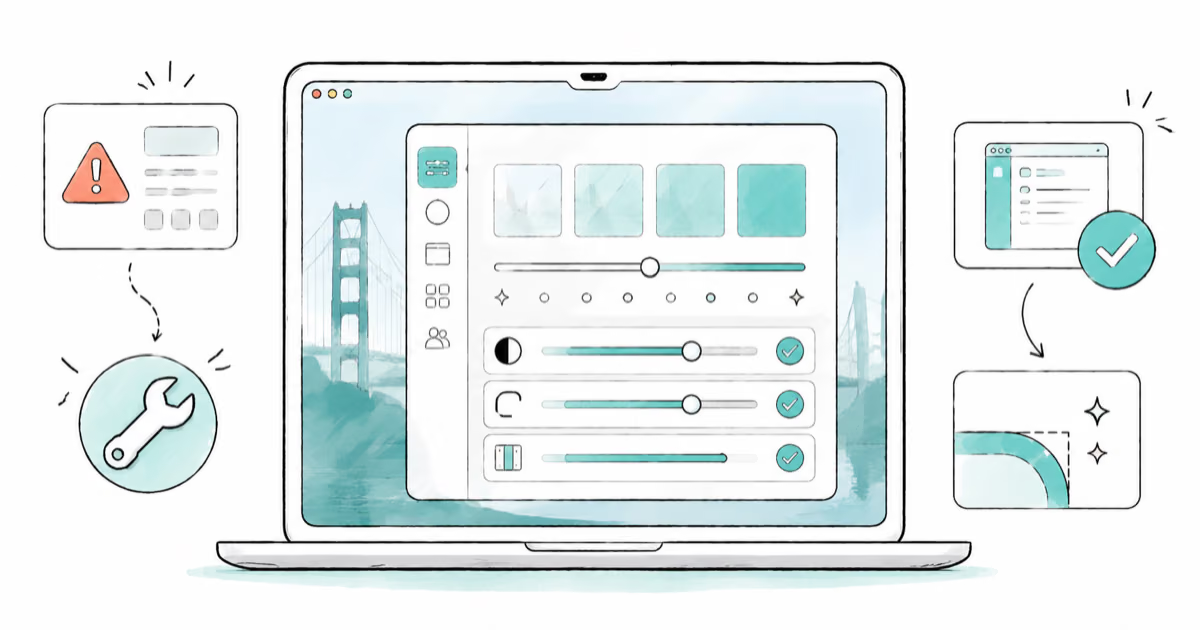
macOS 27 Golden Gate refines Liquid Glass with an intensity slider, better contrast, cleaner window corners, and edge-to-edge sidebars to fix readability.

macOS 27 Performance: What Golden Gate Makes Faster
macOS 27 Golden Gate speeds up AirDrop, network file browsing, Safari, and Spotlight, with core system improvements on the Apple Silicon-only release.