Do iPhones Need Antivirus Apps? Honest 2026 Answer
Do iPhones need antivirus? Mostly no, thanks to iOS sandboxing and App Store review. Here is what actually protects your iPhone and the scams to skip.
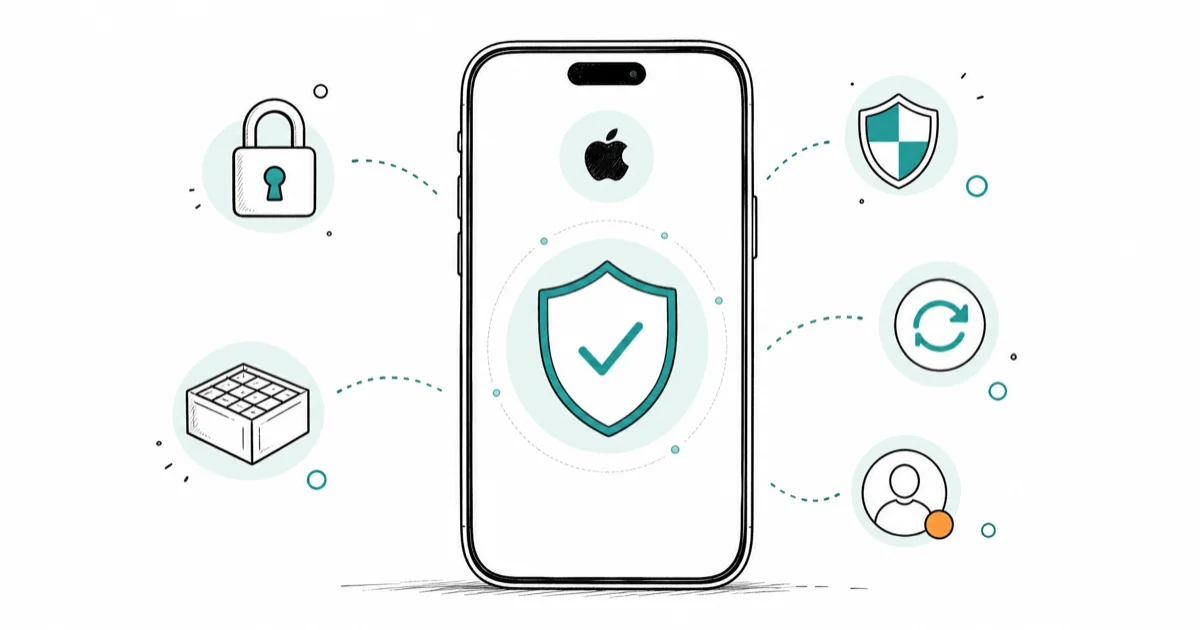
Quick AnswerNo, a standard non-jailbroken iPhone does not need traditional antivirus, because iOS sandboxing and App Store review block classic malware. Focus on updates and account security.
Searched this after a scary “virus detected” pop-up? The short version: a standard, non-jailbroken iPhone doesn’t need traditional antivirus. iOS doesn’t give third-party apps system-wide malware-scanning access, because a classic virus has nowhere to land.
- iOS isolates every app in its own sandbox, so one app can’t read or change another app’s data or the system
- Every App Store app and update goes through Apple review plus automated malware scans before it can install
- The “iPhone virus” pop-ups are scams; iPhones don’t scan for malware, so any such alert is fake
- Antivirus apps on iOS can’t scan your phone; they sell VPNs and web filters under a security label
- Free protections beat paid scanners: keep iOS updated, turn on Safari’s fraud warning, and use passkeys with two-factor authentication
#The Short Answer Is No for Most iPhones
For the vast majority of people, no. If you bought your iPhone from a normal retailer, kept it on the standard iOS that shipped with it, and install apps only from the App Store, traditional antivirus does almost nothing useful. There’s no background scanner you’re missing and no infection waiting to happen on your own iPhone.
It’s worth saying plainly: the search results here are dominated by antivirus vendors. McAfee, Norton, Panda, and similar companies all publish “do iPhones need antivirus” pages, and every one of them sells the product it describes. That conflict of interest shapes the soft, “well, maybe you should” answers at the top of Google. The honest version is blunter: a paid scanner buys you very little on a stock iPhone, because the protection you want is already built into the device.
There are narrow exceptions, covered below. A jailbroken phone, a work device under company management, or a person at real risk of state-level spyware has a different calculation than a typical owner does.
#Why iPhones Don’t Get Viruses Like Computers Do
The reason isn’t luck. It’s architecture. On a Windows PC, a program can read files all over the disk, install other programs, and run at startup. On iOS, apps simply can’t do that, and three layers stop them.
The sandbox is the first layer. According to Apple’s security documentation, “all third-party apps are sandboxed,” and sandboxing is “designed to prevent apps from gathering or modifying information stored by other apps or from making changes to the device.” Each app gets its own walled-off home directory, and the system partition stays read-only. A rogue app simply can’t reach into your Mail or photos the way desktop malware does.
App review is the second layer. Apple’s App Store security overview states that “every single app and each app update is reviewed,” with “automated scans for known malware” running to keep it off the store.
A locked-down filesystem is the third layer. There’s no folder full of executables you can launch, so the “download, run, infect” chain never starts. That’s also why iOS security apps can’t perform traditional system-wide malware scans: iOS won’t grant any app that kind of access, antivirus included. The protection is baked into the design, not added by a download you install afterward, which is the part the vendor ads never mention.
#When Does an iPhone Actually Need Extra Protection?
A handful of situations change the math. None describes a normal phone, but it’s worth knowing where the line sits.
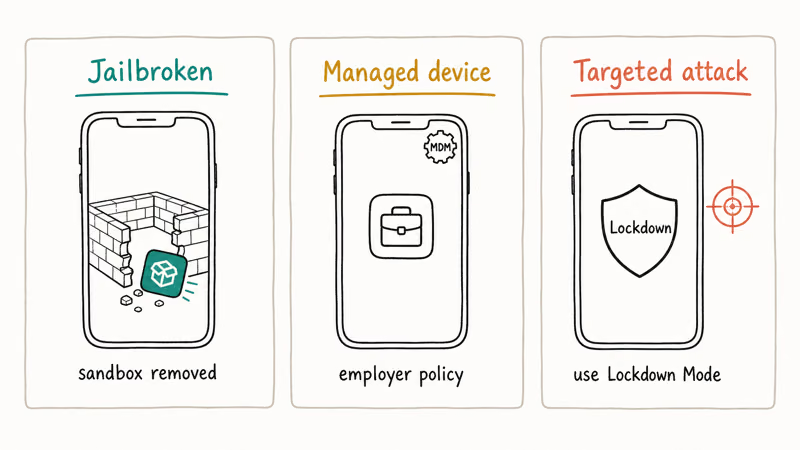
Jailbroken iPhones are the clearest case. Jailbreaking strips out the sandbox and lets you install software from outside the App Store, which is exactly the open environment real malware needs. If you’ve jailbroken your own device, you’ve opted out of Apple’s safety model.
Managed devices are next. If your iPhone is enrolled in your employer’s mobile device management, the company may require security tooling as policy. That’s a workplace rule, not a personal antivirus decision.
The third case is targeted attacks. Journalists, activists, and executives can be hit by mercenary spyware, which is far beyond anything a consumer scanner catches. Apple’s answer here isn’t antivirus, it’s Lockdown Mode. Apple’s Lockdown Mode support page states that the feature is available in iOS 16 or later, and adds that “most people are never targeted by attacks of this nature.” If you suspect surveillance, our guide to detect spyware on iPhone walks through the signs.
#What Antivirus Can’t Stop on Your iPhone
Here’s the part vendor pages gloss over. Even if antivirus could run on your iPhone, the threats most people face aren’t the kind a scanner stops. They target you, not your software.
Phishing is the big one. A convincing text or email lures you to a fake Apple sign-in page and captures the password you type in yourself. No malware signature catches that.
Account compromise comes next. If someone phishes your Apple Account, or you reused a password that leaked in a breach, attackers can reach your iCloud data from a browser without touching your phone. It’s worth checking whether your credentials have leaked. You can check the dark web for exposed accounts and rotate any password that shows up.
SIM-swap fraud and physical theft round out the list. None of them is a “virus,” so a scanner would never flag them. If the device starts acting strange after one of these scares, our checklist for signs your phone is hacked is a far calmer place to start than a pop-up’s “call this number” button, which is exactly what the scammers want you to tap in a panic.
#Are iPhone Virus Pop-Ups Ever Real?
No. Your iPhone doesn’t scan for malware, so a banner claiming “Apple detected 3 viruses” is always a scam. Apple’s support page on Safari pop-ups warns that some pop-ups “use phishing tactics such as warnings… to trick you into believing they’re from Apple.”
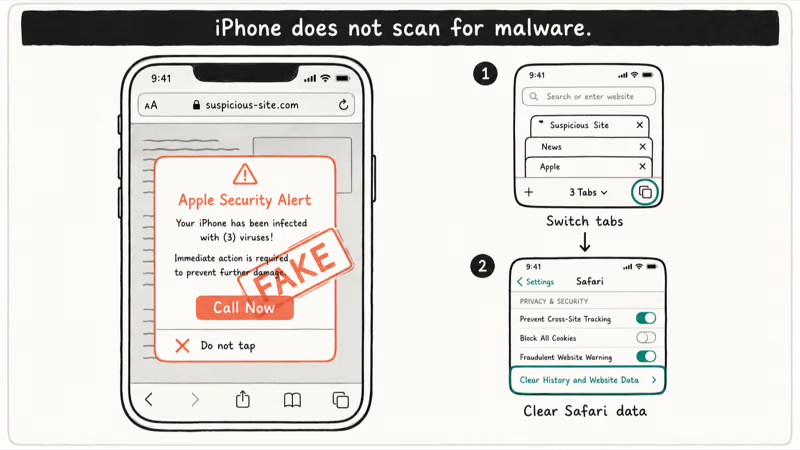
A fake “Apple Security Alert” should be closed by leaving the page and clearing Safari website data, with no app, scan, or phone call needed. Tapping the number or installing what it offers is how the scam actually gets you, and falling for it can hand strangers your money or private data. That’s the real privacy and legal risk on iPhone, not a virus. Treat every such alert as fraud, don’t tap, and don’t call.
#What to Do Instead of Buying Antivirus
Spend nothing and get more protection. The defenses that matter on iPhone are built into the device and your habits, not bought from a vendor.
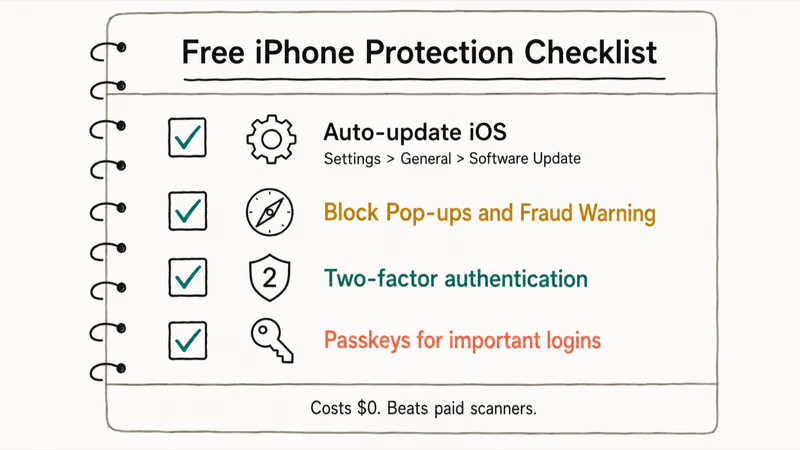
Keep iOS updated, promptly. Most real iOS exploits target bugs Apple has already patched, so installing the update the week it ships closes the door before it matters. Go to Settings, then General, then Software Update, and turn on automatic updates.
Turn on Safari’s two free guards. In Settings under Safari, switch on Block Pop-ups and Fraudulent Website Warning. The first kills most scam banners, and the second flags known phishing sites before they load. These are Apple’s official built-in tools, and they cost nothing.
Lock down your accounts, because that’s where attacks actually land. Turn on two-factor authentication for your Apple Account, then move important logins to passkeys, which can’t be phished the way passwords can. Our walkthrough on how to set up passkeys covers the setup, and our comparison of passkeys vs passwords vs 2FA explains why passkeys win on phishing resistance, why a leaked password no longer hands over the account, and when you’d still keep a backup method on file.
Once a year, sweep your toggles with our iPhone privacy settings checklist. It takes ten minutes and catches the settings that quietly drift.
Still want a paid app? Be honest about what you’re getting. A “security” app on iOS is really a VPN plus a web filter plus identity-theft monitoring, none of which is a malware scanner, and none of which iOS will let it become. Those features can be worth paying for on their own terms, especially if you live on public Wi-Fi, but buy them for what they do, not because you’ve been spooked into thinking your iPhone is infected.
#Bottom Line
A standard, non-jailbroken iPhone on a current iOS version doesn’t need traditional antivirus, and a scanner like McAfee or Norton buys you almost nothing iOS doesn’t already do. The two protections that actually matter are free: install iOS updates the week they ship, and treat every “virus detected” pop-up as a scam to close, not call.
Add two-factor authentication and passkeys to defend the accounts attackers really want. Only jailbroken phones, employer-managed devices, or people facing state-level spyware need extra layers, and for that last group the answer is Lockdown Mode, not a consumer antivirus app.
#Frequently Asked Questions
Can iPhones get viruses at all?
In practice, self-spreading viruses on a normal iPhone are essentially nonexistent, because iOS sandboxing and App Store review block the usual infection paths before any code runs. The realistic risks are phishing, scam links, fraudulent pop-ups, and account takeover, none of which is technically a virus and none of which a scanner would stop. A jailbroken iPhone is the rare exception, since jailbreaking removes the sandbox and opens the door to software from outside the App Store.
Are the “iPhone virus detected” pop-ups real?
No. Your iPhone doesn’t run malware scans, so it can’t detect a virus and warn you about one. Every “Apple Security Alert” banner in your browser is a scam built to scare you into calling a number or installing an app. Close the tab, clear Safari’s website data, and ignore it.
Do I need McAfee or Norton on my iPhone?
For a typical iPhone, no. Neither can scan iOS for malware, because Apple doesn’t grant any app that kind of access. What they actually sell is a VPN, a web filter, and identity monitoring, which you can judge on their own merits but shouldn’t buy under the belief that your phone needs disinfecting.
Does a jailbroken iPhone need antivirus?
Yes, more than a stock one. Jailbreaking removes the sandbox and allows apps from outside the App Store. The strongest fix isn’t a scanner, it’s restoring the device to stock iOS so the protections come back.
What is the safest way to protect my iPhone for free?
Four free habits do the heavy lifting. Keep iOS updated automatically, turn on Block Pop-ups and Fraudulent Website Warning in Safari, switch on two-factor authentication, and add passkeys for important logins. Together they protect your own device better than any paid antivirus subscription, for zero dollars.
Can opening a link or email infect my iPhone?
Simply viewing a normal email or webpage won’t install malware on a stock iPhone, since iOS sandboxes the browser and mail apps. The real danger is a link that leads to a fake login page where you type your password, or a download that asks you to install a configuration profile. Don’t enter credentials on pages you reached from an unexpected message, and never install a profile a pop-up pushes on you.
Should I install a security app from the App Store?
Only if you want its specific features, like a VPN for public Wi-Fi or identity-theft alerts, and you understand it isn’t a virus scanner. Apple already provides the core protections through iOS updates, App Store review, and Safari’s fraud warnings. For most people, a paid app adds convenience features, not meaningful malware defense.

Is This Bank App Real? Spot a Fake App on Your Home Screen
A bank app can land on your home screen from a web page with no install warning. Learn the checks that tell a real banking app from a phishing web app.

Passkeys Not Syncing Between iPhone and Windows? Read This
Passkeys not syncing between iPhone and Windows is by design, not a bug. Here is why iCloud passkeys skip Windows Hello and the three ways to fix it.

VPN Not Working on Snapdragon X? Why It Fails, How to Fix
Your VPN won't install or connect on a Snapdragon X Copilot Plus PC because Windows on ARM can't emulate the network driver. Here are the fixes that work.

How to Check If a Link Is Safe Before You Click It
Learn how to check if a link is safe with official-first steps: read the real domain, use the app instead, and treat scanners as a second opinion only.