Best Claw Grip Mouse for Gaming: Top 7 Picks (2026)
Compare 7 claw grip mice for gaming in 2026. The Pulsar X2V2 wins at 54.2g with a 4000Hz polling rate, plus picks for mid-range and budget buyers.
Quick AnswerThe Pulsar X2V2 is the best claw grip mouse in 2026, weighing just 54.2g with an ambidextrous design, high-performance sensor, and up to 4000Hz polling rate for competitive gaming.
Claw grip gives you faster flick shots and tighter cursor control than palm grip, but only if your mouse matches the grip style. This guide ranks 7 claw grip mice for FPS gaming and daily work to find the best options at every price point.
- The Pulsar X2V2 is the top pick for 2026, weighing just 54.2g with a 4000Hz polling rate option and an ambidextrous shape suited to both relaxed and aggressive claw grips
- Claw grip works best on mice with a raised center hump and a wide rear section that supports the palm base while keeping fingertips arched
- For medium hands (17-19 cm), aim for a mouse length of 120-128 mm; larger hands benefit from 128-135 mm for proper palm base contact
- Polling rate matters for competitive play: 1000Hz is standard, but 4000Hz reduces input latency to under 0.25 ms on supported mice
- Wireless options like the X2V2 close the latency gap to under 1 ms with their proprietary dongles
#What Is a Claw Grip Mouse?
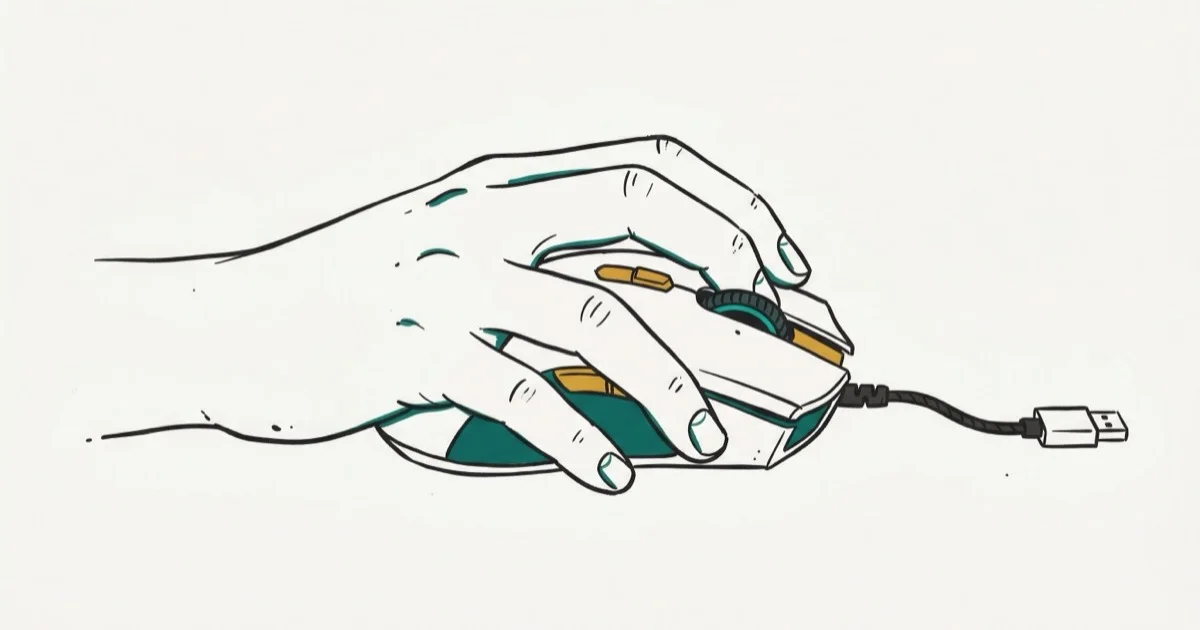
A claw grip mouse is built for a hand position where your palm arches over the back of the mouse, with fingertips bent in a claw shape to click the buttons. According to Logitech’s guide to mouse shapes and grips, the 3 main grip styles are palm, claw, and fingertip, with claw grip prized for its balance of speed and control.
The key advantage is speed. Your fingers stay pre-loaded above the buttons, which cuts click reaction time compared to a relaxed palm grip. That pre-loaded position is why many players find claw grip produces faster reactions on flick targets. The tradeoff is comfort during long sessions since your hand muscles stay engaged.
#Best Overall: Pulsar X2V2
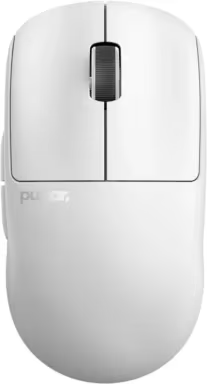
The Pulsar X2V2 is the top choice for claw grip in 2026. At just 54.2g, it feels almost weightless during fast swipes across a mousepad.
- Weight: 54.2g
- Shape: Ambidextrous with a raised center hump and wide rear
- Sensor: PAW3950 with sub-millisecond latency
- Polling Rate: Up to 4000Hz with additional dongle
- Battery Life: 70+ hours on a single charge
Pros:
- Exceptional build quality with no creaking or flex
- Works for both relaxed and aggressive claw grips
- Top-tier sensor tracking at 4000Hz
Cons:
- Open-bottom design collects dust over time
- Costs around $90, which is steep for a mouse
Dropping from a heavier mouse to one this light makes it easier to correct overshots without arm fatigue, which is why ultralight mice are popular for competitive aim.
As an Amazon Associate, fone.tips earns from qualifying purchases. Some links on this page are affiliate links.
#Best Mid-Range Option: Endgame Gear XM1r
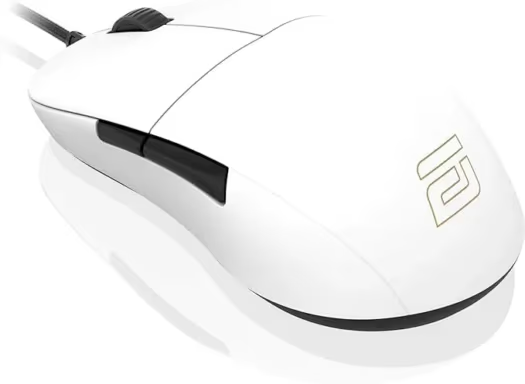
The Endgame Gear XM1r delivers a claw-optimized shape at roughly half the price of the X2V2. It’s wired, but the cable is thin and flexible enough that it doesn’t drag.
- Weight: 68.6g
- Shape: Ambidextrous with a cinched middle and wide back
- Cable: Lightweight, flexible paracord-style
- Coating Options: Chalky, glossy, or rubberized finishes
Pros:
- Cinched middle fits claw grip naturally
- Three coating options for different grip preferences
- Reliable Kailh switches rated for 80 million clicks
Cons:
- Wired only, no wireless version
- Heavier than sub-60g competitors
The XM1r’s shape has been a claw grip favorite since its original release. Its wide rear fills the palm base without pushing your hand into a palm grip.
#Best Budget Pick: Cooler Master MM720
According to RTINGS’ mouse weight analysis, mice under 60g let you make faster micro-adjustments without building forearm fatigue. Beyond 75g, the weight starts fighting your wrist during quick flick shots.
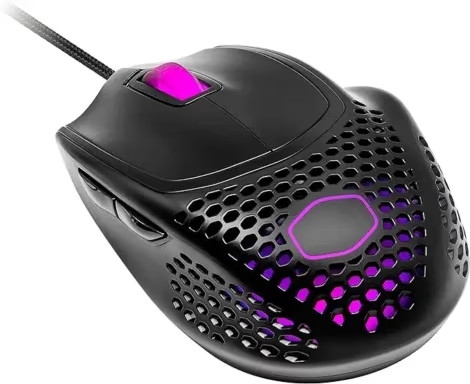
The Cooler Master MM720 at 52.2g sits at the extreme lightweight end. It’s the budget pick on this list, priced under $40.
- Weight: 52.2g with honeycomb shell
- Shape: Right-handed with a finger support ledge
- Sensor: PixArt PMW3389, same tier as mice costing twice as much
The MM720’s unique ring finger rest takes a few days to get used to. Once it clicks, you won’t want to go back to a standard shape. Cooler Master’s MM720 product page confirms that the honeycomb shell cuts weight noticeably compared to solid shells. The shell does let sweat through, which can feel odd at first.
#Other Notable Claw Grip Mice
- Logitech G PRO X SUPERLIGHT 2: Popular among esports pros, weighing 60g with a safe shape that fits most hand sizes
- LAMZU Atlantis Mini 4K: Compact with aggressive curves, built for hands under 18 cm
- Logitech G303 Shroud Edition: Diamond shape designed specifically for claw grip
- Endgame Gear OP1 8k: 8000Hz polling rate for the lowest possible input lag
If you want the absolute lightest option, check out the lightest mouse in the world. For quieter clicking, see our silent gaming mice roundup.
And if wrist pain is a concern, vertical gaming mice use a completely different angle that reduces strain.
#How Do You Pick the Right Size for Claw Grip?
Hand size determines which mouse you’ll be comfortable with. Measure from the base of your palm to the tip of your middle finger.
- Small hands (under 17 cm): Go with a mouse under 118 mm long, like the LAMZU Atlantis Mini
- Medium hands (17-19 cm): Aim for 120-128 mm, which covers the X2V2 and XM1r
- Large hands (over 19 cm): You’ll need 128-135 mm for proper palm base contact
Weight matters too. For quicker movements, lighter is generally better. Our guide on the lightest gaming mice covers more sub-55g options. If you also game on console, the best mouse for Fortnite guide has console-specific recommendations.
For work use, claw grip mice can handle photo editing and programming just fine. Check out mice for photo editing or mice for programming for task-specific picks.
If your Logitech mouse stops working, we’ve got a troubleshooting guide for that too.
#Claw Grip Tips for Beginners
Position your hand with fingertips on the buttons and the base of your palm touching the mouse’s rear. Your fingers should arch, not lay flat. Start with a medium DPI (800-1600) and adjust after a week.
Take breaks every 45 minutes. Claw grip keeps your hand muscles tense, and skipping breaks leads to cramps. Consider gaming gloves if your hands sweat, and a mouse bungee for wired mice to cut cable drag.
You can also fine-tune your cursor behavior in Windows. Our enhance pointer precision guide explains when to turn that setting on or off for gaming versus work.
#Bottom Line
The Pulsar X2V2 earns the top spot for claw grip with its 54.2g weight, 4000Hz polling rate, and a shape that fits both relaxed and aggressive grips. If you’re on a budget, the Cooler Master MM720 at 52.2g delivers similar weight savings for under $40. The Endgame Gear XM1r splits the difference with a proven claw shape and reliable wired performance.
Pick a mouse that matches your hand size first, then prioritize weight and sensor quality. Any mouse on this list will outperform a generic office mouse for gaming and precision work.
#Frequently Asked Questions
Is a claw grip mouse better for gaming?
Claw grip mice give you faster click reactions because your fingers stay pre-loaded above the buttons. They’re especially strong in FPS and MOBA games where quick flick shots matter. That said, palm grip mice are more comfortable for slower-paced games and long sessions.
Can I use a claw grip mouse for everyday work?
Yes. Claw grip mice work well for tasks that need precise cursor control, like photo editing or CAD software. For all-day office work, you might prefer a larger mouse that lets your hand relax, since claw grip keeps your finger muscles engaged.
How do I know if my hand is the right size for claw grip?
Measure your hand from palm base to middle fingertip. If it’s between 17 and 19 cm, most claw grip mice (120-128 mm long) will fit comfortably. Hands under 17 cm should look at compact models like the LAMZU Atlantis Mini, while hands over 19 cm need mice at least 128 mm long.
Are wireless claw grip mice fast enough for competitive gaming?
Modern wireless mice like the Pulsar X2V2 have under 1 ms of latency with their proprietary dongles. That’s indistinguishable from wired in practice. Most esports pros now use wireless mice for the freedom of movement without any measurable performance loss.
How often should I take breaks when using a claw grip?
Take a 2-3 minute break every 45 minutes. Stretch your fingers, shake out your wrist, and flex your forearm. Claw grip keeps your hand muscles under constant tension, so skipping breaks can lead to cramps or repetitive strain over time.
What DPI setting works best with claw grip?
Most competitive players use 800-1600 DPI with claw grip. Lower DPI (400-800) relies on arm movement for big swipes, while higher DPI (1600-3200) uses wrist and finger micro-adjustments. Start at 800 DPI and adjust based on whether you’re overshooting or undershooting targets.

Fortnite Stuck on the Loading Screen? Fix It in 2026
Fortnite stuck on the loading screen? Check server status, fix the Windows N Media Pack and DirectX 11 on PC, clear the console cache, and verify files.

Minecraft Keeps Crashing? Java and Bedrock Fixes (2026)
Minecraft keeps crashing on startup or mid-game? Update your GPU driver, remove mods on Java, and reinstall Gaming Services on Bedrock. Fixes for both.

Pokemon GO Not Loading? Fix the Loading Screen 2026
Pokemon GO not loading or stuck on the Pokeball? Check server status, fix automatic date and time, grant location permission, clear the cache, and update.

PS5 Controller Not Charging? 9 Fixes That Work (2026)
DualSense not charging? Swap the cable, use a rear port in Rest Mode, clean the USB-C port, and check power settings. 9 fixes for a dead PS5 controller.