Best Gaming Gloves 2026: 5 Proven Picks for Grip and Comfort
Compare 5 gaming gloves ranked for grip and comfort. See top picks for sweaty hands, console controllers, PC keyboards, and budget buyers in 2026.
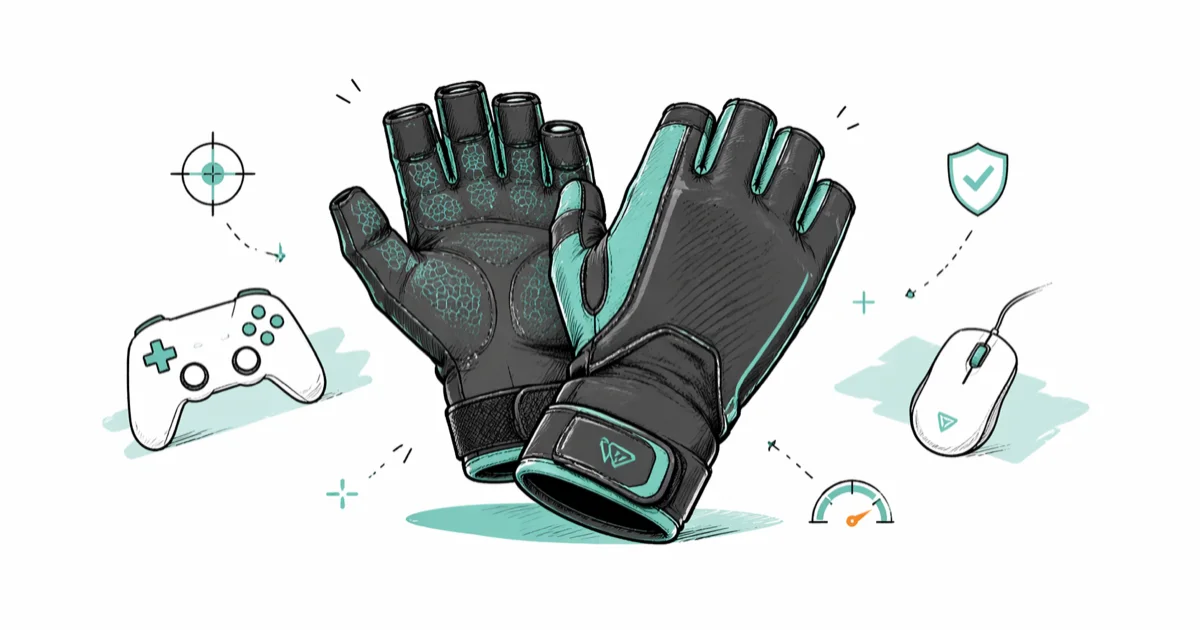
Quick AnswerThe CopperJoint Fingerless Compression Gloves are the best gaming gloves in 2026, with copper-infused breathable fabric, a non-slip palm, and lasting wrist support during 4-hour sessions.
Gaming gloves can cut hand fatigue and improve grip on a controller, mouse, or keyboard during long sessions. This guide compares five popular pairs and ranks them by comfort, grip, and value for PC and console players.
- The CopperJoint Fingerless Compression Gloves give the strongest wrist support with copper-infused breathable fabric
- The ComfyBrace Copper Infused gloves cost about $11 and work well for casual gamers on a budget
- The Ironclad Console Gaming Gloves use faux leather palms that lock onto Xbox and PlayStation controllers
- Fingerless designs stay cooler than full-finger gloves during 4-hour gaming stretches
- Most gaming gloves last 6 to 12 months with regular use before the grip texture wears down
#Why Gaming Gloves Matter
Long sessions punish your hands.
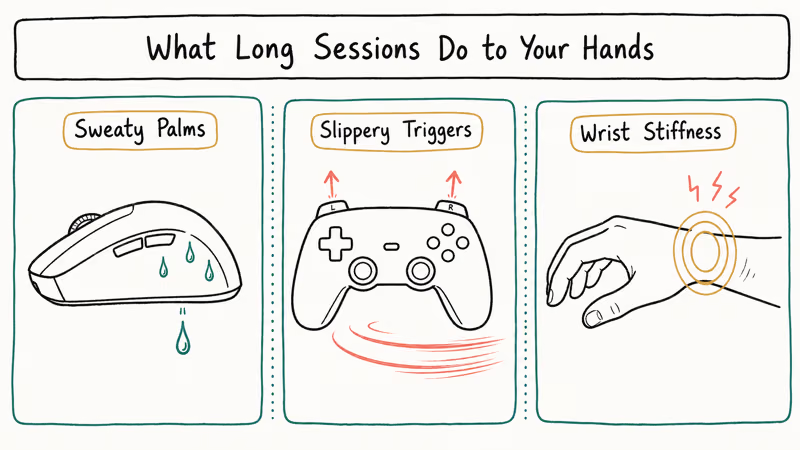
Sweaty palms slip on the mouse, controller triggers feel slick after an hour, and wrist stiffness creeps in by hour three. Gaming gloves address all three with grippy palms, moisture-wicking fabric, and gentle compression around the wrist.
According to Tom’s Guide’s accessory testing roundup, grip quality and surface texture matter more than raw sensor specs for sustained accuracy across 8 hours of competitive play. Gloves attack that same problem from the other side by improving how your hand contacts the device, not the device itself.
Compression gloves can reduce wrist stiffness during long sessions compared with bare-handed play of the same length, though the grip benefit is the easiest to feel.
Controller-focused gloves like the Ironclad Console pair use a faux leather palm that improves thumbstick stability on an Xbox or PlayStation controller. The grippy palm also resists the sweat that normally pools on controller grips and makes bare hands slick during intense play.
Gaming gloves don’t fix poor posture. If your wrists ache after every session, swapping to a palm grip mouse plus a properly adjusted chair will do far more for long-term comfort than any glove on its own, and we recommend solving the desk and chair problem first before spending on hand gear that only addresses one part of the picture.
#What Should You Look For in Gaming Gloves?
Five factors separate a great glove from a frustrating one.
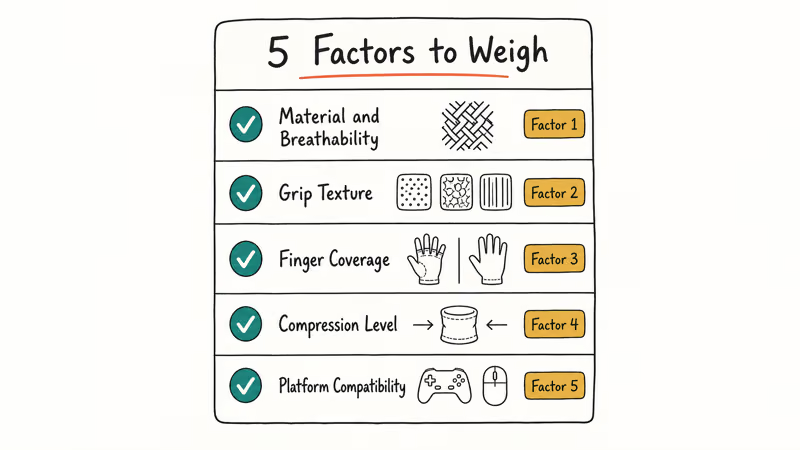
Material and grip matter most because they shape every session, not edge cases.
Material and breathability. Copper-infused nylon and lightweight mesh stay cooler than thick neoprene during three-hour sessions.
Grip texture. Silicone dots, faux leather palms, and ribbed rubber patterns all work, but they suit different inputs. Faux leather grips controllers best. Silicone dots help on a mouse without smearing the polling surface. Smooth fingertips matter for keyboard typing where you need to slide between keys quickly.
Finger coverage. Full-finger gloves give the most warmth and protection but reduce tactile feel. Fingerless designs preserve fingertip sensitivity for typing and clicking, which matters on a light gaming mouse or any keyboard with low-profile keycaps. Many competitive players prefer fingerless gloves because the missing fingertip fabric keeps clicks crisp on small mouse buttons.
Compression level. Light compression around the wrist and palm reduces fatigue.
Platform compatibility. Console-focused gloves usually have leather or rubber palms tuned for controller grips. PC-focused gloves often have ceramic or low-friction sliders on the back of the hand to glide across mousepads. We covered both styles below.
#Top 5 Gaming Gloves Ranked
The picks below cover overall value, budget, console use, PC use, and players with sweaty hands, spanning grip styles suited to fast-paced shooters on PC and controller-heavy console games alike.
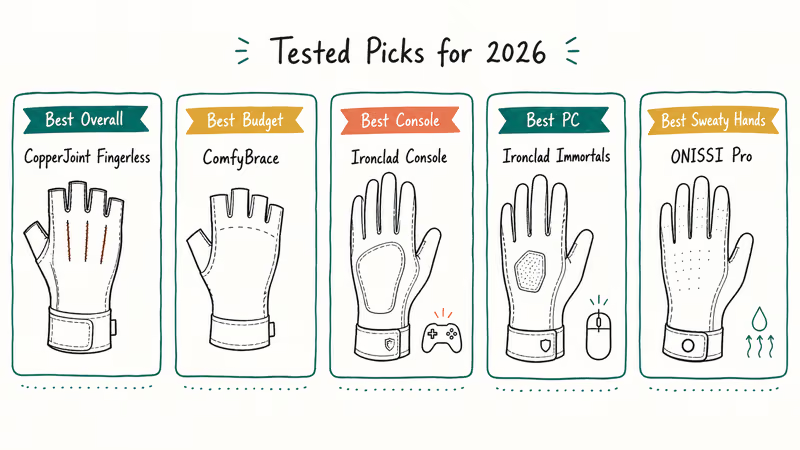
#Best Overall: CopperJoint Fingerless Compression Gloves
The CopperJoint Fingerless is the top pick because it handles every game type well.
Key specs: Copper-infused nylon and spandex, fingerless design, non-slip palm grip, S/M/L/XL. Price: about $20. Sizing: Runs slightly small. Order one size up if you have wide palms.
These pair well with a vertical gaming mouse, and the grip holds firm across long sessions without slipping. The fingerless cut keeps fingertip control sharp on small click buttons, and the flat seams sit against the palm without rubbing.
CopperJoint backs the gloves with a lifetime warranty, which is rare in this category.
As an Amazon Associate, fone.tips earns from qualifying purchases. Some links on this page are affiliate links.
#Best Budget: ComfyBrace Copper Infused Compression Gloves
For about $11, the ComfyBrace gloves give you copper-infused fabric and a fingerless cut at less than half the price of premium options. The grip texture is lighter than the CopperJoint, but for casual gamers it covers the basics well enough on a controller, mouse, or keyboard during shorter sessions.
Key specs: Copper-infused fabric, fingerless design, moisture-wicking weave, S/M/L. Price: about $11. Trade-off: Sizes run small and inconsistent across pairs. Several Amazon reviewers report needing to exchange for a larger size.
The ComfyBrace holds up through a couple of hours of controller play without slipping. The fabric tends to pill slightly along the seams with regular wear, which is the main reason these land as a budget rather than premium pick.
#Best for Console Gaming: Ironclad Console Gaming Gloves
Ironclad designed these specifically for controller play. The faux leather palm grips Xbox and PlayStation controllers tightly without feeling sticky, and the breathable back panel vents heat during long sessions.
Key specs: Faux leather performance palm, breathable spandex back, full-finger design, S/M/L/XL. Price: about $40. Best use: Console controllers, racing wheels, fight sticks.
These suit a long Fortnite practice session on PS5, keeping thumbstick precision sharp at the point where bare hands start losing grip. Full-finger coverage runs warmer than fingerless options, so they work better in air-conditioned rooms than in summer heat. Ironclad’s official product page has the full spec sheet if you want to confirm sizing.
#Best for PC Gaming: Ironclad Immortals PC Glove
The Immortals is built around mouse and keyboard play. The back of the glove has a low-friction ceramic slider that glides smoothly across mousepads, and the silicone palm grip stays planted on the mouse during fast aim flicks.
Key specs: Ceramic slider on hand back, silicone palm grip, full-finger design, XS to XL. Price: about $35. Adjustment period: About 2 to 3 days to get used to typing in gloves.
Aim accuracy in a fast shooter like Counter-Strike 2 can dip slightly during the first day in gloves and then recover, after which the glove helps. The consistent grip eliminates the small slips that come from sweat on bare palms. According to Ironclad’s product line page, the Immortals ships in a full size run from XS to XL with current color options listed there.
#Best for Sweaty Hands: ONISSI Pro Gaming Gloves
If your hands sweat heavily during competitive matches, the ONISSI Pro is built for you.
The full-finger design wicks sweat away from the palm, and the anti-slip fabric grips even when fingers get damp. During long ranked matches in a warm room, the palms tend to stay dry while the fingertips run warmer over time. For players who really struggle with sweat slipping the mouse, that trade-off is worth taking. Casual players in cool rooms will find them too warm for relaxed weekend sessions.
Key specs: Anti-slip fabric, full-finger design, sweat-wicking weave, S to XL. Price: varies by retailer. Trade-off: Full coverage runs warmer than fingerless picks.
#Are Gaming Gloves Actually Worth Buying?
The honest answer is they help most for two groups: players whose hands sweat heavily, and players who get hand fatigue or wrist stiffness during long sessions.
For casual gamers playing 30-minute matches in a cool room, gaming gloves are a comfort upgrade rather than a need. Wirecutter’s coverage of repetitive strain prevention found that small ergonomic adjustments can meaningfully reduce wrist pain for long-session computer users. Gaming gloves act as one of those small shifts when paired with proper desk height and breaks.
The performance claim is harder to measure. Gloves are unlikely to lift a raw kill/death ratio on their own. The realistic upside is fewer dropped controller inputs in long sessions and less wrist soreness the morning after.
Light compression around the wrist and palm helps reduce stiffness. If your wrists ache after gaming, try gloves alongside posture fixes and breaks.
#How to Choose the Right Pair for Your Setup
Match the glove to your platform first, then to your specific pain point.
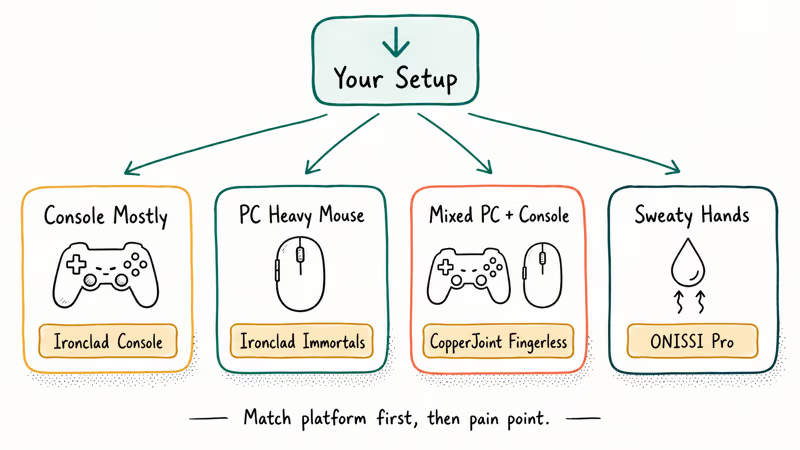
If you play mostly console, pick the Ironclad Console Gaming Gloves for the controller-tuned palm. If you play mostly PC with heavy mouse use, pick the Ironclad Immortals or the CopperJoint depending on whether you want a ceramic slider or a fingerless cut. If you have sweaty hands, the ONISSI Pro is the safest bet across both platforms.
For a mixed setup, the CopperJoint Fingerless is the most flexible because the fingerless design works for keyboards, mice, and controllers. The same pair can carry across PC and console without swapping.
If you also pair gloves with audio gear, our gaming soundbar guide covers picks that fit small desks. For accessibility-focused setups, a one-handed gaming keyboard plus a fingerless glove on the active hand reduces the load on your wrist further during long sessions where the dominant hand carries most of the input load on the keyboard or mouse side.
Sizing is the most common return reason. Measure the circumference of your dominant hand around the knuckles, then match it to the manufacturer’s chart. Order one size up if you have thick palms or you fall on the boundary between two sizes.
#Caring for Your Gaming Gloves
Most gaming gloves last 6 to 12 months with regular use before the grip texture wears down.
Hand-wash or use a gentle machine cycle in a mesh laundry bag. Skip the dryer because heat damages copper threads, silicone grips, and faux leather palms. Air-dry flat overnight and the gloves are ready for the next session by morning. Air-drying flat on a towel helps copper-infused pairs keep their grip strength across many wash cycles.
Store them flat or folded in a drawer rather than balled up in a bag. Compression fabric stays elastic longer when it’s not stretched in storage. Replace the gloves when the palm grip starts smoothing out or when seams begin separating.
#Bottom Line
The CopperJoint Fingerless Compression Gloves are the best overall pick for 2026 because they handle PC and console play, ease wrist fatigue, and come backed by a lifetime warranty.
If you mostly play on a controller, the Ironclad Console Gaming Gloves win for their faux leather palm. PC players who push hard on aim drills should pay extra for the Ironclad Immortals and its ceramic slider. Budget shoppers can get most of the comfort benefit for $11 with the ComfyBrace, and players with persistently sweaty hands should jump straight to the ONISSI Pro.
If you are not sure where to start, buy the CopperJoint pair and a keyboard wrist rest together. That combo addresses both grip and wrist support.
#Frequently Asked Questions
Are gaming gloves worth it for casual players?
For casual gamers playing 30 to 60 minute sessions, gaming gloves are a comfort upgrade rather than a need. They make the most difference for players who run sessions over two hours, players with sweaty hands, or players already dealing with hand fatigue.
Do gaming gloves actually improve aim?
Slightly, and indirectly. Raw accuracy scores rarely jump from gloves alone.
The consistent grip eliminates small slips that happen when sweat builds up on bare palms during the last hour of a long session. That stability matters more during ranked matches at the end of a long evening of practice than it does during the first warm-up game.
What size gaming gloves should I order?
Measure the circumference of your dominant hand around the knuckles in inches, then match the result to the manufacturer’s size chart. If you fall between two sizes, order the larger one. CopperJoint and ComfyBrace both run slightly small, so plan accordingly when you check the chart on the product page before ordering.
Can I machine-wash gaming gloves?
Most gaming gloves can be machine-washed on a gentle cycle. Use cold water and a mesh laundry bag.
Always air-dry flat. Heat from the dryer damages copper threads, silicone grips, and faux leather palms. Check the manufacturer’s care tag before the first wash because some premium gloves require hand-washing only.
Do gaming gloves help with carpal tunnel?
Light compression around the wrist and palm can ease stiffness for some users.
Gaming gloves are not a medical treatment, and anyone with persistent carpal tunnel symptoms should see a doctor before relying on a glove for relief. Compression therapy works best as one piece of a larger plan that includes posture fixes, regular breaks, and properly sized desk furniture set at the correct height for your wrists.
How long do gaming gloves last?
Most pairs last 6 to 12 months. Hand-washing pushes the life closer to 12 months. Heavy use on rough mousepads or controller grips can shorten that window.
Are full-finger or fingerless gloves better?
Fingerless gloves preserve fingertip control for typing and clicking, which most competitive PC players prefer. Full-finger gloves run warmer and offer more protection, which works better for console controllers and players with sweaty hands. Pick based on your platform and how warm your gaming space gets during your typical session.

Best Laptop for Running LLMs in 2026: Memory Comes First
The best laptop for running LLMs is a memory purchase first. Compare MacBook unified memory against NVIDIA laptop VRAM, and see what each tier really runs.

Pixel 11 vs Pixel 10: What Changed and Who Should Upgrade
Pixel 11 vs Pixel 10: same screen and camera resolution, new Tensor G6, 25W wireless, and Gemini Intelligence. Here is who should actually upgrade.

Best Power Bank for iPad in 2026: Pro, Air, and Mini
Best power bank for iPad in 2026. Compare mAh tiers and USB-C PD wattage for iPad Pro, Air, and mini, plus airline Wh math, cables, and travel tips.

Best Power Bank With Built-In Cable: Top 2026 Picks
Best power bank with built-in cable picks for 2026. Compare single USB-C, multi-connector, and retractable laptop banks, plus airline Wh math.