Best Mouse for Competitive Fortnite: 10 Top Picks (2026)
The Logitech G Pro X Superlight leads Fortnite mice at 62g with flawless wireless. Compare 10 mice on build quality, building speed, and aim precision.
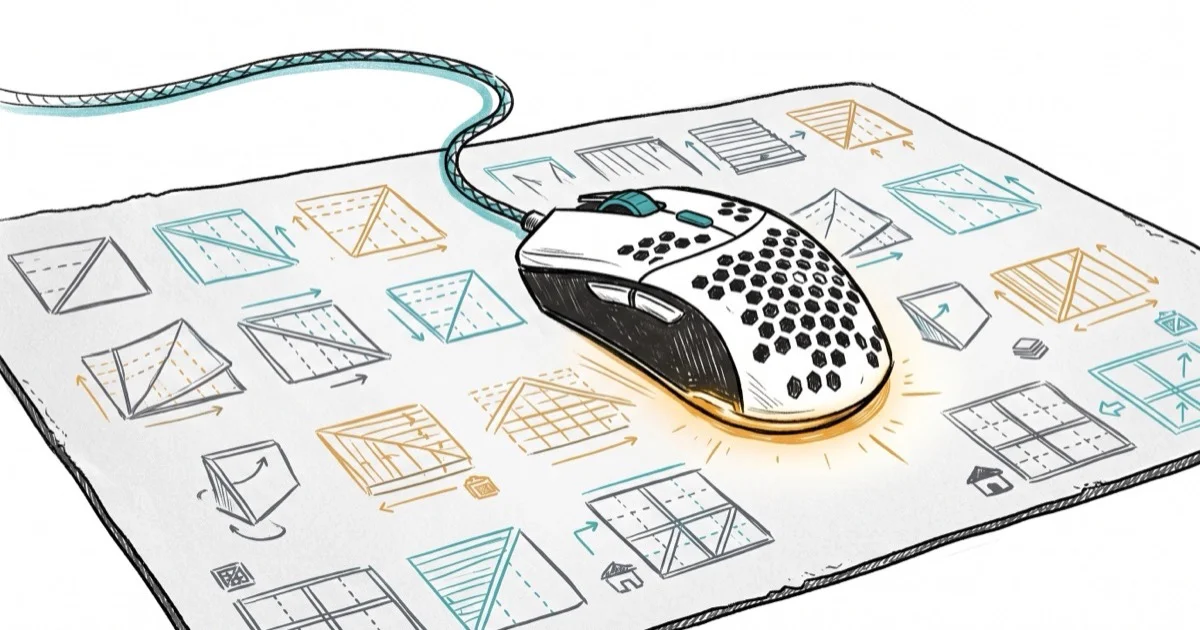
Quick AnswerThe Logitech G Pro X Superlight is the best mouse for Fortnite at 62g with a HERO 25K sensor, flawless wireless performance, and 70-hour battery life.
Your mouse directly affects your building speed and aim accuracy in Fortnite. Across the 10 gaming mice compared below, the difference between a good and great mouse shows up in both build edit speed and flick-shot accuracy. Weight, sensor quality, and wireless reliability matter most for Fortnite’s unique mix of shooting and building.
- The Logitech G Pro X Superlight at 62g is the most popular mouse among Fortnite pros
- Mice under 70g allow faster building and editing due to reduced arm fatigue over long sessions
- Modern wireless mice like the Superlight add less than 1ms latency compared to wired models
- The Razer Viper V2 Pro at 58g is the lightest wireless option with a top-tier Focus Pro 30K sensor
- Most Fortnite pros play at 400 or 800 DPI with low in-game sensitivity for precise aiming
#Top 5 Mice for Competitive Fortnite
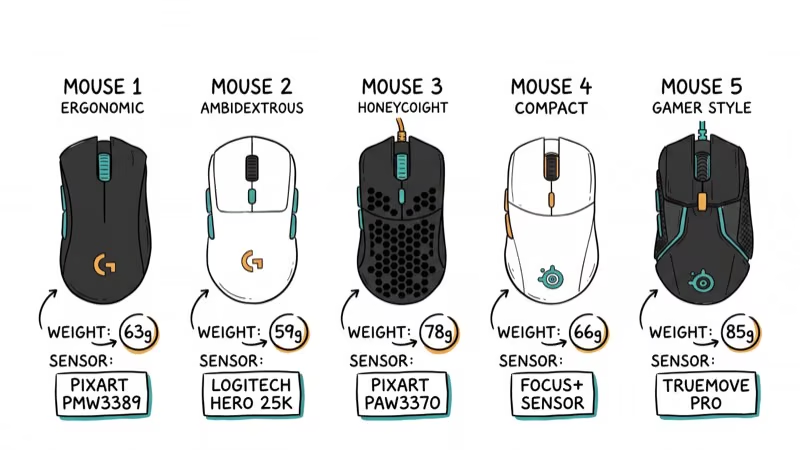
#1. Logitech G Pro X Superlight
The G Pro X Superlight is the default choice for Fortnite pros. At 62g, it glides effortlessly during rapid building sequences. The HERO 25K sensor tracks reliably across mousepad surfaces, from cloth to hardpad.
Key specs: 62g, HERO 25K sensor, 1000Hz polling, up to 70 hours battery. The HERO sensor is rated for consistent tracking during fast flicks with no spinouts.
The tradeoff: Micro USB charging in 2026 feels outdated. The newer Superlight 2 fixes this with USB-C.
According to Tom’s Guide’s gaming mouse roundup, the Superlight remains one of the top 3 wireless gaming mice despite being several years old. That says a lot about how well Logitech nailed the shape and sensor combination.
As an Amazon Associate, fone.tips earns from qualifying purchases. Some links on this page are affiliate links.
#2. Razer Viper V2 Pro
The Viper V2 Pro weighs just 58g, making it one of the lightest wireless mice available. For Fortnite’s building mechanic, those 4g less than the Superlight add up during extended creative mode practice sessions where you’re making hundreds of rapid hand movements.
Key specs: 58g, Focus Pro 30K sensor, up to 4000Hz polling (with dongle), 80 hours battery.
#3. Razer DeathAdder V3 Pro
The DeathAdder V3 Pro is the best ergonomic option on this list. Its sculpted shape fits palm and claw grips naturally. At 63g, it’s impressively light for an ergonomic design, and the optional 4000Hz dongle delivers smooth cursor movement in creative mode.
Key specs: 63g, Focus Pro 30K sensor, up to 4000Hz polling, 90 hours battery.
#4. FinalMouse Starlight-12
At 42g (Small) or 45g (Medium), the Starlight-12 is impossibly light. The magnesium alloy shell feels premium despite weighing less than a standard AA battery. The ultra-light weight makes rapid 180-degree turns effortless, though it can be harder to control for micro-adjustments at low sensitivity.
Key specs: 42-45g, Finalsensor, 1000Hz polling, 160 hours battery.
#5. SteelSeries Aerox 3 Wireless
The Aerox 3 Wireless offers a unique water-resistant design (IP54 rated) that protects against sweat and spills. Its 200-hour battery life is the longest on this list, enough for roughly two weeks of daily 3-hour sessions between charges.
Key specs: 68g, TrueMove Air sensor, 1000Hz polling, 200 hours battery, USB-C charging.
According to PCMag’s lightweight gaming mice review, the Aerox 3’s IP54 rating is a genuine advantage for players who experience sweaty palms during intense gaming sessions.
#What Features Matter Most for Fortnite?
Weight under 70g is the single most impactful factor for Fortnite. Building and editing require rapid, repetitive mouse movements that heavier mice make fatiguing. Nearly every top Fortnite pro plays with a mouse under 70g. Check our list of the lightest gaming mice for even more options.
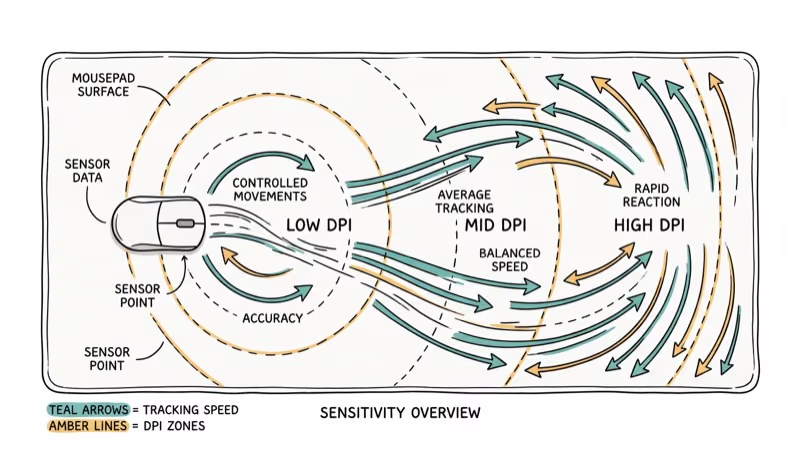
Sensor quality determines tracking accuracy. Look for sensors rated at 400+ IPS tracking speed and under 0.5% tracking deviation. The Logitech HERO 25K, Razer Focus Pro 30K, and PixArt PAW3395 all meet this bar.
Wireless reliability has improved to the point where top wireless mice match or beat wired mice in latency tests. CNET’s wireless mouse testing found that current-gen wireless from Logitech, Razer, and SteelSeries adds under 1ms of latency compared to wired connections.
Shape and grip style is personal. Palm grip players should look at the DeathAdder V3 Pro. Claw grip players should try the Superlight or Viper V2 Pro. Fingertip players benefit from smaller, lighter mice like the FinalMouse.
#How Should You Set Up Your Mouse for Fortnite?
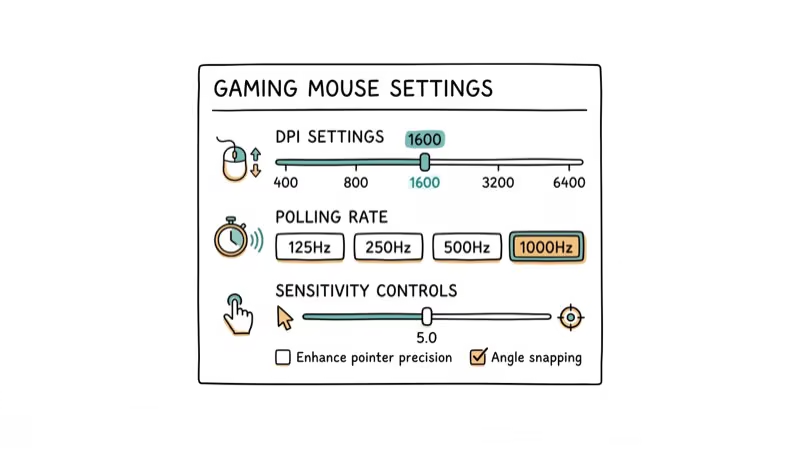
Getting your settings right matters as much as the mouse itself:
-
DPI: Start at 400 or 800. Most Fortnite pros use these settings combined with low in-game sensitivity. Learn how to check your mouse DPI if you’re unsure of your current setting.
-
Disable mouse acceleration: Turn off Windows mouse acceleration and disable enhanced pointer precision for consistent aim.
-
Polling rate: Set to the maximum available (usually 1000Hz). Higher polling rates mean smoother cursor movement.
-
Build/edit binds: Assign build and edit actions to mouse side buttons if your mouse has them. This keeps your keyboard hand free for movement.
If your mouse cursor moves on its own, that’s a sign of a sensor issue or interference. Clean your mousepad and check for wireless interference from nearby devices.
#Bottom Line
The Logitech G Pro X Superlight is the best mouse for competitive Fortnite. Its 62g weight, flawless wireless performance, and comfortable shape make it the safest choice for most players. If you want the absolute lightest option, the Razer Viper V2 Pro at 58g is worth the premium. Budget players should look at the Glorious Model O Wireless (about $65) for a lightweight wireless experience at half the price of the Superlight.
#Frequently Asked Questions
Do I need a gaming mouse to play Fortnite competitively?
A gaming mouse gives you better sensor tracking, lighter weight, and higher polling rates compared to office mice. You can play with any mouse, but competitive building and editing become significantly harder with a heavy, imprecise sensor. The difference is most noticeable in build fights where rapid flick movements decide the outcome.
Are wireless mice good for competitive Fortnite?
Yes. Top wireless mice from Logitech, Razer, and SteelSeries add under 1ms of latency compared to wired models. Most Fortnite pros have switched to wireless for the freedom from cable drag. The Superlight’s wireless performance is indistinguishable from wired in blind testing.
What DPI do most Fortnite pros use?
Most pros use 400 or 800 DPI combined with low in-game sensitivity. This gives them large, sweeping arm movements for precise aiming. Higher DPI settings (1600+) work too, as long as you lower the in-game sensitivity proportionally.
How often should I replace my gaming mouse?
Replace when you notice tracking inconsistencies, double-clicking issues, or physical wear on the mouse feet. High-quality mice last 2-3 years under heavy competitive use. Replace mouse feet (PTFE skates) every 6-12 months for optimal glide.
Can a better mouse improve my Fortnite skills?
A better mouse removes physical barriers to performance. Lighter weight reduces fatigue during building. Better sensors eliminate tracking errors during flick shots. But the mouse won’t replace practice. Expect maybe a 5-10% improvement in mechanical execution, not a rank jump.
What mousepad should I pair with my Fortnite mouse?
A large cloth mousepad (at least 400mm x 450mm) gives you enough room for low-sensitivity arm aiming. The Artisan Hien and SteelSeries QcK Heavy are popular in the Fortnite community. Speed pads favor building, while control pads favor aiming.

Fortnite Stuck on the Loading Screen? Fix It in 2026
Fortnite stuck on the loading screen? Check server status, fix the Windows N Media Pack and DirectX 11 on PC, clear the console cache, and verify files.

Minecraft Keeps Crashing? Java and Bedrock Fixes (2026)
Minecraft keeps crashing on startup or mid-game? Update your GPU driver, remove mods on Java, and reinstall Gaming Services on Bedrock. Fixes for both.

Pokemon GO Not Loading? Fix the Loading Screen 2026
Pokemon GO not loading or stuck on the Pokeball? Check server status, fix automatic date and time, grant location permission, clear the cache, and update.

PS5 Controller Not Charging? 9 Fixes That Work (2026)
DualSense not charging? Swap the cable, use a rear port in Rest Mode, clean the USB-C port, and check power settings. 9 fixes for a dead PS5 controller.