How to Check If Your Email Was Exposed in a Data Breach
Check if your email was exposed in a data breach using Have I Been Pwned, Google, Apple, and password managers. Then take the right steps to stay safe.
Quick AnswerGo to haveibeenpwned.com and enter your email address. If it shows up in any breach, change the password for that service immediately and enable two-factor authentication.
Your email address has probably appeared in at least one data breach. Have I Been Pwned routinely surfaces breaches going back to 2013 that account owners had no idea about. Here’s how to find out if yours is exposed and exactly what to do next.
- Have I Been Pwned is the fastest free tool: enter your email at haveibeenpwned.com and get results in seconds
- Google Password Manager flags breached passwords under
Settings>Passwords>Checkpasswords - Apple’s iCloud Keychain shows compromised passwords in
Settings>Passwords>Security Recommendations - Password managers like Bitwarden include built-in breach monitoring that runs automatically
- If your email appears in a breach, change that password first, then enable 2FA, then monitor your credit if financial data was exposed
#How Do You Check Your Email With Have I Been Pwned?
The most reliable tool is Have I Been Pwned, a free service built by security researcher Troy Hunt. Enter an email address and it returns results for breaches you may have forgotten about entirely.
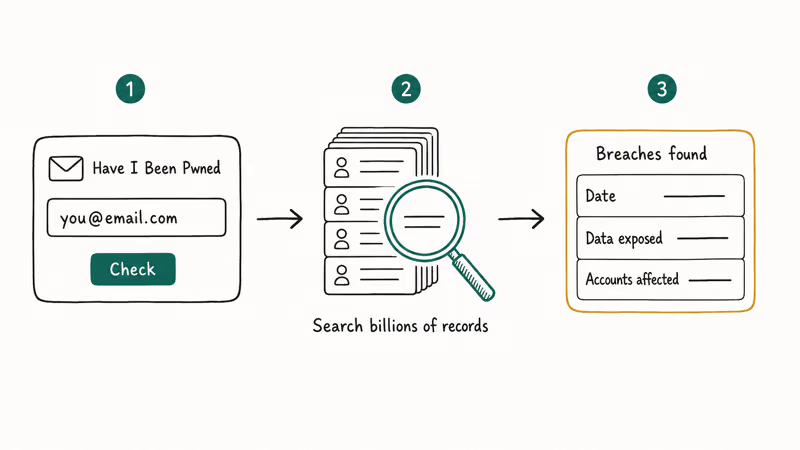
Visit the site, enter your email address, and hit Enter. HIBP searches a database of billions of records from known breaches. If your email appears, you’ll see each breach listed with the date it occurred, what type of data was exposed (passwords, phone numbers, physical addresses), and how many total accounts were affected.
Sign up for HIBP breach alerts. You’ll get an email whenever your address appears in a new breach, often before you’d hear about it elsewhere.
One important note: finding your email in a breach doesn’t mean your current password is compromised right now. Many breaches expose old passwords from services you stopped using years ago, and companies often fix breaches long before the leaked data surfaces publicly.
The site also has a separate Passwords tool where you can check whether a specific password appears in any known leak. It uses a privacy-protecting technique called k-anonymity that never sends your full password to the server.
#Built-In Phone Tools for Breach Checking
Both iOS and Android have breach-checking features that most people don’t know about.
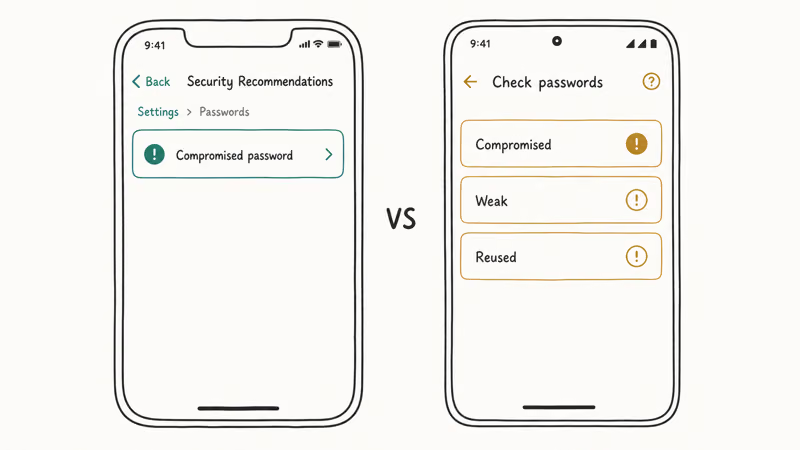
On iPhone: Go to Settings > Passwords > Security Recommendations. Your iPhone scans your saved passwords against a database of known breaches and flags any that were compromised. It also flags passwords reused across multiple sites, a separate but common risk. Tap any flagged item to go directly to that site’s password-change page.
With Google Password Manager: Open Chrome or the Google app, go to Settings > Passwords, and tap “Check passwords.” Google’s Safety Check documentation states that 3 categories are checked at once: compromised passwords, weak passwords, and reused passwords. Google cross-references each against breach data automatically.
According to Apple’s security support page, the Security Recommendations feature uses a cryptographic technique so Apple doesn’t see your actual passwords when running the check.
#Password Managers With Breach Monitoring
A password manager is the best long-term solution for most people. Bitwarden monitors breach status automatically.
Bitwarden’s data breach report (under Reports in the web vault) flags any saved account whose email or password appeared in a known breach. It pulls from Have I Been Pwned via a secure API and lists each affected account with the breach source. It routinely surfaces long-forgotten accounts, including old forum logins whose reused passwords are still active on current accounts.
Other managers like 1Password have a “Watchtower” feature that does the same thing, running continuously without any action from you. Both pull breach data from HIBP and surface alerts inside the app when something new affects your accounts, so you’re not dependent on remembering to check manually.
Start with a password manager if you haven’t already.
#Checking Whether Your Email Is on the Dark Web
A separate but related question: has your email address been posted to dark web forums or paste sites? That’s a different data set from breach databases.
We covered this in detail in our guide on how to tell if your email is on the dark web, including what to do if it shows up. The key difference from HIBP: dark web monitoring looks at where your data is being sold or traded, while HIBP focuses on documented breach incidents.
Google One’s dark web monitoring is available to Google One subscribers. We compared it against alternatives in our Google One dark web report alternatives guide if you want a free option.
#What to Do After Finding Your Email in a Breach
Finding your email in a breach doesn’t mean you’re immediately at risk, but act quickly on a few things.
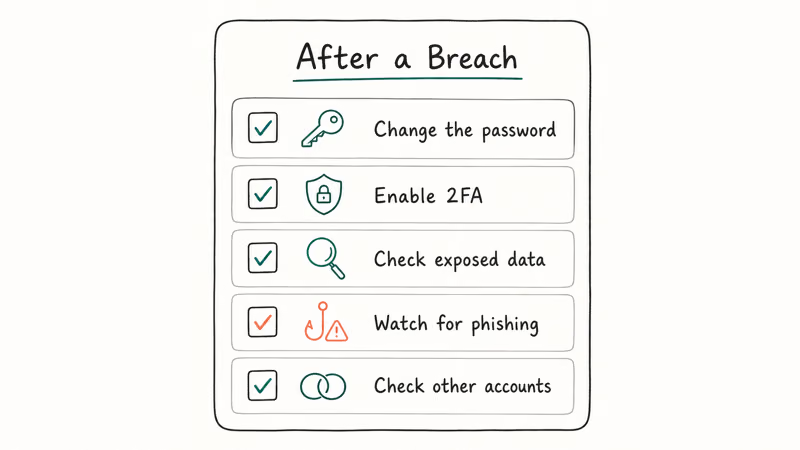
Change the password for that service first. Log in directly (don’t click links in emails) and update your password to something unique: 16 or more characters, not used on any other site. A password manager generates these for you.
Enable two-factor authentication. Even if someone has your old password, 2FA stops them from getting in. According to Google’s two-step verification support page, enabling 2-step verification significantly reduces the risk of unauthorized account access. An authenticator app is more secure than SMS-based 2FA, though either is far better than nothing. For a detailed comparison, see our guide on passkeys vs passwords vs 2FA.
Check what data was exposed. If the breach included financial information or a Social Security number, place a credit freeze with Equifax, Experian, and TransUnion. A credit freeze is free and prevents anyone from opening new lines of credit in your name without your explicit approval. We walk through the exact steps in our guide on how to freeze your credit.
Watch for phishing. Any email urging you to click and log in should be treated as suspicious.
Check your other accounts. Password reuse turns one breach into many. Change it everywhere.
#Is SIM Swapping a Risk After a Breach?
If a breach exposed your phone number alongside your email, SIM swapping is a real concern. Attackers use your leaked details to convince a carrier representative that they’re you, then request a transfer of your number to a SIM card they control. Once they hold your number, they can intercept every SMS-based 2FA code sent to it and access any account that uses text verification.
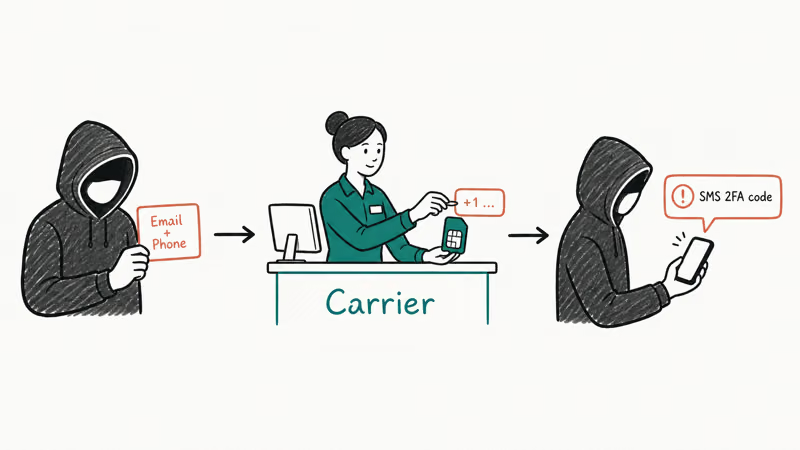
Set a carrier PIN to prevent it.
Our guide to preventing SIM swapping covers the exact steps for AT&T, Verizon, and T-Mobile.
#What to Do If Your Current Password Appeared in a Leak
The HIBP Passwords tool tells you if a specific password appears in known breach data, even if your email isn’t attached to it. If you type a password you currently use and HIBP finds it, treat it as compromised regardless of whether your email shows up alongside it.
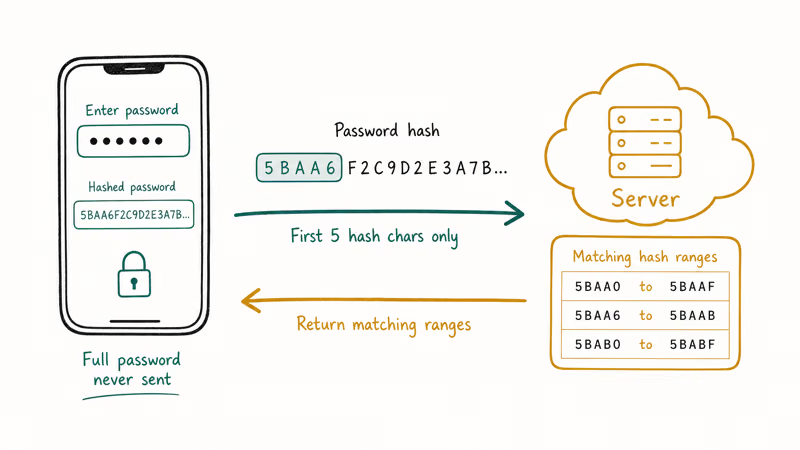
According to the Have I Been Pwned documentation, the password check uses k-anonymity: only the first five characters of the password’s hash are sent to the server, so your full password is never transmitted. That makes it safe to check.
If your password is in the list, change it everywhere you used it. A password that appears in breach data gets cycled into automated credential-stuffing attacks quickly.
#Bottom Line
Start with Have I Been Pwned. Change any compromised passwords immediately and enable 2FA.
For ongoing monitoring, turn on Security Recommendations in your iPhone’s Settings or use a password manager with built-in breach alerts. If the breach exposed financial data or your SSN, add a credit freeze.
#Frequently Asked Questions
Is it safe to enter my email on Have I Been Pwned?
Yes. Have I Been Pwned only searches for your email address against existing breach records and doesn’t collect or store the email in a way that creates new risk. The site is run by a credentialed security researcher and is widely used by security professionals. HIBP is recommended by multiple national cybersecurity agencies including the UK’s National Cyber Security Centre.
What does it mean if my email shows up in multiple breaches?
It means your email address was included in the leaked data from those services. Different breaches expose different data; some might only have your email address, others might include passwords, phone numbers, or physical addresses. Check the details for each breach listed, then prioritize changing passwords for any account where the leaked password is still in use.
Can I remove my email from breach databases?
No. The data is already out there. You can opt out of HIBP’s searchable results, but that doesn’t remove your data from the breach files attackers already have. Focus on changing compromised passwords and enabling 2FA instead.
Does a data breach mean someone has already accessed my account?
Not necessarily. Breach data is often sold or traded before it’s actually used. Many accounts get breached but never actively exploited because the attacker didn’t use those credentials before the password was changed. Acting within hours of discovering a breach, rather than days, significantly reduces your exposure.
What’s the difference between a breach and a leak?
A breach is when someone breaks into a company’s systems and takes data without permission. A leak is when data is accidentally exposed through misconfigured databases, public cloud storage, or developer errors. Both end up in HIBP and both carry the same risk to you: your data is out there. The distinction matters mainly to the company involved.
Should I use a different email address after a breach?
No. Change the compromised password and enable 2FA on that account. That’s enough.
Some people use email aliasing services to give each website a unique address. If one service is breached, attackers only have that alias rather than your real email. It’s an optional extra step, not a requirement.
Why do breaches sometimes surface years after they happened?
Companies often don’t discover breaches immediately. When they do, regulatory requirements and legal review can delay public disclosure by months. Some breach data circulates on dark web forums for a year or more before it’s officially acknowledged by the company.
A check you ran 12 months ago may not reflect your current exposure. Ongoing monitoring catches new disclosures as they happen.

Is This Bank App Real? Spot a Fake App on Your Home Screen
A bank app can land on your home screen from a web page with no install warning. Learn the checks that tell a real banking app from a phishing web app.
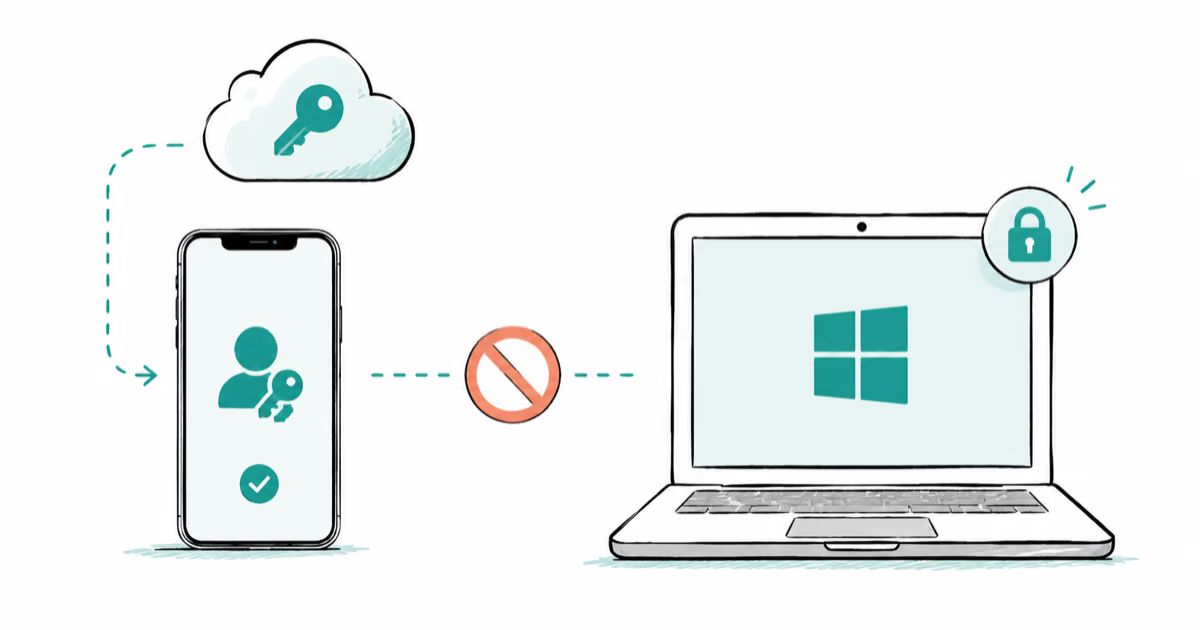
Passkeys Not Syncing Between iPhone and Windows? Read This
Passkeys not syncing between iPhone and Windows is by design, not a bug. Here is why iCloud passkeys skip Windows Hello and the three ways to fix it.
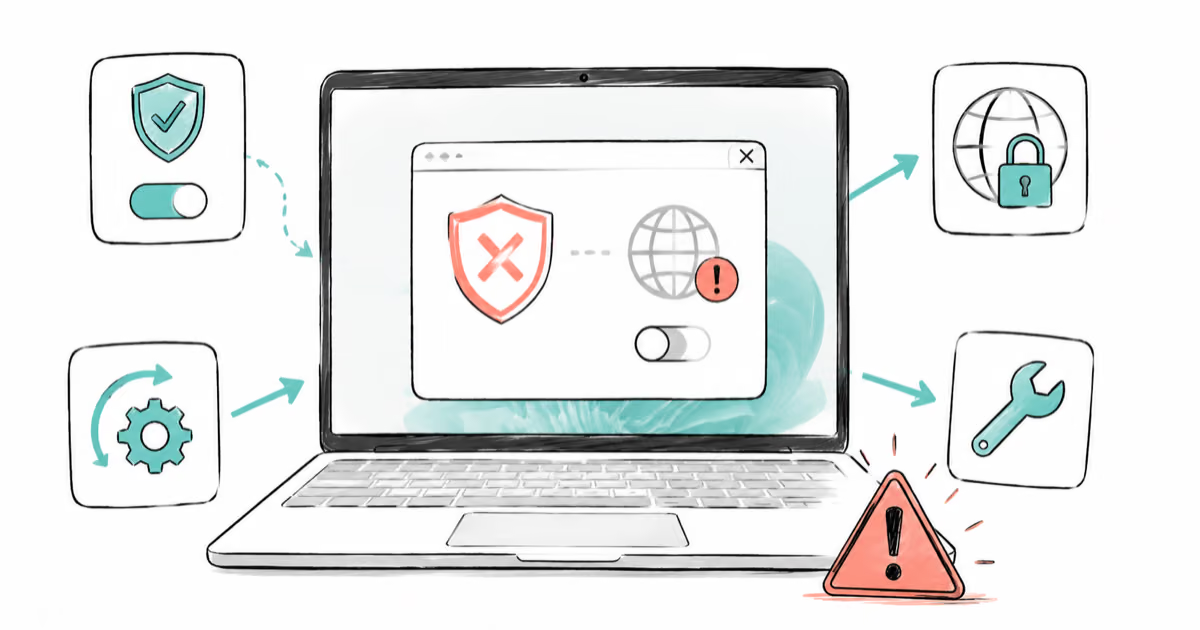
VPN Not Working on Snapdragon X? Why It Fails, How to Fix
Your VPN won't install or connect on a Snapdragon X Copilot Plus PC because Windows on ARM can't emulate the network driver. Here are the fixes that work.
How to Check If a Link Is Safe Before You Click It
Learn how to check if a link is safe with official-first steps: read the real domain, use the app instead, and treat scanners as a second opinion only.