Best Business Laptop 2026: 6 Picks Compared for Work
The best business laptop in 2026, compared and ranked. ThinkPad X1 Carbon leads, with Surface Laptop 7, Dell XPS, and MacBook picks plus a buying guide.

Quick AnswerThe Lenovo ThinkPad X1 Carbon is the best business laptop for most people in 2026. It pairs a sub-2.5-pound chassis with a class-leading keyboard, all-day battery, and enterprise security.
The best business laptop in 2026 is the Lenovo ThinkPad X1 Carbon. This guide ranks six work-focused machines across Windows, ARM, and macOS on keyboard feel, build quality, battery, security, and docking. Your pick comes down to your operating system and whether portability or raw performance matters more.
- ThinkPad X1 Carbon is the best overall: under 2.5 pounds, class-leading keyboard, vPro security, MIL-SPEC chassis
- Surface Laptop 7 is best for Microsoft 365 teams, but its Snapdragon X chip emulates older x86 apps
- Dell XPS 14 leads on battery, with Tom’s Guide measuring over 12 hours on the OLED model
- MacBook Pro M5 is the performance ceiling for creative work, rated up to 24 hours of battery
- 16GB RAM is the 2026 floor; 32GB is the new standard, and most premium chassis solder it in
#The Six Business Laptops Compared
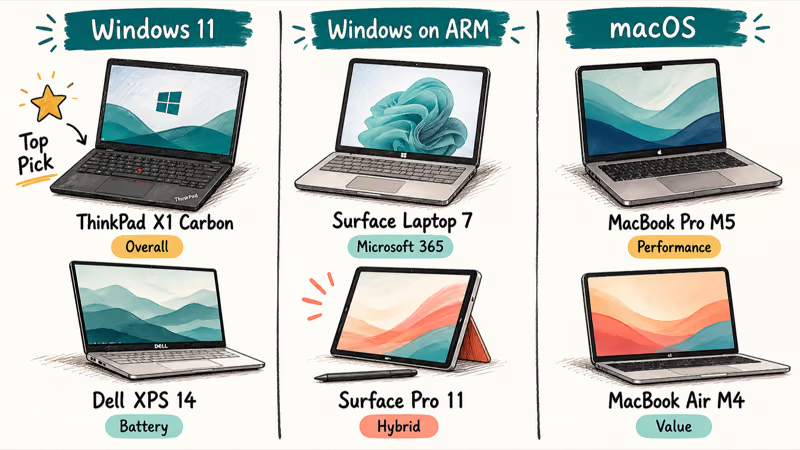
Your operating system and travel habits drive the choice more than any single benchmark. Here is how the six machines compare:
| Laptop | OS / Chip | Best For | Starting Price |
|---|---|---|---|
| Lenovo ThinkPad X1 Carbon | Windows 11 / Intel Core Ultra | Overall, travel, typing | Varies by config |
| Microsoft Surface Laptop 7 | Windows 11 / Snapdragon X | Microsoft 365 teams | From ~$1,500 |
| Dell XPS 14 | Windows 11 / Intel Core Ultra | Battery life, display | Varies by config |
| Apple MacBook Pro 14 (M5) | macOS / Apple M5 | Creative performance | From $1,699 |
| Apple MacBook Air 13 (M5) | macOS / Apple M5 | Quiet, affordable Mac | From $1,099 |
| Microsoft Surface Pro 11 | Windows 11 / Snapdragon X | Hybrid tablet work | From ~$1,500 |
As an Amazon Associate, fone.tips earns from qualifying purchases.
#Lenovo ThinkPad X1 Carbon
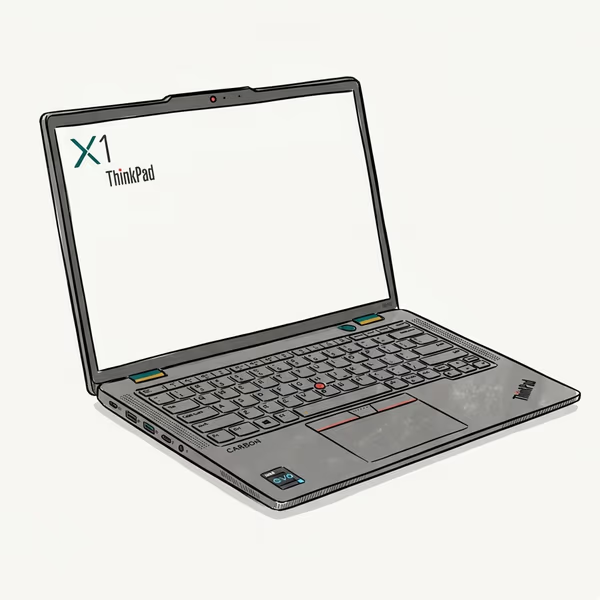
The X1 Carbon is the most complete business laptop in this group. A Core Ultra 7 / 32GB config on Windows 11 handles spreadsheets, calls, and remote desktop without strain. It weighs under 2.5 pounds and disappears into a bag.
Last updated on Jul 3, 2026
As an Amazon Associate fone.tips earns from qualifying purchases. Prices and availability on Amazon are accurate as of the date above and subject to change.
That keyboard is the reason ThinkPads keep their fans. Deep key travel, a firm bottom-out, and the TrackPoint nub make long typing sessions comfortable.
The X1 Carbon also covers what IT cares about: vPro management, a discrete TPM, and a MIL-SPEC chassis rated to take daily commuting abuse. Battery now lasts most of a workday in mixed use, a real change from older X1 models. According to Notebookcheck’s ThinkPad X1 Carbon Gen 13 review, the efficient Lunar Lake Core Ultra model with OLED beats the cheaper Arrow Lake variant.
The downsides are price and soldered RAM, so buy the memory you’ll need for the whole life of the machine up front. There’s no second chance to add more once the chassis is sealed, and a business laptop should last you several years.
Best for: Anyone in Windows who types all day and travels often.
#Microsoft Surface Laptop 7
The Surface Laptop 7 is the easiest pick for a Microsoft 365 shop. On the 13.8-inch Snapdragon X model running Windows 11, native apps like Teams, Outlook, Edge, and the Office suite run fast and quiet, and battery comfortably clears a full workday.
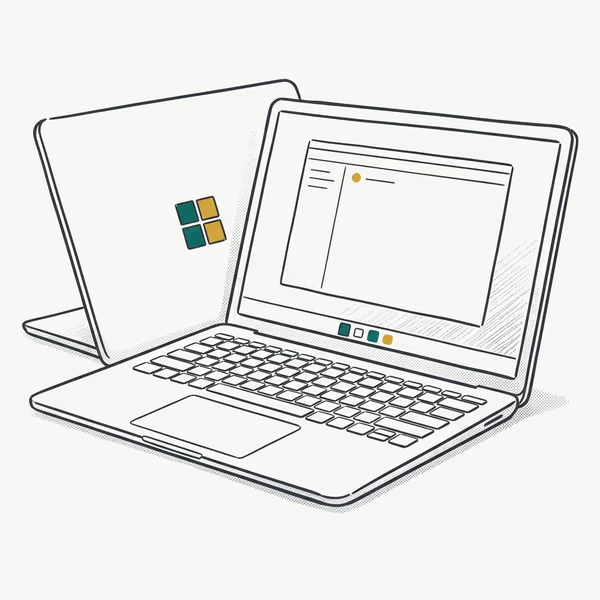
- Snapdragon X Plus with strong battery efficiency
- 120Hz 3:2 PixelSense touchscreen, great for documents
- Copilot+ NPU features and Wi-Fi 7
Last updated on Jul 3, 2026
As an Amazon Associate fone.tips earns from qualifying purchases. Prices and availability on Amazon are accurate as of the date above and subject to change.
There is one catch: the ARM chip. Older x86 desktop apps run through emulation, so some legacy line-of-business tools feel slower than they do on Intel. It’s a real tradeoff, not a dealbreaker for most teams.
The screen is a sharp 3
touch panel that suits document work. Spreadsheet-heavy teams should also read our laptop for Excel guide.Test your specific software stack before standardizing a fleet on it, and step up to the 15-inch model if you want a bigger display.
Best for: Microsoft 365 teams whose software is web or Office based.
#Dell XPS 14
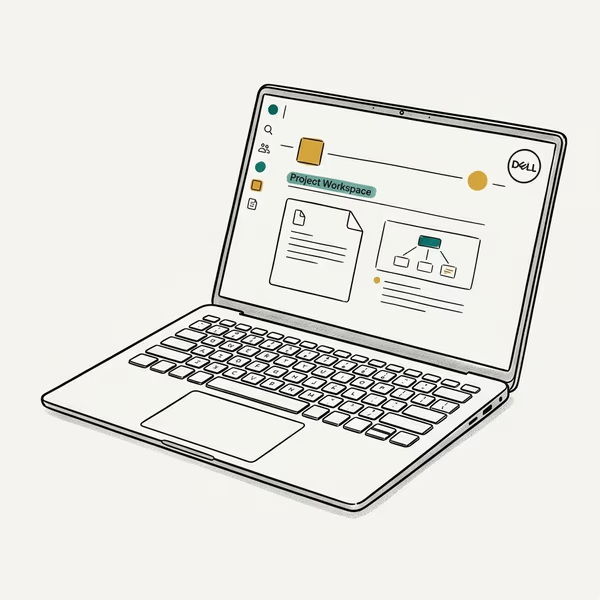
The Dell XPS 14 is the battery champion of this group, and the 2026 refresh fixed the runtime problems older XPS models had. A Core Ultra 7 / OLED configuration handles writing, browsing, and video calls through a full day with charge to spare.
Last updated on Jul 3, 2026
As an Amazon Associate fone.tips earns from qualifying purchases. Prices and availability on Amazon are accurate as of the date above and subject to change.
The InfinityEdge display is the other reason to buy it. Colors looked accurate out of the box, which matters if you touch design or marketing assets.
According to Tom’s Guide’s Dell XPS 14 testing, the OLED variant ran over 12 hours in a real productivity rundown, an unusually strong result for a screen that bright. The keyboard and capacitive function row split opinion, so try one in person first. Heavy multitaskers should also see our best laptops for virtualization guide.
Grab the Dell XPS 14 once you’ve settled on a configuration.
Best for: Professionals who want long battery and a great display in one machine.
#Apple MacBook Pro 14 (M5)
This is the performance ceiling of the list. The M5 model on macOS handles Lightroom exports, multi-track audio, and a packed browser without slowing down or getting loud. Active cooling lets it hold full speed under sustained load in a way fanless laptops can’t.
Last updated on Jul 3, 2026
As an Amazon Associate fone.tips earns from qualifying purchases. Prices and availability on Amazon are accurate as of the date above and subject to change.
Battery is the headline. Apple rates the new MacBook Pro at up to 24 hours, and Apple’s newsroom confirms three Thunderbolt 5 ports plus the N1 chip for Wi-Fi 7. Editing-heavy workloads drain it faster, while lighter office days land much nearer the rated figure. Fast charging tops it up quickly on a high-wattage adapter.
The price is the obstacle, starting at $1,699 for the 16GB/1TB base configuration. If you live in Final Cut, Xcode, or heavy creative apps, it earns the premium.
The previous-generation MacBook Pro 14 M4 is the smart buy if the current M5 config is out of budget.
Best for: Creative pros and developers who need sustained, silent performance.
#Apple MacBook Air 13 (M5)
The MacBook Air is the value Mac for business. The M5 model on macOS handles writing, email, and a dozen browser tabs while staying silent, because it has no fan at all. For office work it never feels slow, and the base configuration now ships with 512GB of storage.
Battery clears a full workday with room left over, and the whole thing stays light enough to forget in a bag.
It’s not built for sustained heavy exports the way the Pro is, since the fanless design throttles under long loads. For most knowledge workers that ceiling never gets hit. According to Apple’s MacBook Air specifications, the M5 model is rated up to 18 hours of battery life.
The MacBook Air 13 (M5) is the one to pick if a quiet, affordable Mac is what you’re after.
Best for: Mac users who want a quiet, affordable laptop for everyday office work.
#Microsoft Surface Pro 11
The Surface Pro 11 is for people who want one device for desk work and meetings. It’s a Windows tablet with an optional keyboard, so it covers note-taking and reading in a way a clamshell can’t. The Snapdragon X model on Windows 11 handles email, OneNote, and presentations comfortably.
It shares the Surface Laptop 7’s strength and weakness: native Microsoft apps fly, while some legacy x86 tools lag under emulation.
Budget for the accessories. The keyboard and Slim Pen are sold separately and push the real price well past the sticker, so a tablet-first design isn’t the cheap option it looks like. Check the Surface Pro 11 on Amazon if it fits how you work.
Best for: Hybrid workers who split time between a desk and meeting rooms.
#What Specs Actually Matter for a Work Laptop?
Start with memory. 16GB is the floor in 2026, and 32GB is the new standard once you add a heavy browser, local AI features, and background apps. Most premium laptops solder the RAM in place, so there is no upgrade path later and the only safe move is to buy what you need at purchase rather than hoping you can expand it in a year or two.
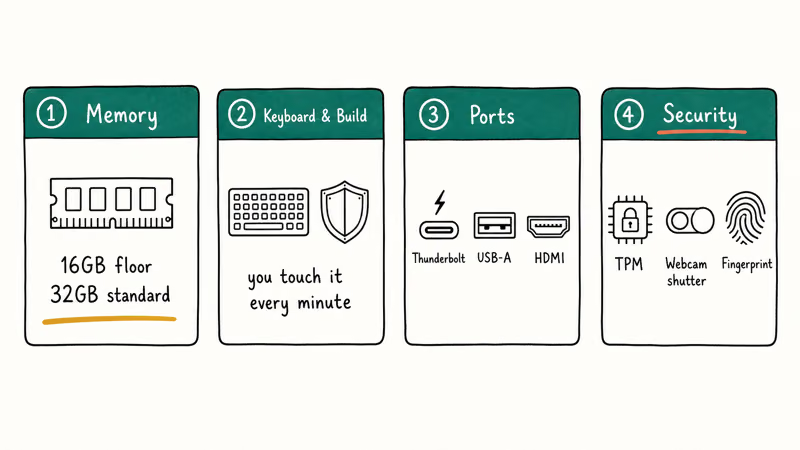
Keyboard and build come next, because you touch them every minute. The ThinkPad and MacBook lead on both. If a mid-range Intel chip covers your workload, our best i5 laptops guide is a cheaper starting point.
Ports decide how you dock. The ThinkPad and MacBook Pro give you Thunderbolt plus USB-A and HDMI, so most desk setups need no dongle. Thinner machines drop USB-A, which means a hub for legacy peripherals. Finance teams running heavy models should also check our best laptop for accounting guide for spec advice that maps to spreadsheet work.
Security is the part buyers skip and IT cares about. Look for a discrete TPM, a webcam privacy shutter, and IR or fingerprint sign-in. Business lines like the ThinkPad and Surface for Business also add vPro and enterprise management that consumer laptops lack, which is what lets an IT team deploy, encrypt, and lock down dozens of machines from one console instead of touching each one by hand.
#How Long Should a Business Laptop Last?
Plan for three to five years of daily use. A well-built business laptop with a quality chassis and a serviceable battery holds up that long if you treat it reasonably.
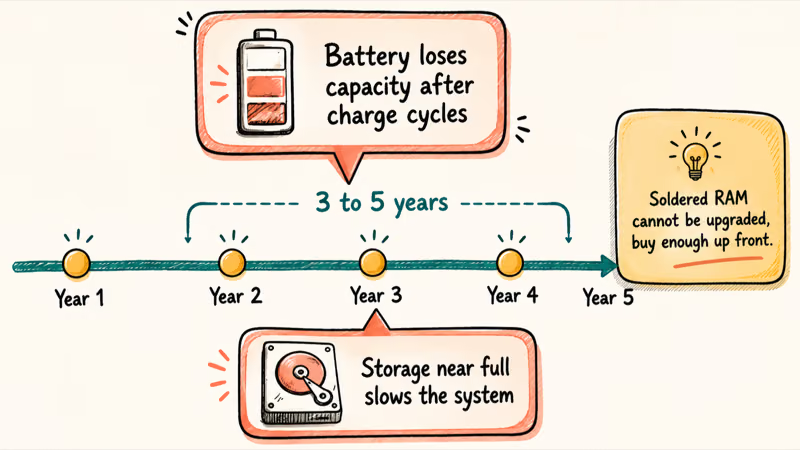
The two things that age fastest are the battery and the storage headroom. Batteries lose capacity after a few hundred charge cycles, and a drive that is always near full slows the whole system down.
This is the real argument for buying enough RAM and storage up front on soldered machines. You can’t upgrade later, so a laptop that fits your needs today but not in two years becomes a forced early replacement. If your work outgrows a standard ultraportable, our laptops under $2000 guide covers more powerful options that still fit a sane budget.
#Bottom Line
For most professionals, the Lenovo ThinkPad X1 Carbon is the best business laptop in 2026. The keyboard, the weight, the security features, and the now-strong battery make it the machine we would carry to work every day.
Microsoft 365 teams should look at the Surface Laptop 7, but test your legacy apps first because of ARM emulation. If battery is the priority, the Dell XPS 14 leads the pack, and creative pros who need sustained power should pay up for the MacBook Pro M5. Whatever you pick, buy at least 32GB of RAM if the chassis solders it in, since you won’t get a second chance to upgrade.
#Frequently Asked Questions
What is the best business laptop in 2026?
The Lenovo ThinkPad X1 Carbon is the best business laptop for most people. It combines a class-leading keyboard, sub-2.5-pound weight, enterprise security, and battery that now lasts most of a workday. The main tradeoffs are a premium price and soldered RAM you can’t upgrade later. If you live on Apple software instead, the MacBook Pro M5 is the stronger pick.
Is the Surface Laptop 7 good for business?
Yes, for Microsoft 365 teams. The one caveat is ARM emulation on older x86 apps, so test your software first.
How much RAM do I need for a work laptop?
16GB is the minimum for standard business work in 2026, and 32GB is the better choice for power users. Local AI features, heavy browser tabs, and background apps eat memory faster than they used to. Because most premium laptops solder the RAM in place, you can’t add more later, so buy enough up front.
Should I get a MacBook or a Windows laptop for business?
It depends on your software. Pick a MacBook for macOS-native creative apps or an Apple-run company, and a Windows laptop for Windows-only tools or a managed fleet.
Do business laptops come with enterprise security features?
Business lines do, consumer lines often don’t. Look for a discrete TPM chip, a webcam privacy shutter, and IR or fingerprint sign-in.
How long does a business laptop last?
Plan on three to five years of daily use from a well-built model. The battery and available storage age the fastest, so a laptop that runs close to full or cycles its battery hard will feel old sooner. Buying enough RAM and storage at purchase is the best way to stretch the lifespan on soldered machines.
Is a 2-in-1 a good business laptop?
For some roles, yes. A device like the Surface Pro 11 works well if you split time between a desk and meetings and want to take handwritten notes or read documents in tablet mode. For all-day typing at a desk, a traditional clamshell like the ThinkPad is more comfortable and usually cheaper once you add the keyboard and pen a 2-in-1 needs.
Bluetooth Not Working on Snapdragon X? Fixes for 2026
Bluetooth not working on your Snapdragon X Copilot+ PC? Generic audio, mice, and keyboards work, but vendor apps often lack an ARM build. Fixes inside.

Docker Desktop and WSL2 Not Working on Snapdragon X? Fix It
WSL2 runs fine on Snapdragon X, but Docker Desktop ARM is Early Access and throws WSL errors. Use WSL2 plus native ARM64 Ubuntu and Docker Engine.
Does iTunes Work on Snapdragon X? ARM Windows 11 Guide
Yes, iTunes runs on Snapdragon X laptops through Prism emulation, but the Apple Devices app is the smoother route. Here is what to install on ARM.
Does OBS Studio Work on Snapdragon X? ARM64 Build Guide
Yes, OBS Studio has an experimental ARM64 build since version 31.1, but x64 plugins won't load and hardware encoding is missing. Here is what works.