Core i5 Laptop Buying Guide 2026: How to Vet Listings
Use five marketplace examples to evaluate Core i5 laptop listings by processor generation, RAM, storage, seller, condition, warranty, and returns.
Quick AnswerDell no longer sells the Inspiron 15 3511, so it isn’t a safe default buy in 2026. Treat remaining listings as used or clearance stock, verify condition and warranty, and compare them with Dell’s current laptops.
Core i5 laptops span many processor generations, configurations, and seller conditions. This guide uses five marketplace examples, including legacy and renewed models, to show what to verify before buying in 2026.
- Dell no longer sells the Inspiron 15 3511, so treat remaining listings as used or clearance stock rather than a current 2026 recommendation.
- A 16GB configuration gives multitasking more headroom than 8GB, but verify whether the memory is factory-installed or seller-upgraded.
- The Core i5 label spans old and new processor generations, so compare the exact CPU model instead of assuming every i5 performs alike.
- Generic HP, ASUS, and Acer marketplace titles can hide the exact manufacturer model or seller-installed upgrades.
- Battery life varies by configuration and condition, so check model-specific tests and ask about battery health on used or renewed units.
#Introduction to Core i5 Laptops
Core i5 is a product tier used across many Intel processor generations, not a single level of laptop performance. An older business refurb, a current thin-and-light, and a laptop with dedicated graphics can behave very differently even when all three carry a Core i5 badge.
When shopping for a Core i5 laptop, key features to look for include:
-
Enough RAM for your workload, plus a clear upgrade path if you need one
-
SSD capacity that fits your applications and files
-
The exact display resolution, panel type, brightness, and color coverage
-
Battery results from a repeatable, model-specific test
-
Solid build quality and good keyboard/touchpad
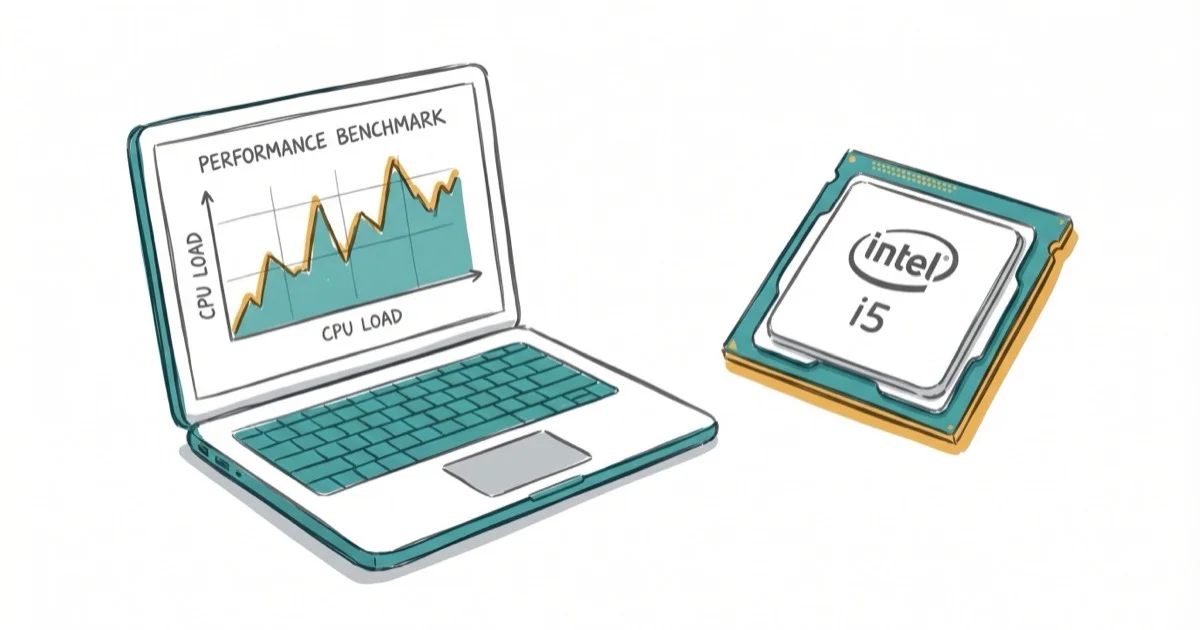
Intel’s performance-hybrid overview states that 12th-generation and newer Core processors that integrate two core types use Performance-cores and Efficient-cores. Compare the exact processor model, power limits, cooling, and integrated graphics rather than shopping by the Core i5 badge alone.
#Core i5 Laptop Models Covered
Apply the same five-step check to every listing below:
- Record the exact laptop model and full processor number, not just the Core i5 label.
- Separate factory specifications from memory or storage added by the seller.
- Confirm whether the unit is new, renewed, used, or clearance stock.
- Compare warranty, return window, included charger, and battery-health terms.
- Compare the total price with a current new laptop that meets the same workload needs.
#Dell Inspiron 15 3511: Used or Clearance Only

-
Display: 15.6″ FHD Touchscreen
-
Processor: Intel Core i5-1035G1
-
RAM: 8GB
-
Storage: 256GB PCIe NVMe M.2 SSD + 1TB HDD
-
Market Status: Legacy model; verify each used or clearance listing
Dell’s Australian Inspiron 15 3511 product page states that the model is discontinued and no longer available. Dell’s U.S. product page confirms that it’s unavailable.
Dell’s Ireland product page also states that the product is no longer available.
Those store notices establish that the Inspiron 15 3511 is no longer a current Dell-sold model. They don’t prove that every retailer has exhausted its stock, so treat third-party offers as used or clearance candidates. Verify the exact configuration, seller, condition, battery health, warranty, and return window, then compare the price with Dell’s current laptop listings before buying. Dell does not name a direct successor on the product pages checked.
View Used or Clearance Listings at Amazon
As an Amazon Associate, fone.tips earns from qualifying purchases. Some links on this page are affiliate links.
#HP 15.6″ FHD Essential Business Laptop
-
Processor: Intel Core i5-1135G7
-
RAM: 16GB
-
Storage: 1TB SSD
-
Operating System: Windows 11 Pro
This marketplace listing describes a 16GB, 1TB configuration, but its generic title doesn’t identify a precise HP model number. Verify the chassis, display, seller-installed upgrades, warranty, and return terms before treating those specifications as a manufacturer configuration.
#Lenovo ThinkPad T490 (Renewed)
-
Display: 14″ FHD
-
Processor: Intel Core i5-8365U Quad-core
-
RAM: 16GB DDR4
-
Storage: 256GB SSD
This is a renewed listing rather than a current new-model recommendation. Check the refurbisher, cosmetic grade, battery-health policy, included charger, warranty, and return window.
View Renewed Listing at Amazon
#ASUS VivoBook Laptop
-
Display: 15.6″ FHD Touchscreen
-
Processor: Intel Core i5-1135G7
-
RAM: 20GB
-
Storage: 1TB PCIe SSD
This marketplace configuration lists 20GB of RAM and a 1TB SSD, which may include seller-installed upgrades. Confirm the exact VivoBook model number, factory specifications, upgrade warranty, and return policy.
#Acer Aspire 5
-
Display: 15.6″ Full HD IPS
-
Processor: Intel Core i5-1335U
-
RAM: 16GB LPDDR5
-
Storage: 512GB NVMe SSD
This listing names a 13th-generation Core i5, 16GB of RAM, and a 512GB SSD. Verify the exact Aspire 5 model number, display specification, seller, warranty, and current price before comparing it with another configuration.
#How Fast Are Core i5 Laptops in Real-World Use?
Core i5 performance varies with generation, power limits, cooling, RAM, storage, and graphics. The badge can’t predict a listing’s results.
Tom’s Guide’s laptop testing methodology states that its reviewers combine real-world and synthetic benchmarks, display measurements, file-transfer and video-transcoding tests, and a standardized web-browsing battery test. Use comparable model-specific tests instead of generic Core i5 performance claims.
-
Multi-core results for the applications you use
-
Integrated- or dedicated-graphics results for your games or creative tools
-
Battery results collected with the same workload and test settings
For animation or virtualization, start with the software vendor’s requirements, then compare benchmarks for the exact processor, memory, graphics, and laptop cooling design. Our guides to computers for animation and laptops for virtualization cover those workloads in more detail.
#Price Range and Value
Core i5 laptop prices vary with age, configuration, condition, and seller:

-
Entry-level or clearance listings: Check whether the low price reflects an older processor, limited memory, a seller upgrade, or reduced warranty coverage.
-
Mainstream listings: Compare the exact CPU, memory, storage, display, battery testing, and support terms rather than relying on the Core i5 badge.
-
Higher-priced listings: Make sure the extra cost buys a better display, build, battery, warranty, or newer platform that matters to you.
See our laptops under $2000 guide for higher-priced options.
Factors affecting price include brand reputation, build quality, display technology, and additional features like touchscreens or dedicated graphics cards.
#Best Use Cases for Core i5 Laptops
-
Students: Check the requirements for course software, then compare measured battery life, weight, and warranty coverage.
-
Business Professionals: Match the processor, memory, webcam, ports, and support terms to the applications and meeting tools you use.
-
Teachers: Check classroom software, display outputs, webcam quality, portability, and repair support. See our guide to laptops for teachers for a role-specific checklist.
-
Accountants: Verify the requirements of your accounting package, spreadsheet workload, external displays, and security tools. Our laptop for accounting guide covers those checks.
-
Home Users: Compare the display, speakers, storage, and measured responsiveness for the tasks you perform most often.
-
Gaming: Check game-specific tests for the exact GPU, processor, RAM configuration, resolution, and settings.
-
Content Creation: Compare model-specific playback, export, graphics, display, and thermal tests using software and media similar to yours.
For virtualization, the full processor model, memory capacity, upgradeability, and cooling matter more than the Core i5 tier name alone.
#What Should You Look for in a Core i5 Laptop?
Consider these factors when selecting a Core i5 laptop:
-
RAM: A 16GB configuration offers more multitasking headroom than 8GB; verify whether upgrades are factory-installed or seller-added.
-
Storage: Prefer an SSD and choose capacity based on your files and applications. Confirm whether a third-party seller changed the factory drive.
-
Display: Check the exact resolution, panel type, brightness, touch support, and color coverage for the specific configuration.
-
Battery Life: Read model-specific tests and ask about battery health when evaluating used or renewed units.
-
Build Quality: Consider durability if you’ll be carrying the laptop frequently.
-
Ports and Connectivity: Ensure it has the necessary ports for your peripherals.
#Bottom Line
Don’t treat the Dell Inspiron 15 3511 as this guide’s default 2026 buy. Dell marks the model discontinued or unavailable. If a third-party listing still looks attractive, evaluate it as a used or clearance purchase and compare it with Dell’s current laptop lineup rather than assuming another model is its official successor.
For any listing in this guide, verify the exact model and configuration before relying on the seller’s title. Marketplace bundles, renewed units, and clearance stock can differ in condition, installed parts, warranty coverage, and return terms.
#Frequently Asked Questions
Are Core i5 laptops good for gaming?
Gaming suitability depends heavily on the GPU, cooling, RAM configuration, game, resolution, and settings. A Core i5 label alone doesn’t establish gaming performance; compare model-specific benchmarks for the full configuration.
How long do Core i5 laptops typically last?
Useful life depends on workload, build quality, repairability, software support, and battery condition. For a used or renewed laptop, ask the seller about battery health, service history, warranty, and return rights.
Can a Core i5 laptop handle video editing?
It depends on the exact processor, GPU or media engine, memory, codec, resolution, effects, proxies, and editing software. Compare playback and export tests that resemble your projects; resolution alone doesn’t predict whether a laptop will edit smoothly. For more options, see our laptop for video editing under $1000 guide.
What’s the difference between 11th and 12th gen Core i5?
Many 12th-generation mobile Core i5 processors introduced a hybrid architecture with performance and efficiency cores, while 11th-generation models use a different design. The real difference varies by exact processor, laptop power limits, cooling, and workload, so compare model-specific benchmarks.
Is 8GB RAM enough for a Core i5 laptop?
8GB can cover basic tasks and light browsing, while 16GB gives multiple apps and browser tabs more headroom. Check whether the memory is upgradeable and whether a marketplace seller, rather than the manufacturer, installed it.
What should I do if my Core i5 laptop won’t power on?
Follow the laptop manufacturer’s model-specific power-reset instructions because the button sequence and timing can vary. Our laptop won’t power on troubleshooting guide covers how to check the battery, adapter, and other common causes.

Best Laptop for Running LLMs in 2026: Memory Comes First
The best laptop for running LLMs is a memory purchase first. Compare MacBook unified memory against NVIDIA laptop VRAM, and see what each tier really runs.

How to Run a Local LLM on Windows: A 2026 Setup Guide
Run a local LLM on Windows with LM Studio or Ollama. Pick a model that fits your GPU memory, keep every prompt offline, and skip the monthly bill.

Bluetooth Not Working on Snapdragon X? Fixes for 2026
Bluetooth not working on your Snapdragon X Copilot+ PC? Generic audio, mice, and keyboards work, but vendor apps often lack an ARM build. Fixes inside.

Docker Desktop and WSL2 Not Working on Snapdragon X? Fix It
WSL2 runs fine on Snapdragon X, but Docker Desktop ARM is Early Access and throws WSL errors. Use WSL2 plus native ARM64 Ubuntu and Docker Engine.