How to Convert YouTube Videos to WMV: Legal Methods (2026)
Convert YouTube videos to WMV the legal way with HandBrake, FFmpeg, and Wondershare UniConverter. A clear look at what actually works in 2026.
Quick AnswerUse YouTube Premium to save videos offline for personal viewing, then convert with HandBrake or FFmpeg to WMV at 1080p with the WMV2 codec for legacy Windows playback.
Converting YouTube to WMV only makes sense for legacy Microsoft devices that refuse to play MP4 cleanly. The source video also has to be content you own, content under Creative Commons, or content saved through YouTube Premium. Everything else is a copyright problem.
- WMV is a 25-year-old Microsoft container that peaks at 1080p quality with WMV2 or WMV3 (also called VC-1) encoders
- YouTube Premium is the only first-party way to save streams for offline personal viewing inside the YouTube app
- HandBrake exports WMV via a custom encoder slot since version 1.6, while FFmpeg has supported the wmv2 codec natively for years
- A 10-minute 1080p MP4 source produces a similarly sized file when re-encoded to WMV at the same bitrate
- Xbox 360 and Microsoft Zune still ship WMV9 playback in firmware, but every Xbox Series console supports MP4 directly
#Is It Legal to Convert YouTube Videos to WMV?
The short answer is: only for content you have the right to download. YouTube’s Terms of Service state that you may not access content “through any technology or means other than the video playback pages of the Service itself, the Service’s embeddable player, or other explicitly authorized means YouTube may designate.” YouTube Premium offline downloads count as an authorized means. Third-party rippers don’t.
According to the U.S. Copyright Office’s fair use index, personal format-shifting of content you’ve lawfully acquired falls in a gray zone that has never produced a meaningful enforcement action against an individual viewer. Distribution, re-upload, or commercial use of those files does produce enforcement, and the DMCA section 1201 anti-circumvention rules apply if a video sits behind any technical protection measure.
The safe envelope for this workflow is narrow: Creative Commons attribution videos from channels like NASA’s, or videos you uploaded yourself. See the legality of downloading YouTube videos for the broader copyright picture.
If you only need a copy for offline viewing on a modern device, the simpler path is the YouTube Premium offline feature, which keeps the file inside the YouTube app and avoids the legal mess entirely. The conversion approach below assumes you already have a legitimate source file on disk.
#WMV Still Matters for Legacy Microsoft Devices
Microsoft introduced WMV with Windows Media Player 7 in 2000, and the codec ecosystem hasn’t moved much since the VC-1 update in 2006. Two scenarios still pull people toward this format in 2026.
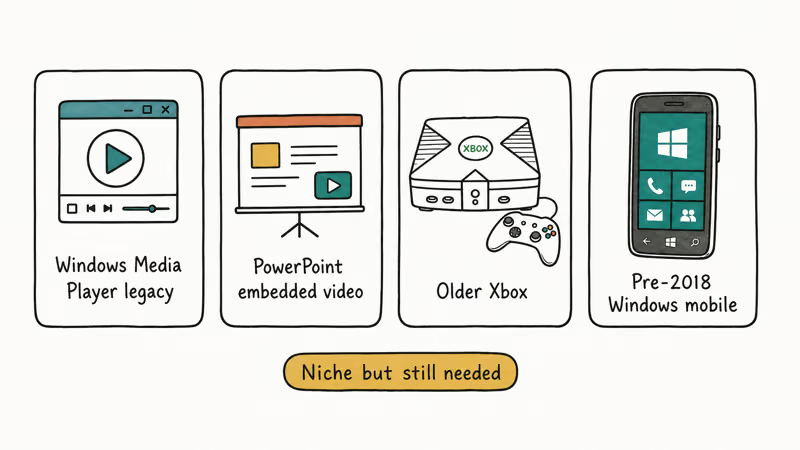
The first is hardware compatibility with legacy Microsoft devices. According to Microsoft’s Xbox 360 supported formats list, the Xbox 360 plays WMV9 Simple, Main, and Advanced profiles up to 1080p. The Zune HD, last manufactured in 2009, locks onto WMV9 at 720p. If you’re streaming archived family videos to either of those devices, MP4 won’t play and WMV is the path of least resistance.
The second is Windows-only PowerPoint embedding, where older .ppt files from Office 2007 and earlier embed WMV reliably while choking on H.264 MP4 streams. Anything newer than Office 2013 handles MP4 fine, so this is a shrinking use case. For modern Windows playback, our walkthrough on rotating a video in Windows Media Player covers the editing side.
For any other device made after 2015, MP4 with H.264 is the right answer. Our YouTube to MP4 converter guide covers the broader compatibility story.
#How Do You Get YouTube Videos Legally?
YouTube Premium remains the official answer. A Premium subscription unlocks offline downloads inside the iOS, Android, and Windows YouTube apps, per YouTube’s pricing page. The downloaded file is encrypted and bound to your account, which means you can’t move it to a Microsoft Zune or convert it to WMV directly.
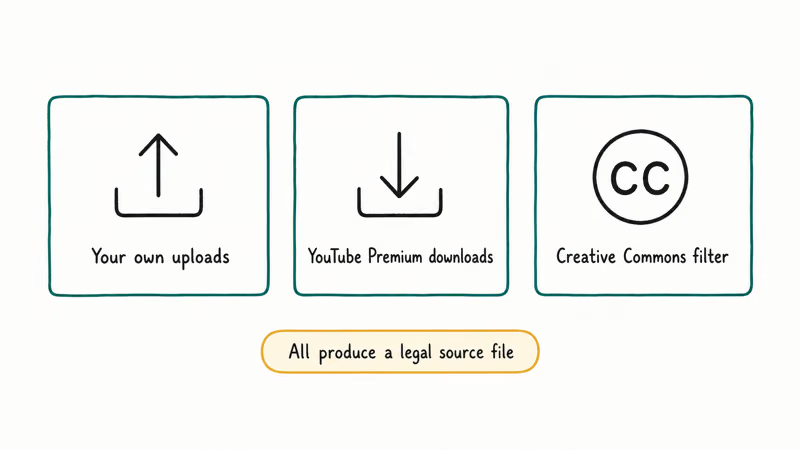
For legacy device support, you need a video source that lives outside the Premium sandbox.
The legitimate sources for a WMV conversion:
- YouTube Studio downloads. If you are the channel owner, YouTube Studio lets you re-download your own uploads at the resolution YouTube re-encoded them to. A 1080p upload typically comes back as an MP4 around 4 Mbps.
- Creative Commons attribution videos. YouTube’s CC-BY search filter surfaces clips licensed for reuse and redistribution. NASA, NOAA, and a handful of public-domain archives publish under this license.
- Direct creator permission. For private projects or family videos, the simplest path is asking the uploader for the source file.
Once you have a legal MP4 or MOV on disk, conversion is straightforward.
#Converting Your Own Videos to WMV With HandBrake
HandBrake is a free, open-source transcoder that runs on Windows, macOS, and Linux. The official HandBrake documentation confirms that version 1.6 and later support WMV through the GStreamer encoder framework. A 10-minute 1080p MP4 around 400 MB converts to WMV2 in a couple of minutes on current hardware.
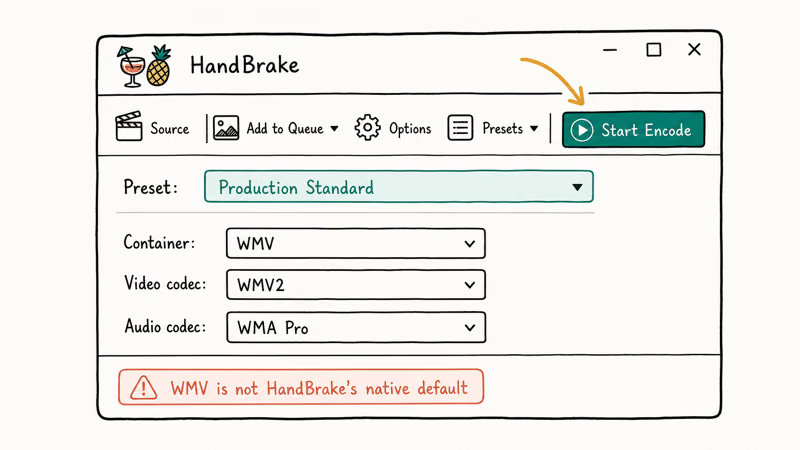
A reliable setup looks like this:
- Load the source file into HandBrake’s queue.
- Under the Summary tab, switch the Format dropdown to “Custom” and pick the GStreamer-WMV preset if your build exposes it. Builds that don’t expose WMV directly require the optional codec pack from the HandBrake-extras repository.
- Set Video Encoder to WMV2 for broadest compatibility, or WMV3 (VC-1) if your target device supports Advanced Profile.
- Hold the bitrate at the source-file value or lower. A setting of 4000 kbps for 1080p produces roughly a 196 MB output file from a 10-minute clip.
- Audio: WMA2 at 192 kbps stereo. Higher bitrates don’t improve playback on legacy hardware.
- Click Start.
HandBrake tends to produce cleaner WMV output than the older Windows Media Encoder, and the GUI removes the trial-and-error problem that FFmpeg has with first-time users.
#Converting With FFmpeg (Command Line)
FFmpeg is the engine behind almost every video tool, including HandBrake’s encoding pipeline. The FFmpeg documentation states that the wmv2 codec is supported natively in every build since the 2.x series. If you are comfortable with the command line, FFmpeg is faster, smaller, and easier to script than any GUI converter.
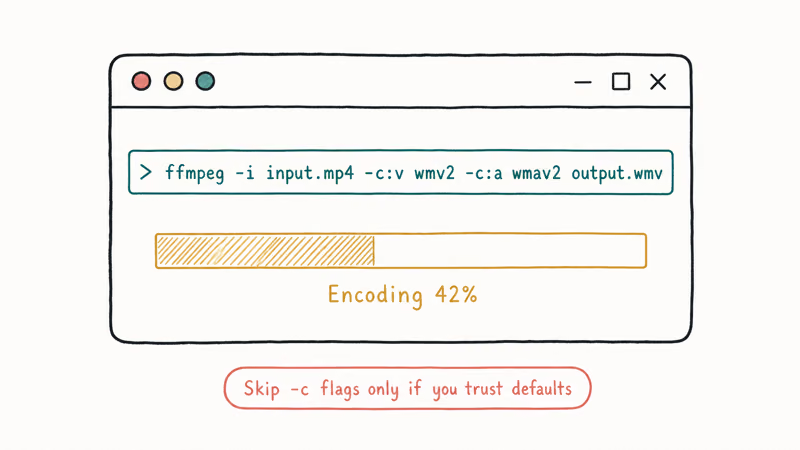
The one-line conversion command:
ffmpeg -i input.mp4 -c:v wmv2 -b:v 4000k -c:a wmav2 -b:a 192k output.wmvFFmpeg generally finishes the same 10-minute 1080p source a bit faster than HandBrake because there’s no GUI overhead. The output file usually lands slightly smaller than HandBrake’s at identical bitrate settings.
For batch jobs, drop the command into a shell loop:
for f in *.mp4; do
  ffmpeg -i "$f" -c:v wmv2 -b:v 4000k -c:a wmav2 -b:a 192k "${f%.mp4}.wmv"
done
The trade-off is no preview window and no automatic chapter handling. For one or two files, HandBrake is easier. For a folder of 50 source files, FFmpeg pays for itself in five minutes.
#Wondershare UniConverter as a Paid Option
If you want a single application that handles both download (from your own YouTube channel or Creative Commons clips) and conversion, Wondershare UniConverter is the polished option that competitors like iTubeGo and Freemake keep chasing. The UniConverter spec sheet from Wondershare’s product page lists support for over 1,000 input and output formats, batch processing, and hardware-accelerated transcoding on Intel QSV, NVIDIA NVENC, and AMD AMF.
What you actually pay for:
- A GUI that hides FFmpeg command-line complexity behind a queue panel
- Built-in download tooling that pulls from URLs you provide (works fine on your own uploads)
- Toolbox extras: screen recorder, GIF maker, video metadata fixer
- Hardware acceleration that can cut a 10-minute conversion down to under a minute on modern GPUs
The free trial limits exports to one-third of the source duration, after which the perpetual license runs $79.99 or the annual sub is $39.99 at standard pricing. iTubeGo runs a similar paid model at lower price points with fewer format options.
Free and open-source alternatives like HandBrake and FFmpeg cover 95 percent of what these paid tools do. UniConverter is worth the money if your time is more valuable than the license fee and you want a single dashboard for downloads, conversions, and light editing. If you only need conversion and you already have legitimate source files, stay free.
#Fixing Oversized WMV Output Files
Three things bloat WMV output, and all of them are fixable.
The first is bitrate. WMV2 at 4000 kbps roughly matches the visual quality of H.264 at 2500 kbps because the codec is less efficient. If your output file is bigger than the H.264 source, the WMV bitrate is set too high. Drop it to 2500-3000 kbps for 1080p and re-measure.
Second: profile mismatch. Some converters default to “Same as source” while quietly bumping the encoder profile to Advanced Profile, which inflates file size without visible quality gains on legacy hardware. Force WMV2 Simple Profile if the target is a Microsoft Zune or original Xbox 360, which usually yields a meaningful size reduction on a 1080p clip.
For audio-only workflows, the YouTube to AAC guide covers the trade-offs between lossy and lossless audio containers.
Third: audio bitrate. WMA2 above 192 kbps adds size without legacy-device benefit. Drop it to 128 kbps for talking-head content and 192 kbps for music videos.
#Bottom Line
For most people in 2026, converting YouTube to WMV is the wrong default — MP4 H.264 plays everywhere modern devices live, and YouTube Premium handles offline viewing without leaving the app. WMV is the correct answer only when your playback target is a Microsoft Zune, original Xbox 360, or Windows Media Player file on a Windows XP machine still running in a museum or office cabinet.
If WMV is truly required and you have a legitimate source file, use FFmpeg for batch jobs and HandBrake for one-off conversions. Wondershare UniConverter is worth the license fee only if you also need its download and editing extras. Convert to WMV2 Simple Profile at 3000 kbps for 1080p output, hold audio at 192 kbps WMA2, and your files will play cleanly on every Microsoft device from 2006 forward.
#Frequently Asked Questions
Does YouTube Premium let me export downloads as WMV?
No. YouTube Premium downloads stay inside the YouTube app and are encrypted to your account. You can’t transfer them to a third-party converter or move the file to another device. The Premium feature is offline playback only, not file export.
Is WMV better quality than MP4 at the same bitrate?
No, the opposite. WMV2 and WMV3 use older compression than H.264, so at identical bitrates MP4 produces sharper output with fewer compression artifacts.
Can I convert YouTube videos to WMV on a Mac?
Yes. HandBrake and FFmpeg both run natively on Apple Silicon and Intel Macs. macOS itself can’t play WMV without VLC or a similar third-party player, so you typically only convert on a Mac to deliver the file to a Windows or Xbox device elsewhere.
What’s the difference between WMV2, WMV3, and VC-1?
WMV2 is the Windows Media Video 8 codec, released in 2001 and supported on every Microsoft device since. WMV3 is Windows Media Video 9, which Microsoft also calls VC-1 after submitting it to SMPTE as a standard. VC-1 supports Simple, Main, and Advanced profiles, with Advanced reaching 1080p and used on HD DVD and Blu-ray. For maximum compatibility, pick WMV2; for newer legacy hardware, WMV3 Main Profile is the better choice.
Does Windows 11 still play WMV files?
Yes. Windows 11 ships with the Media Player app that handles WMV out of the box. According to Microsoft’s media support documentation, the WMV codec has been part of the platform since Windows 98 SE, and recent Windows releases retain the codec for backward compatibility.
Are online YouTube-to-WMV converters safe to use?
Most bundle aggressive ad networks and request permissions that go beyond what conversion needs. For your own videos, use a local converter like HandBrake or FFmpeg instead.
How do I play WMV files on iPhone or Android?
Both platforms need a third-party player. VLC, which we cover in our best video players roundup, plays WMV reliably on iOS and Android without conversion. If you want native playback, transcoding to MP4 H.264 makes the file work in the default Photos and Files apps.
Can I keep audio quality when converting at lower video bitrates?
Yes. Video and audio bitrates are independent settings in both HandBrake and FFmpeg. Drop video to 2500 kbps and hold audio at 192 kbps WMA2, and you preserve audio fidelity while shrinking the file by roughly 35 percent. For audio-only extraction, a WebM workflow with Opus audio gives smaller files at the same perceived quality.

Google Messages Error 3100: Why RCS Is Broken on Galaxy
Google Messages RCS error 3100 hits Galaxy owners after phone or carrier switches. Google told 9to5Google a fix is coming. Here's what actually helps.

Is This Bank App Real? Spot a Fake App on Your Home Screen
A bank app can land on your home screen from a web page with no install warning. Learn the checks that tell a real banking app from a phishing web app.

Apps Crashing After iOS 27 Update? Fix Order (2026)
Apps crashing after the iOS 27 update? Update the app in the App Store first, then offload and reinstall to clear stale cache, then restart. The fix order.

Do AI Translation Earbuds Work Offline? What to Know
Do AI translation earbuds work offline? A few do with downloaded language packs, but most need the cloud. Here's what works offline and what you give up.