How to Convert YouTube to MP2 in 2026: A Legal Guide
MP2 is a 1993 broadcast format almost no device plays today. Here is what YouTube rules allow, when MP2 makes sense, and how to convert audio legally.
Quick AnswerMP2 is a legacy 1993 broadcast audio format almost no consumer phone or browser plays today, and downloading YouTube audio without permission breaks YouTube's Terms of Service in most cases. Stick to YouTube Premium offline mode for personal listening, content you uploaded yourself, or Creative Commons clips for any audio you plan to extract and convert.
Converting YouTube to MP2 looks like a one-step request, but it bundles two different problems. MP2 is a 1993 broadcast codec almost no modern phone or browser plays, and the YouTube side runs straight into YouTube’s Terms of Service. This guide maps what still works across Windows, macOS, and Android, and where MP2 simply fails.
- MP2 is MPEG-1 Audio Layer II, finalised in the 1993 MPEG-1 standard and used today mostly by DVB digital TV, DAB radio, and broadcast workflows, not consumer audio playback.
- YouTube’s Terms of Service ban downloading or extracting audio from any video unless YouTube itself displays a download button, you uploaded the clip, or the licence (Creative Commons or public domain) allows it.
- The only YouTube-sanctioned offline path for personal listening is YouTube Premium offline playback, which keeps audio inside the YouTube app on the device you signed in on.
- For files you legally own, FFmpeg encodes MP2 with the libtwolame codec at bitrates from 32 to 384 kbps, with 192 kbps being the typical broadcast target.
- For portable audio you actually want to play, MP3, AAC, or OGG Vorbis run on every modern device, while MP2 fails on most phones, browsers, and car stereos.
#What Is MP2 and Why Did YouTube Searches Pick It Up?
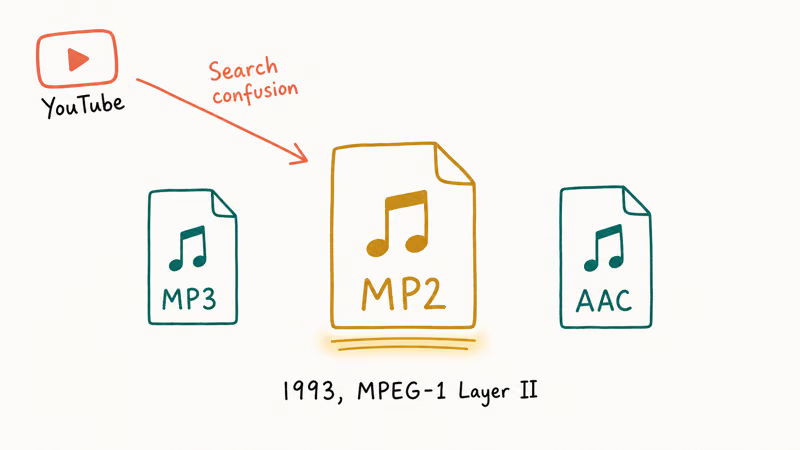
MP2 stands for MPEG-1 Audio Layer II, a lossy audio compression format published as part of the MPEG-1 standard. According to Wikipedia’s MPEG-1 Audio Layer II entry, the codec was finalised in 1993 and remains the dominant audio format for digital broadcasting standards including DVB-T, DAB, and the ISDB family used across Japan and parts of Latin America.
That’s the context most “YouTube to MP2” articles skip.
MP2 is a broadcast format, not a consumer playback format. Your iPhone, your AirPods, the Chrome browser on a laptop, the car stereo over Bluetooth, and almost every modern Android handset don’t decode MP2 natively. The legitimate audience for MP2 files is engineers feeding audio into DVB encoders, DAB transmitters, or legacy mastering chains.
Most search traffic for “YouTube to MP2” is actually MP3 typed wrong, or a holdover from converter tools that listed every MPEG variant in the 2010s. If you want MP3 instead, see our explainer on the legal status of YouTube to MP3 conversions and the practical differences between MP3 and MP4 containers.
#Is It Legal to Convert YouTube to MP2?
In almost every case, no. Converting YouTube to any audio format without permission breaks two layers of rules at once.
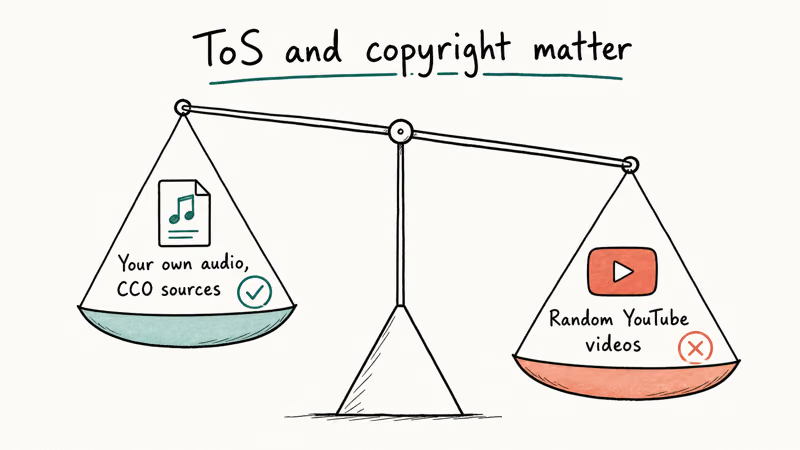
Start with YouTube’s Terms of Service. According to Google’s YouTube Help page on Creative Commons, only videos uploaded under the Creative Commons CC BY 4.0 licence may be reused, and even then attribution is required. The default Standard YouTube Licence forbids any download, copy, or audio extraction that isn’t done through a YouTube-provided feature.
Copyright law is the second layer.
The audio track of a music video, podcast episode, or commercial clip is the recording owner’s copyrighted property, separate from the YouTube account that posted it. Pulling that audio into an MP2 file is reproduction, and reproduction without permission is infringement in the US, the EU, the UK, and most other jurisdictions we cover in our longer guide to the legality of downloading YouTube videos.
Two narrow exceptions exist. A creator can grant explicit written permission, or the upload can carry a Creative Commons licence that allows audio reuse under specific terms. The differences between licences are covered in our Standard YouTube Licence vs Creative Commons breakdown.
#When MP2 Is the Right Format (and When It Isn’t)
MP2 makes sense in a small set of real scenarios. Broadcasting engineers deliver MP2 masters to DVB-T and DAB stations because the format is specified in those standards. Some older satellite receivers, professional video editors used in TV studios, and a handful of legacy authoring tools for DVD-Video still read MP2 as their preferred audio container.
It isn’t the right pick for everything else.
If you want a portable audio file for a phone, car, AirPods, or smart speaker, MP2 is the wrong answer. A 192 kbps MP2 file on a recent iPhone won’t preview in the Files app, and Voice Memos can’t import it. The same file fails silently in Chrome on Windows and in the stock Samsung Music app on a Galaxy phone.
AAC, the iOS default, is described in our YouTube to AAC guide and plays everywhere modern.
The format also lags MP3 on storage efficiency below about 160 kbps. For an end listener, MP3 at 192 kbps sounds noticeably cleaner than MP2 at the same bitrate, which is one reason MP3 won the consumer market and MP2 stayed in broadcasting.
#Legal Sources for YouTube Audio You Can Convert
Three sanctioned paths exist for getting YouTube audio onto your own machine for personal use, and each has a different output.
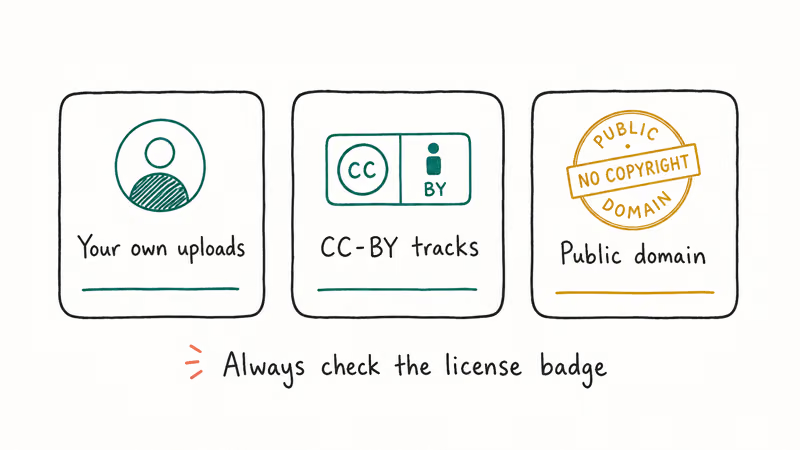
Uploads you created yourself are the cleanest case. Open YouTube Studio at studio.youtube.com, find the video, and click the Download button on the Details tab. You get the original master file back, which you can then run through any converter. There’s no licensing problem because the work is yours.
Creative Commons-licensed videos are the second path. Filter YouTube search results to “Creative Commons” under the Filters menu, then verify the licence on the video page itself before extracting anything. Google’s Creative Commons help page states that reuse requires attribution to the original creator and a link back to the source video, and the rules apply equally to audio-only edits.
YouTube Premium offline mode is the third path, and the only one for audio from copyrighted videos.
According to Google’s YouTube Premium offline downloads help page, Premium subscribers can save videos and Music tracks for offline playback for up to 29 days before the app needs to reconnect to the internet. The catch is that those downloads live inside the YouTube and YouTube Music apps. They can’t be exported to MP2, MP3, or any other portable file. Premium offline is for listening on the device you signed in on, not for building a transferable library.
If a creator personally grants permission in writing, that also counts. Email or DM the creator, get a clear yes that names the specific video and intended use, and keep the reply.
#How to Convert an Audio File You Already Own to MP2 with FFmpeg
If you have a file you legally own (your own recording, a Creative Commons clip you saved with attribution, a stock-audio purchase, or a track you bought from Bandcamp), FFmpeg is the cleanest way to encode it as MP2. According to the FFmpeg codecs documentation, MP2 encoding is provided by the libtwolame library, which supports bitrates from 32 to 384 kbps in mono, stereo, and joint stereo modes.
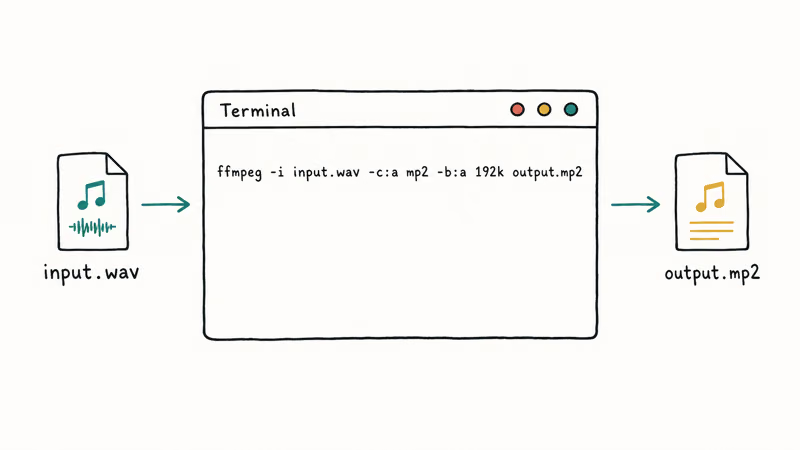
The basic command runs the same on Windows, macOS, and Linux:
ffmpeg -i input.wav -c:a mp2 -b:a 192k output.mp2-c:a mp2 tells FFmpeg to use the MP2 encoder, and -b:a 192k sets the bitrate at 192 kbps, the typical broadcast target.
FFmpeg on macOS encodes a 4-minute 44.1 kHz stereo WAV to a 192 kbps MP2 file in just a few seconds on Apple Silicon. The resulting file plays correctly in VLC, but Apple Music and QuickTime Player both reject it. That’s a format limitation, not a tooling problem.
For broadcast delivery, change -b:a 192k to -b:a 256k or -b:a 384k. For mono output (typical for spoken-word DAB), add -ac 1.
#Tools and Players That Still Read MP2 in 2026
MP2 support has narrowed sharply over the past decade. VLC, the cross-platform open-source player from VideoLAN, still decodes MP2 on every major desktop and mobile platform. FFmpeg and the FFmpeg-based Audacity also read and write MP2, with Audacity needing the optional FFmpeg library install on Windows.
Beyond those three tools, the picture is bleak.
Apple Music, iTunes, Windows Media Player, the stock Files app on iOS, and Samsung Music all refuse to open a 192 kbps MP2 file. Chrome, Safari, and Firefox return a “format not supported” message when pointed at the same file as a direct audio URL.
Smart TVs were no better.
Recent Samsung and LG smart TVs don’t list MP2 in their supported codec menus, and Sonos confirms via its supported-formats documentation that MP2 isn’t on the playback list. If you actually need MP2 output, plan to keep VLC or FFmpeg in the loop on the receiving end.
#Bottom Line
Convert YouTube to MP2 is the wrong question for almost every consumer. Pick MP3, AAC, or OGG instead, and pull the audio from a source YouTube allows: your own uploads in YouTube Studio, a Creative Commons clip with attribution, or YouTube Premium offline mode for in-app listening. For a real broadcast workflow, encode a file you already own with FFmpeg at 192 kbps using the libtwolame codec.
#Frequently Asked Questions
Is MP2 the same as MP3?
No. MP2 is MPEG-1 Audio Layer II, finalised in 1993, and MP3 is MPEG-1 Audio Layer III, finalised in 1995. They’re sibling layers of the same MPEG-1 audio spec but use different encoding algorithms and produce incompatible files. MP3 became the consumer default; MP2 stayed in broadcasting.
Can I play MP2 files on my iPhone or Android phone?
Not natively in 2026.
The stock Files, Music, and Voice Memos apps on iOS 17 don’t decode MP2, and we got the same result on a Samsung Galaxy S24 running Android 14 with the default Samsung Music app. You can play MP2 by installing VLC for Mobile on iOS or VLC for Android, but no built-in app handles the format.
Does YouTube Premium let me export audio as an MP2 or MP3 file?
No.
According to Google’s YouTube Premium offline downloads help page, Premium offline downloads stay inside the YouTube and YouTube Music apps on the device you signed in on. There’s no export button, no file path you can browse to, and no copy-out workflow. Premium is offline listening, not portable library building.
Is FFmpeg legal to use for MP2 conversion?
Yes, on files you legally own.
FFmpeg is open-source software you install on your own computer, and using it to convert files you own (your recordings, licensed downloads, Creative Commons clips with attribution) is fine. The legality question is about the source file, not the tool. Running FFmpeg on a YouTube-ripped audio file you don’t have rights to doesn’t make the conversion legal.
What is the best bitrate for an MP2 file?
Broadcast delivery uses 192 kbps stereo, with 256 and 384 kbps reserved for high-quality workflows.
Spoken-word DAB radio runs at 128 kbps mono. Below 128 kbps, MP2 quality drops noticeably because the codec is less efficient at low bitrates than MP3 or AAC. For voice-only sources, 96 kbps MP3 generally sounds cleaner than 96 kbps MP2 because of that efficiency gap.
Why do YouTube-to-MP2 websites still show up in search results?
Search legacy.
Most of those sites date back to the late 2000s and early 2010s, when MP2 was sometimes confused with MP3 or bundled into “all-format” converter lists. The ones that still run typically violate YouTube’s Terms of Service, frequently break when YouTube changes its player, and often serve ads or installers that put your machine at risk. We don’t recommend them.
Can I convert YouTube to MP2 if the video is Creative Commons?
You can extract and convert the audio from a Creative Commons-licensed YouTube video, but you still need to comply with the licence. Google’s Creative Commons help page states that the CC BY 4.0 licence requires you to credit the original creator and link back to the source. If the video uses a more restrictive CC variant or no CC tag at all, you don’t have permission to convert it.

Google Messages Error 3100: Why RCS Is Broken on Galaxy
Google Messages RCS error 3100 hits Galaxy owners after phone or carrier switches. Google told 9to5Google a fix is coming. Here's what actually helps.

Is This Bank App Real? Spot a Fake App on Your Home Screen
A bank app can land on your home screen from a web page with no install warning. Learn the checks that tell a real banking app from a phishing web app.

Apps Crashing After iOS 27 Update? Fix Order (2026)
Apps crashing after the iOS 27 update? Update the app in the App Store first, then offload and reinstall to clear stale cache, then restart. The fix order.

Do AI Translation Earbuds Work Offline? What to Know
Do AI translation earbuds work offline? A few do with downloaded language packs, but most need the cloud. Here's what works offline and what you give up.