How to Fix YouTube Error 503 and Other Playback Errors
YouTube error 503 means the service is unavailable. Refresh the page, restart your router, switch networks, and retry after 10 to 15 minutes.
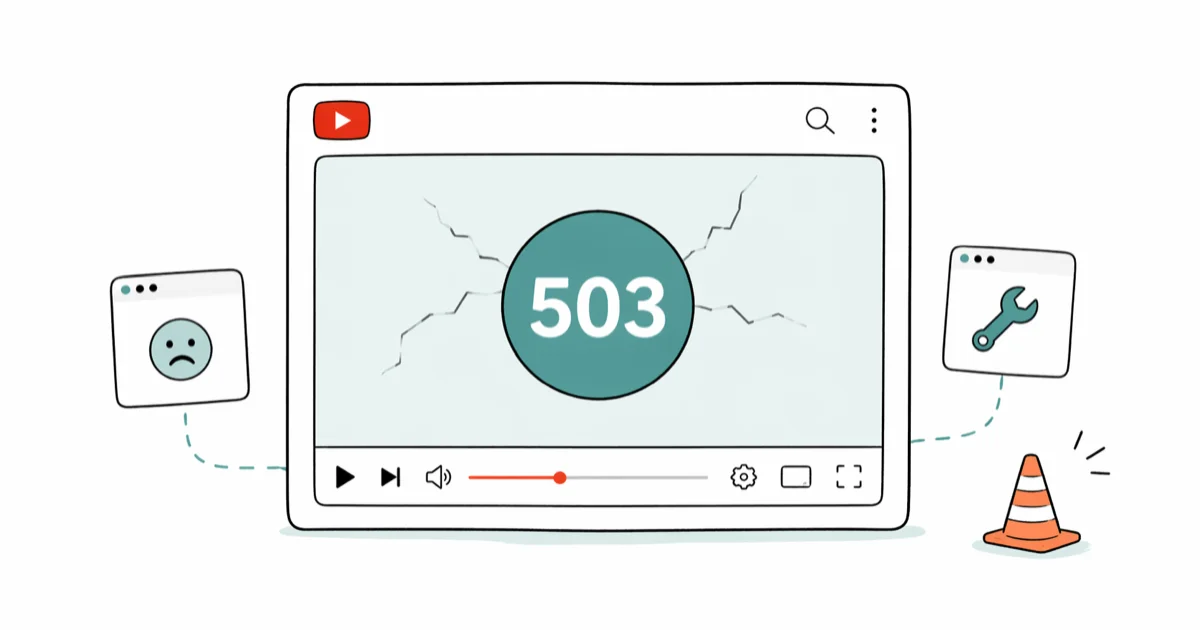
Quick AnswerYouTube error 503 is a server-side message that the service is temporarily unavailable. Refresh the page, switch networks or restart your router, and retry after 10 to 15 minutes.
YouTube error 503 means the service is temporarily unavailable on Google’s side, not yours. Most cases clear within 15 minutes. A stuck DNS cache or aggressive extension can stretch it longer.
- Error 503 is a server response, not a problem with your device. Refreshing the page or waiting 10 to 15 minutes resolves most cases without any further action.
- If the error lasts longer than an hour, check Downdetector and the Google Workspace Status Dashboard before changing any network settings.
- The “Playback ID” error usually clears after you sign out of Google, clear cookies for youtube.com, and sign back in.
- Server-side codes (500, 502, 503, 504) need patience; client-side codes (401, 404) require fixing the URL or signing in correctly.
- Restarting the router clears stale DNS and NAT state that can surface as a 503 even when YouTube itself is healthy.
#What Is YouTube Error 503?
A 503 status means “Service Unavailable.” It’s a standard HTTP response code, not a YouTube-specific bug. According to MDN’s HTTP 503 reference, the server understood the request but isn’t currently able to handle it, usually because of overload or maintenance. When YouTube returns 503, it means the request reached Google’s edge but the upstream service didn’t respond in time.
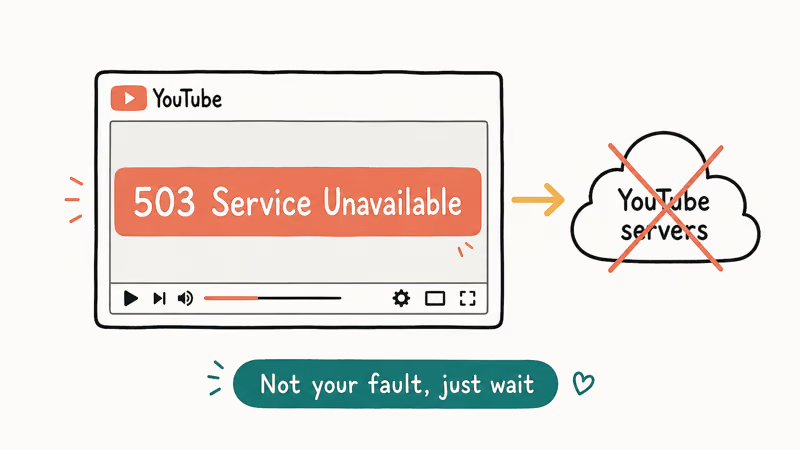
In practice, you’ll see one of three screens: a plain “503 Service Unavailable” text page, the YouTube monkey error graphic with a small 503 underneath, or the modern “Something went wrong. Tap to retry” overlay on mobile. All three come from the same root cause and respond to the same fixes. If you’re seeing the “Something went wrong” message specifically, the broader YouTube something went wrong guide covers a few app-specific steps that don’t apply to the web error.
A 503 is almost never something you can fix from the user side when it’s truly originating at Google. What you can fix is the network path between your device and youtube.com, because a flaky connection often surfaces as a 503 even when the YouTube fleet is perfectly healthy.
#How to Fix YouTube Error 503 Step by Step
Work through these in order. Each one takes less than two minutes, and the first three resolve most cases.
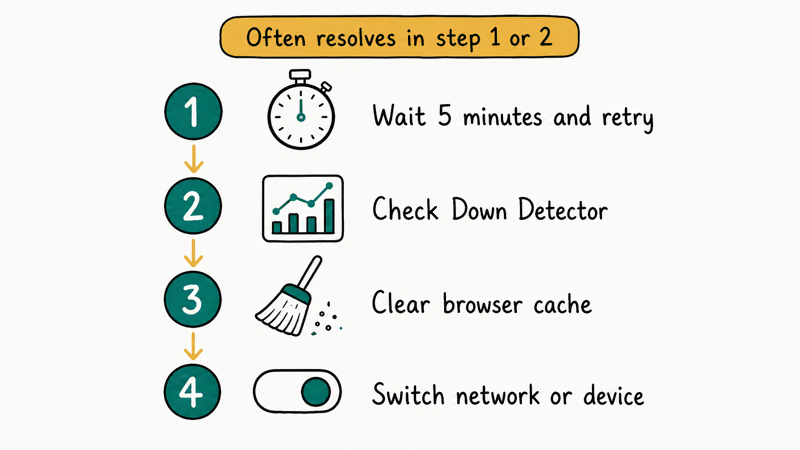
- Refresh the page. Press
Ctrl+Ron Windows orCmd+Ron macOS. If the same tab still fails, open the video in a new private window. A private window strips cookies, extensions, and most cached state. - Wait, then retry. YouTube’s load balancers route around bad nodes within minutes. Set a timer for 10 minutes and try again before changing anything else. Most fresh 503s clear on their own without any other action.
- Restart your router. Pull the power cable, wait 30 seconds, and plug it back in. A stale NAT entry or a dropped DNS lease can return 503 from your ISP’s caching proxy even when YouTube is fine.
- Switch networks. If you’re on Wi-Fi, switch to mobile data and reload. If the video plays on the cellular connection, the problem is between your router and YouTube, not at YouTube.
- Flush DNS. On Windows, open Command Prompt and run
ipconfig /flushdns. On macOS, runsudo dscacheutil -flushcache; sudo killall -HUP mDNSResponderin Terminal. - Disable a stubborn extension. Ad blockers, privacy tools, and corporate VPN extensions are the most common offenders. Toggle them off one at a time and reload the page.
- Check status dashboards. Downdetector’s YouTube page and the Google Workspace Status Dashboard both confirm whether the outage is widespread. If Downdetector shows a spike in reports, you’re not alone, and the only fix is patience.
If the error still persists after all of those, check whether you’re behind a captive portal (hotel Wi-Fi, airport Wi-Fi, or a shared corporate network). Captive portals frequently rewrite responses to 503 once your session token expires.
#Fixing the YouTube Playback ID Error
The full message reads: “An error occurred. Please try again later. (Playback ID: …)” The Playback ID is a tracking string Google generates for each failed request, and the support team can look it up. The error itself, though, is almost always one of three things: a corrupted cookie, a sign-in token that’s gone stale, or a DRM handshake that failed.
Here’s the fix sequence that resolves it most reliably:
- Open
youtube.com, click your profile picture, and sign out of every account. - Open a new tab, go to
chrome://settings/cookies/detail?site=youtube.com, and clear all cookies and site data for youtube.com. - Restart the browser completely. Quit it, don’t just close the window.
- Reopen YouTube, sign back in, and play the video.
If none of that works, the Widevine DRM module is usually the culprit. Widevine handles YouTube’s encrypted streams in every modern browser. According to Google’s YouTube Help on playback errors, updating the browser to its latest version reinstalls Widevine alongside the browser. That’s why a clean update often clears Playback ID errors that have lingered for days.
Still seeing it on the same video after an update? Sign-in failures and Playback ID errors share the same auth-token plumbing, so the there was an issue signing you into YouTube guide is the right next stop.
#Server Errors vs Client Errors on YouTube
Knowing which side of the connection failed saves you from chasing the wrong fix. The table below covers the codes you’re most likely to encounter.
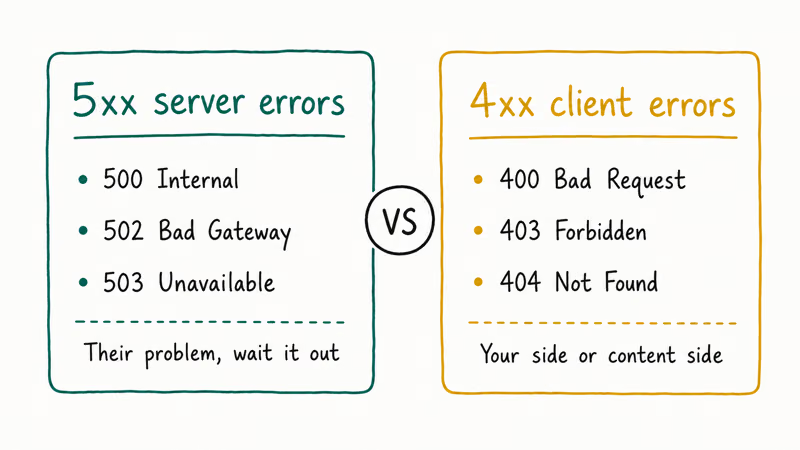
Table 1. YouTube error codes and what they mean.
| Code | Side | What it means | Where to start |
|---|---|---|---|
| 401 | Client | Authentication required or invalid credentials | Sign back in or check the share link |
| 403 | Client | Forbidden (often age-gated or region-locked) | Sign in to a verified account |
| 404 | Client | Video removed or URL mistyped | Search for the video by title |
| 500 | Server | Internal YouTube error | Wait and retry |
| 502 | Server | Bad gateway between YouTube edge and origin | Wait and retry |
| 503 | Server | Service unavailable | Refresh, wait, restart router |
| 504 | Server | Gateway timeout | Check your connection, then wait |
Server errors (5xx) live on Google’s side. The only useful response from your end is to refresh, wait, and check status pages. Client errors (4xx) need action from you, usually a sign-in or a corrected URL.
#Fixing Common Browser-Side YouTube Problems
When the error code points at the client, the fix list is shorter than people expect. Most of the dramatic-sounding fixes from older guides (disable Flash, reinstall Shockwave, downgrade your codec pack) don’t apply anymore because YouTube switched fully to HTML5 in 2015.
That said, four browser-side problems still come up regularly:
- Hardware acceleration conflicts. In Chrome, open
chrome://settings/systemand toggle “Use hardware acceleration when available” off. Restart Chrome. If the video plays now, an outdated GPU driver is the root cause and you should update it from the manufacturer’s site, not Windows Update. - No sound but video plays. Check the speaker icon inside the YouTube player first; that’s a separate volume from your system volume. If the player slider is up but you still hear nothing, the no sound on YouTube fix walks through the four most common audio-routing issues.
- Endless buffering. Buffering at low resolutions is almost always a network issue, not a YouTube issue. The dedicated YouTube buffering guide compares the impact of changing DNS, disabling QUIC, and switching to a wired connection.
- Video pauses every few seconds. If the video keeps stopping itself, the problem is usually the “Are you still watching?” auto-pause or an autoplay setting in your browser. The why does YouTube keep pausing breakdown explains how to disable both.
For everything else, our broader YouTube not working guide is the right starting point. It covers app-store reinstalls, account-level issues, and platform-specific quirks that don’t fit neatly under a single error code.
#When YouTube Says Your Video Isn’t Available
Two messages get confused with error 503 even though they’re unrelated.
The first is “Video unavailable in your country.” This isn’t an error, it’s a deliberate setting. Either the uploader restricted distribution, or YouTube blocked it because of a copyright claim or local law. Refreshing won’t help. Signing in to a different account won’t help either, because the geoblock is keyed to your IP address, not your account.
The second is “This video is no longer available because the YouTube account associated with this video has been terminated.” This means the channel was banned or deleted. The video is gone permanently from YouTube. If the video was important, you can sometimes find a re-upload through search, or recover the original through web archives — the watch deleted YouTube videos guide walks through both options.
Neither of these messages will respond to network fixes. If you see one of them, stop troubleshooting and try a different source.
#Why Do These YouTube Errors Keep Happening?
YouTube serves over a billion hours of video each day, and the architecture that handles that scale is layered: edge caches, regional load balancers, encoding pipelines, ads servers, recommendation services, and the actual video CDN. A failure in any one layer surfaces as one of the codes above. When Google rolls out updates (which happens daily on the player and weekly on the backend), small percentages of users see errors for a few minutes while the change propagates.
That’s why the same video can fail for you and play fine for a friend on the same Wi-Fi network. You hit a different edge node, or your browser cached a bad response. It’s also why the cluster of fixes we recommend (refresh, switch networks, clear cache, restart router) works on most errors regardless of the code: each one resets a different layer of state between your device and Google’s servers.
#Bottom Line
Refresh the page and wait 10 minutes before doing anything else. That combination resolves most cases because 503 is by definition a temporary server-side condition. If the error has lasted longer than an hour, check Downdetector first, then restart your router and flush DNS.
Skip the heavy stuff. Don’t reinstall the browser, don’t reset the app, and don’t sign out of Google unless the specific error is “Playback ID.” Those steps don’t help with a true 503 and they reset settings you’ll want to keep.
#Frequently Asked Questions
Why do I see YouTube error 503?
A server in Google’s path can’t currently handle your request. It’s almost never your device.
How long does YouTube error 503 usually last?
Most clear within minutes, and the rest clear within the hour. A 503 that persists for more than an hour usually means there’s an actual outage. You can confirm that on Downdetector or the Google Workspace Status Dashboard.
What is the YouTube Playback ID?
The Playback ID is a unique alphanumeric string YouTube attaches to each failed playback attempt. Google’s support team can use it to trace your request through their logs and identify which CDN node served the broken response. The ID won’t fix the error on your end, but it does prove the request reached Google rather than dying on your network.
Will clearing my browser cache fix YouTube error 503?
Not usually. A 503 is a server response, so client-side cache rarely matters. Clear cookies for youtube.com only if waiting and refreshing didn’t help.
Does YouTube error 503 affect mobile and desktop differently?
The cause is identical on both. Mobile shows “Something went wrong, tap to retry,” while desktop shows the raw 503 text or monkey graphic. Use the same fixes on both platforms, but force-quit the mobile app before assuming it’s server-side.
Can a VPN cause YouTube error 503?
Yes, often enough to check first. Many VPN exit nodes are rate-limited by YouTube’s edge servers, and the response comes back as 503 rather than a clear “blocked” message. Disconnect the VPN and reload the page; if the video plays, switch to a different server location.
Is there a way to report YouTube error 503 to Google?
There’s no direct ticket form for end users. Use the in-player help menu (gear icon, bottom-right). Google’s YouTube Help states that this feedback feeds the engineering team’s monitoring dashboards.
Does restarting my router really help with YouTube error 503?
Yes, in two specific cases: a corrupted NAT table that’s misrouting packets to YouTube, and an ISP DNS cache holding a bad response. A restart clears both. If your router is more than five years old or routinely needs restarts, check whether a firmware update is available from the manufacturer’s site rather than restarting every time YouTube hiccups.

Google Messages Error 3100: Why RCS Is Broken on Galaxy
Google Messages RCS error 3100 hits Galaxy owners after phone or carrier switches. Google told 9to5Google a fix is coming. Here's what actually helps.

Is This Bank App Real? Spot a Fake App on Your Home Screen
A bank app can land on your home screen from a web page with no install warning. Learn the checks that tell a real banking app from a phishing web app.

Apps Crashing After iOS 27 Update? Fix Order (2026)
Apps crashing after the iOS 27 update? Update the app in the App Store first, then offload and reinstall to clear stale cache, then restart. The fix order.

Do AI Translation Earbuds Work Offline? What to Know
Do AI translation earbuds work offline? A few do with downloaded language packs, but most need the cloud. Here's what works offline and what you give up.