vMix Review 2026: Pricing, Features, Best Alternatives
vMix is a Windows-only live production switcher with HD and 4K streaming. Compare pricing, key features, limits, Mac options, and alternatives.
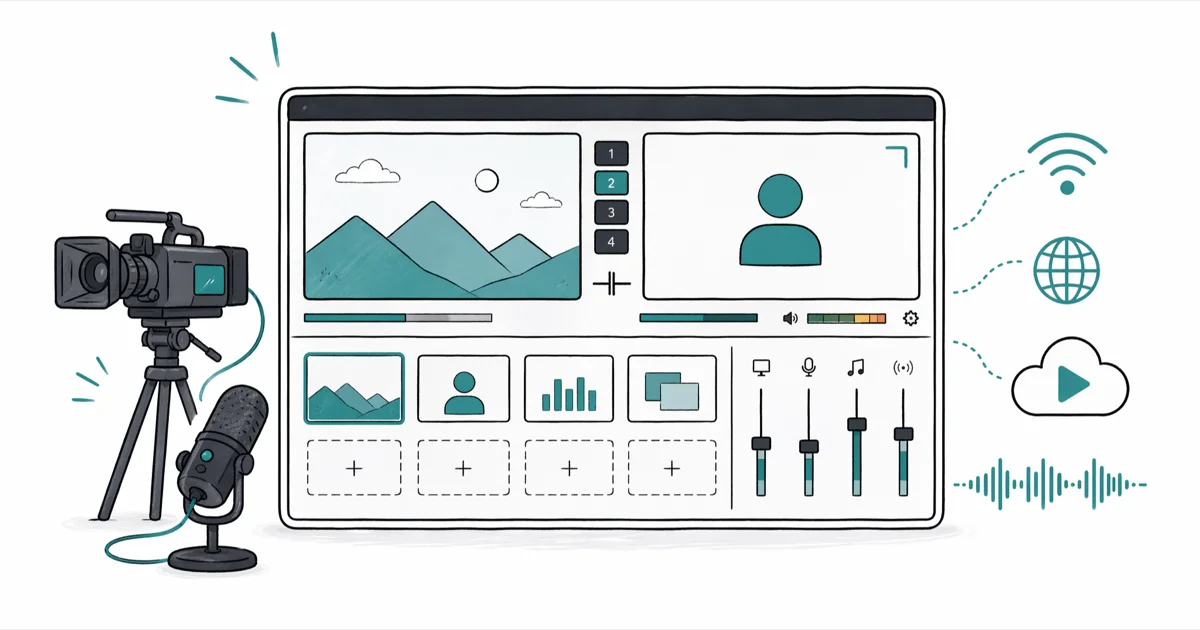
Quick AnswervMix is a Windows-only live production switcher that supports HD and 4K streaming, multi-camera switching, and chroma key with one-time licenses from $60 to $1,200. For Mac users, OBS Studio is the strongest free alternative; Wirecast is the strongest paid option.
vMix is a Windows-only live production switcher. Churches, esports teams, and small TV studios use it for streaming and multi-camera switching. This guide compares vMix HD with five alternatives so you can pick the right tool without buying a license you’ll regret.
- vMix runs on Windows 10 and Windows 11 only; macOS users need an alternative such as OBS Studio or Wirecast
- One-time licenses range from $60 (vMix Basic HD) to $1,200 (vMix Pro), with no recurring subscription
- The free version is capped at four inputs at SD resolution, fine for evaluation but not for paid production
- vMix HD at $350 supports 1080p, NDI inputs, three recording streams, and instant replay
- OBS Studio is the strongest free alternative; Wirecast Studio at around $599 is the closest paid match
#What Is vMix and Who Is It For?
vMix is live video production software built by Australian developer StudioCoast. It handles multi-camera switching, live streaming, recording, instant replay, chroma key, and virtual sets, all from a single Windows application.
According to vMix’s official feature page, the software supports up to 1,000 inputs and outputs streams at resolutions up to 4K UHD at 60 fps. Wikipedia’s article on vMix states that StudioCoast launched the product in 2008 and that broadcasters, schools, and houses of worship now use it for live shows.
A typical user is a one-person production team. Think church service, school graduation, or local sports broadcast. The tool also sits well in small esports studios and corporate AV setups that need NDI routing, multiple recording outputs, and broadcast graphics. If you’ve used Wirecast or NewTek TriCaster, the workflow will feel familiar from day one.
vMix isn’t built for casual streamers who want a free OBS-style tool. It’s built for operators who need reliable multi-camera switching, ISO recording, and broadcast-grade replay. For one-PC gameplay streams, OBS Studio or Streamlabs serves better for $0.
#vMix Pricing in 2026
vMix sells perpetual licenses, not subscriptions. You pay once and get a year of free updates. After that, you keep the version you have, or pay a discounted renewal for the next year of updates.
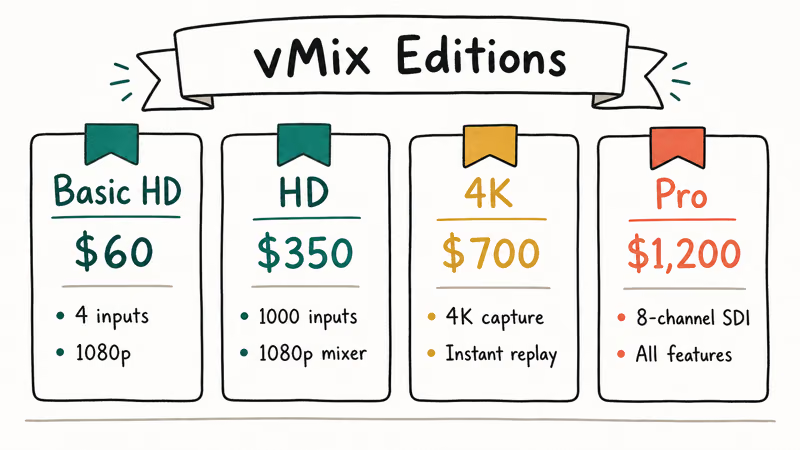
Here is the current price breakdown.
Table 1. vMix license tiers and resolution caps (2026 pricing from vmix.com).
| Edition | One-time price | Max resolution | Recording streams | Notes |
|---|---|---|---|---|
| Basic HD | $60 | 768x576 SD output | 1 | 3 inputs; for evaluation |
| HD | $350 | 1080p60 | 3 | 4 NDI inputs; instant replay |
| 4K | $700 | 4K UHD 60 fps | 4 | Multi-corder; PTZ control |
| Pro | $1,200 | 4K UHD 60 fps | 8 | 8 ISO recordings; full feature set |
Telestream’s competing product Wirecast Studio runs about $599, and Wirecast Pro sits near $799. vMix HD undercuts Wirecast at the entry tier, while vMix Pro tops out in roughly the same range as Wirecast Pro for a more feature-rich license overall.
There’s a free 60-day trial with every Pro feature unlocked.
That trial is the right way to evaluate before paying. A useful detail you can verify on the official store page: vMix confirms that prior license holders get a discounted renewal within the upgrade window, which makes long-term ownership cheaper than a Streamlabs Ultra subscription if you’ll use the software for more than 18 months total.
#vMix Features Worth Paying For
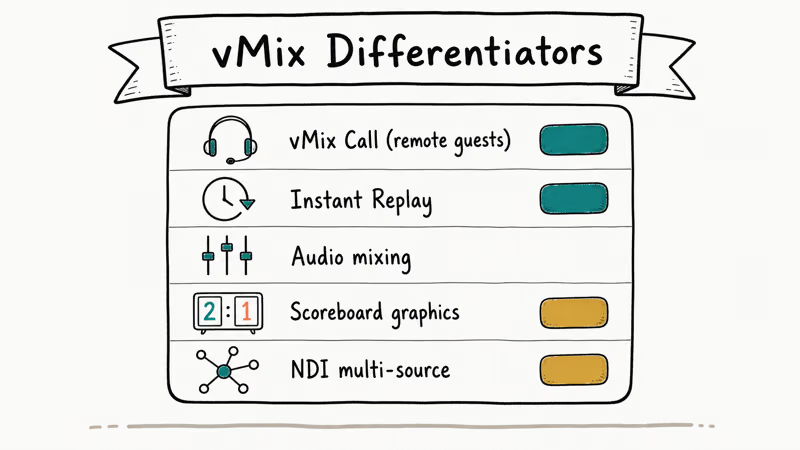
The most important features are the ones that justify the price gap over free tools like OBS Studio.
#Multi-camera switching with NDI
vMix HD accepts four NDI inputs over a local network. That means you can place cameras anywhere with an NDI converter and route them to one PC without long SDI cable runs.
Wikipedia’s article on NDI states that NDI uses IP networks for low-latency video at HD bitrates that fit comfortably on gigabit Ethernet, so a modern gigabit LAN handles three or four NDI streams without strain, and you can mix wired and wireless converters as needed.
#Instant replay
Replay is the feature that pulls in sports producers. You set a buffer length, assign hotkeys, and pull back the last 30 seconds with slow-motion playback during a live broadcast.
Replay is built for moments like sports highlights, where an operator needs to pull a recent play back in slow motion while the live program keeps moving.
#ISO recording
vMix Pro records every input as its own ISO file, plus the program output.
Eight separate camera angles, saved at full quality, ready for post-production. OBS Studio can’t do this natively without scripts. Wirecast Pro can.
#Chroma key and multi-platform output
The chroma key engine handles green-screen removal with edge softening, color spill suppression, and a built-in mask preview. For a clean keying workflow on iOS shots, check our notes on iPhone green screen apps. vMix also pushes the same program output to YouTube Live, Twitch, Facebook Live, and a custom RTMP endpoint simultaneously.
You set encode quality once and add destinations. If you’re chasing a TikTok stream too, you’ll need the setup in our guide on how to get a TikTok stream key.
#Where vMix Falls Short
The biggest gap is the lack of macOS support. There’s no native Mac client and no announced plan for one. Running vMix in Parallels or Boot Camp works, but it’s officially unsupported and video drivers don’t always pass through cleanly enough for 1080p multi-camera use.
Beyond that, the interface is dense.
Newcomers face 20-plus panels in the default layout, and the in-app help is thin. Finding the audio mixer, transition presets, shortcut editor, and scene preset workflow can take longer than a quick 10-minute install.
Hardware demands are real. vMix recommends a six-core CPU and a discrete GPU for 1080p multi-camera work. 4K Pro work effectively requires a current Intel i9 or AMD Ryzen 9 with an NVIDIA RTX 3060 or better. If you’re putting together a build for it, our guide on the best streaming PC covers what actually matters for live production.
Also, the free version is too limited to be a real demo. The 60-day Pro trial is the better starting point.
#Is vMix the Right Choice for Mac Users?
No. vMix has no native Mac client, and virtualization adds friction you don’t need when mature Mac alternatives exist.
OBS Studio runs natively on macOS, supports unlimited scenes, and handles every streaming destination vMix does for $0. Wirecast Studio runs natively on Mac too, and matches vMix HD’s feature set if you want a paid Mac option with formal support contracts.
If you’re already on Windows and considering a Mac purchase, weigh that the switch costs you vMix’s license value. For mixed environments, OBS Studio is the safe cross-platform choice, and our roundup of the best OBS alternatives covers what to pick if OBS isn’t right for you either.
#The 5 Best vMix Alternatives in 2026
The alternatives below match real vMix use cases: multi-camera live production, streaming to multiple platforms, and replay-ready workflows.
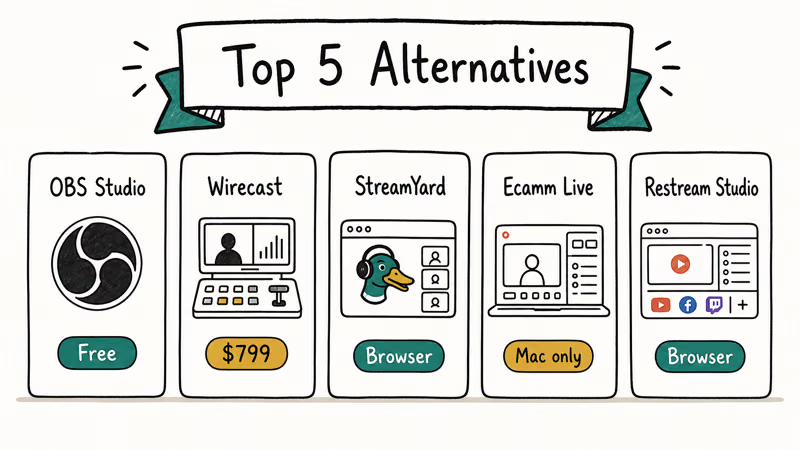
Table 2. vMix alternatives compared by platform and price (2026 pricing).
| Tool | Platform | Price | Best for |
|---|---|---|---|
| OBS Studio | Windows, Mac, Linux | Free | Solo streamers, esports |
| Wirecast Studio | Windows, Mac | $599 one-time | Mac live production |
| XSplit Broadcaster | Windows | $59/year | Twitch streamers on Windows |
| Streamlabs Desktop | Windows, Mac | Free / $19/mo Ultra | Beginner streamers |
| mimoLive | Mac | $199/year (HD plan) | Mac multi-camera shows |
#OBS Studio (free, cross-platform)
OBS Studio is the dominant free option. It runs on Windows, macOS, and Linux, supports unlimited scenes and sources, and streams to every major platform.
According to Wikipedia’s Open Broadcaster Software entry, the project has been under active development since 2012 and is licensed under the GNU GPL, which means there’s no risk of a paywall landing on you mid-stream and no vendor lock-in for your scene files or plugin chains.
OBS doesn’t have native instant replay or ISO recording.
Esports and sports producers usually pair it with a plugin like StreamFX, or move up to vMix or Wirecast when they need broadcast-grade extras. For most streamers, base OBS is enough. If you’ve been comparing capture options, see our breakdown of Fraps vs OBS for gameplay recording.
#Wirecast Studio (paid, cross-platform)
Wirecast Studio at $599 is the closest paid match to vMix HD. It runs on both Windows and Mac, supports multi-camera switching, NDI, instant replay (Pro tier), and chroma key.
Telestream’s Wirecast comparison page confirms that the Studio tier handles many inputs and streams to multiple destinations at once.
The interface is friendlier than vMix’s. Shot composition and transition controls are easier to learn, and the layout uses fewer floating panels by default, which keeps newcomers from getting lost on a single monitor.
The trade-off is fewer broadcast-grade extras at Studio tier; Wirecast Pro at $799 fills most of those gaps.
#XSplit Broadcaster (Windows, subscription)
XSplit Broadcaster is a Windows-only streaming tool for Twitch and YouTube creators.
The annual price is around $59 for the personal plan, and it has solid scene management, source plugins, and Twitch overlay integration baked in. If you’re shopping for overlay assets to drop into your scenes, our list of Twitch overlay makers covers free and paid sources.
XSplit doesn’t match vMix on multi-camera or replay, but for one-PC streaming it’s competitive with Streamlabs and works well with green-screen presenters.
#Streamlabs Desktop (free or $19/month)
Streamlabs Desktop is built on the OBS codebase with extra tools for alerts, donations, and chat overlays.
The free version covers most beginner needs, with widget integration for alerts and donations baked in. Streamlabs Ultra at $19 per month layers on premium themes, app integrations, and multi-streaming to YouTube, Twitch, and Facebook simultaneously. For Mac users who want something easier than vanilla OBS, Streamlabs is a reasonable middle ground that keeps the learning curve flat.
If your stream audio cuts out on Discord while running Streamlabs, our guide on fixing Discord stream no sound walks through the audio routing fixes.
#mimoLive (Mac only)
mimoLive from Boinx Software is the Mac-native option closest to vMix in spirit. It runs at around $199 per year for the HD tier and supports multi-camera shows, NDI, and live captioning.
Boinx Software’s pricing page confirms that mimoLive HD outputs at 1080p and accepts up to 16 layers at once.
It’s the right pick if you’re locked to macOS and need broadcast graphics, lower thirds, and chroma key without leaving the platform.
#Bottom Line
If you produce live multi-camera shows on Windows, vMix HD at $350 is the strongest single purchase you can make in 2026. Pay once, own it, get NDI plus instant replay, and skip subscription fees forever.
Step up only when you need ISO angles. vMix Pro at $1,200 gives you eight ISO recordings, and you’ll save days in post-production for any multi-cam event you plan to re-edit later.
If you’re on a Mac, don’t try to virtualize vMix. OBS Studio handles 90 percent of streaming workloads for free, and Wirecast Studio at $599 covers the rest. For a one-PC Twitch stream with no replay needs, OBS Studio or XSplit is the smarter spend than any vMix tier.
#Frequently Asked Questions
Is vMix compatible with macOS?
No, not officially. vMix has no native macOS client, and while Parallels or Boot Camp can run it, the developer doesn’t support that configuration. Mac users should default to OBS Studio (free), Wirecast Studio ($599), or mimoLive ($199 per year HD) instead.
How much does vMix cost in 2026?
Perpetual licenses run from $60 to $1,200.
Can vMix stream to YouTube, Twitch, and Facebook at the same time?
Yes. vMix supports simultaneous output to multiple RTMP destinations, so you set the encode quality once, add YouTube Live, Twitch, Facebook Live, and a custom RTMP target, and the program output mirrors to all of them. Bandwidth scales linearly with the number of destinations. A 6 Mbps stream to three platforms needs roughly 18 Mbps upload, and you should leave headroom on top of that for retransmits during peak traffic on your ISP.
Does vMix support 4K streaming?
vMix 4K and vMix Pro support 4K UHD at up to 60 fps. You need an Intel i9 or AMD Ryzen 9 class CPU and an NVIDIA RTX 3060 or better GPU for stable 4K live production.
What’s the difference between vMix HD, 4K, and Pro?
vMix HD outputs 1080p with three recording streams and four NDI inputs. vMix 4K adds 4K output, multi-corder, and PTZ control. Pro is the broadcast tier.
Is OBS Studio really a free vMix alternative?
For most streamers, yes. OBS Studio is free and open-source and handles the same streaming and recording basics, though it doesn’t have native instant replay or true ISO recording, so it isn’t a one-to-one swap for vMix Pro. For solo Twitch and YouTube streaming it’s more than enough; for multi-camera sports or church production at broadcast quality, vMix or Wirecast wins on workflow alone.
Can I record locally while streaming with vMix?
Yes. vMix HD records up to three streams in parallel with live output, and vMix Pro handles eight ISO recordings plus the program output, which lets you re-edit each camera angle separately in Premiere Pro or DaVinci Resolve after the live event ends.
What hardware does vMix need?
vMix’s official requirements call for a six-core Intel i7 or AMD Ryzen 7, 16 GB RAM, and an NVIDIA GPU with at least 4 GB of VRAM for 1080p work. For 4K Pro production, an i9 or Ryzen 9 with an RTX 3060 or better is the realistic floor, plus an NVMe SSD for the recording target.

Google Messages Error 3100: Why RCS Is Broken on Galaxy
Google Messages RCS error 3100 hits Galaxy owners after phone or carrier switches. Google told 9to5Google a fix is coming. Here's what actually helps.

Is This Bank App Real? Spot a Fake App on Your Home Screen
A bank app can land on your home screen from a web page with no install warning. Learn the checks that tell a real banking app from a phishing web app.

Apps Crashing After iOS 27 Update? Fix Order (2026)
Apps crashing after the iOS 27 update? Update the app in the App Store first, then offload and reinstall to clear stale cache, then restart. The fix order.

Do AI Translation Earbuds Work Offline? What to Know
Do AI translation earbuds work offline? A few do with downloaded language packs, but most need the cloud. Here's what works offline and what you give up.