8 Best OBS Studio Alternatives in 2026 (Free + Paid)
Tired of OBS bugs? Compare 8 OBS alternatives for 2026, ranked across the best free and paid picks for streaming, recording, plus quick editing.
Quick AnswerStreamlabs Desktop is the closest free OBS replacement for live streaming, NVIDIA App is best for game capture on RTX cards, and Wondershare DemoCreator wins if you want recording and editing in one tool.
Open Broadcaster Software is free and powerful, but the dated UI, scene-setup complexity, and the recurring encoder warnings push plenty of streamers to look elsewhere. This roundup ranks eight OBS alternatives across live streaming, game recording, and full record-plus-edit workflows on Windows and macOS to show which ones actually hold up in 2026.
Each pick is judged on the jobs streamers care about most: long live broadcasts, high-frame-rate game capture, and tutorial recording with a webcam overlay.
The shortlist below skips the abandonware (Fraps last shipped a feature update in 2013) and the indie tools that vanished. What’s left is a working set of programs that either fix OBS’s biggest pain points or replace it entirely depending on what you stream.
- Streamlabs Desktop is the closest free OBS replacement; it runs on the OBS engine but ships preset overlays and a friendlier scene editor.
- NVIDIA App (formerly ShadowPlay) is among the lightest game-capture tools available, with minimal CPU overhead because it encodes on the GPU’s dedicated NVENC chip.
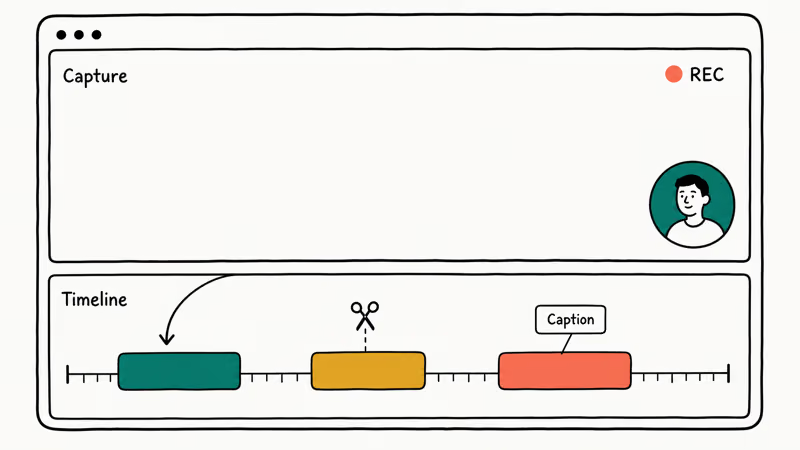
- Wondershare DemoCreator is the only pick on the list that combines recording, webcam overlays, and a full timeline editor in a single window.
- XSplit Broadcaster, vMix, and Wirecast are the three paid choices worth their license fees if you do regular multi-source live production.
- Skip Fraps, CamStudio, PlayClaw, and VIDBlaster in 2026: none of them get active updates and most fail on modern DirectX 12 games.
#Why Replace OBS in 2026?
OBS Studio is still the default starting point for most new streamers, but the friction shows up fast. Encoder warnings, scene-setup complexity, and recurring black-screen captures are the three issues streamers struggle with most. If you keep hitting OBS’s “Encoder overloaded” message, the OBS encoding overloaded fix guide covers the settings to change first; otherwise, switching tools is often faster than tuning OBS.
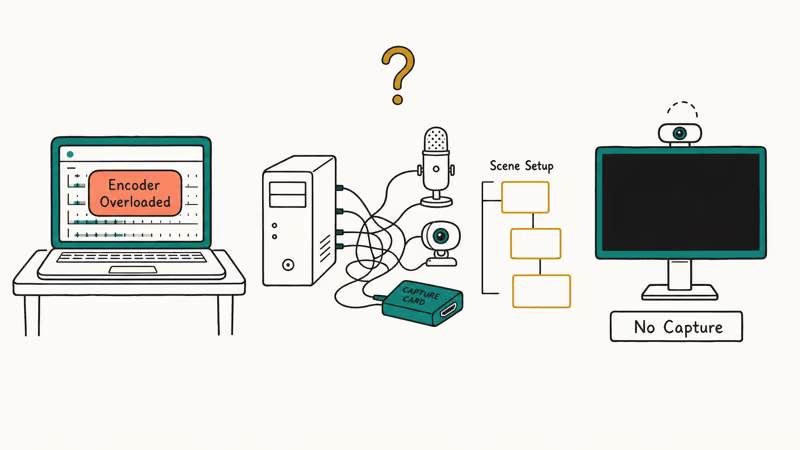
The other recurring complaints are familiar: a steep scene-setup learning curve, frequent black-screen captures (the OBS black screen fix covers those elsewhere), and the lack of any built-in editing. The eight alternatives below address one or more of those problems directly.
According to Wikipedia’s OBS Studio entry, the project was first released in September 2012 and remains free and open-source on Windows, macOS, and Linux. That history is why it’s dominant, but free doesn’t mean frictionless. Several of the picks below are also free, with a much shorter setup curve.
#Best Free OBS Alternatives for Live Streaming
These two are the obvious starting points if you want to keep $0 in your software budget but get away from raw OBS.
#Streamlabs Desktop
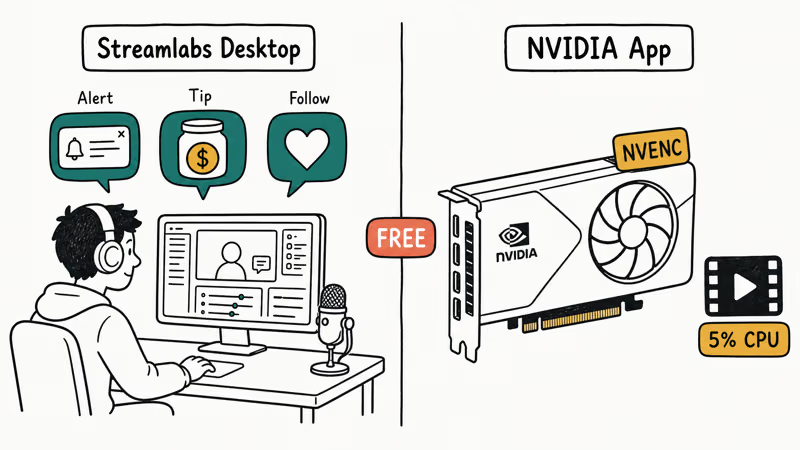
Streamlabs Desktop is the OBS engine wrapped in a beginner-friendly shell. Importing existing OBS scenes takes one click, and the preset overlay library shaves a meaningful chunk off the setup time stock OBS demands.
The killer feature is alert and tip widget integration: donations, follows, and subs flow into on-screen alerts without third-party browser sources. According to Streamlabs’ Desktop product page, the client also ships a multistream tool that pushes one feed to Twitch, YouTube, and Kick simultaneously on the Ultra plan.
Watch out for the optional Ultra subscription nag. The free tier covers what most daily streamers need, but Streamlabs pushes the $19/month plan hard inside the UI.
#NVIDIA App (formerly ShadowPlay)
If you have an RTX or GTX 16-series card, NVIDIA App is the lightest game-capture tool on this list. It encodes via the dedicated NVENC chip on the GPU, so CPU overhead during gameplay capture stays far lower than software x264 encoding in OBS, which leans on the processor instead.
NVIDIA’s App product page states that 4K HDR capture and rolling Instant Replay buffers ship out of the box, plus AV1 encoding on the RTX 40 series. The deeper ShadowPlay vs OBS comparison covers the side-by-side breakdown.
The catch is that NVIDIA App is recording-only. If you want to push to Twitch or YouTube directly, you still need a separate streaming tool like Streamlabs.
#Top OBS Alternatives for Game Recording
Game capture without the streaming overhead. These are the strongest picks when you only need clean local recordings.
#NVIDIA App
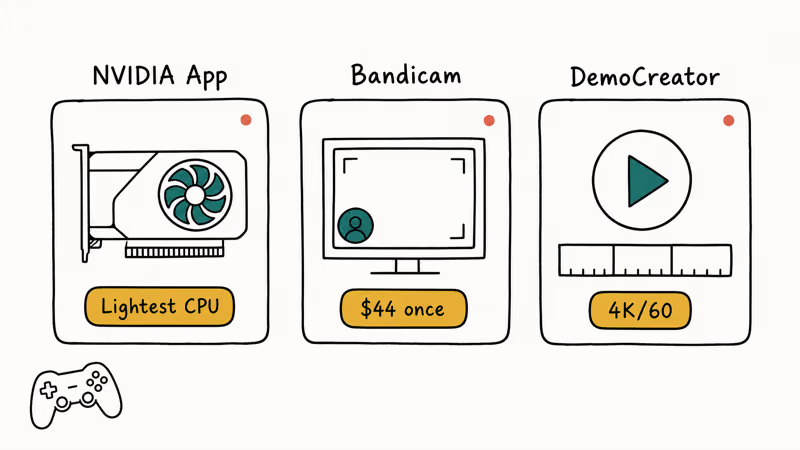
See above: it doubles as the best free game recorder. NVENC encoding keeps files small and quality high while offloading the work from the CPU.
#Bandicam
Bandicam is the survivor from the old Fraps generation. Its built-in hardware-accelerated codecs typically yield compact recordings without a heavy quality penalty, and the built-in webcam overlay and real-time drawing tools are still useful for tutorial creators.
A 30-day free trial is available; the paid license is $44 one-time per PC. According to Bandicam’s site, the free version caps clips at 10 minutes and stamps a watermark on every export, which is too restrictive for serious use.
#Wondershare DemoCreator
DemoCreator earns its second mention because the recording side actually competes with Bandicam. It captures gameplay at up to 4K/60, and the bundled timeline editor handles trimming clips and adding captions without exporting to a separate app. Get Wondershare DemoCreator if you record gameplay and tutorials roughly equally; it’s one of the cleanest single-tool workflows available.
Some links on this page are affiliate links, which means fone.tips may earn a commission at no extra cost to you.
#Best OBS Alternatives With Built-In Editing
Recording is half the job. These three combine capture and post-production in one window.
#Wondershare DemoCreator
Already covered above for game recording. The editor is the differentiator: green screen, scene transitions, and a stock library that beats stitching OBS plus DaVinci Resolve together for tutorial-style work.
#Camtasia
Camtasia is the long-running TechSmith product that small training teams keep buying. Recording is straightforward, and the asset library (lower thirds, callouts, intros) is dense enough that many course creators rarely reach for outside stock footage. The personal license starts around $179/year as of May 2026.
The common downsides: no scheduled recording, and the project files balloon fast on longer courses with lots of assets.
#Movavi Screen Recorder
Movavi Screen Recorder is the simplest editor-recorder hybrid on this list. The capture side is bare-bones (no overlay layout, no advanced scenes), but for screencasts and how-to videos that single-window simplicity is the whole point. If you only need Windows-side recording without an editor, the Windows 10 screen recording guide covers the built-in tools that don’t need any of these installed.
#Paid OBS Alternatives for Live Production
When you outgrow free tools, these three are what working broadcasters actually use.
#XSplit Broadcaster
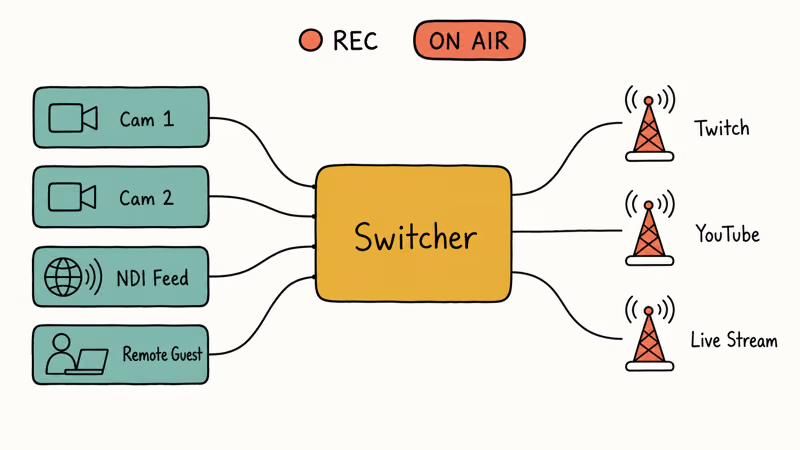
XSplit Broadcaster sits in the upgrade tier above Streamlabs. Subscriptions start at roughly $4/month billed annually, and the lifetime license runs $199 as of this writing. The scene editor is one of the smoothest in this category, and 24/7 chat support is a real benefit for first-time stream hosts.
XSplit’s official feature page states that the latest build supports NVENC encoding, multi-stream output to multiple destinations, and SRT for low-latency remote guests. If you stream more than five hours a week, the lifetime license tends to pay back fast versus the monthly plan.
#vMix
vMix is the production-truck-in-a-box pick. It supports multiple simultaneous 4K NDI inputs, real-time virtual sets, and instant replay. Those are features that don’t exist in OBS.
The best vMix alternatives and use cases get a separate breakdown because the licensing tiers ($60 to $1,200) deserve their own page. For sports broadcasters, conferences, and church A/V teams, vMix is a serious tool. It’s overkill for solo streamers.
#Wirecast
Wirecast from Telestream is the macOS-friendly counterpart to vMix. It supports a wide range of cameras and capture cards, and the Studio tier handles up to 8 sources for around $25/month billed annually. The 2026 release ships an Apple Silicon native build, which runs noticeably more efficiently on M-series Macs than the older Rosetta 2 builds it replaces.
It’s expensive, but it’s the only pick that actually matches a TV broadcast workflow on a Mac.
#How Do These OBS Alternatives Compare?
| Tool | Best For | Price (USD) | Free Tier |
|---|---|---|---|
| Streamlabs Desktop | Live streaming | Free / $19 mo | Yes |
| NVIDIA App | Game capture | Free with GPU | Yes |
| Wondershare DemoCreator | Record + edit | $59.99/yr | Watermark trial |
| Bandicam | Game recording | $44 one-time | 10-min watermark |
| Camtasia | Course videos | $179/yr | 30-day trial |
| Movavi Screen Recorder | Screencasts | $42.95/yr | 7-day trial |
| XSplit Broadcaster | Pro streaming | $4 mo or $199 once | Free with watermark |
| vMix | Live production | $60 to $1,200 | 60-day trial |
| Wirecast | Mac broadcast | ~$25/mo | Watermark trial |
The shortlist for most people is the top three. Beyond that, the choice depends on whether you care more about scene flexibility (XSplit), pro production (vMix, Wirecast), or game-only recording (Bandicam).
If you also stream commentary and want effects layered in without a separate app, the free voice changer roundup walks through the Streamlabs OBS audio chain in detail.
#Bottom Line
If you’re switching from OBS today, install Streamlabs Desktop first. Your existing scenes import cleanly, the alert system is built in, and you’ll know within a single stream whether the friendlier UI is worth keeping. The Twitch-Kick-YouTube multistream tool on the Ultra plan is the upgrade most growing channels reach for next.
Recording-only with an NVIDIA RTX card? Skip everything else and use NVIDIA App — none of the other free tools match its NVENC quality-to-overhead ratio.
For tutorial creators who need to record and edit in one workflow, Wondershare DemoCreator is the only pick here that handles both jobs without a second app.
#Frequently Asked Questions
Is Streamlabs Desktop better than OBS for beginners?
Yes, for most newcomers. The preset overlays and one-click scene import cut the setup time that stock OBS demands, so beginners reach a working layout faster.
Does NVIDIA App work without an RTX card?
It works on most GTX 10-series and newer NVIDIA GPUs, but the AV1 encoding and HDR features require RTX 40-series or later. AMD users should look at AMD Radeon Software ReLive instead, since NVENC is an Nvidia-only feature.
Can I use Wondershare DemoCreator for live streaming?
Not really. DemoCreator can push to RTMP, but its live streaming feature set lags behind Streamlabs and XSplit.
Why did Fraps disappear from the 2026 list?
Fraps last received a feature update in 2013, and doesn’t support modern DirectX 12 games or HDR capture at all. On DX12 titles its capture buffer fails to see the frames, so recordings come back black. Bandicam is the closest spiritual replacement, since it kept pace with new graphics APIs while keeping the same single-button workflow that made Fraps popular in the first place.
Which OBS alternative is best for a MacBook?
Streamlabs Desktop is fastest to set up; Wirecast handles broadcast-grade routing.
Do any of these alternatives include built-in voice modulation?
Streamlabs Desktop bundles a basic voice changer and OBS-style audio filters out of the box. The on-board options cover light effects like reverb and pitch shift, but they fall short for character voices or heavy modulation work. Most streamers run Voicemod or VoiceMeeter alongside their broadcaster of choice rather than relying on built-in tools, and that pairing is the better setup if voice effects are a regular part of your show.
Is XSplit Broadcaster worth $199 over the free version?
If you stream more than five hours a week, the lifetime license tends to pay for itself within about a year compared to the monthly plan. The free tier adds a watermark and caps output, which is too restrictive for serious Twitch streaming in 2026. The paid tier removes both limits and unlocks NVENC encoding.
Can I run OBS and an alternative side by side?
Yes, but they fight over the webcam. Close the inactive app first.

Google Messages Error 3100: Why RCS Is Broken on Galaxy
Google Messages RCS error 3100 hits Galaxy owners after phone or carrier switches. Google told 9to5Google a fix is coming. Here's what actually helps.

Is This Bank App Real? Spot a Fake App on Your Home Screen
A bank app can land on your home screen from a web page with no install warning. Learn the checks that tell a real banking app from a phishing web app.

Apps Crashing After iOS 27 Update? Fix Order (2026)
Apps crashing after the iOS 27 update? Update the app in the App Store first, then offload and reinstall to clear stale cache, then restart. The fix order.

Do AI Translation Earbuds Work Offline? What to Know
Do AI translation earbuds work offline? A few do with downloaded language packs, but most need the cloud. Here's what works offline and what you give up.