Best PC for Gaming and Streaming: 8 Top Picks (2026)
Top 8 gaming and streaming PCs for 2026. Covers budget to high-end builds with specs, pricing, and what matters most for smooth OBS encoding.
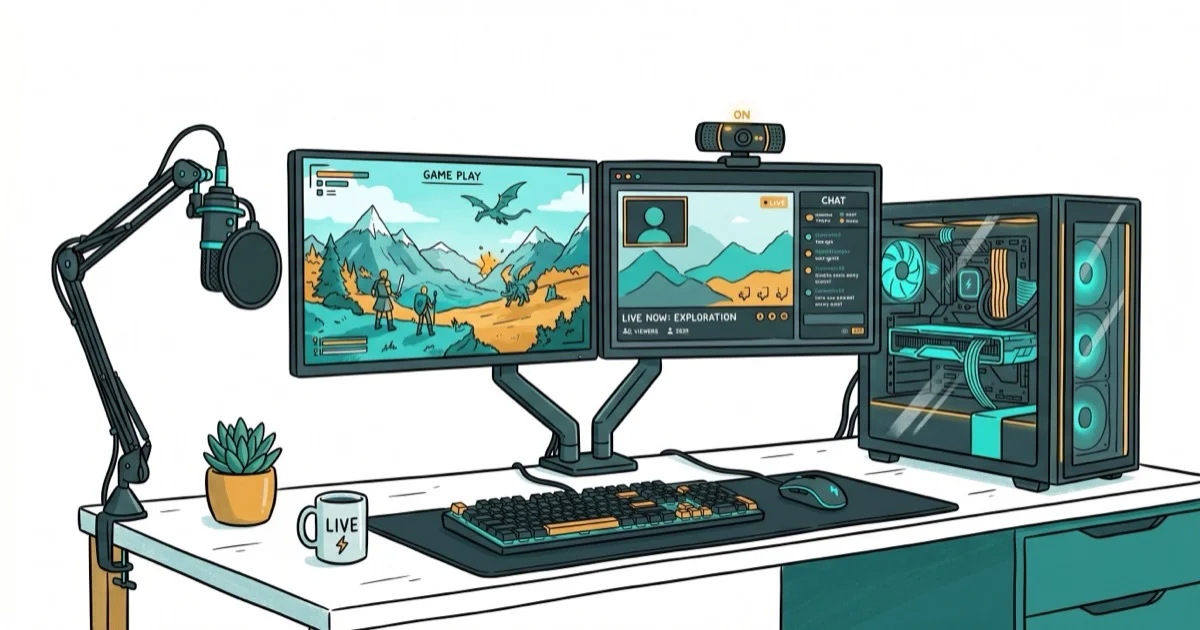
Quick AnswerThe Corsair One i500 is the best PC for gaming and streaming in 2026, pairing an Intel Core i9-14900K with an RTX 4090 in a compact liquid-cooled chassis that handles 4K gaming and OBS encoding simultaneously.
The best PC for gaming and streaming has to game and encode at once. This guide ranks eight pre-built systems by how their specs handle OBS encoding alongside 4K gameplay.
- The Corsair One i500 pairs an i9-14900K with an RTX 4090, hardware built for 4K gaming alongside 1080p60 stream encoding
- Budget systems like the HP Victus 15L start at $800 for 1080p gaming plus 720p streaming
- NVIDIA NVENC offloads encoding to the GPU with near-zero FPS impact
- 32 GB RAM is the 2026 minimum for simultaneous gaming and streaming
- Compact PCs like the ASUS ROG G22CH stream well if cooling stays managed
#Specs That Matter for Gaming and Streaming
The single biggest question is whether your GPU can handle rendering frames and encoding a stream at the same time. According to Wikipedia’s live streaming overview, live streaming transmits media in real time, so encoding load and upload stability are core PC-selection constraints.
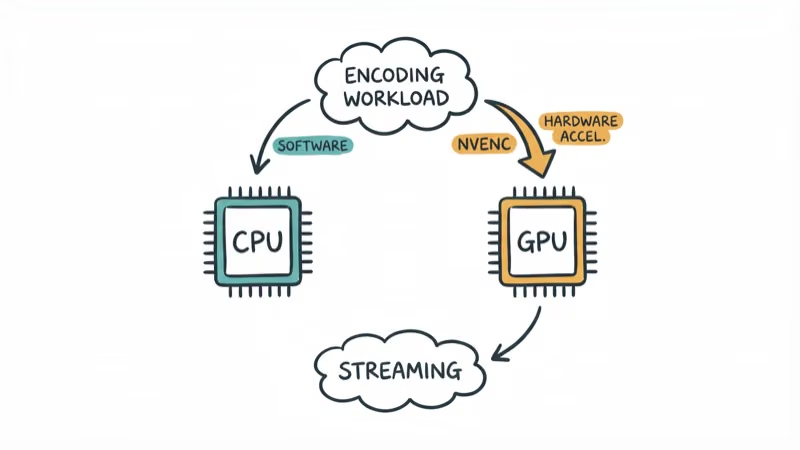
NVIDIA’s NVENC encoder on RTX 30-series and newer handles encoding with almost zero impact on game performance. According to NVIDIA’s NVENC documentation, the dedicated hardware encoder runs independently from the GPU’s CUDA cores, so your framerate stays stable. AMD’s AMF encoder works too, but NVENC generally produces better quality at the same bitrate.
CPU matters less than GPU, but 8 cores is the floor. With x264 on a 6-core chip, software encoding fights the game for cores and frame times suffer.
RAM matters more than people expect. Chrome, OBS, chat overlays, and the game itself can easily hit 20 GB together. With only 16 GB, OBS starts dropping frames during memory-heavy scenes in open-world games. According to OBS Project’s system requirements, 8 GB is the listed minimum, but real-world streaming with a modern game running simultaneously demands at least 32 GB for stable performance.
Got a solid GPU for 1080p 144Hz gaming? You can probably add a 720p stream without issues. For 1080p60 streaming alongside high-res gameplay, step up to an RTX 4070 or better.
#Best Overall: Corsair One i500
The Corsair One i500 packs a Core i9-14900K and RTX 4090 into a 12-liter chassis with dual liquid cooling loops. That combination is built to drive 4K gaming in a demanding title like Cyberpunk 2077 while running OBS at 1080p60 with NVENC encoding.
It’s smaller than a shoebox, and the liquid cooling keeps fan noise low for a system this powerful.
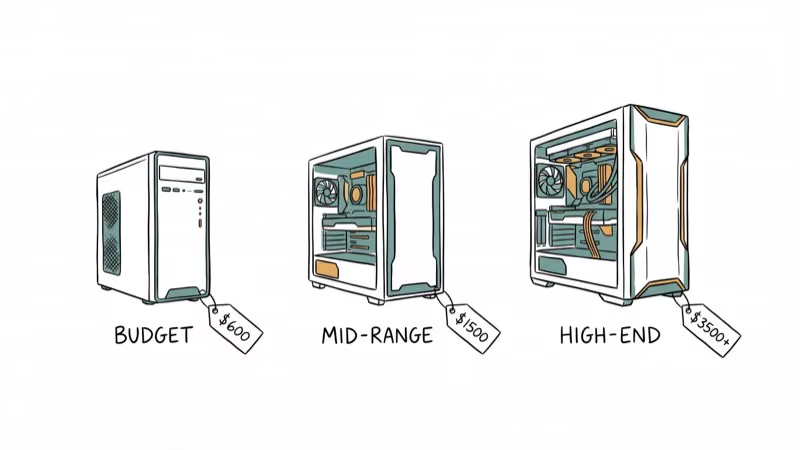
At $3,500-$4,000, it’s expensive. You’re paying for engineering that squeezes flagship components into a tiny enclosure without thermal throttling, and that premium is justified if your stream quality pays for the hardware.
Best for: Streamers who want top-tier performance in a small footprint.
#Best Mid-Range: Alienware Aurora R16
The Aurora R16 runs a Core i9-14900KF with an RTX 4080 Super and 32 GB DDR5. Dell redesigned the chassis with front-to-back airflow that helps keep GPU temperatures in check during extended sessions. According to Dell’s Aurora R16 spec page, the system supports up to 64 GB DDR5-5600 and two M.2 PCIe 4.0 slots.
Solid mid-range pick. The specs are built to hold a long stream session in a game like Baldur’s Gate 3 at 1440p while encoding 1080p60 via NVENC.
Pricing lands around $2,200-$2,800 depending on configuration. That’s strong value for a system that handles 1440p gaming plus streaming without major compromises on either side, and the 240mm AIO cooler is sized to manage CPU temperatures through a long session.
Best for: Streamers who want strong performance without the flagship price.
#Best Budget: HP Victus 15L
The Victus 15L starts at $800. Solid for 1080p gaming and 720p streaming.
In a game like Fortnite at 1080p medium settings while streaming at 720p30 via NVENC, the frame rate should stay high on this hardware. Pushing to 1080p60 streaming is more likely to cause occasional frame drops during heavy particle effects.
Storage is the weak point. The 512 GB SSD fills up after three big games, so budget for a second drive. Our guide on the best hard drives for gaming covers affordable expansion options that won’t slow down your load times.
Best for: New streamers on a budget who game at 1080p.
#Best Compact: ASUS ROG G22CH
The ROG G22CH squeezes a Core i7-14700F and RTX 4060 Ti into a 10-liter case.
The 8th-gen NVENC encoder in the RTX 4060 Ti handles 1080p60 encoding efficiently. The hardware is suited to a high frame rate in a competitive title like Valorant at 1080p high while streaming simultaneously. One concern: compact cases like this tend to run the GPU hot during marathon sessions in a warm room, so keep it somewhere with decent airflow. Pair it with a compact desk with LED lights and you’ve got a streaming station that barely takes up space.
Best for: Streamers with small desks or limited room.
#Best Customizable: iBuyPower Y60
The Y60 ships with a Core i9-14900KF and RTX 4070 Ti at around $1,800-$2,200, but the real draw is customization. You can spec it up to an RTX 4090 with 64 GB DDR5 or strip it down to fit a tighter budget.
Build quality is a standout. Clean cable management, good-looking tempered glass panel, and three intake fans for decent airflow.
The Y60 supports easy upgrades too. Standard ATX motherboard, room for a 360mm radiator, and four DIMM slots mean this system can grow with your channel over time as you invest more. If you want a PC that looks good on stream camera and allows future expansion, this is the one to get.
Best for: Streamers who want to customize now and upgrade later.
#How Should You Rank These Systems for Streaming?
Four criteria matter specifically for streaming and are worth weighing for any pick:
| Criteria | What it covers |
|---|---|
| Dual workload FPS | Gaming FPS with OBS running simultaneously |
| NVENC quality | Encoding quality at 6000 Kbps CBR |
| Thermal stability | GPU and CPU temps under several hours of load |
| Value per dollar | Performance relative to price |
The relevant workload is the same across systems: a demanding game (4K Ultra or 1080p High depending on GPU), OBS Studio with the NVENC encoder at 1080p60 or 720p30, and a Twitch-standard 6000 Kbps bitrate.
Fan noise also matters at about 1 meter distance. Anything above 45 dB during a stream is audible through an open mic, which matters when your microphone is on your desk. For audio gear recommendations, our ASMR microphone guide covers sensitive recording setups.
#Building Your Own Streaming PC
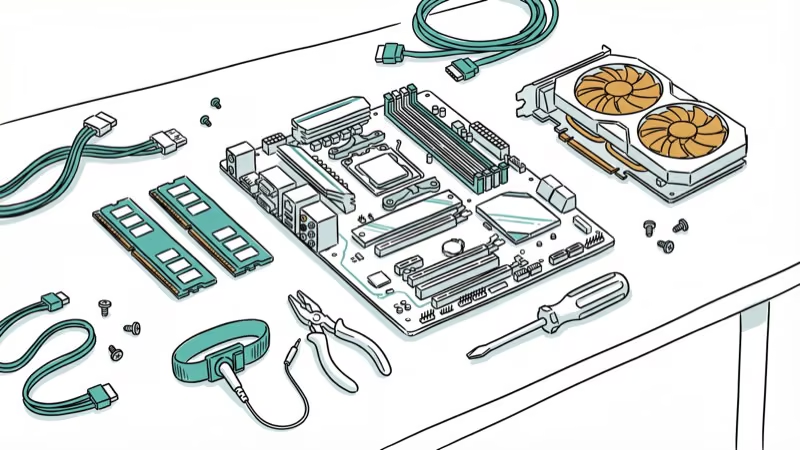
Custom builds save $200-$400 but cost you assembly time.
Prioritize GPU first, then CPU and RAM if you go custom. The best RAM for Ryzen 5 5600X guide covers memory pairing for AMD builds. For cooling, a quality case fan setup matters more than most people realize, especially when both GPU and CPU are under simultaneous load during a stream.
One thing people forget: a UPS (uninterruptible power supply) is worth the $80-$150 investment. A power flicker during a live stream kills the broadcast instantly, potentially corrupts your OS drive, and leaves your audience staring at a “stream offline” screen with no warning.
#Do You Actually Need a Capture Card?
Not for single-PC streaming.
The two-PC setup splits gaming and encoding across separate machines. It’s overkill for most streamers, but competitive players who need every frame use it to guarantee zero encoding impact on their game. If you’re considering that route, any of the budget PCs listed here works as a dedicated encoding machine.
#Bottom Line
Start with the HP Victus 15L if you’re testing the waters. Upgrade to the Alienware Aurora R16 when you’re ready for 1440p gaming and 1080p streaming simultaneously. The Corsair One i500 is the no-compromise pick for established streamers who want the best in a compact package.
Match your PC to your stream resolution: 720p streaming needs an RTX 3060 or better, and 1080p60 streaming runs smoothly on RTX 4060 Ti and above.
#Frequently Asked Questions
How much RAM do I need for gaming and streaming?
32 GB is the practical minimum in 2026. With only 16 GB, OBS drops frames in memory-heavy open-world games when Chrome and chat overlays are also running. 64 GB is only necessary if you edit videos alongside your stream.
Can I stream with an AMD GPU?
Yes. AMD’s AMF encoder works with OBS. NVENC delivers better quality at the same bitrate though, which is why most pro streamers pick NVIDIA.
What internet upload speed do I need to stream?
Twitch recommends at least 6 Mbps upload for 1080p60 streaming at 6000 Kbps. YouTube needs about 9 Mbps for the same resolution. Test your actual upload speed under load since gaming can consume bandwidth too.
Is a laptop good enough for streaming?
A gaming laptop with an RTX 4060 or better handles 1080p gaming plus 720p streaming. Thermals are the limiting factor. Most laptops throttle after 30-45 minutes of combined gaming and encoding load unless they have aggressive cooling. If your laptop overheats while gaming, streaming will make it worse.
Should I use NVENC or x264 for encoding?
NVENC for single-PC setups. It offloads encoding to dedicated hardware on the GPU with nearly zero FPS cost. x264 uses your CPU, which competes directly with your game for processing power. x264 produces marginally better quality at very low bitrates, but the FPS penalty makes it impractical for most streamers.
Do I need Windows 11 for streaming?
No. OBS, Streamlabs, and all major streaming software run on both Windows 10 and 11. Windows 11 offers minor improvements in DirectStorage and GPU scheduling, but neither meaningfully affects stream quality.
How much storage does streaming content need?
Recording locally while streaming at 1080p60 uses about 6-8 GB per hour at medium quality. A 2 TB SSD gives you roughly 250 hours of recorded footage before you need to offload or delete.
What’s the difference between pre-built and custom-built for streaming?
Pre-built systems cost $200-$400 more for the same specs but include warranties and save you assembly time. Custom builds let you prioritize specific components like a better GPU or cooler. For new streamers, pre-built is the safer choice since troubleshooting hardware issues during your first week of streaming is frustrating.

Best Laptop for Running LLMs in 2026: Memory Comes First
The best laptop for running LLMs is a memory purchase first. Compare MacBook unified memory against NVIDIA laptop VRAM, and see what each tier really runs.

Pixel 11 vs Pixel 10: What Changed and Who Should Upgrade
Pixel 11 vs Pixel 10: same screen and camera resolution, new Tensor G6, 25W wireless, and Gemini Intelligence. Here is who should actually upgrade.

Best Power Bank for iPad in 2026: Pro, Air, and Mini
Best power bank for iPad in 2026. Compare mAh tiers and USB-C PD wattage for iPad Pro, Air, and mini, plus airline Wh math, cables, and travel tips.

Best Power Bank With Built-In Cable: Top 2026 Picks
Best power bank with built-in cable picks for 2026. Compare single USB-C, multi-connector, and retractable laptop banks, plus airline Wh math.