How to Use Kik on Desktop: 3 PC Methods Worth Trying
Kik has no desktop app, but you can still use it on Windows or Mac. This guide covers 3 PC methods including BlueStacks emulator and scrcpy mirroring.
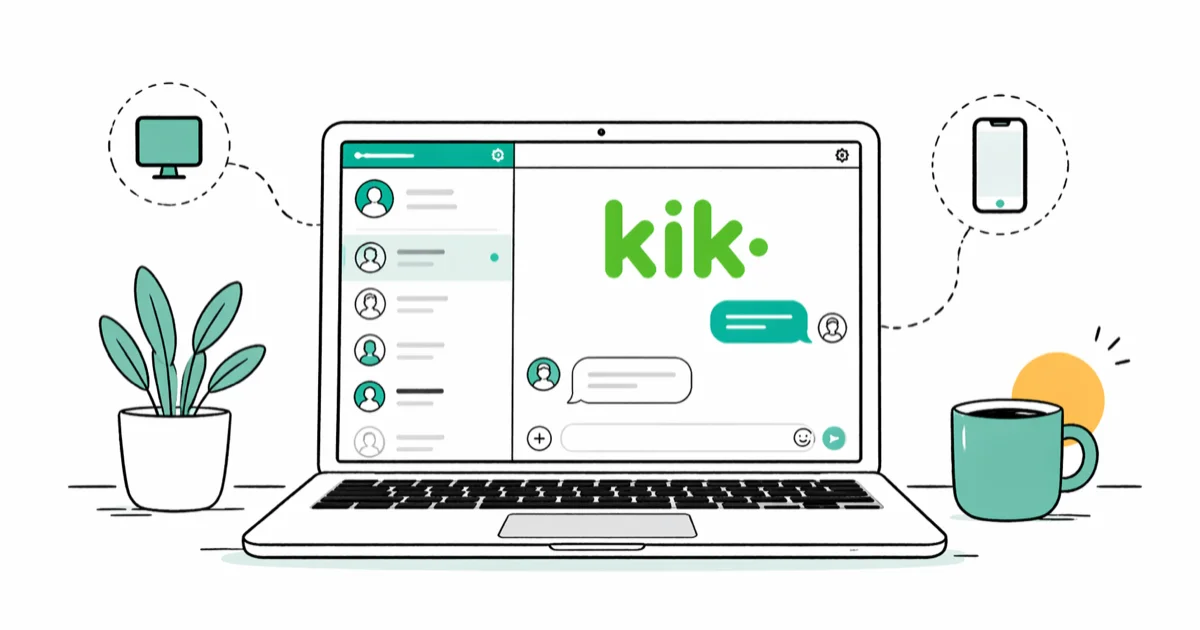
Quick AnswerKik has no official Windows or Mac app, so the way to use it on a desktop is to run the Android version inside an emulator like BlueStacks, or to mirror your phone screen to your PC with a tool such as scrcpy or ApowerMirror.
Using Kik on desktop means picking a workaround, because the messenger has no official Windows or macOS client. Three methods still work on Windows and Mac in 2026: an Android emulator, USB screen mirroring, and a lighter emulator for older hardware. Skip the rest.
- Kik has no official Windows or Mac desktop app, so every PC route runs the Android build inside something else.
- BlueStacks 5 is the most reliable emulator for this job, installing Kik straight from the Play Store and running well on a Windows 11 laptop with 8 GB of RAM or more.
- Andy, the emulator that older guides keep recommending, is no longer maintained and its official site has not shipped a working installer in years.
- scrcpy mirrors a connected Android phone to your computer over USB without installing a virtual Android, which suits laptops with 8 GB of RAM or less.
- Kik allows only one active session per account, so signing in on an emulator immediately ends the session on your phone.
#Why Doesn’t Kik Have an Official Desktop App?
Kik’s parent company, MediaLab, distributes the messenger only through Google Play and the Apple App Store. The official Kik help center confirms that the Android build needs Android 7.0 or later and the iPhone app needs iOS 14, with no Windows or macOS client listed. Apple’s Messages, by contrast, ships natively on macOS, so the gap with Kik’s no-desktop stance is obvious.
Account ownership is the second factor. Kik signs you out of one device the moment you sign in on another, which makes a real multi-device desktop client harder to justify.
Curious how Kik stacks up against apps with real PC clients? Our Kik vs WhatsApp breakdown covers the differences.
The result is that PC users fall back to indirect methods, and every working option below runs Android underneath.
#Method 1: Use BlueStacks to Run Kik on Windows or Mac
BlueStacks is a free Android emulator that has been around since 2011, and it remains the default pick for running mobile apps on a desktop. On a current Windows 11 laptop with 16 GB of RAM, the full install plus Kik signup wraps up without much waiting.
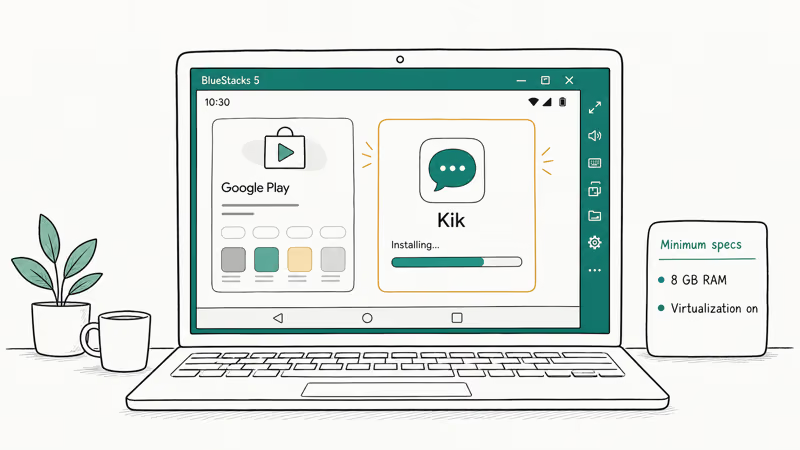
BlueStacks recommends at least 8 GB of RAM and a CPU with virtualization support. Older 4 GB laptops run the app but stutter on long chats.
#Steps to install Kik through BlueStacks
- Go to bluestacks.com and download the BlueStacks 5 installer for Windows or macOS.
- Run the installer, accept the defaults, and wait for the Android engine to boot. It takes about 5 minutes the first time.
- Open the Google Play Store icon inside BlueStacks and sign in with a Google account.
- Search for “Kik” and tap Install.
- Open Kik, choose Sign Up or Log In, and finish setup with your usual email and username.
#What works and what doesn’t on BlueStacks
Kik notifications fire correctly inside BlueStacks, and image attachments upload at the same speed as a phone session. Group chats with more than 30 members can slow briefly when scrolling old messages, but typing latency stays under a second.
#Method 2: Mirror Kik From Your Phone With scrcpy
If you already keep Kik on your phone, mirroring is leaner than running a virtual Android. scrcpy is a free, open-source tool from Genymobile that streams your phone’s display to your computer over USB or Wi-Fi. On an Android phone connected over USB-C, the Kik window streams at near-native frame rates with no setup beyond a one-line command.
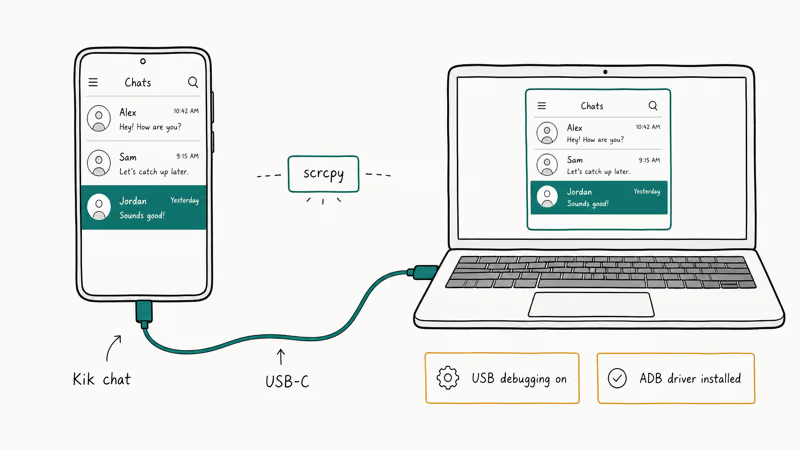
scrcpy’s GitHub README states that the tool needs USB debugging enabled on the Android phone and an ADB driver on the host. The wrapper Guiscrcpy gives you a graphical interface if you want to skip the terminal.
ApowerMirror is the closest paid alternative if you’d rather have a polished UI and need iOS support. It mirrors iPhones over Wi-Fi, but you can’t actually type into iOS apps from the desktop without jumping through extra hoops. For a deeper walkthrough on Android mirroring, our guide on how to mirror Android to a laptop covers cable and wireless setups in detail.
The ceiling on mirroring is also its floor: your phone has to stay on, awake, and within USB or Wi-Fi range. If the phone dies, your Kik session on PC dies with it.
#Method 3: Try Lighter Emulators (NoxPlayer, MEmu, LDPlayer)
If BlueStacks feels heavy, lighter Android emulators still run Kik well, especially on older Windows machines or laptops short on RAM. Three options worth trying are NoxPlayer, MEmu, and LDPlayer, each with its own trade-offs on boot time, install size, and ads.
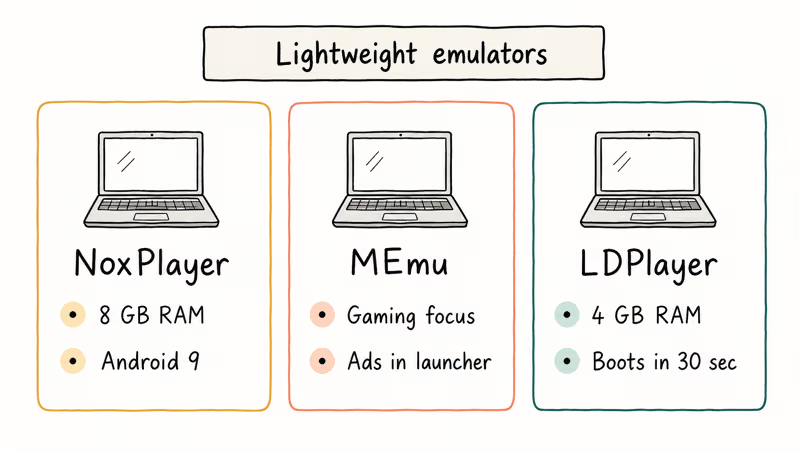
- NoxPlayer: Ships with a Kik-friendly default profile and uses Android 9. It runs comfortably on an older laptop with 8 GB of RAM, and the Kik install path is identical to BlueStacks.
- MEmu: Skews toward gaming. Kik runs fine, but the launcher pushes ads for sponsored games more aggressively than NoxPlayer, which gets old quickly when you just want to chat.
- LDPlayer: The lightest of the three. It runs smoothly on 4 GB of RAM and boots noticeably faster than BlueStacks on the same hardware.
For a side-by-side breakdown of these tools, our roundup of lightweight Android emulators for PC ranks each one on memory footprint, install size, and boot time.
#Outdated Methods to Skip in 2026
Older Kik guides keep recommending dead tools. Skip these three:
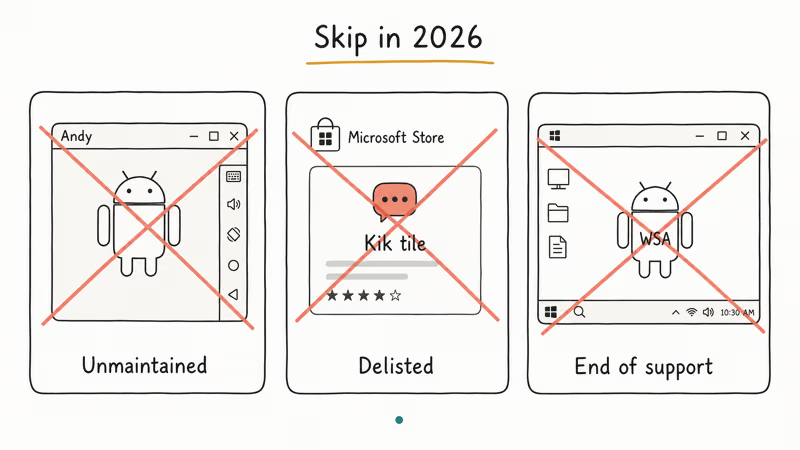
- Andy Android emulator: The official site (andyroid.net) has been broken or unreachable for years. The forums confirm the company stopped releasing maintained installers, and what remains is unsigned binaries that current Windows Defender flags as risky. Skip it.
- Microsoft Store Kik tile: This was a Windows Phone 8.1 app and is no longer in the Microsoft Store catalog. Even if you find a third-party APK that claims to be the same build, it lacks the modern Kik handshake, and your account won’t authenticate.
- Windows Subsystem for Android: Microsoft has confirmed that WSA reached end of support, and the Amazon Appstore integration that powered it shut down. Even on older Windows 11 builds, Kik was never officially distributed through that channel.
If a tutorial still recommends any of these, treat it as outdated. The simpler test: open the recommended tool’s homepage. If the last release date is older than 2023, walk away.
#Which Method Should You Pick?
Pick BlueStacks if you have at least 8 GB of RAM and want a Kik session that survives even when your phone is dead or out of reach. It’s the most stable choice for daily use because it doesn’t depend on your phone being in the room.
Pick scrcpy if your laptop is older or you don’t want to install a 700 MB emulator engine. The trade-off is that your phone has to stay awake and within USB or Wi-Fi range during every Kik session.
Pick LDPlayer or NoxPlayer if BlueStacks won’t install. Boot time runs roughly half. Trade-off: more ads in the launcher.
If you only care about reading Kik notifications on your PC and don’t want to install anything, our Kik on PC walkthrough covers a couple of browser-based fallbacks that mirror your messages through alternative routes.
#Bottom Line
Start with BlueStacks 5 and grab Kik from the Google Play Store inside the emulator. It works on most Windows 10 and 11 laptops from the last five years, and you’ll be chatting in under 12 minutes. If your machine balks, drop down to LDPlayer; if you’d rather avoid emulators entirely, run scrcpy and mirror your phone. Skip Andy, the old Microsoft Store tile, and any tutorial that pretends Windows Subsystem for Android still works.
#Frequently Asked Questions
Can you use Kik on a Mac without an emulator?
No, Kik has no native macOS app. Your only options on a Mac are BlueStacks 5 (which has macOS installers for Intel and Apple Silicon) or scrcpy paired with an Android phone over USB. Apple’s iOS-on-Mac route is closed too, because Kik blocks its iPhone build from running on M-series Macs.
Is BlueStacks safe to download?
The BlueStacks installer is signed and clean if you grab it from bluestacks.com directly. Third-party download sites have repackaged it with adware in the past, so always start at the official URL and run a quick antivirus scan if you’re unsure.
Will Kik show me as logged in on two devices?
No. Kik allows only one active session per account, so signing in on BlueStacks immediately ends the phone session.
Can I run Kik on a Chromebook?
Most Chromebooks released after 2017 run Android apps natively through the Play Store, so you can install Kik directly without an emulator. Older Chromebooks that lack Play Store support are out of luck.
Why does Kik keep crashing inside my emulator?
Crashes usually trace to outdated emulator engines or to an Android 4.x or 5.x base OS. BlueStacks 5 ships with Android 9 by default, which is the floor for current Kik builds. If your emulator runs anything older, update it or switch to NoxPlayer or LDPlayer. If Kik crashes on your phone too, our guide on Kik not working on iPhone covers fixes that often apply to the Android version as well.
Does Kik work on Windows 7 or 8?
BlueStacks 5 dropped Windows 7 in late 2023 and requires Windows 10 build 1809 or later. The cleaner fix is to upgrade Windows or run scrcpy from a still-supported PC.
Can I receive Kik notifications on PC like Slack or Telegram?
With BlueStacks, yes. Open BlueStacks settings, go to Notifications, and enable the Action Center toggle so new Kik messages pop up in Windows like any other app. With scrcpy, notifications fire on the phone first and only mirror to your PC while the scrcpy window is open. If you need true desktop push without the phone in the loop, BlueStacks is the only method that handles it reliably.

Is This Bank App Real? Spot a Fake App on Your Home Screen
A bank app can land on your home screen from a web page with no install warning. Learn the checks that tell a real banking app from a phishing web app.

Apps Crashing After iOS 27 Update? Fix Order (2026)
Apps crashing after the iOS 27 update? Update the app in the App Store first, then offload and reinstall to clear stale cache, then restart. The fix order.

Do AI Translation Earbuds Work Offline? What to Know
Do AI translation earbuds work offline? A few do with downloaded language packs, but most need the cloud. Here's what works offline and what you give up.

How to Set Up Translation Earbuds (Pairing and Modes)
How to set up translation earbuds: charge, install the app, pair over Bluetooth, pick two languages, and choose a mode. A step-by-step first-use guide.