Kik for PC: How to Use Kik Messenger on Windows in 2026
Kik for PC has no official desktop app, but BlueStacks, GameLoop, and screen mirroring let you run Kik on Windows. Compare 4 methods in 2026.
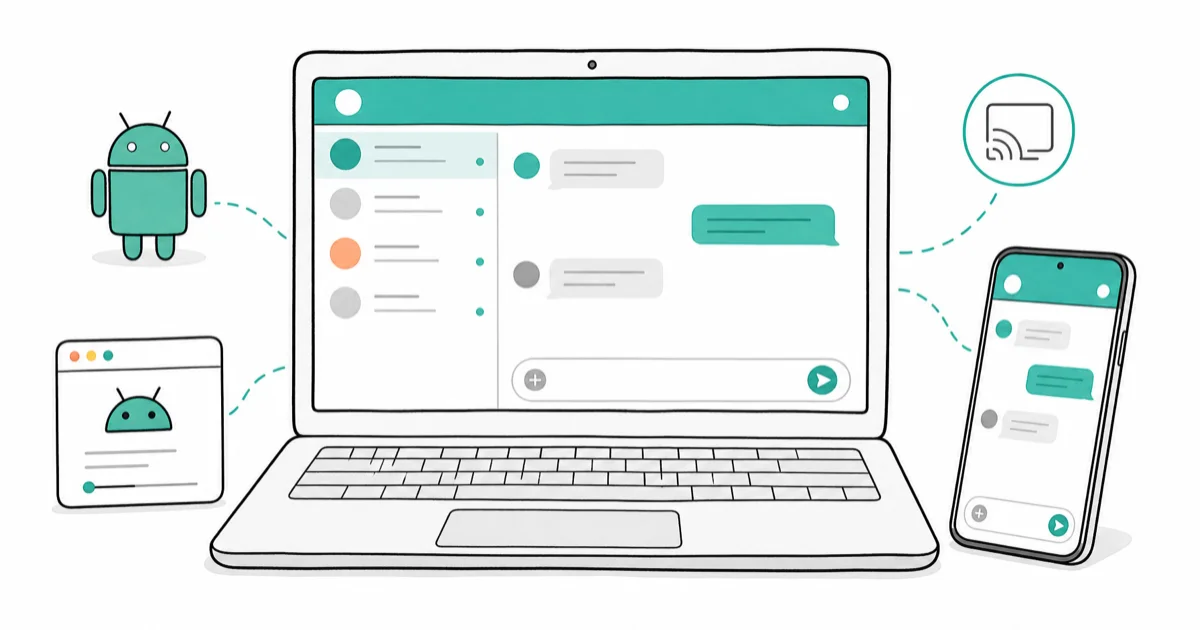
Quick AnswerKik has no official desktop app, so the working methods on PC in 2026 are an Android emulator like BlueStacks, the lightweight Tencent emulator GameLoop, or a screen mirror tool like Tenorshare Phone Mirror.
Kik for PC is one of the most-asked Kik questions, and the answer hasn’t changed much since the app launched. Kik never built a stable Windows or Mac client, so every working method routes through an Android emulator or a screen mirror tool. The four options below cover desktop hardware from a brand-new gaming PC down to a 4GB Windows 10 laptop.
- Kik has no official Windows desktop app, so running it on a PC means using an Android emulator or screen mirror.
- BlueStacks is the most widely tested emulator for Kik on Windows, ships with the Google Play Store, and works on Windows 10 and 11.
- GameLoop and LDPlayer are lighter-weight Android emulators designed for older or low-RAM PCs.
- Tenorshare Phone Mirror controls your Android phone from your PC over USB and supports Android 6.0 and up.
- ChromeOS APK browser workarounds are fragile, often broken by Chrome updates, and not safe for daily use.
#Does Kik Have an Official Desktop App?
Kik doesn’t have an official Windows or Mac desktop app, and the company has never shipped a stable desktop client. The messenger is distributed only through the iOS App Store and Google Play.
According to Wikipedia’s Kik Messenger entry, MediaLab acquired Kik in late 2019, and the new owner kept the mobile-only model. A short-lived “Kik for Web” beta surfaced years before the acquisition, but the project was discontinued before reaching general release.
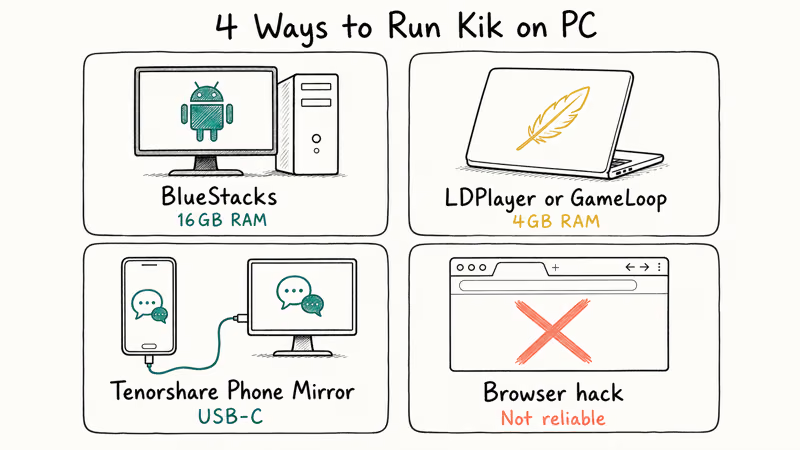
That leaves four practical options for a PC:
- An Android emulator such as BlueStacks
- A lightweight emulator such as GameLoop or LDPlayer
- A screen mirror tool such as Tenorshare Phone Mirror
- An unofficial APK loaded into Chrome OS or Bliss OS (advanced users only)
Here’s what each method does, where it stalls, and which option fits your hardware.
#How Do You Run Kik on a Windows PC?
The cleanest path is an Android emulator that runs the official Kik APK from the Google Play Store. An emulator creates a virtual Android device on your computer, and Kik treats that virtual device the same way it treats a real phone. Sign-in works with the same email and password you already use on your phone.
Screen mirroring is a different beast. Instead of running Kik on the PC, it mirrors a real Android phone to your monitor and lets you control the phone with mouse and keyboard. Your existing Kik account stays on the same physical device while you type comfortably from a desk.
Below are the four methods, ordered from most to least reliable for everyday use.
#Method 1: Use BlueStacks (Android Emulator)
BlueStacks is the most established Android emulator for Windows. According to BlueStacks documentation, version 11 supports Windows 10 and Windows 11 and ships with Google Play preinstalled. Full system requirements are listed on the BlueStacks help center.
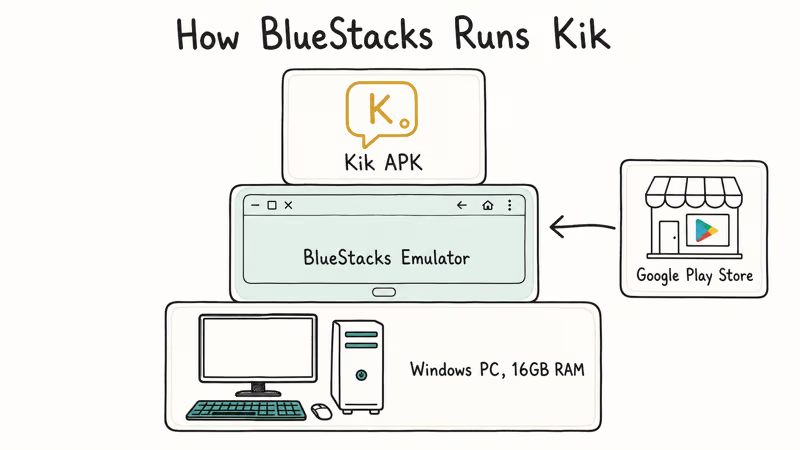
On a Windows 11 desktop with a comfortable amount of RAM, BlueStacks 11 installs without much waiting, and Kik reaches the home screen quickly after launch. Group chats, image attachments, and animated stickers all run without lag on that kind of hardware.
#Steps to install Kik through BlueStacks
- Download the installer from the official BlueStacks site and run it.
- Open BlueStacks and sign in with a Google account so the Play Store works.
- Search for “Kik” in the Play Store and tap Install.
- Open Kik and sign in with your existing email and password, or tap Sign Up to create a new account.
If your PC has under 8GB of RAM, BlueStacks feels sluggish. See our best Android emulators for low-end PCs roundup.
#Method 2: Use GameLoop or LDPlayer (Lightweight Alternatives)
If BlueStacks is too heavy, GameLoop and LDPlayer are solid backups.
GameLoop is built by Tencent. It was originally designed for mobile games like PUBG Mobile and Call of Duty Mobile, but it runs general Android apps once you add Google Play Services. According to GameLoop documentation, the current build supports Windows 10 and Windows 11; the Tencent GameLoop site lists the official downloads.
LDPlayer is another popular pick that runs comfortably on machines with 4GB of RAM. On an older Windows 10 laptop, LDPlayer 9 launches Kik almost immediately after first sign-in. The trade-off is that LDPlayer’s installer prompts you to install several preset games during setup; uncheck those boxes to keep the install lean.
For a head-to-head between popular lightweight options, see our list of lightweight Android emulators for Windows.
#Method 3: Mirror Your Phone With Tenorshare Phone Mirror
If Kik already works on your phone and you only want a bigger screen, screen mirroring is faster than installing an emulator. Tenorshare Phone Mirror connects your Android phone to your PC over USB and lets you type Kik messages with your computer keyboard.
Some links on this page are affiliate links, which means fone.tips may earn a commission at no extra cost to you.
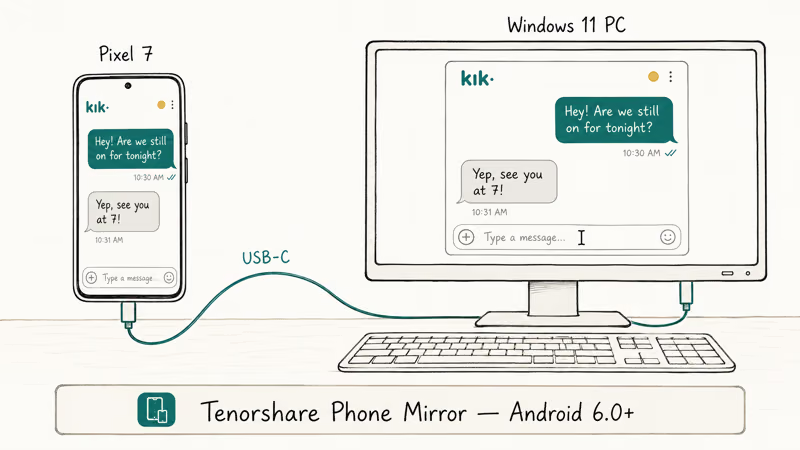
Tenorshare lists Android 6.0 as the minimum supported version, with USB debugging enabled on the phone. Over a USB-C cable on Windows 11, the mirror window supports 1080p, and Kik notifications show up on the desktop in real time.
#Steps to mirror Kik through Tenorshare Phone Mirror
- Install Tenorshare Phone Mirror on your Windows PC.
- Enable USB debugging on the Android phone (Settings → About phone → tap Build number 7 times, then Settings → System → Developer options → USB debugging).
- Connect the phone to the PC with a USB cable and approve the debugging prompt that pops up on the phone.
- Click Mirror in the Phone Mirror app and open Kik on the phone.
If you want to compare other mirroring tools first, our best screen mirroring app guide covers Tenorshare Phone Mirror, scrcpy, ApowerMirror, and more.
#Method 4: Use Kik in a Browser (Limited Workaround)
There’s no official Kik web app, and unofficial workarounds keep breaking on each Chrome update.
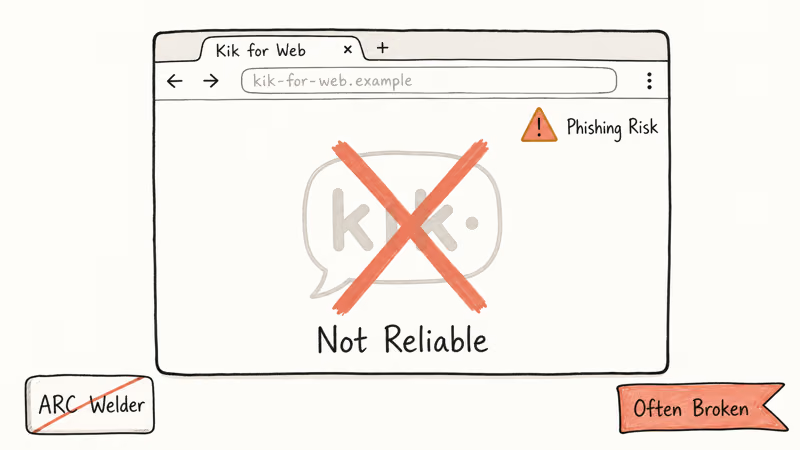
The most-circulated trick is to load the Kik APK inside a Chromebook-style runtime using the ARC Welder Chrome extension or a Chrome OS APK loader. On modern Chrome builds, the ARC Welder route generally fails to launch Kik at all. According to Google’s Chrome OS developer documentation, Android app support is now built into Chrome OS itself rather than the desktop Chrome browser, which is why APK-in-browser tricks rarely work on Windows.
Most “Kik for web” pages you find in search results are either scams or outdated walkthroughs, and a few are phishing pages that ask for your Kik password. If you only need to read Kik messages occasionally, screen mirroring or BlueStacks is faster and far more reliable than chasing browser hacks.
#Match the Method to Your PC
Different setups call for different tools. The table below maps common situations to the method that fits best.
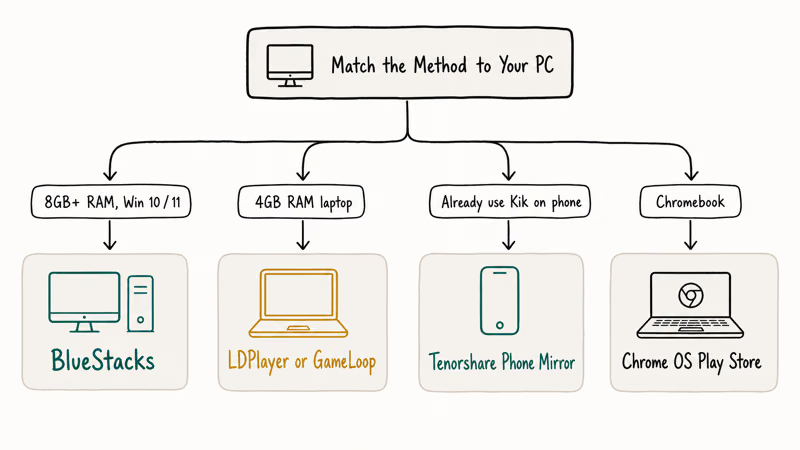
| If you… | Pick |
|---|---|
| Have a modern Windows 10 or 11 PC with 8GB+ RAM | BlueStacks |
| Have an older laptop with 4GB of RAM | LDPlayer or GameLoop |
| Already use Kik on Android and want a bigger screen | Tenorshare Phone Mirror |
| Use a Chromebook | Chrome OS native Play Store |
| Use a Mac | BlueStacks for Mac (same install steps) |
For a head-to-head between Kik and other major messengers on PC, see our Kik vs WhatsApp comparison and our deeper Kik desktop guide.
#Bottom Line
If your PC can spare 8GB of RAM and a few GB of disk, install BlueStacks and run the Kik APK from the Play Store. It’s the closest thing to an official Kik desktop app, and it’s stable enough to leave running through a long chat session. If your machine is older, drop to LDPlayer instead. When Kik already works on your phone, screen mirroring skips installation and lets you type with a real keyboard.
#Frequently Asked Questions
Is there an official Kik desktop app for Windows?
No. Kik is shipped only on iOS and Android, and there’s no native Windows or Mac client. Every PC method on this page wraps the mobile app in an emulator or mirrors it from a phone.
Can you use Kik in a browser without an emulator?
Not reliably. Old workarounds like ARC Welder no longer work in modern Chrome, and the various “Kik for web” sites in search results are scams or phishing pages. Stick with an emulator or screen mirroring for anything you’d actually read or send.
Is BlueStacks safe to install?
Yes, when downloaded from the official BlueStacks site. Any Windows 11 SmartScreen warning you see is typically the standard “rarely downloaded” prompt rather than a malware flag. The official installer is digitally signed and the app doesn’t request root access on the host machine. Avoid third-party APK mirrors and beta builds from forum threads, since those are common malware vectors, and keep BlueStacks updated through its built-in updater.
Do I need a separate Kik account for the PC?
No. You sign in with the same email and password you use on your phone. Kik allows the same account on multiple devices, though chats only stay in sync while the app is online on the active device.
Does Kik need a phone number to register?
No. Kik runs on Wi-Fi or mobile data and only requires an email address and a password to sign up. That email-only model is one reason Kik stays popular for accounts users want kept separate from their main phone identity.
How many people can join a Kik group chat?
Up to 49 people can join a single Kik group, including the host. Group invites are sent via username search or by sharing a Kik group URL.
Will Kik on PC drain my phone battery?
Only if you mirror your phone to the PC. Emulators like BlueStacks and GameLoop run Kik on your computer’s CPU, so the phone isn’t involved at all. Tenorshare Phone Mirror keeps the phone awake while connected, which can drain it noticeably faster than usual.

Pixel 11 vs Pixel 10: What Changed and Who Should Upgrade
Pixel 11 vs Pixel 10: same screen and camera resolution, new Tensor G6, 25W wireless, and Gemini Intelligence. Here is who should actually upgrade.

Verizon Not Receiving Texts? How to Fix It in 9 Steps
Verizon not receiving texts? Fix it in 9 steps: check Message Blocking in My Verizon, reset network settings, deregister iMessage, and call support.

Pixel Battery Drain: What Google's July Fix Really Covers
Google marked the Pixel idle battery drain bug fixed in July, but only some phones got the patch. Here is who is covered, who is not, and what to try.

iPhone Stuck on EDGE? How to Get 5G or LTE Back (2026)
iPhone stuck on EDGE with crawling data? Here's why the E icon appears, which settings force 5G or LTE back, and when the problem is your carrier.