iPhone Overheating After iOS 27 Update? Why and Fixes
iPhone overheating after the iOS 27 update is usually normal background indexing for the first day or two. How to tell normal heat from a real problem.
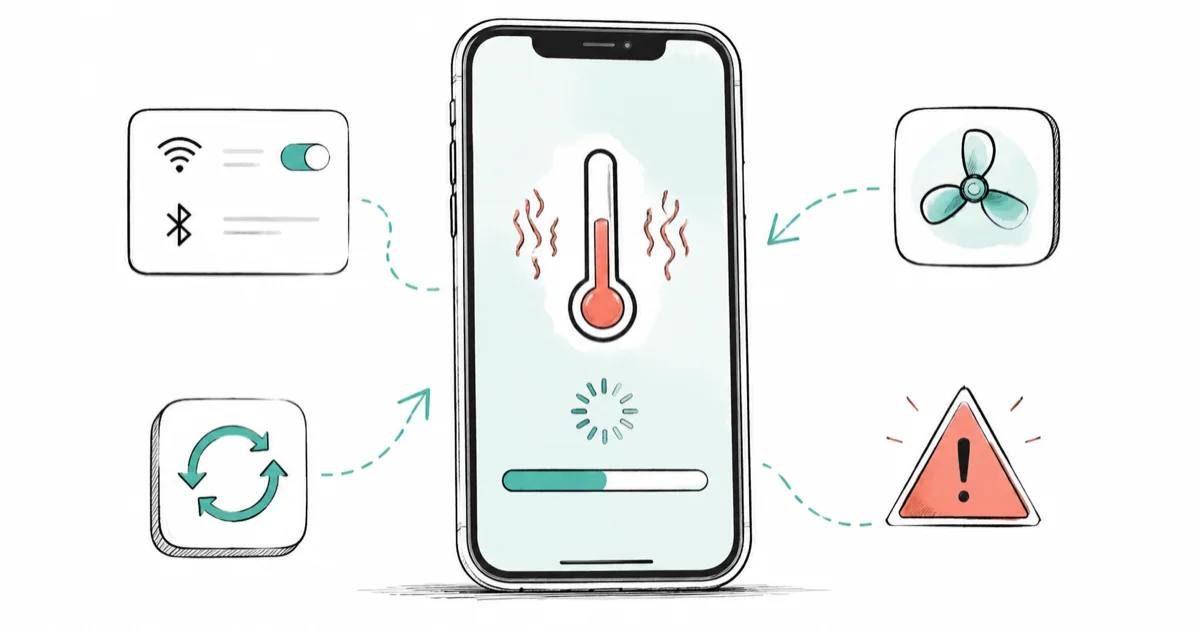
Quick AnswerAn iPhone running warm for the first day or two after the iOS 27 update is almost always normal background work, and the heat fades on its own. Worry only if it stays hot during light use after a week.
iPhone overheating after the iOS 27 update worries a lot of people, but the warmth in the first day or two is usually the phone finishing housekeeping, not a defect. After a major release, your iPhone rebuilds its search index, re-analyzes your photo library, and re-optimizes installed apps. All of that runs the processor harder than usual, and this holds through developer beta 3, the newest build, seeded July 6, 2026, with the public beta not out yet.
The trick is telling expected post-update heat apart from the kind that means something is wrong. Warmth on the first afternoon after a major update can be normal while indexing and photo analysis finish. The iOS 27 beta battery drain guide covers the matching first-day battery hit.
- Warmth in the first 24 to 72 hours after a major update is normal background work, not a bug.
- The phone re-indexes search, re-analyzes photos, and re-optimizes apps after the update finishes installing.
- Apple lists “complete a software update, particularly to a major release” as a normal reason the device feels warm.
- Treat heat as a problem only if it persists during light use after about a week, with fast battery drain.
- Leaving the iPhone plugged in on Wi-Fi with the screen off lets the indexing finish fastest.
#Is It Normal for an iPhone to Get Hot After an Update?
Yes, and it’s expected after a major one. The heat comes from work the phone defers until the update is in place.
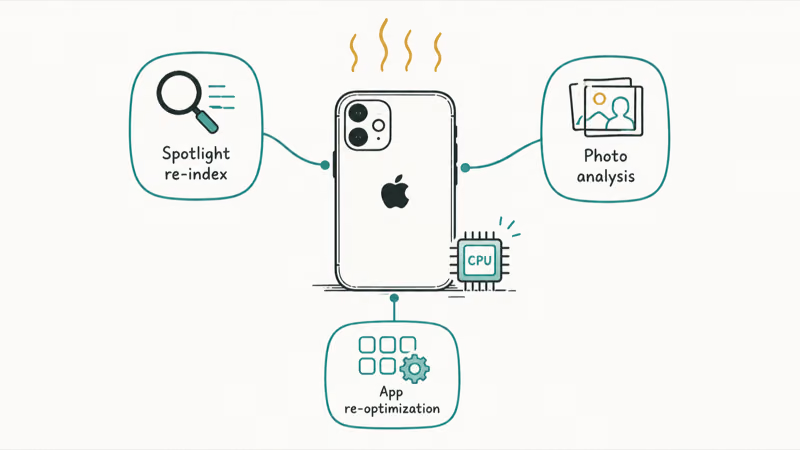
When iOS 27 finishes installing, your iPhone doesn’t just restart and sit idle. It rebuilds the Spotlight search index, re-runs on-device photo analysis so Faces and the search bar in Photos work again, and re-optimizes apps for the new system. iOS 27 even surfaces an indexing progress indicator while this runs, so you can watch it work instead of guessing.
Each of those tasks leans on the CPU and the neural engine. That’s why the back of the phone feels warm even when you’re barely touching it.
Apple says this plainly. According to Apple’s guide on iPhone temperature, you might notice the device feels warmer when you “complete a software update, particularly to a major release,” alongside setting up a new phone or restoring from a backup. The same page adds that your “device will cool when the process is complete or when you finish your activity,” and that “if your device doesn’t display a temperature warning, you can keep using your device.”
So warm-but-usable, with no on-screen heat warning, in the first day or two, is the normal state. If you just moved up from last year’s release, the iOS 27 performance improvements guide explains what the system is tuning in the background.
#How Long an iPhone Stays Warm After iOS 27
Usually a day, sometimes two or three, depending on how big your photo library is and how many apps you have.
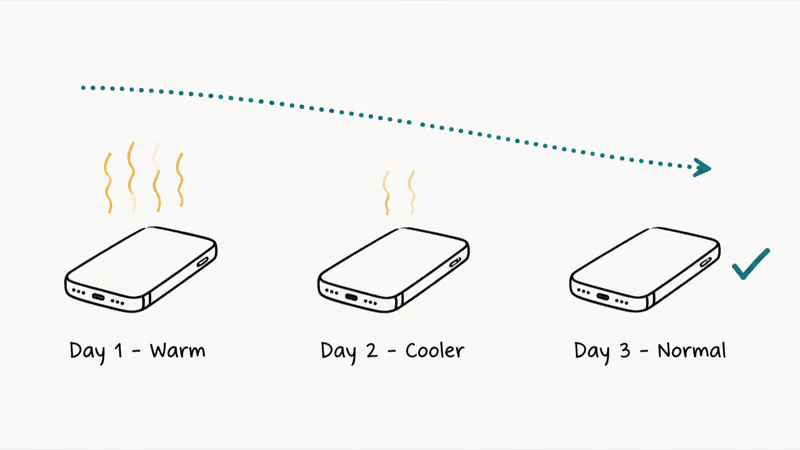
The indexing and photo-analysis passes finish faster when the phone is plugged in, on Wi-Fi, and not in active use, because iOS schedules heavy background work for those conditions. A phone with 80,000 photos and 200 apps takes longer than one with a few thousand photos. There’s no exact figure Apple publishes, so treat “a few days, trending cooler each day” as the healthy pattern rather than a hard deadline.
What you want to see is improvement. Day one warm, day two cooler, day three back to normal is a phone doing its job. A phone that’s still hot a week later, during light tasks, has a different problem, and the table below is how to draw that line.
#Normal Post-Update Heat vs. a Real Problem
Here’s a side-by-side way to decide whether to wait it out or start fixing. Scan the left column for what your iPhone is actually doing and read across.
| Signal | Normal post-update heat | Real problem worth fixing |
|---|---|---|
| Timing | First 24 to 72 hours after the update | Still hot a week or more later |
| What you're doing | Phone idle or plugged in and locked | Hot during light use like texting or browsing |
| Battery | Drains a bit faster, then recovers | Drains fast and keeps draining |
| Trend | Cooler each day | No improvement, or getting worse |
| Cause | Indexing, photo analysis, app re-optimization | A specific app or setting pegging the CPU |
| Warning | No on-screen temperature warning | Temperature warning, or shutdowns |
If every row points to the left, you don’t need to do anything except let the phone finish. If you’re seeing the right column, work through the fixes next. The same split applies to a phone that’s overheating while charging, where wireless charging plus background indexing can stack up in the first day.
#How Do You Fix an iPhone That Keeps Overheating?
Start by giving the normal work a clean shot at finishing, then chase the specific cause if heat sticks around.
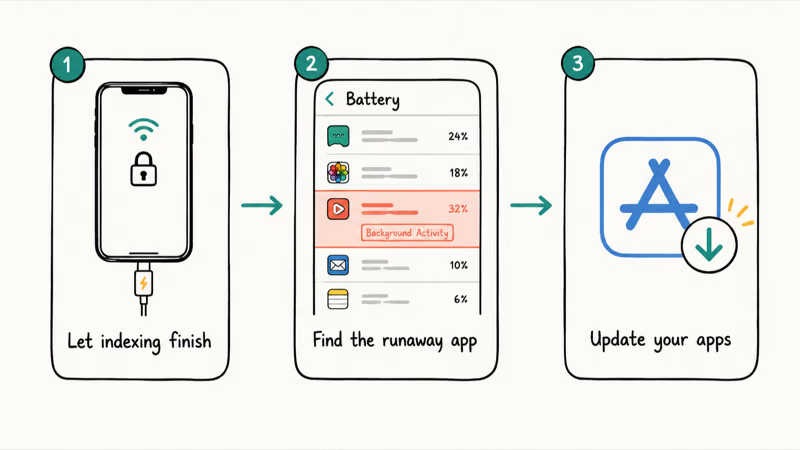
Let the indexing finish. Plug the iPhone in, connect to Wi-Fi, lock the screen, and leave it for an hour or two, ideally overnight. This is the single most effective step in the first few days, because it lets the deferred background tasks run under the conditions iOS prefers. A cooler phone later is a sign the background work is tapering off.
Find the runaway app. If a single app is the culprit, Settings > Battery will show it in the app list. According to Apple’s guide to checking battery usage, the screen shows the apps that used the most battery and flags “Background Activity” when an app is busy off-screen. An app at the top with heavy background activity, days after the update, is your suspect. Force-quit it, then update or delete it.
Update your apps. After a major iOS release, some apps need their own update to run well. Open the App Store, tap your profile, and update everything pending.
#What to Do If the Heat Won’t Quit
If charging overnight and updating apps haven’t cooled things down after a few days, escalate to these.
Restart the iPhone. A restart clears stale processes the update can leave behind. Power off, wait about 30 seconds, then power back on while plugged in. If you’re hitting other post-update glitches too, the Apple Intelligence not working guide covers the same restart-while-charging trick for a different first-day symptom.
Reset settings as a last step. If heat persists past a week with no obvious app, go to Settings > General > Transfer or Reset iPhone > Reset > Reset All Settings. This wipes misconfigured toggles without touching your data. Save it for when the quick fixes haven’t worked.
#When to Stop Troubleshooting and Get Help
Stop when the phone shows a temperature warning, shuts down on its own, or stays hot for weeks despite the fixes above. Those point past background housekeeping.
Persistent heat that survives a restart, app updates, and a settings reset can mean an aging battery or a hardware issue, not the update. According to Apple’s iPhone battery and performance page, iOS weighs “the device temperature, battery state of charge, and battery impedance” together, so a worn battery makes heat and slowdowns worse. If the battery is also emptying out, the iPhone battery dying fast guide covers that side, and a Genius Bar visit beats more home troubleshooting.
#Bottom Line
For the first day or two after the iOS 27 update, do nothing but plug the iPhone in on Wi-Fi and let it finish indexing. The warmth you feel is the phone rebuilding its search index, re-analyzing photos, and re-optimizing apps, and Apple lists a major update as a normal reason a device runs warm. It should cool a little more each day.
If it’s still hot during light use after about a week, open Settings > Battery, find the app with heavy background activity, update or delete it, then restart. Only reach for a settings reset or a repair visit if a specific app isn’t the cause and the heat won’t quit.
iOS 27 Beta
#Frequently Asked Questions
Why is my iPhone hot after the iOS 27 update?
Because the phone is doing background housekeeping the update triggers. It rebuilds the Spotlight search index, re-analyzes your photo library, and re-optimizes apps for the new system, all of which work the processor harder than normal. Apple lists completing a major software update as a normal reason a device feels warm, and the heat fades once those tasks finish.
How long will my iPhone stay warm after updating to iOS 27?
Usually about a day, sometimes two or three if you have a large photo library or many apps. The pattern you want is warmth that eases each day. Plugging in on Wi-Fi and leaving the screen off lets the background work finish faster, often overnight.
Is it bad for my iPhone to get hot after an update?
Not if it’s the normal kind. Warm-but-usable with no on-screen temperature warning, in the first few days, is expected, and Apple says you can keep using the device when no warning appears. It only becomes a concern if the phone gets hot enough to show a warning, shuts down, or stays hot long after the update.
How do I stop my iPhone from overheating after iOS 27?
First, let the indexing finish by charging it on Wi-Fi with the screen off, ideally overnight. If heat sticks around after a few days, open Settings > Battery to spot an app with heavy background activity, then update or delete it. A restart clears stale processes, and a Reset All Settings is the last software step before a repair visit.
Which app is making my iPhone overheat?
Check Settings > Battery. The list shows the apps that used the most battery, and it flags “Background Activity” for apps working off-screen. An app sitting at the top with heavy background activity days after the update is the likely cause. Force-quit it and install any available update.
Should I delete the iOS 27 update if my phone overheats?
No, not for first-week warmth, since that’s normal background work and removing the update won’t change it. If the phone is still unusable after the fixes above, you can downgrade, and the guide to downgrading iOS 27 back to iOS 26 covers the steps. For most people the heat resolves on its own within a few days.
Will resetting my iPhone fix the overheating?
Sometimes, if a misconfigured setting is the cause. A Reset All Settings clears bad toggles without erasing your photos or apps, so it’s worth trying after the quick fixes fail. If heat survives a reset too, the issue is more likely battery age or hardware than the update.
Apple Intelligence Not Working on iPhone? Fixes (2026)
Apple Intelligence not working on iPhone after iOS 27? Turn off Low Power Mode, stay on Wi-Fi while charging, and free up 7 GB. Step-by-step fixes.

Apps Crashing After iOS 27 Update? Fix Order (2026)
Apps crashing after the iOS 27 update? Update the app in the App Store first, then offload and reinstall to clear stale cache, then restart. The fix order.

Genmoji or Image Playground Not Working? iOS 27 Fix
Genmoji or Image Playground not working on iOS 27? Turn on Apple Intelligence, free up 7 GB, drop Low Power Mode, and let the image model finish.
iOS 27 Problems and How to Fix Each of Them (2026)
iOS 27 problems? Battery drain, overheating, Wi-Fi drops, crashing apps, and Apple Intelligence stuck. Each problem with its top fix and full guide here.