Why Is My iPhone Overheating While Charging? Real Fixes
iPhone overheating while charging? Apple throttles charging above 35 degrees C. Here is what each warning means and the seven fixes that actually work.
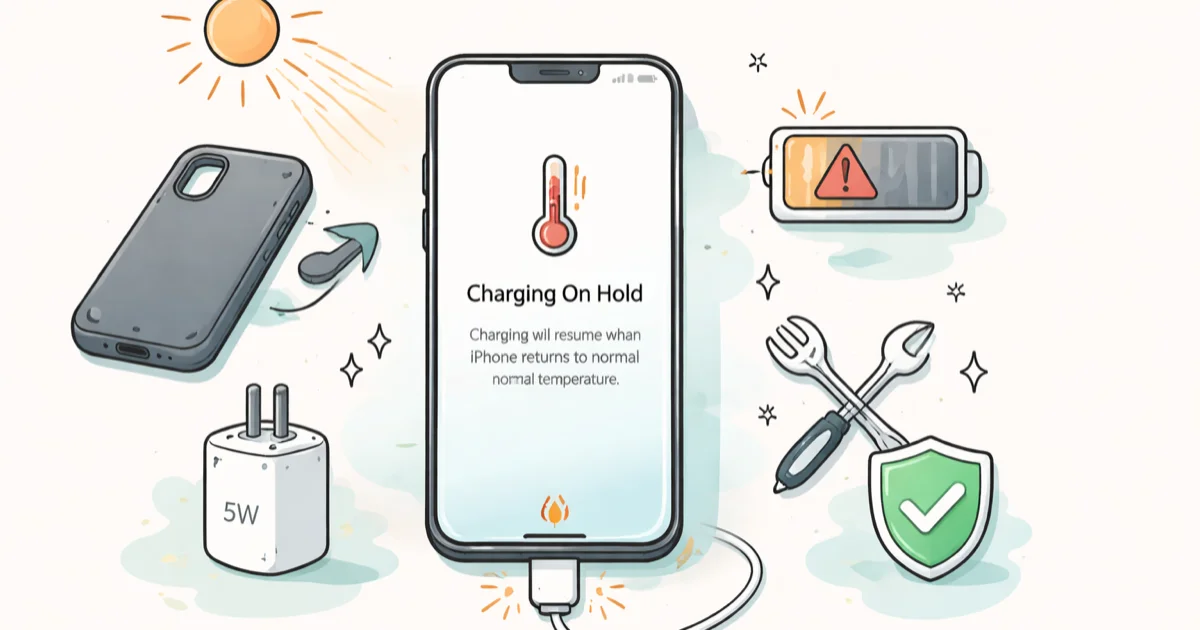
Quick AnsweriPhones throttle or pause charging above 35 degrees C. Take the case off, switch to a 5W charger, and move the phone out of direct sun before assuming the battery is bad.
iPhone overheating while charging is almost always thermal protection, not a failing battery. iOS pauses the charge once the back of the phone climbs past about 35 degrees C.
- Apple’s official operating range is 0 to 35 degrees C (32 to 95 degrees F)
- The three on-screen messages are “Temperature: iPhone needs to cool down,” “Charging On Hold,” and “Restore Paused”
- Cases trap heat during MagSafe and fast charge sessions; remove the case for any charge that triggers a thermal alert
- A 20W USB-C brick generates more heat than a 5W brick on the same iPhone; drop to 5W when ambient temperature is high
- Replace the battery only when Maximum Capacity is under 80% AND the phone runs hot when idle AND throttle messages appear in cool rooms
#Why Is Your iPhone Overheating While Charging?
Three forces compete inside your iPhone the moment you plug it in. The charging circuit pushes current into the battery, the operating system runs background tasks, and the surrounding air carries heat away. When any one tips out of balance, the back of the phone feels hot.
According to Apple’s iPhone temperature support page, iPhone is designed for ambient temperatures between 0 and 35 degrees C (32 to 95 degrees F). Apple states that temperatures above 35 degrees C can “permanently reduce battery lifespan.”
So heat is normal. Too much heat is not.
A 5W charger from 2017 pushes about 5 watts of energy into your iPhone. A 20W USB-C brick pushes four times that. MagSafe pushes up to 15W wirelessly, or 25W on iPhone 15 Pro and newer with the right adapter. More watts means more heat.
Add a thick case, direct sun on a balcony, or a memory-foam pillow under the phone, and suddenly you have a thermal trap.
The other common trigger is software. After every major iOS update, including iOS 26 battery drain cycles, your iPhone reindexes Spotlight, re-encrypts Photos, and downloads new app builds in the background for three to seven days.
Plug a phone already busy reindexing into a fast charger inside a case, and the math is brutal.
#The Three Temperature Alerts iOS Shows During Charging
iOS shows three distinct messages when thermal protection kicks in. Each one points to a different stage of the throttle.
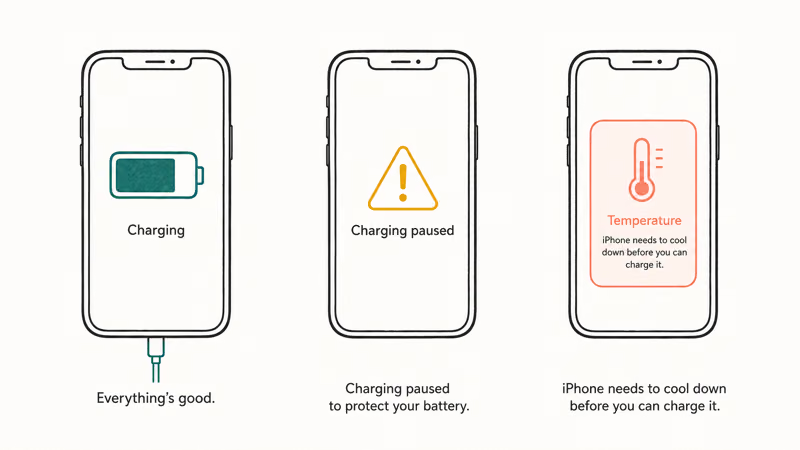
The first is “Temperature: iPhone needs to cool down.” Apple’s iPhone temperature page confirms this is the full-stop alert. The display dims, the camera flash disables, the cellular signal weakens, and most apps pause until the phone cools off.
You usually see this one when the phone was already hot before you plugged in, like after a long Maps session in a parked car.
The second is “Charging On Hold. Charging will resume when iPhone returns to normal temperature.” This shows up on the Lock Screen mid-charge. The phone is still usable, just too hot to safely take more current. Charging pauses and resumes automatically.
The third is “Restore Paused. Restoring from iCloud will resume when this iPhone cools down.”
This one only shows during a fresh iCloud restore after a new-phone setup or factory reset, when download volume, background tasks, and charging stack up faster than the phone can shed heat.
Remove thick cases during MagSafe. The alert clears once the phone cools.
#Normal Charging Heat Versus a Real Warning Sign
Some heat during charging is expected and harmless. Lithium-ion cells produce heat as a byproduct of taking current, and fast charging pushes that production rate higher.
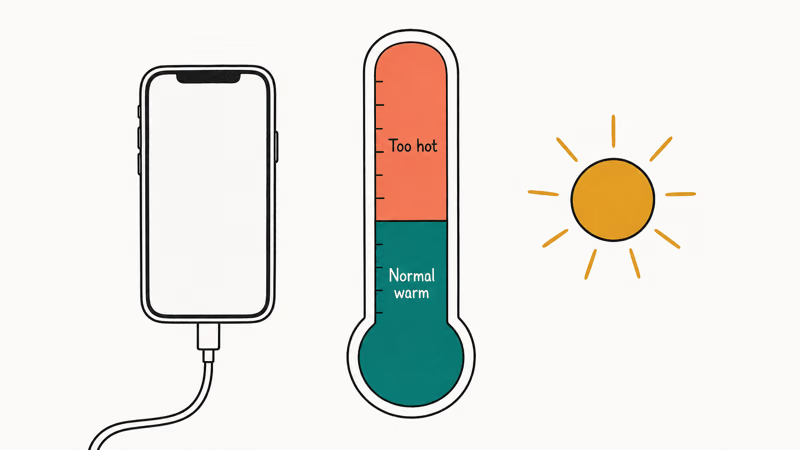
The real question is not whether the back of your iPhone gets warm. It’s how warm, and for how long.
Warm to the touch during the first 30 minutes of a 20W charge from a low percentage is normal. The phone is taking peak current and the battery is at its lowest internal resistance, so the chemistry generates heat. It should cool noticeably as it crosses 80% and the charging circuit drops to a trickle.
Hot enough to be uncomfortable to hold is the throttle line. iOS dims the display, pauses background work, then shows “Charging On Hold.”
Hot when idle and plugged in for hours is a problem. The phone reads 100% but stays uncomfortably warm. Either the battery can’t stop accepting current (Maximum Capacity is degraded), the charger is faulty, or there’s debris like lint or water in the charging port creating resistance. Resistance equals heat.
Charging under a pillow or blanket traps heat and can trigger the Charging On Hold message much faster than charging on a hard desk.
Insulation surfaces matter more than most users realize.
#7 Fixes for iPhone Overheating While Charging
Work this list in order. Most readers solve the problem at step 2 or 3 without ever touching Settings.
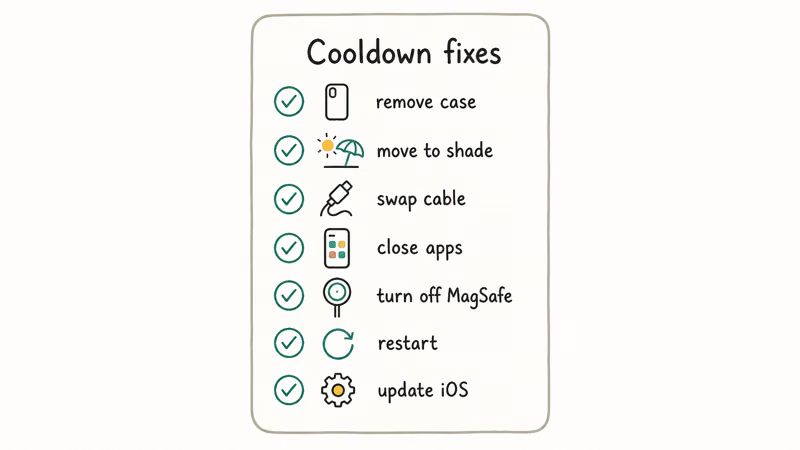
1. Take the case off. Hard plastic and silicone cases trap heat during any charge cycle. Leather and aramid fiber cases insulate even more. For MagSafe specifically, Apple recommends cases designed for MagSafe with the magnet ring and thermal cutout.
Third-party cases without the cutout block heat dissipation entirely.
2. Move to a cool, hard surface. A wood desk, a tile counter, or a glass table all dissipate heat. Beds, pillows, couches, car seats, and parked-car dashboards do the opposite. If the phone is on a soft surface right now, move it.
3. Switch from 20W or MagSafe to a 5W or 7.5W charger. A 20W USB-C brick can leave the back of the phone running warmer than a 5W brick because it pushes more current into the battery.
Fast charging is convenient when you have 20 minutes and need 50%. It’s the wrong choice for an overnight charge in a warm bedroom.
4. Skip MagSafe in warm rooms. MagSafe wireless charging is inherently less efficient than wired, and the wasted energy comes out as heat. If your room is above about 25 degrees C (77 degrees F), wired charging will run cooler.
No cable handy? Power banks and other no-charger fallback methods work for short top-ups.
5. Turn on Low Power Mode while charging. Low Power Mode reduces background activity, dims the display, and pauses non-essential network requests. It cuts the heat-generating workload by maybe 15 to 20%.
LPM can slow charging at very low battery. See LPM and charge speed for the nuance.
6. Force-quit recent apps and reboot. A misbehaving app stuck in a background loop (looking at you, certain VPN clients and overzealous photo backup tools) can keep the CPU at 40 to 60% utilization indefinitely.
Swipe up from the bottom (or double-press Home on older models), force-close everything, then press the side and volume-up buttons together to power off. A fresh boot kills any stuck process.
7. Show battery percentage and watch for stalls. Enable show battery percentage at Settings > Battery > Battery Percentage.
If the percentage stops climbing for more than 5 minutes during a charge cycle that hasn’t hit 80% yet, the phone is throttling. Pause the session, let the phone cool, then try a lower-wattage charger.
When the phone shows plugged in but the percentage never moves, work through fixes when an iPhone is plugged in but won’t charge for cable, port, and adapter checks.
#Should You Stop Using Fast Charging or MagSafe?
You don’t need to abandon fast charging or MagSafe permanently. You need to match the charging method to the conditions.
Fast charging at 20W USB-C or higher makes sense when you have a short window and need a meaningful percentage gain. Twenty minutes from 10% to 50% in a cool office is fine. Twenty minutes from 10% to 50% on the passenger seat of a sun-warmed car is asking for thermal alerts.
MagSafe is a convenience feature, not a performance feature. According to Apple’s iPhone battery charging guide, software might limit charging above 80 percent when the recommended battery temperatures are exceeded. Optimized Battery Charging spreads the last 20% over hours specifically to limit time spent at 100% in a high-heat state.
MagSafe works fine for desk top-ups during the day. Overnight, a wired 5W charger on a hard surface will outlast MagSafe in any thermal comparison.
For iPhone 15 Pro and newer with USB-C, the calculus shifts slightly. USB-C cables conduct heat away from the phone better than the older Lightning connector did, but the same 20W adapter can feel safe in a cool room and problematic in a hot room.
Apple’s announced ideal range is 62 to 72 degrees F (16 to 22 degrees C) for battery longevity. Most rooms are warmer than that.
Treat 16 to 22 degrees C as the goal, not the floor.
#When the Heat Is the Battery, Not the Charge
Three signals together point to battery degradation rather than charging-circuit thermal protection:
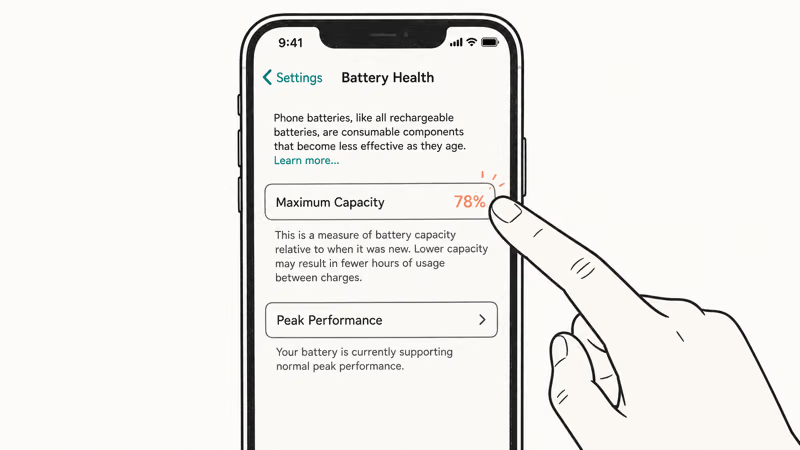
- The phone runs hot when idle and unplugged (not just during charging)
- Maximum Capacity in
Settings>Battery>Battery Health & Chargingis under 80% - Thermal alerts appear in cool rooms (under 22 degrees C / 72 degrees F) where the phone has no business being hot
Lithium-ion cells get less efficient as they age. The chemistry that stores energy also produces more waste heat per charge cycle once the cell starts breaking down.
When the maximum battery capacity reading drops below 80%, the cells need more current to do less work. That extra current comes out as heat.
Apple’s iPhone battery and performance page notes that a significantly degraded battery should be replaced to restore full performance and capacity. The replacement is around $89-$99 at Apple for most models out of warranty, and it solves the heat problem in one shop visit.
A visibly swollen battery is a different category of problem. The back glass bulges, or the screen lifts on one edge.
Stop charging immediately, stop using the phone, and book a Genius Bar appointment. Swelling is a chemistry failure that gets worse with continued use, and continued charging is actively dangerous.
#Bottom Line
Heat during charging is almost never the battery. Work the list in order: case off, move to a hard cool surface, drop from 20W to 5W, skip MagSafe in warm rooms, toggle Low Power Mode, force-close apps and reboot, and watch the percentage for stalls.
Most readers solve it in a single charge cycle without ever opening Settings > Battery > Battery Health.
Replace the battery only when all three failure signals stack up: idle-hot phone plus Maximum Capacity under 80% plus throttle alerts in cool rooms. If the back of your iPhone is too hot to hold for more than a few seconds, or the case has visibly bulged from a swollen battery, stop charging immediately and book a Genius Bar appointment.
If your battery drains fast even when not plugged in, that’s a different problem. See iPhone battery dying fast for the use-time troubleshooting list.
#Frequently Asked Questions
Is it normal for my iPhone to get hot while charging?
Some warmth during the first 30 minutes of a fast-charge cycle is normal because lithium-ion cells produce heat while taking high current. Uncomfortable hot, hot enough that you wouldn’t press the phone to your face, is the throttle line and means the phone is approaching the 35 degrees C protection limit. Hot at idle while plugged in for hours past 100% is a problem and points to either a degraded battery or a charging accessory issue.
What does Charging On Hold mean on my iPhone?
Internal temperature crossed the safe charging threshold, so iOS paused charging to protect the battery. Take the case off, move to a cool surface, and the alert usually clears in 10-15 minutes.
Should I take the case off when charging my iPhone?
Yes, especially for overnight charging or MagSafe sessions. Hard plastic, silicone, leather, and aramid cases all trap heat against the back of the phone. Apple-designed MagSafe cases include a thermal cutout, but most third-party cases don’t. If the phone shows any thermal alert during a charge cycle, the case is the first thing to remove.
Does fast charging damage my iPhone battery?
Fast charging itself is safe; sustained high temperature damages cells. The real risk is a 20W brick inside a thick case overnight in a warm room, where heat builds up with nowhere to go.
Why does my iPhone overheat overnight on MagSafe?
MagSafe is less energy-efficient than wired charging, and the wasted energy becomes heat. Combined with a warm bedroom, a case trapping the heat, and seven to ten hours of contact time, MagSafe overnight becomes a thermal trap. Switch to a wired 5W brick for overnight sessions. Reserve MagSafe for daytime top-ups on a cool desk.
Can iOS 26 cause iPhone to overheat while charging?
Yes, especially in the first three to seven days after install when Spotlight reindexes and Photos re-encrypts. Apple’s iOS 26.0.1 patch (Mac Observer coverage) fixed the worst cases. Wait it out.
How hot is too hot for an iPhone during charging?
Apple specifies a 0 to 35 degrees C (32 to 95 degrees F) operating range. If the back of the phone is too hot to comfortably hold for more than 10 seconds, you’re at the upper limit and iOS will start throttling. The ideal range for battery longevity is 16 to 22 degrees C (62 to 72 degrees F) per Apple, which most rooms exceed. Treat that as the target.
When should I replace the battery instead of changing chargers?
Replace the battery when three signals stack up at the same time: Maximum Capacity in Settings > Battery > Battery Health & Charging reads under 80%, the phone runs hot when idle and unplugged, and thermal alerts appear in cool rooms under 22 degrees C. If only one or two of those signals are present, the charging accessory or the environment is more likely the cause.

Mac mini M6 vs M5 Pro: Which Model Should You Buy?
Mac mini M6 vs M5 Pro compared on price, memory, ports, displays, and real workloads. Find the better 2026 Mac mini for your desk and budget.

Apple Siri Settlement: Who Qualifies and How to Claim
Apple's $250 million Siri settlement covers iPhone 15 Pro and iPhone 16 models bought June 2024 to March 2025. See who qualifies and how claims work.

iOS 26.6.1 Security Update: What Apple Fixed and Who Gets It
Apple released iOS 26.6.1 on August 17 with 29 security fixes, including an IPSec interception bug. See what it patches, who gets it, and how to update.

iPhone Adaptive Power: How It Works and When to Use It
Learn how iPhone Adaptive Power works, which models support it, what it changes, and when Low Power Mode is still the better battery-saving choice.