iOS 27 Beta Battery Drain? Fix It in 7 Steps (2026)
iOS 27 beta drains battery fast in the first few days while indexing runs. Here is how long it lasts and 7 fixes if it does not settle on its own.
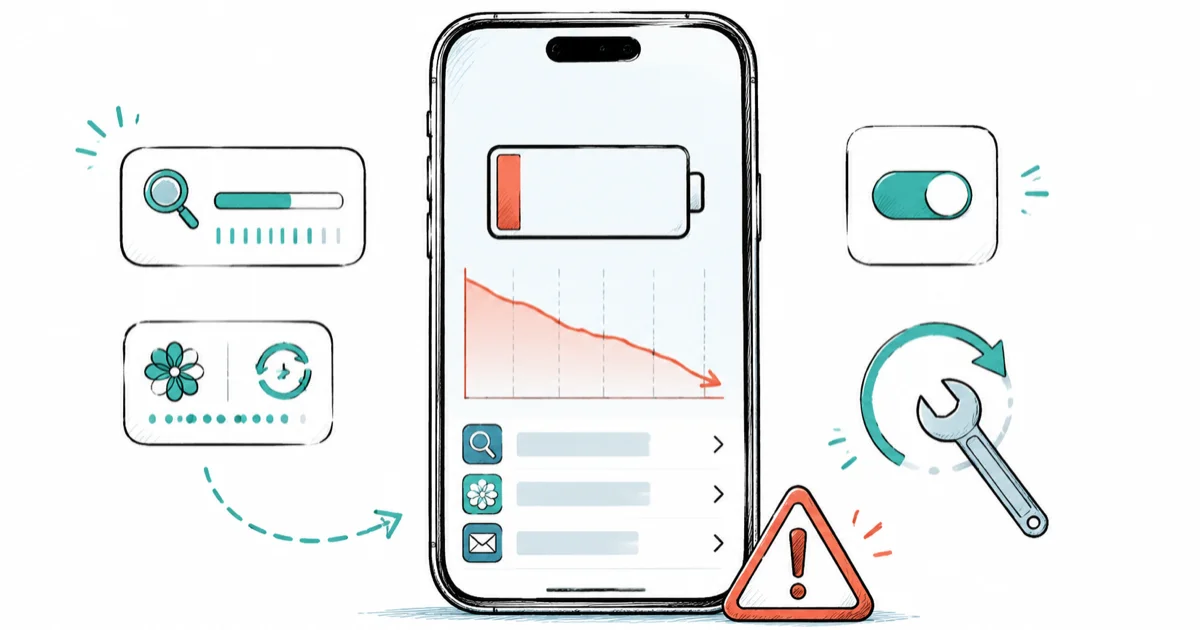
Quick AnsweriOS 27 beta drains battery fast because Spotlight, Photos, and Mail reindex for 3 to 5 days after install. Wait it out, then check Settings > Battery past day 5.
iOS 27 beta battery drain is the most-reported complaint in the first week of every iOS beta cycle, and iOS 27 is expected to follow the same pattern. Heavy drain in days one through five is almost always background indexing, not a hardware fault. According to Apple’s August 24 release entry, developer beta 7 is build 24A5424a; the public beta has been open since July 2026.
- Apple’s own guidance describes the post-install battery hit as a small temporary impact, with reindexing of Spotlight, Photos, Mail, and Messages running for several days after the upgrade
- Developer beta tends to drain harder than public beta because FeedbackAssistant and sysdiagnose daemons stay enabled on dev builds
- Public beta drain commonly runs high for the first few days, then settles back toward normal by the end of the first week
- A hard reboot using Volume Up, Volume Down, then Side button clears a stuck background process and resolves a common day-3 drain spike
- Downgrade only after the third public seed and only if you’ve got an archived encrypted Finder backup taken before the beta install
#Why Does iOS 27 Beta Drain Your Battery So Fast?
iOS 27 beta drains battery fast because a major iOS install kicks off several background indexing jobs at the same time, and these jobs need both CPU and the radios to run. According to MacRumors’ coverage of Apple’s iOS 26 battery statement, major iOS updates require background setup like indexing data and files for search, downloading new assets, and updating apps. iOS 27 is expected to follow the same pattern as prior major releases.
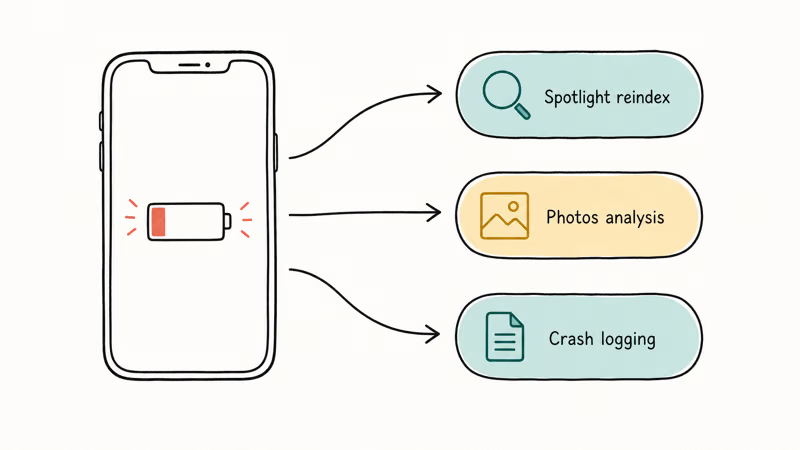
The four background daemons doing the heavy lifting in the first week:
- Spotlight rebuilds its search index of every file, contact, calendar event, note, and message on the device
- Photos rescans the photo library and runs the on-device object-detection model that powers Photos search and Memories
- Mail reindexes message bodies for in-app search across every account
- iCloud re-syncs anything that changed during the update, including the unified Apple Intelligence personal context cache on supported iPhones
Each daemon is a small load on its own. All four running at once on the day you install is what can push idle drain into the highest part of the first-week range. Add Apple Intelligence model warm-up on an iPhone 15 Pro or newer and you’ve got the worst battery day of the year, by design.
#Developer beta vs public beta drain
Developer beta drains harder than public beta in the same week. FeedbackAssistant collects diagnostics in the background, sysdiagnose fires automatically after crashes and writes large log bundles, and crash reporting plus verbose logging stay on by default on dev builds. None of those run on public beta.
Developer-beta drain is usually higher than public-beta drain in the first 48 hours because diagnostics and verbose logging stay active. The gap should narrow by day five as the initial indexing pass finishes, but dev builds can still feel less efficient during the seed cycle.
#How Long Does the Battery Drain Last After Installing the Beta?
Plan on three to five days for the heaviest drain, longer if you’ve got a 100,000+ photo library or several email accounts the size of a small archive. According to 9to5Mac’s coverage of Apple’s iOS 26 battery explanation, the impact is small and temporary, which fits the normal indexing window after major iOS updates.
Here’s the timeline most users see if no other problem is hiding underneath:
| Day | Expected idle drain (per hour) | What’s happening |
|---|---|---|
| Day 1 | 4 to 6% | All four daemons indexing, Apple Intelligence warming up |
| Day 2 | 3 to 5% | Spotlight nearly done, Photos still scanning |
| Day 3 | 2 to 4% | Photos finishing on smaller libraries, Mail wrapping |
| Day 4 | 1 to 3% | iCloud catch-up sync running |
| Day 5+ | Under 1% | Back to normal baseline |
Typical iOS beta first-week idle drain ranges while indexing settles.
If your idle drain stays above 2% per hour past day five, something’s wrong. The drain isn’t the indexing pass anymore. Move to the fix list before you start thinking about downgrade.
To track the per-hour number day by day, you need the battery percentage visible in the status bar. We’ve got a separate walkthrough on how to show battery percentage on iPhone if it’s hidden on your model.
#7 Settings Changes That Cut iOS 27 Beta Battery Drain
Try these in order. The first three usually solve it. The last four come into play if drain stays high past day five.
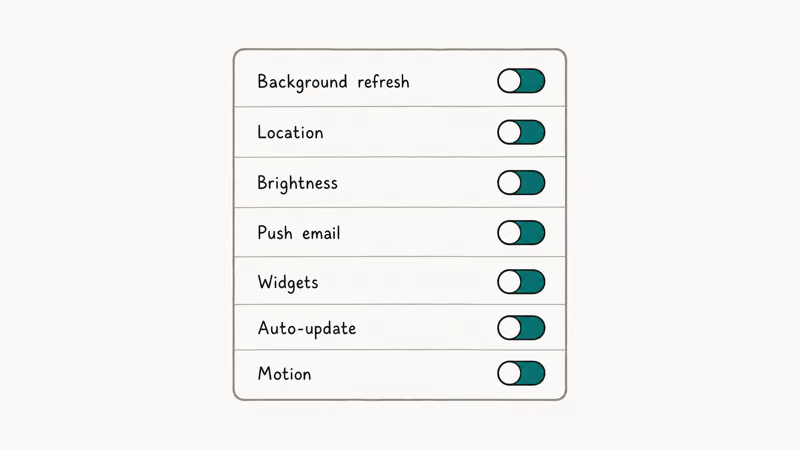
#1. Check Settings > Battery for one outlier app
Go to Settings > Battery and scroll down to the per-app usage list. On a healthy iPhone in a normal indexing pass, no single app should be above 25% of total usage. If one app’s at 45 or 60 percent, that’s your problem, not the beta. Force-quit the app, restart it, and check again in two hours.
A 2FA or banking app stuck in a network-retry loop is the most common cause of fake “beta battery drain”. The app rejects the beta build, fails its certificate check, retries every few seconds, and burns the radio. Look for any auth app, banking app, or VPN client at the top of the Battery list.
#2. Hard reboot to clear stuck background processes
A hard reboot kills any background process that’s stuck spinning. Press and release Volume Up, press and release Volume Down, then hold the Side button until the Apple logo appears. Wait through the boot, then check drain over the next two hours.
A hard reboot can clear a day-3 spike if Spotlight or another background process is stuck on a corrupt index page. A soft restart from Settings > General > Shut Down may not be enough to clear that kind of process.
#3. Turn off Background App Refresh selectively
Go to Settings > General > Background App Refresh and turn it off for any app you don’t actively use during the day. Leave it on for Messages, Mail, and your weather app, anything you want timely notifications from. Turn it off for social apps, shopping apps, and games.
The blanket “turn off Background App Refresh entirely” advice you see in older articles is too aggressive. It’ll save battery but break notifications for apps you actually want updated. Selective is better.
#4. Disable Always-On Display on iPhone 14 Pro and newer
Always-On Display costs around 0.5 to 1 percent per hour while the phone is sitting on a desk. During the beta indexing window that’s the difference between scraping past dinner and hitting 5% by 3pm. Go to Settings > Display & Brightness > Always On and toggle it off for a week. Turn it back on once drain returns to normal.
#5. Reduce Apple Intelligence on iPhone 15 Pro and newer
If you opted into Apple Intelligence, the on-device model loads into RAM and stays warm. During the first-week indexing pass this stacks with the other daemons and pushes the device into thermal throttling more often, which burns battery and slows charging. Go to Settings > Apple Intelligence & Siri and turn off Apple Intelligence for the indexing week. Turn it back on once drain settles.
#6. Reset network settings if drain stays high past day 5
If you’re past day five and still draining hard, network is the most common remaining culprit. Go to Settings > General > Transfer or Reset iPhone > Reset > Reset Network Settings. This clears Wi-Fi passwords, paired Bluetooth devices, and cellular APN settings. Plan to reconnect your home Wi-Fi and re-pair your CarPlay setup.
Reset Network Settings often clears a phantom 5G handoff loop where the iPhone keeps switching between 5G and LTE every few minutes. The handoff itself is cheap, the cycle of it isn’t. Apple’s iPhone battery drain support page recommends this fix as part of its official troubleshooting flow.
#7. Consider Low Power Mode as a stopgap, not a fix
Low Power Mode reduces background activity by roughly 30% and is fine to leave on during the indexing window. It won’t stop the indexing pass, it just pauses email fetch, automatic downloads, and visual effects while the daemons finish. Some people leave it on permanently, but that breaks Background App Refresh and Mail push for the apps you do want updated.
Low Power Mode doesn’t speed up charging either. The short version from our does Low Power Mode help charging guide: no, charger wattage matters far more than the toggle.
For evergreen iPhone battery fixes that apply outside the beta context, see our iPhone battery dying fast walkthrough.
#Heat, Charging Speed, and Other Co-Symptoms
A warm phone during the indexing week is normal. Photos object-detection, Spotlight reindex, and Mail body parsing all push the SoC hard enough to feel warm at the back of the phone, especially while charging. The warmth is the indexing pass, not a charger problem or a hardware fault.
Slower charging is the second-most-common co-symptom. iOS throttles charge speed when the battery is above 35°C to protect long-term battery health. Apple’s iPhone battery and performance page states that the system will slow charging or pause it entirely when internal temperature crosses the safety threshold. During indexing the phone tends to sit above that threshold, so a 20W charger that normally takes 90 minutes to top up to 80% may take two hours instead.
Because beta drain and slower charging compound during indexing week, a power bank for iPhone 17 is worth keeping in your bag until the public release settles things down.
A third symptom to watch for: notifications arriving late. Background App Refresh competes with the indexing daemons for CPU time, so push notifications can queue up for a few minutes. This clears once indexing finishes.
#How to Tell a Real Bug From Expected Beta Drain
Use these three checks before you blame the beta build:
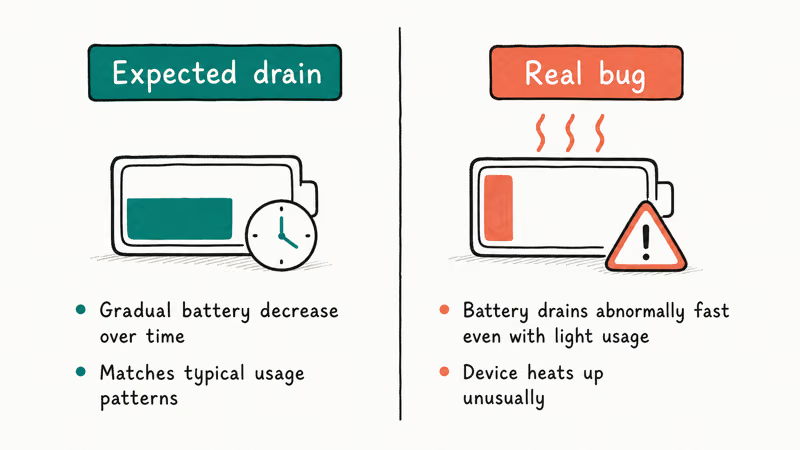
- Idle drain past day 5 above 2% per hour. This is the threshold where indexing should be done.
- Phone warm at idle with the screen off. Warmth during use or charging is normal; warmth at rest after day 5 is not.
- A single app above 25% of Battery usage with no good reason. Outlier apps are a fixable problem, not a beta problem.
If none of those three are true, you’re almost certainly looking at the normal indexing pass and the fix is patience plus the first three settings changes above. If one or more are true past day five, run the full seven-step fix list, then re-check 24 hours later before considering downgrade.
According to the MacRumors forum thread on iOS 26.1 beta battery drain, most users who waited 5 to 7 days saw drain return to baseline without any intervention.
#When to Stop Waiting and Downgrade to iOS 26
Day six is the decision point. If you’ve run the fix list, hard-rebooted, checked the Battery outlier list, and you’re still at 3% per hour idle on day six or seven, the beta is the problem and you need to choose: wait for the next seed, or downgrade.
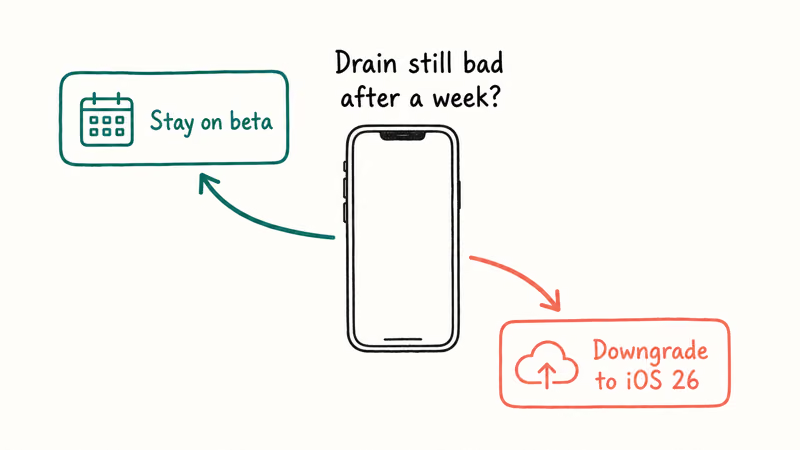
#Wait for the next seed when:
- You’re within 24 to 72 hours of the next public seed (typically every two weeks during the cycle)
- The drain is severe but the rest of the device works (apps open, calls connect, Wi-Fi stable)
- You installed during the first week of a new seed and other people on Reddit or MacRumors forums are reporting the same drain at the same severity
Apple historically ships revised dev seeds specifically to fix battery-affecting bugs. MacRumors reported that Apple pushed a revised iOS 26 developer beta days after the initial seed precisely because the original was killing battery on some iPhone 15 and 16 models. If you’re in that window with iOS 27, wait one week.
#Downgrade when:
- Drain is paired with crashes, freezes, or apps that refuse to launch
- You depend on a banking or 2FA app that flat-out rejects the beta
- Day eight or later and drain is still above 3% per hour idle
- You can produce an archived encrypted Finder backup taken before you installed the beta
Without that archived backup you can downgrade the OS but you lose any data created during the beta. iCloud backups made on iOS 27 can’t restore to iOS 26. Walk through the steps in our downgrade iOS without iTunes guide; the same flow works for beta-to-stable.
If the downgrade itself fails (phone stuck on the Apple logo, restore loop, or the recovery server error), start with iPhone stuck on Preparing Update. The fixes for stalled updates apply to stalled downgrades. If your most recent backup is also broken, see iPhone backup failed first; without a clean backup the downgrade gets messy fast.
Before you commit to downgrading, re-read should you install iOS 27 beta. If you can hold out 10 to 14 days for the next seed, that’s almost always better than a downgrade.
#Bottom Line
Wait five days before assuming there’s a real problem. The Spotlight, Photos, Mail, and iCloud indexing pass causes almost all of the heavy drain in the first 72 hours after a fresh iOS 27 beta install. Apple’s own guidance treats this as a small temporary impact.
On day six, if idle drain is still above 2% per hour, run the seven-step fix list in this order: outlier check, hard reboot, Background App Refresh trim, Always-On Display off, Apple Intelligence off, Reset Network Settings, Low Power Mode as stopgap.
Only downgrade to iOS 26 if drain stays high past day eight, you’ve got an archived encrypted Finder backup taken before install, and you depend on an app that rejects the beta build. iPhone 11 owners can’t run iOS 27 at all, so any pre-install battery drop isn’t a beta issue for them.
#Frequently Asked Questions
How long does iOS 27 beta battery drain typically last?
Three to five days for the heavy indexing pass, longer if you’ve got a very large photo library or several Mail accounts. By day five, idle drain should be back under 1% per hour. Past day six is when it stops being normal and becomes a real bug or settings issue. Apple’s own framing on iOS 26 was that the impact is small and temporary, and iOS 27 is expected to follow the same pattern.
Will the beta permanently damage my battery health?
No. The heat from the first-week indexing pass is well within the operating envelope Apple designed the battery for. Battery Health in Settings > Battery > Battery Health is calculated over hundreds of charge cycles, not over one heavy week. One beta install won’t move the maximum-capacity number measurably.
Should I downgrade to iOS 26 because of battery drain?
Only if three things are all true: drain is still bad past day eight, you can produce an archived encrypted Finder backup taken before install, and a critical app is broken on the beta. If those three aren’t all true, wait for the next seed instead. Downgrading is slow, risky if the backup is missing, and almost always avoidable in week one of a cycle.
Does the developer beta drain battery faster than the public beta?
Yes, noticeably. FeedbackAssistant, sysdiagnose triggers, and verbose crash reporting stay on by default on developer builds and contribute meaningful background load. Public beta strips those out, which is part of why Apple holds it back 24 to 48 hours after the matching dev seed. If you’re on dev beta primarily for the early-access timing, switching to public beta when it ships will give back battery time.
Why is my iPhone warm even when I am not using it?
That’s the indexing pass running on the CPU. Photos object-detection, Spotlight reindex, and Mail body parsing all push the SoC hard enough to feel warm at the back of the phone, especially while charging. The warmth is normal in days one through three. If the phone’s still warm at idle on day six, see fix step 2 (hard reboot) and step 6 (Reset Network Settings).
Can a hard reboot fix beta battery drain?
Often, yes. A hard reboot kills any background process that’s gotten stuck, most commonly a Spotlight reindex that hit a corrupt page or a 2FA app retrying network requests in a loop. Press and release Volume Up, press and release Volume Down, then hold the Side button until the Apple logo appears. Check drain again two hours later.
Will Background App Refresh actually save battery on the beta?
Trimming it for apps you don’t use during the day, yes. Turning it off entirely, no, because it’ll break notification timing for apps you actually want updated. Open Settings > General > Background App Refresh and turn it off for social, shopping, and game apps while leaving it on for Messages, Mail, weather, and rideshare. The selective trim recovers roughly the same battery as the blanket-off approach without breaking the use cases you care about.
Does Apple Intelligence make iOS 27 beta drain worse?
On iPhone 15 Pro, 16, and 17 family devices, yes, during the first week. The on-device model loads into RAM and stays warm, which stacks with the indexing daemons and pushes the SoC into thermal throttling more often. Toggle Apple Intelligence off in Settings > Apple Intelligence & Siri for the indexing week, then turn it back on once drain settles. On older iPhones that don’t support Apple Intelligence, this setting doesn’t apply.

Mac mini M6 vs M5 Pro: Which Model Should You Buy?
Mac mini M6 vs M5 Pro compared on price, memory, ports, displays, and real workloads. Find the better 2026 Mac mini for your desk and budget.

Apple Siri Settlement: Who Qualifies and How to Claim
Apple's $250 million Siri settlement covers iPhone 15 Pro and iPhone 16 models bought June 2024 to March 2025. See who qualifies and how claims work.

iOS 26.6.1 Security Update: What Apple Fixed and Who Gets It
Apple released iOS 26.6.1 on August 17 with 29 security fixes, including an IPSec interception bug. See what it patches, who gets it, and how to update.

iPhone Adaptive Power: How It Works and When to Use It
Learn how iPhone Adaptive Power works, which models support it, what it changes, and when Low Power Mode is still the better battery-saving choice.