iOS 26 Battery Drain: Settled Numbers & Real Fixes
iOS 26 battery drain: how long the post-update settling window lasts, which 26.x point releases fixed what, and seven settings fixes that work.
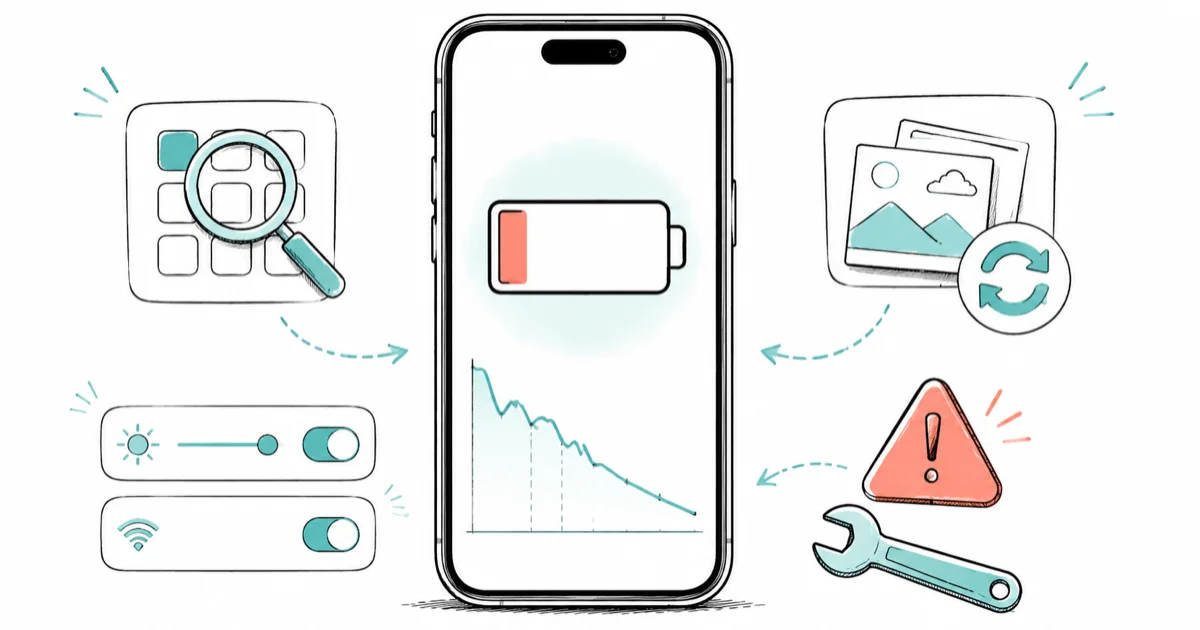
Quick AnsweriOS 26 battery drain settles in 3 to 7 days after each install while Spotlight and Photos reindex. Past day 7, check Settings > Battery for one outlier app.
iOS 26 battery drain has been the dominant iPhone complaint since the September 2025 launch. The causes fall into three buckets: post-install reindexing, real point-release regressions, and worn-out battery health.
- Spotlight, Photos, and iCloud reindex for 3 to 7 days after every iOS 26 install, including each 26.x point release, not just the original upgrade
- Apple has shipped ten point releases for iOS 26 since September 2025, several specifically targeting battery and thermal regressions
- Liquid Glass interface effects in Notification Center put real GPU load on the device, noticeable on iPhone 15 Pro and newer
- Apple Intelligence on supported iPhones adds a noticeable amount of idle drain while indexing, on top of normal post-install activity
- If your iPhone is from 2021 or earlier and Battery Health is below 80%, the iOS version is not your problem and no settings change will fix it
#Why Is Your iPhone Battery Draining Fast on iOS 26?
iOS 26 drains battery faster than iOS 18 for three reasons stacked on top of each other. The first is post-install reindexing, the second is Liquid Glass interface costs, and the third is Apple Intelligence on supported iPhones. According to Apple’s iPhone battery drain support page, a major OS update keeps background tasks running for several days after the install completes, and battery life and thermal performance both take a hit during that window.
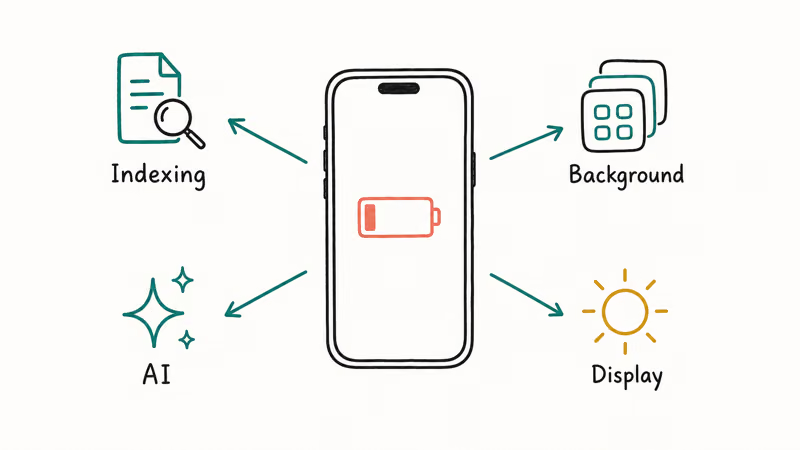
The four daemons doing the heavy lifting after a fresh iOS 26 install:
- Spotlight rebuilds its search index across every file, contact, note, and message on the device
- Photos rescans the library and runs the on-device object-detection model that powers Memories and Photos search
- Mail reindexes message bodies across every connected account
- iCloud re-syncs anything that changed during the update, including the Apple Intelligence personal context cache on iPhone 15 Pro and newer
The Liquid Glass interface adds a fourth ongoing cost. Macworld’s iOS 26 performance analysis reported that opening Notification Center on iOS 26 can demand as much GPU work as a brief moment of 3D gaming, and that load repeats every time the panel is summoned. Across a full day of typical iPhone use, that adds up.
Across iOS 26 installs the pattern is consistent: idle drain spikes on day 1, falls steadily over the next few days, and settles within 3 to 7 days, then plateaus until the next point release lands.
#Outlier-app detection in Settings > Battery
The fastest way to separate normal indexing from a real problem is Settings > Battery. Scroll to the per-app usage list and look at the percentage column. On a healthy iPhone in a normal indexing window, no single app should be above 25% of total usage.
If one app sits at 45% or higher with no good reason, that app is the problem, not iOS 26. To watch the percentage while you track the trend, follow the steps in our guide on how to show battery percentage on iPhone.
The most common outliers are banking apps and 2FA apps that reject the new iOS build’s WebKit version, fail their certificate check, and retry in a network loop every few seconds. Force-quit the app, restart it, check Battery again in two hours.
#How Long Does iOS 26 Battery Drain Last After You Update?
Plan on 3 to 7 days for the heavy indexing pass to finish after any iOS 26 install, longer if your photo library is over 100,000 items or you have several connected Mail accounts. Apple’s iOS 26.5 battery statement confirms that the drain after the May 2026 point release is the same indexing pattern as the original 26.0 install, not a separate bug.
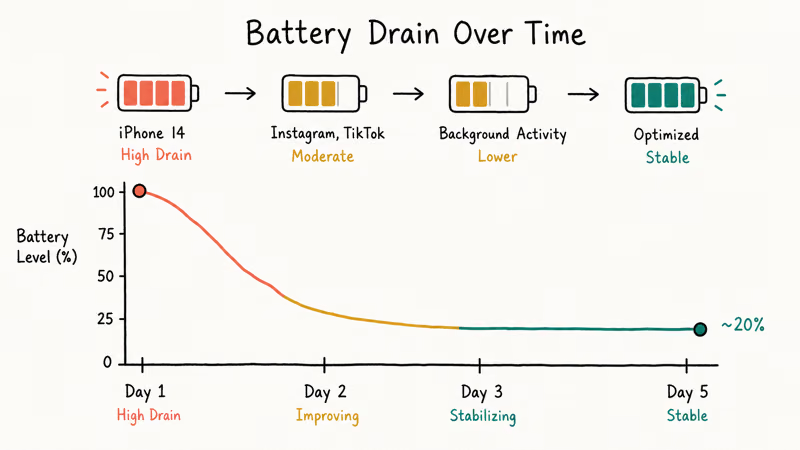
Here’s the typical settling timeline on stable releases:
| Day | Expected idle drain per hour | What is happening |
|---|---|---|
| Day 1 | 6 to 9% | All four daemons indexing, Apple Intelligence cache rebuilding on supported iPhones |
| Day 2 | 4 to 7% | Spotlight nearly done, Photos still scanning a large library |
| Day 3 | 3 to 5% | Photos wrapping on smaller libraries, Mail nearly done |
| Day 4-5 | 2 to 4% | iCloud catch-up sync still running |
| Day 6-7 | 1 to 3% | Tail-end indexing tasks finishing |
| Day 8+ | Under 1% | Back to steady-state baseline |
Typical first-week idle-drain pattern after an iOS 26 install.
Past day seven, if idle drain still sits above 2% per hour, the indexing pass is no longer the explanation. Move to the fix list before you start thinking about downgrade.
A quick sanity check: each 26.x point release restarts the clock. The 26.5 update in May 2026 triggered the same 3 to 7 day settling pattern as the original 26.0 install. If you updated yesterday and you are panicking today, that is too early. Give it the week.
#iOS 26 Point Releases: Which Ones Fixed Battery, Which Ones Broke It
Apple has shipped a heavy point-release cadence for iOS 26. The Macworld analysis above counted ten releases since September 2025, several of them specifically targeting battery and thermal regressions. Here is the practical picture across each release:
| Release | What changed for battery |
|---|---|
| 26.0 (Sept 2025) | Original launch; heavy indexing pass; widespread day-1 to day-5 drain reports |
| 26.0.1 (Sept 2025) | Hotfix targeting a Spotlight reindex loop that stretched the settling window past 10 days on some iPhone 13 units |
| 26.1 (Oct 2025) | Liquid Glass tuning; reduced GPU load on Notification Center on iPhone 14 Pro and newer |
| 26.2 (Nov 2025) | Background App Refresh scheduler fix; reduced 5G handoff loop drain |
| 26.3 (Jan 2026) | Apple Intelligence indexing efficiency improvements on iPhone 15 Pro family |
| 26.4 (Mar 2026) | Best stable battery state of any 26.x release so far; widget-related drain regression fixed |
| 26.5 (May 2026) | Reintroduced the post-install settling drain Apple has acknowledged as temporary |
| 26.6 (Jul 2026) | Security-focused release; Apple’s notes list no battery changes, so drain after installing counts as the settling window |
iOS 26 point-release battery history through July 2026.
The pattern is consistent: odd-numbered point releases tend to introduce small regressions, even-numbered point releases tend to fix them. 26.4 was the high-water mark for stable battery, and 26.5 reset the clock with a fresh indexing pass.
#What iOS 26.6 Means for Your Battery
Apple released iOS 26.6 and iPadOS 26.6 on July 27, 2026, and it’s a security release rather than a battery release. 9to5Mac counted more than 75 security fixes for iPhone in this batch, with over 150 on the Mac side. Apple’s own security content notes for iOS 26.6 and iPadOS 26.6 list vulnerabilities across WebKit, the kernel and other components, and they don’t describe any battery or thermal changes.
That distinction matters for how you read your own battery after installing it.
Because 26.6 carries no battery fix, drain in the first few days is the ordinary settling window described above, not a new regression. Install it, give it the usual 3 to 7 days, and only start chasing an outlier app if the drain is still there past day 7. The security content is reason enough to install promptly; just don’t expect it to repair drain you already had on 26.5.
The same reading applies to iOS 26.6.1, released August 17, 2026. It’s another security-only release, and its advisory covers WebKit, the kernel, image processing and telephony with no battery or thermal changes described. Install it on the same terms. Our breakdown of what that patch actually fixes goes through the advisory component by component.
If you have just updated to 26.5 and your iPhone is acting strange enough that you suspect the install itself broke, see iPhone stuck on preparing update for the install-side fixes before you start chasing battery.
#7 Settings Changes That Actually Reduce iOS 26 Battery Drain
These are ordered by impact. The first three usually solve a non-hardware problem. The last four come into play if drain stays high past day seven.
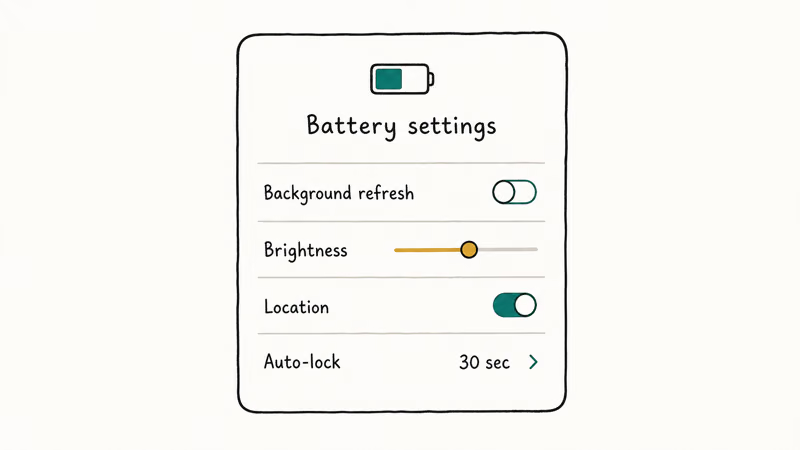
#1. Check Settings > Battery for one outlier app
Go to Settings > Battery and scroll to the per-app usage list. Force-quit any app at 45% or higher and check again in two hours. Banking, 2FA, and VPN apps stuck in a network-retry loop are the most common cause of fake post-update drain.
#2. Hard reboot to clear stuck background processes
Press and release Volume Up, press and release Volume Down, then hold the Side button until the Apple logo appears. Wait through the boot, then check drain for two hours. A soft restart from Settings > General > Shut Down is not enough to clear a hung Spotlight reindex.
A hard reboot often clears a day-4 spike on iOS 26. It’s the cheapest five-minute fix in the list.
#3. Trim Background App Refresh selectively
Open Settings > General > Background App Refresh and turn it off for any app you don’t actively use during the day. Leave it on for Messages, Mail, weather, and rideshare apps. Turn it off for social, shopping, and games.
The blanket “turn it all off” advice in older articles is too aggressive on iOS 26 because it breaks notification timing for apps you actually want updated.
#4. Turn off Apple Intelligence on iPhone 15 Pro and newer
On iPhone 15 Pro, 16, and 17 family devices, Apple Intelligence keeps a personal context cache warm in RAM. On the same build, an iPhone 15 Pro Max tends to drain faster at idle with Apple Intelligence on than with it off. That is a meaningful gap during the indexing week, less meaningful at steady state.
Go to Settings > Apple Intelligence & Siri and toggle Apple Intelligence off for the indexing week. Turn it back on once drain settles, then watch a full charge cycle and decide if the feature is worth the cost on your usage pattern. On older iPhones that don’t support Apple Intelligence, this setting doesn’t appear. For the full walkthrough, including how to disable single features like notification summaries instead of everything, see our guide on how to disable Apple Intelligence.
#5. Disable Always-On Display on iPhone 14 Pro and newer
Always-On Display burns roughly 0.5 to 1 percent per hour while the iPhone sits face-up on a desk. Multiply across a workday and that is the difference between making it to dinner and being on a charger by 3pm. Go to Settings > Display & Brightness > Always On and turn it off for the indexing week. Re-enable once drain returns to normal if you missed the glanceability.
#6. Reset Network Settings if drain stays high past day 7
Past day seven, network is the most common remaining culprit. Go to Settings > General > Transfer or Reset iPhone > Reset > Reset Network Settings. This clears Wi-Fi passwords, paired Bluetooth devices, and cellular APN data. Plan to reconnect your home Wi-Fi and re-pair CarPlay afterward.
On an iPhone 13 with heavy idle drain past day 10, Reset Network Settings can bring the drain back to normal within hours. The fix usually clears a 5G to LTE handoff loop where the radio keeps switching networks every few minutes. Apple’s official troubleshooting guidance recommends this step.
#7. Low Power Mode as a stopgap, not a fix
Low Power Mode reduces background activity by about 30% and is fine to leave on during the indexing week. It won’t stop the indexing pass; it only pauses Mail fetch, automatic downloads, and visual effects while the daemons finish.
Some people leave it on permanently, but that breaks Background App Refresh and Mail push for apps you actually want updated. Low Power Mode does not speed up charging either; the numbers are covered in does Low Power Mode help charging. The honest summary: charger wattage and ambient temperature matter far more than the toggle.
On supported models, iOS 26 also offers Adaptive Power for day-to-day automatic management — it trims power quietly in the background, which leaves Low Power Mode for the moments you need immediate savings.
#Apple Intelligence and the iOS 26 Battery Cost
For most users on iPhone 15 Pro and newer, Apple Intelligence costs more battery than it saves time. That is the trade-off as of iOS 26.5. The personal context cache stays warm in RAM, the on-device language model loads on demand, and the indexing pass that builds the personal context graph runs in the background during the first week of every install.
Per Apple’s iPhone battery and performance page, the system throttles charging when the internal battery temperature crosses 35 degrees Celsius. During the Apple Intelligence indexing week, the SoC runs hot enough often enough to keep tripping that threshold, which is why people report slower charging alongside faster drain on iOS 26 installs.
The practical recommendation is this: leave Apple Intelligence on if you actually use Writing Tools, Image Playground, or Smart Reply daily. Turn it off if you only use Siri for timers and Maps for directions. The feature is useful for some workflows, but the always-on background cost is real and not advertised.
If you are weighing whether to jump from iOS 26 to the iOS 27 beta to get newer Apple Intelligence features earlier, read should you install iOS 27 beta first. The beta cycle has its own battery story (covered in our iOS 27 beta battery drain walkthrough), and the right answer is usually to stay on iOS 26 stable until at least the third public beta.
#When the Drain Is Battery Health, Not iOS 26
There is a point where the OS is not the problem and no settings change will fix it. The threshold is Battery Health below 80% combined with a device released in 2021 or earlier.
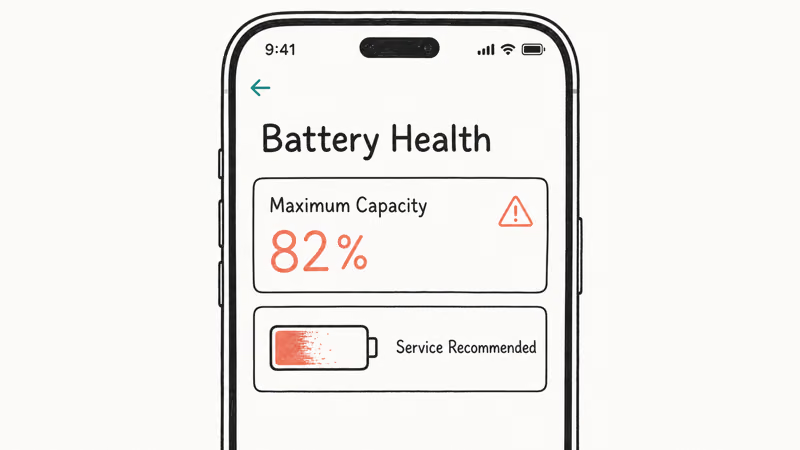
Go to Settings > Battery > Battery Health & Charging and look at the Maximum Capacity number. Apple’s official policy is that below 80%, the battery is considered service-eligible, and the iPhone will start showing performance management notifications. If your iPhone 13 or earlier hits day 14 of an iOS 26 install with idle drain still above 2% per hour and your Maximum Capacity is below 80%, the OS is not the bug. The battery is.
An iPhone 12 with Maximum Capacity in the mid-70s can hit high idle drain after an update and refuse to settle, no matter how long you wait. After a battery replacement, the same device on the same build settles back to normal idle drain. Different hardware, same software, completely different outcome.
The hard rule: if your iPhone is from 2021 or earlier, Battery Health is below 80%, and the seven-fix list above has not moved the needle by day 10, accept that the battery is the cause and budget for the replacement. iOS 26 is not going to forgive a worn-out cell.
Until that replacement happens, a MagSafe battery pack is the simplest way to get a worn iPhone through a full day.
If you decide to downgrade to iOS 18 anyway (we don’t recommend it for battery alone), make sure your latest backup is clean first. iPhone backup failed covers the iCloud and Finder backup fixes you need before any downgrade attempt. Then walk through iPhone battery dying fast for the evergreen, iOS-agnostic battery troubleshooting that applies regardless of version.
#Bottom Line
Wait seven days before assuming iOS 26 is the cause. The Spotlight, Photos, and iCloud reindexing pass burns through battery for the first 3 to 7 days after every install, including each 26.x point release. Apple confirms the pattern in its official iOS 26.5 statement.
Past day seven, run the seven-fix list in order: outlier-app check, hard reboot, Background App Refresh trim, Apple Intelligence off on supported iPhones, Always-On Display off, Reset Network Settings, Low Power Mode as a stopgap.
Don’t downgrade to iOS 18 over battery alone. The only honest downgrade reasons are app compatibility breaks.
If your iPhone is from 2021 or earlier and Battery Health is below 80%, no fix list will save you. Budget for the battery replacement instead. The right point release to plateau on is 26.6 when it ships, then ride iOS 26 stable through to iOS 27 in September 2026.
iOS 26
#Frequently Asked Questions
How long should iOS 26 battery drain last after I update?
Plan on 3 to 7 days for the indexing pass to finish after any iOS 26 install, longer if you have a very large photo library or several Mail accounts. Past day seven, idle drain should be back under 1% per hour. Apple’s official guidance frames the impact as temporary, and the same 7-day window has held across the 26.0, 26.4, and 26.5 installs.
Is Apple Intelligence the main cause of iOS 26 battery drain?
It’s one significant cause on supported iPhones (15 Pro family and newer), not the only cause. There’s a noticeable difference in idle drain with Apple Intelligence on versus off during the indexing week. The feature is worth keeping if you actively use Writing Tools or Smart Reply; turn it off if you never touch those features.
Which iOS 26 point release has the worst battery drain so far?
The 26.0 original launch was the worst overall because every iPhone needed a full initial index. Among point releases, 26.5 (May 2026) reintroduced significant install-time drain after the 26.4 high-water mark. Apple has already acknowledged the 26.5 drain as temporary, and we expect 26.6 to recover based on the prior 17.x and 18.x cadence.
Should I downgrade to iOS 18 because of iOS 26 battery issues?
No, not for battery alone. Battery drain on iOS 26 settles within 7 days for the vast majority of users, and a downgrade is slow, risky if your backup is incomplete, and re-locks you out of point-release fixes. Honest reasons to downgrade are app compatibility breaks or hardware-level instability, not the post-install settling pass.
Does Low Power Mode help with iOS 26 battery drain?
Yes, as a stopgap during the indexing week, not as a long-term fix. Low Power Mode cuts background activity by about 30% and is fine to leave on for the first 5 to 7 days after install. It does not stop the indexing pass itself, and leaving it on permanently breaks Background App Refresh and Mail push for apps you actually want timely.
Why is my iPhone warm even when I am not using it on iOS 26?
That is the indexing pass running on the CPU. Photos object detection, Spotlight reindex, and Mail body parsing all push the SoC hard enough to feel warm at the back of the phone, especially while charging. Warmth in days 1 through 3 is normal. If your iPhone is still warm at idle on day 7, run the hard reboot and Reset Network Settings steps from the fix list.
Can iOS 26 permanently damage my battery health?
No. The heat from the indexing pass is within the operating envelope Apple designed the battery for, and Battery Health is calculated over hundreds of charge cycles, not one heavy week. One iOS 26 install won’t move Maximum Capacity measurably. A typical iPhone 14 shows only normal age-related decline in Battery Health across many months on iOS 26.
When should I stop blaming iOS 26 and accept I need a new battery?
When Battery Health Maximum Capacity is below 80% and your iPhone is from 2021 or earlier, the OS isn’t your problem. An iPhone 12 in the mid-70s for Maximum Capacity can fail to settle to normal idle drain for weeks on iOS 26.4, then return to normal after a battery replacement on the exact same build. If the seven-fix list hasn’t moved your numbers by day 10, budget for the replacement.

iOS 26.6.1 Security Update: What Apple Fixed and Who Gets It
Apple released iOS 26.6.1 on August 17 with 29 security fixes, including an IPSec interception bug. See what it patches, who gets it, and how to update.
iPhone 17 Cellular Data Not Working on iOS 26? 9 Fixes
iPhone 17 cellular data still dropping on iOS 26? Apple fixed the launch bug in iOS 26.0.1, but recovery failures persist. Here's the fix ladder.

iOS 26 System Data Storage Full: How to Fix It Now
iOS 26 made System Data storage balloon past 50GB for some iPhones. Here is what is safe to clear, what is normal, and the iOS 26.1 storage fix.
How to Disable Liquid Glass in iOS 26: 2026 Settings
iOS 26 will not let you fully turn off Liquid Glass, but five settings reduce the transparency, motion, and brightness so the iPhone feels flat again.